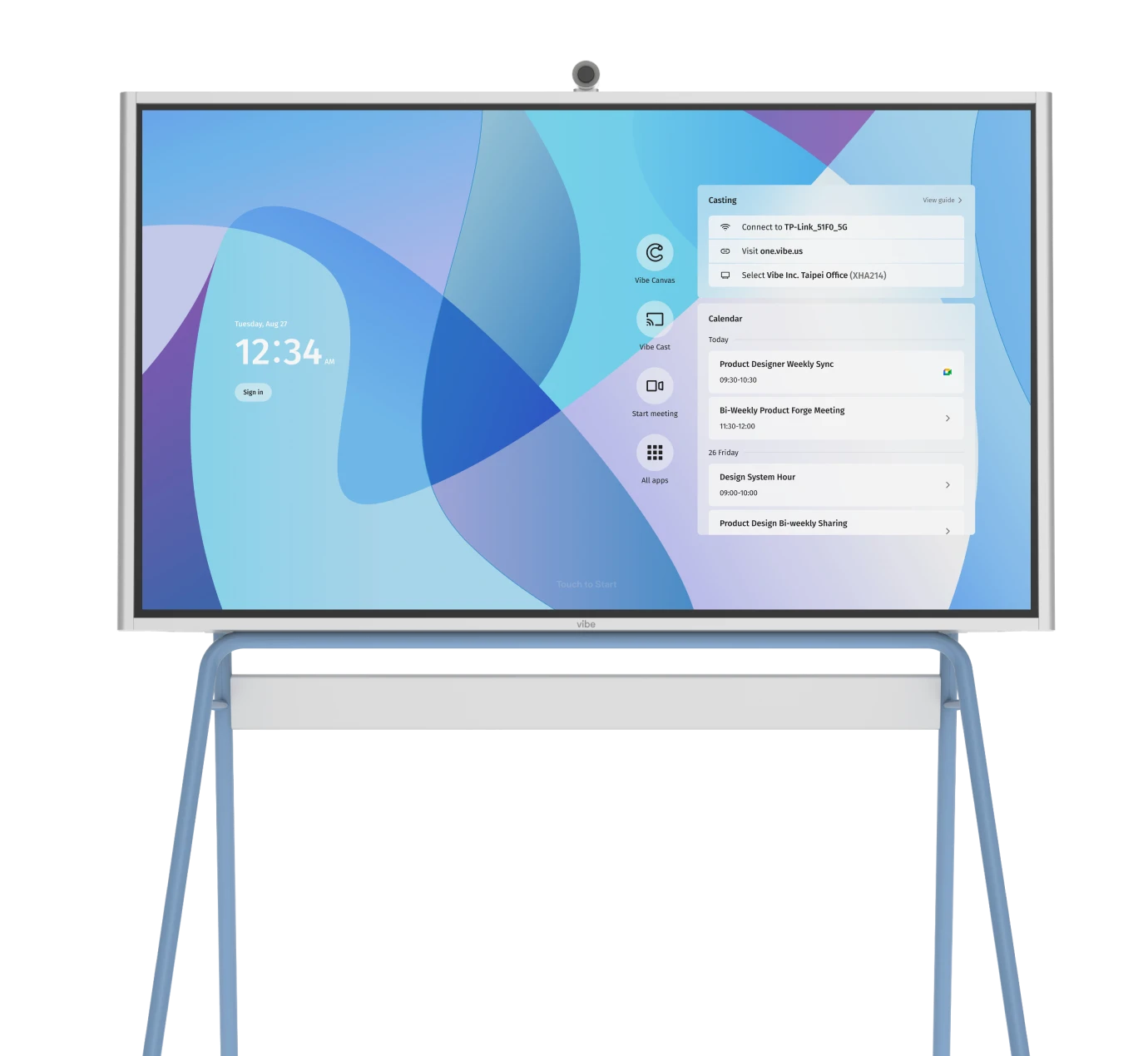


Your team just spent 15 minutes troubleshooting video lag before the client meeting even started. Sound familiar?
Choosing the right video conferencing app isn't just about features—it's about whether your remote and in-office team members can actually collaborate without technical headaches. The wrong choice costs you time, money, and sometimes, client relationships.
We researched about 7 leading video conferencing platforms, and here's what we found.
GoToMeeting
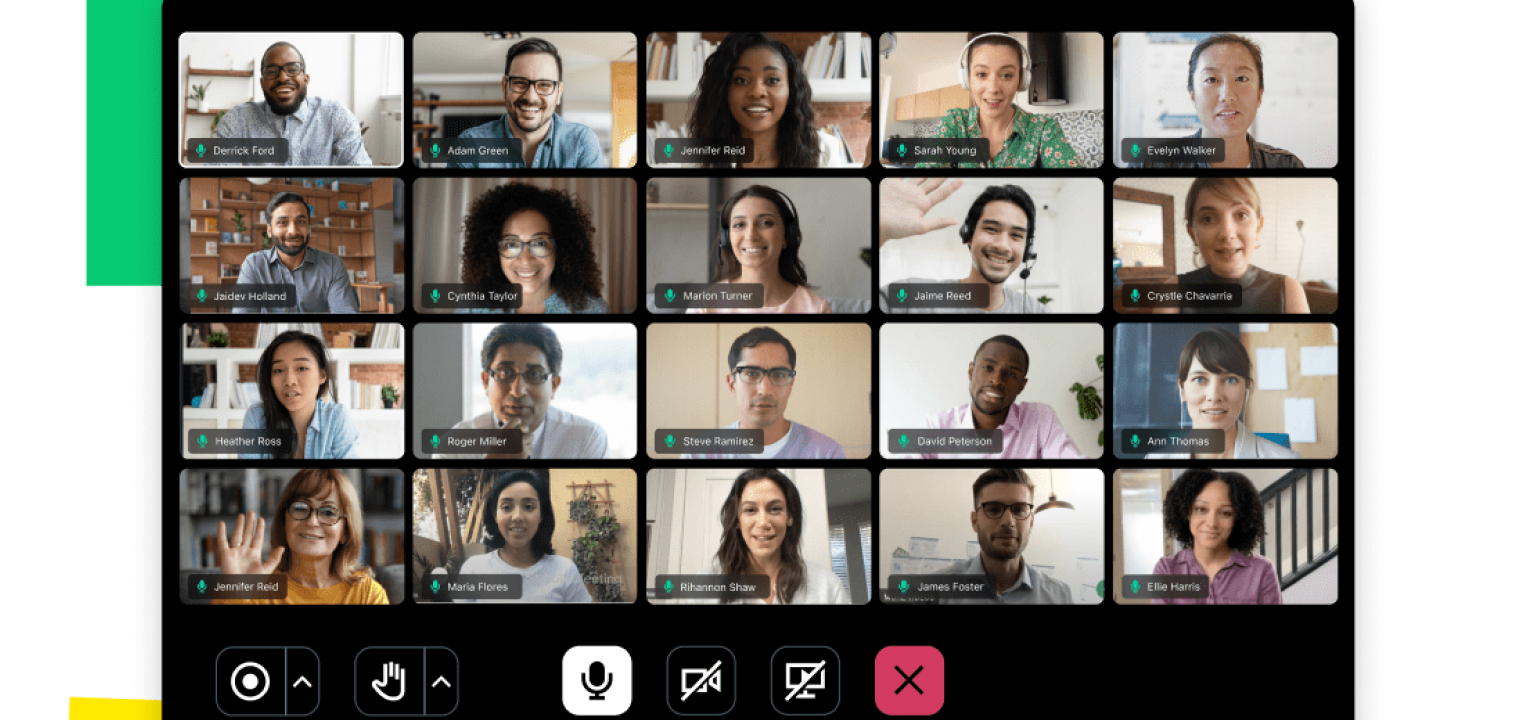 Screenshot of GoToMeeting
Best for: Teams running long client presentations, training sessions, or sales demos without time restrictions.
GoToMeeting (now part of GoTo Connect) has been in the video conferencing space since 2004. The platform's primary differentiator is straightforward: unlimited meeting duration on all paid plans.
This matters for organizations conducting extended client presentations, training sessions, or sales demonstrations where being cut off at 40 or 60 minutes creates friction. While competitors like Zoom and Microsoft Teams impose time limits on free and lower-tier plans, GoToMeeting's paid subscriptions eliminate this constraint entirely.
How much does GoToMeeting cost?
-
Free Version: 14-day trial with full features (no credit card required)
-
Professional Plan: $14/month (monthly billing) or $12/month (annual billing)
-
Business Plan: $19/month (monthly billing) or $16/month (annual billing)
-
Enterprise Plan: Custom pricing for organizations with 500+ users
💡Pro Tip: GoTo frequently offers bundled pricing for Meeting + Phone (GoTo Connect). If your organization needs both video conferencing and cloud telephony, the combined package typically provides better value than separate subscriptions.
What’s the difference between GoToMeeting video conferencing plans?
|
Feature |
Professional Plan |
Business Plan |
|---|---|---|
|
Participants |
Up to 150 |
Up to 250 |
|
Time Limits |
Unlimited (A major perk vs. free Zoom/Teams) |
Unlimited |
|
Recording |
Local recording only |
Unlimited Cloud Recording |
|
AI Features |
Basic |
Smart Notes & AI Summaries (Auto-transcription) |
|
Tools |
Screen sharing, Breakout rooms |
Drawing tools, Keyboard/Mouse sharing, Slide-to-PDF |
Is GoToMeeting right for you?
-
Choose the Professional Plan if you are a small team that simply needs a stable line for long meetings. The "no time limit" feature here is the killer app—you won't get cut off after 40 minutes like on many free competitors.
-
Choose the Business Plan if you are a hybrid team that relies on asynchronous work. The Smart Notes and Transcription features are essential in 2026; they allow team members who missed the meeting to search the transcript for their name or key project terms rather than watching a verified hour-long video.
-
The Bottom Line: If your company is "meeting-heavy" but "tech-light," GoTo Meeting is safer than complex suites. However, if you are looking for deep project management integration, check if their new Miro Whiteboard integration fits your workflow before buying.
Microsoft Teams
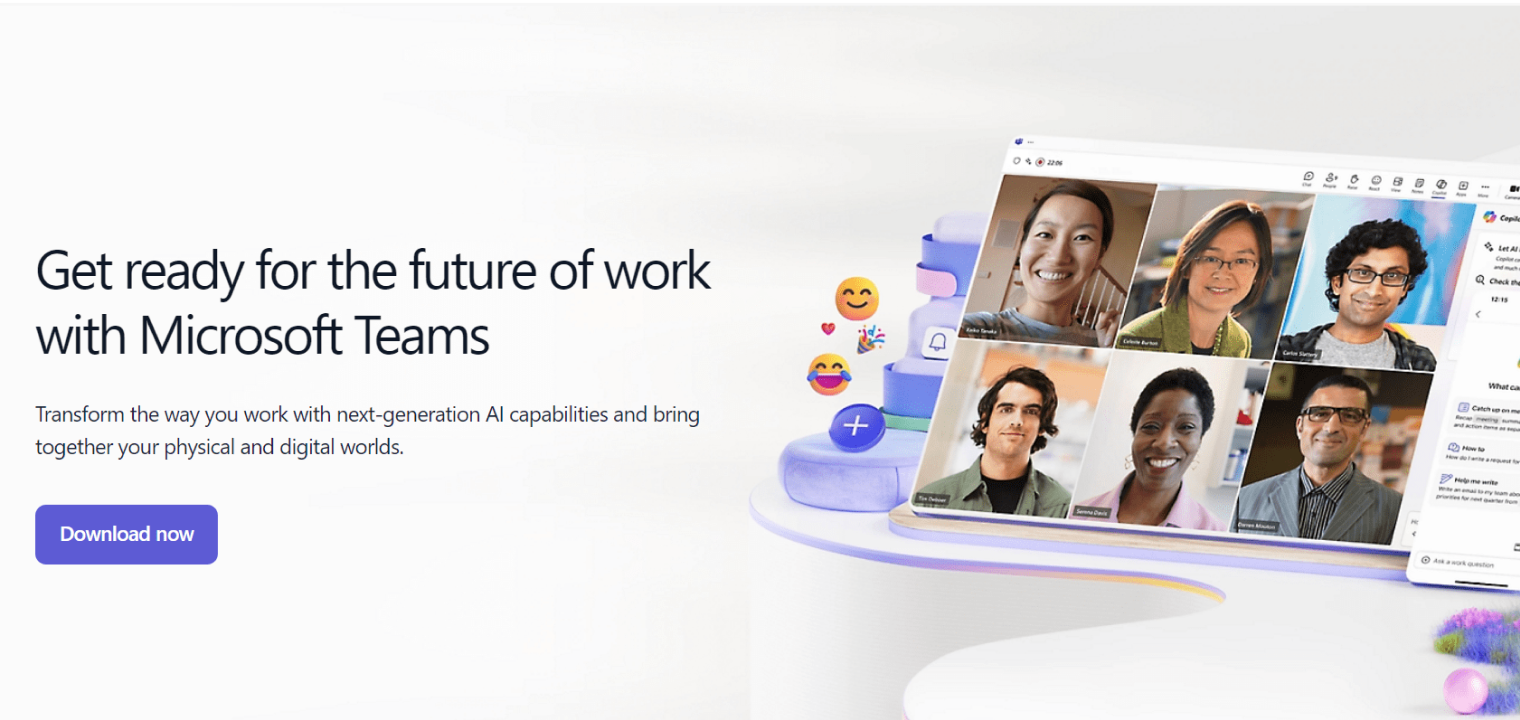 Screenshot of Microsoft Teams
Best for: Companies already using Microsoft 365 who need integrated video, chat, and file collaboration in a single platform.
Microsoft Teams is no longer just a video conferencing app; in 2026, it will be a full collaboration hub. If your company uses Outlook, Word, or SharePoint, Teams is effectively the "operating system" of your workday. Its biggest recent leap is the integration of Copilot, which automates meeting minutes and action items better than almost any competitor.
How much does Microsoft Teams cost?
Microsoft splits its pricing into "Business" (up to 300 users) and "Enterprise" tiers.
-
Free Version: Available, but with strict limits (60 minutes per group call).
-
Teams Essentials: $4.00/user/month (Standalone meetings without the Office 365 apps).
-
Microsoft 365 Business Basic: $6.00/user/month (Includes Teams + cloud versions of Word/Excel).
-
Microsoft 365 Business Standard: $12.50/user/month (Includes desktop apps + webinar tools).
-
Enterprise (E3/E5): Pricing has jumped to ~$33.75+/user/month, designed for large orgs needing advanced security and compliance.
💡Key 2026 Add-on: To get the AI meeting summaries (Intelligent Recap) and advanced security, you may need the Teams Premium add-on ($10/user/month) or a Copilot license.
What’s the difference between Microsoft Teams video conferencing plans?
|
Feature |
Free Plan |
Business Standard |
Teams Premium |
|---|---|---|---|
|
Time Limit |
60 mins (Group calls) |
30 hours (Unlimited effectively) |
30 hours |
|
Participants |
100 |
300 |
up to 10,000 |
|
Recordings |
yes |
Cloud (30days) |
AI Intelligent Recap |
|
Ecosystem |
Basic chat |
Full Office 365 integration |
AI Action Items & Drafts |
|
Unique Tech |
Avatars |
Webinar Registration |
Live Translation (40+ langs) |
Is Microsoft Teams right for you?
-
Stick to the Free Plan only for personal use or very quick internal syncs. The 60-minute cutoff is a hard stop that disrupts client calls.
-
Choose Business Standard if you want the "set it and forget it" solution. You likely already pay for Microsoft Office; bundling Teams effectively makes the video conferencing "free." It handles file sharing, chat, and scheduling better than any standalone app because it links directly to your Outlook calendar.
-
The Bottom Line: If you already use Microsoft 365, paying for a separate tool like Zoom is often redundant unless you have a specific need for their interface. However, if you want the "magic" features you see in ads—like AI summarizing the meeting for late joiners—be prepared to pay extra for Teams Premium or Copilot.
How to use Microsoft Teams on Vibe – Video
How to use Microsoft Teams on Vibe – Help Article
RingCentral Video (RingEX)
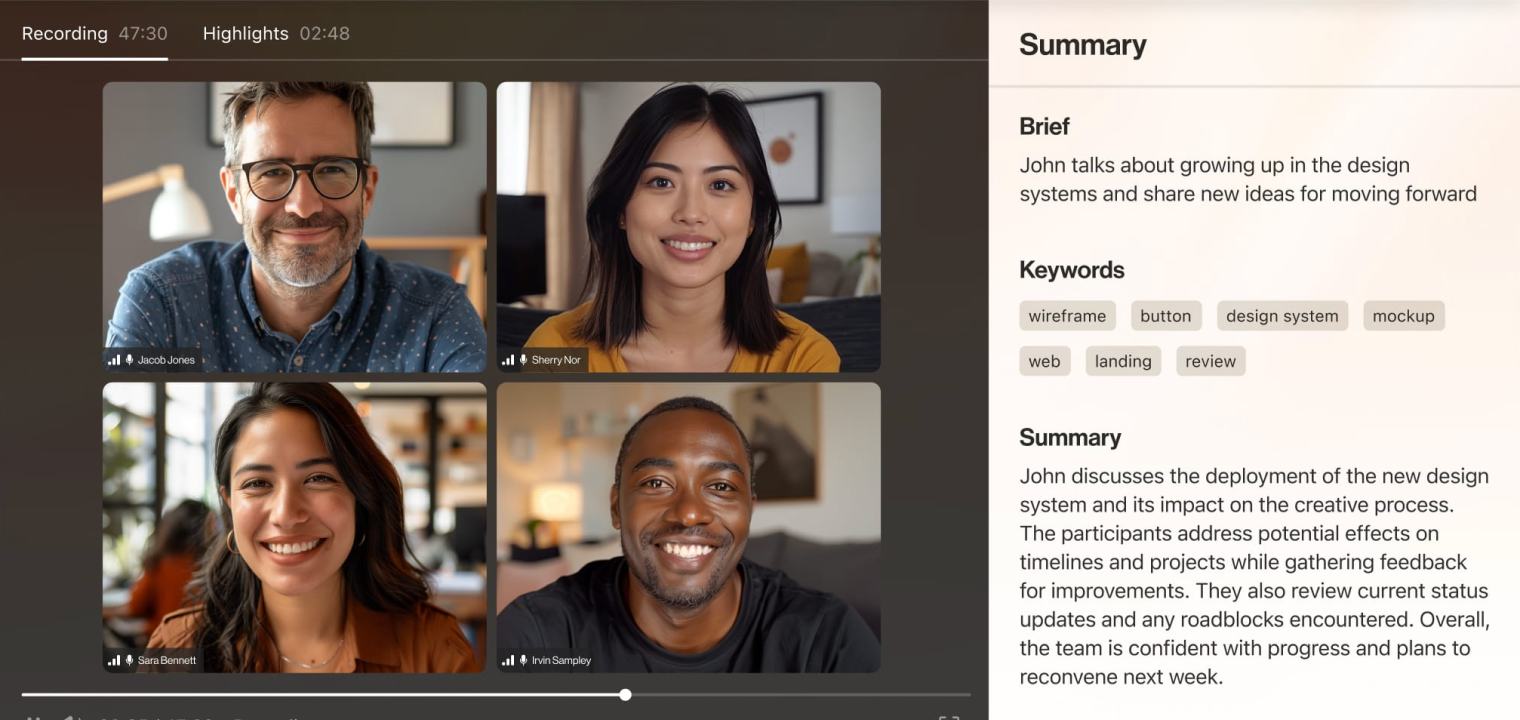 Screenshot of RingCentral
Best for: Teams that want a powerful business phone system (VoIP) that includes video conferencing for free.
RingCentral has rebranded its core offering to RingEX. While it still offers excellent video conferencing, its superpower in 2026 is Unified Communications (UCaaS). If your sales or support team needs to text, call, and video chat from a single app without constantly switching tabs, this is the top contender.
How much does RingCentral Meetings cost?
RingCentral’s pricing is now tiered based on "Phone + Video" capabilities.
-
RingCentral Video Pro: Free (Standalone video only).
-
RingEX Core: $20/user/month (Includes Business Phone + Video).
-
RingEX Advanced: $25/user/month (Adds Salesforce/HubSpot integrations).
-
RingEX Ultra: $35/user/month (Adds unlimited storage and advanced analytics).
Note: Prices listed are for annual billing. Monthly billing typically adds ~$10/user.
What’s the difference between RingCentral Meetings video conferencing plans?
|
Feature |
Video Pro (Free) |
RingEX Core (Paid) |
RingEX Advanced (Recommended) |
|---|---|---|---|
|
Participants |
Up to 100 |
Up to 100 |
Up to 200 |
|
Time Limits |
50 mins (Group calls) |
24 hours (Unlimited) |
24 hours (Unlimited) |
|
Phone System |
No |
Unlimited US/CAN calling |
Unlimited calling |
|
Integrations |
Google/Microsoft only |
Basic CRM |
Salesforce, Zendesk, Hubspot |
|
AI Features |
Basic noise reduction |
AI call summaries |
RingSense AI (sentiment analysis) |
Is RingCentral Meetings right for you?
-
Stick to the Free Plan (Video Pro) if you just need a simple, no-download video tool for quick client chats. It is browser-based and very lightweight.
-
Choose the RingEX Advanced Plan if you are a sales or support team. This is where RingCentral beats Zoom: it integrates your video meetings, SMS texts, and phone calls into one timeline in your CRM. You can text a client a reminder, jump on a video call, and then have RingSense AI auto-log the call summary into Salesforce without lifting a finger.
-
The Bottom Line: Don't buy RingCentral just for video meetings (Zoom is simpler for that). Buy RingCentral if you want to replace your office desk phones and get enterprise-grade video conferencing included as a bonus.
Dialpad Meetings
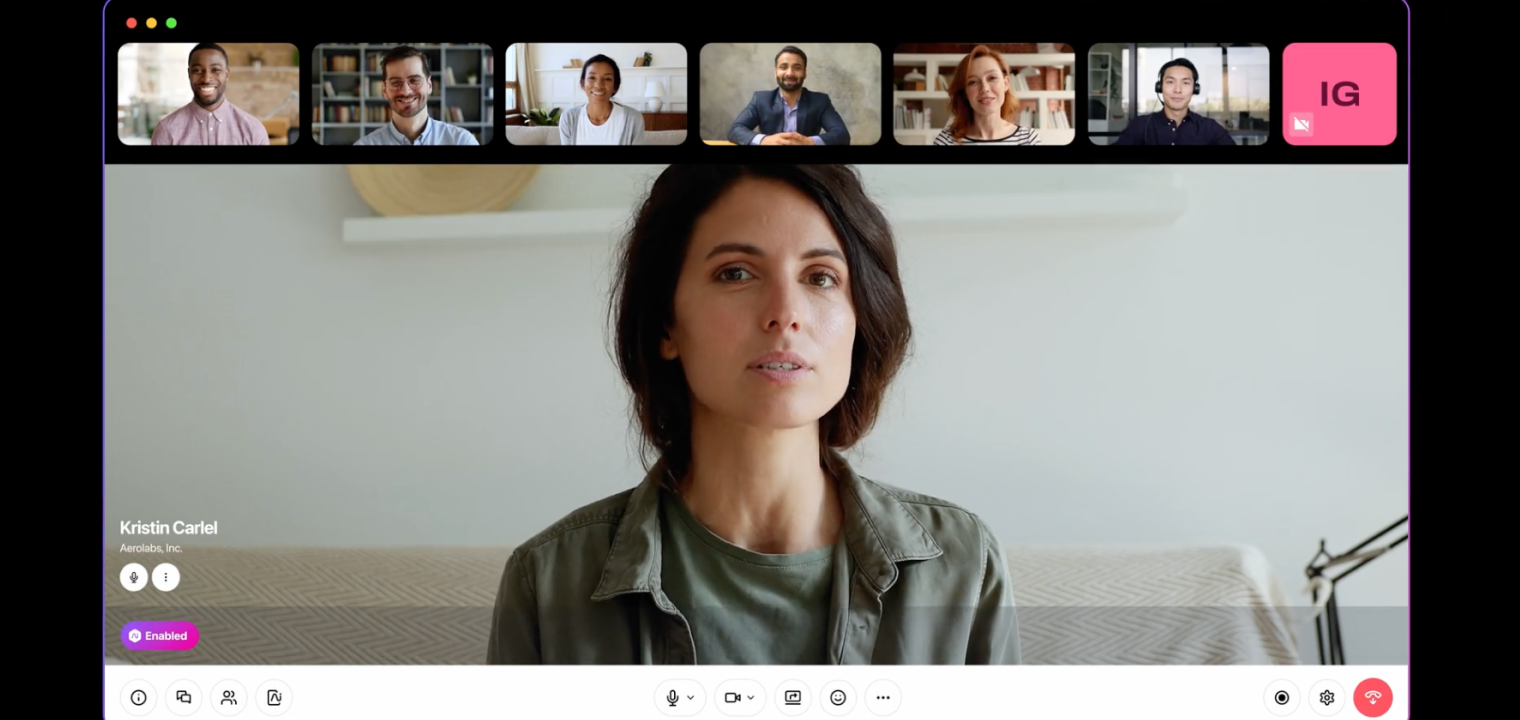 Screenshot of dialpad meetings
Best for: Sales teams and agencies that need real-time AI transcription and automated meeting summaries.
Dialpad has shed its "bare-bones" reputation to become the AI heavyweight of 2026. Now branded as Dialpad Meetings, it focuses less on video bells and whistles and more on Voice Intelligence (Vi)—automatically transcribing calls, tracking action items, and even analyzing client sentiment in real-time.
How much does Dialpad cost?
-
Free Version: Robust free plan available (no credit card required).
-
Business Plan: $20/user/month (or ~$15/month if billed annually).
-
Dialpad AI Voice: $27/user/month (Bundles the Business Phone system with Meetings).
What’s the difference between UberConference video conferencing plans?
|
Feature |
Free Plan |
Business Plan (Recommended) |
|---|---|---|
|
Participants |
Up to 10 |
Up to 150 |
|
Time limits |
45 minutes |
5 hours |
|
No-download |
Yes (Browser-based) |
Yes (Browser-based) |
|
AI features |
Basic |
Unlimited AI transcripts and recaps |
|
Tools |
Screen sharing, HD video |
Outbound dialing to participants, Custom hold music |
Is Dialpad right for you?
-
Stick to the Free Plan if you are a consultant or freelancer. The "no PIN required" and "no download required" features make it the easiest way to get a client on a call without technical friction. The 45-minute limit is your only real constraint.
-
Choose the Business Plan if you work in sales or client success. The Dialpad AI features are the game-changer here: they send you an email summary of the meeting with "Action Items" automatically highlighted. This saves you from having to re-listen to an hour-long call just to find one specific detail.
-
The Bottom Line: If you hate taking meeting notes, Dialpad is your best friend. It’s not as feature-rich as Zoom for webinars, but for pure day-to-day meetings where capturing information matters, its AI transcription is arguably the best in the business.
Cisco Webex
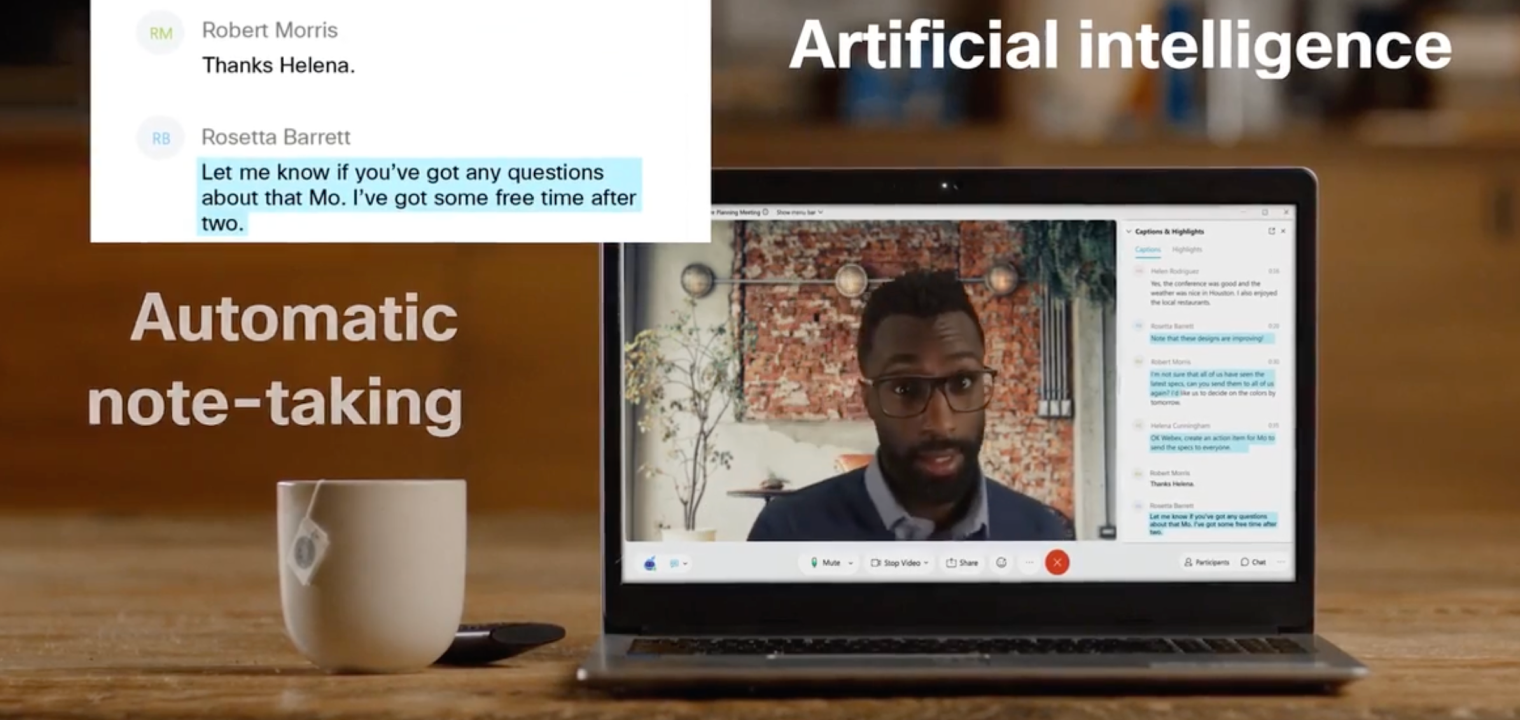 Screenshot of Webex meetings
Best for: Enterprises that prioritize security and high-end conference room hardware.
If Dialpad is for sales teams and Zoom is for everyone, Webex is for the Fortune 500. In 2026, Cisco stopped fighting the "platform wars" and now focuses on interoperability. Their high-quality hardware (cameras and desk phones) now runs Microsoft Teams or Zoom just as well as it runs Webex, making this a safe bet for complex, mixed-tech offices.
How much does Cisco Webex cost?
Users can choose from the following packages:
-
Webex Free: $0 (Robust, but with time limits).
-
Webex Meet: ~$14.50/license/month (The standard video-only plan).
-
Webex Suite: ~$25/license/month (Includes Video + Cloud Calling + Webinars).
-
Enterprise: Custom pricing (Required for 1,000+ participants).
💡Pro Tip: If you buy the Webex Suite, you get their "Vidcast" tool included—a Loom competitor that lets you send quick video updates instead of holding a live meeting.
What’s the difference between Webex video conferencing plans?
|
Feature |
Webex Free |
Webex Meet (Recommended) |
Webex Suite |
|---|---|---|---|
|
Participants |
Up to 100 |
Up to 200 |
Up to 200 |
|
Time limits |
40 mins (Strict limit) |
24 Hours (Unlimited) |
24 Hours (Unlimited) |
|
Cloud recording |
Local only |
10 GB Cloud Storage |
Unlimited |
|
AI features |
Noise Removal |
AI Assistant & Captions |
Real-Time Translation |
|
Extras |
Vidcast (Basic) |
Vidcast (Premium) |
Webinars & Polling (Slido) |
Is Cisco Webex right for you?
-
Stick to the Free Plan if you have very short internal syncs (under 40 mins) and want better noise cancellation than Zoom offers for free. Cisco's "background noise removal" is still the industry gold standard.
-
Choose the Webex Suite if you are a large organization that needs security first. Webex offers granular control over who can join meetings (e.g., blocking external emails or specific regions) that is deeper than most competitors.
-
The Bottom Line: Webex is no longer just software; it's a hardware play. If your office is equipped with Cisco Room Kits or Boards, using the Webex software gives you the smoothest experience (like using FaceTime on an iPhone). If you don't use their hardware, the software can feel clunky compared to Zoom or Teams.
Zoom
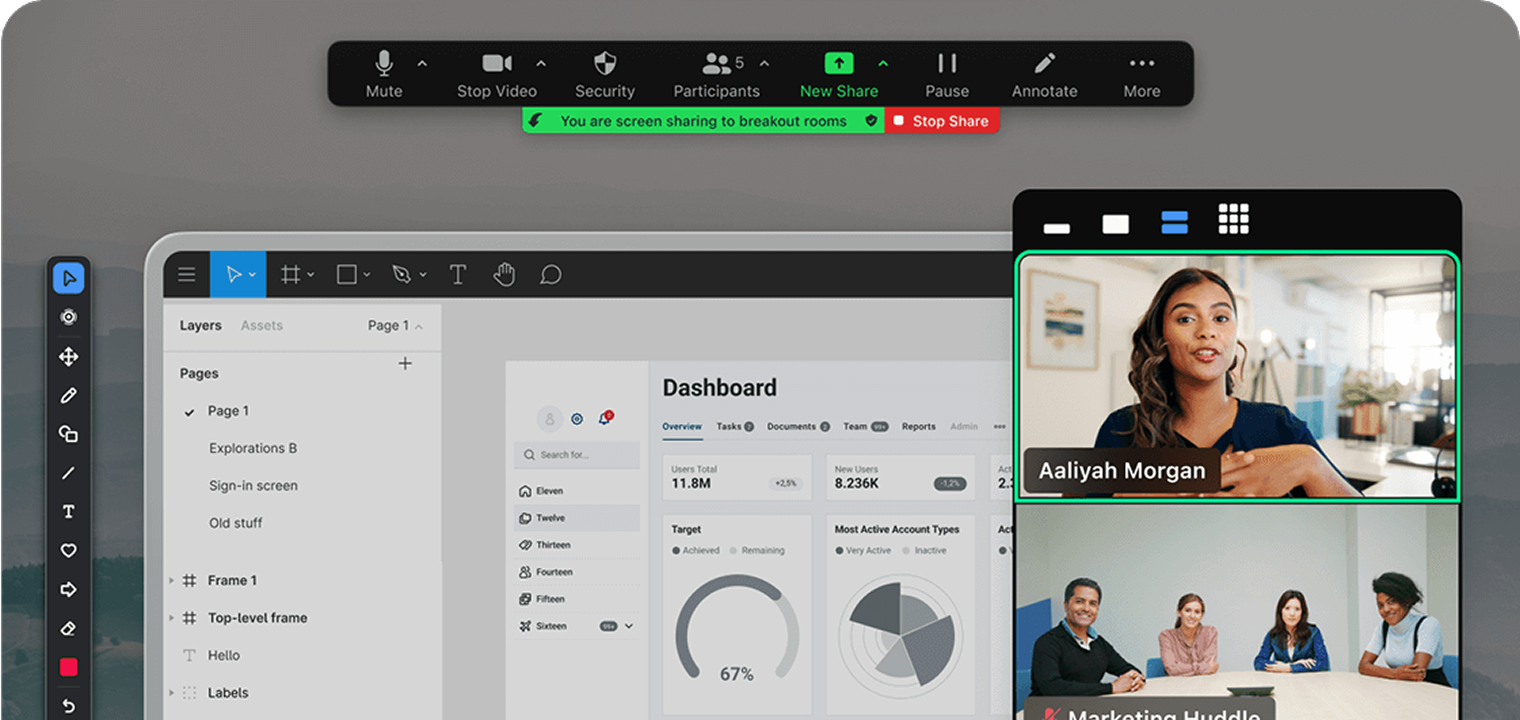 Screenshot of Zoom
Best for: The "It Just Works" reliability and high-value AI features included at no extra cost.
You can't write a roundup without Zoom. By 2026, "Zooming" is still a verb, but the app has evolved into Zoom Workplace—an all-in-one platform that includes email, calendar, docs, and team chat. While competitors like Teams try to lock you into their ecosystem, Zoom remains the "Switzerland" of video conferencing: it plays nicely with everyone and remains the easiest link to send a client.
How much does Zoom cost?
-
Basic: Free (The classic 40-minute limit applies).
-
Pro: $15.99/user/month (Best for solo consultants).
-
Business: $21.99/user/month (Best for small teams).
-
Enterprise: Custom pricing (Includes unlimited cloud storage).
Key 2026 Differentiator: Paid Zoom plans include the Zoom AI Companion (meeting summaries, email drafting) for free. Microsoft and Google often charge an extra $20-$30/user/month for similar AI features.
What’s the difference between Zoom video conferencing plans?
|
Feature |
Basic (Free) |
Pro (Recommended for Solopreneurs) |
Business (Recommended for Teams) |
|---|---|---|---|
|
Participants |
100 |
100 |
300 |
|
Time limits |
40 minutes (hard stop) |
30 Hours (Unlimited) |
30 Hours (Unlimited) |
|
AI features |
None |
AI Companion Included |
AI Companion Included |
|
Recording |
Local only |
5 GB Cloud Storage |
5 GB Cloud Storage + Transcripts |
|
Extras |
Whiteboard (Basic) |
Clips (Async Video) |
SSO & Managed Domains |
Is Zoom right for you?
-
Stick to the Basic Plan only for 1:1 catch-ups (which are unlimited). For group calls, the 40-minute cutoff is unprofessional for client-facing meetings.
-
Choose the Pro/Business Plan if you want the best AI deal on the market. In 2026, the ability to get an automated "Meeting Summary" emailed to you immediately after a call—without paying an extra license fee—makes Zoom the best value for budget-conscious teams who still want cutting-edge tech.
-
The Bottom Line: If you need to meet with people outside your organization (clients, vendors, candidates), Zoom is still the king. It requires the least amount of friction for a guest to join, and its audio/video quality remains the most forgiving on unstable internet connections.
Google Meet
 Screenshot of Google Meet
Best for: Teams that live in Google Docs/Gmail and want AI features without downloading a separate app.
Google Meet has evolved from a simple "hangout" tool into a powerhouse of productivity. In 2026, its "killer app" isn't the video quality—it's Gemini. If you pay for Workspace, Google’s AI now attends meetings for you, takes notes, and even summarizes long email threads about the call, all within the browser.
How much does Google Meet cost?
Google Meet is effectively free if you have a Google account, but for business features, you need a Google Workspace subscription.
-
Personal Free Plan: $0 (Strict 60-minute limit for group calls).
-
Business Starter: ~$7.20/user/month (Removes time limits).
-
Business Standard: ~$14.40/user/month (Adds Recording + Noise Cancellation).
-
Workspace Individual: ~$10/month (For solopreneurs who need bookings/longer calls but no custom email domain).
-
Gemini Business Add-on: ~$20/user/month (Adds "Take notes for me" and advanced AI).
Note: Prices listed are based on monthly billing; annual commitments often save ~20%.
What’s the difference between the plans?
|
Feature |
Free Plan |
Business Standard (Recommended) |
|---|---|---|
|
Participants |
Up to 100 |
Up to 150 |
|
Time limits |
60 minutes (Group calls) |
24 Hours (Unlimited) |
|
Recording |
No |
Yes (Saved to Drive) |
|
AI features |
Basic Captions |
Gemini (Notes & Summaries) |
|
External guests |
Requires a Google Account to join easily |
Click-to-join (No account needed) |
Is Google Meet right for you?
-
Stick to the Free Plan if you are calling friends or family. For business, the 60-minute hard stop is awkward and unprofessional.
-
Choose Business Standard if you are a company. The integration is unbeatable: you schedule a meeting in Google Calendar, click one button to join, and the recording automatically saves to your Google Drive and emails itself to all invitees. You don't have to "manage" files as you do in Zoom.
-
The Bottom Line: If your company uses Gmail, do not buy Zoom. Google Meet is likely already included in what you pay for, and the 2026 quality updates (like 1080p video and Adaptive Audio for mixed-presence rooms) have closed the gap with competitors.
Bonus: The Best Hardware for Hybrid Teams
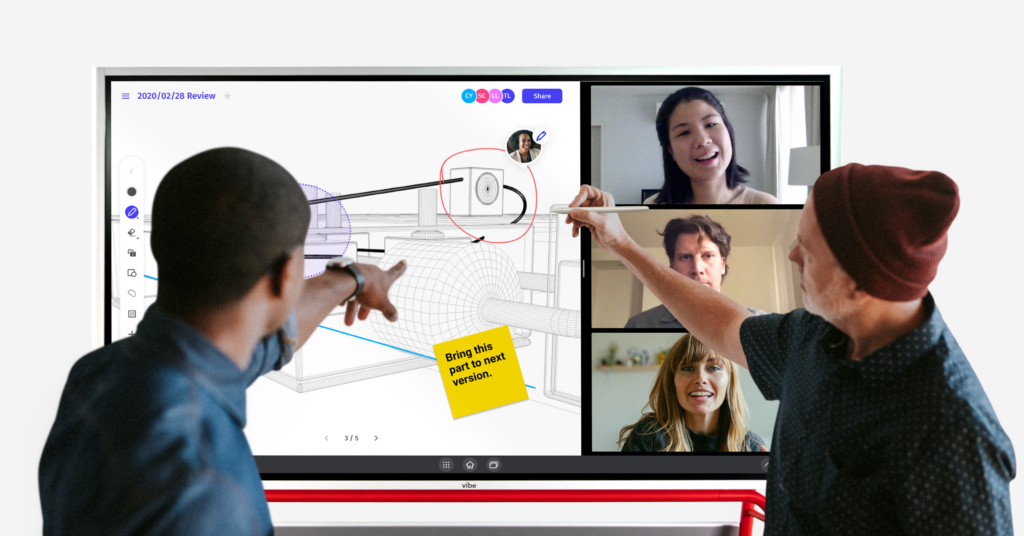 Team using Vibe Board S1 for online collaboration
You’ve chosen your software (Zoom, Teams, or Google Meet)—but software is only half the battle. If you are still crowding around a single laptop webcam or dealing with clunky HDMI cables in the conference room, you aren't getting the most out of these apps.
Enter the Vibe Board S1, the all-in-one smart whiteboard that natively runs every app on this list.
Meet the Vibe Board S1
The Vibe Board S1 55″ isn't just a TV; it's a 55-inch 4K touch computer that runs VibeOS (based on ChromeOS). It doesn't force you to switch platforms; instead, it creates a "giant tablet" experience for your existing tools.
-
App Agnostic: Download Zoom, Microsoft Teams, Google Meet, or Webex directly from the Vibe Store. No laptop required.
-
Split-Screen Magic: Keep your video gallery on the left and the Vibe Canvas (infinite whiteboard) on the right. You can see your team’s faces while you brainstorm.
-
Real-Time Annotation: Stop saying "Can you see my cursor?" Use the stylus to draw, circle, and sticky-note directly over your screen share in real-time.
See How Vibe Fits Your Workflow! Live demo with a product expert. No commitment required.




-1sbltxxq4FYxHrXrwJVLsCDNsXpqNa.webp)
-5Zp0pmSytvcuYDVs1LvuwplKuRneK0.webp)