Mind maps are one of the most practical thinking tools you can learn — and one of the most misunderstood. Most people try them once, produce something vague, and go back to bullet-point notes. The problem usually isn’t the technique. It’s that nobody explained how to actually build one well.
This guide covers everything: what a mind map is, how to make one step by step, the core techniques that make maps effective, real examples across different use cases, and how mind mapping compares to traditional brainstorming. By the end, you’ll know exactly how to create a mind map that works.
What Is a Mind Map?
A mind map is a visual diagram that organizes information around a central idea. You write your main topic in the middle of a page or canvas, then branch outward into related subtopics, details, and connections — in any direction, in any order.

The technique was popularized by British author and educational consultant Tony Buzan in the 1970s, who argued that radiant thinking — the brain’s tendency to associate ideas outward from a central point — was more natural than the linear structure of traditional notes. A well-built mind map mirrors that associative process: each branch reflects a line of thinking, and the spatial layout shows how ideas relate.
What separates a mind map from a simple list or outline is its non-linearity. You can add a branch anywhere, follow a thread as far as it goes, then jump to a completely different area. That freedom is precisely what makes it useful for brainstorming, planning, studying, and problem-solving.
What Are Mind Maps Used For?
Mind maps adapt to almost any situation where you need to think through or organize information. Common uses include:
Brainstorming — Capture every idea without forcing premature structure. The branching format prevents the "blank page" paralysis that kills flat lists.
Project planning — Map all components of a project (tasks, owners, dependencies, risks) in a single view, so nothing falls through the cracks.
Note-taking — Summarize a lecture, book chapter, or meeting in a format that makes relationships between ideas visible.
Problem-solving — Place the problem at the center and branch into causes, consequences, constraints, and potential solutions.
Study and revision — Compress a complex topic into a visual summary your brain can recall more easily than dense paragraphs.
Content and campaign planning — Marketing teams use mind maps to build out content clusters, messaging hierarchies, and campaign structures before moving to linear documents.
The Benefits of Mind Mapping

Improved memory and recall
The visual, associative structure of a mind map aligns with how the brain actually stores information. Research has found that using mind maps as a learning technique significantly aids the recall of both short-term and long-term memory, particularly when dealing with facts — and that students using mind maps show higher levels of learning motivation as a result.
A 2025 meta-analysis examining 52 studies and over 3,300 participants found significantly higher scores in mind mapping groups compared to lecture-based learning groups across theoretical knowledge, case analysis, and procedural skill. While the studies focus on academic contexts, the underlying mechanism — visual organization reducing cognitive load — applies equally to professional work.
Faster idea generation
Because mind maps have no fixed structure, you can add ideas as fast as they arrive. There’s no need to decide where something "belongs" before writing it down. This reduces the friction between thinking and capturing, which is why mind maps produce more ideas per session than most linear methods.
Clearer big-picture thinking
A completed mind map lets you see the entire scope of a topic on one page. This overview makes it easier to spot gaps, identify priorities, and understand how individual pieces connect — something a sequential list simply can’t show.
Better collaboration
When a mind map is built with a team — whether physically on a whiteboard or digitally in a shared canvas — it externalizes thinking in a way that everyone can see, build on, and challenge in real time. This shared visibility reduces misalignment and brings quieter voices into the process.

6 Steps to Make a Mind Map

Step 1: Define your central topic
Write the subject you want to explore at the center of your page or canvas. Keep it short — a word or a short phrase, not a sentence. The central topic should be specific enough to be useful but broad enough to branch into multiple directions.
 Step 1 to create a mind map: Define your central topic
Good central topics: Product launch Q3, Team offsite agenda, Chapter 5: cell biology, Why are users churning?
Weak central topics: Things to think about, Our business — these are too vague to generate useful branches.
Step 2: Identify your main branches
These are the top-level categories that organize your thinking. Draw them radiating outward from the center — typically four to seven branches. In Buzan’s original method, these are drawn as thick, curved lines with the branch label written along the line itself.
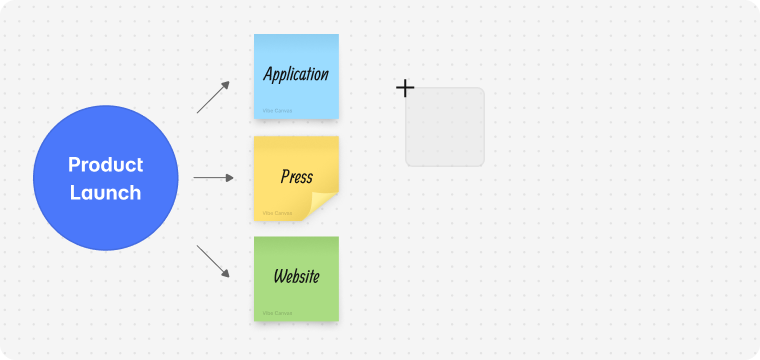 Step 2 to create a mind map: Identify your main branches
For a product launch map, your main branches might be: Messaging, Channels, Timeline, Audience, Assets, Success metrics.
At this stage, don’t overthink it. Main branches are placeholders — they’ll evolve as you fill in detail.
Step 3: Add subtopics to each branch
Branch off each main topic into supporting ideas, tasks, questions, or details. These sub-branches are where the real thinking happens. Keep each label short (one to four words) so the map stays scannable.
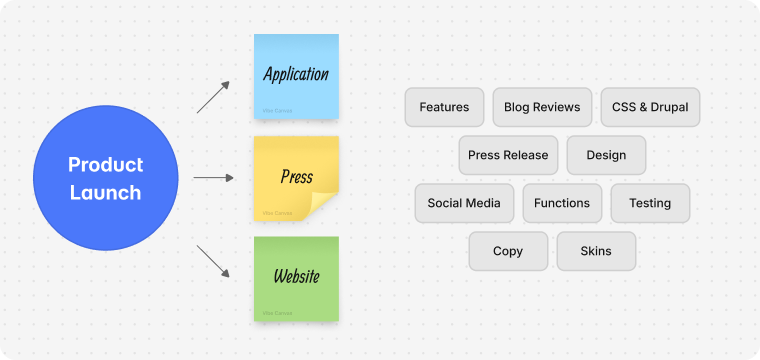 Step 3 to create a mind map: Add subtopics to each branch
There’s no limit to how many levels of sub-branches you can add. Follow each thread as far as it naturally goes before moving to the next branch.
Step 4: Connect related ideas across branches
One of the most valuable things a mind map can reveal is unexpected connections between branches. When you notice that an idea on one branch relates to something on a completely different branch, draw a connecting line or use an arrow. These cross-connections often surface insights that linear thinking misses entirely.
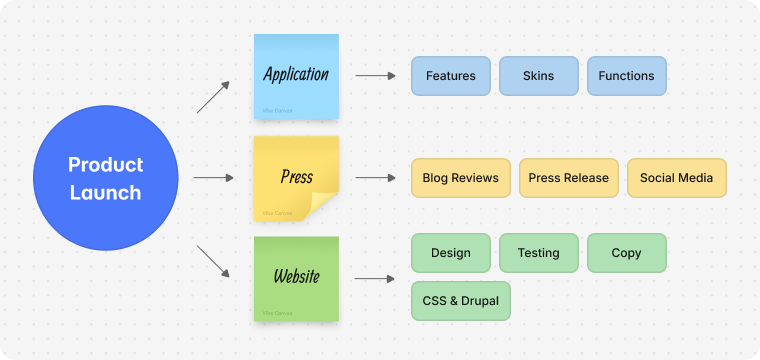 Step 4 to create a mind map: Connect related ideas across branches
Step 5: Add images, color, and visual cues
Buzan’s research emphasized that color and imagery significantly boost recall. Assigning a different color to each main branch makes the map visually scannable and helps the brain associate information spatially. Adding small icons or sketches — even rough ones — next to key ideas improves retention.
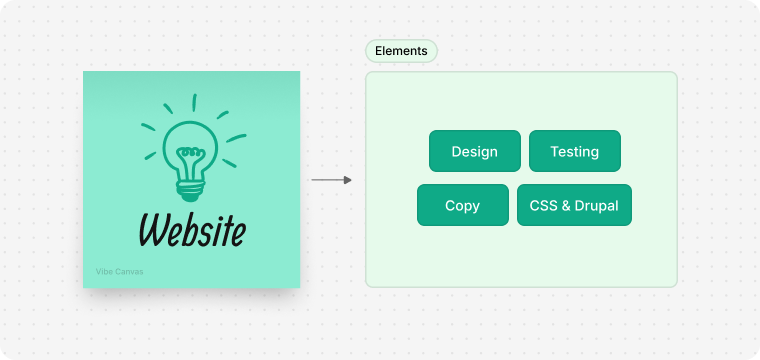 Step 5 to create a mind map: Add images, color, and visual cues
For digital maps, you can embed actual images, links, files, or embedded videos directly on branches. This turns the map from a static diagram into a navigable knowledge hub.
Step 6: Review, refine, and reorganize
Once you’ve captured your initial thinking, step back and review the map as a whole. At this stage you’re looking for: gaps (topics that seem underdeveloped), redundancy (ideas that appear on multiple branches and could be consolidated), and misgrouping (subtopics that clearly belong under a different main branch than where they landed).
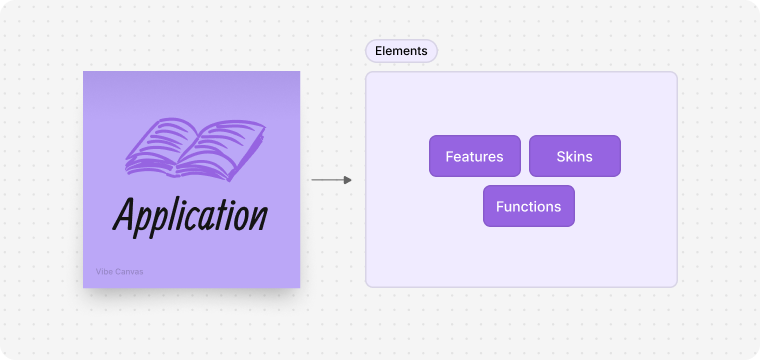 Step 6 to create a mind map: Review, refine, and reorganize
Most mind mapping tools — digital ones in particular — make it easy to drag and reorganize branches. This is not failure; it’s the map doing its job, helping you refine your thinking.
Mind Mapping Techniques That Make a Real Difference
Knowing the steps is one thing. These techniques separate maps that clarify thinking from maps that just look like tangled diagrams.
Start with nouns, not sentences. Short labels force you to distill each idea to its essence. Full sentences on branches make maps hard to read and signal that you’re taking notes, not mapping.
One idea per branch. Every branch should represent exactly one concept. If you find yourself writing "X and Y" on a branch, split it into two.
Use hierarchy intentionally. The distance from center signals importance. Main branches are the most important categories. Sub-branches are supporting detail. Don’t add a new main branch for something that’s really a sub-point.
Capture first, organize second. In a brainstorming session, the fastest results come from adding ideas wherever they land and reorganizing afterward. Stopping to find the "right" place for every idea breaks the flow.
Revisit and evolve the map. A mind map is not a finished document — it’s a living thinking tool. The most useful maps get opened, added to, and reorganized repeatedly over the life of a project.
Mind Mapping Examples
Product launch planning
Place Product Launch at the center. Main branches: Audience (persona A, persona B, buyer journey stage), Messaging (headline, proof points, differentiators), Channels (paid, organic, email, partner), Timeline (milestones, dependencies), Assets (copy, design, video), Metrics (pipeline target, engagement benchmarks).
This structure gives a marketing team a single map from which to build briefs, assign tasks, and track coverage without switching between five different documents.
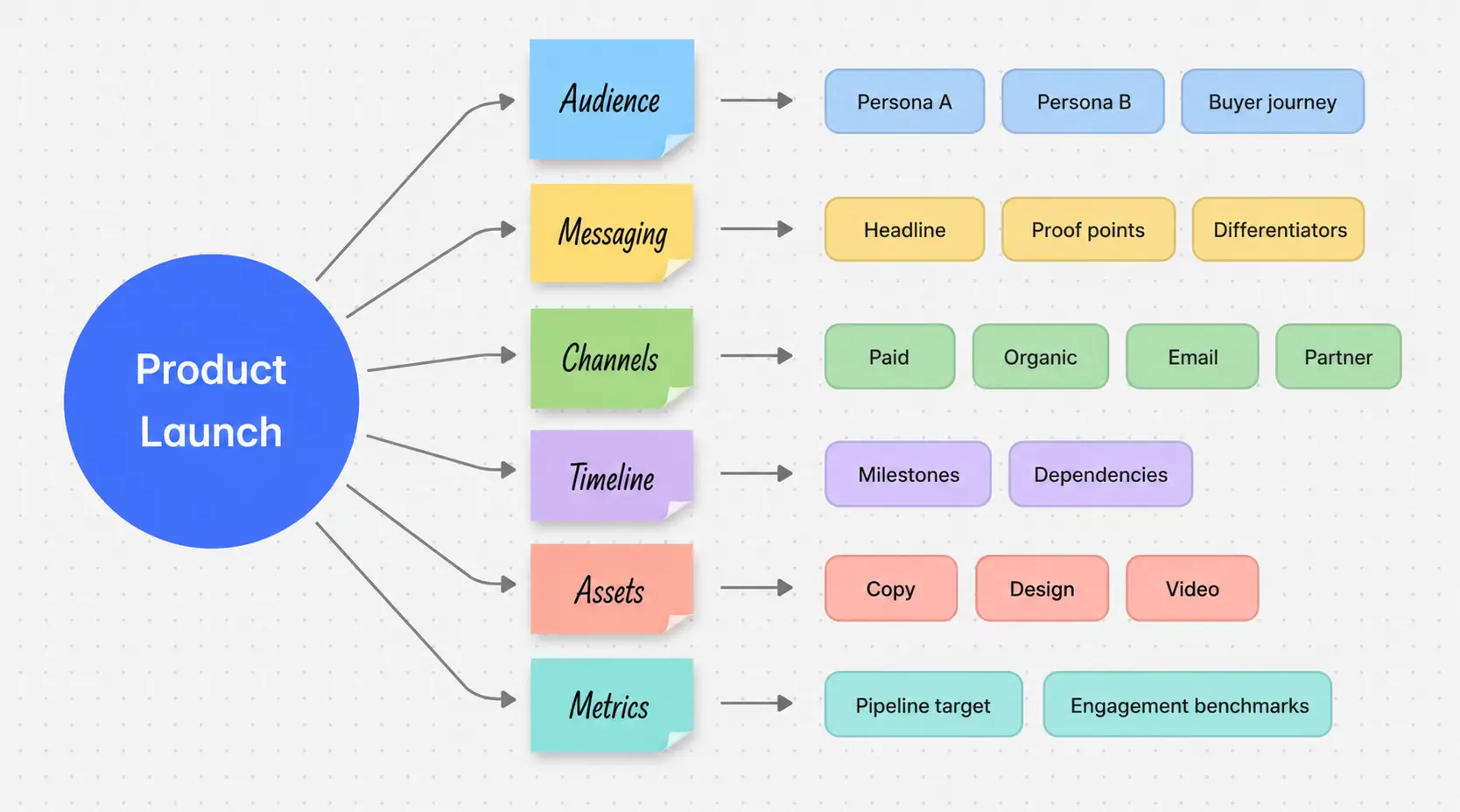 Mind mapping example: Product launch planning
Student revision map
Place the chapter topic at center — say, The French Revolution. Main branches: Causes, Key figures, Timeline of events, Social impact, Legacy. Each branch expands into specific names, dates, and concepts. A student can review the entire chapter by scanning a single page rather than re-reading dense text.
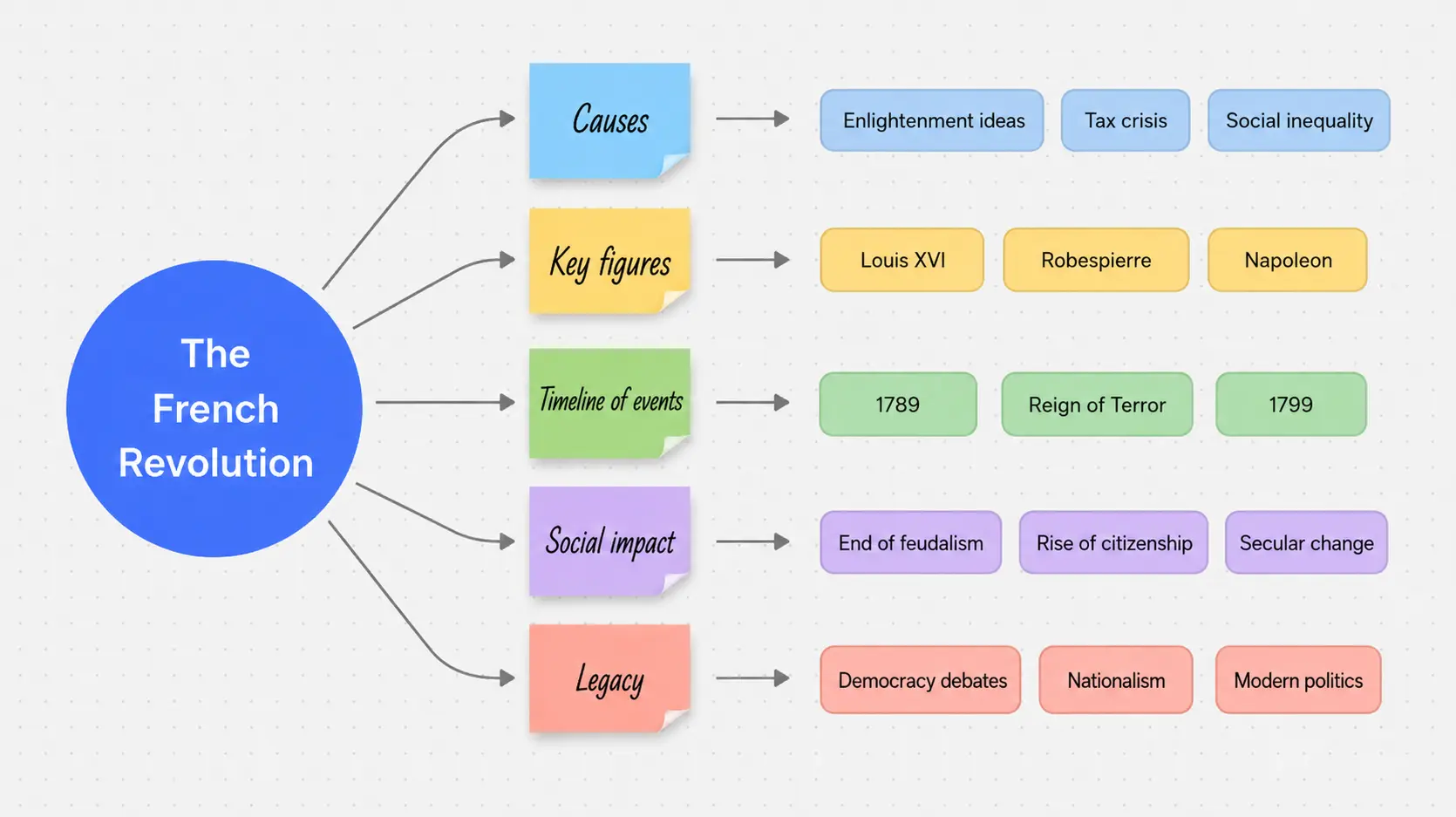 Mind mapping example: Student revision map
Team problem-solving session
Place the problem statement at center: Customer churn is rising. Branches: What do we know?, What don’t we know?, Hypotheses, Data we need, Possible actions, Dependencies. The map becomes the living record of the session and a natural action-planning document.
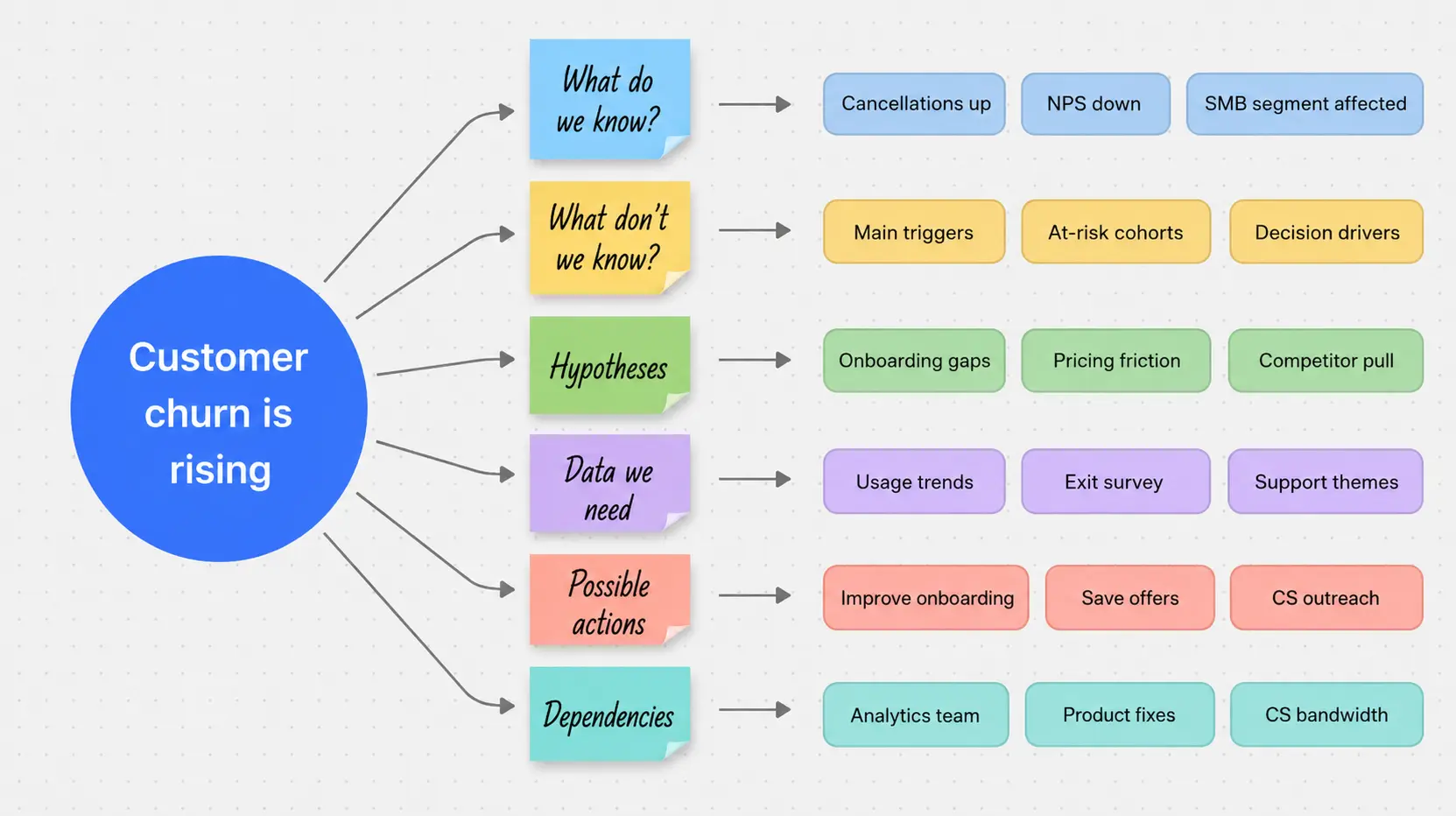 Mind mapping example: Team problem-solving session
Personal goal planning
Place a goal at center: Launch freelance practice by September. Branches cover skills to develop, clients to reach, finances to organize, tools to set up, and weekly milestones. The map externalizes a complex personal project into something navigable.
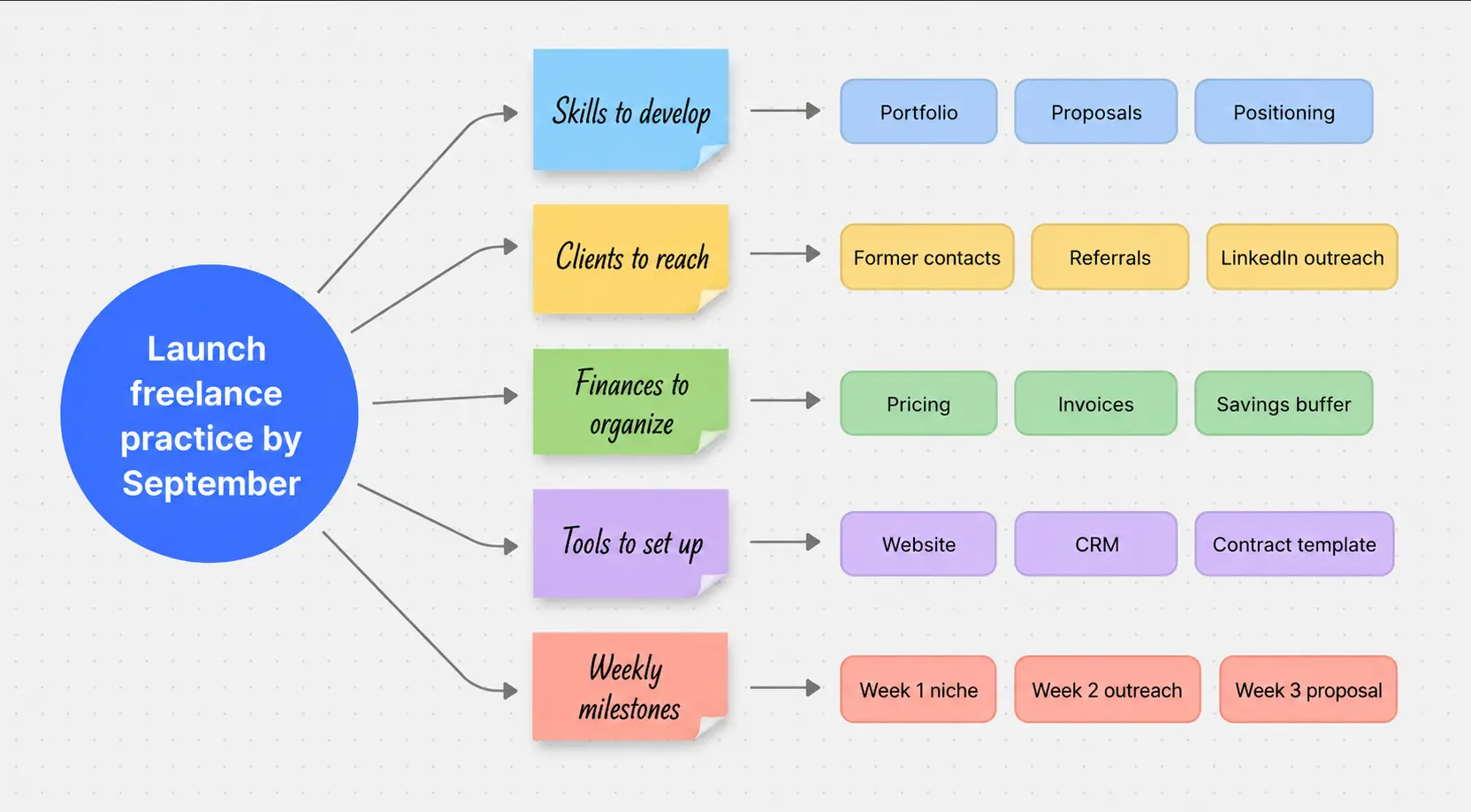 Mind mapping example: Personal goal planning
Mind Mapping vs. Brainstorming: What’s the Difference?
These terms are often used interchangeably, but they describe different things.
Brainstorming is a process — a method for generating ideas, usually in a group setting. The defining feature of brainstorming is divergent thinking: volume over judgment. The goal is to produce as many ideas as possible, with evaluation deferred until later.
Mind mapping is a format — a way of capturing, organizing, and visualizing information. You can use a mind map during a brainstorming session (to capture and structure ideas in real time), but mind mapping also applies to solo work, note-taking, studying, and planning, where no "brainstorming" in the traditional sense is happening.
The most effective approach is to use them together: brainstorm freely to generate ideas, then use a mind map to organize, connect, and build on what emerged. The brainstorm produces raw material; the mind map turns it into structured thinking.
A related concept worth distinguishing: concept maps organize information around relationships between concepts and use labeled arrows to show how ideas connect. Mind maps are simpler, faster, and better suited to brainstorming and planning. Concept maps are better for showing the logical structure of a complex topic where the relationships between ideas matter as much as the ideas themselves.
Mind Mapping Techniques for Teams
Individual mind mapping is powerful. Collaborative mind mapping — where a team builds a map together — adds a layer of value that solo work can’t replicate.
Set a clear central topic before you start. The most common mistake in group mind mapping sessions is starting with a vague center. "Marketing strategy" is too broad. "How do we grow enterprise pipeline in Q3?" is specific enough to generate actionable branches.
Assign a facilitator, not just a note-taker. The facilitator’s job is to keep the map moving, prompt quieter participants for input, and flag when the group is drilling too deep on one branch at the expense of others.
Use digital tools for hybrid and remote teams. A physical whiteboard excludes remote participants from genuinely contributing. Digital mind mapping tools — including the canvas in Vibe Board — allow every participant to see the map in real time, add branches simultaneously, and access the completed map afterward.
Timebox each main branch. If a team has 45 minutes and six main branches, allocate roughly five to seven minutes per branch. This prevents the group from spending the entire session on the first two topics.
Review the map at the end, not just during. Reserve the final ten minutes to look at the complete map together, identify cross-connections, and agree on next actions. The review is where the map pays off.
How to Build a Mind Map on Vibe Board
For teams doing mind mapping in meetings or collaborative sessions, a digital interactive whiteboard removes the limitations of physical whiteboards — photos that never get shared, markers that run dry, remote participants left out.
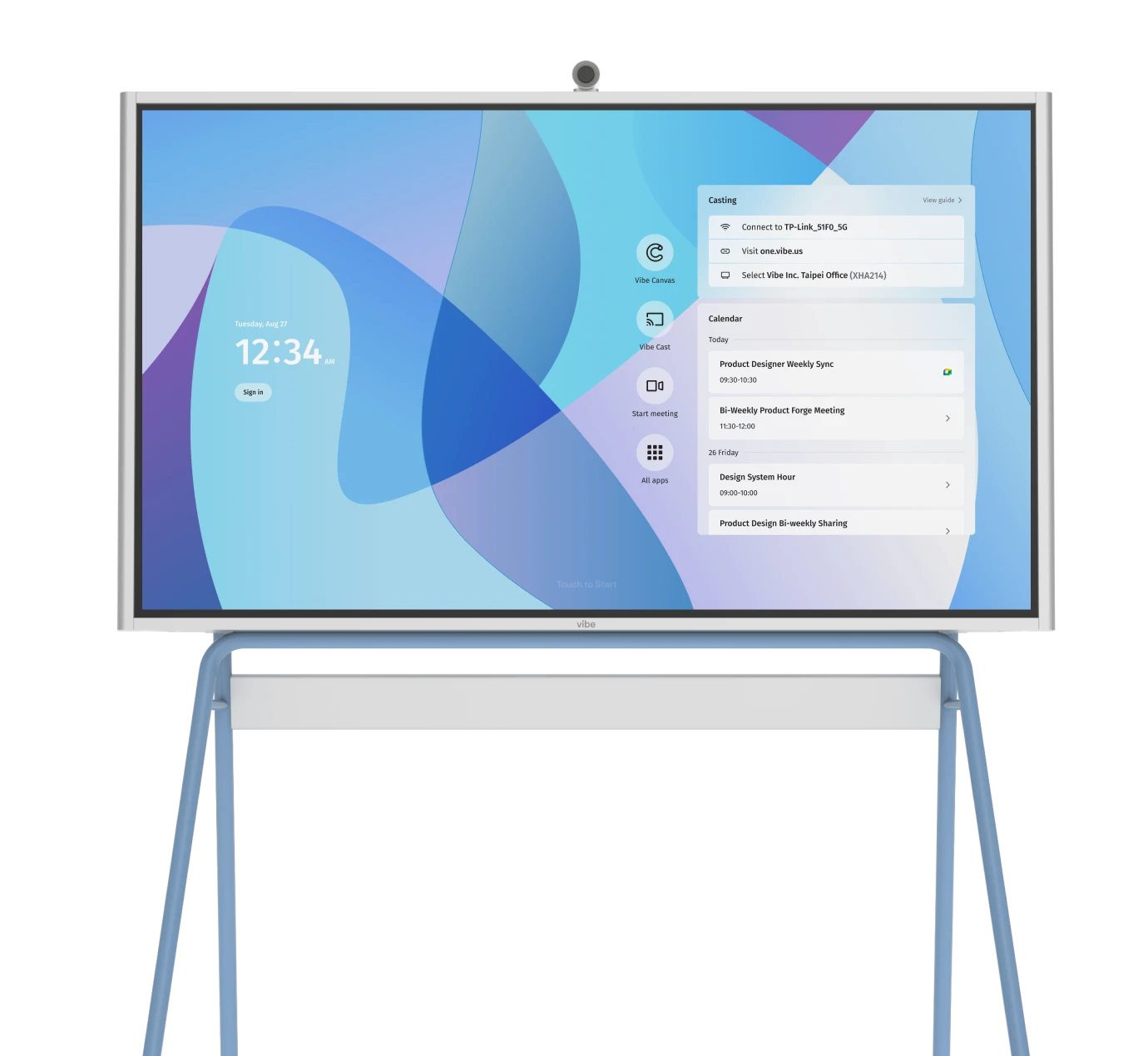
The Vibe Board S1 is a 55″ or 75″ touchscreen smart whiteboard built for exactly this kind of collaborative visual work. Vibe Canvas, the built-in whiteboarding software, includes ready-made mind map templates, infinite canvas, real-time co-editing for both in-room and remote participants, and the ability to embed images, links, and files directly on branches.

A typical brainstorming session on Vibe Board works like this: open a mind map template in Vibe Canvas, share the link with remote participants, define your central topic on the board, and open the session. Everyone — in the room or on a call — can add to the map in real time. When the session ends, the map is saved automatically and shareable as a link, image, or PDF.
This means no transcription delay, no "I’ll clean up my notes and send them later" friction, and no remote participant relying on a blurry photo of a whiteboard they couldn’t fully read. The map is complete, accessible, and ready to act on as soon as the session ends.
FAQ
What is the difference between a mind map and an outline?
An outline is linear and hierarchical — it assumes you already know the structure of your thinking. A mind map is radial and non-linear — it lets structure emerge from the thinking process. Mind maps are better for early-stage exploration; outlines are better for organizing ideas you’ve already developed.
How many branches should a mind map have?
Most effective mind maps have four to seven main branches. More than seven tends to create visual complexity that undermines the map’s readability. If you find yourself adding many more, consider whether some branches could be consolidated or whether you need a second, more focused map.
Can you create a mind map by hand?
Yes. A blank sheet of paper and a few colored pens is all you need. Analog mind maps have the advantage of feeling fluid and quick. The limitation is that they’re hard to share, impossible to reorganize without redrawing, and inaccessible to remote collaborators.
What’s the best way to use a mind map for studying?
Build the map yourself from memory, not by copying from your notes. The act of reconstructing information from recall — even imperfectly — strengthens retention far more than re-reading. Use your notes afterward to check accuracy and fill gaps.
How is mind mapping different from brainstorming?
Brainstorming is a process for generating ideas. Mind mapping is a format for capturing and organizing them. The two work well together: brainstorm to generate ideas freely, then use a mind map to organize and develop what emerged.
What makes a mind map effective vs. ineffective?
Effective maps use short labels (one to four words per branch), have a specific central topic, use color and visual cues, and show cross-connections between branches. Ineffective maps use long sentences on branches, have vague centers, and are treated as a one-time document rather than a thinking tool to return to.
Do mind maps work for complex professional topics?
Yes — and they’re particularly valuable for complex topics, precisely because the overview helps people see relationships and gaps that get lost in long documents or sequential lists.