

With a wide mix of office, remote, and hybrid work environments, communication has become just as important as your tech stack. The most successful teams and workplaces know when to jump into real‑time collaboration and when to let people respond on their own schedule so they can stay focused. Get the balance right, and you reduce burnout, speed up projects, and give everyone more room for focused, quality work—no matter where they’re logging in from.
With 57% of global employers choosing communication as the most desirable skill for recruits, knowing when and what communication channels to use is a crucial foundation of knowledge. We’ve unpacked everything you need to know about synchronous vs. asynchronous communication to set you up for long-term success.
- For best results, use both synchronous and asynchronous communication instead of relying on just one.
- Choose synchronous channels for urgency, sensitivity, and messy, collaborative problems.
- Use asynchronous channels to protect focus, document work, and collaborate across time zones.
- Set clear norms and pick the right tools so communication speeds work up instead of creating noise.
What is Synchronous Communication?
Synchronous communication is any real-time exchange of information where people interact at the same time and are expected to respond immediately.
Most people are familiar with synchronous communication in an office setting. Any time a co-worker steps into your office for a progress check, you attend a recurring video conference, or your boss sends a direct message via Slack, they are using synchronous communication. Here are common examples of synchronous communication:
-
Video Conferences: Speak and collaborate face-to-face digitally with colleagues across town or around the world in real time.
-
Voice Calls: Connect briefly to clarify questions, make quick decisions, or resolve issues without waiting for replies.
-
In-Person Meetings: People come together in the same room, either in person or virtually, to align on goals, brainstorm ideas, or review progress.
-
Live Chat: Trade rapid-fire direct messages in tools like Slack or Microsoft Teams when you need a quick back-and-forth.
-
Training Sessions: Real-time skill workshops or demos where participants can ask questions and get immediate clarification.

What is Asynchronous Communication?
Also known casually as "async", asynchronous communication is any exchange of information where messages are sent and received at different times, without an expectation of an immediate response.
Modernly, most people also rely on asynchronous communication every day, whether they realize it or not. Any time you send an update that people can read later, drop comments in a doc, or record a quick video for a teammate, you’re using async communication to keep work moving without everyone being "online" at the same time. Here are common examples of asynchronous communication:
-
Email: Share updates, decisions, and documents that colleagues can read and respond to when it fits their schedule.
-
Project Management Tools: Log tasks, status updates, and comments in tools like Asana, Jira, or Trello so work can progress without a live meeting.
-
Digital Collaboration: Leave notes, suggestions, and edits in shared docs or collaborative workspaces (Google Docs, Vibe Canvas, Notion) that teammates can review later.
-
Recorded Video Messages: Capture screen-recorded videos with tools like Loom or Claap so others can watch and rewatch on demand.
-
Chat Channels: Post non-urgent updates in Slack or Microsoft Teams channels where responses can come hours later without breaking focus.

Key Differences Between Synchronous vs Asynchronous Communication
Here are the core differences between synchronous and asynchronous communication at a glance:
|
Aspect |
Synchronous Communication |
Asynchronous Communication |
|---|---|---|
|
Timing |
Everyone participates at the same time, in a live conversation. |
Messages are sent and consumed at different times, often across time zones. |
|
Response |
Designed for instant back-and-forth and rapid decisions. |
Built for delayed responses so people can reply when it fits their workflow. |
|
Availability |
Requires overlapping availability and shared focus in the moment. |
No overlap required—work moves forward even when teammates are offline. |
|
Urgency |
High: social cues and real-time presence nudge people to answer on the spot. |
Low: expectations can be set by SLAs or norms instead of "always on" responsiveness. |
|
Interaction Depth |
Great for messy problems, sensitive topics, and fast clarification. |
Great for detailed context, thoughtful feedback, and decisions that benefit from reflection. |
|
Focus Impact |
Can interrupt deep work and increase context switching if overused. |
Protects focus by reducing interruptions when paired with clear response windows. |
|
Documentation |
Needs deliberate note-taking or recording to capture decisions. |
Naturally creates written or recorded trails teams can reference later. |
|
Use Cases |
Crises, live collaboration, 1:1s, team rituals, and high-stakes conversations. |
Status updates, reviews, handoffs, knowledge sharing, and distributed teamwork. |
|
Examples |
In-person meetings, video calls, phone calls, live chat "back-and-forth." |
Email, project tools, wikis, recorded walkthroughs, and chat threads answered later. |
Benefits of Synchronous Communication
When communication really matters, talking in real time can cut through confusion faster than any long thread or comment chain. Synchronous channels shine when you need momentum, emotional nuance, or fast alignment across a group.
Richer Human Connection
Seeing faces and hearing voices helps people pick up on tone, body language, and emotional context that can disappear in text. This builds trust more quickly, which is critical for one‑on‑ones, onboarding, and tough conversations. Over time, strong relationships and team dynamics formed in live settings can make collaboration smoother across every other channel.
Better for Complex Topics
Some topics are simply too nuanced for a long email or comment thread. In a live discussion, people can ask follow‑up questions on the spot, sketch ideas, and pivot when new information comes up. This makes synchronous communication ideal for strategy sessions, brainstorming, and early‑stage planning.

Immediate Feedback
Real‑time conversations let managers, mentors, and peers offer instant reactions, coaching, and encouragement. That feedback loop is invaluable during performance discussions, sales calls, design reviews, and live training. It helps people adjust in the moment instead of guessing whether they’re on the right track.
Drawbacks to Synchronous Communication
Synchronous communication is powerful, but over- or misused, it quickly becomes a drag on focus, time, and energy.
-
Scheduling Headaches: Coordinating live time across calendars and time zones can delay decisions or push meetings into inconvenient hours.
-
Interruptions: Real-time pings and meetings break up deep work and force frequent context switching.
-
Meeting Overload: Teams slip into "this could’ve been an email" territory, creating fatigue and disengagement.
-
Weak Documentation: Unless someone captures notes or records the session, decisions and nuance are easy to lose.
-
Remote Accessibility: People who can’t attend live—because of role, time zone, or caregiving—may miss key information or influence.
💡Try This: Before booking a face-to-face meeting, do a quick check: "Can this be handled with a shared doc, update, or recording instead?"—cancel or shorten anything that doesn’t pass the test.
Benefits of Asynchronous Communication
Asynchronous communication gives people room to think, write, and respond on their own schedule instead of being tied to everyone else’s calendar. Done well, it becomes the backbone of focused, global, and balanced collaboration.
Preserves Focus and Deep Work
Because async messages don’t require an instant response, people can batch reading and replying between blocks of concentrated work. This reduces constant context switching and lets individuals design their day around their most important tasks. The result is higher‑quality output and less "busywork" churn.
Works Across Schedules
Async channels make remote collaboration possible without forcing anyone into odd hours. People contribute when they’re online, and work continues around the clock as updates move between regions. This model is more inclusive for caregivers, part‑time employees, and teams spread across the globe.
More Thoughtful Communication
Writing things down forces people to define the problem, context, and desired outcome more precisely. That clarity often leads to better decisions and fewer misunderstandings than rushed live conversations. It also creates reusable explanations and decisions others can reference later.
Built-in Documentation
Async tools naturally leave a written or recorded trail of discussions, decisions, and rationales. New teammates can catch up by reading threads, tickets, or docs instead of scheduling extra meetings. This history is invaluable for audits, retrospectives, and continuous improvement.
Drawbacks to Asynchronous Communication
Async excels at flexibility and focus, but it can backfire when expectations and channels aren’t clearly defined, or responses are delayed too long.
-
Urgent Issues: Waiting for people to check messages can stall time‑sensitive work.
-
Misinterpretation: Without tone and body language, written messages can come across as confusing or harsh.
-
Message Overload: Important updates get buried across threads, tools, and channels if there’s no structure.
-
Slow Decisions: Long, unfocused discussions can stretch out decisions that a quick live conversation would resolve.
-
Impersonal: Over‑reliance on async can make work feel transactional and reduce chances to build relationships.
💡Try This: Set explicit, clear boundaries—where to post what, expected response windows, and when to escalate to a live conversation—then document them in a simple team communication "playbook."
4 Tips for Better Asynchronous Communication
Async is great, but since it’s still new to many people, they might find that communicating effectively across emails, messages, and social media isn’t as simple as it seems. Between tones and typos, online communications leave plenty of room for misinterpretation and confusion.
Crafting well-written messages is not only important for getting work done, but also for establishing healthy and friendly relationships with colleagues. So, what does it take to become a communication pro across digital lines? Focus on the big three: clarity, tone, and timing.
Related: Help Your Modern Workplace Thrive with Asynchronous Communication Tools
1. Be Conversational and Concise
Remember high school term papers? If you were like many students, you did whatever you could to reach the page requirement. Many times that meant using more complex words and phrases as well as longer sentences. These habits often carry over into our professional communication. And while they might be good tactics to hit those page requirements, they don’t work for achieving clarity.
For asynchronous communication, write as you talk:
-
Keep it conversational with contractions and everyday language.
-
Avoid fluffy words and phrases. (Think "use" versus "utilize.")
-
When appropriate, lean on emojis, memes, or gifs to support your message.
-
Stick to a common vocabulary easily understood by all, and avoid acronyms and corporate speak .
-
Watch out for idioms or expressions that could be regional, insensitive, or just difficult to understand.
-
Give messages a quick proof before hitting send to avoid confusing typos or grammatical errors.

2. Overemphasize Your Tone
The biggest thing lacking in written communication? Tone. During in-person conversations, you can use your body language, facial expressions, inflection, and even your surroundings to better convey your message. None of those aids exist in written communication.
That’s why as much as 50% of emails and messages are misunderstood. What might sound like a friendly conversation in person could be misinterpreted as a demand over email. Fortunately, there are some foolproof ways to master tone over text.
First, you can follow some of the best practices for having difficult discussions in relationships. Use "I" statements, avoid superlatives like "always" and "never," and steer clear of assumptions. "You" statements can feel pointed and even overly direct depending on the context.
Making assumptions (especially negative ones) can also be dicey. You can try reframing them as questions. Instead of writing, "You probably haven’t started the project yet," try, "Have you had a chance to start on the project?" This also leaves room for discussion.
For particularly tricky messages, let it simmer. Your initial response may be a bit more heated than you intend. Even 30 minutes can be enough to cool your head and reflect on your response before hitting send. You can also bring in someone to provide an external review if it’s a critical piece of communication, especially one that will have many readers.
Related: Save Time and Streamline Workflows with Hybrid Communication Strategies
3. Pick Your Timing Strategically
Do you wake up to a flurry of texts, alerts, and emails each morning? You’re not alone. With the popularity of remote and hybrid work, working hours have grown longer.
To establish healthy working hours and boundaries, consider the timing of your communications.
-
Be mindful of "deep focus hours," which for many employees includes the first half of the day.
-
Check your colleagues’ calendars for blocked-off times and PTO before messaging or scheduling meetings .
-
Acknowledge messages promptly, even if it’s just a thumbs up or note that you’ll get back to it later.
-
Schedule messages to send during your company’s working hours if you’re crafting them outside of those hours.
-
Update your status on communication platforms when you’re away, on PTO, or otherwise unavailable.

4. Use the Right Tools for the Job
Using the right tools can turn asynchronous communication from chaotic "messages everywhere" into a smooth, reliable system your team can trust. Think of your tools in layers: fast-moving chat for quick nudges and questions, shared collaboration software for brainstorms and ideation, project tools for ownership and deadlines, and async video or visuals when you need to walk people through something that’s easier to show than type.
Each tool should have a clear job so people know where to look for what, instead of guessing which app holds the latest. When tools are chosen and labeled intentionally, async stops feeling chaotic and starts feeling like an organized, searchable record of how work actually gets done. From there, it’s all about how consistently you use those tools day to day.
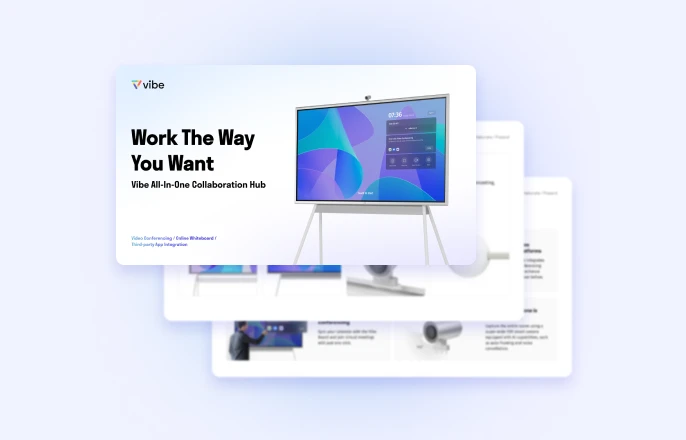
Vibe Board S1: The Evolution of Workplace Communication
Truly successful communication isn’t about choosing sync or async—it’s about weaving them together so your team can collaborate and move fast without burning out. That’s exactly what the Vibe Board S1 was designed to do: bring together teams for real-time hybrid collaboration and working sessions that automatically save to the cloud for persistent assets your team can return to anytime.
Our interactive whiteboard allows you to host video calls, screen share, and co-annotate in one central place, leaving behind disorganized boards, sticky notes, and handouts that are lost the second the meeting ends. Seamless integration with over 250+ widely used workflow applications, the communication tools you use daily are all accessible instantly. If you’re ready to upgrade how your team meets live and how the work continues after the call ends, the Vibe Board S1 is built to be that bridge.
Sync vs. Async FAQs
Is synchronous the same as face-to-face communication?
No, not always—face-to-face conversations are one form of synchronous communication, but real-time phone calls, video meetings, and live chats are also synchronous even when people aren’t in the same room.
What is an example of asynchronous communication?
The most common example is email, where you send a message and the recipient can read and respond later—other async examples include shared documents or recorded video updates.
Is a phone call synchronous or asynchronous?
A phone call would be considered synchronous communication because both people are interacting at the same time and responding to each other in the moment.




-1sbltxxq4FYxHrXrwJVLsCDNsXpqNa.webp)
-5Zp0pmSytvcuYDVs1LvuwplKuRneK0.webp)