Quick Answer: Best AI productivity tool by use case
|
Use case |
Best pick |
Free plan |
|
All-around AI assistant |
ChatGPT |
✅ |
|
Managing tasks + timelines |
Motion |
❌ |
|
Email + calendar automation |
Zapier Agents |
✅ |
|
Social content creation |
Jasper |
❌ |
|
Meeting notes + action items |
Vibe Bot |
❌ |
|
Team memory & context |
Vibe AI |
✅ |
|
Research + AI search |
Perplexity |
✅ |
|
Brand-safe enterprise writing |
Writer |
✅ |
|
AI image/visual creation |
Midjourney |
❌ |
Comparison Table: 25 Best AI Productivity Tools at a Glance
|
# |
Tool |
Category |
Best For |
Free Plan |
Starting Price |
|
1 |
Botpress |
AI Agent Builder |
Custom AI agents |
✅ |
$89/mo |
|
2 |
Zapier Agents |
AI Agent Builder |
Cross-app automation |
✅ |
$19.99/mo |
|
3 |
ChatGPT |
AI Chatbot |
General-purpose AI |
✅ |
$8/mo |
|
4 |
Claude |
AI Chatbot |
Document analysis, reasoning |
✅ |
$20/mo |
|
5 |
Meta AI |
AI Chatbot |
Social media users |
✅ |
Free |
|
6 |
Perplexity |
AI Search |
Research with citations |
✅ |
$20/mo |
|
7 |
Gemini |
AI Search |
Google Workspace users |
✅ |
$19.99/mo |
|
8 |
Brave Search |
AI Search |
Privacy-first teams |
✅ |
$3/mo |
|
9 |
Grammarly |
Writing |
Grammar + tone editing |
✅ |
$12/mo |
|
10 |
Jasper |
Writing |
Marketing content at scale |
❌ |
$59/mo |
|
11 |
Writer |
Writing |
Enterprise brand compliance |
✅ |
Custom |
|
12 |
Midjourney |
Image Generation |
Artistic visuals |
❌ |
$10/mo |
|
13 |
Ideogram |
Image Generation |
Text-in-image designs |
✅ |
$15/mo |
|
14 |
Notion |
Knowledge Management |
Team wikis + notes |
✅ |
$20/mo |
|
15 |
Evernote |
Knowledge Management |
Cross-device note capture |
✅ |
$8.25/mo |
|
16 |
Vibe AI |
Knowledge Management |
Cross-session team memory & context |
✅ |
$9/mo |
|
17 |
Canva |
Marketing & Design |
Social media templates |
✅ |
$120/yr |
|
18 |
Gamma |
Marketing & Design |
AI-generated slide decks |
✅ |
$8/mo |
|
19 |
Vibe Bot |
Meeting Assistant |
In-room AI capture |
❌ |
$1,599/device |
|
20 |
Meeting Assistant |
Virtual call transcription |
✅ |
$10/mo | |
|
21 |
Otter |
Meeting Assistant |
Real-time meeting notes |
✅ |
$8.33/mo |
|
22 |
ClickUp |
Project Management |
All-in-one PM |
✅ |
$7/mo |
|
23 |
Motion |
Project Management |
AI task auto-scheduling |
❌ |
$19/mo |
|
24 |
Descript |
Video Editing |
Transcript-based editing |
❌ |
$16/mo |
|
25 |
Runway |
Video Generation |
Text-to-video creation |
✅ |
$12/mo |
What Are AI Productivity Tools?
AI productivity tools are AI-powered tools that use artificial intelligence to handle routine work tasks — meeting notes, scheduling, content drafting, research, task management — without requiring manual effort at every step.
The category has matured significantly in 2026. The most useful tools now combine three capabilities: automation (doing repeatable work without prompting), context awareness (learning from your history and preferences), and agentic behavior (completing multi-step tasks independently).
For hybrid teams specifically, the highest-value tools fall into two groups: those that capture and organize information in the moment (meeting assistants, note-takers, search tools), and those that take action based on that information (task schedulers, content creators, automation platforms).
Key Features to Look for in AI Productivity Tools
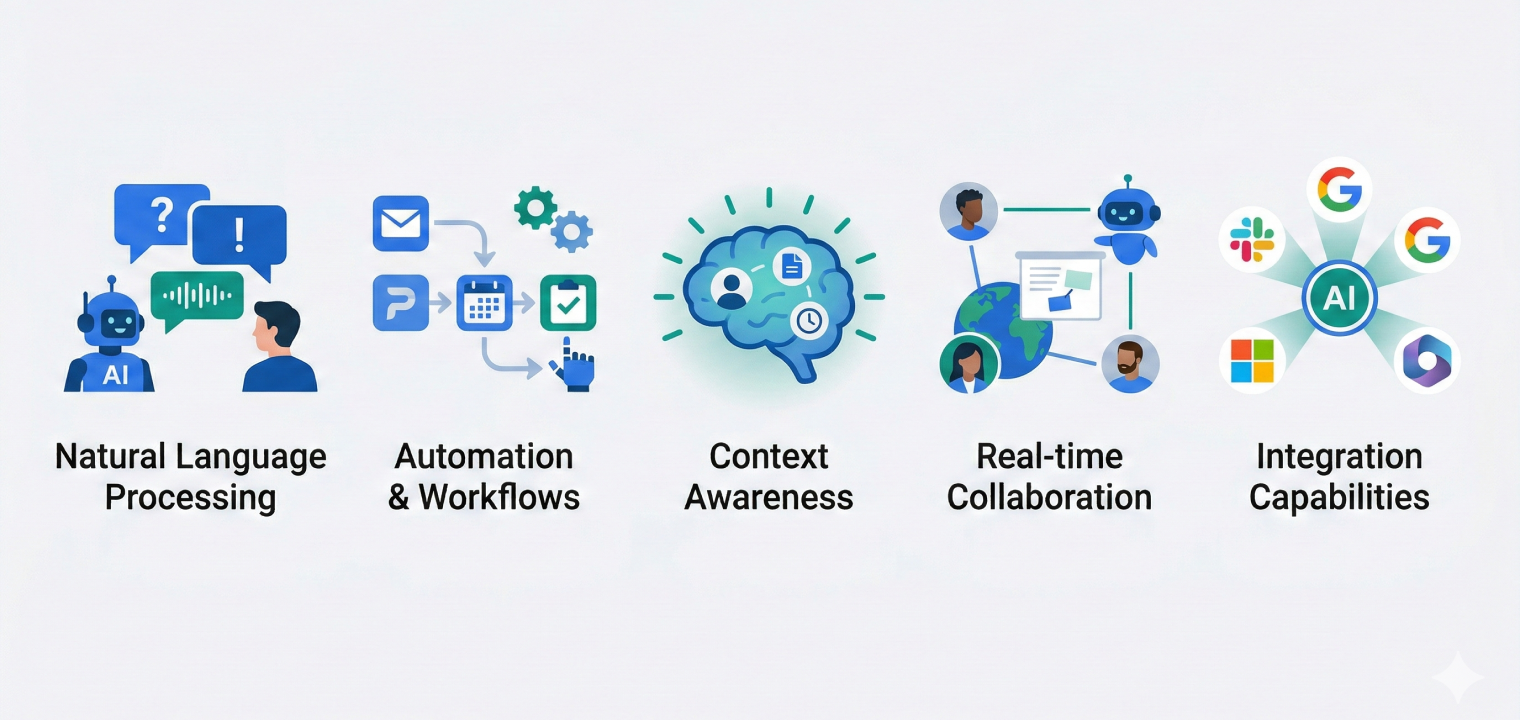
Natural language processing — the ability to understand and generate human-like text, so you can give instructions conversationally instead of learning commands.
Workflow automation — connects multiple apps and triggers actions without human intervention. The difference between a chatbot and a productivity tool is whether it can act, not just answer.
Context awareness — learns from your prior interactions, company data, and behavioral patterns to give relevant, personalized results over time. Tools that lack this feel generic after the first use.
Real-time collaboration support — useful for distributed teams working across time zones. The best tools work whether or not you’re present.
Integration depth — the most productive tools fit into your existing stack (Slack, Google Workspace, Microsoft 365, Zoom, etc.) rather than demanding you migrate workflows.
What to watch for in 2026: The most important new capability is agentic AI — tools that don’t just respond to prompts but take autonomous multi-step actions. Motion auto-schedules your calendar. Zapier Agents complete multi-app workflows on their own. Vibe Bot proactively captures action items from your in-room meetings. These are qualitatively different from earlier AI tools.
The 25 Best AI Productivity Tools in 2026, by Category
AI Agent Builders
AI agent builders let you create custom AI assistants that take autonomous actions across multiple apps — without coding. Unlike chatbots, agents don’t just answer questions. They manage multi-step workflows, make decisions based on data, and operate independently.
1. Botpress
Botpress is an AI agent platform for building conversational chatbots and custom AI agents, designed for developers and businesses that need tailored workflows.
Standout features:
-
Visual drag-and-drop building studio for custom agents
-
Integration with multiple team communication channels
-
Role-based access controls for team collaboration
-
Custom knowledge base and vector database support
Pricing: Free (500 messages/month) · Plus $89/mo · Team $495/mo · Managed from $1,495/mo
Bottom line: Best for technical teams that need fully custom AI agents built to their own business logic.
2. Zapier Agents
Zapier Agents are intelligent AI teammates that take autonomous multi-step actions across 8,000+ apps — drafting emails, preparing reports, and analyzing data based on triggers you define in natural language.
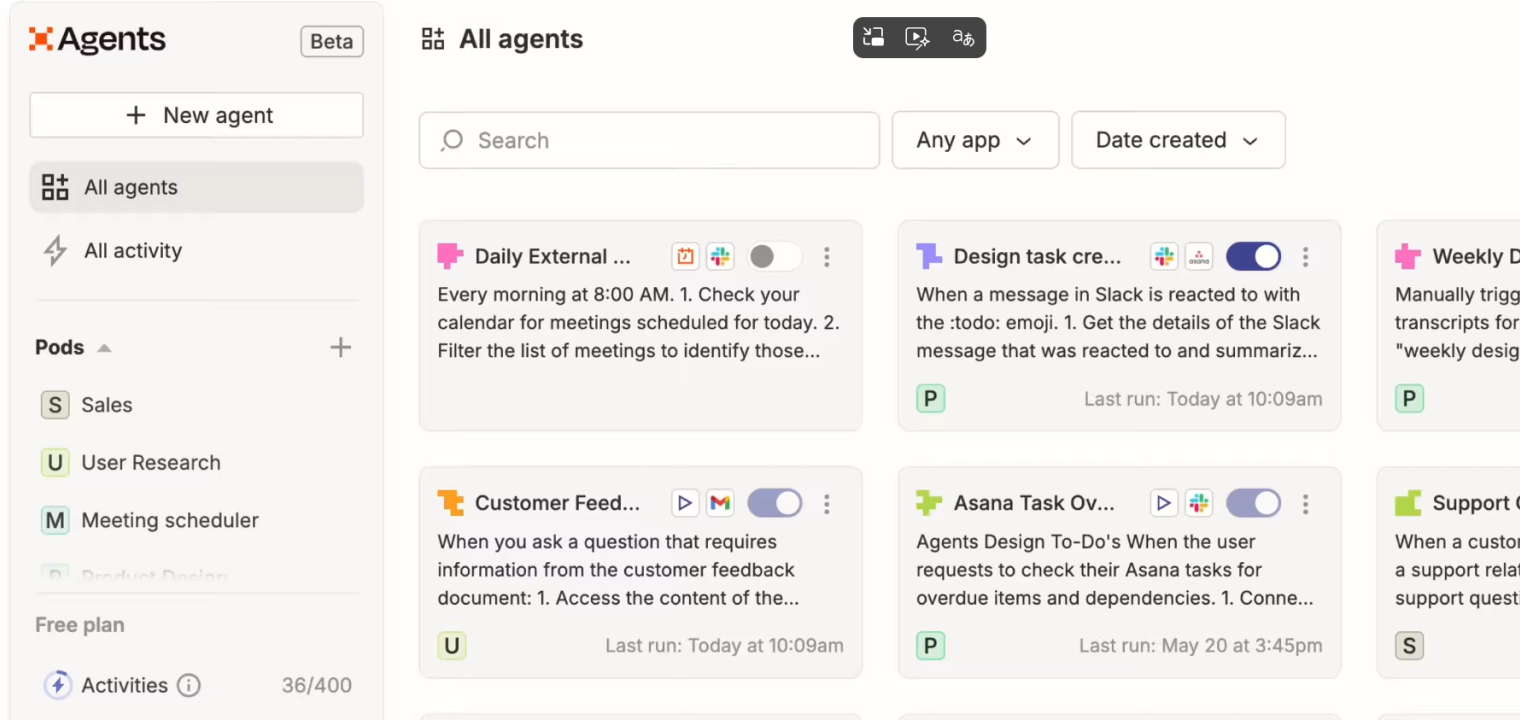 Zapier Agents interface displaying automated workflows, task automation, and AI-powered agents across apps like Slack and Asana.
Standout features:
-
Natural language setup — no coding needed
-
Live web browsing and real-time data source access
-
Chrome extension for triggering agents from any page
-
8,000+ app integrations via the Zapier platform
Pricing: Pro from $19.99/mo · Team $69/mo · Enterprise custom
Bottom line: The best no-code option for automating cross-app workflows, especially for teams already using Zapier.
AI Chatbots
AI chatbots are general-purpose AI assistants that understand natural language and help with writing, analysis, coding, research, and brainstorming. They’re the Swiss Army knife of productivity — useful for almost any task that involves reading, writing, or reasoning.
3. ChatGPT
ChatGPT (OpenAI) is the most widely used AI assistant in 2026, powered by GPT-5.5 with strong reasoning, image generation, code execution, and web browsing capabilities.
Standout features:
-
GPT-5.5 with advanced reasoning and 1M token context window
-
Codex agent for agentic coding and multi-step software engineering tasks
-
Native image generation via ChatGPT Images 2.0
-
Real-time web browsing
-
Code interpreter and file analysis
Pricing: Free · Go $8/mo · Plus $20/mo · Team $25/user/mo · Pro $200/mo
Bottom line: The most capable general-purpose AI assistant — the right default for most individuals and teams.
4. Claude
Claude (Anthropic) is the strongest AI assistant for long-document analysis, nuanced reasoning, and research tasks. Its 1M token context window and Opus 4.8's focus on reliability and precision make it the standout choice for complex, high-stakes work.
Standout features:
-
Opus 4.5 with MCP (Model Context Protocol) for connecting to local IDEs and Google Drive
-
200K token context window — handles entire contracts, reports, and codebases
-
Artifacts for interactive code and document generation
-
Advanced chart and document vision
-
Projects for organizing conversations with persistent knowledge bases
Pricing: Free · Pro $20/mo ($17/mo billed annually) · Max from $100/user/mo
Bottom line: Best for researchers, lawyers, analysts, and anyone who regularly works with long, complex documents.
5. Meta AI
Meta AI is built into Facebook, Instagram, WhatsApp, and Messenger — and now has a standalone app. If your team's communications already run through Meta platforms, it's the easiest AI to add — no new tool to adopt.
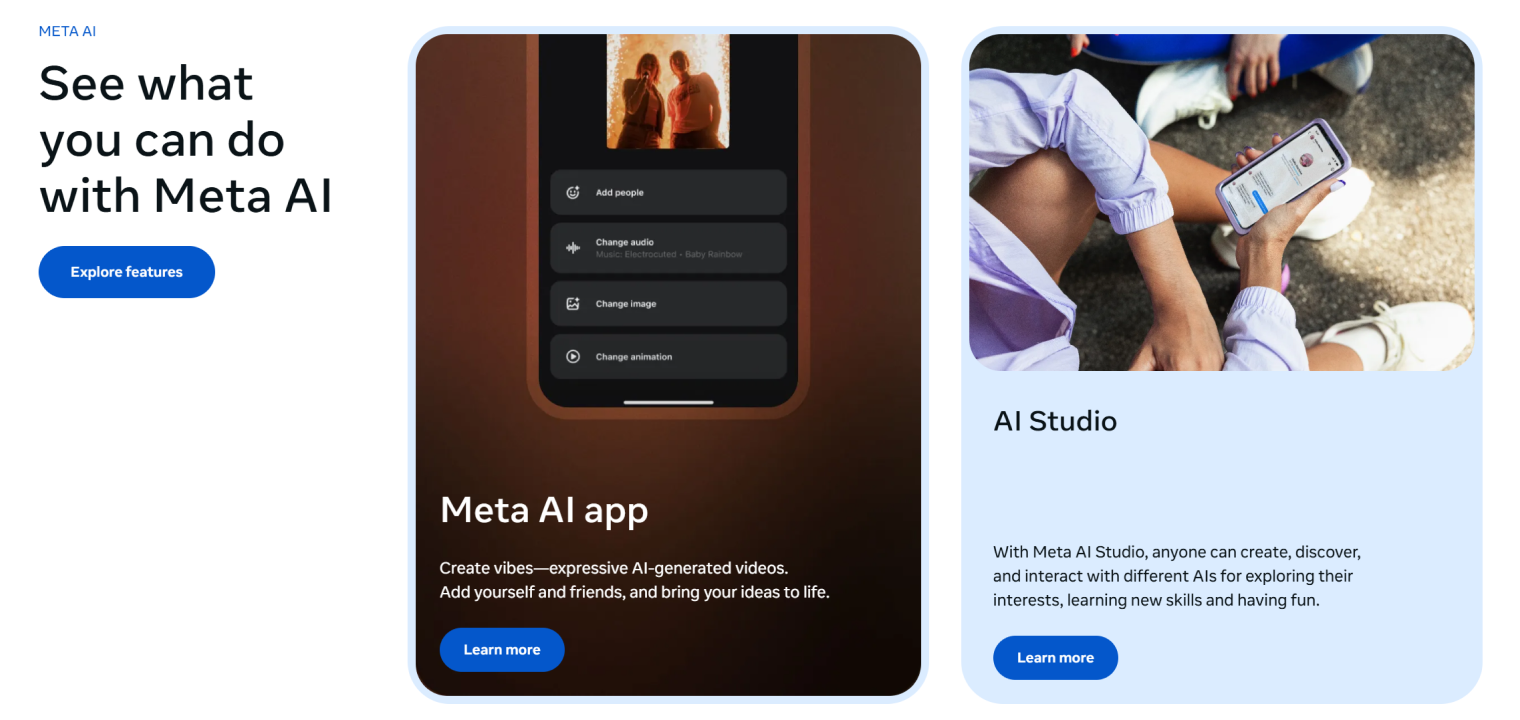 Meta AI interface showing tools for creating expressive AI-generated videos, including options to add people, change audio, modify images, and adjust animations
Standout features:
-
Integrated across all Meta platforms plus a standalone Meta AI app
-
Real-time image generation during conversations
-
Voice conversations with natural, interruptible dialogue (powered by Muse Spark)
-
Live visual AI — point your camera and ask questions in real time
-
Access to social context from your Meta accounts
Pricing: Free
Bottom line: Best for social media managers and teams that live in Meta's ecosystem. Not a replacement for a general AI assistant.
AI Search Engines
AI search engines provide direct, cited answers instead of a list of links — combining real-time web search with conversational follow-up. For research-heavy teams, they dramatically reduce the time between "question" and "answer."
6. Perplexity
Perplexity is the leading AI-powered search engine. It retrieves real-time information and synthesizes multi-source answers with citations — ideal for research, competitive analysis, and staying current.
Standout features:
-
Real-time web search with cited sources
-
Multi-step reasoning for complex research queries
-
File and photo upload (50 files per space)
-
Team collaboration spaces for shared research
Pricing: Free · Pro $20/mo · Max $200/mo
Bottom line: The best replacement for traditional search when you need synthesis, not just links. Particularly strong for market research and fact-checking.
7. Gemini
Gemini (Google) is the most deeply integrated AI for Google Workspace users, with native connections to Drive, Docs, Gmail, and Calendar that make it uniquely useful in that ecosystem.
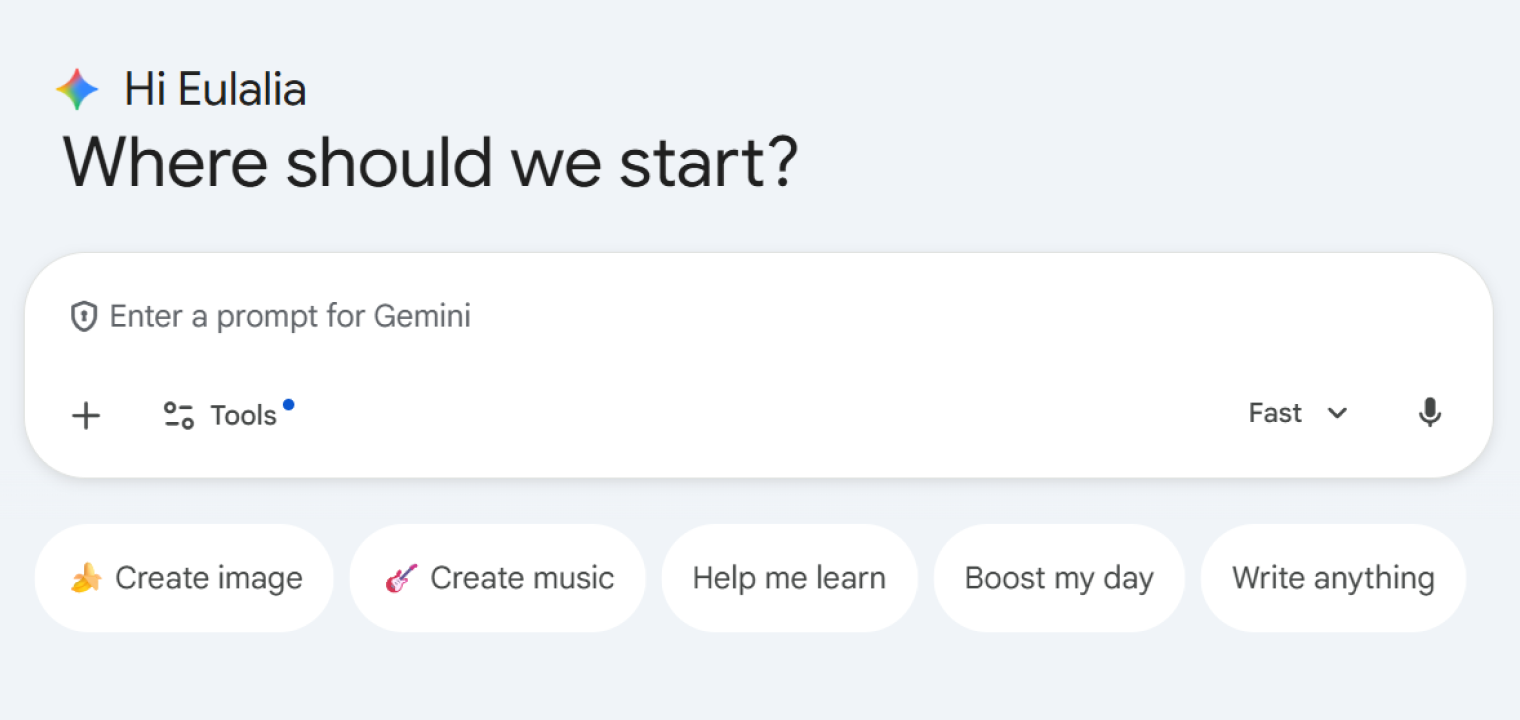 Gemini AI chat interface with prompt input and quick actions for image, music, learning, and writing.
Standout features:
-
Deep Research mode powered by Gemini 3.1 Pro
-
Native Google Workspace integration (Drive, Docs, Gmail)
-
Video generation with Veo 3.1
-
Audio Overviews for content summarization
Pricing: Free · Google AI Pro $19.99/mo · Google AI Ultra from $99.99/mo
Bottom line: The best AI search and assistant for teams running Google Workspace. Less useful outside that ecosystem.
8. Brave Search
Brave Search is a privacy-first AI search engine with its own independent index — no Google or Bing dependencies, no user tracking or behavioral profiling.
Standout features:
-
No user tracking, no behavioral data collection
-
Independent search index
-
AI-powered answers integrated into results
-
Community-driven ranking options
Pricing: Free · Base $3/mo · Pro $5/mo
Bottom line: Best for compliance-conscious organizations or teams that handle sensitive data and need search without surveillance.
AI Writing & Content Creation
AI writing tools range from grammar editors (Grammarly) to full content generation platforms (Jasper, Writer). The right choice depends on whether you need to edit existing writing or produce new content at volume.
9. Grammarly
Grammarly is the most widely used AI writing assistant — real-time grammar, tone, and clarity suggestions embedded into every writing surface you use, from Gmail to Google Docs to Slack.
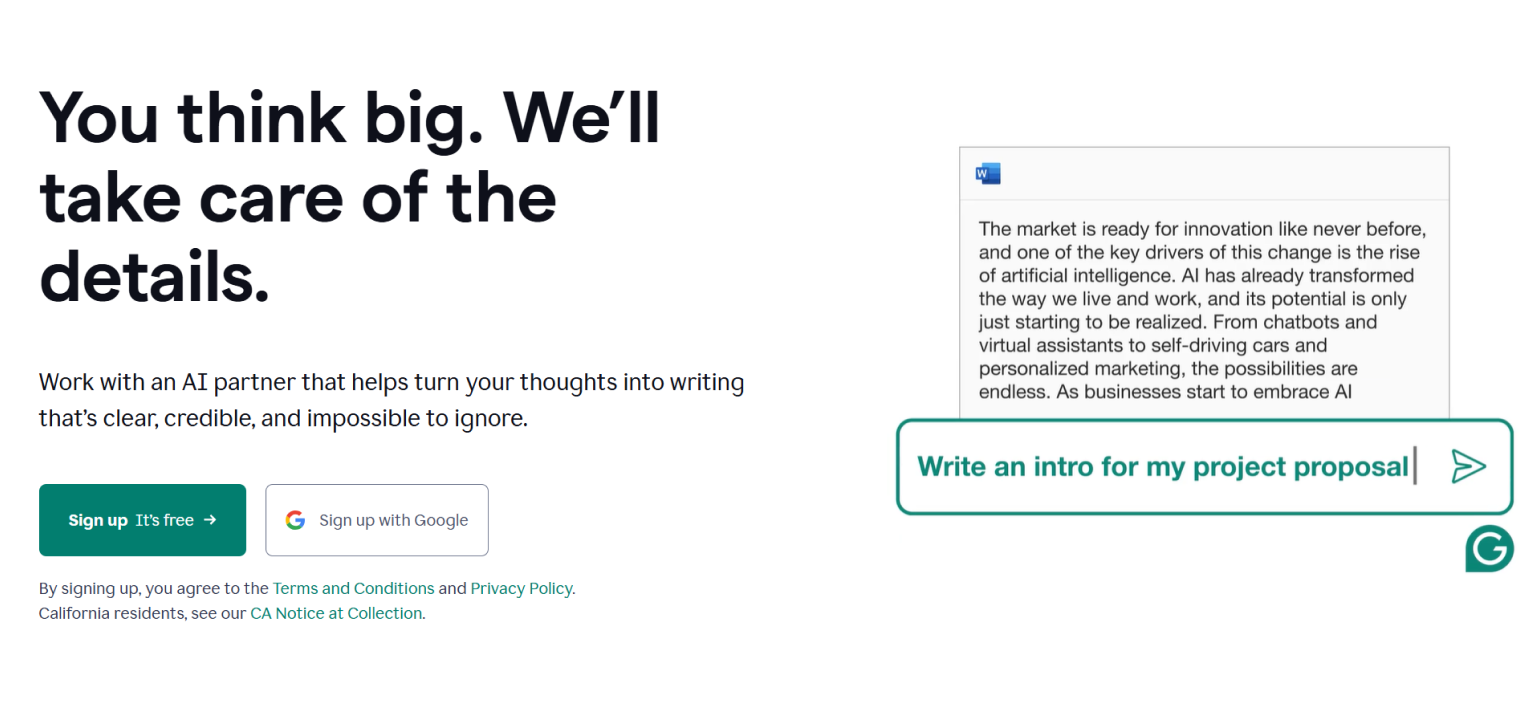 Grammarly interface offering AI-driven text rewriting options.
Standout features:
-
Real-time grammar, spelling, and tone detection
-
Full-sentence rewrites and clarity suggestions
-
Plagiarism detection (16B+ web pages)
-
Browser extension and cross-platform integrations
Pricing: Free · Pro $12/mo · Enterprise custom
Bottom line: The best polish layer for any writing. Use it alongside (not instead of) a content generation tool.
10. Jasper
Jasper is the leading AI content platform for marketing teams — purpose-built for producing blog posts, social media content, email copy, ad campaigns, and landing pages at scale with consistent brand voice.
Standout features:
-
50+ content templates for marketing formats
-
Brand voice training (1–3 voices depending on plan)
-
SEO mode with keyword optimization built in
-
AI image generation and full campaign creation
Pricing: Pro $59/mo per seat · Business custom
Bottom line: The best AI tool for marketing teams that need to produce high-volume, on-brand content across multiple channels. The high price is justified at scale.
11. Writer
Writer is the enterprise standard for AI writing with strict compliance requirements — fact-checking, brand governance, and proprietary LLMs trained for accuracy make it the choice for regulated industries.
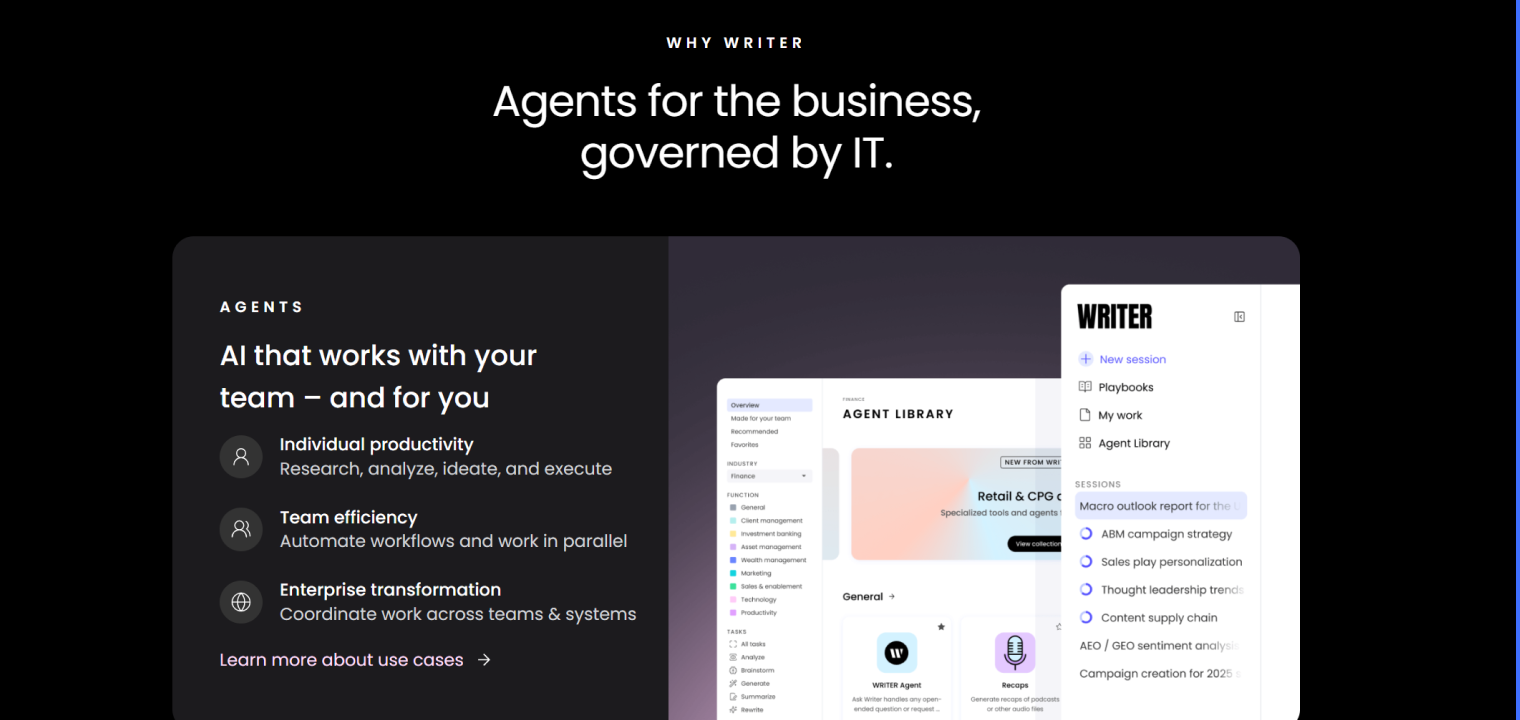 Writer interface showcasing AI agents for business use, with features for individual productivity, team efficiency, and enterprise transformation.
Standout features:
-
Proprietary LLMs trained for brand safety and factual accuracy
-
Built-in fact-checking and source verification
-
Enterprise governance and compliance controls
-
Terminology management across teams
Pricing: Starter free · Enterprise contact sales
Bottom line: Best for large organizations where brand compliance and factual accuracy are non-negotiable — legal, finance, healthcare communications.
AI Image Generation
AI image tools turn text descriptions into professional visuals without design skills. In 2026, they’re standard in any marketing or content team’s workflow.
12. Midjourney
Midjourney produces the most visually striking AI-generated images available — highly detailed, stylistically distinct, and widely used for editorial, marketing, and concept visualization.
Standout features:
-
Photorealistic and artistic image generation with style control
-
Iterative refinement: upscaling, variation, pan, and zoom
-
Commercial use rights on all paid plans
-
Fast GPU processing
Pricing: Basic $10/mo · Standard $30/mo · Pro $60/mo · Mega $120/mo
Bottom line: The gold standard for quality AI image generation. Access via Discord is a minor friction point but worth it for the output quality.
13. Ideogram
Ideogram solves a long-standing AI image weakness: accurate text rendering. It’s the best tool for logos, posters, banners, and any design that requires legible typography inside the image.
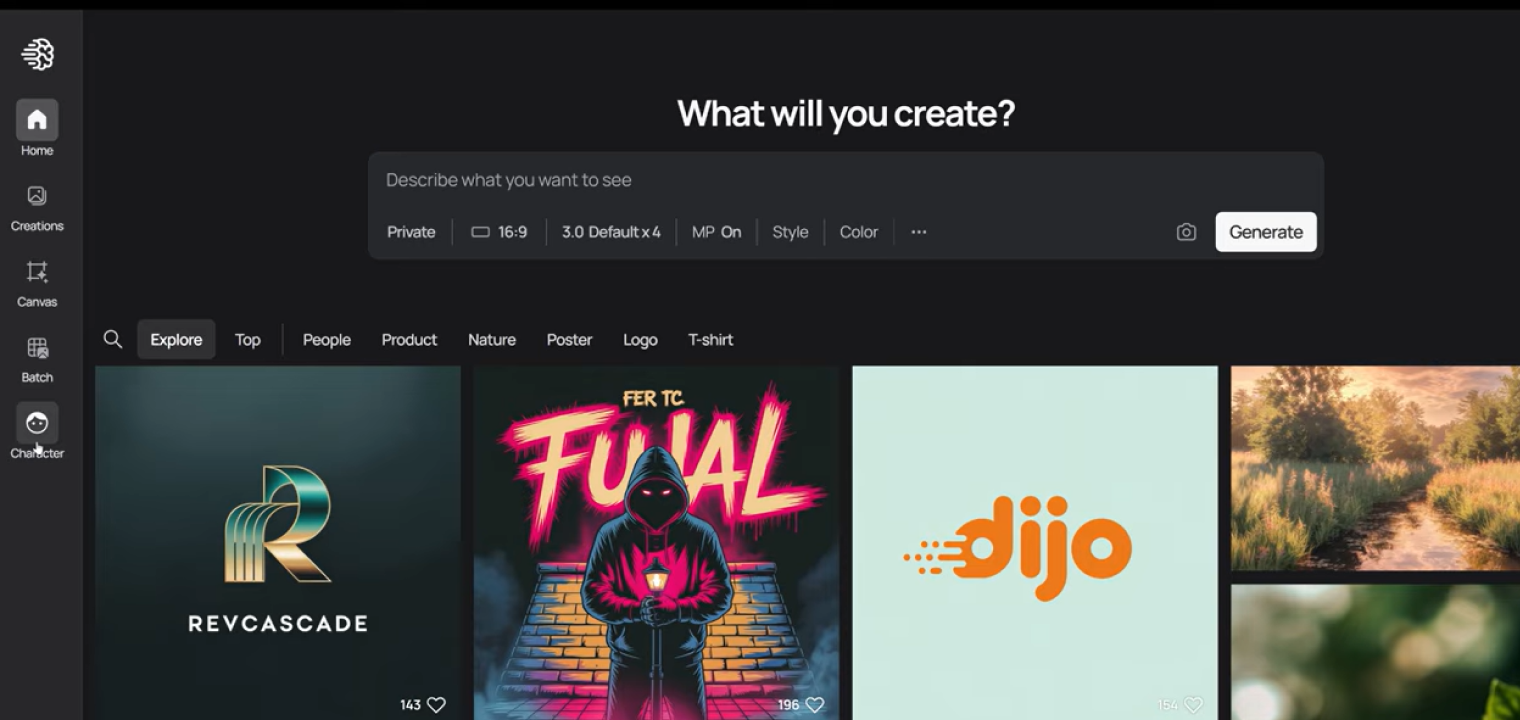 Ideogram interface for generating AI images, featuring a prompt input field and a gallery of creative outputs including logos, artwork, and scenes.
Standout features:
-
Superior text rendering inside generated images
-
Multiple aspect ratios and style presets
-
Magic Prompt for enhanced prompt engineering
-
Commercial licensing on paid plans
Pricing: Free · Plus $15/mo · Pro $42/mo
Bottom line: Best for graphic designers and marketers who need AI visuals with readable text — Midjourney still struggles where Ideogram excels.
Knowledge Management & Team Memory
Knowledge management tools organize team information and make it searchable. In 2026, the best tools don’t just store information — they actively surface it at the right moment.
14. Notion
Notion is the most popular all-in-one workspace for team knowledge — combining notes, databases, wikis, and project management with AI that answers questions from your content.
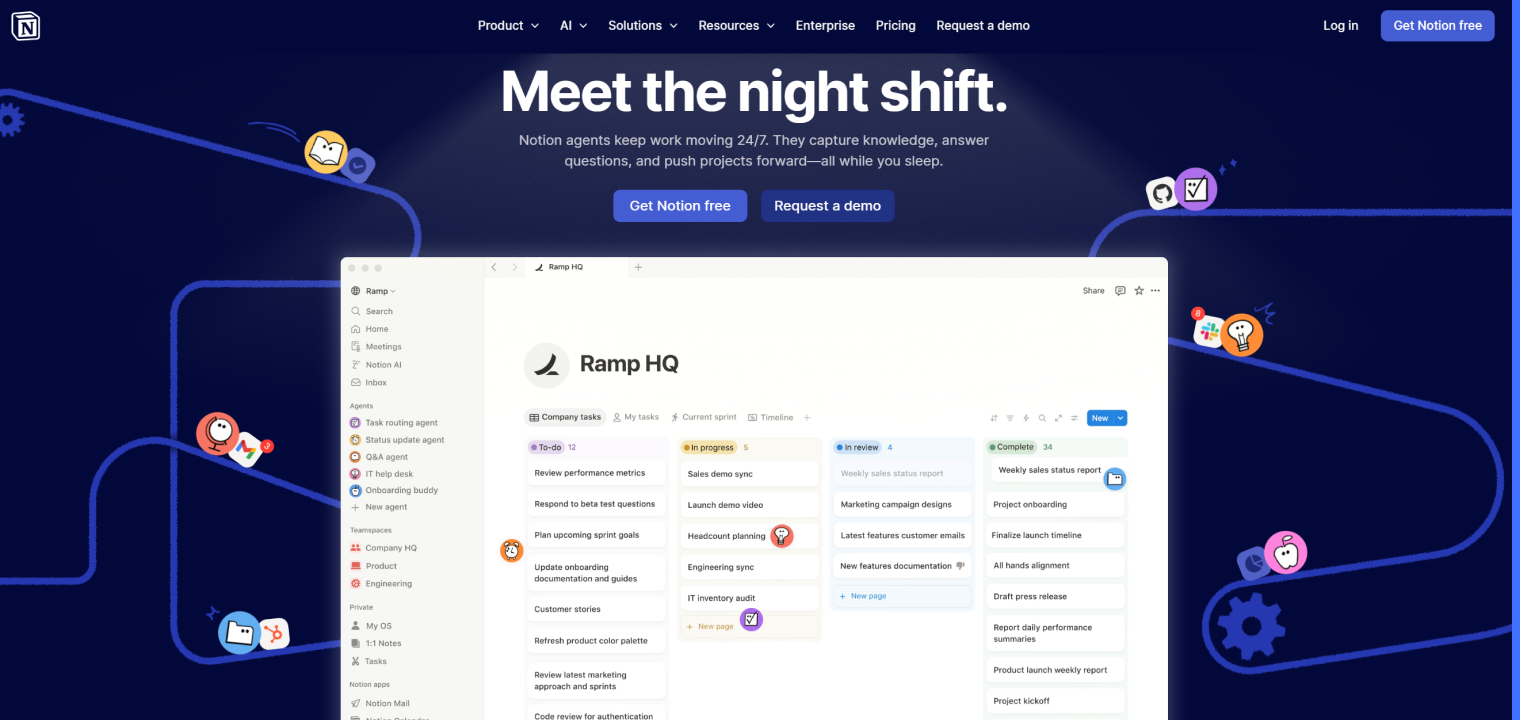 Notion interface showcasing AI agents automating tasks, managing workflows, and supporting team productivity with real-time updates.
Standout features:
-
Powerful search including handwritten notes and PDFs
-
Web clipper for articles and research
-
Document scanning and annotation
-
Cross-platform sync (all devices)
Pricing: Free · Starter $8.25/mo · Advanced $20.83/mo · Enterprise custom
Bottom line: Best for individuals who need reliable, searchable note capture across devices. Less suited for team-wide knowledge management.
16. Vibe AI — Best for Team Memory & Persistent Context ⭐
Vibe AI is Vibe’s AI-powered contextual workspace — a platform that turns scattered meetings, documents, and conversations into living, searchable memory that compounds over time.
Where standard knowledge tools (Notion, Evernote) store structured notes as static files, Vibe AI builds a dynamic Memory Graph that automatically links decisions, people, and context across sessions. Teams stop repeating themselves, stop redoing work, and always pick up exactly where they left off.
Standout features:
-
Memory Engine — captures audio, files, and conversations and connects them into a persistent, living network of context accessible anytime
-
Memory Threads — automatically links meeting recordings, messages, and documents into one continuous work thread
-
Smart AI Summary — extracts key insights, decisions, and action items from conversations with structured, customizable templates
-
Always-Current Memory — automatically updates statuses, docs, and relationships so teams stay aligned without manual effort
-
Cross-session Ask AI — ask "What did we decide about pricing last month?" and get an answer sourced from your team’s actual history, not just keywords
-
Proactive Task Agent — identifies action items from conversations and auto-schedules or surfaces them for follow-up
-
Smart Catch-up — missed a day? Get a synthesized briefing of what changed in active threads and what needs your attention
-
Enterprise security — HIPAA and SOC 2 Type 2 compliant; your data is never used to train third-party AI models
Platforms: Web · iOS (Android coming soon) · Powered by Vibe Bot and Vibe Dot hardware for full-room and portable capture
Pricing: Starter free (300 mins/mo, 7-day memory retention) · Pro $9/seat/mo (annual) · Max $29/seat/mo (annual)
Bottom line: Best for teams that need more than a static notes tool — Vibe AI turns meeting outcomes, decisions, and context into persistent, queryable team intelligence that compounds with every session. Unlike Notion or Evernote, Vibe AI doesn’t require manual organization; it structures context automatically from your conversations and files.
Marketing & Design
Marketing and design AI tools have collapsed the time from brief to publishable asset. In 2026, a solo marketer with the right tools can produce in a day what used to require a team and a week.
17. Canva
Canva is the most widely used design platform — 250,000+ templates, AI-powered image editing, and a Magic Write copywriting assistant make it the default for non-designers who need professional-looking outputs fast.
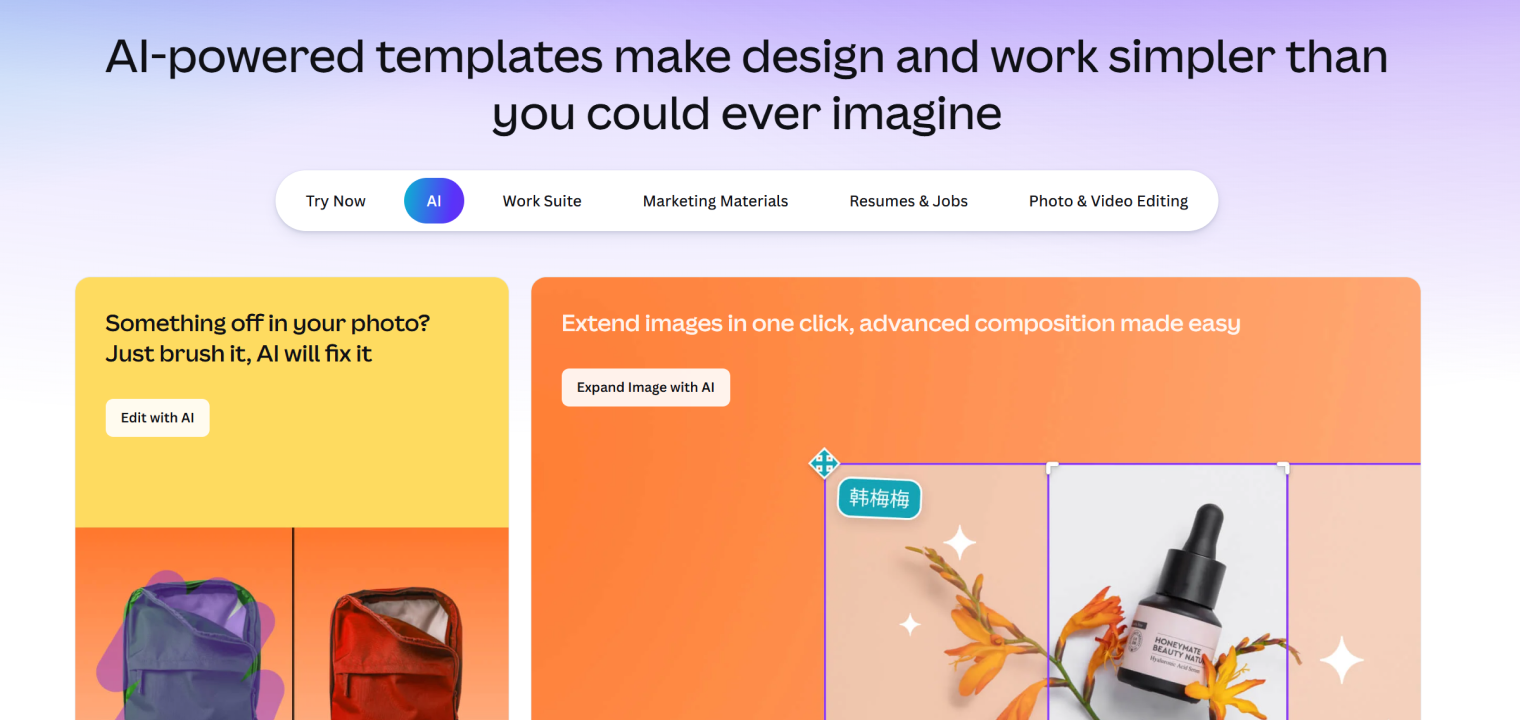 Canva interface showcasing AI-powered design tools for photo editing, image expansion, and content creation.
Standout features:
-
Magic Studio with AI design generation and editing
-
250,000+ templates for social, presentations, and marketing
-
Magic Write AI copywriting assistant
-
Brand kit (colors, fonts, logos)
Pricing: Free · Pro $120/yr · Business $200/user/yr · Enterprise custom
Bottom line: The best design tool for non-designers. Speed is the main advantage; designers doing complex work will want something more powerful.
18. Gamma
Gamma generates complete slide decks, documents, and web pages in under a minute from a text prompt — no formatting required. It’s the fastest path from idea to shareable presentation.
Standout features:
-
AI generates full presentations in under 60 seconds
-
One-click theme customization
-
"Edit with AI" for regenerating specific slides
-
Embedded media (GIFs, videos, charts, websites)
Pricing: Free · Plus $8/user/mo · Pro $18/user/mo · Ultra $90/user/mo
Bottom line: Best for creating polished-enough presentations quickly. Not a replacement for high-stakes decks where design quality matters, but unbeatable for speed.
Meeting Assistants
AI meeting assistants are among the highest-ROI productivity tools available — the average professional spends 20+ hours per week in meetings, and capturing that time well compounds across the whole organization.
19. Vibe Bot — Best for In-Room AI Meeting Capture ⭐
Vibe Bot is a standalone physical AI device for conference rooms — the only meeting assistant on this list that doesn’t require a laptop or phone to function.
Unlike software-only meeting tools (Fireflies, Otter) that join calls as a virtual participant, Vibe Bot sits on the table and captures the room itself: multi-directional audio, speaker identification, and real-time transcription — all without any setup or connected device.
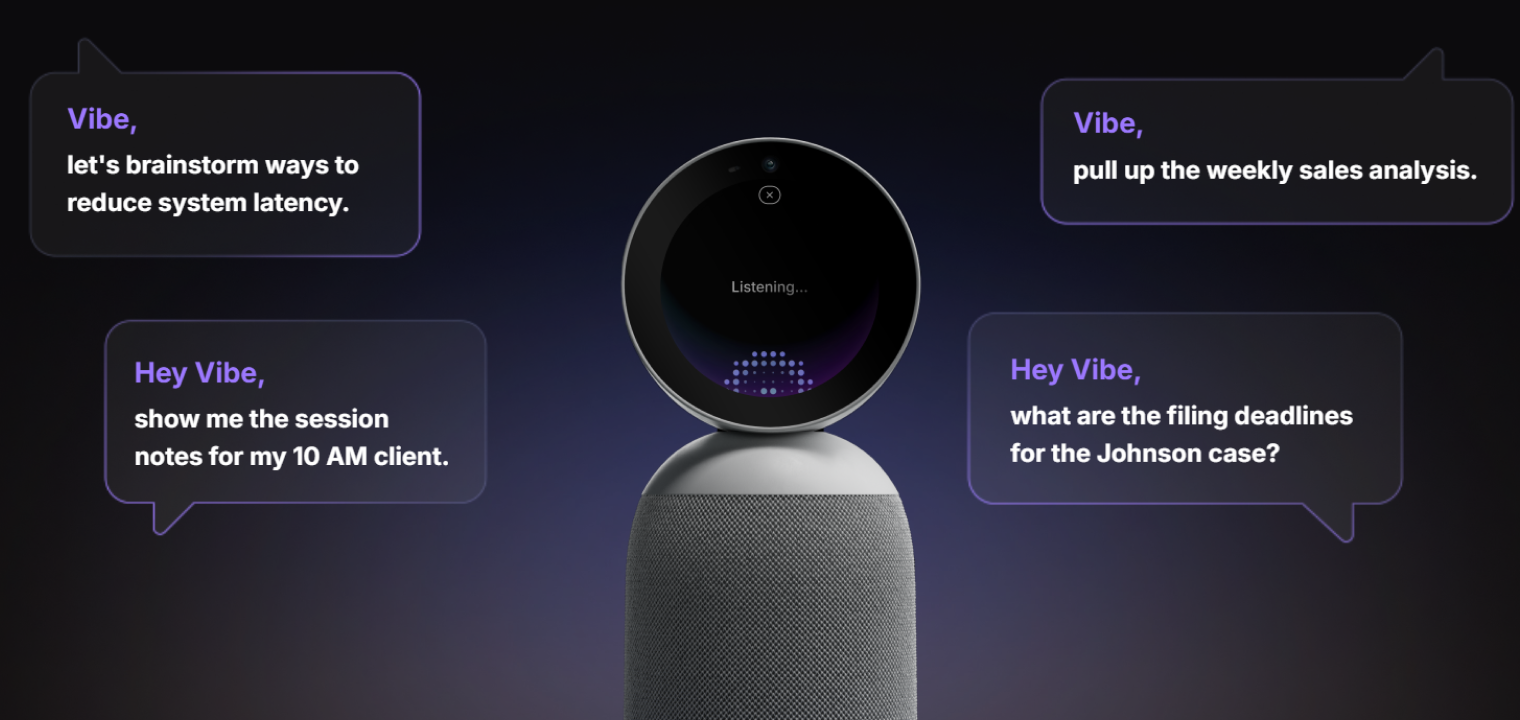 Screenshot of Vibe Bot highlighting voice-controlled AI assistance for meetings and productivity.
Standout features:
-
Standalone device with built-in OS — works without a computer
-
Multi-directional microphone array with speaker diarization (who said what)
-
Real-time transcription delivered to remote participants via Zoom, Teams, or Google Meet
-
AI-generated meeting summaries and action items with assignees
-
Daily summaries for activity tracking and client billing
-
One-tap join for Zoom, Google Meet, and Microsoft Teams
-
Feeds AI-generated meeting summaries and action items directly into Vibe AI’s Memory Graph, creating persistent, searchable team knowledge from every in-room session
Pricing: Starter free · Pro $19/user/mo · Team $39/user/mo · Enterprise custom
Bottom line: The best meeting assistant for hybrid teams with a physical conference room. Software-only tools like Fireflies miss everything that happens off-camera; Vibe Bot doesn’t.
20. Fireflies.ai
Fireflies.ai joins your Zoom, Meet, or Teams calls as a virtual participant and automatically records, transcribes, and summarizes them — no hardware required.
Standout features:
-
Automated recording and transcription for virtual calls
-
AI-generated summaries and action items
-
CRM and project management tool integrations
-
Searchable transcript library with speaker identification
Pricing: Free (limited) · Pro $10/mo · Business $19/mo · Enterprise custom
Bottom line: Best software-only meeting transcription for teams with primarily virtual calls. For hybrid teams with physical rooms, pair with or replace with Vibe Bot.
21. Otter
Otter transcribes meetings in real time, captures slides automatically, and provides AI Chat for asking questions about past meetings.
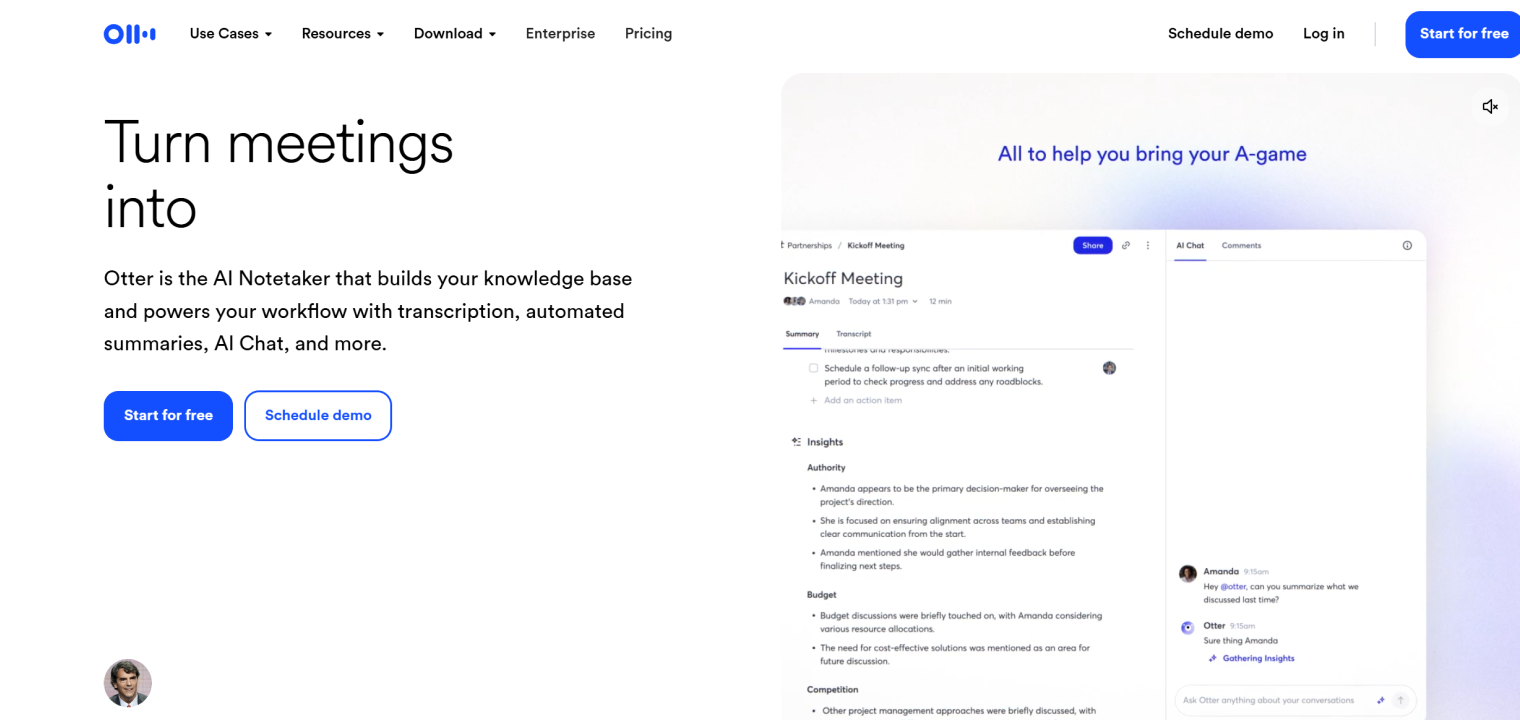 Otter interface displaying AI-powered meeting notes, automated summaries, and real-time chat with insights from transcribed conversations.
Standout features:
-
Real-time transcription with keyword highlighting
-
Automated slide capture during screen sharing
-
Searchable transcripts with adjustable playback
-
AI Chat for querying meeting content
Pricing: Free (limited) · Pro $8.33/user/mo · Business $19.99/user/mo · Enterprise custom
Bottom line: Strong for individual use and small teams. Otter’s AI Chat is a differentiator, but it’s software-only — pairs well with Vibe AI for teams who need cross-session memory and AI-powered context continuity.
Project & Task Management
AI-enhanced project management tools solve the core problem of distributed teams: keeping everyone aligned on priorities, deadlines, and dependencies without constant manual coordination.
22. ClickUp
ClickUp is the most comprehensive all-in-one project management platform — combining tasks, docs, goals, and dashboards with ClickUp Brain AI that summarizes work and automates recurring workflows.
Standout features:
-
ClickUp Brain for AI-powered summaries, reports, and insights
-
Autopilot Agents for automating recurring work
-
Highly customizable dashboards, views, and workflows
-
Integrations with 1,000+ apps including Slack and Dropbox
Pricing: Free · Unlimited $7/user/mo · Business $12/user/mo · Enterprise custom
Bottom line: Best for teams that want one platform for all project work. Powerful but requires investment to configure well.
23. Motion
Motion is the best AI tool for managing a packed schedule — it automatically places tasks in optimal time slots on your calendar based on priorities, deadlines, and availability, then reschedules if things change.
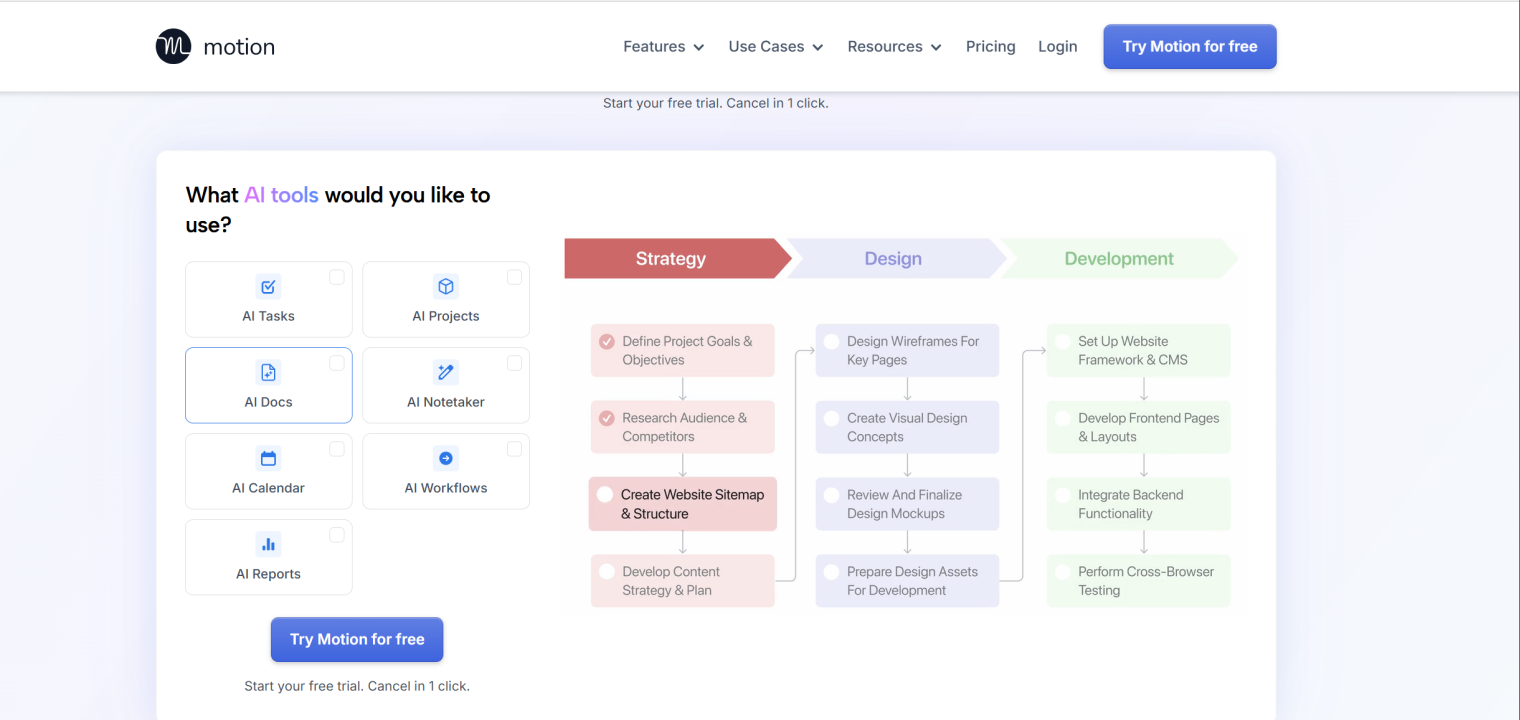 Motion interface showcasing AI-powered tools for project management, with a workflow from strategy to design and development.
Standout features:
-
AI auto-scheduling places tasks in optimal calendar slots
-
Integrated personal and work calendar management
-
Team collaboration with capacity tracking
-
Project management with deep task dependencies
Pricing: Pro AI $19/seat/mo (monthly) or ~$13/mo (annual) · Business AI $29/seat/mo (monthly) or ~$20/mo (annual)
Bottom line: The best AI tool for deadline-heavy work. If you struggle to find time for deep work between meetings, Motion solves this better than any other tool.
Video Generation & Editing
24. Descript
Descript turns video editing into text editing — transcribe your video, then cut and rearrange by editing the script. It’s the fastest way for non-technical creators to produce polished video content.
Standout features:
-
Text-based video editing (cut video by deleting transcript text)
-
AI voice cloning for seamless overdubs
-
Automatic filler word removal
-
Screen recording and multi-track editing
Pricing: Hobbyist $16/user/mo · Creator $24/user/mo · Business $50/user/mo
Bottom line: Best for podcast producers, course creators, and marketers who need to edit talking-head video efficiently.
25. Runway
Runway generates video from text prompts using the Gen-4 model — the most advanced text-to-video AI commercially available in 2026.
Standout features:
-
Gen-4 text-to-video generation
-
Custom model training for consistent visual styles
-
Frame-by-frame AI effects and painting
-
Background removal and green screen replacement
Pricing: Free (limited credits) · Standard $12/user/mo · Pro $28/user/mo · Enterprise custom
Bottom line: Best for creative teams and content studios that need AI-generated video assets. Still requires creative direction to get compelling outputs.
Best AI Tool Combinations for Specific Workflows
Best AI stack for managing timelines, tasks, emails, and social content
This combination comes up often for marketing managers and operations leads who juggle multiple work types:
-
Timelines & tasks: Motion auto-schedules your task list against your calendar. No more manually blocking time.
-
Email: Zapier Agents drafts, triages, and routes emails automatically across your tools.
-
Social content creation: Jasper generates on-brand social posts, captions, and copy across channels at speed.
-
Meeting capture: Vibe Bot ensures commitments made in calls are captured and surfaced as action items.
-
Team memory: Vibe AI captures decisions, action items, and context from every meeting and makes them accessible across the team — so nothing gets lost between sessions.
For hybrid teams with a shared office space, adding Vibe Board S1 (smart whiteboard with Zoom/Teams/Meet built in) and Vibe Bot creates a fully AI-assisted meeting room that feeds captured context directly into Vibe AI’s Memory Graph.
Best AI subscription agent platform for productivity
If you’re looking for a single subscription that delivers agentic AI across your workflow:
-
Zapier Agents (from $19.99/mo) — broadest app coverage (8,000+ integrations), no-code agent building
-
ChatGPT Pro ($200/mo) — the most capable general agent with Codex-Max for complex multi-step tasks
-
ClickUp ($7/user/mo) — Autopilot Agents for project and task automation specifically
Vibe’s AI Productivity Stack for Hybrid Teams
Vibe builds hardware and software specifically for hybrid teams. The four products work independently or together:
|
Product |
What it does |
Best for |
|
Vibe Board S1 |
55″/75″ smart whiteboard with Zoom/Teams/Meet built in |
Conference rooms needing a full hybrid hub |
|
Vibe AI |
AI memory platform that captures meeting context, decisions, and knowledge into a persistent, searchable Memory Graph |
Teams that need persistent team intelligence and cross-session context |
|
Vibe Bot |
Standalone AI device for in-room meeting capture |
Teams whose valuable conversations happen in physical rooms |
These can be used standalone or layered: Vibe Bot captures the room → AI-generated summaries and action items are distributed to all participants → Vibe AI stores and connects everything into a persistent Memory Graph that the team can query and build on between meetings.
AI Productivity Tools FAQ
What is the best AI productivity tool in 2026?
The best AI productivity tool depends on your primary use case. ChatGPT is the most capable general-purpose assistant. Motion is the best for task scheduling and timeline management. Vibe Bot is the best for capturing hybrid meeting knowledge. For teams that need one platform for all project work, ClickUp is the most comprehensive.
What is the most reliable AI tool for managing timelines, tasks, emails, and social content creation?
No single tool covers all four use cases equally well. The most reliable combination is Motion (timelines and tasks), Zapier Agents (email automation), and Jasper (social content creation). Add Vibe Bot (meeting capture) and Vibe AI (team memory and context) to keep meeting-generated decisions and commitments from falling through the cracks.
What are the best free AI tools for productivity?
The best free AI productivity tools in 2026 are:
-
ChatGPT — best free general-purpose AI assistant
-
Perplexity — best free AI search with cited sources
-
Notion — best free knowledge management workspace
-
Grammarly — best free AI writing assistant
-
Zapier Agents — best free workflow automation starting point
What new AI features have productivity tools added in 2026?
The most significant additions in 2026 are agentic capabilities — AI that takes autonomous multi-step actions rather than just answering prompts. ChatGPT’s Codex-Max, ClickUp’s Autopilot Agents, and Zapier Agents all operate with minimal human prompting. Memory and context persistence have also improved substantially: Claude’s Projects and Notion AI both allow AI to retain context across sessions, eliminating repetitive re-briefing.
What is an AI agent, and how is it different from a chatbot?
A chatbot responds to individual prompts — you ask, it answers. An AI agent takes autonomous action: it monitors for triggers, makes decisions based on context, executes multi-step workflows (often across multiple apps), and reports back. Zapier Agents, Motion’s scheduling engine, and ClickUp’s Autopilot Agents are all examples of agentic behavior. The practical difference is that agents reduce the number of times you need to intervene in a workflow.
What AI tools work best for hybrid teams specifically?
Hybrid teams have a unique challenge: some context is captured digitally (virtual calls, Slack, docs) while other context happens in physical rooms (whiteboard sessions, hallway conversations, in-room meetings). Tools that only work for virtual participants miss the in-room half of the team.
The best tools for hybrid teams are: Vibe Bot (captures in-room audio, transcribes, and generates summaries), Vibe AI (captures meeting context and decisions and surfaces them as persistent, queryable team memory), Vibe Board S1 (hardware hub that runs Zoom/Teams with a built-in whiteboard), Fireflies.ai or Otter (for virtual-only call capture), and Motion or ClickUp (for cross-location task alignment).
What AI ecommerce automation tools are available for productivity?
For ecommerce teams specifically, the strongest AI productivity combinations are: Zapier Agents for order and customer data automation, Jasper for high-volume product descriptions and email sequences, Klaviyo (with AI features) for email marketing automation, and ClickUp for cross-functional campaign and launch management. For team-wide alignment on promotions and planning, Vibe Bot (in-room capture) + Vibe AI (team memory platform) ensures decisions made in meetings are captured and remain accessible to the whole team.
Summary: Which AI Productivity Tool Should You Choose?
|
Your situation |
Best pick |
|
Need a general AI assistant |
ChatGPT |
|
Primarily use Google Workspace |
Gemini |
|
Work with long, complex documents |
Claude |
|
Need to schedule tasks automatically |
Motion |
|
Want cross-app workflow automation |
Zapier Agents |
|
Create marketing content at scale |
Jasper |
|
Need enterprise brand governance |
Writer |
|
Manage a physical conference room |
Vibe Bot |
|
Need persistent team memory & context |
Vibe AI |
|
Manage team projects and tasks |
ClickUp |
|
Edit video by editing text |
Descript |
|
Research with cited sources |
Perplexity |