If you're on video calls for more than two hours a day, your headphones are professional equipment—not an accessory. The right pair cuts background noise, keeps your voice clear, and stays comfortable through back-to-back meetings. The wrong pair makes your teammates turn up their volume every time you speak.
This guide covers the eight best wireless headphones for video conferencing in 2026, what to look for before you buy, and how to decide between a headset and earbuds for professional calls.
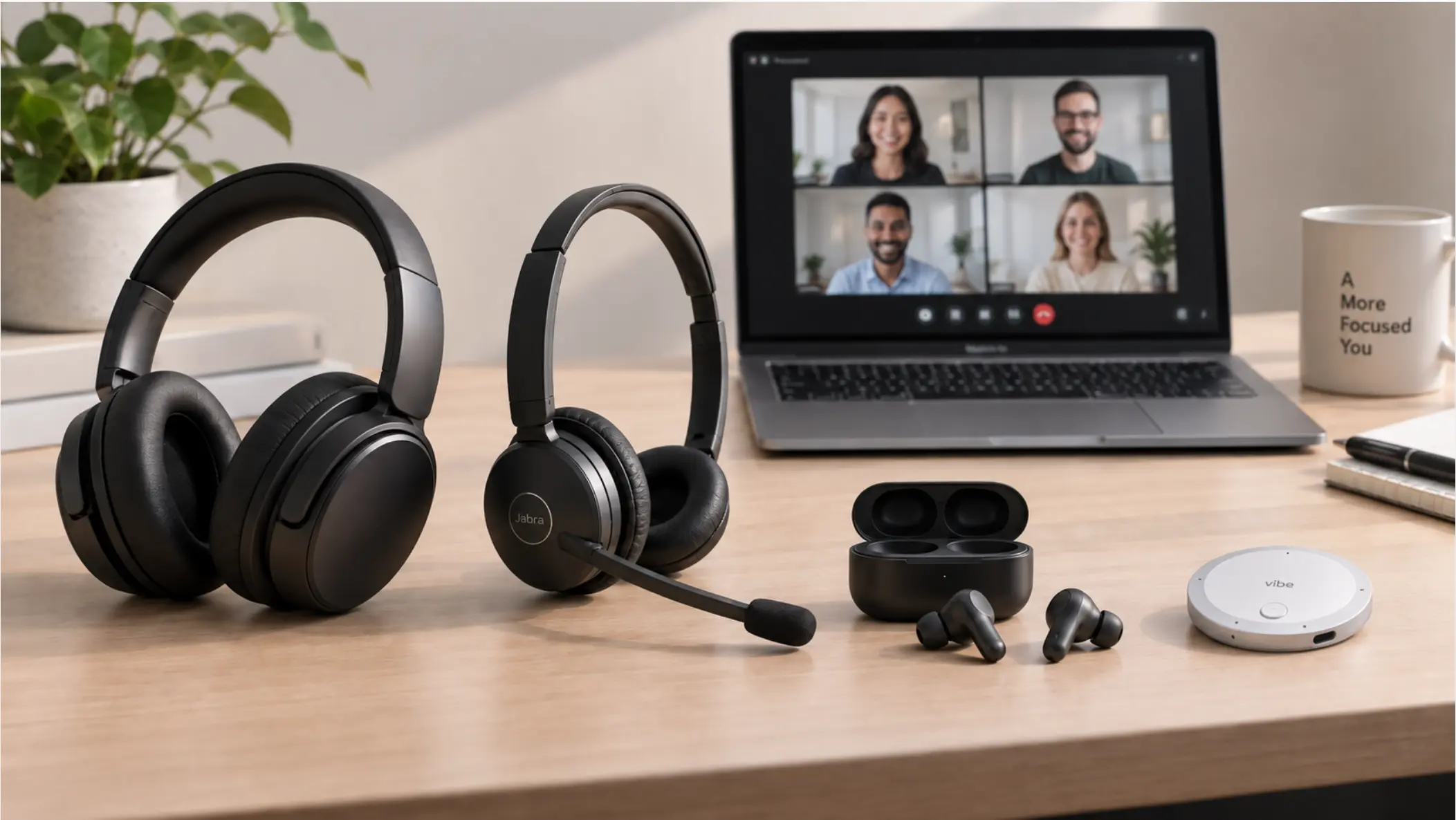 Four headphone styles—over-ear headset, professional UC headset with boom mic, wireless earbuds, and AI wearables placed on a desk
What to Look for in Wireless Headphones for Video Calls
Audio quality for music and audio quality for calls are different problems. Before looking at specific models, here are the six factors that matter most for video conferencing.
Microphone performance
This is the most important factor for video calls—and the one most buyers underweight. A headset with a dedicated boom microphone almost always outperforms earbuds with embedded mics. Look for noise-canceling microphones that isolate your voice from background noise. If you work in open-plan offices or from home with ambient noise, this matters more than any other spec.
Active noise cancellation (ANC)
ANC helps you hear your meeting clearly even in noisy environments. Most premium headphones now offer adjustable ANC levels, which lets you dial in how much of the outside world you want to hear—useful if you need to stay aware of your surroundings.
Bluetooth stability
Dropped audio mid-sentence is worse than no headphones at all. Look for Bluetooth 5.0 or newer, and check whether the headphones support multipoint connection—the ability to stay paired to two devices simultaneously. This matters if you switch between a laptop and a phone throughout the day.
Battery life
If you're on calls most of the day, a headset that dies at 3pm isn't useful. For heavy call users, aim for at least 20 hours of battery. Over-ear headphones generally offer longer battery than earbuds.
Comfort for extended wear
Headphones that feel fine for an hour can become genuinely painful after three hours. Weight, clamping force, ear cushion material, and headband padding all matter. If you're wearing headphones for most of your workday, this deserves more consideration than most reviews give it.
Platform and software certification
Some headphones are certified for Microsoft Teams, Zoom, or other UC platforms—meaning call controls (answer, mute, end call) work directly from the headset without switching to your keyboard. For business use, this is a genuine convenience worth the premium.
The 8 Best Wireless Headphones for Video Conferencing in 2026
|
Pick |
Type |
ANC |
Battery |
Best For |
|---|---|---|---|---|
|
Sony WH-1000XM5 |
Over-ear |
Industry-leading |
30 hrs |
Best overall |
|
Jabra Evolve2 65 |
Over-ear headset |
Yes |
37 hrs |
Business / UC certified |
|
Bose QuietComfort Ultra |
Over-ear |
World-class |
24 hrs |
Premium ANC |
|
Apple AirPods Pro (2nd gen) |
True wireless earbuds |
Adaptive |
6 hrs + case |
Apple ecosystem |
|
Poly Voyager Focus 2 |
Over-ear headset |
Active ANC |
19 hrs |
Call-heavy professionals |
|
Samsung Galaxy Buds3 Pro |
True wireless earbuds |
Adaptive |
6 hrs + case |
Android / Galaxy users |
|
Jabra Evolve2 Buds |
True wireless earbuds |
Yes |
8 hrs + case |
UC earbuds for office |
|
Anker Soundcore Q45 |
Over-ear |
Adaptive |
50 hrs |
Best budget option |
1. Sony WH-1000XM5 — Best Overall
The Sony WH-1000XM5 remains the strongest all-around pick for remote professionals in 2026. Its industry-leading ANC uses eight microphones and two processors to block ambient noise, and a separate set of four beam-forming microphones handles call capture. Multipoint Bluetooth lets you stay connected to your laptop and phone simultaneously. Battery runs to 30 hours, and a quick 3-minute charge gives you enough power for an additional hour of calls. The XM5 is lighter and slimmer than its predecessor, which matters when you're wearing them through a full workday.
The one limitation: the ear cups do not fold flat, which makes the carrying case bulkier than the XM4's.
2. Jabra Evolve2 65 — Best for Business and UC-Certified Use
The Jabra Evolve2 65 is the headset most often deployed by IT teams in enterprise environments—and for good reason. It is certified for Microsoft Teams and other major UC platforms, meaning hardware call controls work natively without software configuration. Six microphones handle call pickup and ANC simultaneously, and 37 hours of battery life means a full work week of heavy call use on a single charge. The busylight indicator on the earcup signals to office colleagues that you're on a call—a small feature that makes a real difference in open-plan settings.
For individuals purchasing their own equipment, the price is higher than most consumer headphones. For IT departments equipping teams, the UC certification and manageability make the premium defensible.
3. Bose QuietComfort Ultra Headphones — Best ANC
Bose's QuietComfort Ultra headphones deliver the most effective noise cancellation of any headphone in this list. For video calls in genuinely noisy environments—open offices, co-working spaces, cafes, home offices with competing sounds—the ANC quality is a meaningful upgrade over even the Sony XM5. Bose's Immersive Audio mode adds spatial depth for music and video, though this doesn't affect call quality. Battery runs to 24 hours with ANC on.
The microphone performance is good but not class-leading compared to dedicated boom-mic headsets. If call mic quality is your primary concern, the Jabra Evolve2 65 is the stronger pick.
4. Apple AirPods Pro (2nd Generation) — Best for Apple Users
If your primary devices are Apple, the AirPods Pro 2 earn their place through ecosystem integration that no competitor matches: instant pairing across iPhone, iPad, and Mac, automatic device switching, and Personalized Spatial Audio tuned to your ear shape. Adaptive Transparency mode lets outside sound in naturally while still protecting you from loud noise. The microphone handles calls well for earbuds, though it won't match a dedicated headset in very noisy environments. At six hours per charge (with around 30 hours total from the MagSafe case), battery life is the main limitation for heavy call users.
5. Poly Voyager Focus 2 — Best for Call-Heavy Professionals
The Poly Voyager Focus 2 (Poly was formerly Plantronics) is built for people who spend most of their day on voice and video calls. Its boom microphone is the standout feature—it positions the mic close to your mouth for the most natural, clear pickup of any option on this list. Active ANC handles background noise on the listener side. The headset is certified for Microsoft Teams, Zoom, and Google Meet. At 19 hours of battery life, it falls short of the Jabra Evolve2 65 for multi-day use, but it covers a standard workday comfortably.
6. Samsung Galaxy Buds3 Pro — Best for Android Users
Samsung's Galaxy Buds3 Pro offer the tightest integration for Android users, particularly those in the Galaxy ecosystem. Adaptive ANC adjusts to your environment in real time. The three-microphone system handles call pickup reasonably well for earbuds, and Galaxy AI features include real-time interpretation support when paired with a compatible Galaxy device. Like other true wireless earbuds, battery life per charge (six hours) limits them for all-day call use without a recharge.
7. Jabra Evolve2 Buds — Best UC-Certified Earbuds
The Jabra Evolve2 Buds solve a specific problem: workers who want earbuds (not an over-ear headset) but need enterprise-grade call performance. They carry the same Microsoft Teams and Zoom certifications as Jabra's over-ear models, and the ANC-enabled call performance is the best of any true wireless earbud option on this list. The foam ear tips provide passive isolation that complements the active ANC. At eight hours per charge with an additional 14 hours in the case, battery is adequate for most workdays.
8. Anker Soundcore Q45 — Best Budget Option
For professionals who need a solid wireless headphone without a premium price, the Anker Soundcore Q45 covers the essentials: adaptive ANC, 50 hours of battery life, and call quality adequate for occasional to moderate video conferencing. It lacks UC certification and the mic performance won't satisfy heavy call users, but for a hybrid worker on calls two to four hours per day, it's a capable option at a fraction of the cost of the other picks on this list.
Headsets vs. Earbuds: Which Is More Professional for Video Calls?
Neither format is inherently more professional—what matters is the microphone placement and call quality. That said, there are genuine differences worth understanding.
 A woman prepares to put on her wireless headphones as she relaxes at her desk before a video conference.
Over-ear headsets with boom mics (like the Jabra Evolve2 65 or Poly Voyager Focus 2) deliver the most consistent call mic performance because the microphone element is positioned close to your mouth, away from background noise. In video calls, they're also a visual signal that you take calls seriously—a small but real perception factor in client-facing roles.
True wireless earbuds are less visible on video (sometimes not visible at all, depending on camera angle) and more comfortable for extended wear for some people. Their embedded microphones have improved significantly but remain behind dedicated boom mics in noisy conditions. If your calls happen in quiet environments, the quality gap is smaller.
The practical answer: if you're on calls in noisy environments or your calls are business-critical, an over-ear headset with a boom mic gives you the most reliable call quality. If your environment is quiet and you value discretion or comfort during longer sessions, quality earbuds work well.
The Right Headphones Make Every Call Better
For remote and hybrid professionals, wireless headphones are infrastructure. The picks above cover every budget and use case—from the Jabra Evolve2 65 for enterprise teams to the Sony WH-1000XM5 for individual remote workers who want the best all-around option.
If you're also thinking about how to improve your video conferencing setup beyond audio, or looking for conference call audio tips more broadly, those guides cover the full picture.
And if your calls generate decisions and context that need to be captured—not just heard—Vibe Dot is the piece that completes the setup.
Capture What's Said, Not Just What's Heard
Good headphones solve one half of the video call problem: hearing clearly and sounding clear to others. But important calls also generate decisions, action items, and context that disappears once the call ends.
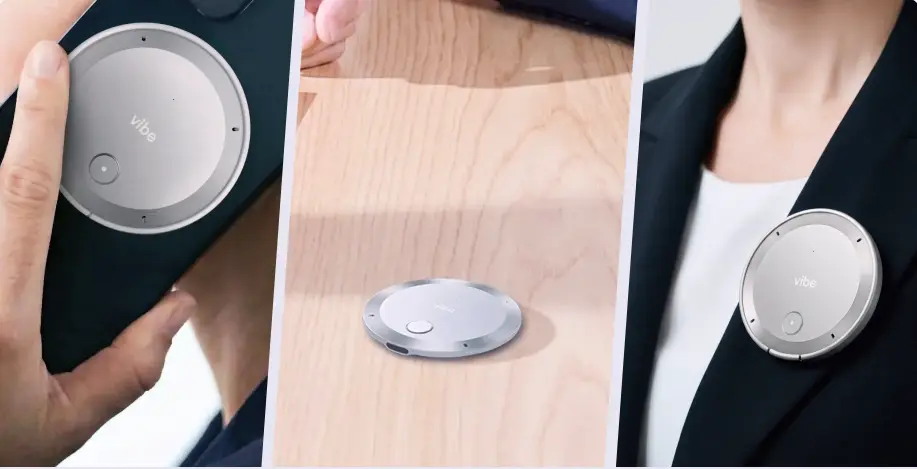
Vibe Dot handles the other half. It's a compact AI recorder ($199) with a five-microphone array—four MEMS microphones plus a bone-conduction sensor—that captures your calls and in-person conversations and feeds them into Vibe AI's Memory Graph. Rather than producing an isolated transcript per meeting, the Memory Graph connects context across sessions: tracking decisions, follow-up items, and the history of why a direction changed between two conversations three weeks apart.
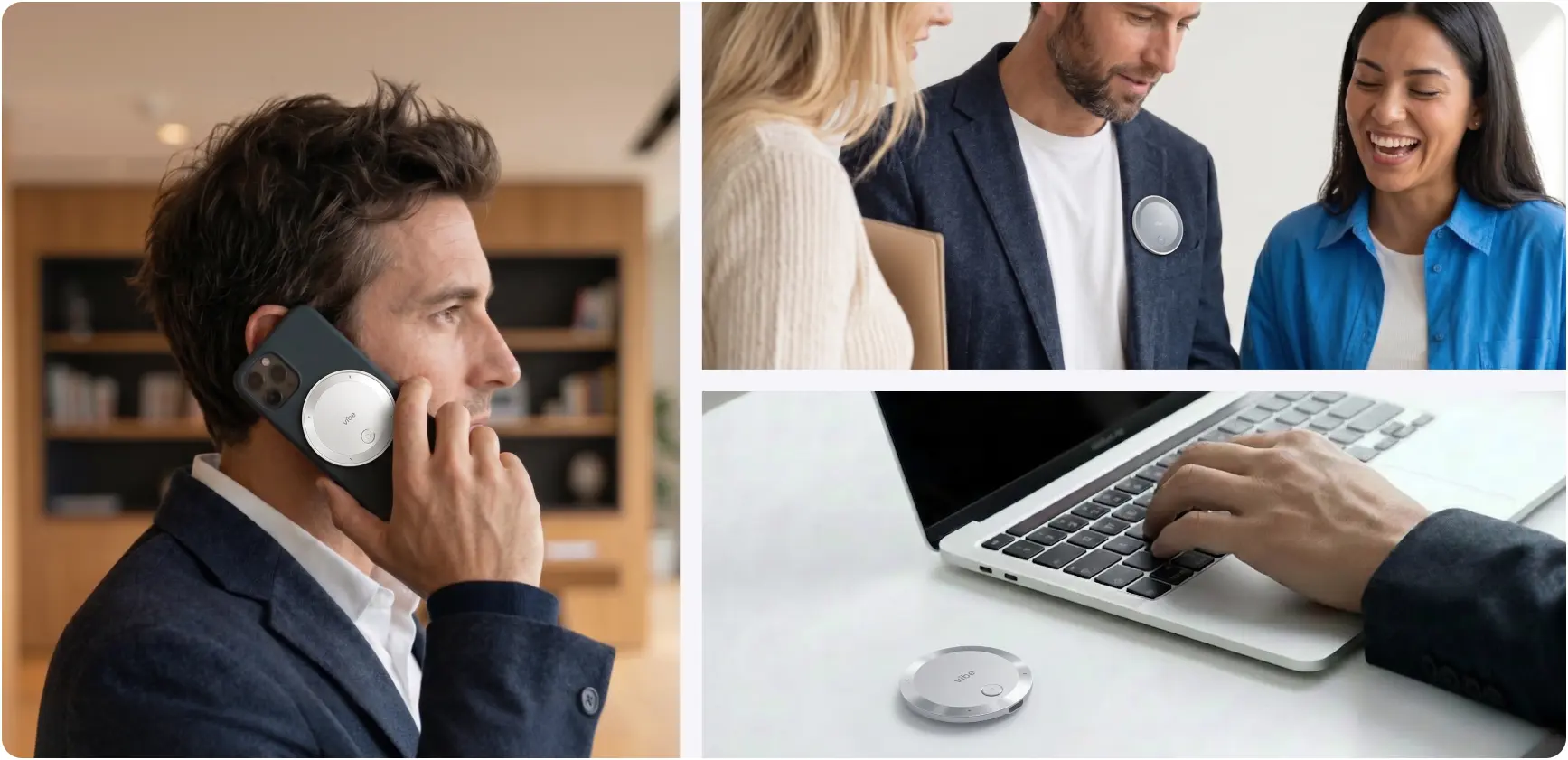
Vibe Dot attaches to a phone via MagSafe, clips to clothing, or sits flat on a desk. It carries SOC 2, HIPAA, NDAA, and FERPA certifications—relevant for client-facing professionals, healthcare, and regulated industries. Recording, transcription, and basic AI summaries are free with the device.
Your headphones handle what you hear. Vibe Dot handles what you need to remember.
Frequently Asked Questions
Are headsets or earbuds more professional for video calls?
Neither is categorically more professional—it depends on mic placement and call environment. Over-ear headsets with boom microphones deliver more consistent call quality, especially in noisy settings, because the mic sits close to your mouth. True wireless earbuds look less conspicuous on video and have improved significantly, but their embedded mics still trail dedicated boom mics in challenging audio environments. For client-facing calls where audio quality directly reflects on you, a headset is the safer choice.
Which wireless headphones have the most stable Bluetooth connection for video calls?
UC-certified headsets like the Jabra Evolve2 65 and Poly Voyager Focus 2 are engineered for call stability and are tested specifically for video conferencing reliability. Among consumer headphones, the Sony WH-1000XM5 and Bose QuietComfort Ultra are consistently strong performers. For maximum stability on video calls, look for Bluetooth 5.0 or later, multipoint connection support, and—for enterprise use—UC platform certification for your specific software (Teams, Zoom, etc.).
What should I prioritize when choosing headphones for video conferencing?
Microphone quality first. A headphone with world-class ANC but a mediocre mic makes you sound bad to everyone else on the call. After that, prioritize ANC (so you can hear clearly), battery life relative to your typical call hours, and Bluetooth stability. UC platform certification matters if you need hardware call controls. Comfort becomes critical if you're wearing the headphones for more than four hours a day.
Can I use the same headphones for music and video calls?
Yes, most wireless headphones on this list handle both well. The Sony WH-1000XM5 and Bose QuietComfort Ultra are especially well-regarded for music listening in addition to calls. The one exception: dedicated professional headsets like the Jabra Evolve2 65 are optimized for voice clarity rather than music reproduction and may sound thin for music compared to consumer audio headphones.
How much should I spend on headphones for video conferencing?
It depends on call volume. If you're on calls two to four hours a day, a mid-range option like the Anker Soundcore Q45 ($60–$80) handles the job. For heavy call users—five or more hours daily—the investment in a quality headset like the Sony WH-1000XM5 ($350) or Jabra Evolve2 65 ($280–$320) is justified by the difference in mic quality and all-day comfort. UC-certified headsets often cost more but save setup time in managed IT environments.
Do I need special headphones to use with Microsoft Teams or Zoom?
You don't need certified headphones to join a call, but UC-certified headsets (like the Jabra Evolve2 65 or Poly Voyager Focus 2) give you hardware call controls—answer, mute, end call—that work directly from the headset without clicking to your computer. For individual users this is a convenience. For IT teams deploying across an organization, certification simplifies device management and support.