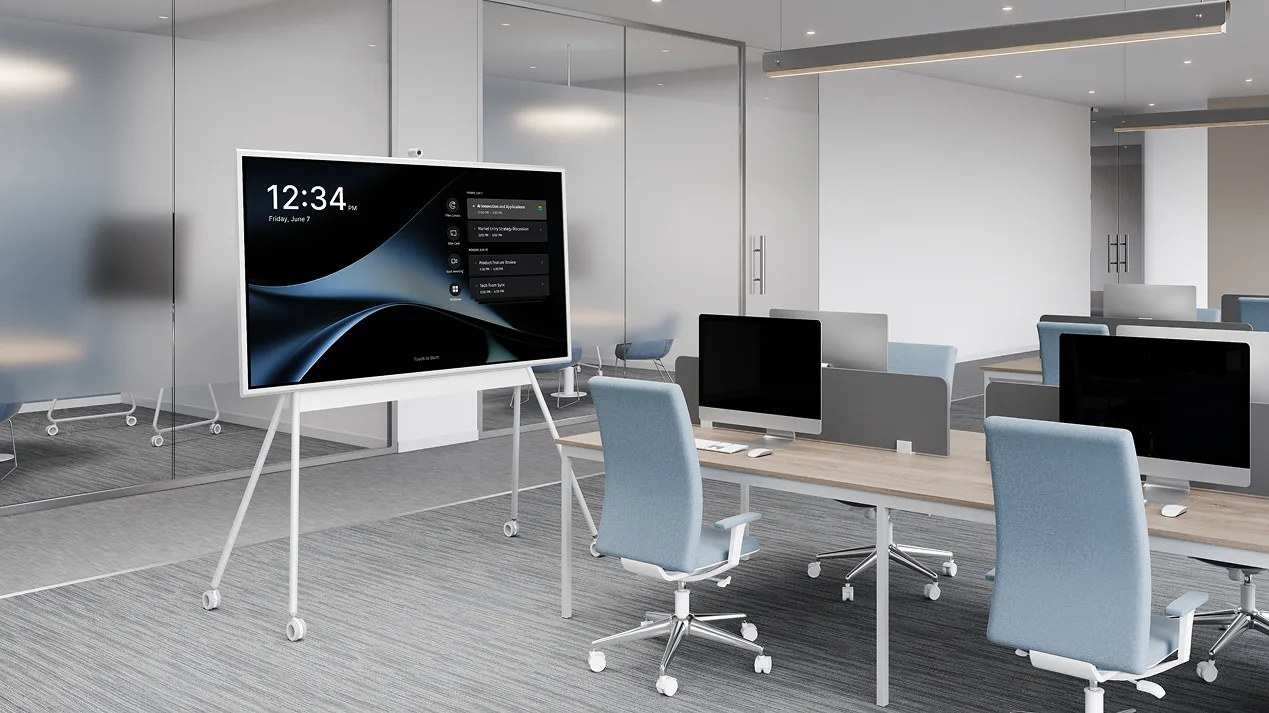
Most guides to business communication solutions hand you a list of apps and call it a day. This one doesn’t.
The real problem hybrid teams face in 2026 isn’t a shortage of software. It’s that their communication stack has a structural gap: the meeting room itself. Zoom handles the call. Slack handles the follow-up. But what happens in the room — the whiteboard, the side conversations, the decisions made between agenda items — often disappears the moment everyone leaves.
This guide covers how to close that gap: what a complete hybrid communication setup actually looks like, which layer each tool belongs to, and where Vibe’s hardware and AI fit in as the physical anchor for everything else.
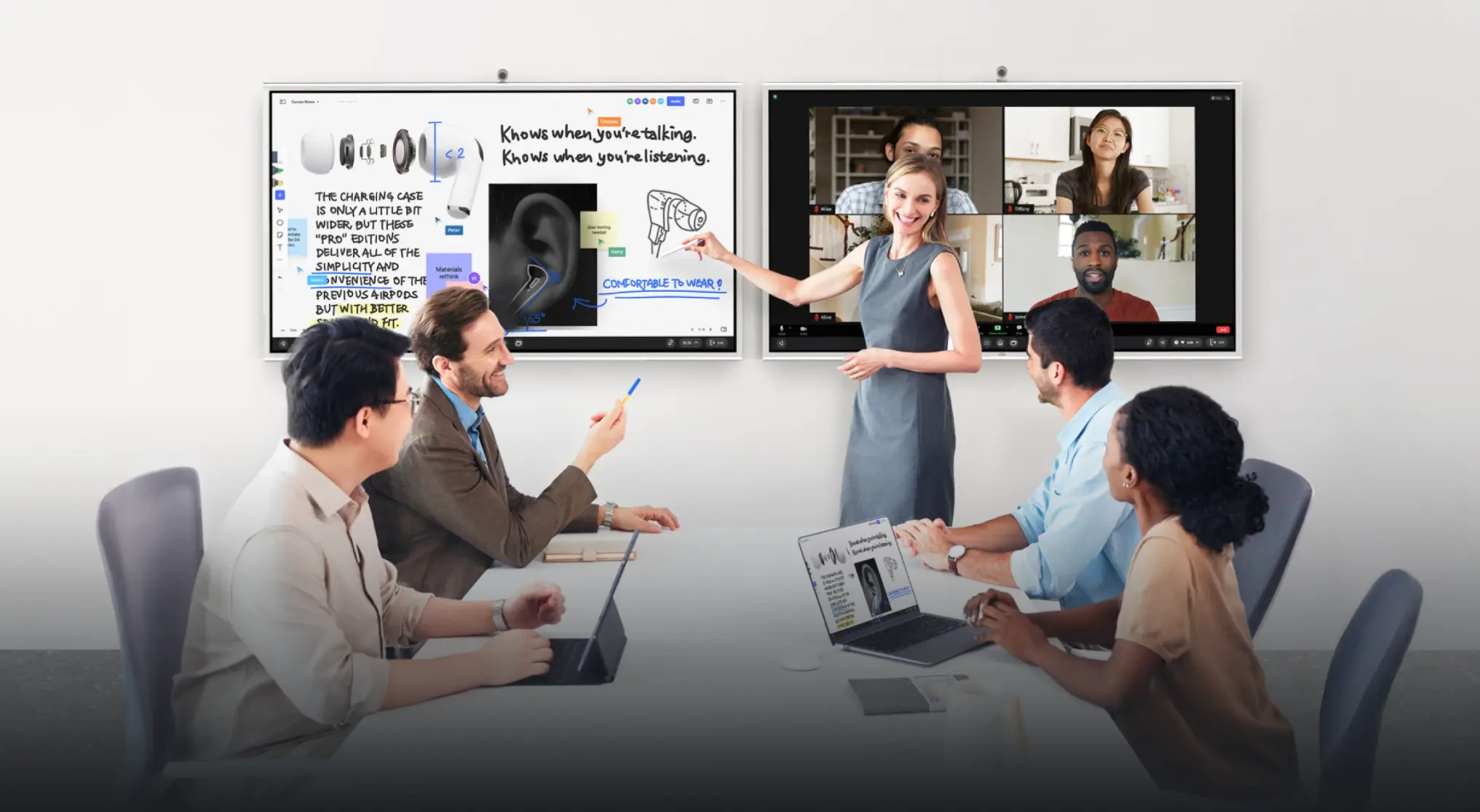 A hybrid meeting in progress — some participants in a conference room around a Vibe Board S1, others visible on screen joining remotely
Why Most Business Communication Stacks Are Incomplete
A typical hybrid team in 2026 runs something like this:
-
Slack or Teams for async messaging
-
Zoom or Google Meet for video calls
-
Asana or Notion for task tracking and documentation
-
A physical whiteboard or a laptop screen propped up in the conference room
The first three layers are solid. The fourth is where things break down.
Remote participants can’t see what’s on the physical whiteboard. In-room participants can’t easily annotate a shared doc during a live discussion. The "meeting room experience" and the "remote experience" are running on parallel tracks that never quite merge — and the output of the meeting (decisions, action items, context) often lives nowhere that anyone can find later.
This isn’t a software problem. It’s a room infrastructure problem. For a deeper look at which software tools belong in each layer, see our full breakdown of the best collaboration tools for remote teams.
The Four Layers of a Complete Hybrid Communication Setup
Think of business communication as four distinct layers. Each has a job. Gaps appear when one layer is missing or mismatched.
Layer 1 — Async Messaging
Job: Keep the team aligned without requiring everyone to be online at the same time.
Tools: Slack, Microsoft Teams
This layer is well-understood and well-served. Slack’s channel structure keeps conversations organized and searchable. Microsoft Teams integrates natively for organizations already on Microsoft 365. Either works — the key is consistency across the team.
What to watch: both tools become noisy at scale without clear channel conventions. The tool isn’t the problem; the absence of communication norms is.
Layer 2 — Video Conferencing
Job: Replicate face-to-face conversation for meetings, client calls, and team check-ins.
Tools: Zoom, Google Meet, Microsoft Teams
Again, well-served. Zoom leads on connection reliability and is the safe default for client-facing calls. Google Meet works best for teams already in Google Workspace. Teams handles this layer if your organization is Microsoft-standardized.
The gap here isn’t the software — it’s what happens on the room side of a hybrid call. A laptop propped on a stack of books is not a conference room solution.
Layer 3 — The Meeting Room (the gap most stacks miss)
Job: Give in-room participants a shared visual workspace that remote participants can access simultaneously — and make the room itself a capable endpoint for video calls.
This is where most hybrid communication setups fall apart, and where Vibe Board S1 is built to fill the gap.
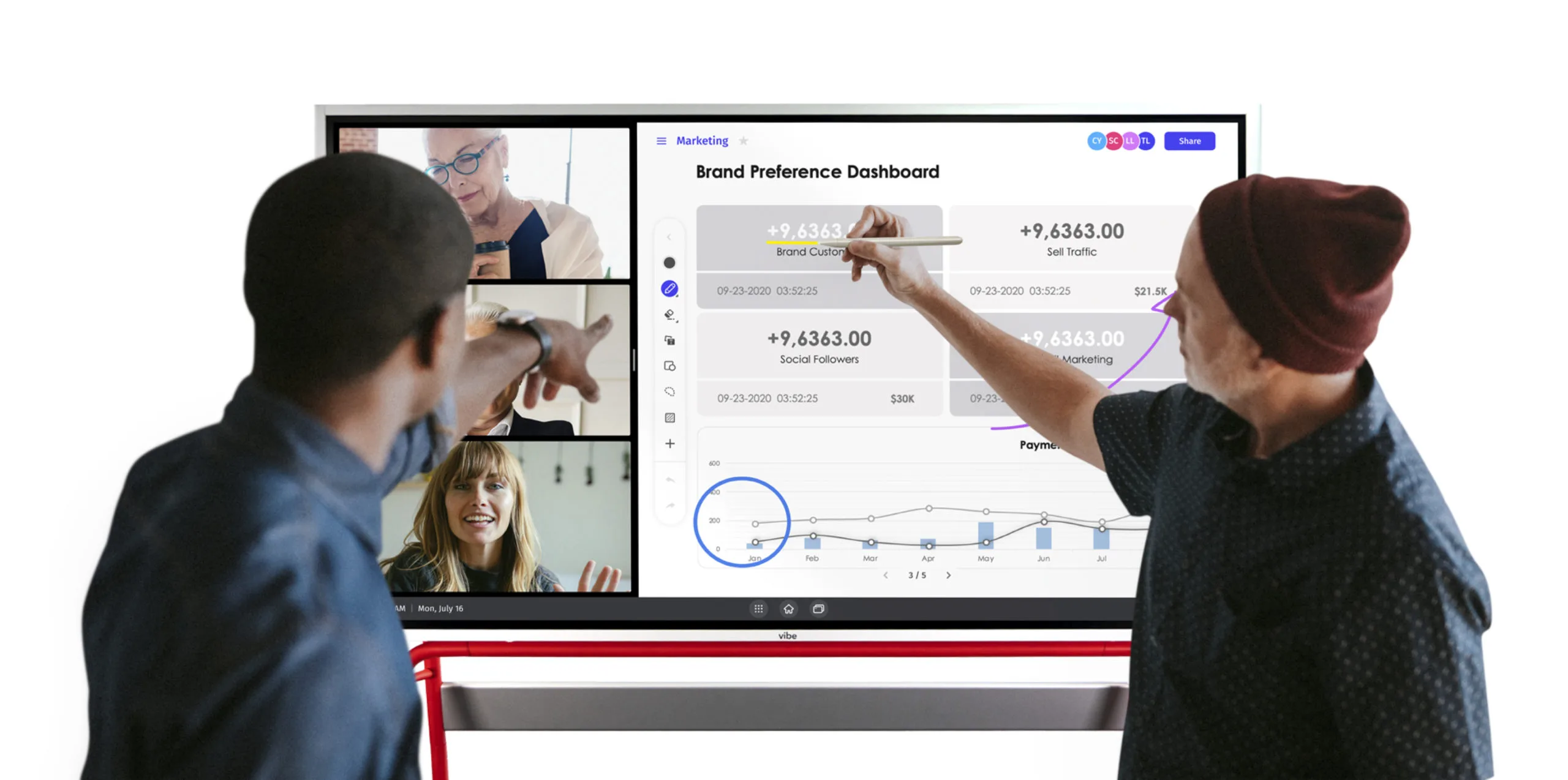 Close-up of a Vibe Board S1 with a team member annotating a slide while remote participants are visible on the side panel
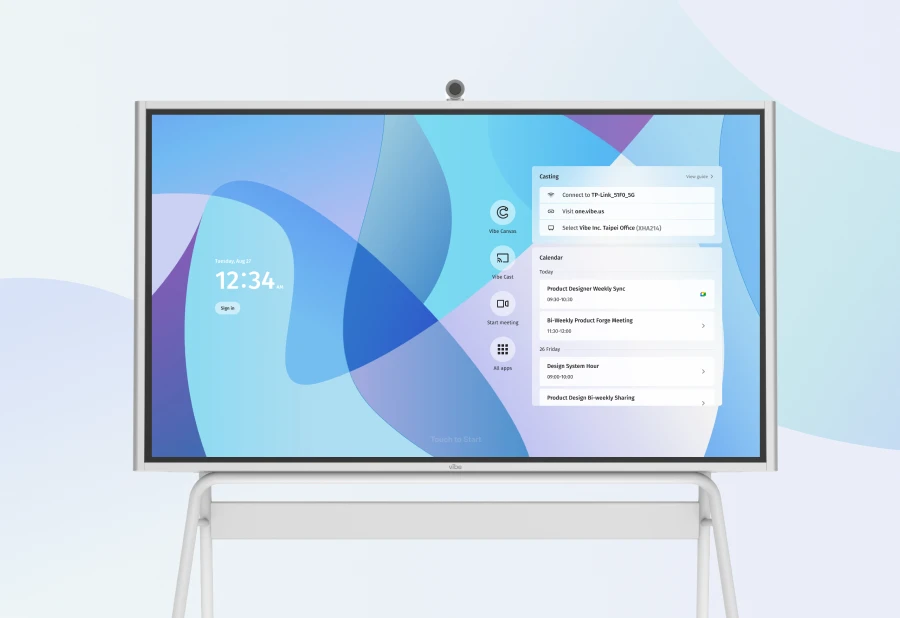
Vibe Board S1 is a 4K interactive whiteboard available in 55″ ($3,699) and 75″ ($7,299). It runs VibeOS (ChromeOS-based on the S1, Windows 11 Pro on the S1 Pro) and ships with Vibe Canvas built in — an infinite digital whiteboard that in-room and remote participants share simultaneously. When someone draws on the board in the room, remote teammates see it in real time on their own screen. When a remote participant annotates, it appears on the board.
Beyond whiteboarding, the S1 integrates with 250+ apps — Zoom, Google Meet, Microsoft Teams, Google Workspace, Slack — so the room itself becomes a proper hybrid work endpoint, not a laptop propped on a chair.
Camera and audio: The S1 has no built-in camera or microphone. For video calls, you add the optional Vibe Smart Camera — a Sony 4K sensor with a 6-mic array, AI-powered noise and echo cancellation, and auto-framing that adjusts to the number of people in the room. The S1 is also compatible with most USB-connected cameras and microphones, including Logitech BRIO and Polycom Studio, if you already have room hardware.
Layer 4 — AI Meeting Intelligence (the newest layer)
Job: Capture what was said, decided, and committed to — automatically — so the meeting output doesn’t disappear when the call ends.
This is the layer that’s changed most dramatically in the past two years, and where two Vibe products operate.
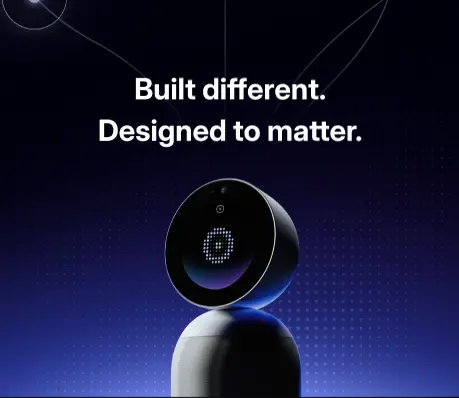
For the conference room: Vibe Bot
Vibe Bot is Vibe’s AI-powered in-room meeting assistant. It combines a 360° 4K camera with a six-microphone array that captures every voice in the room, identifies speakers, and handles the full AI capture loop: real-time transcription, smart meeting summaries, and action items with named owners — automatically assigned from what was said, not typed in manually after the fact.
Vibe Bot integrates with Slack, Notion, Jira, and other project management tools, so action items go directly into the systems your team already uses. Sessions are linked across meetings, giving follow-up calls the context they need without starting from scratch.
For on-the-go and field use: Vibe Dot
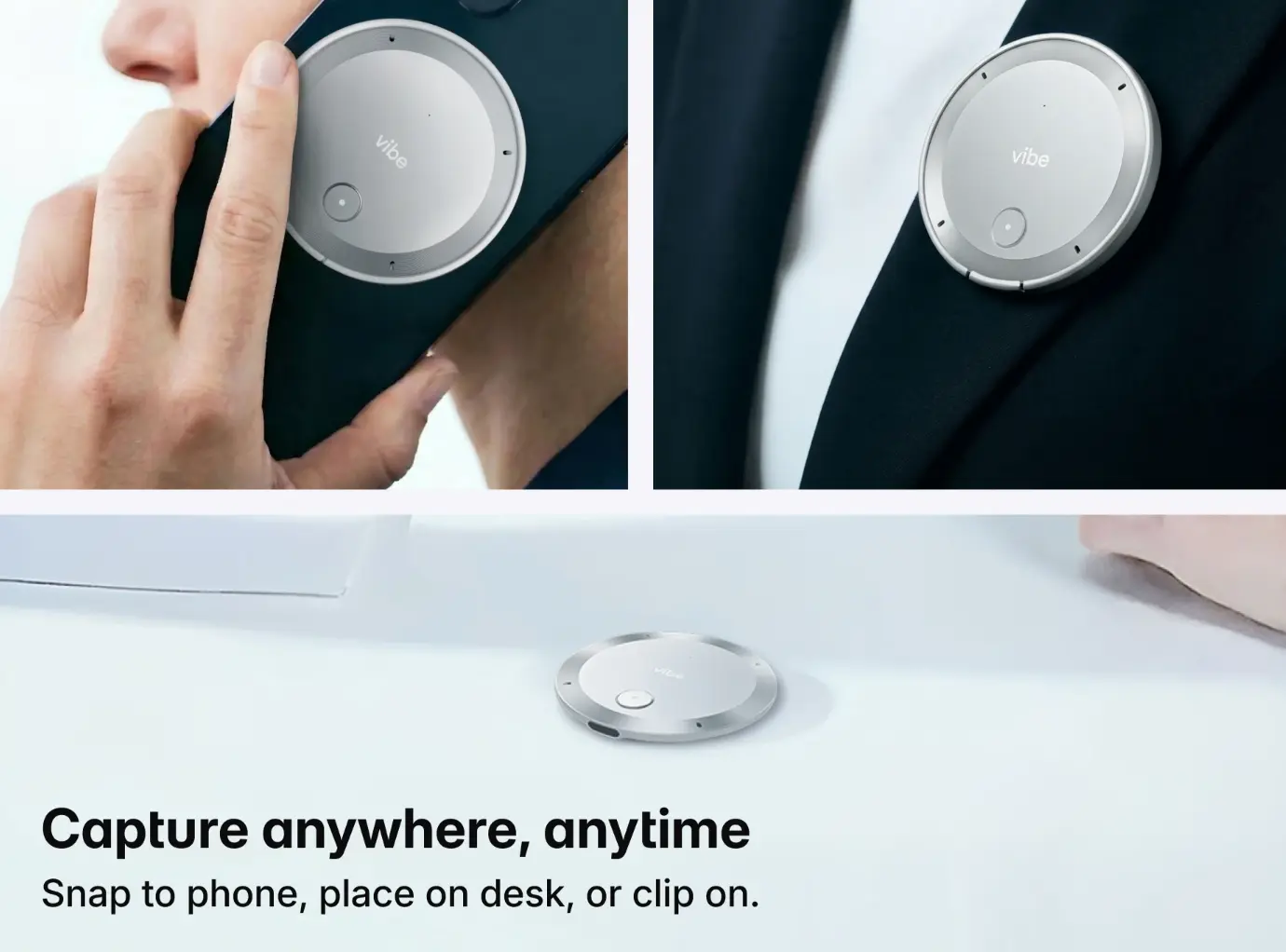
Vibe Dot is Vibe’s AI-powered wearable recorder — a 0.17-inch thin, 0.83oz clip that captures conversations outside the conference room: client site visits, field calls, sales meetings, one-on-ones in a coffee shop. It carries the same AI intelligence layer (Memory Graph cross-session memory, real-time summaries, action items) but in a form factor that goes anywhere.
Key specs: 5-mic array (4 air + 1 bone-conduction), 30+ hour battery, 64GB onboard storage, dedicated hardware encryption chip (FIPS 140-3, SOC 2, HIPAA, FERPA, NDAA certified). Priced at $199; Vibe AI Starter plan is free (300 min/month).
What a Complete Stack Looks Like
Here’s how the four layers fit together for a hybrid team:
|
Layer |
Tool |
What it covers |
|---|---|---|
|
Async messaging |
Slack or Microsoft Teams |
Day-to-day communication, channels, DMs |
|
Video conferencing |
Zoom or Google Meet |
Calls, client meetings, all-hands |
|
Meeting room |
Vibe Board S1 + Vibe Canvas |
Shared visual workspace, in-room display, video endpoint |
|
AI capture (room) |
Vibe Bot |
Transcription, summaries, action items from room conversations |
|
AI capture (field) |
Vibe Dot |
Same intelligence layer for meetings outside the room |
|
Task tracking |
Asana, Notion, or Jira |
Where action items land after the meeting |
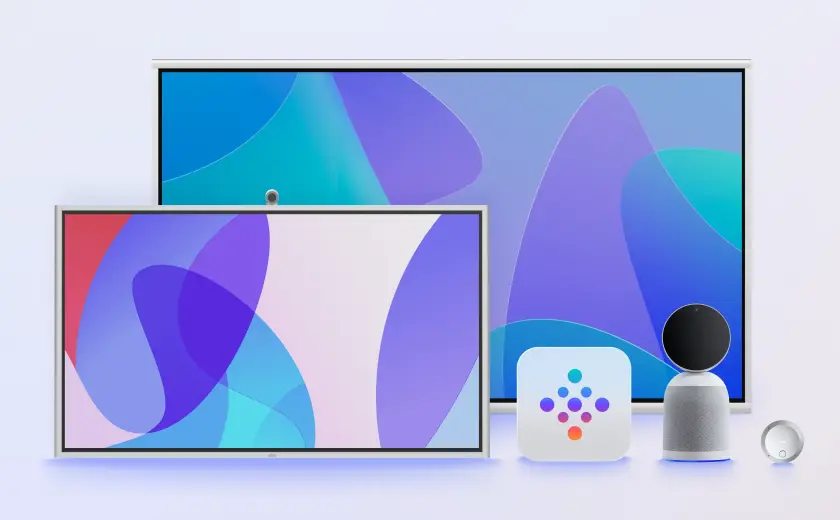
The Vibe layer (Board + Bot + Dot) is the connective tissue between what happens in meetings and what gets done afterward. Slack and Zoom handle the conversation. Asana or Notion hold the work. Vibe captures the bridge between the two.
For teams evaluating individual tools in each category, our remote collaboration guide walks through best practices and tool selection by team type.
How to Audit Your Current Setup
Before adding any new tool, run through these four questions:
1. Can remote participants see everything in-room participants see — in real time? If not, your meeting room layer is broken. A laptop pointed at a physical whiteboard is not a solution.
2. Where do meeting decisions and action items go after the call? If the answer is "someone’s notes app" or "we hope someone follows up," your AI capture layer is missing.
3. Are you paying for overlapping tools? Teams that run both Slack and Teams, or both Zoom and Meet, often have redundancy that costs budget and creates confusion. Consolidate before adding.
4. Do field-based or traveling team members have the same capture quality as people in the office? If in-room meetings get AI summaries but client site visits don’t, you have an inconsistent record. Vibe Dot closes that gap.
The Bottom Line
The apps your team already uses — Slack, Zoom, Asana — aren’t the problem. The gap is the meeting room itself and what happens to conversation output after the call ends.
Vibe Board S1 closes the room gap: it gives in-room and remote participants a shared visual workspace, handles video conferencing natively, and integrates with the tools already in your stack. Vibe Bot and Vibe Dot close the capture gap: every meeting — whether it’s in the conference room or on a client site — produces structured summaries, decisions, and action items automatically.
Built together, that’s a communication setup that actually connects what happens in meetings to the work that follows.
Frequently Asked Questions
What is a business communication solution?
A business communication solution is any tool or system that helps a team exchange information, coordinate work, and make decisions — internally and with external stakeholders. In 2026, a complete solution for hybrid teams covers four layers: async messaging (Slack, Teams), video conferencing (Zoom, Meet), meeting room infrastructure (interactive whiteboards, cameras), and AI meeting intelligence (automatic capture, summaries, and action items).
What communication tools do hybrid teams need?
Hybrid teams need tools that serve both in-room and remote participants equally. The baseline is async messaging and video conferencing. The gap most teams underinvest in is the meeting room itself — a shared visual workspace like Vibe Canvas on a Vibe Board S1 ensures remote participants see the same canvas as people in the room, in real time. Add AI capture (Vibe Bot for the room, Vibe Dot for field use) and a task management tool to close the loop from conversation to follow-through.
How is a smart whiteboard different from a regular whiteboard?
A traditional whiteboard is passive — you write on it, erase it, and whatever was there is gone. A smart whiteboard like the Vibe Board S1 saves work automatically to the cloud, shares the canvas with remote participants in real time over video conferencing, runs apps (Zoom, Google Meet, Teams, Google Workspace) directly on the screen, and integrates with the rest of your communication stack. The output of the session is accessible to everyone who wasn’t in the room, immediately after the meeting ends.
What is the best business communication setup for a small business?
For small businesses, the most cost-effective setup is: Slack (free or Pro) for messaging, Zoom (free or Pro) for video, and Vibe Board S1 as the conference room anchor — it eliminates the need for a separate display, webcam setup, and whiteboard. Add Vibe Bot for automatic meeting capture if you run recurring team or client meetings. For solo business owners or field salespeople, Vibe Dot ($199) gives you AI meeting capture anywhere without needing a dedicated conference room.
How does Vibe integrate with tools like Zoom, Slack, and Asana?
Vibe Board S1 runs Zoom, Google Meet, and Microsoft Teams natively as apps — the board is the video conferencing display and endpoint. Vibe Bot integrates directly with Slack (posting summaries to channels), Notion, Jira, and other project management tools. Vibe Dot’s AI layer (Vibe AI) integrates with Gmail, Outlook, Slack, Jira, Linear, Asana, HubSpot, Google Drive, Dropbox, and Notion for workflow automation and task push.
What makes Vibe’s meeting room solution different from just using a TV and a laptop?
A TV and a laptop require manual screen sharing, have no shared whiteboard canvas, depend on the laptop’s camera and microphone for call quality, and save nothing automatically. The Vibe Board S1 is a touchscreen display, digital whiteboard, app platform, and video conferencing endpoint in one device. Every session is automatically saved to the cloud. Remote participants interact with the same canvas as in-room participants simultaneously. Nothing gets lost when the meeting ends.