Engaging your audience by using the Vibe Board
In a time where millions of people are working, learning, and socializing remotely, the ability to share engaging visuals is crucial. On that note, Dr. Silverman described teaching as a performance and said that planning ahead is important for an online setting.
"It’s basically like writing a script for a play; stage left, stage right, and so on," he said. "It’s all in planning. Good teaching involves that."
Dr. Silverman’s goal with using the Vibe Board is to replicate the interactive energy that occurs naturally in the classroom. By having his students turn on their cameras at the start of class, they can get close to mimicking that kind of environment.
Zoom, the video conferencing app, plays a big role in Dr. Silverman’s lessons and workshops. One of his go-to tactics for collaboration? Forming breakout groups in Zoom and working on case studies as a class. "I email the case study ahead of time, then when [the participants] go in the breakout rooms they work on the case study. Then, I bring them all back so they can share the case studies with everybody on Zoom. Plus, everybody can have a separate work page if you send out a multi-page Vibe Board," adding that he appreciates how easily people can annotate on the shared board.
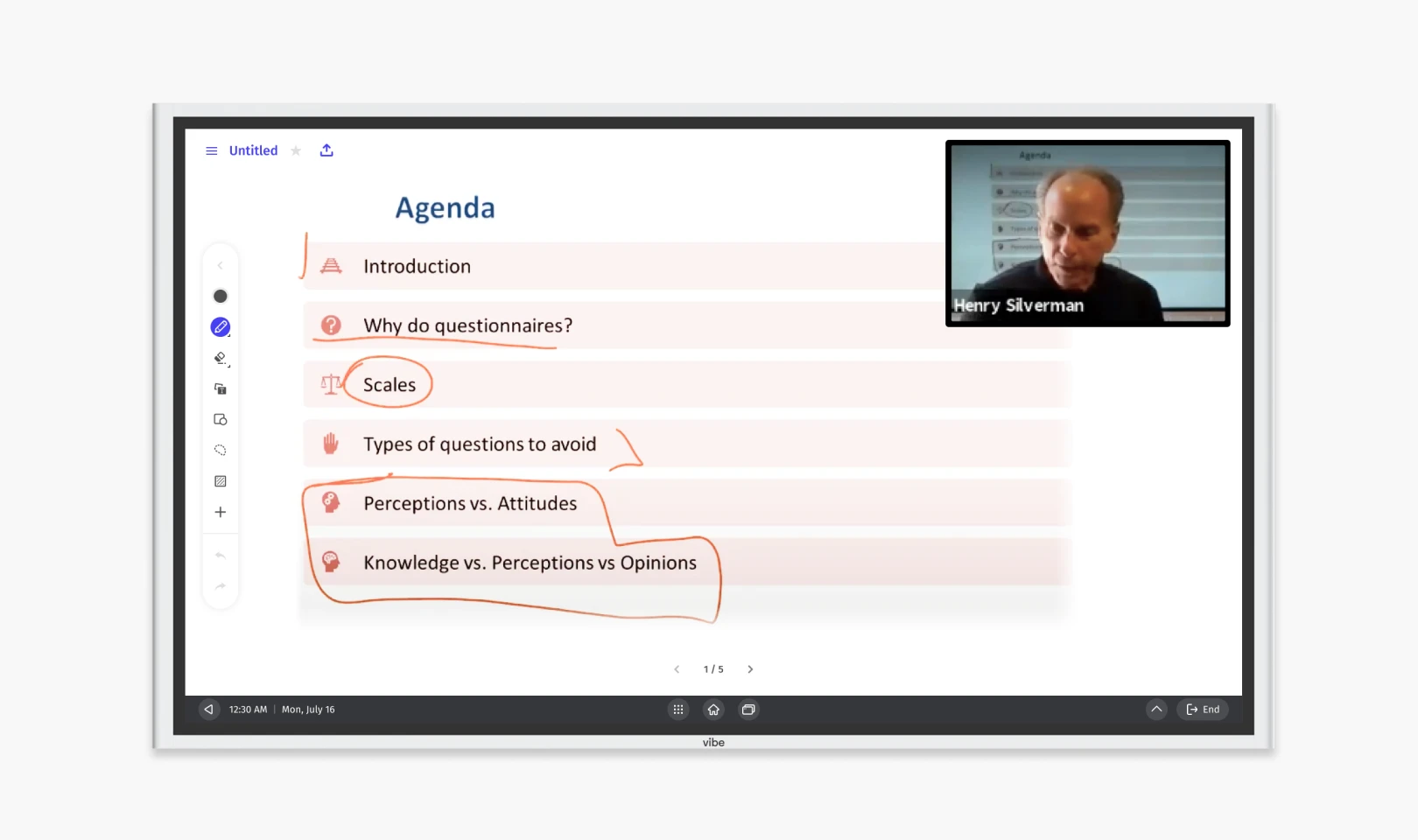
Vibe’s annotation feature also allows Dr. Silverman to illustrate his points during Zoom sessions or on PowerPoint slides. His students seem to appreciate the annotation tools as well, with one student in particular noting, "I liked that words were stressed by underlines or circles while explaining important points." This seemingly small detail goes a long way in effective communication. Dr. Silverman plans on using it often as more of his conferences and training workshops become virtual events.