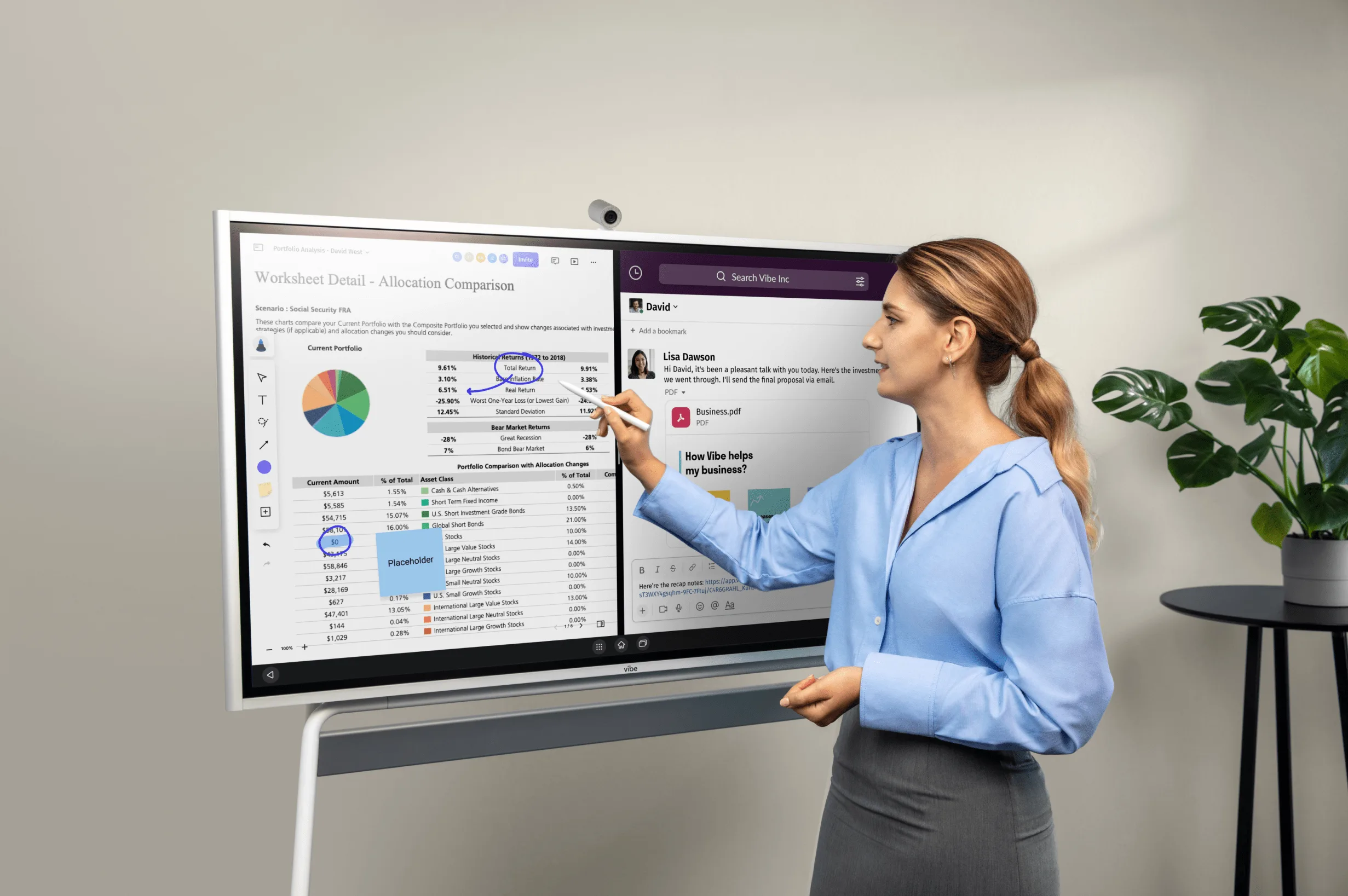
Remote and hybrid teams have never had more tools to choose from—or more noise to cut through. According to Gallup’s 2026 workplace research, 52% of remote-capable employees now work in a hybrid arrangement and 26% are exclusively remote, meaning nearly eight in ten knowledge workers spend at least part of their week outside a traditional office. That’s not a temporary adjustment. It’s the baseline.
The problem isn’t finding remote collaboration tools. There are hundreds of them. The problem is knowing which combination actually works for your team’s size, work style, and existing stack—and which categories matter more than others. This guide cuts through the noise by organizing the best remote collaboration tools around how teams actually work in 2026: by the jobs to be done, not just by feature category.
What Are Remote Collaboration Tools?
Remote collaboration tools are software platforms and hardware systems that let distributed teams do together what co-located teams do in person: communicate, make decisions, share documents, manage projects, run meetings, and brainstorm. The category spans everything from Slack messages to AI meeting assistants to 4K interactive whiteboards.
 Common video conferencing tools used in modern workspaces and remote collaboration.
What makes 2026 different from 2021 is the shift from "can we work remotely?" to "how do we maintain context when our team is distributed?" The tools that matter most now aren’t just the ones that keep people connected—they’re the ones that keep work from disappearing between sessions, time zones, and handoffs.
How to Choose: Four Questions Before You Buy
Before evaluating any specific tool, answer these four questions. Your answers determine which categories to prioritize and which tools to skip entirely.
1. Where does work get lost on your team?
If decisions made in meetings evaporate by the following week, you need better meeting capture and documentation tools. If project status is unclear across time zones, your bottleneck is async visibility. If brainstorming sessions produce ideas that never make it into action, you need visual collaboration tools with better output workflows. Diagnose the failure mode before evaluating features.
2. What’s your team’s sync-to-async ratio?
Fully remote teams operating across multiple time zones need async-first tools: threaded communication, recorded video, comment-based document review. Hybrid teams that meet in person two or three days a week need tools that bridge the in-room and remote experience—not just video calling, but shared digital surfaces that work equally well for the person at the whiteboard and the person dialing in.
3. How many tools does your team already use?
Tool sprawl is as damaging to productivity as having no tools at all. SearchLab’s 2026 hybrid work report found that Microsoft Teams leads platform adoption at 71%, followed by Slack (52%), Zoom (48%), and Google Workspace (41%). Most teams already have at least two or three of these. Evaluate new tools against what you have—consolidation is usually more valuable than addition.
4. What happens to meeting output right now?
This is the question most teams don’t ask until they realize the answer is "not much." Notes get taken, action items get listed, and within 48 hours most of it is buried in a chat thread or forgotten. If your team runs more than three meetings per week, meeting capture and AI summarization tools should be near the top of your priority list.
The Core Categories: What Every Remote Team Needs
Communication: Async + Sync
Remote teams need two distinct communication layers: a persistent async channel for the 80% of work that doesn’t require immediate response, and a real-time layer for the 20% that does. Most teams use one tool that tries to do both, and it works poorly for each.
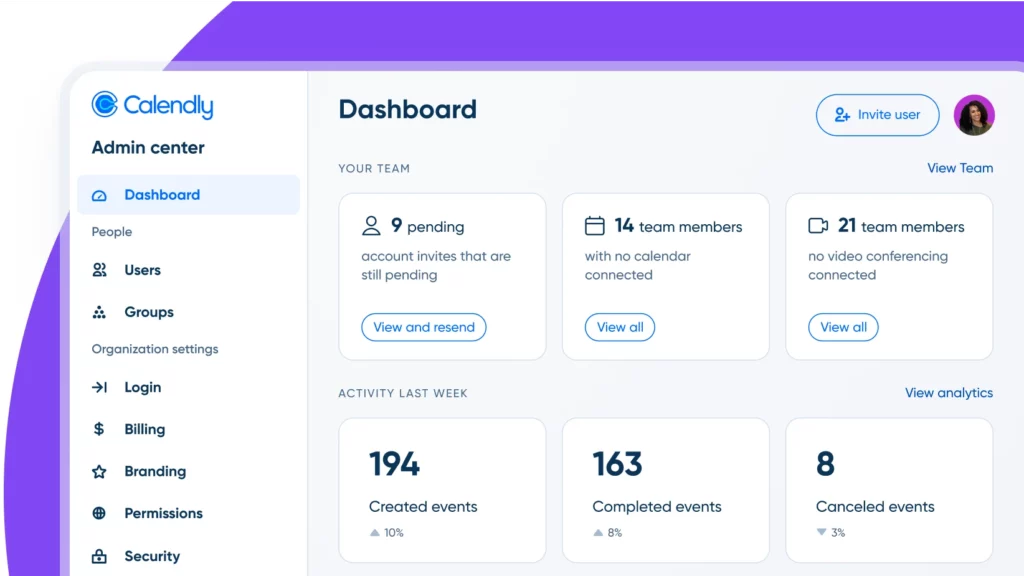 Calendly used for organizing meetings and improving time management.
For async-first communication:
-
Slack remains the standard for distributed teams with heavy integration needs. Its channel structure, threaded replies, and 2,600+ app integrations make it effective for teams that treat chat as a workflow layer, not just a messaging app. Best for: tech-forward teams, product and engineering orgs, companies with complex integration requirements.
-
Microsoft Teams is the default choice for organizations already running Microsoft 365. The integration with Word, Excel, SharePoint, and Outlook eliminates context-switching for document-heavy workflows. Best for: enterprise organizations, education institutions, regulated industries where Microsoft compliance tooling matters.
-
Google Chat works best for teams embedded in Google Workspace. The lightweight interface and native integration with Drive, Meet, and Calendar makes it suitable for teams that live in Google’s ecosystem. Best for: smaller organizations, education, startups already using Google Workspace.
For synchronous meetings and video:
-
Zoom leads for meeting quality and reliability. Breakout rooms, whiteboard integration, and AI companion features make it suitable for both small check-ins and large all-hands sessions. Best for: client-facing calls, training sessions, organizations that prioritize video quality.
-
Microsoft Teams (video layer): For organizations using Teams for chat, using it for video keeps the entire communication stack unified. Strong for internal-only meeting cultures.
-
Google Meet is reliable for quick video calls within Google Workspace. Less feature-rich than Zoom for large meetings but frictionless for internal check-ins. Best for: ad hoc meetings, organizations where everyone is already logged into Google.
Project Management: Making Work Visible Across Time Zones
When team members are distributed, the project management tool becomes the shared source of truth that replaces the visibility people get from sitting next to each other. The best tool is the one your team will actually update—not the most feature-rich one.
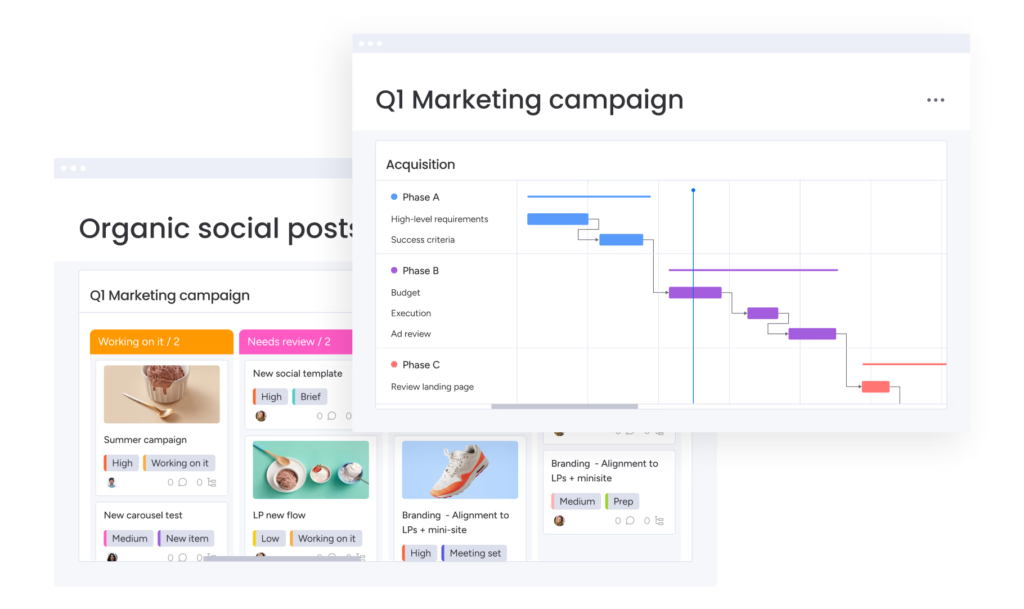 Monday.com features for managing team projects, timelines, and collaboration.
-
Asana excels at task dependency management and cross-team workflows. Timeline views and portfolio tracking make it useful for teams managing multiple projects simultaneously. Best for: marketing teams, operations, any team running recurring campaign-style workloads.
-
Trello is the lowest-friction entry point for Kanban-style task tracking. Its simplicity is its strength for small teams or teams new to project management software. Best for: small teams, creative projects, teams that prefer visual over data-heavy interfaces.
-
Monday.com offers the most flexible structure—boards can mirror almost any workflow, from sprint planning to client onboarding. Best for: teams with non-standard workflows, operations-heavy roles, organizations that need custom views for different stakeholders.
Document Collaboration: One Version of the Truth
The document collaboration layer matters most for teams where written work is the primary deliverable: legal, content, finance, strategy. The goal is eliminating version confusion and enabling real-time co-authoring without email chains.
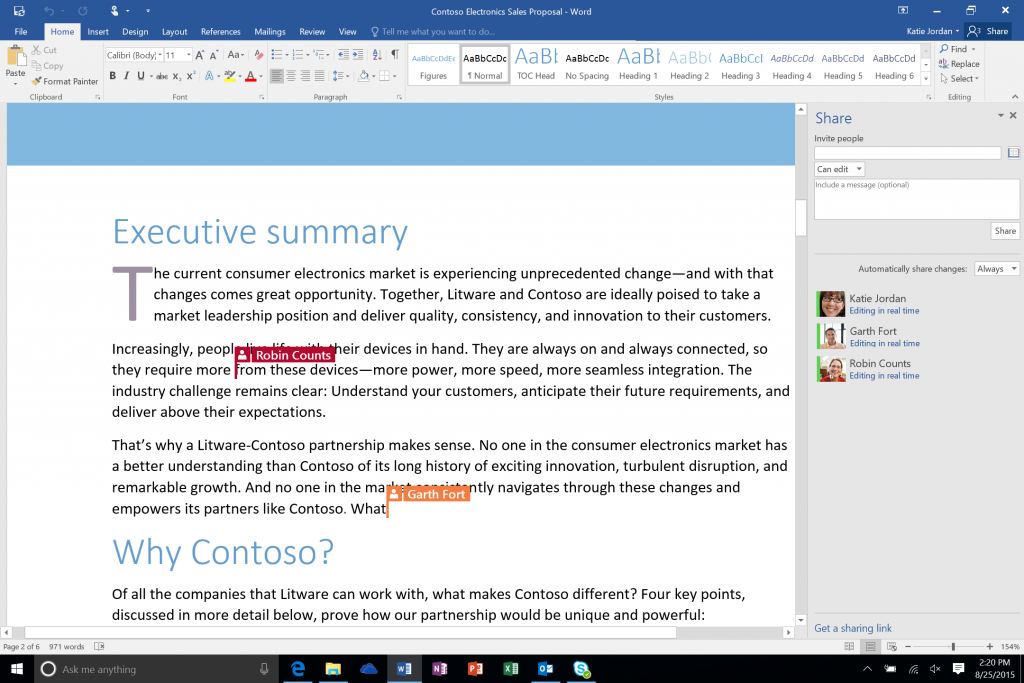 Team members collaborating in Microsoft Word for document editing and feedback.
-
Google Docs / Google Workspace remains the most frictionless option for real-time co-authoring. Sharing requires only a link, and version history is automatic. Best for: teams prioritizing ease of external sharing, organizations that don’t need heavy compliance controls.
-
Microsoft 365 (Word, Excel, PowerPoint online) offers the richest formatting options and the deepest enterprise integration. For teams where document fidelity matters—formatted reports, financial models, professional presentations—it’s the stronger choice. Best for: enterprise organizations, finance, legal, any team producing formally structured documents.
-
Notion combines documentation with lightweight databases and project tracking, making it useful as both a knowledge base and a working document layer. Best for: teams that want wiki-style knowledge management alongside document collaboration.
Visual Collaboration: Where Remote Teamwork Breaks Down
Of all the categories, visual collaboration is where the gap between in-person and remote teams is widest—and where 2026-era tools have made the most meaningful progress. Stanford research cited in SearchLab’s 2026 hybrid work report found that collaborative brainstorming sessions are 14% less effective when fully remote, largely because of the absence of shared visual space. The right whiteboarding and visual collaboration tools close that gap significantly.
-
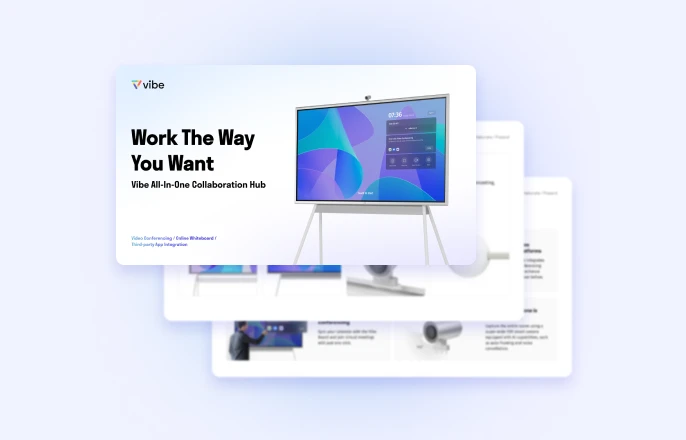
Vibe Canvas is an infinite digital whiteboard with native support for sticky notes, freehand drawing, shapes, connectors, and real-time multi-user editing. It runs in any browser and is built into Vibe Board S1 and S1 Pro—meaning the same canvas that remote participants edit on their laptops is the canvas displayed on the meeting room’s 4K touchscreen. Templates for brainstorming, retrospectives, SWOT analysis, Kanban, and customer journey mapping are built in. Best for: hybrid teams that need a single visual surface that works equally well in-room and remote.
-
Miro is the most widely adopted digital whiteboard platform, with over 100 million users as of 2026. Its template library, integration ecosystem (Jira, Slack, Trello, Figma, and more), and support for both real-time and async collaboration make it a strong choice for large organizations managing complex visual workflows. Best for: enterprise product and design teams, organizations running cross-functional agile ceremonies.
-
Canva Whiteboards adds AI-assisted features (sticky note sorting, magic resize) and access to Canva’s media library to a standard infinite canvas. Best for: marketing and creative teams already using Canva for design work.
The Category Most Teams Overlook: Meeting Intelligence
The most consistently underinvested category in remote team tooling is meeting intelligence—tools that capture, transcribe, summarize, and surface what was said and decided in meetings. In a distributed team, meetings are where alignment happens. If that alignment doesn’t survive the meeting, you’re relitigating the same decisions repeatedly.
This is the category where hardware and software have converged most significantly in 2026.
In-Room AI Capture: Vibe Bot
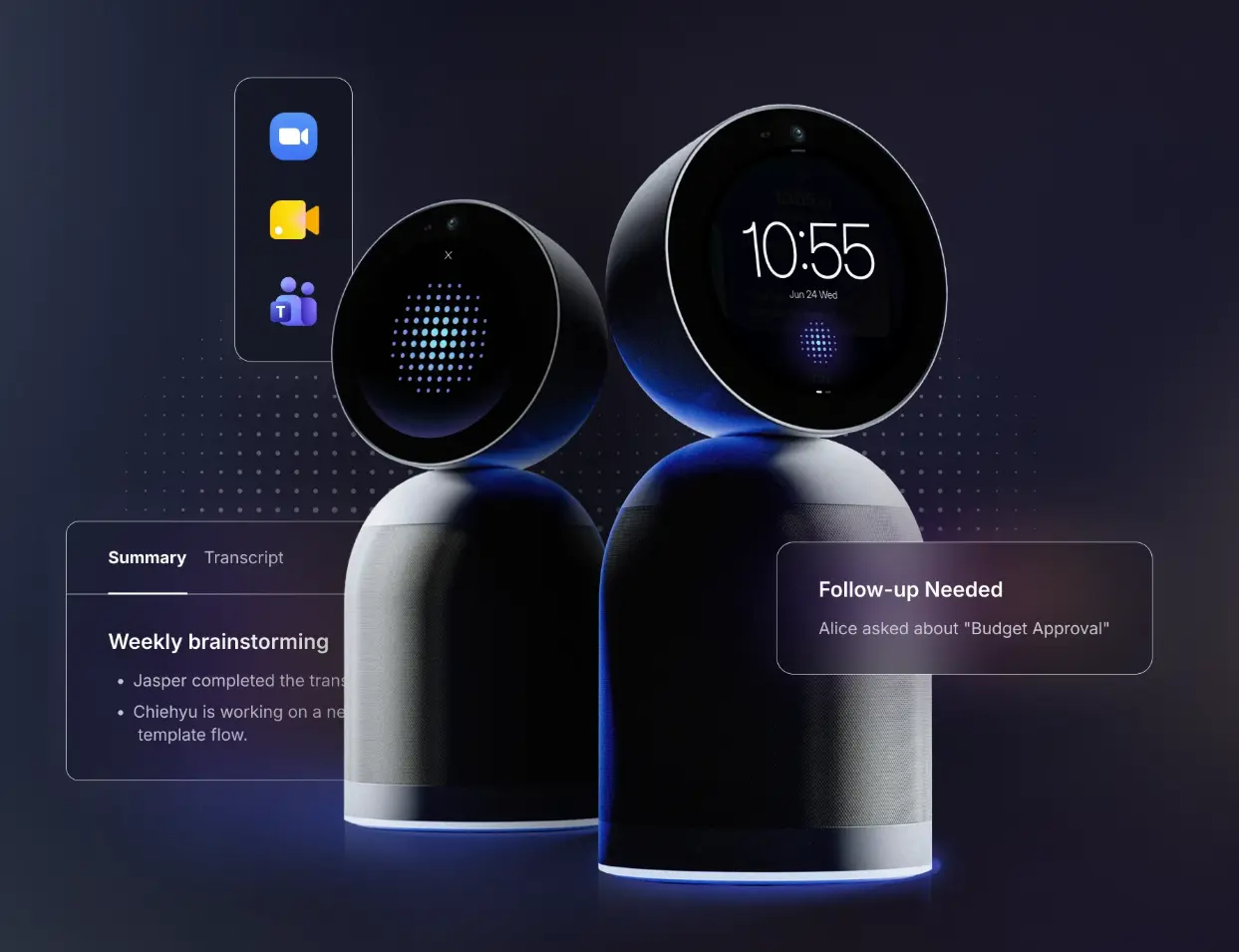
Vibe Bot is an in-room AI meeting device designed for conference rooms and hybrid meeting spaces. It handles the full capture layer—transcription, AI-generated meeting summaries, and action item extraction—and feeds that output into Vibe AI, which maintains a searchable context layer across all your team’s meetings and documents. The Memory Graph means that when a decision gets made in a meeting on Tuesday, it’s still findable and surfaceable the following Monday when someone picks up the work.
Vibe Bot works alongside Vibe Board S1 in a meeting room: the Board handles the visual collaboration surface (whiteboard, presentations, annotations), and Vibe Bot handles the capture and intelligence layer. They’re complementary, not redundant. ’
Best for: hybrid teams running regular in-room meetings, organizations that have lost alignment across distributed sessions, teams investing in AI-assisted workflows.
Personal AI Capture: Vibe Dot
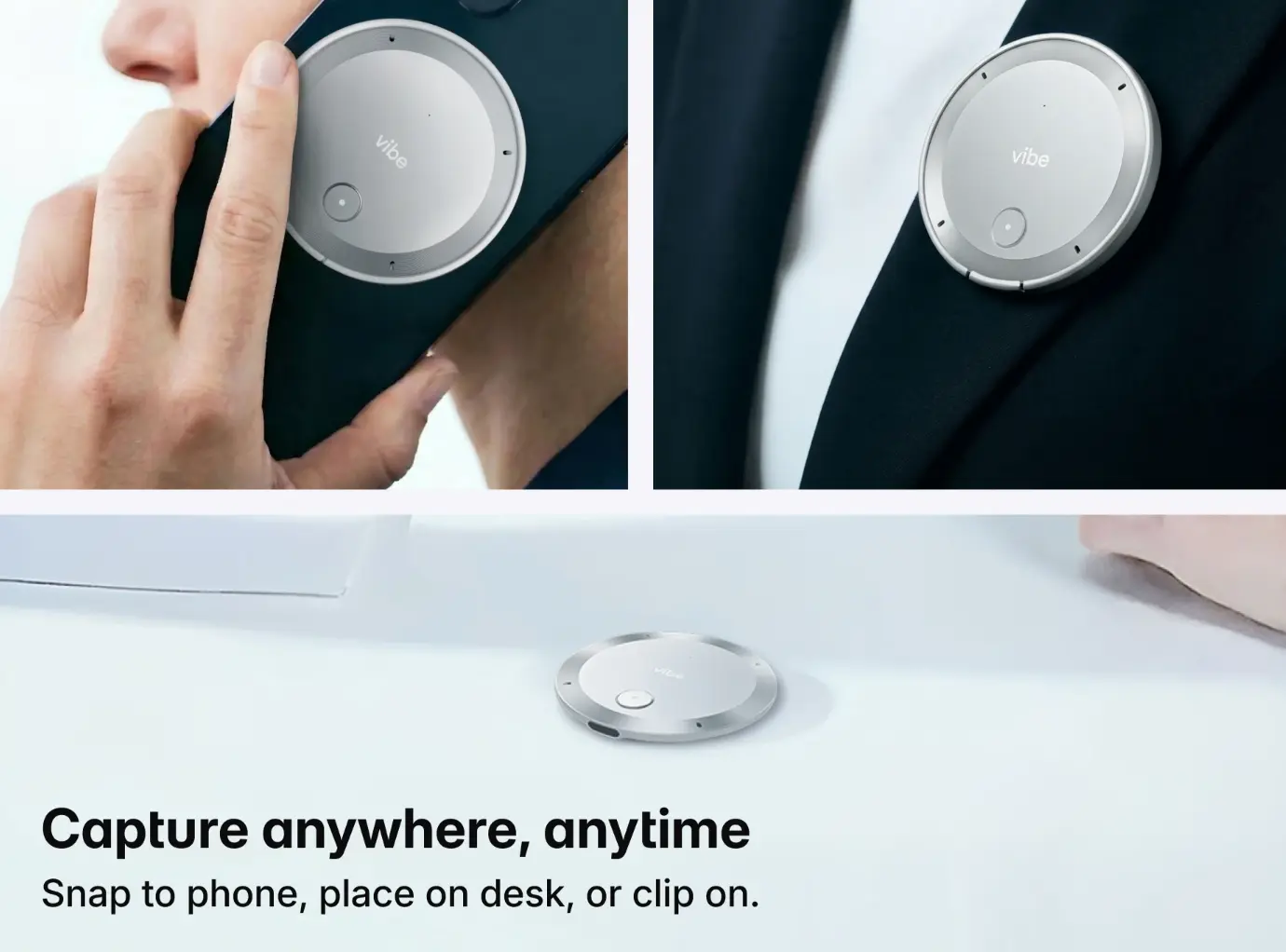
Vibe Dot brings the same capture and AI intelligence layer to individual contributors who work outside a conference room—on client calls, in one-on-one meetings, working from home, or in the field. It’s a personal AI recording device starting at $199 that connects to Vibe AI, so the same Memory Graph that captures team meetings also captures individual conversations. For distributed teams where some members are remote and others are in-office, Vibe Dot ensures that everyone’s conversations—regardless of location—contribute to the team’s shared knowledge layer. Best for: sales teams, consultants, remote individual contributors, anyone whose most important work happens outside a conference room.
Selecting the Right Stack by Team Type
No single tool combination works for every team. Here’s a practical starting point for the most common remote team configurations in 2026.
Small remote team (under 15 people, fully distributed)
Keep the stack lean. Slack or Google Chat for async communication, Google Meet or Zoom for video, Notion or Trello for project visibility, and Vibe Canvas for visual work sessions. Avoid over-engineering before you’ve identified your actual friction points.
Mid-size hybrid team (15–100 people, mixed in-office and remote)
The in-room experience needs equal billing with the remote experience. Microsoft Teams or Slack for communication, Asana or Monday.com for project management, Vibe Board S1 for meeting rooms (so remote participants see the same canvas as in-room participants), and Vibe Bot for meeting capture. The visual and capture layers are where hybrid teams most commonly fail—prioritize those.
Enterprise team (100+ people, multiple locations)
Integration and security matter as much as features. Microsoft 365 plus Teams for the communication and document layer, Monday.com or Asana for project management (with executive portfolio views), Miro or Vibe Canvas for visual collaboration at scale, and Vibe Bot for in-room meeting intelligence. Evaluate tools on SSO support, data residency, and compliance certifications before trialing.
Client-facing or field team
Capture and presentation matter most. Zoom or Teams for client video calls, Vibe Board S1 or a laptop-based Vibe Canvas session for presentations and working sessions with clients, and Vibe Dot for capturing client meetings outside a conference room. The goal is ensuring that client conversations—decisions, requirements, commitments—are captured and searchable, not dependent on whoever took notes.
The Right Stack Grows With Your Team
The best remote collaboration tool stack isn’t a fixed set of software—it’s an evolving combination that matches how your team actually works today, with room to grow as distributed work becomes more AI-assisted. Start with the category where work is most visibly getting lost. Build from there, with integration compatibility and meeting intelligence as your north star.
If your team runs meetings in a hybrid environment, Vibe Board S1 and Vibe Bot are the most direct way to close the gap between in-room and remote experience. Request a demo to see how the hardware and AI capture layer work together in a real meeting room.
Frequently Asked Questions
What are the best remote collaboration tools in 2026?
The best remote collaboration tools depend on your team’s specific needs, but the core categories every distributed team needs to cover are: real-time communication (Slack, Microsoft Teams, or Google Chat), video conferencing (Zoom or Teams), project management (Asana, Monday.com, or Trello), document collaboration (Google Workspace or Microsoft 365), visual collaboration (Vibe Canvas or Miro), and meeting intelligence (Vibe Bot for in-room, Vibe Dot for individual use). Start with the category where your team loses the most work, and build from there.
How do I choose between Slack and Microsoft Teams for a remote team?
Choose Microsoft Teams if your organization already uses Microsoft 365—the integration with Word, Excel, SharePoint, and Outlook is seamless and reduces context-switching. Choose Slack if your team relies heavily on third-party integrations, prefers a more flexible channel structure, or operates in a non-Microsoft environment. For most hybrid and remote teams, the decision comes down to your existing software ecosystem, not feature differences.
What collaboration tools work best for hybrid teams specifically?
Hybrid teams—where some people are in a conference room and others are dialing in—need tools that create parity between in-room and remote participants. A digital whiteboard displayed on an in-room screen (like Vibe Board S1 running Vibe Canvas) that remote participants can also edit in real time is more effective than a physical whiteboard that only in-room participants can see and write on. Meeting capture tools (like Vibe Bot) ensure that the context from in-room discussions is shared equally with remote team members after the meeting.
How many remote collaboration tools does a team actually need?
Most teams need four to six tools covering distinct categories: communication, project management, document collaboration, video conferencing, visual collaboration, and optionally meeting intelligence. The mistake most teams make is adding tools without removing others—each additional tool creates a new context-switching cost. Audit your current stack before adding anything new, and prioritize tools that integrate with what you already use.
What is the best tool for capturing decisions made in remote meetings?
In 2026, the strongest options are AI-powered meeting intelligence tools that transcribe and summarize automatically. For in-room hybrid meetings, Vibe Bot captures audio, generates summaries, and surfaces action items through Vibe AI’s Memory Graph. For individual contributors or remote-only participants, Vibe Dot provides the same capture capability in a personal device. Both feed into a shared searchable context layer, so meeting output doesn’t get buried in notes files or chat history.
Are remote collaboration tools secure enough for enterprise use?
The leading enterprise tools—Microsoft Teams, Google Workspace, Slack Enterprise Grid, Zoom for Business—all support SSO, end-to-end encryption, data residency controls, and compliance certifications (SOC 2, GDPR, HIPAA where applicable). Evaluate any tool on these criteria before deploying it across an enterprise team: confirm SSO support, ask about data storage location and retention policies, and verify any industry-specific compliance requirements before signing a contract.