Why Teams Are Switching to Interactive Whiteboards for Collaboration
Hybrid work is no longer the exception — it's the default operating model for most teams. But distributed work only succeeds when everyone, regardless of location, can see the same information, contribute in real time, and pick up exactly where the team left off. That's the gap an interactive whiteboard is built to close.
Unlike a traditional whiteboard that lives in one room and gets erased at the end of the day, a digital whiteboard for team collaboration gives every meeting, brainstorm, and lesson a permanent, shareable home — accessible from a laptop, tablet, or phone, whether someone's in the room or dialing in from home.
Here are 10 benefits of interactive whiteboards that make them one of the most practical upgrades a hybrid team can make.
 Vibe online training tool
1. Keep Distributed Teams on the Same Page
One of the biggest challenges in team collaboration is simple: not everyone can be in the room at the same time. A smart whiteboard solves this by storing every note, diagram, and markup in the cloud the moment it's created, so anyone who missed the live session — whether due to time zones, PTO, or a scheduling conflict — can catch up without needing a recap meeting.
This also cuts down on the "meeting tax" hybrid teams know well. Recent research found that most hybrid workers lose several minutes at the start of every meeting just getting shared content and tech working, and a large share have given up on setting up collaboration tech altogether during a live session. A whiteboard that's already synced to the cloud removes that friction before it starts.
2. Give Everyone an Equal Seat at the Table
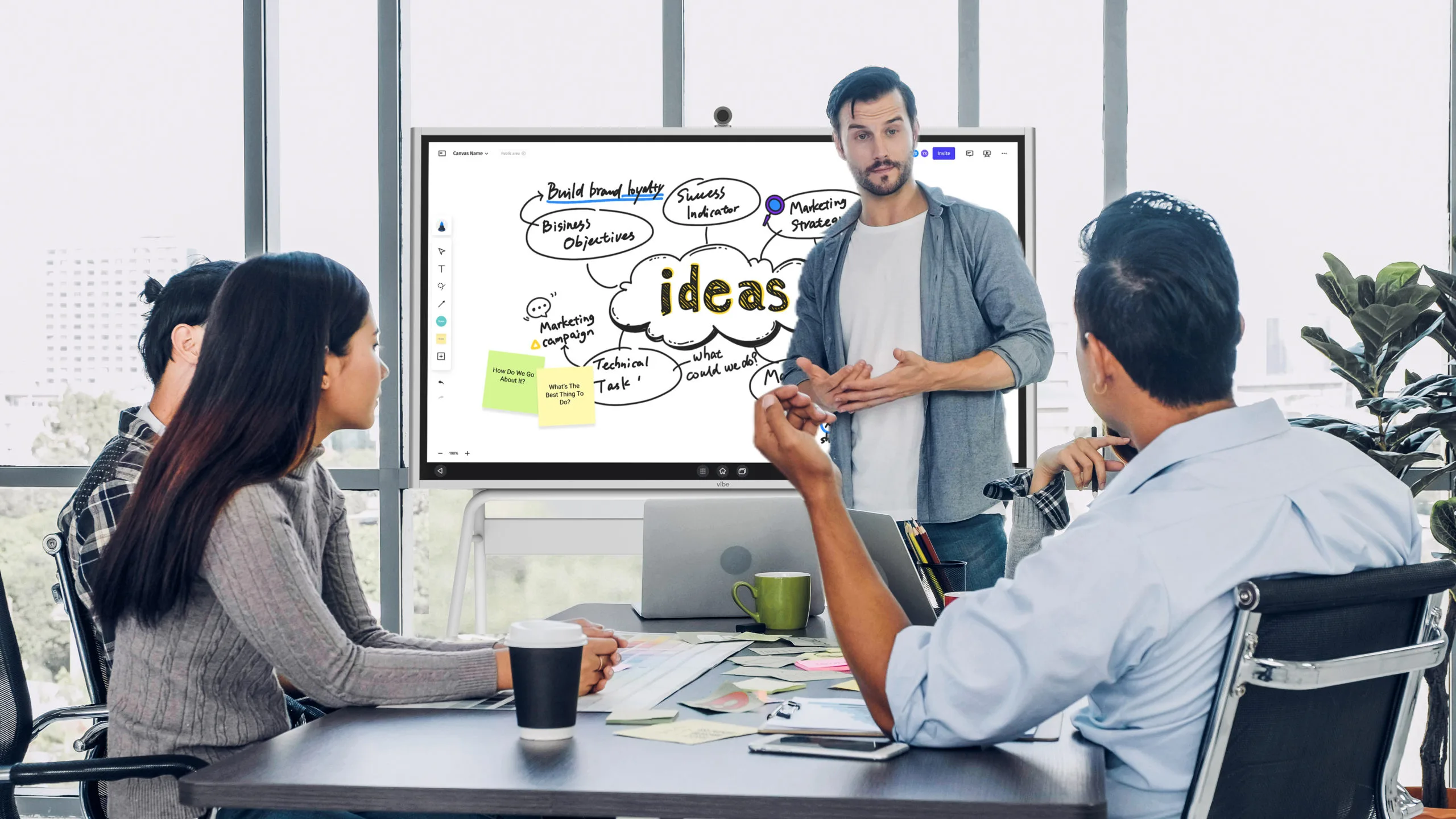
The old model — one person at a whiteboard, everyone else watching — doesn't hold up in a hybrid meeting. An interactive whiteboard for team collaboration lets remote participants annotate, drag objects, and add sticky notes from their own device with the same access as someone standing in the room.
This matters for more than just fairness — it changes how ideas surface. When contributing doesn't require physically walking up to a board, quieter team members and remote employees are far more likely to add input in real time instead of staying silent.
3. Improve Engagement and Retention in Meetings
Keeping a hybrid audience engaged is harder than keeping a room of in-person attendees engaged — dial-in fatigue is real. Interactive whiteboards help by turning a static presentation into something people can draw on, click through, and interact with directly.
This isn't just a nice-to-have: research has found that drawing information helps it "stick," with hand-drawn annotation nearly doubling retention compared to passive viewing. For teams running training sessions or onboarding over a whiteboard, that's a meaningful difference in how much actually gets remembered.
4. Work on an Infinite, Shareable Canvas
A physical whiteboard runs out of space fast — and once it's erased, that brainstorm or flowchart is gone. A digital whiteboard for team collaboration gives you an infinite canvas that scrolls and zooms as far as the project requires, so nobody has to cram ideas into a corner or erase last week's brainstorming session to make room for this week's.
5. Never Lose a Team's Work Again
Everything on a smart whiteboard saves automatically to the cloud, with version history so teams can track how a project evolved rather than only seeing the final state. That matters more than it might sound: with cloud tools now standard across the enterprise — 94% of organizations report using cloud services in some form — teams increasingly expect their collaboration tools to behave the same way their file storage does: always backed up, always current, and accessible from anywhere.
6. Connect Meeting Notes and Follow-Ups Automatically
A whiteboard session is most useful when what happens on it doesn't stay trapped there. Devices like Vibe Bot, an in-room AI meeting device, and Vibe Dot, an AI voice recorder & note taker,, work alongside a whiteboard session to capture the conversation — and Vibe AI turns that capture into searchable meeting summaries and action items connected back to the whiteboard content itself, so a brainstorm doesn't just get saved — it gets turned into next steps.
7. Access Your Work From Any Device, Anywhere
A smart whiteboard's cloud backbone means the board isn't limited to the room it's mounted in. Team members can pull up the same canvas from a browser, tablet, or phone, pick up an idea started on the board in the office, and share it for review with a remote stakeholder the same day.
This is core to what makes remote collaboration work at scale: splitting into breakout groups on the same canvas, working in parallel, and seeing every update in real time rather than working off an outdated export.
8. Keep Team Data Secure Without Overpaying for Storage
Security and storage costs are a real concern for any team adopting new collaboration tools. The good news is that cloud infrastructure has matured considerably — enterprises report an 88% average satisfaction score with the storage capabilities of the cloud platforms they use — and flexible, pay-as-you-grow cloud plans mean a growing team doesn't have to guess upfront how much storage it will need.
9. Designed to Be Easy to Adopt
New technology only helps a team if people actually use it. Interactive whiteboards are built with a low learning curve in mind: handwriting and shape recognition, markup and eraser tools, laser-pointer functions, and an undo button that behaves the way people expect. Most employees comfortable joining a video call can pick up the core toolset within a single session.
10. Make Meetings and Lessons More Engaging to Lead
A more interactive format doesn't just benefit the audience — it changes how a presenter shows up, too. Being able to circle key points, drag objects across the screen, and pull in live content mid-presentation gives whoever's leading a classroom lesson or client pitch more room to adapt on the fly instead of clicking through static slides.
FAQs
What are the main benefits of using a digital whiteboard for team collaboration?
The biggest benefits are keeping distributed teams aligned without extra recap meetings, giving remote participants equal ability to contribute in real time, and automatically saving every session to the cloud so nothing gets lost between meetings.
How is an interactive whiteboard different from a traditional whiteboard?
A traditional whiteboard is limited to the room it's in and gets erased permanently. An interactive whiteboard saves everything to the cloud, supports multiple people editing at once from different devices, and keeps a version history of the work.
Can remote employees use an interactive whiteboard the same way as people in the office?
Yes. Cloud-based whiteboarding software lets remote team members view, annotate, and contribute to the same canvas from a laptop, tablet, or phone in real time, alongside anyone using the board in person.
Is an interactive whiteboard good for both business and education?
Yes. Businesses use interactive whiteboards for meetings, brainstorming, and hybrid collaboration, while schools use them for lesson delivery, recorded lectures, and interactive classroom activities.
How secure is data stored on a cloud-based whiteboard?
Cloud-based whiteboarding tools typically rely on the same security standards as other enterprise cloud software, including encrypted storage and access controls. Businesses evaluating a whiteboard should confirm the vendor's specific certifications, such as SOC 2 compliance.
Do interactive whiteboards require special training to use?
Most interactive whiteboards are designed to be intuitive for anyone comfortable using a touchscreen or joining a video call, though a short onboarding session helps teams get the most out of advanced features.
What should a team look for when choosing an interactive whiteboard?
Key factors include cloud-based saving and version history, multi-device access for remote participants, integration with existing conferencing and productivity apps, and security certifications appropriate for the business's industry.
The Vibe Board S1 is built around this exact use case: a 55″ or 75″ 4K touchscreen with 20-point multi-touch, running on ChromeOS with 250+ integrated apps, so a team can move from whiteboarding to video calls to presentations without switching tools. Curious to see it in action? Get a virtual demo of Vibe today.