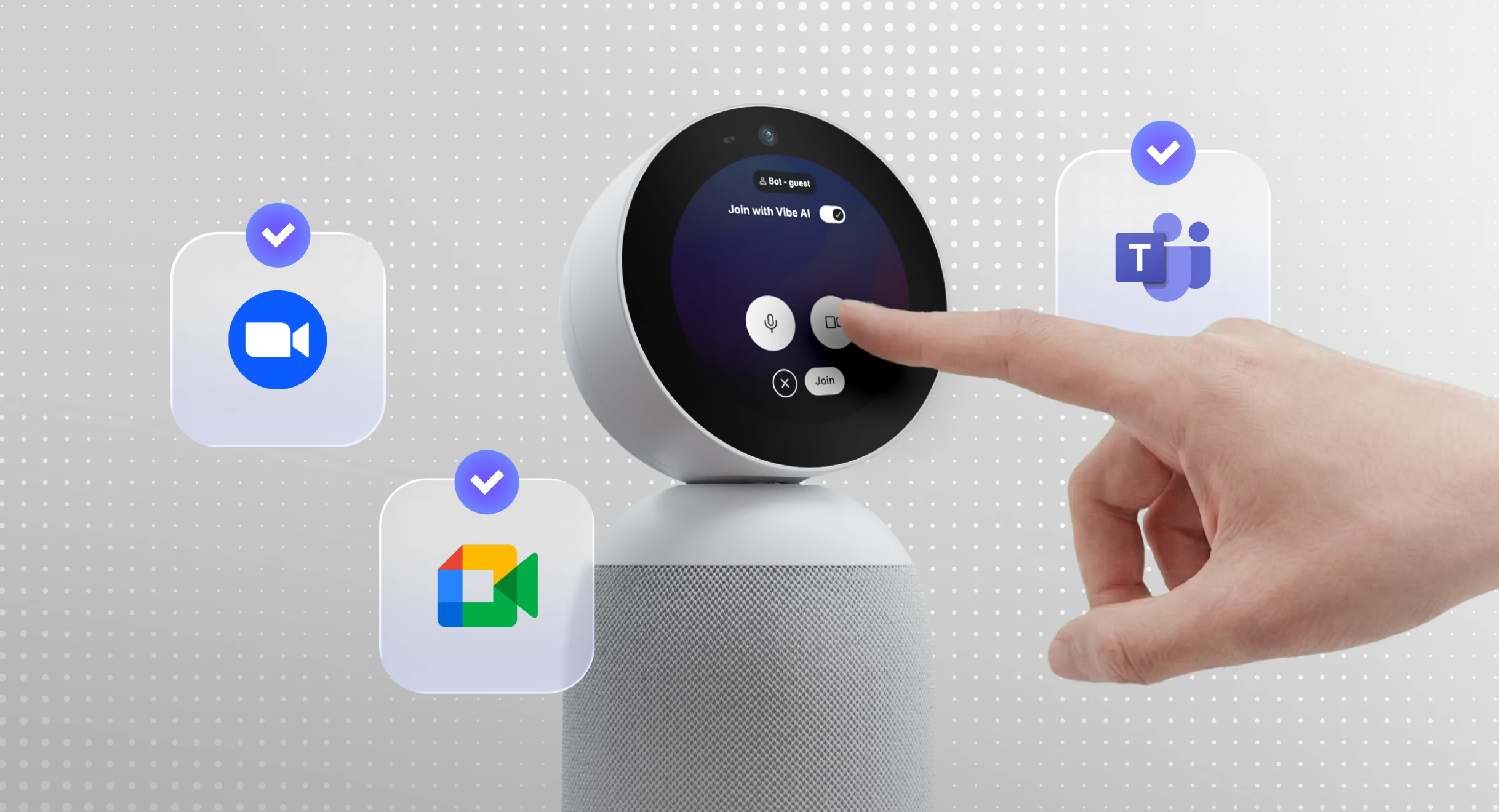
Most of what you actually need to remember from work doesn’t happen inside a scheduled video call. It happens on a site visit, in the five minutes before a client meeting officially starts, or in a hallway conversation that quietly becomes next quarter’s priority. That’s the gap most "best AI note taker" roundups miss — they only test tools that can join a Zoom call.
We looked at the AI note takers people are actually comparing in 2026: pocket recorders you clip on before a client conversation, and software that joins your scheduled meetings. Below is where each one is genuinely strongest, what it costs, and — more usefully — where it stops working.
Best AI Note Takers at a Glance
|
Tool |
Best For |
Starting Price |
Captures In-Person Conversations? |
Team Sharing |
|---|---|---|---|---|
|
Vibe Dot |
Professional meetings and on-the-go business conversations |
$199 device |
✅ Yes |
✅ Yes, via Vibe AI |
|
Plaud Note / Note Pro |
Most polished all-around recorder |
$159 device |
✅ Yes |
Limited |
|
Anker Soundcore Work |
Best value, no subscription required |
$159.99 device |
✅ Yes |
Limited |
|
Fathom |
Free unlimited meeting recording |
Free |
❌ No (video calls only) |
✅ Yes |
|
Fireflies.ai |
CRM & sales team integrations |
Free / $10/user/mo |
❌ No |
✅ Yes |
|
Otter.ai |
Live, collaborative transcription |
Free / $8.33/user/mo |
❌ No |
✅ Yes |
|
Krisp |
Bot-free, noisy environments |
Free / $8/mo |
❌ No |
Limited |
|
Granola |
Bot-free notes for founders (Mac) |
Free / ~$17/mo |
❌ No |
Limited |
|
Bee Pioneer |
Always-on personal life logging |
$49.99 + $19/mo |
Partial (ambient only) |
❌ No |
|
Native platform AI (Zoom / Google / Microsoft) |
Teams already paying for the platform |
Included in paid plans |
❌ No |
✅ Yes |
How We Evaluated These Tools
We compared each tool across seven factors that actually change whether it’s useful day to day, not just what’s on the spec sheet:
-
Where it captures — only inside a scheduled video call, or anywhere a conversation happens
-
Price and free-tier limits
-
Transcription accuracy and language support
-
AI capabilities beyond a basic transcript — summarization quality, whether you can chat with or search across your notes, action item extraction, and any meeting analytics (sentiment, engagement scoring)
-
Privacy and data handling — bot-based vs. bot-free capture, whether audio trains the vendor’s AI, compliance certifications
-
Team sharing — can a conversation move from one person’s notes into shared team context, or does it stay a personal recap
-
Integrations — CRM, calendar, and project tools
Pricing and specs reflect each vendor’s published plans as of writing, cross-checked against vendor documentation and recent user reviews on G2, Trustpilot, and Reddit. AI note-taking pricing shifts often — confirm current numbers on the vendor’s site before buying.
What Is an AI Note Taker, Exactly?
"AI note taker" actually covers two different categories of product, and most comparison lists blur them together.
Hardware devices — pocket recorders and wearables with their own microphone. They capture whatever conversation is happening around you: a client meeting, a site visit, a phone call, a hallway chat. Vibe Dot, Plaud, and Anker Soundcore Work fall here.
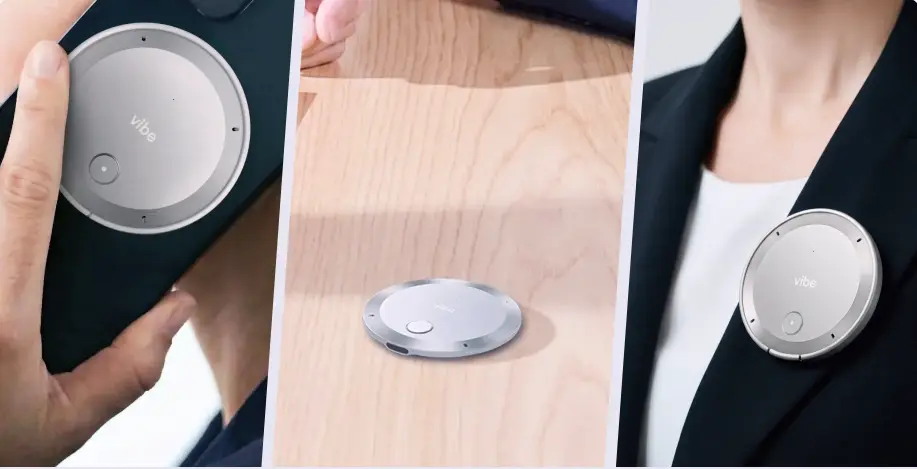
Meeting software — tools that join a scheduled video call, either as a visible bot or by capturing your computer’s system audio. They only work for that call. Otter, Fireflies, Fathom, and native platform AI (Zoom, Google Meet, Microsoft Teams) fall here.
Most people searching "best ai note taker" need one of each, depending on whether their most important conversations happen at a desk or away from it.
AI Features Compared
Transcription and basic summarization are table stakes by 2026 — every tool on this list does both. The real differences show up in three places: whether you can chat with or search your own notes, whether the tool analyzes the conversation itself rather than just recording it, and what one AI capability each product has actually built its identity around.
|
Tool |
Chat With Your Notes |
Conversation Analytics (sentiment/engagement) |
Signature AI Capability |
|---|---|---|---|
|
Vibe Dot |
Vibe AI, your secondary brain, searches across your personal or shared Vibe AI workspace |
Not the focus — built around capture and handoff, not scoring |
Automatically routes a conversation into a personal memo or shared team context, with the transcript, summary, and action items attached |
|
Plaud |
Not a core feature |
Not a core feature |
Custom vocabulary plus 10,000+ summary templates and auto-generated mind maps |
|
Anker Soundcore Work |
✅ "Ask AI" |
Not a core feature |
Runs on OpenAI’s GPT-4.1, with a stated move to GPT-5 planned |
|
Fathom |
Not a core feature |
Not a core feature |
Full AI summary generated in under 30 seconds |
|
Fireflies.ai |
✅ Two layers — AskFred, plus a Perplexity-powered "Talk to Fireflies" |
✅ Conversation Intelligence (Business tier) |
The most conversational-AI-heavy tool on this list |
|
Otter.ai |
✅ Ask Otter |
Not a core feature |
Live, collaboratively editable transcript during the call itself |
|
Krisp |
✅ Ask Krisp |
Not a core feature |
Real-time accent conversion, built on the same on-device AI as its noise cancellation |
|
Granola |
Not a core feature |
Not a core feature |
AI enhances the rough notes you type yourself, rather than replacing them entirely |
|
Bee Pioneer |
Not a core feature |
✅ Daily Insights (emotional-pattern tracking) |
Drafts emails and calendar invites directly from ambient conversation |
|
Read AI |
✅ Copilot-style search (paid tiers) |
✅ Sentiment and engagement scoring — its core feature, not an add-on |
Built around measuring a meeting, not just recording it |
|
Native platform AI |
Varies — Microsoft Copilot searches across all of M365; Zoom and Google are narrower |
Limited |
Zoom AI Companion 3.0 added agentic, task-completing AI in December 2025 |
A few things worth noting: AI chat features are becoming the norm rather than the exception — if a tool doesn’t have one yet in the table above, most vendors have one on their public roadmap. And "conversation analytics" (scoring sentiment or engagement) is still a narrow specialty, mostly associated with Read AI and Fireflies’ higher tiers, rather than something every tool is racing to build.
The 10 Best AI Note Takers in 2026
1. Vibe Dot — Best overall for conversations beyond the calendar invite
Vibe Dot is a portable capture device paired with Vibe AI, built specifically for the conversations that don’t start with a calendar invite: client meetings, workshops, site visits, working sessions, travel days, and the debrief that happens after the "real" meeting has already ended.
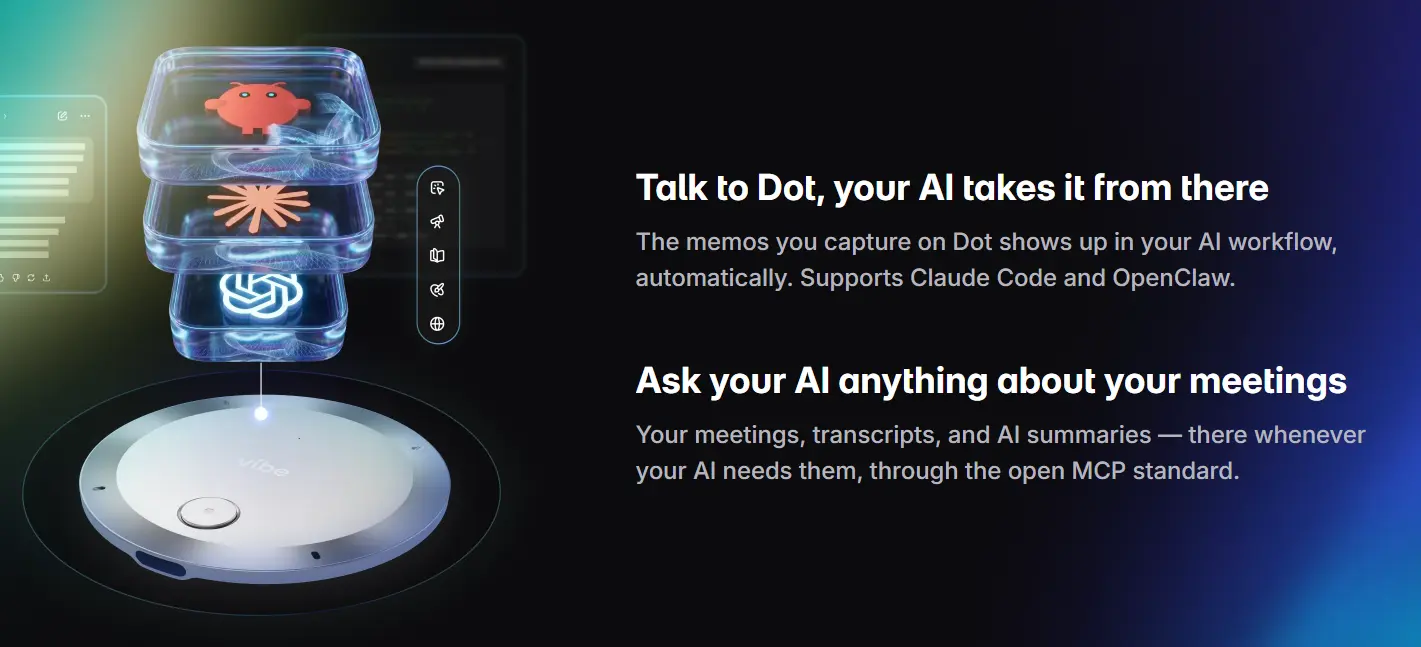 Vibe Dot – Your Best AI Voice Recorder for Scheduled Meetings and On-the-Go Conversations
Key features: Turns recordings into summaries, transcripts, action items, and searchable notes inside Vibe AI. Every conversation gets a home — a personal reflection can stay in your own private space, while a client conversation or project discussion can be shared with the team working on that account. Vibe Dot also connects into the wider Vibe ecosystem, alongside Vibe Bot for capturing in-room meetings — so a conversation captured on Dot can end up living next to the rest of a team’s project context, not stranded in its own app.
Best for: Client-facing professionals — consultants, account leads, project managers — who need to stay fully present in a conversation and hand off real context to their team afterward, not just a bulleted recap.
Pros: Captures the moments most tools miss entirely (site visits, hallway conversations, pre- and post-meeting chats); genuine choice between keeping something personal or sharing it with a team; part of a broader connected workspace rather than a standalone recorder.
Worth knowing: The team value compounds once more of your colleagues are also working inside Vibe AI — it’s most powerful as a shared habit, not just a personal gadget.
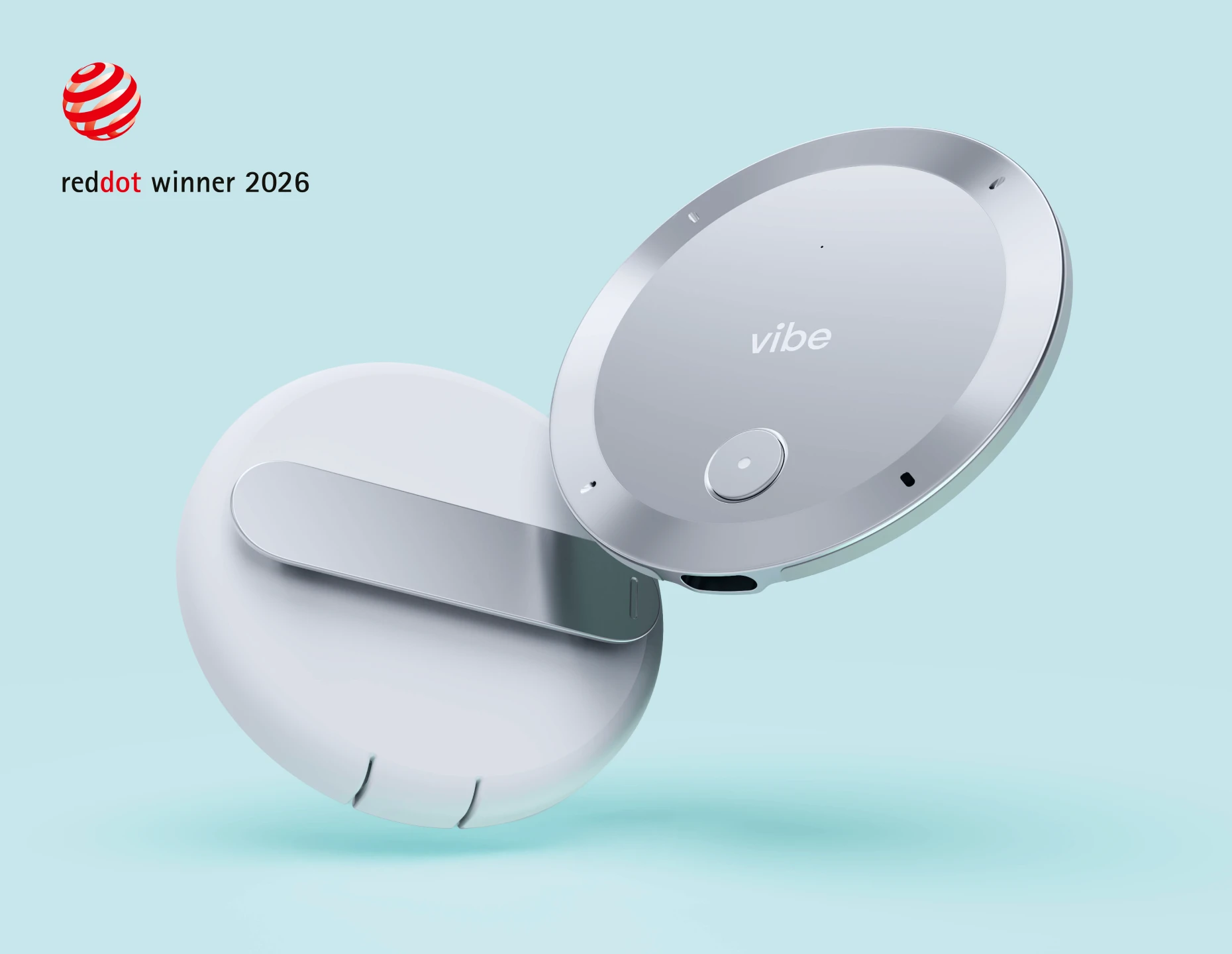
2. Plaud Note / Note Pro — Best all-around hardware recorder
Plaud is a small AI recording device paired with a companion app that turns conversations, calls, and voice memos into transcripts and summaries. The Note and Note Pro are its flagship devices, built for people who want one all-purpose recorder for calls, meetings, and everyday capture.
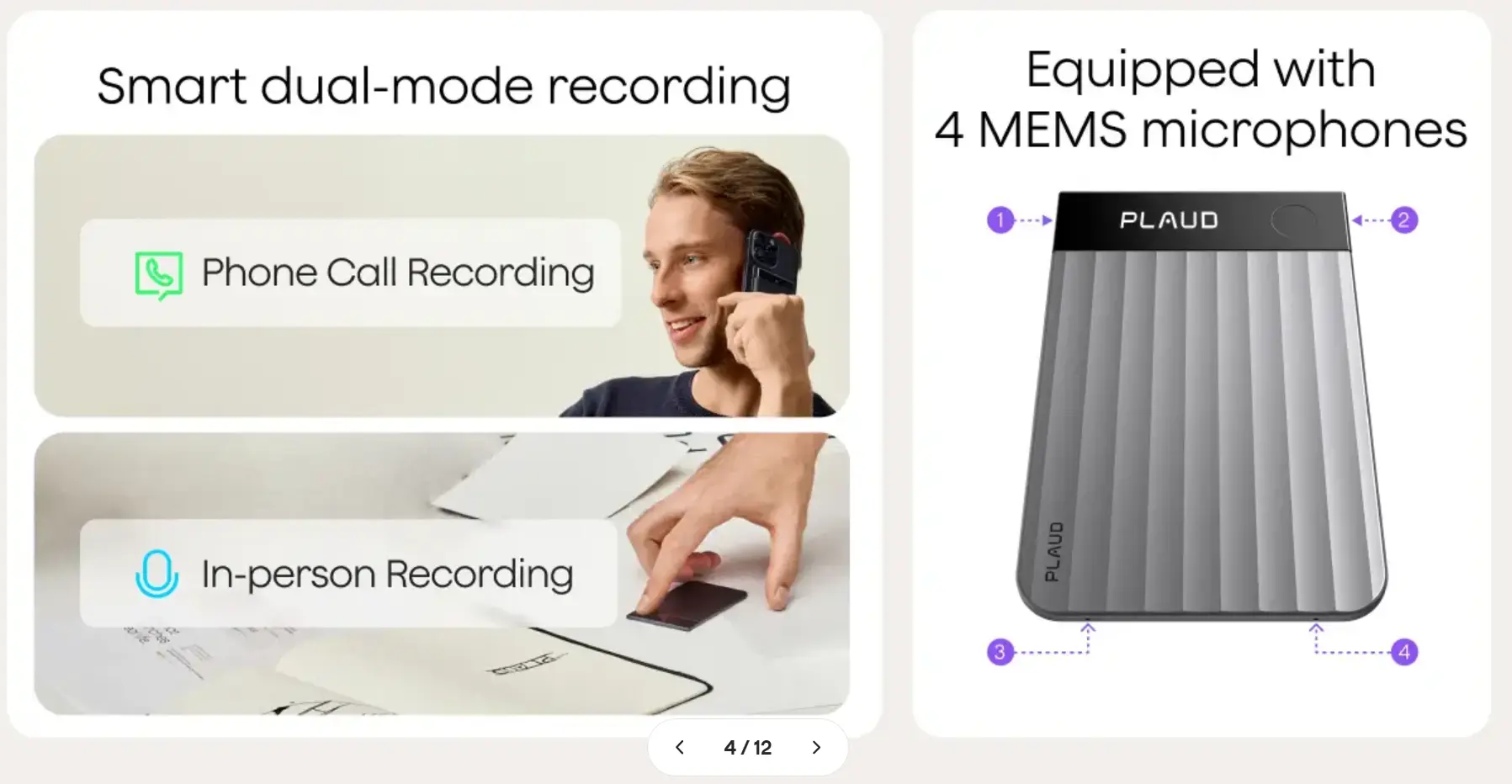 PLAUD recorder with dual-mode recording features—phone call and in-person—and 4 MEMS microphone array diagram
Pricing: Note $159, Note Pro $189, NotePin / NotePin S $159–$179. All include a free tier (300 transcription minutes/month); heavier use requires a subscription (roughly $100–$240/year).
Key features: Transcription in 112 languages with speaker diarization (automatically identifying who said what), custom vocabulary, thousands of AI summary templates, and auto-generated mind maps from a single recording. Dual-mode recording covers both phone calls and in-person conversations on the Note and Note Pro. Note Pro adds a multi-mic array with long-range pickup and up to 30–50 hours of battery life.
Best for: People who want the most feature-complete standalone recorder and don’t mind a subscription for high-volume use.
Pros: Excellent build quality, the deepest feature set on this list, and strong compliance certifications (SOC 2, HIPAA, GDPR).
Cons: Heavier reliance on a subscription once you’re past the free tier; the sheer number of templates can make the app feel busy.
3. Anker Soundcore Work — Best value, no subscription required
Anker Soundcore Work is Anker’s entry into the AI recorder category — a coin-sized wearable clip built to capture in-person conversations without opening an app first. It’s positioned as the value alternative to Plaud, backed by Anker’s hardware manufacturing scale.
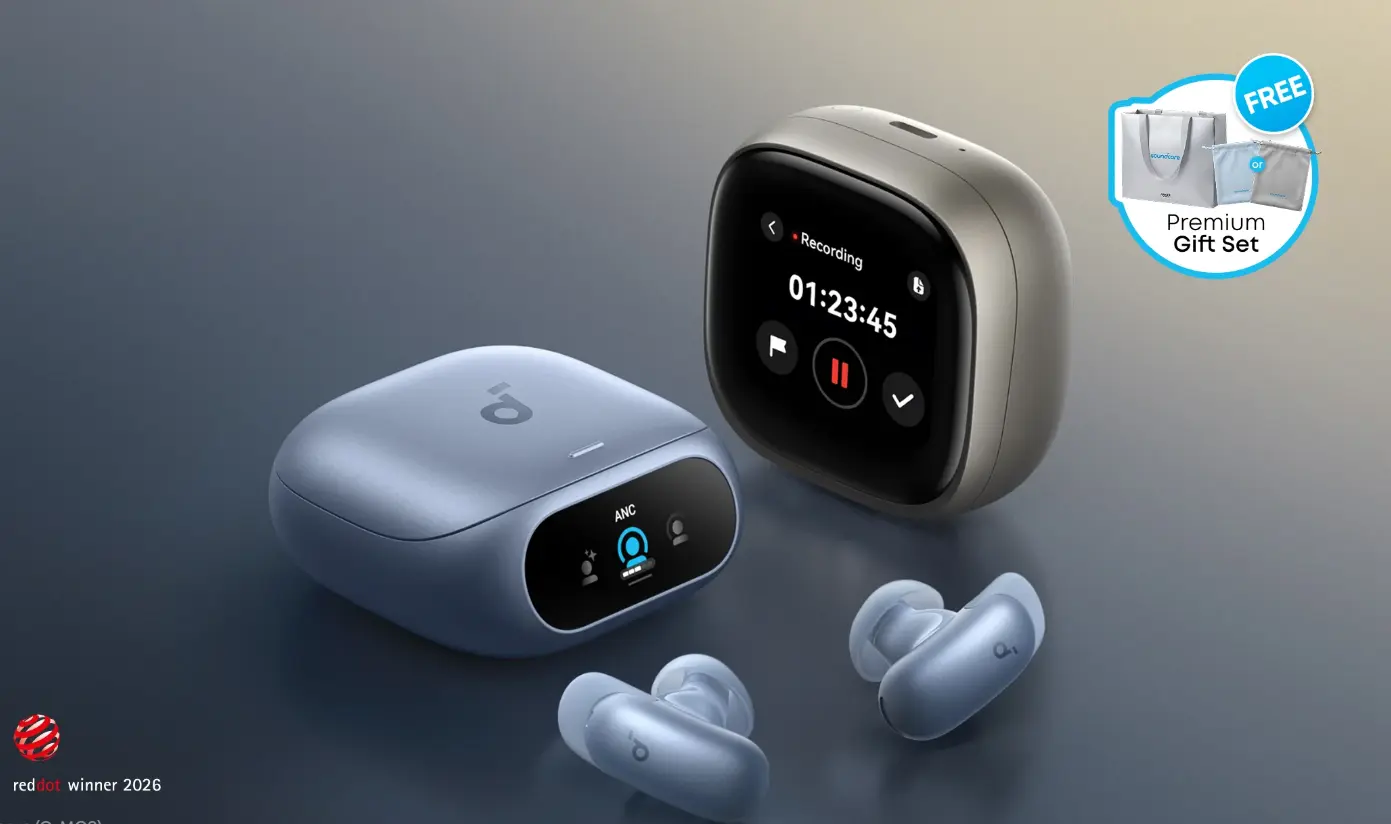 Soundcore Work AI wireless earbuds and charging case with recording interface
Pricing: $159.99 device (frequently discounted), with 300 free transcription minutes a month and no mandatory subscription.
Key features: Coin-sized and lightweight, claims roughly 97% transcription accuracy across 150+ languages with automatic speaker identification. Runs on OpenAI’s GPT-4.1 (Anker has stated plans to move to GPT-5), and includes an "Ask AI" feature to query your own recordings directly. 8GB of on-device storage, up to 8 hours of recording (32 with the case), and AES-256 encryption.
Best for: Budget-conscious buyers who want reliable hardware capture without ongoing subscription pressure.
Pros: The cheapest credible way into hardware capture; nothing forces you into a recurring payment.
Cons: The free 300-minute tier disappears quickly for heavy users; accuracy can dip on very short exchanges.
4. Fathom — Best free option for scheduled meetings
Fathom is a free AI meeting assistant that joins Zoom, Google Meet, and Microsoft Teams calls to record, transcribe, and summarize them automatically. It’s built purely for scheduled video meetings, with one of the most generous free plans in the category.
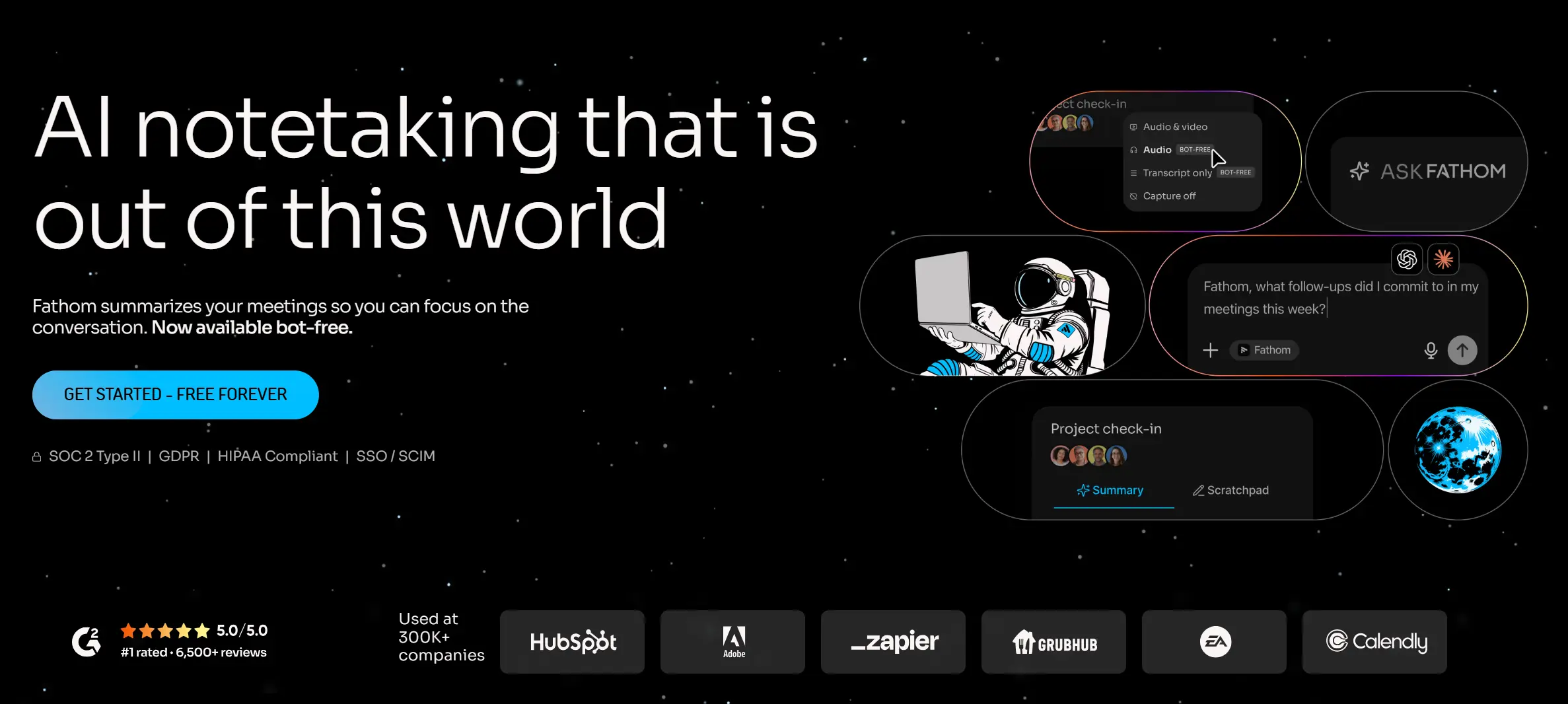 Fathom AI meeting assistant homepage with free-forever plan and ask-Fathom feature
Pricing: Free tier includes unlimited recording and transcription (AI summaries capped at 5/month); paid plans start around $16/month billed annually.
Key features: Joins Zoom, Google Meet, and Microsoft Teams; claims roughly 95% accuracy across 38 languages; generates summaries in under a minute.
Best for: People whose important conversations happen almost entirely on scheduled video calls.
Pros: The most generous free plan in this category, by a wide margin.
Cons: Only works for scheduled video meetings — it has no way to capture an in-person conversation. No mobile app.
5. Fireflies.ai — Best for CRM and sales team integrations
Fireflies.ai is an AI meeting assistant built around getting conversation data into the tools sales and revenue teams already run on — CRMs, Slack, and project trackers. It joins scheduled calls as a bot and layers conversational AI on top of the transcript.
 Fireflies.ai homepage: AI assistant for meetings
Pricing: Free tier available; Pro from roughly $10/user/month annually; Business from roughly $19/user/month, which adds CRM sync.
Key features: Support for 100+ languages, plus deep integrations with Salesforce, HubSpot, Pipedrive, Slack, and Notion. Two separate AI chat layers — AskFred and a Perplexity-powered "Talk to Fireflies" — let you query your meeting history in natural language, and Conversation Intelligence (Business tier) scores calls for talk-time ratios and sentiment.
Best for: Sales and revenue teams who want meeting notes to land directly inside the CRM they already use.
Pros: The broadest integration ecosystem on this list and strong multilingual coverage.
Cons: The AI-credit system on lower tiers can be confusing. The company is also currently facing a legal challenge over its recording practices — worth watching before rolling it out to an entire team.
6. Otter.ai — Best for real-time collaborative transcription
Otter.ai is one of the earliest and best-known AI meeting note-takers, known for a live transcript that updates and can be edited collaboratively in real time during a call. It joins Zoom, Google Meet, and Teams meetings as a visible bot.
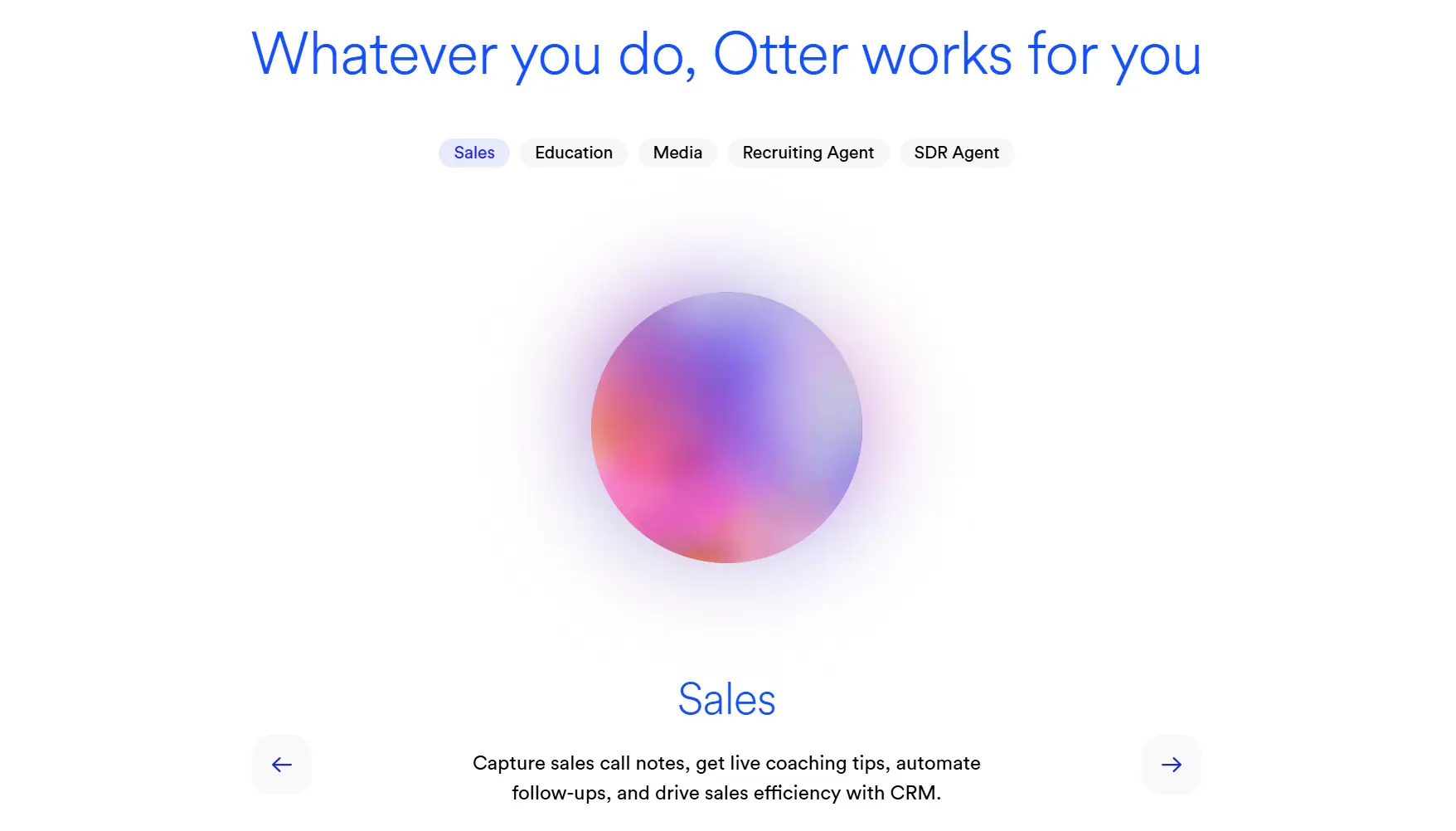 Otter.ai homepage: real-time collaborative transcription
Pricing: Free tier (300 minutes/month, 30-minute cap per conversation); Pro from roughly $8.33/user/month annually.
Key features: A live transcript that meeting participants can view and edit together in real time, during the call itself. "Ask Otter" lets you query past meetings in natural language once they’re transcribed.
Best for: Teams that want to see — and correct — a transcript live, while the meeting is still happening.
Pros: One of the category’s pioneers, with a genuinely strong live-transcription experience.
Cons: Limited to three languages. Otter is also currently subject to an unresolved federal class action alleging it records participants who never consented — a real factor if your calls regularly include outside guests.
7. Krisp — Best bot-free option for noisy environments
Krisp started as a noise-cancellation app and has expanded into AI meeting notes, capturing system audio directly from your computer without a visible bot joining the call. It’s built for people who take calls from noisy or unpredictable environments.
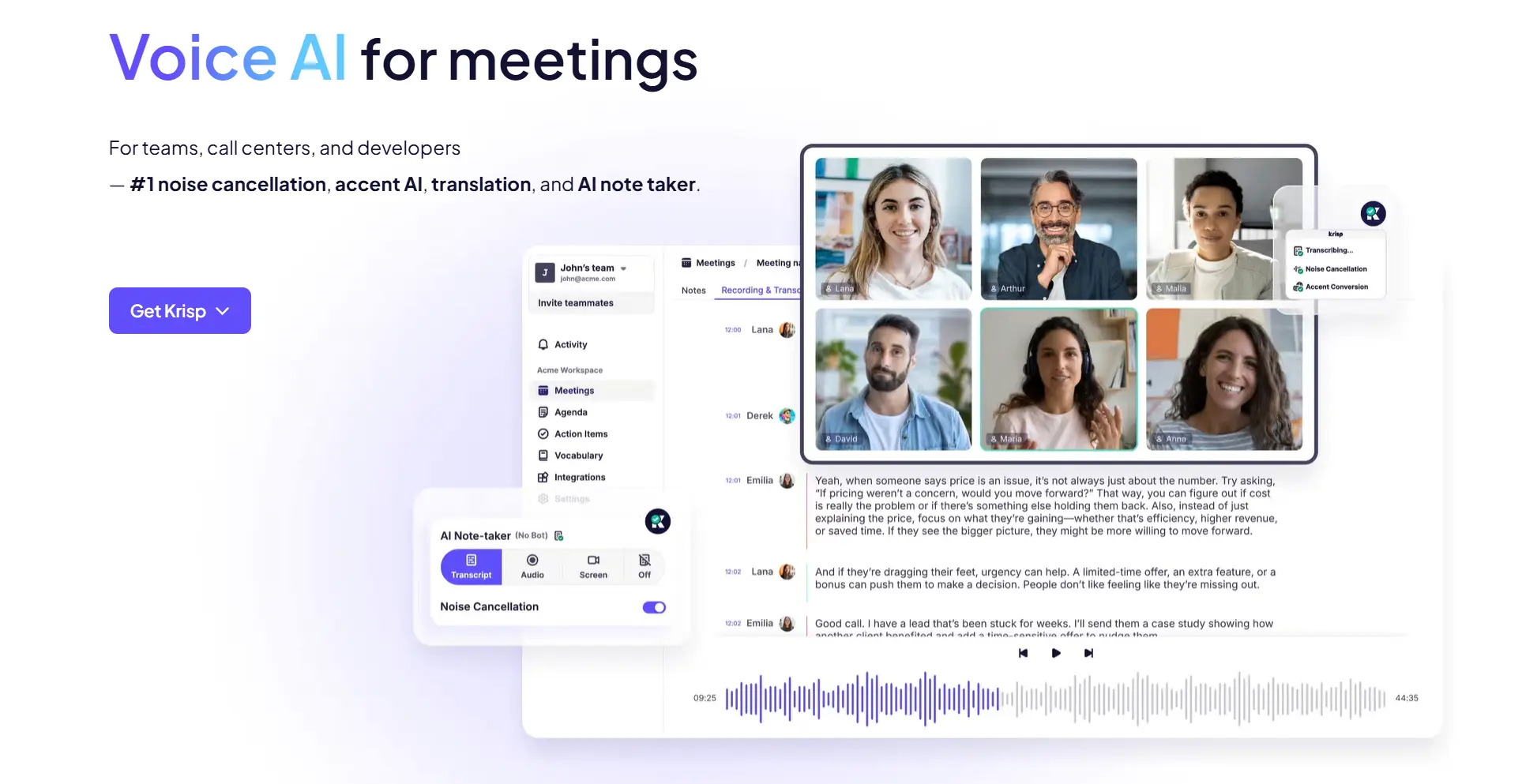 Krisp Voice AI homepage with noise cancellation, transcription, and AI note-taker demo
Pricing: Free tier (60 minutes/day of noise cancellation plus two AI summaries/day); Pro from roughly $8/month annually.
Key features: On-device noise cancellation, bot-free capture that pulls system audio directly instead of joining as a visible participant, and compatibility with 800+ apps. "Ask Krisp" lets you query your own notes, and real-time accent conversion runs on the same on-device AI as its noise cancellation.
Best for: People who take calls from noisy environments and don’t want a visible "recording" bot sitting in every meeting.
Pros: The best noise cancellation in this category, and no bot means no awkward recording notice.
Cons: Summaries are less polished than tools built note-taking-first; the note-taking side of the product is newer than its noise-cancellation roots.
8. Granola — Best bot-free notes for founders and consultants (Mac only)
Granola is a Mac-first AI notepad that sits quietly in the background of a call, using system audio to enhance the rough notes you type yourself rather than generating notes entirely on its own. It’s popular with founders, consultants, and investors who already take some notes by habit.
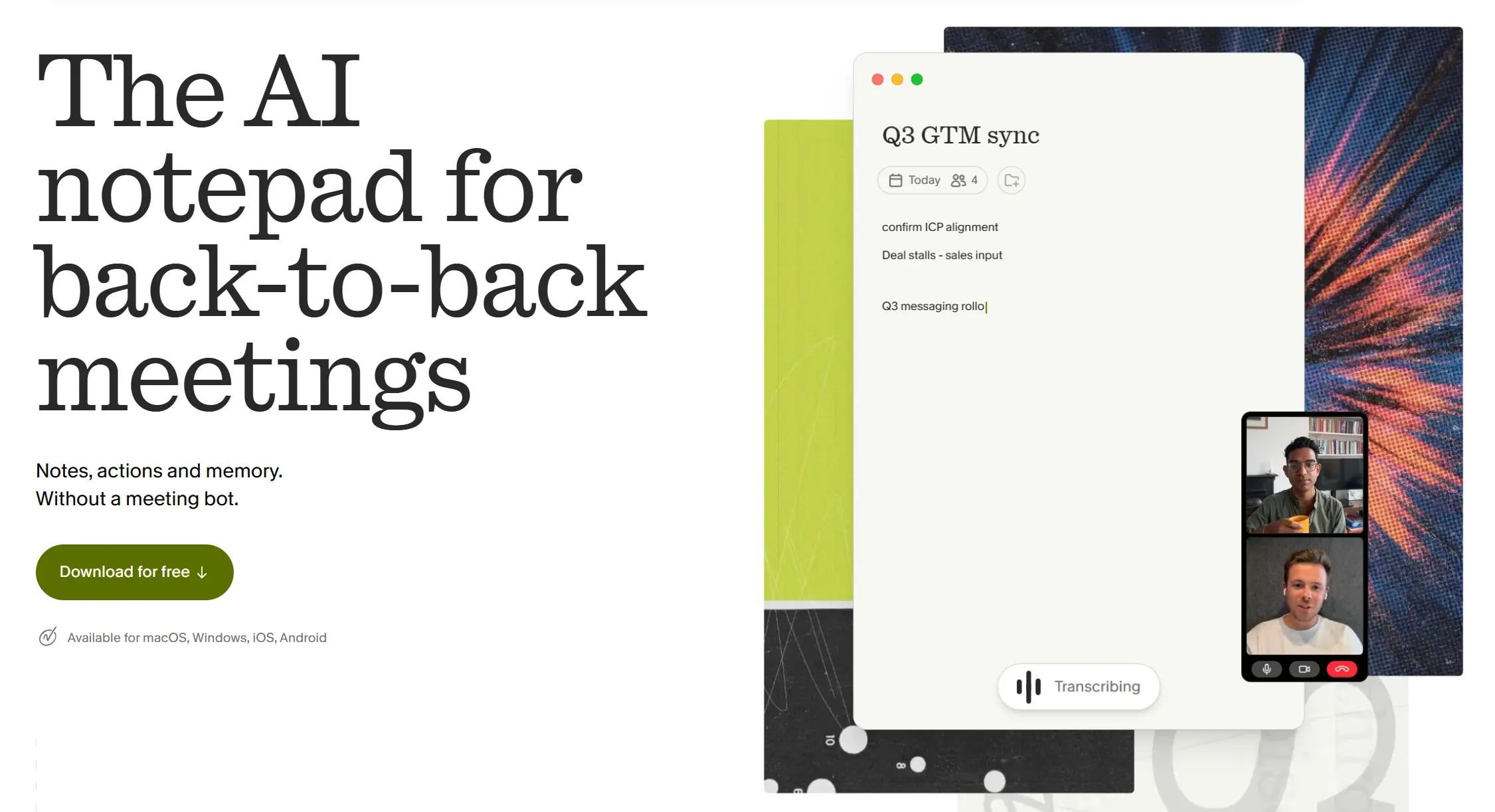 Granola AI notepad homepage showing bot-free meeting notes and live transcription
Pricing: Free tier available; Pro from roughly $17–18/month.
Key features: Captures system audio with no visible bot, then enhances the rough notes you type yourself during the call.
Best for: Mac users — especially founders and consultants — who already jot down a few notes and want AI to fill in the rest.
Pros: No bot in the meeting, and strong organic adoption among founders and investors.
Cons: Mac-only, with no live captions.
9. Bee Pioneer — Always-on wearable for personal life logging
Bee Pioneer is an always-on AI wearable, now owned by Amazon, built around ambient listening rather than meeting-specific capture. It’s designed as a personal life-logging tool — drafting emails, tracking to-dos, and surfacing insights from whatever it overhears throughout the day.
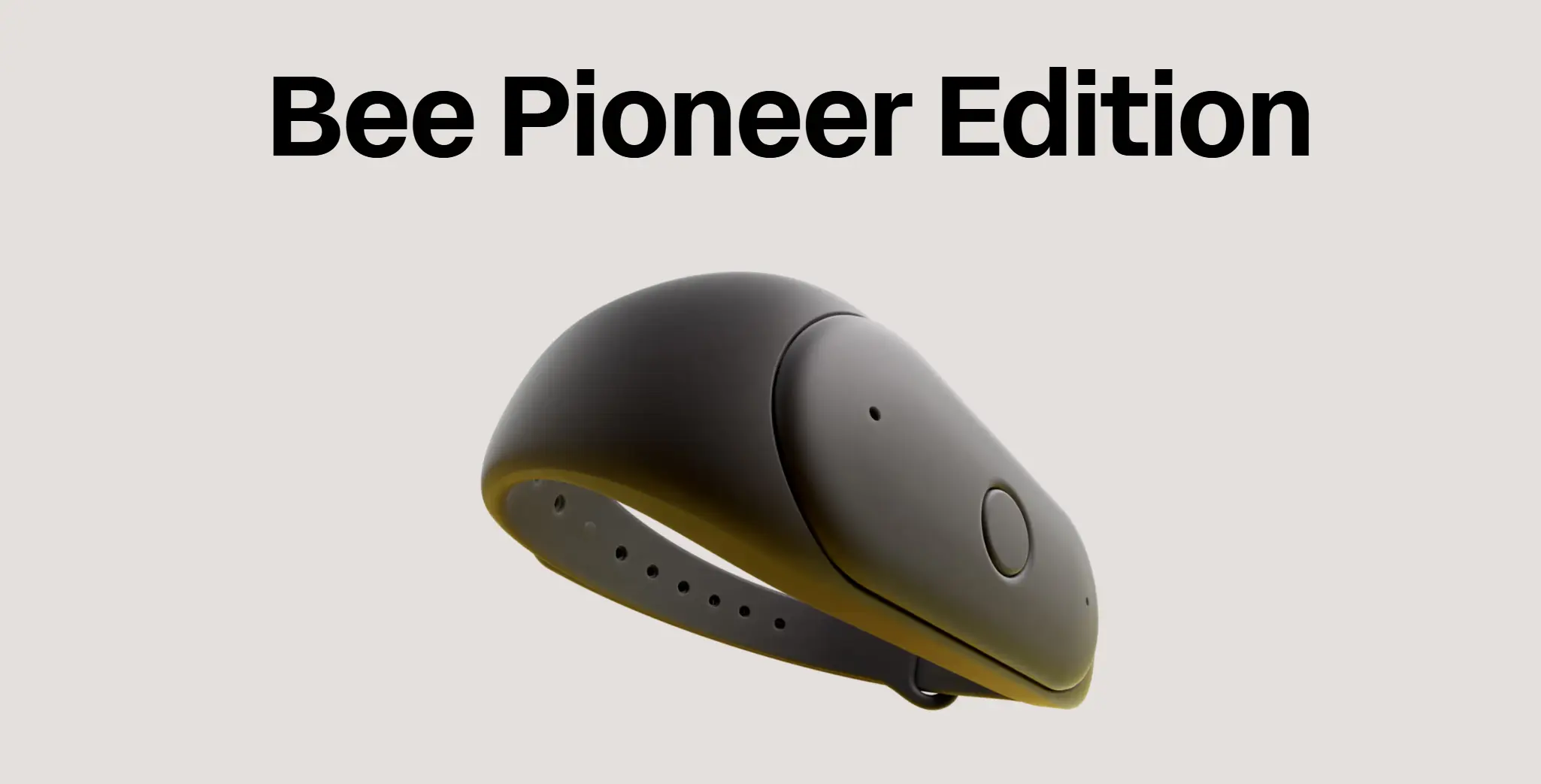 Bee Pioneer Edition AI wearable band with curved teardrop-shaped body
Pricing: $49.99 device plus $19/month.
Key features: Ambient, always-on listening (mutable when needed), with the ability to draft emails or calendar invites from what it hears. Daily Insights analyzes ambient conversation for emotional patterns over time — a meeting-analytics feature aimed at personal reflection rather than professional use.
Best for: People who want a personal "second brain" for daily life rather than a tool for client-facing work.
Pros: The cheapest hardware entry point on this list.
Cons: Built for personal use, not professional or client-facing settings; always-on ambient listening is worth thinking through before wearing it into a client conversation. No team-sharing features.
10. Native Platform AI (Zoom AI Companion, Google Meet, Microsoft Teams Copilot) — Best if you already pay for the platform
Pricing: Included with paid Zoom Workplace, Google Workspace/Gemini, or Microsoft 365 Copilot plans (Microsoft’s Copilot add-on carries a meaningful additional cost).
Key features: Notes and summaries built directly into the video platform your team already uses daily. Zoom AI Companion 3.0 (December 2025) added agentic capabilities that can complete follow-up tasks, not just summarize them; Google Meet’s Gemini-powered notes now extend to individual AI Pro/Ultra subscribers as well as Workspace accounts; Microsoft’s Copilot can search and reason across a meeting alongside the rest of a user’s M365 data.
Best for: Teams standardized on a single platform who’d rather not add another vendor.
Pros: Nothing new to manage, and no separate bot joining the call as its own participant.
Cons: Locked to that platform’s meetings only, and Microsoft’s version adds real cost on top of an existing license.
Honorable mentions
Read AI (meeting analytics and sentiment tracking), Grain (bot-free clips built for sales teams), and Fellow (full meeting lifecycle with enterprise-grade security) all came up repeatedly in our research. Each is worth a look depending on your stack, but serves a narrower use case than the tools ranked above.
How to Choose the Right AI Note Taker for You
Most of your important conversations happen away from a desk — client meetings, site visits, workshops → look at hardware (Vibe Dot, Plaud, Anker Soundcore Work). Software can’t capture a conversation that never touched a video call.
Your work is almost entirely scheduled video calls → Fathom or your native platform AI is the cheapest place to start.
A recap needs to become real context for your whole team, not just a bulleted summary → prioritize tools built around a shared workspace (Vibe AI, Fireflies, Fellow) over single-player tools.
A visible "recording" bot is a dealbreaker in client conversations → bot-free software (Krisp, Granola) or a physical recorder you control directly.
Budget is the main constraint → Fathom’s free plan, or whatever’s already bundled into the video platform you’re paying for anyway.
The Bottom Line
The right AI note taker isn’t the one with the longest feature list — it’s the one that’s actually running when the useful detail comes up. If that’s mostly in scheduled video calls, start with a free tool like Fathom. If it’s in the client meetings, site visits, and hallway conversations that never had a calendar invite in the first place, that’s exactly the gap Vibe Dot (shipped with Vibe AI) is built to close — capturing the conversation, then giving the right people on your team the full context, not just a recap.
FAQ
What is the best AI note taker overall?
It depends on where your conversations happen. For scheduled video meetings, Fathom’s free plan is hard to beat. For the client meetings, site visits, and off-calendar conversations software can’t reach, a dedicated device like Vibe Dot or Plaud is the better fit.
What’s the difference between an AI note-taking device and note-taking software?
Software note-takers join a scheduled video call — as a visible bot or by capturing system audio — and only work for that call. Hardware devices like Vibe Dot, Plaud, and Anker Soundcore Work use their own microphone, so they capture any in-person conversation, phone call, or meeting, whether or not it started with a calendar invite.
Can an AI note taker record in-person conversations, not just video calls?
Only hardware devices can. Most software AI note-takers — Otter, Fireflies, Fathom, native platform AI — are built to join scheduled online meetings and have no way to capture a conversation happening in person.
Is it legal to record conversations with an AI note taker?
Recording laws vary by location. Some places require only one party’s consent; others, including California and Illinois, require everyone in the conversation to agree. Whichever tool you use, it’s worth telling the other person a conversation is being recorded and giving them the option to opt out.
Are AI note takers safe and private?
It varies by vendor. Look for SOC 2, GDPR, or HIPAA compliance, a clear answer on whether your audio is used to train the company’s AI models, and whether the tool joins calls as a visible bot or captures audio without announcing itself. Bot-based meeting tools have also come under recent legal scrutiny for recording participants who never agreed to it.
Can I ask an AI note taker questions about my past meetings, not just read a transcript?
Increasingly, yes — this is one of the fastest-moving AI features in the category. Fireflies, Otter, Krisp, and Anker Soundcore Work all let you query your own notes in natural language, and Vibe AI makes your conversations searchable across your personal or shared workspace. Tools built primarily around noise cancellation or basic transcription (Granola, Fathom, Plaud) treat this as a secondary feature rather than a core one, if they offer it at all.
Can I share AI meeting notes with my team, or is it just for me?
That depends on the tool. Some — Bee, Granola on its free tier — are built around one person’s private notes. Others, including Vibe Dot with Vibe AI, Fireflies, and Fellow, are designed so a conversation can move from one person’s private notes into a shared space the rest of the team can search and build on.