

Best Smart Boards for Classrooms: Complete 2026 Buyer's Guide
- Interactive flat panel displays have overtaken projectors in education, with the global market projected to reach $25.7 billion by 2034
- Modern smart boards offer infinite canvas whiteboarding, wireless screen sharing, and 50,000+ hour lifespans—eliminating projector bulb replacements
- Pricing ranges from $2,800 to $7,000 per unit depending on size and features, with multiple federal and state funding sources available
- The right board depends on your existing software ecosystem, classroom size, budget, and IT infrastructure—not just specs
- All top boards support Google Classroom, Microsoft Teams, and Zoom, but differ significantly in proprietary software lock-in
Best Overall: Vibe Board S1 — 55" or 75" 4K display, built-in Vibe OS, infinite canvas whiteboarding, and wireless screen sharing out of the box. Starts at $3,699 (regularly $3,999) for the 55" and $7,299 (regularly $7,899) for the 75". Best for schools that want a modern, intuitive system without recurring software fees.
Best for Large Districts with Existing SMART Ecosystems: SMART Board MX (V5) — Deep integration with SMART Notebook software and a mature ecosystem of lesson templates. Starts at ~$5,499. Best for districts already invested in SMART's software platform.
Best Budget Option: ViewSonic ViewBoard IFP52 Series — Solid 4K display with built-in myViewBoard software and competitive pricing. Starts at ~$2,799 for the 65" model. Best for cost-conscious schools that still want a capable interactive display.
These recommendations are based on published spec sheets, educator feedback, and pricing available as of March 2026. Every board on this list is a credible choice. The right one depends on your school's budget, IT infrastructure, and teaching workflow.
How Smart Boards Are Used for Classroom Instruction
Smart boards bring lessons to life by transforming static teaching into an interactive, real-time experience. Teachers annotate directly on the board, working through math equations step by step, layering in science simulations, or pulling up historical timelines with embedded video, all without breaking the flow of a lesson.
Unlike traditional whiteboards, a smart board's infinite canvas means notes are never lost mid-class. Teachers scroll, save, and return to previous work across periods without erasing a single thing. Students pick up exactly where the last class left off.
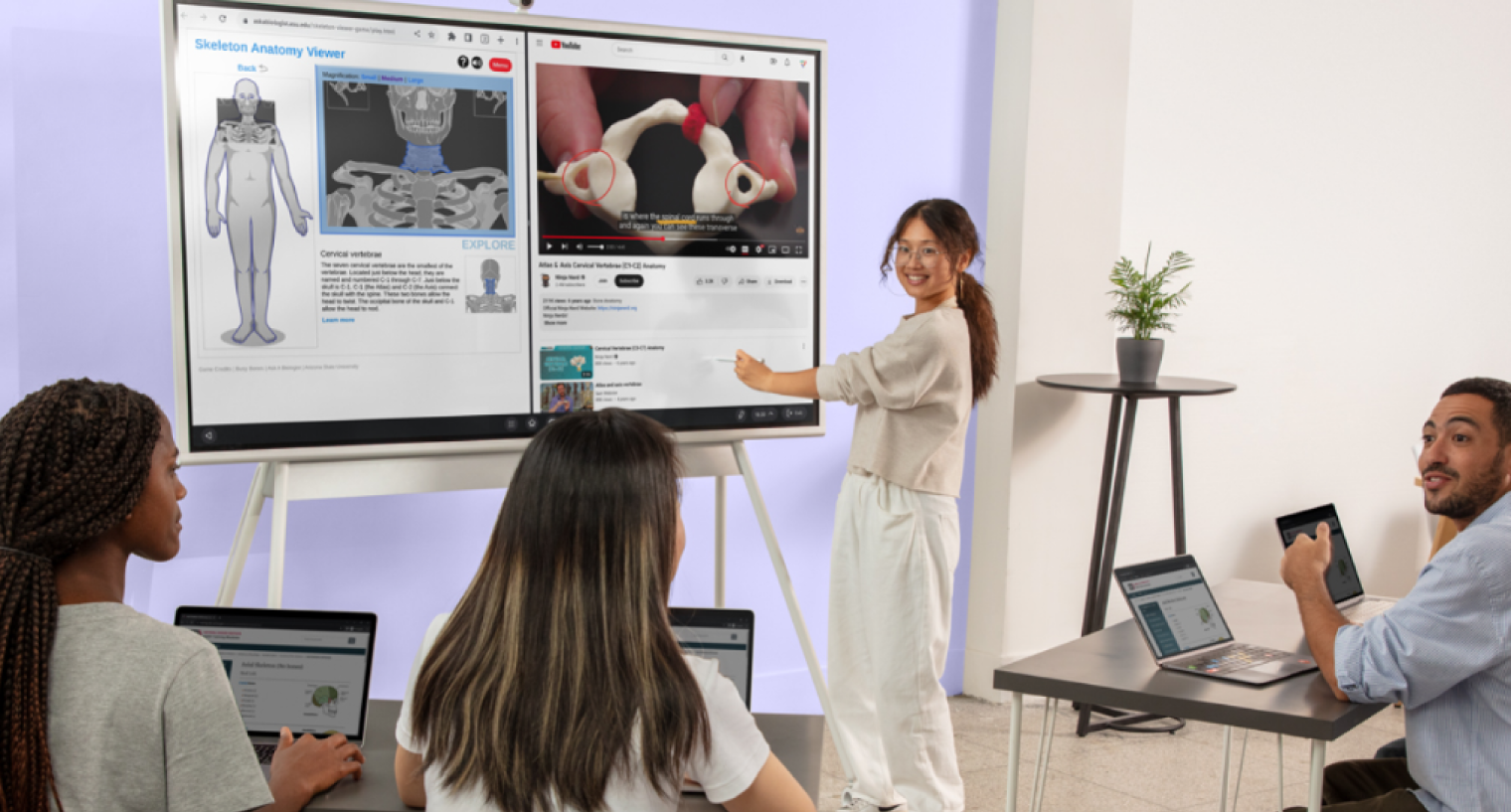 A girl in the classroom is using a Vibe Board to demonstrate biology concepts to her peers.
The result is a classroom that runs on one connected surface instead of a projector, a laptop, a whiteboard, and a separate video conferencing setup all fighting for the teacher's attention at once.
What Is an Electronic Whiteboard for Classroom Use?
An electronic whiteboard for classroom use — also called an interactive display, interactive flat panel, or smart board — is a large touchscreen display that replaces traditional dry-erase boards and projector-based setups. Teachers and students interact with the screen directly using fingers or a stylus to annotate, draw, navigate apps, and collaborate in real time.
Unlike projector-and-whiteboard combos, electronic whiteboards for classrooms are self-contained units. They include built-in processors, operating systems, and speakers, which means no external computer is required for basic functions like whiteboarding, screen sharing, or running educational apps.
This growth reflects a broader shift: schools are moving away from projectors toward flat-panel interactive displays because they are brighter, more reliable, and require less maintenance. According to Global Market Insights, this trend is accelerating across all education sectors.
Key capabilities of a modern electronic whiteboard for classrooms
-
Multi-touch input (typically 20–40 simultaneous touch points)
-
4K UHD resolution visible from the back of a 30+ seat classroom
-
Built-in wireless screen sharing (teachers and students cast from any device)
-
Annotation and whiteboarding tools with save-and-share functionality
-
App ecosystems compatible with Google Classroom, Microsoft Teams, Zoom, and other LMS platforms
-
USB-C or HDMI connectivity for laptops and document cameras
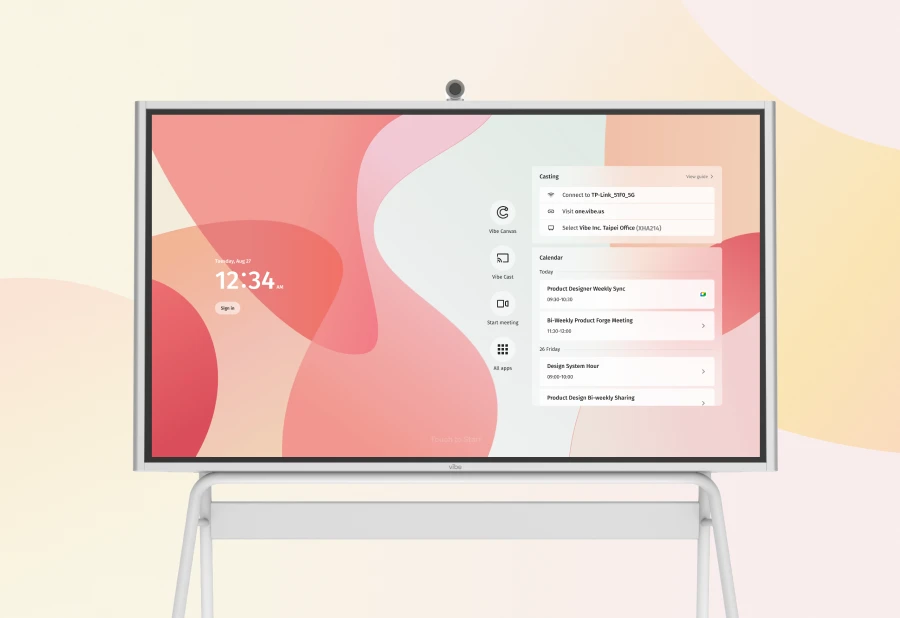
A note on terminology
The term "electronic whiteboard" is often used interchangeably with "interactive flat panel display" (IFPD) and "smart board" (though SMART Board is technically a brand name from SMART Technologies). Throughout this guide, we use these terms interchangeably to match how educators actually search for these products.
Digital Whiteboards vs. Traditional Whiteboards: Why Schools Are Switching
The shift from traditional whiteboards to digital whiteboards is not about technology for its own sake. It is about solving real classroom problems.
Traditional whiteboards have a limited writing surface. Once the board is full, you erase and lose everything. Digital whiteboards offer an infinite canvas — teachers can scroll, save, and return to previous notes across multiple class periods.

According to the PowerSchool Education Focus Report, this consolidation is one of the primary drivers behind interactive display adoption.
 Vibe Board mounted on stand, featuring touchscreen display with collaboration interface.
Feature comparison
|
Feature |
Traditional Whiteboard |
Digital Whiteboard (Interactive Display) |
|---|---|---|
|
Writing Surface |
Fixed, single board |
Infinite canvas with scroll and zoom |
|
Content Saving |
Not possible (erase to clear) |
Save, export, and share as PDF or image |
|
Multimedia |
None |
Video, audio, web, apps, screen sharing |
|
Student Interaction |
One student at a time |
Multi-touch: 2–10+ students simultaneously |
|
Remote/Hybrid Support |
None |
Built-in video conferencing and casting |
|
Maintenance |
Markers, erasers, cleaning |
Minimal — no consumables, long-life LED panels |
|
Visibility |
Glare issues, front rows only |
4K display visible from 30+ feet |
|
Cost Over 10 Years |
~$500 board + ~$2,000 in markers/projector bulbs |
$2,800–$7,000 one-time (panel lasts 50,000+ hours) |
Total cost of ownership
The cost of ownership argument matters at the district level. Projector bulbs cost $150–$400 each and last 3,000–5,000 hours. A classroom running a projector 6 hours per day replaces bulbs every 1–2 years.
Interactive flat panels use LED backlights rated for 50,000+ hours, roughly 20+ years of classroom use. According to Futuresource Consulting, interactive flat panels overtook projectors in global education shipments in 2022 and now account for over 60% of classroom display purchases worldwide (Source: Futuresource Consulting, "Global IFP Market Report," 2024).
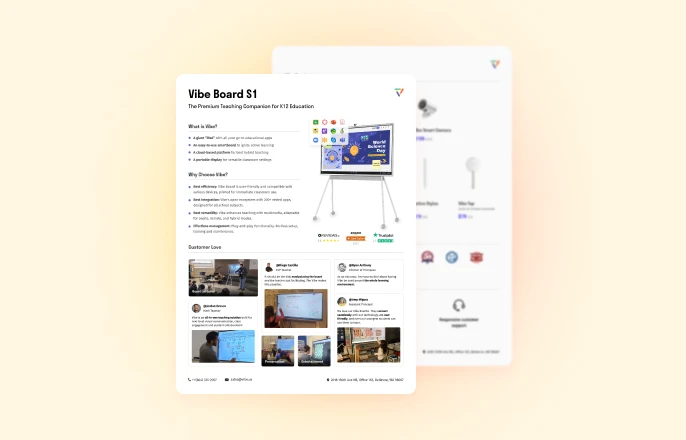
Smart Board Comparison: Top 7 Electronic Whiteboards for Classrooms (2026)
We evaluated the most widely deployed interactive displays in K-12 and higher education settings. Here is how they compare:
|
Brand/Model |
Screen Sizes |
Resolution |
Touch Points |
Built-in OS |
Key Software |
Starting Price |
Best For |
|---|---|---|---|---|---|---|---|
|
Vibe Board S1 |
55", 75" |
4K UHD |
20-point |
Vibe OS (Chrome OS based) |
Vibe Canvas (infinite whiteboard), open app ecosystem |
~$3,699 (55") / ~$7,299 (75") |
Schools wanting modern UX, no recurring fees |
|
SMART Board MX (V5) |
65", 75", 86" |
4K UHD |
40-point |
Proprietary (iQ) |
SMART Notebook, Lumio |
~$5,499 |
Districts with existing SMART software licenses |
|
Promethean ActivPanel 10 |
65", 75", 86" |
4K UHD |
20-point |
Android |
ActivInspire, Promethean Classroom Essential |
~$2,600 (65") |
Schools prioritizing lesson-delivery software |
|
ViewSonic ViewBoard IFP52 |
55", 65", 75", 86" |
4K UHD |
33-point |
Android |
myViewBoard, ViewBoard Cast |
~$2,799 (65") |
Budget-conscious schools |
|
BenQ Board Pro RP04 |
65", 75", 86" |
4K UHD |
40-point |
Android (BenQ Launcher) |
EZWrite, InstaShare, AMS |
~$4,199 (65") |
Schools focused on air quality and eye care |
|
ClearTouch 7000X |
65", 75", 86" |
4K UHD |
20-point |
Android |
ClearTouch Canvas, Collage |
~$3,599 (65") |
Schools wanting strong U.S.-based support |
|
Samsung Flip Pro WM85B |
85" |
4K UHD |
20-point |
Tizen |
Samsung Whiteboard, screen sharing |
~$5,499 (85") |
Higher ed lecture halls, large format needs |
Individual Reviews
Vibe Board S1
Vibe Board S1 is designed around one principle: keep it simple. Where other boards require training sessions and IT configuration, Vibe's interface feels immediately familiar to anyone who has used a tablet or Android device.
The standout feature is Vibe Canvas, an infinite-canvas whiteboarding app that lets teachers create, annotate, and collaborate without ever running out of space. Sessions save automatically to the cloud and can be shared with students via link. There is no proprietary software lock-in: teachers can install Google Classroom, Microsoft Teams, Zoom, YouTube, and hundreds of other Android apps directly on the board.
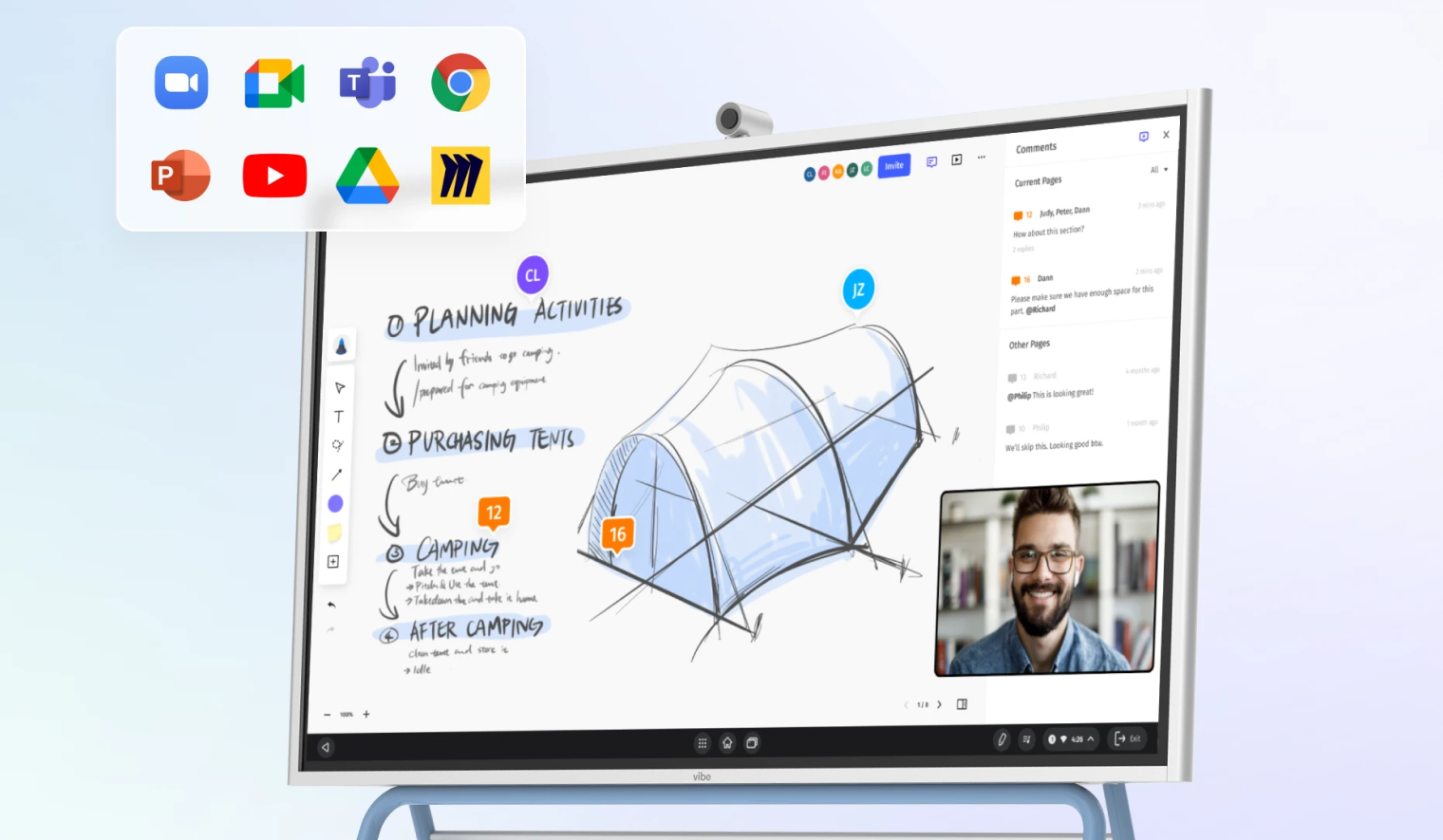
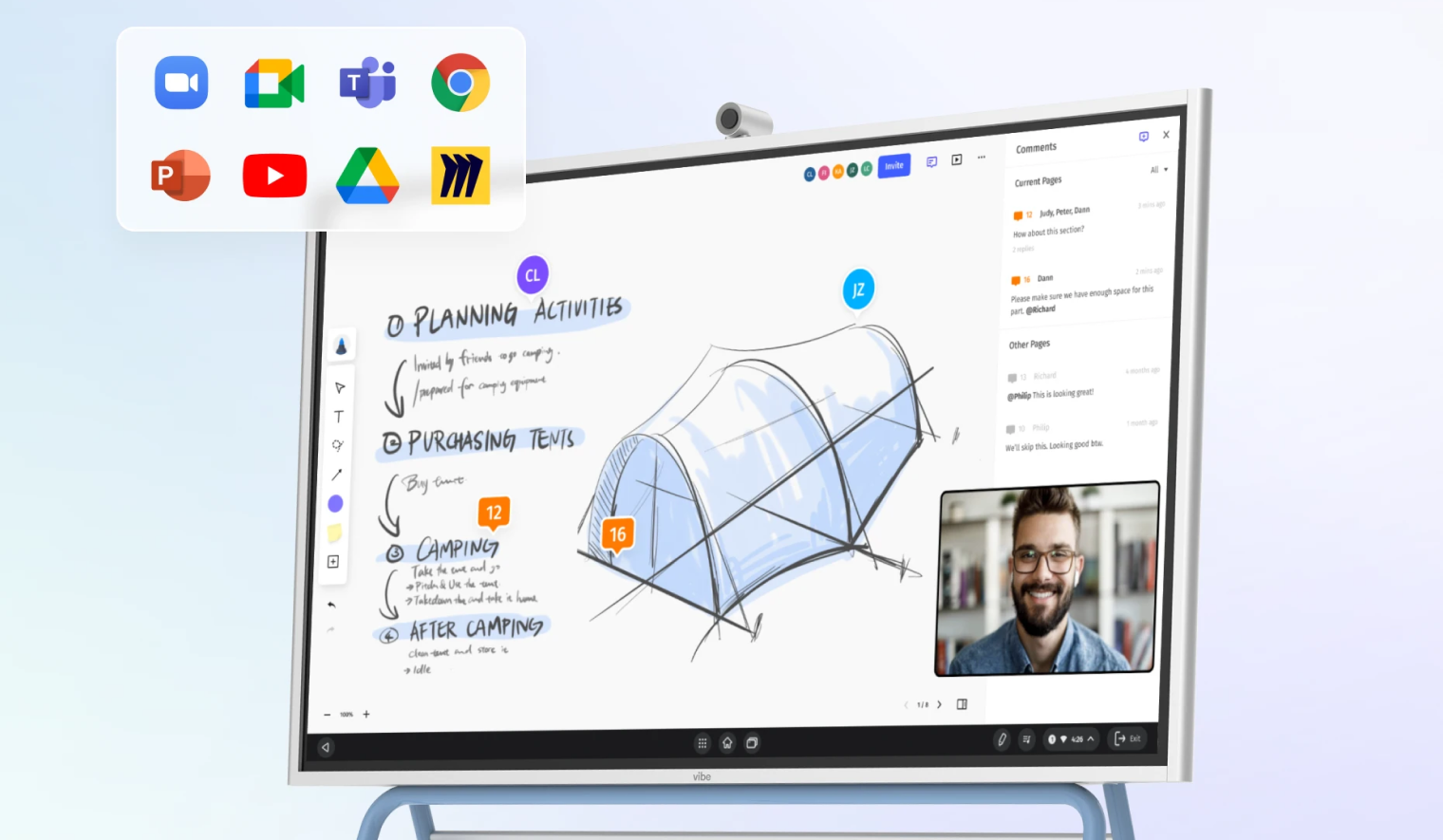 This image shows an interactive digital whiteboard displaying a collaborative design project for planning a camping trip. The screen features a 3D sketch of a tent alongside handwritten notes, a live video call window, and a sidebar for comments. Floating icons for various productivity and communication apps are shown in the upper corner, highlighting the display's integrated software capabilities.
Wireless screen sharing works out of the box — students and teachers cast from Chromebooks, iPads, Windows laptops, or phones without installing additional software. For IT directors, this reduces deployment complexity significantly.
At $3,699 for the 55" model (regularly $3,999) and $7,299 for the 75" model (regularly $7,899), Vibe Board is competitively priced for this category, with no mandatory recurring software subscriptions.
Considerations: Vibe's screen size tops out at 75", which may be limiting for very large lecture halls. The ecosystem is newer than SMART or Promethean, so there is a smaller library of pre-built lesson templates.
SMART Board MX (V5)
SMART Technologies pioneered the interactive whiteboard category, and the MX (V5) series reflects decades of iteration. The biggest advantage is the SMART software ecosystem: SMART Notebook has over 100,000 pre-built lesson activities, and Lumio (SMART's cloud-based platform) lets teachers create interactive lessons that students can join from any device.
The 40-point touch is among the highest in this comparison, enabling fluid multi-user collaboration. Object awareness — the board distinguishes between finger, pen, and palm — is a differentiator for natural writing feel.
The downside is cost. The SMART Board MX starts around $5,499 and SMART's software subscriptions (Lumio, SMART Notebook) add ongoing costs. For districts already invested in SMART's ecosystem, this is a natural upgrade. For new buyers, the total cost of ownership is notably higher than alternatives.
Considerations: Proprietary iQ OS limits third-party app installation compared to Android-based competitors. Best suited for districts with existing SMART infrastructure.
Promethean ActivPanel 10
Promethean has a strong footprint in U.S. and UK schools. The ActivPanel 10 runs Android and offers a clean, education-focused interface through the Promethean Classroom Essential app suite.
ActivInspire, Promethean's desktop lesson-delivery software, is a deep tool with polling, assessment, and interactive content creation. Teachers who invest time in learning ActivInspire report high satisfaction, but the learning curve is steeper than simpler tools like Vibe Canvas.
The ActivPanel 10's build quality is solid, and the unified menu system (accessible from any screen edge) makes navigation intuitive. Pricing starts around $2,600 for the 65" model.
Considerations: ActivInspire runs as a desktop application and requires a connected computer for full features, which adds complexity compared to fully built-in solutions. The Promethean Classroom Essential apps are improving but still maturing.
ViewSonic ViewBoard IFP52 Series
ViewSonic offers aggressive pricing without sacrificing core functionality. The IFP52 series runs Android, supports 33-point touch, and includes myViewBoard — a capable whiteboarding and screen-sharing platform.
ViewBoard Cast enables wireless mirroring from any device, and myViewBoard Classroom adds interactive polling and student engagement features. For schools with tight budgets, the IFP52 at ~$2,799 (65") delivers roughly 80% of the functionality of boards costing $4,000+.
Considerations: Build quality and speaker output are a step below premium options. myViewBoard's feature set, while improving, is not as mature as SMART Notebook or Vibe Canvas for collaborative whiteboarding.
BenQ Board Pro RP04
BenQ differentiates with health and environment features. The RP04 includes a built-in air quality sensor (monitors CO2, temperature, and humidity) and an eye-care mode that reduces blue light. The germ-resistant screen coating remains a practical feature for shared classroom hardware.
The board runs Android with BenQ's custom launcher. EZWrite is a capable annotation tool, and InstaShare handles wireless screen sharing. BenQ's Account Management System (AMS) lets each teacher log in with their own profile, keeping files and settings personalized across shared classroom hardware.
At ~$4,199 for the 65" model, BenQ is mid-range on pricing but offers genuine differentiators that no other board on this list matches.
Considerations: BenQ's education software ecosystem is smaller than SMART or Promethean. The air quality sensor, while unique, may not justify the price premium for all buyers.
ClearTouch 7000X
ClearTouch is a U.S.-based company that competes on support and simplicity. The 7000X series runs Android, offers 20-point touch, and includes ClearTouch Canvas (whiteboarding) and Collage (lesson delivery).
The company's main selling point is customer support: U.S.-based phone and email support with dedicated education account managers. For districts that have had frustrating support experiences with larger vendors, this is a meaningful differentiator.
Pricing at ~$3,599 for the 65" model puts ClearTouch in the mid-range.
Considerations: Smaller brand recognition means fewer third-party integrations and a smaller community of educators sharing resources. Hardware specs are competitive but not leading-edge.
Samsung Flip Pro WM85B
Samsung's Flip Pro targets higher education and corporate training more than K-12. The 85" model is the largest single-panel option on this list, making it suitable for lecture halls and large classrooms.
The Flip Pro runs Tizen OS (Samsung's proprietary system), which limits app availability compared to Android-based boards. The built-in whiteboarding app is smooth and supports multi-page canvases, but lacks the education-specific features of SMART Notebook or Vibe Canvas.
At ~$5,499 for the 85" model, the price-per-inch is competitive. The lack of education-specific software, however, makes it a better fit for environments where basic annotation, screen sharing, and presentation are the primary use cases.
Considerations: Tizen OS has a limited app ecosystem and there is no dedicated education software suite. Best for higher ed lecture halls rather than K-12 classrooms.
Classroom Digital Whiteboard: What Educators Actually Need
The term "classroom digital whiteboard" is how many teachers and administrators first search for these products, and it reflects what they actually care about. Not specs. Not resolution numbers. A digital whiteboard that works in a classroom.
After reviewing educator feedback from multiple school districts and online teaching communities, the most-requested features for a classroom digital whiteboard break down into three tiers:
Must-Have (Non-Negotiable)
-
Reliable touch response with zero perceptible lag
-
Wireless screen sharing that works with Chromebooks, iPads, and Windows laptops without IT intervention
-
Whiteboarding with save and share — teachers need to save notes and distribute them to students after class
-
4K resolution visible from the back row of a 30-seat classroom
-
HDMI/USB-C input for connecting a laptop or document camera
Important (Significantly Improves Teaching)
-
Built-in video conferencing or Zoom/Teams/Google Meet compatibility for hybrid learning
-
Multi-user touch (at least 4 simultaneous touch points) for collaborative activities
-
App store access for installing Google Classroom, YouTube, and educational apps
-
Cloud storage integration (Google Drive, OneDrive) for seamless file access
Nice-to-Have (Differentiators)
-
Built-in speakers loud enough for a full classroom (some boards require external speakers)
-
Wall-mount and mobile stand options
-
Centralized device management for IT (deploy settings across all boards in a building)
-
Over-the-air firmware updates
When evaluating any classroom digital whiteboard, start with the Must-Have tier. If a board fails on any of those criteria, move on regardless of price or brand reputation.
How to Choose the Right Smart Board for Your Classroom
Choosing an electronic whiteboard for classroom use comes down to four factors. Here is a decision framework:
1. Budget
The realistic price range for a quality classroom interactive display in 2026 is $2,800–$7,000 per unit, depending on screen size and brand.
-
Under $3,000: ViewSonic IFP52 (65"), Promethean ActivPanel 10 (65")
-
$3,000–$5,000: Vibe Board S1 (55"), ClearTouch 7000X, BenQ Board Pro
-
$5,000+: SMART Board MX, Vibe Board S1 (75"), Samsung Flip Pro (85")
Do not forget to factor in installation costs ($200–$500 per unit for wall mounting), extended warranties, and any recurring software subscriptions. U.S. schools can also explore E-Rate program funding and Title IV-A grants, which can significantly offset per-unit costs.
2. Classroom Size and Screen Size
The general rule: the back row of students should be no more than 6x the screen height away from the display.
-
Small classrooms (under 20 students): 55"–65" is sufficient
-
Standard classrooms (20–30 students): 65"–75" recommended
-
Large classrooms or lecture halls (30+ students): 75"–86"
A 75" display is the sweet spot for most standard K-12 classrooms.
3. IT Requirements and Ecosystem Fit
Existing software investments: Do you already run SMART Notebook or Promethean ActivInspire? If yes, switching platforms means retraining and content migration. Staying within your existing ecosystem may be the pragmatic choice.
Platform alignment: Are you a Google school or Microsoft school? All boards on this list work with both, but some have tighter integrations. Vibe and ViewSonic have strong Google Classroom workflows. SMART has deep Microsoft integrations.
Deployment scale: At scale (50+ boards), centralized management tools matter. BenQ's AMS, SMART's Admin Portal, and Vibe's device management all offer remote configuration. See our guide on how districts standardize classroom technology for a full framework.
Network infrastructure: Wireless screen sharing requires a stable Wi-Fi network. If your school's Wi-Fi is unreliable, prioritize boards with strong wired connectivity options (HDMI, USB-C).
4. Software Compatibility and Lock-In
This is the most overlooked factor. Some boards are designed to push you toward proprietary software ecosystems:
-
SMART Board: Works best with SMART Notebook and Lumio. You can use other software, but you lose key differentiating features.
-
Promethean: ActivInspire is a desktop app that requires a connected computer. The on-board Android apps are more limited.
-
Vibe, ViewSonic, BenQ, ClearTouch: Android-based, open app ecosystem. Install whatever apps your school uses.
If your teachers already create content in a specific platform, choose a board that supports it natively. If you are starting fresh, an open Android-based board gives you the most flexibility. For a deeper look at how these boards integrate with student engagement tools like Kahoot and Nearpod, see our guide on interactive classroom technology.
For schools looking to implement a comprehensive technology strategy beyond just smart boards, our complete guide to classroom technology in 2026 covers everything from infrastructure planning to professional development.
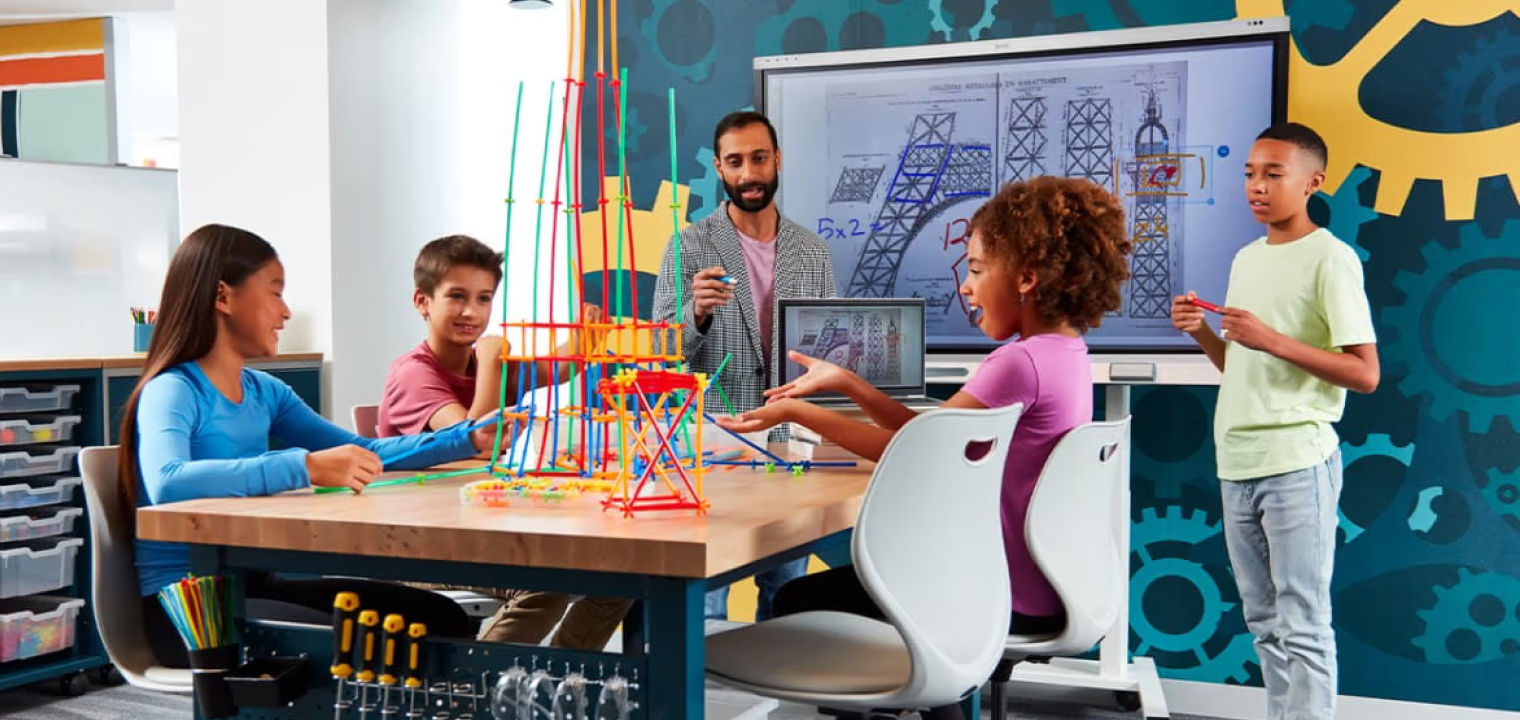 A group of diverse students and a teacher are collaborating on a project in a modern STEM classroom. They are building a tall, intricate tower structure using colorful plastic rods and connectors on a large wooden table. In the background, a large digital screen displays engineering diagrams that complement their hands-on activity.
Frequently Asked Questions
How much does a smart board for a classroom cost in 2026?
A quality interactive flat panel display for classrooms costs between $2,800 and $7,000 in 2026, depending on screen size (55"–86"), brand, and features. Budget options like the ViewSonic IFP52 (65") start at approximately $2,799, while the Vibe Board S1 starts at $3,699 for the 55" model and $7,299 for the 75" model, and premium models like the SMART Board MX (V5) start at approximately $5,499. Installation typically adds $200–$500 per unit. Some manufacturers also charge recurring software subscription fees.
What is the difference between a smart board and an interactive flat panel display?
"Smart board" is commonly used as a generic term, but SMART Board is actually a brand name from SMART Technologies. An interactive flat panel display (IFPD) is the category term — it refers to any large touchscreen display designed for interactive use in classrooms or meeting rooms. All SMART Boards are IFPDs, but not all IFPDs are SMART Boards. Other IFPD brands include Vibe, Promethean, ViewSonic, BenQ, and ClearTouch.
Do I need a computer to use an electronic whiteboard for classroom?
Most modern electronic whiteboards for classrooms have a built-in Android or proprietary operating system, so they function independently for whiteboarding, screen sharing, web browsing, and running apps. However, some features — particularly Promethean's ActivInspire lesson software — require a connected Windows or Mac computer. For fully standalone operation, look for boards with a built-in Android OS and an open app store.
How long do interactive displays last?
LED-backlit interactive flat panels are rated for 50,000+ hours of operation. In a typical school environment (6–8 hours per day, 180 school days per year), that translates to roughly 30+ years of backlight life. Realistically, schools replace panels after 7–10 years due to technology upgrades rather than hardware failure.
Can students use their own devices with a classroom smart board?
Yes. All boards in this guide support wireless screen sharing, allowing students to cast their Chromebook, iPad, Windows laptop, or phone screen to the board. The ease of this process varies by brand — some require a companion app, while others (like Vibe and ViewSonic) support native casting protocols like AirPlay, Chromecast, and Miracast without additional software.
Are smart boards worth it for small classrooms?
For classrooms with fewer than 15 students, a 55" interactive display is typically sufficient. The interactive capabilities (whiteboarding, screen sharing, multimedia) offer significantly more teaching flexibility than a traditional whiteboard-and-projector setup. The cost over a 7–10 year lifespan is comparable to projector ownership when you factor in bulb replacements and maintenance.
What screen size smart board do I need for my classroom?
Use this rule of thumb: the farthest student should be no more than 6 times the screen height from the display. For a 75" display (screen height roughly 37"), that is about 18 feet — sufficient for most standard classrooms of 20–30 students. Rooms seating 30+ students should consider 86" displays. For small classrooms or breakout rooms, 55"–65" is adequate.
How do I get funding for classroom smart boards?
In the United States, several funding sources apply to interactive display purchases: ESSER (Elementary and Secondary School Emergency Relief) funds, the E-Rate program (for qualifying technology infrastructure), Title I and Title IV-A grants, and state-level education technology grants. Contact your district's grants coordinator or the manufacturer's education sales team — most vendors (including Vibe, SMART, and Promethean) have specialists who help schools identify applicable funding sources.
Final Recommendation
There is no single best smart board. There is a best smart board for your school's specific situation.
-
If you want the best balance of simplicity, modern UX, and value: Vibe Board S1 is hard to beat. No recurring fees, intuitive interface, and an open app ecosystem.
-
If your district already uses SMART Notebook: Stay with SMART Board MX. The migration cost of switching platforms usually outweighs hardware savings.
-
If budget is the top constraint: ViewSonic IFP52 delivers strong core functionality at the lowest price point.
-
If you need the largest screen: Samsung Flip Pro at 85" is the biggest single-panel option without going to a video wall.
-
If health/environment sensors matter: BenQ Board Pro is the only board with built-in air quality monitoring.
-
If U.S.-based support is a priority: ClearTouch offers the most responsive domestic support.
Request demo units from your top 2–3 choices. Let your teachers use them in real classroom settings for at least a week before making a purchasing decision. The best spec sheet in the world does not matter if the interface is frustrating to use.
Request a demo of the Vibe Board S1
References
-
Global Market Insights. (2024). Interactive Flat Panel Display Market Size and Forecast. https://www.gminsights.com/industry-analysis/interactive-flat-panel-display-market
-
Futuresource Consulting. (2024). Global Interactive Flat Panel Display Market Report. https://www.futuresource-consulting.com/reports/interactive-displays
-
PowerSchool / EdTech Magazine. (2023). Essential Classroom Technology to Reduce Digital Overload in K-12. https://edtechmagazine.com/k12/article/2023/05/essential-classroom-technology-reduce-digital-overload-k-12
-
U.S. Universal Service Administrative Company. E-Rate Program for Schools and Libraries. https://www.usac.org/e-rate/
Vendor product pages referenced in this guide:
-
Vibe Board S1: https://vibe.us/products/vibe-smart-whiteboard-s1/
-
SMART Board MX Series: https://www.smarttech.com/en/products/interactive-displays/mx-series
-
Promethean ActivPanel 10: https://www.prometheanworld.com/products/interactive-displays/activpanel/
-
ViewSonic ViewBoard IFP52: https://www.viewsonic.com/us/products/ifpd/viewboard-ifp52-series.html
-
BenQ Board Pro RP04: https://www.benq.com/en-us/business/ifp/benq-board-pro-rp04-corporate.html
-
ClearTouch 7000X: https://www.getcleartouch.com/products/interactive-displays/
-
Samsung Flip Pro WM85B: https://www.samsung.com/us/business/displays/interactive/wm-series/