If you’ve ever opened Google Workspace and wondered whether to click Meet or Chat, you’re not alone. The two apps look similar on the surface, but they’re built for fundamentally different purposes—and picking the wrong one wastes time before a meeting even starts.
This guide breaks down Google Meet vs Google Chat: what each tool does, where they overlap, how they replaced Google Hangouts, and how to decide which one your team should be using right now.
What Happened to Google Hangouts?
Google Hangouts launched in 2013 and became one of Google’s most popular messaging apps, eventually amassing over 5 billion downloads. But as Google’s communication strategy evolved, Hangouts fell behind. Google officially shut down Hangouts on November 1, 2022, redirecting all remaining users to its two purpose-built replacements: Google Chat for messaging and Google Meet for video conferencing.
If you’re still searching for "Hangouts Meet" or "Hangouts Chat," those names no longer exist. They became Google Meet and Google Chat in 2020. Today, Hangouts is gone entirely—understanding the current tools means starting fresh with Meet and Chat.
Google Meet vs Google Chat: The Core Difference
The simplest way to think about it: Google Meet is for video calls. Google Chat is for messaging.
 A laptop screen shows a video conference between four coworkers in progress.
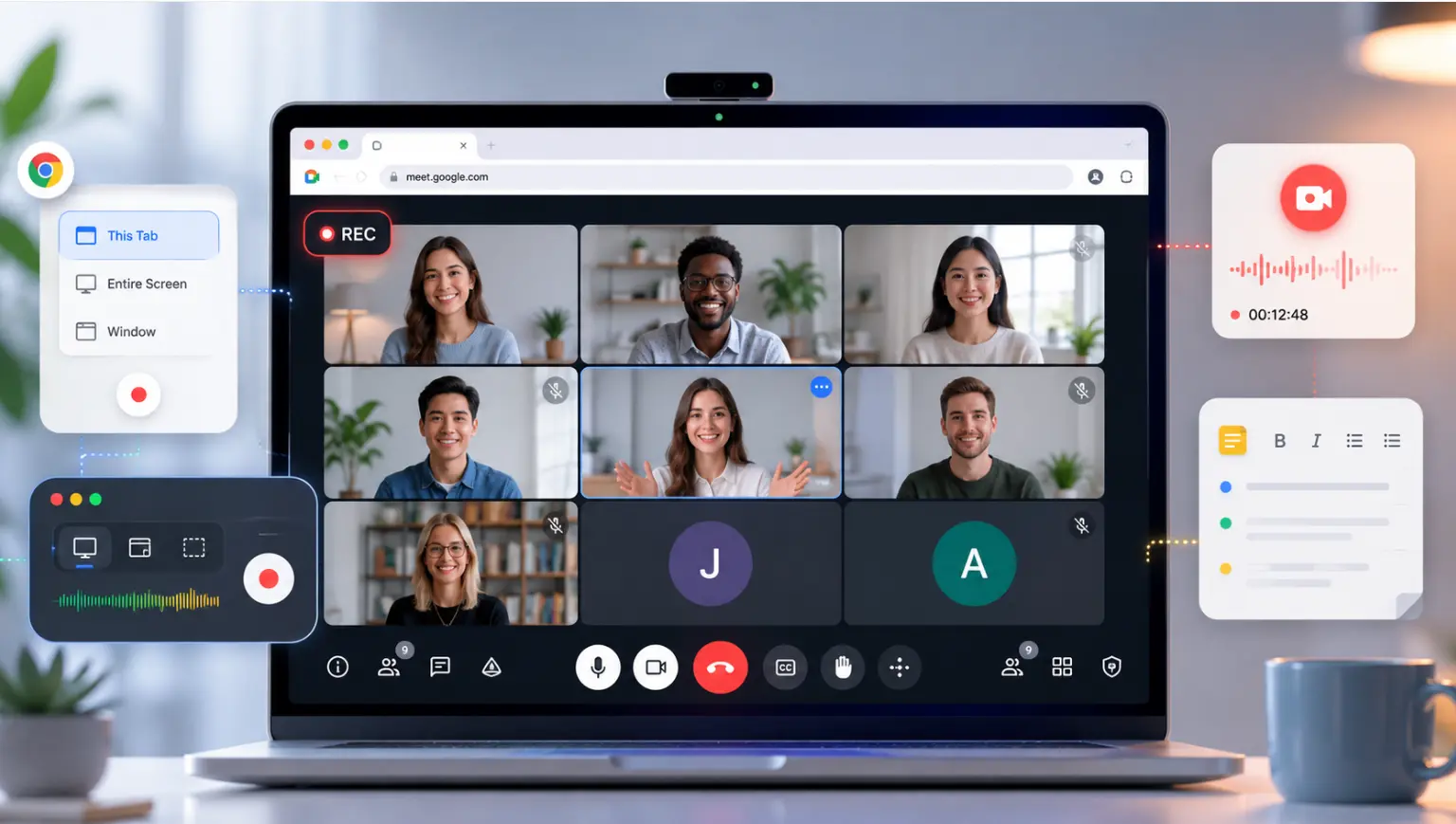
Google Meet is Google’s video conferencing platform—the equivalent of Zoom or Microsoft Teams. You use it when you need to see and hear people in real time: team standups, client calls, all-hands meetings, or interviews.
Google Chat is a persistent messaging platform—the equivalent of Slack. You use it for ongoing conversations, quick questions, file sharing, and project coordination that doesn’t require a live call.
They’re designed to work together, not replace each other. You can launch a Google Meet call directly from a Google Chat conversation with one click.
Google Meet: Features, Pricing, and Best Use Cases
What Google Meet Does
Google Meet is a video conferencing tool built into Google Workspace. Key capabilities include:
-
HD video and audio — AI-powered noise suppression filters out background sounds; automatic video quality adjustment adapts to your network speed
-
Live captions — Real-time speech-to-text for accessibility and comprehension, available in multiple languages
-
Screen sharing — Share your full screen, a single window, or a browser tab
-
Google Calendar integration — Meet links are automatically generated when scheduling meetings in Calendar
-
No app download required for guests — Anyone with a meeting link can join from a browser
-
Gemini AI features (paid) — Meeting summaries, transcripts, and action items on Business Standard and above
Google Meet Pricing (2026)
Google Meet’s free tier is available to anyone with a Google account and includes:
-
Up to 100 participants per meeting
-
60-minute limit for group calls (3+ people); unlimited duration for 1-on-1 calls
-
Screen sharing and live captions
-
No recording capability
Paid Google Workspace plans unlock recording, longer meetings, higher participant limits (up to 1,000), noise cancellation, and Gemini AI summaries. Business tiers start at $7 per user per month (Business Starter, annual commitment).
When to Use Google Meet
-
Scheduled team meetings, standups, and retrospectives
-
Client calls, demos, or presentations
-
All-hands meetings or company-wide announcements
-
Job interviews or onboarding sessions
-
Any situation where real-time face-to-face interaction matters
Google Chat: Features, Pricing, and Best Use Cases
What Google Chat Does
Google Chat is a persistent messaging and collaboration platform. Key capabilities include:
-
Direct messages — One-on-one or group messaging with rich formatting, emoji reactions, and file sharing
-
Spaces — Persistent channels where teams collaborate on ongoing projects, share files, and track tasks; similar to Slack channels
-
Threaded conversations — Inline reply threads keep specific discussions organized without cluttering the main stream
-
Google Workspace integration — Docs, Sheets, and Slides can be edited directly within a Chat conversation without switching apps
-
Task assignment — Assign tasks to teammates from within a Space; tasks sync with Google Tasks
-
Gemini AI in Chat — Summarize long threads, surface action items, translate messages, and draft replies using Gemini (paid plans)
Google Chat Pricing (2026)
Google Chat is free for anyone with a Google or Gmail account. The free version includes direct messaging, Spaces, and basic file sharing. Advanced features—including Gemini AI assistance, enhanced admin controls, and compliance features—require a Google Workspace subscription, starting at $7 per user per month.
When to Use Google Chat
-
Ongoing team coordination and project updates
-
Quick questions that don’t need a scheduled call
-
Sharing and collaborating on documents asynchronously
-
Managing project threads with file history and task tracking
-
Replacing email for internal communication
Google Meet vs Google Chat: Head-to-Head Comparison
|
Feature |
Google Meet |
Google Chat |
|---|---|---|
|
Primary use |
Video conferencing |
Team messaging & collaboration |
|
Real-time video |
Yes |
No (can launch a Meet call) |
|
Persistent messaging |
In-meeting chat only |
Yes — full message history |
|
Free tier |
Yes — 100 participants, 60-min group limit |
Yes — messaging and Spaces |
|
Meeting recording |
Paid plans only |
N/A |
|
File collaboration |
Screen sharing only |
Full in-chat doc editing |
|
Async-friendly |
No |
Yes |
|
Gemini AI features |
Summaries, transcripts (paid) |
Thread summaries, drafts (paid) |
|
Best for |
Scheduled live meetings |
Ongoing team coordination |
When to Use Meet vs Chat (Decision Guide)
The choice usually comes down to one question: does this need to happen live?
If yes — use Google Meet. If the conversation requires real-time back-and-forth, visual presence, or screen sharing, a Meet call is the right tool.
If no — use Google Chat. If you need to share information, ask a question, coordinate a project, or review a document, Chat handles it better and keeps everything searchable for later.
Most teams use both daily. A common workflow: coordinate in Chat, then click the Meet icon when a thread gets complex enough to warrant a call. After the call, post a summary back in Chat so the whole team stays aligned.
What Google Meet and Chat Are Missing
Both tools do their core jobs well, but each has real limitations that teams run into quickly.
Google Meet’s biggest gap for teams is meeting memory. The meeting happens, maybe gets recorded, but the decision that was made in the last five minutes rarely makes it back into a document or project tracker. Meeting summaries via Gemini AI help, but they require a paid plan and don’t carry context forward to future meetings.
Google Chat’s gap is depth. Users on Capterra and G2 consistently note that compared to dedicated tools like Slack, Chat feels basic — notifications can be inconsistent, and it lacks some of the workflow integrations that power-users expect. (Capterra, 2026)
For hybrid teams where part of the group is in a conference room and part is remote, both tools have a shared blind spot: the in-room side of the conversation. The people sitting around a physical table are often harder to see and hear clearly, and none of their whiteboard work or side conversations gets captured at all.
Closing the Gap for Hybrid Teams: Vibe Bot + Vibe AI
Teams that rely on Google Meet for hybrid calls often find that the meeting produces good conversation but poor documentation. Someone takes notes, but they’re incomplete. Action items get discussed but not assigned. The context from this week’s call doesn’t inform next week’s.
Vibe Bot is a physical, in-room AI device designed to sit in the conference room alongside your Google Meet setup. It uses a 4K 360° camera and six-microphone beamforming array to capture who is speaking, track the room, and project video to remote participants — functioning as your meeting’s dedicated webcam and AI note-taker simultaneously. Unlike app-based AI notetakers that join as a guest participant, Vibe Bot captures the physical room: the side conversations, the whiteboard, the person who speaks just as the meeting ends.
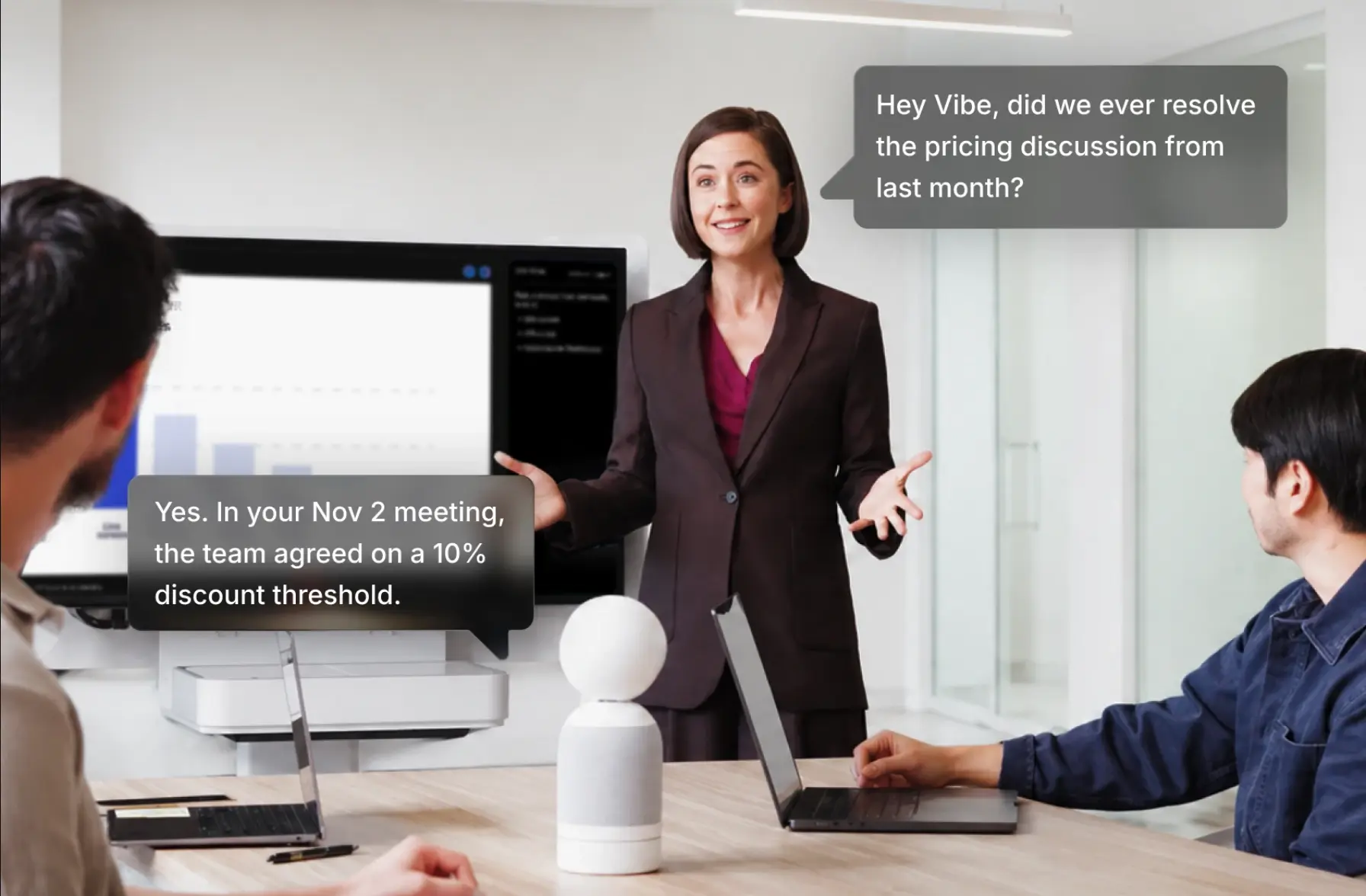
After the call, Vibe AI — the intelligence layer powered by the Vibe Memory Engine — generates structured notes, highlights decisions, and surfaces action items. Crucially, it carries context forward: when your team’s next Google Meet starts, Vibe AI can surface what was decided last time, so meetings build on each other instead of restarting from zero.
Vibe Bot supports one-tap join for Google Meet, Microsoft Teams, and Zoom, requires no computer to operate, and includes HIPAA-aligned safeguards and SOC 2 certification for teams in regulated industries.
FAQs
What is the difference between Google Meet and Google Chat?
Google Meet is a video conferencing tool for live, real-time meetings with audio and video. Google Chat is a messaging platform for text-based team communication, file sharing, and project coordination. They’re complementary tools within Google Workspace — Chat handles ongoing conversation, while Meet handles scheduled live calls. You can launch a Meet video call directly from any Chat conversation.
What replaced Google Hangouts?
Google split Hangouts into two separate tools: Google Meet replaced Hangouts Meet for video conferencing, and Google Chat replaced Hangouts Chat for messaging. Google officially shut down classic Hangouts on November 1, 2022. All Hangouts users were migrated to Google Chat, and Hangouts data was available for export until January 2023.
Is Google Meet or Google Chat free?
Both have free tiers. Google Meet’s free plan supports up to 100 participants with a 60-minute limit on group calls. Google Chat’s free version includes messaging and Spaces for anyone with a Google account. Advanced features — including meeting recording, Gemini AI summaries, and higher participant limits — require a paid Google Workspace plan, starting at $7 per user per month.
Can Google Meet replace Zoom?
For most teams already using Google Workspace, yes. Google Meet offers comparable video quality, AI noise suppression, live captions, and integrates directly with Gmail and Calendar. The free tier gives 60-minute group meetings vs. Zoom’s 40-minute limit, making it more generous at the free level. Large enterprise use cases — webinars, breakout rooms, and advanced moderation — may still favor Zoom’s feature depth on paid plans.
What is the difference between Google Meet and Google Chat for remote teams?
Remote teams typically use both: Google Chat for day-to-day async communication (questions, project updates, document reviews) and Google Meet for scheduled team meetings, video check-ins, and presentations. Neither tool is a substitute for the other — they cover different modes of work communication. Most Google Workspace teams use Chat as their primary communication layer and Meet for live meetings.
Does Google Chat have video calls?
Google Chat does not have its own built-in video calling feature. Instead, it integrates directly with Google Meet: any Chat conversation has a "Start a video call" button that opens a Meet session with the same participants. So while Chat itself is messaging-only, video is one click away through Meet.