

Sales teams are stretched thin. Between CRM updates, follow-up emails, meeting notes, and prep for the next sales presentation, actual selling time keeps getting squeezed. Many reps spend more hours managing tools than running a strong discovery call or moving a deal forward.
That’s why AI assistants have become a primary part of modern sales workflows. By 2025, nearly half of go-to-market teams were already using AI in sales, and those teams saw revenue outcomes improve by as much as 20%. AI takes on the background work that slows reps down, so they can spend more time on client-facing conversations and faster follow-through. This guide goes over how to use AI assistants in sales and the kind of solutions you can look for.
- AI assistants reduce administrative work in sales by capturing meetings, updating CRM records, and handling follow-ups automatically.
- Using AI in sales makes it easier to personalize outreach and focus on prospects that are most likely to convert.
- AI improves forecasting and coaching by analyzing real sales conversations instead of relying on rep intuition.
- The strongest impact comes from AI that supports in-person, hybrid, and client-facing sales interactions.
What is an AI Assistant?
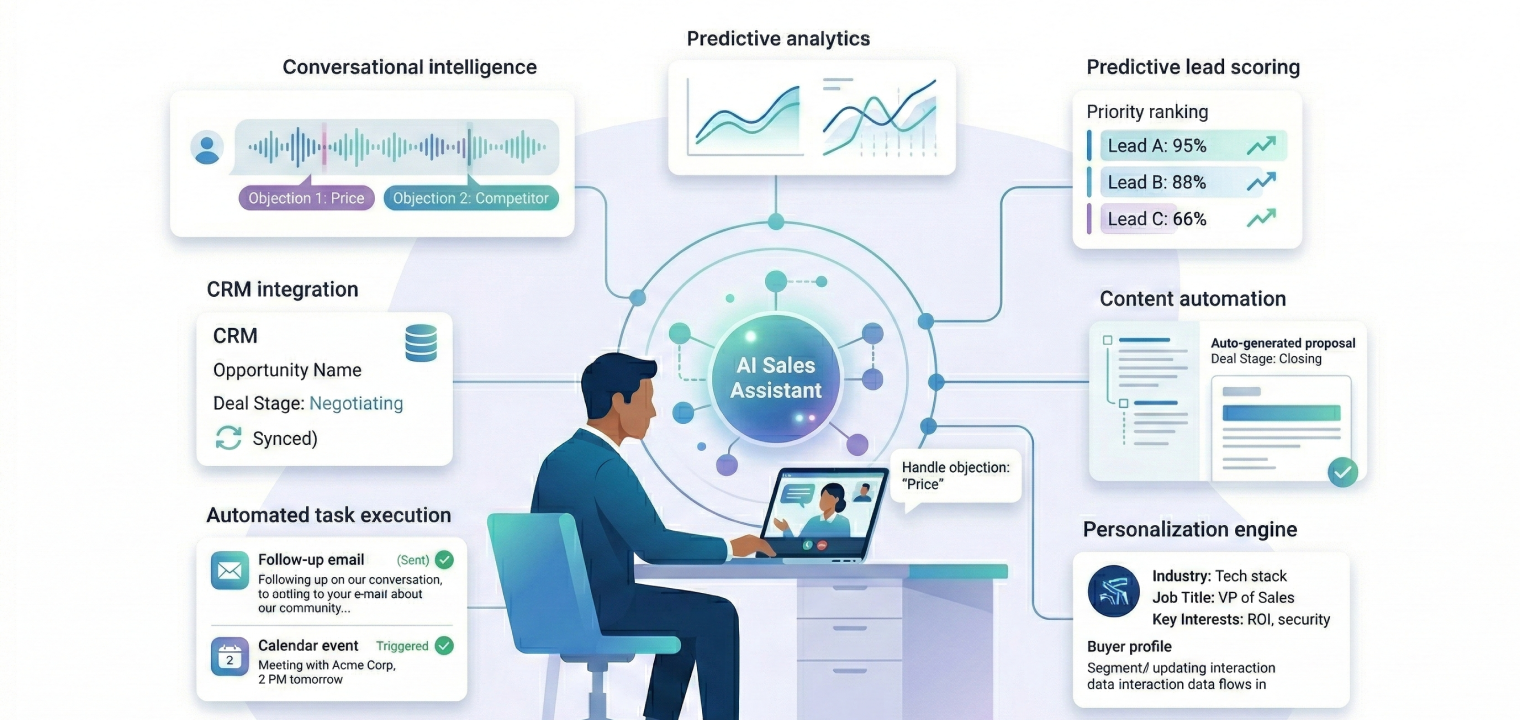
An AI assistant is software designed to observe how work actually happens, then step in to handle repetitive actions and support better decisions in real time. In sales, that means tracking conversations, understanding the history and environment, and turning raw interactions into usable information without requiring constant manual input. You can think of it as an always-on support layer that works quietly in the background while your sales representatives stay focused on buyers.
What separates sales-focused AI assistants from generic productivity tools is context. Sales AI understands deal stages, buyer intent, account history, and the flow of a sales cycle. It recognizes what matters during a business presentation or a late-stage negotiation, then responds with relevant and specific solutions.
Under the hood, these assistants rely on:
-
Conversational intelligence to interpret meetings and calls,
-
Predictive models to identify patterns across deals, and
-
Generative AI to create content that reflects real buyer needs.
For example, instead of producing generic notes, the assistant can flag budget ranges, decision timelines, and competitive mentions and map them directly to the opportunity record. Most importantly, AI assistants don’t replace sales reps. They take on the work that pulls attention away from relationship-building and strategic thinking.
How are AI Assistants Changing Sales?
AI assistants are shifting sales teams away from manual cleanup work and toward workflows that run in the background. Tasks that once required constant attention, like researching prospects, documenting meetings, logging calls, and updating CRM records, are now handled automatically as selling happens. That change compounds over time. When reps spend less energy maintaining systems, they spend more time preparing and asking better questions, and following up while interest is still high.
Below is a clear look at how common sales tasks change once AI assistants are introduced:
|
Sales Process |
Manual Method |
AI-Assisted Method |
|---|---|---|
|
Prospect research |
Manually search LinkedIn, company websites, and news for background information on each lead |
AI aggregates data from 300+ sources to build comprehensive prospect profiles with recent activities, pain points, and buying signals |
|
In-person meeting capture |
Frantically scribble notes during meetings, miss key details while talking, and reconstruct action items from memory afterward |
AI device captures full conversations with speaker identification, generates structured transcripts with decisions and action items, then auto-assigns tasks to team members |
|
Outbound calling |
Dial numbers one-by-one, navigate phone trees manually, leave voicemails, and log call outcomes separately |
AI parallel dials multiple numbers, detects voicemails vs. live answers, auto-navigates menus, and logs call data instantly |
|
CRM data entry |
Manually type notes, update opportunity stages, enter contact details, and log every interaction |
AI extracts key information from emails and calls to auto-populate fields, update records, and maintain data accuracy without manual input |
|
Competitive intelligence |
Search for competitor mentions during calls, remember talking points, and create responses on the spot |
AI detects competitor names in real-time during conversations and surfaces battle cards, differentiation points, and objection responses instantly |
|
Sales coaching |
Managers listen to call recordings sporadically and provide feedback in 1:1s based on memory |
AI analyzes 100% of conversations to score performance, identify patterns from top reps, and deliver personalized coaching insights at scale |
|
Follow-up sequences |
Remember to send follow-ups manually, track responses in the inbox, and determine timing based on guesswork |
AI automatically triggers multi-touch sequences across email, LinkedIn, and SMS with optimal timing based on engagement patterns |
This table highlights how AI assistants streamline the traditional sales process by automating repetitive tasks and ensuring greater accuracy and efficiency.
Key Features to Look for in AI Sales Assistants
Not all AI sales tools are built for the way sales teams actually work. Some focus on analytics dashboards that rarely get opened, while others tend to add complexity without removing roadblocks. The tools that deliver value are the ones that reduce day-to-day time for consumers and make a difference in active sales workflows. When evaluating options, look for features that directly affect rep productivity and deal movement rather than surface-level automation, such as:
-
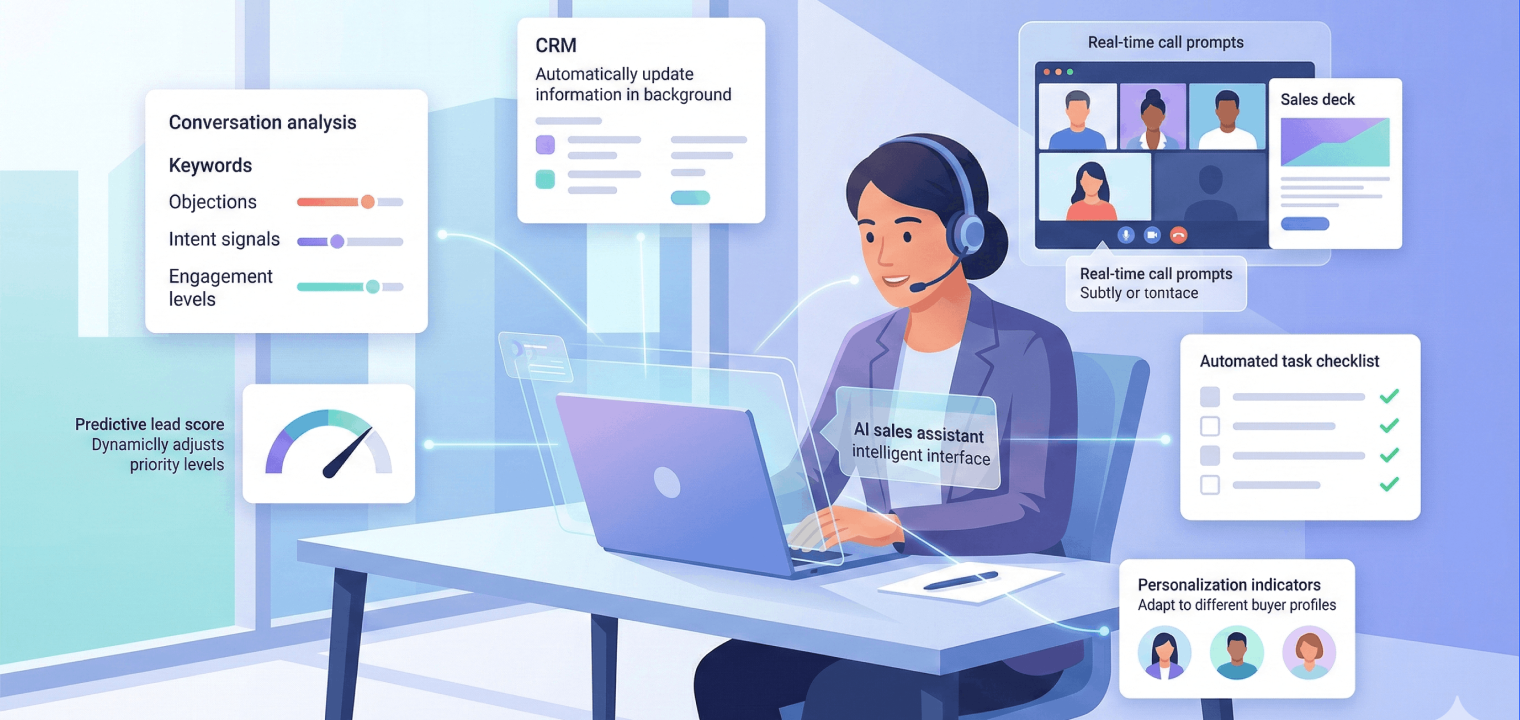
Conversational intelligence: Sales conversations get analyzed for intent, objections, and engagement patterns, which gives managers real coaching material and helps reps improve faster.
-
Seamless CRM integration: Updates happen automatically in the background, so opportunity records stay current without forcing reps to stop and type notes.
-
Predictive lead scoring: Rather than static rules, machine learning models adjust priorities based on what actually converts for your team.
-
Content automation: The right sales deck or proposal surfaces when it’s needed, already tailored to the deal stage and buyer profile.
-
Customizable personalization: Instead of generic playbooks, the system adapts to how your team sells and who you sell to.
-
Real-time call assistance: Live prompts appear during calls when pricing questions, objections, or competitor mentions come up.
-
Automated task execution: Follow-ups, scheduling, and record updates happen without manual handoffs.
The strongest sales teams often combine a small number of tools that do these things well, rather than relying on a single platform that claims to do everything.
8 Strategies for Using AI Assistants in Sales
The strategies below focus on practical use cases that teams can put into motion quickly, often seeing measurable improvements within the first 30 to 60 days. These approaches work across industries and team sizes because they support how sales actually happen, whether applied to SMB or enterprise organizations.
1. Automate Meeting Documentation and Follow-Ups
Sales meetings move fast, and manual note-taking pulls attention away from the conversation. When a rep is trying to write everything down, they often miss a buying signal or a good moment to ask a sharper question. And after the calls, it’s incredibly difficult to reconstruct the things you missed from memory or prevent delays.
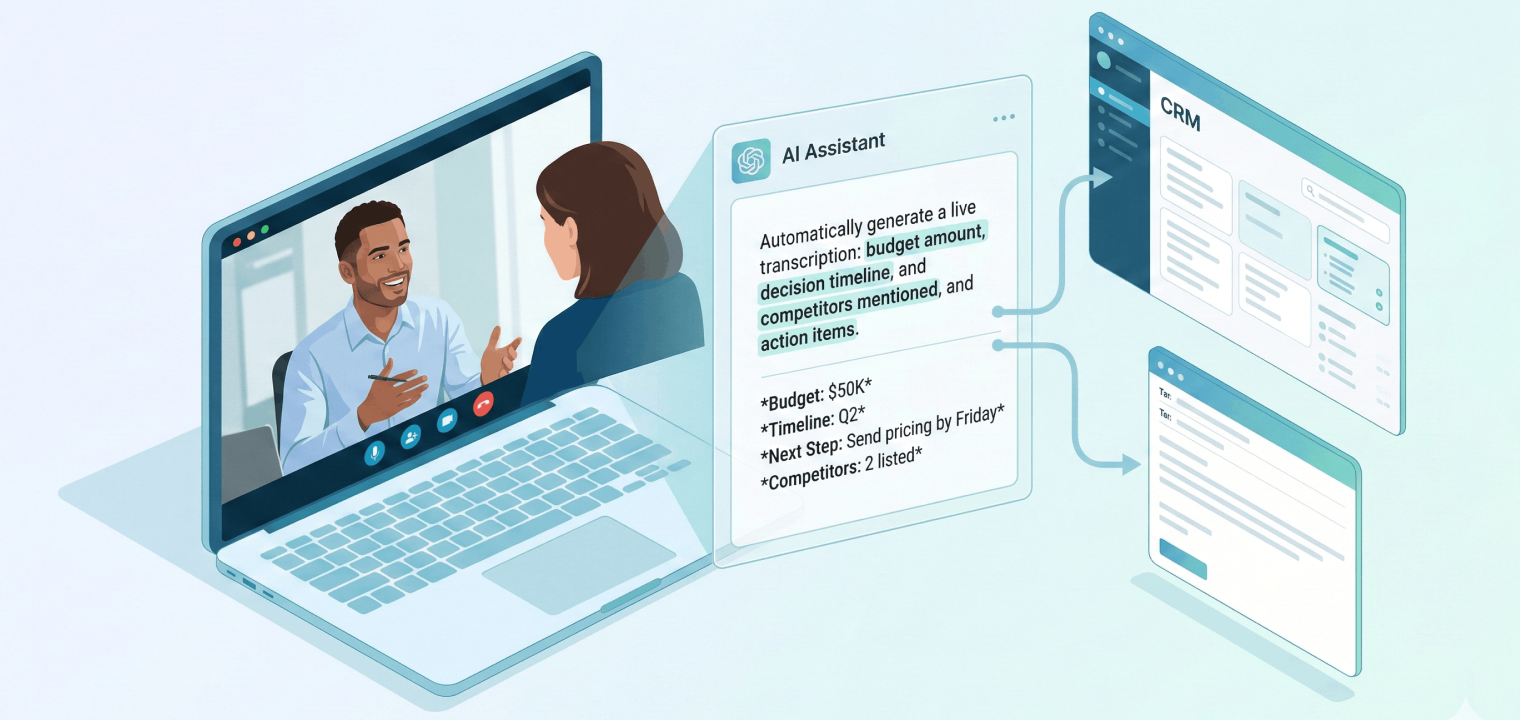
AI assistants change that by capturing the meeting as it happens. Conversations are transcribed, key decisions and objections are identified, and action items are pulled out with owners attached. After a discovery call, the summary can reflect a $50K budget range and a Q2 decision timeline, along with any competitors mentioned and the agreed next action to send pricing by Friday. That information flows straight into a follow-up email and the CRM without extra work. That summary can be shared internally and turned into a follow-up email without starting from scratch.
The impact shows up in timing and accuracy. Reps stay focused during the conversation, and buyers receive a clear recap while the discussion is still top of mind.
2. Personalize Sales Outreach at Scale
Most sales teams know generic outreach underperforms, but personalization has traditionally been slow and hard to sustain. Reps either spend too much time researching each prospect or fall back on templates that barely change beyond a first name. As volume increases, quality usually drops.
AI assistants make personalization practical by pulling context together automatically. They analyze role, company size, recent activity, and prior interactions, then draft outreach that reflects what the prospect actually cares about. A message to a VP of Sales at a growing SaaS company can reference recent hiring activity and pipeline pressure, while outreach to a retail operations leader might focus on in-store performance and seasonal demand. The rep still reviews and sends the message, but the heavy lifting is already done.
This approach keeps outreach relevant without slowing teams down. Reps can reach more prospects while still sounding informed, which leads to higher response rates and better conversations once buyers engage.
3. Implement Intelligent Lead Scoring and Routing
Sales teams lose an enormous amount of time chasing leads that were never a good fit to begin with. Manual scoring models rely on surface-level rules like job title or company size, which don’t reflect how deals actually convert. As a result, strong opportunities sit untouched while reps spend time on accounts that were unlikely to move forward.
AI assistants approach lead scoring differently by learning from real outcomes. They analyze historical wins and losses, engagement patterns, response behavior, and firmographic signals to adjust scores automatically. When a prospect’s activity spikes or intent signals change, routing updates in real time so the right rep can step in quickly. High-intent leads get attention sooner, and low-quality ones stop clogging the pipeline.
This shifts prioritization from guesswork to evidence. Reps focus their time where it has the highest chance of paying off, managers get a clearer picture of pipeline health, and deals move faster because the best opportunities aren’t buried under noise.
4. Leverage Real-Time Conversation Intelligence
Sales calls don’t pause when a prospect brings up a competitor or pushes back on pricing. In those moments, even experienced reps can hesitate or default to safe, generic answers. That hesitation can change the tone of the conversation and stall momentum.
AI assistants listen to live calls and react as those moments happen. When a competitor name comes up, relevant positioning notes appear. When pricing questions come up, the rep sees guidance that reflects how similar objections were handled successfully in past deals. After the call, the assistant reviews talk patterns and highlights moments where the rep dominated the conversation or leaned too heavily on features.
Over time, this creates tighter, more persuasive conversations. Reps get support exactly when it’s needed, and coaching becomes grounded in what actually happened rather than hypothetical scenarios.
5. Generate Sales Content on Demand
Reps lose hours searching for the right sales deck, waiting on marketing tweaks, or editing old proposals that were never built for the current buyer. That delay often pushes follow-up out by days, even when interest is high.
AI assistants shorten that gap by generating content directly from the deal context. Using CRM data, the assistant can draft proposals, outline sales pitch decks, or assemble ROI summaries tailored to the buyer’s industry and company size. For a retail prospect, that might mean highlighting store-level use cases and pricing aligned to location count. For a SaaS buyer, the focus shifts to pipeline impact and integration speed.
6. Automate CRM Data Entry and Updates
Manual CRM updates are one of the most disliked parts of sales, and they’re often rushed or incomplete. When data entry happens at the end of a long day, important details slip through, and reporting suffers.
AI assistants capture information directly from emails and conversations. Budget ranges, decision timelines, stakeholder names, and objections discussed are pulled into the right fields automatically. Opportunity stages update based on real activity rather than reminders.
This leads to cleaner data without extra effort. Forecasts improve, and managers can actually trust what they’re seeing.
7. Use Predictive Analytics for Forecasting
Traditional forecasts rely heavily on rep confidence and static pipeline math. That approach struggles when dealing with behavior changes or buying cycles that stretch unexpectedly.
AI assistants analyze pipeline movement continuously. They factor in engagement levels, deal velocity, past outcomes, and timing patterns to adjust projections as deals evolve. When activity drops or stalls, the forecast reflects that shift early so that you don’t have to wait for end-of-quarter surprises. In other words, sales leaders gain a clearer view of what’s likely to close, and teams can adjust strategy sooner rather than reacting too late.
8. Streamline Team Handoffs with Smart Summaries
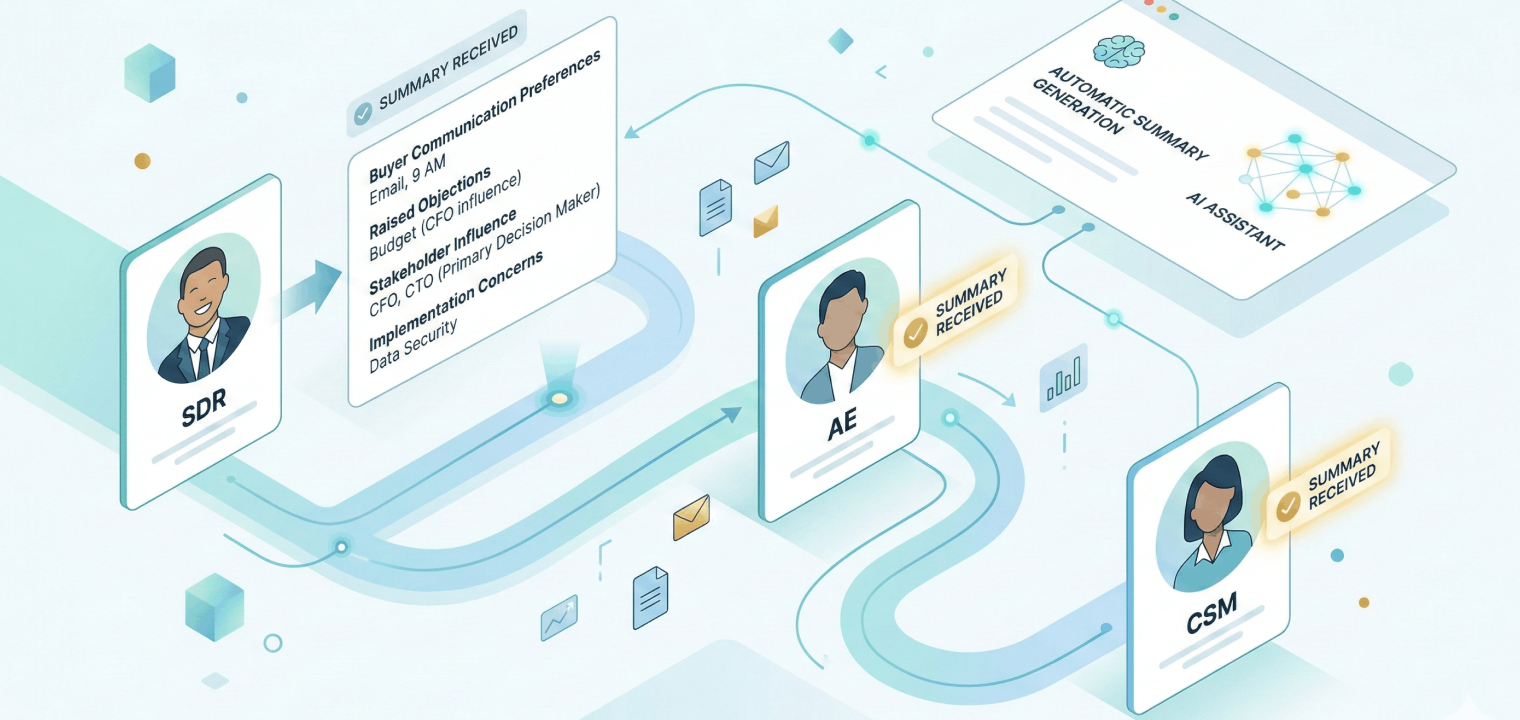
Handoffs are a notorious sticking point in sales. When an opportunity moves from SDR to AE or from AE to customer success, it can feel impossible to transplant the nuances of conversations to the next team mate.
To help, AI assistants generate structured handoff summaries that travel with the deal. These summaries capture how the buyer prefers to communicate and what objections have already been raised. You might even have information about which stakeholders influence the decision. An AE stepping into a new opportunity can see that the prospect needs ROI justification for the CFO or has concerns about implementation timing, and then ensure that those needs are met.
Such effective handoffs are best for both teams and buyers. Conversations pick up where they left off, and every party knows what to expect.
Common Challenges When Implementing AI Sales Assistants (And How to Avoid Them)
Even with the assistance of AI, there are still challenges to consider and work to overcome. Here’s what you should be aware of.
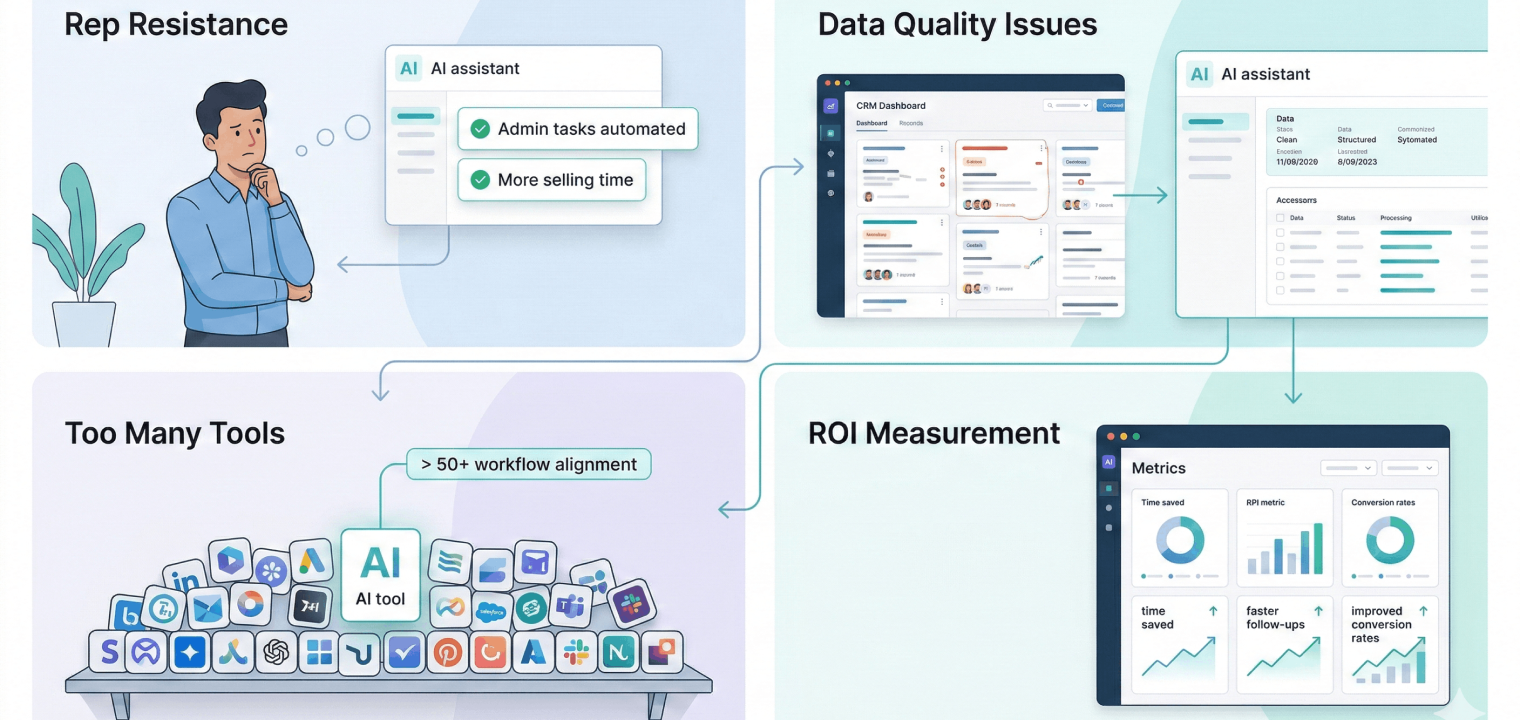
Rep Resistance ("AI Will Replace Me")
Sales reps worry that AI tools are designed to monitor performance or phase humans out entirely, which leads to low adoption and surface-level usage. When that happens, even strong tools fail to deliver value.
The fix is framing and proof. Position AI as a way to cut admin work and protect selling time, then show concrete outcomes like faster follow-ups and higher close rates. Teams that see AI taking work off their plate adopt it faster and use it more consistently.
Data Quality Issues
AI outputs reflect the data they’re trained on. When CRM records are incomplete, outdated, or fragmented, your data becomes unreliable, and forecasts lose credibility. Many teams blame the AI when the real issue is poor underlying data.
Before you start using AI sales assistants, first make sure your data is clean. Make certain that everyone is filling out the necessary information in the right places, and don’t let sales reps move a deal forward until the basic required data is entered. The AI can then take over and fill in extra details. It’s more important to keep checking your data quality regularly than to try and fix everything all at once.
Choosing Between 50+ Tools
The sales AI market is crowded, and feature lists make everything sound interchangeable. Teams often choose tools based on broad capabilities instead of how well they support real workflows, which leads to shelfware.
Begin with your biggest time sink. Map the moments where deals slow down, then evaluate tools using real scenarios and live data. If a demo doesn’t match how your team sells, it won’t stick.
ROI Measurement
Without clear metrics, AI initiatives lose steam quickly. Leaders struggle to justify spending, and teams revert to old habits when impact isn’t visible.
Set baselines before launch and track a small set of metrics tied to your use case. Time saved, response rates, and conversion improvements usually show movement within the first two months when AI is applied correctly.
Examples of AI Assistants and Tools Perfect for Sales
Sales teams rarely rely on a single AI tool. Most build a small stack that covers different moments in the sales process, from meetings to outreach to coaching. The tools below stand out because they solve specific problems well and fit naturally into existing workflows.
Vibe Bot and AI
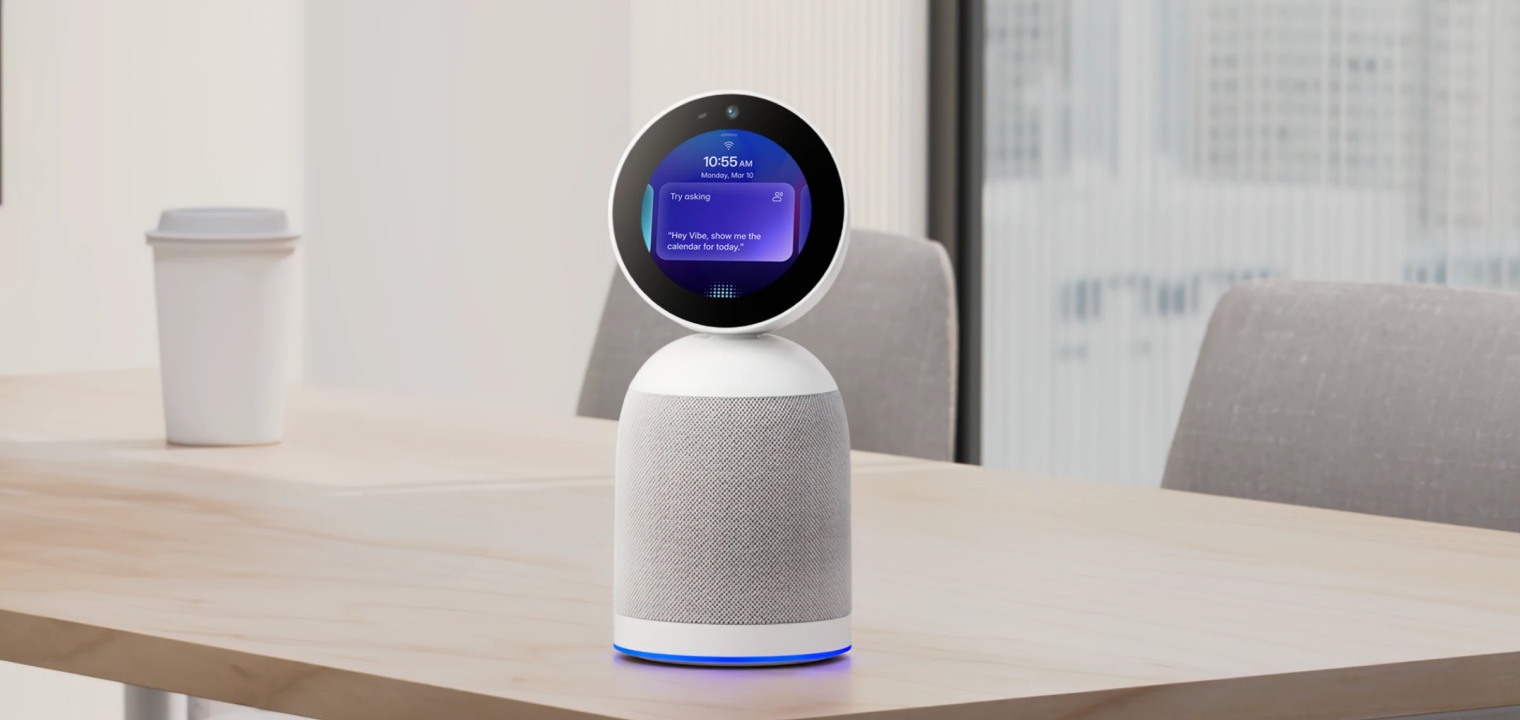
Vibe Bot focuses on a part of sales most AI tools overlook: in-person and hybrid meetings. It lives in the meeting room, captures multi-person conversations with far-field microphones, and turns them into structured transcripts with clear action items.
Reps can assign tasks or set follow-ups using voice commands without breaking the flow of a client-facing conversation. It’s especially useful for field sales, showroom demos, trade shows, and hybrid offices where not every important discussion happens on Zoom.
Salesforce Einstein
Salesforce Einstein brings AI directly into the CRM. It supports lead scoring, opportunity insights, and automated data capture based on historical win patterns. This works best for teams already deep in Salesforce that want AI support across the full sales lifecycle.
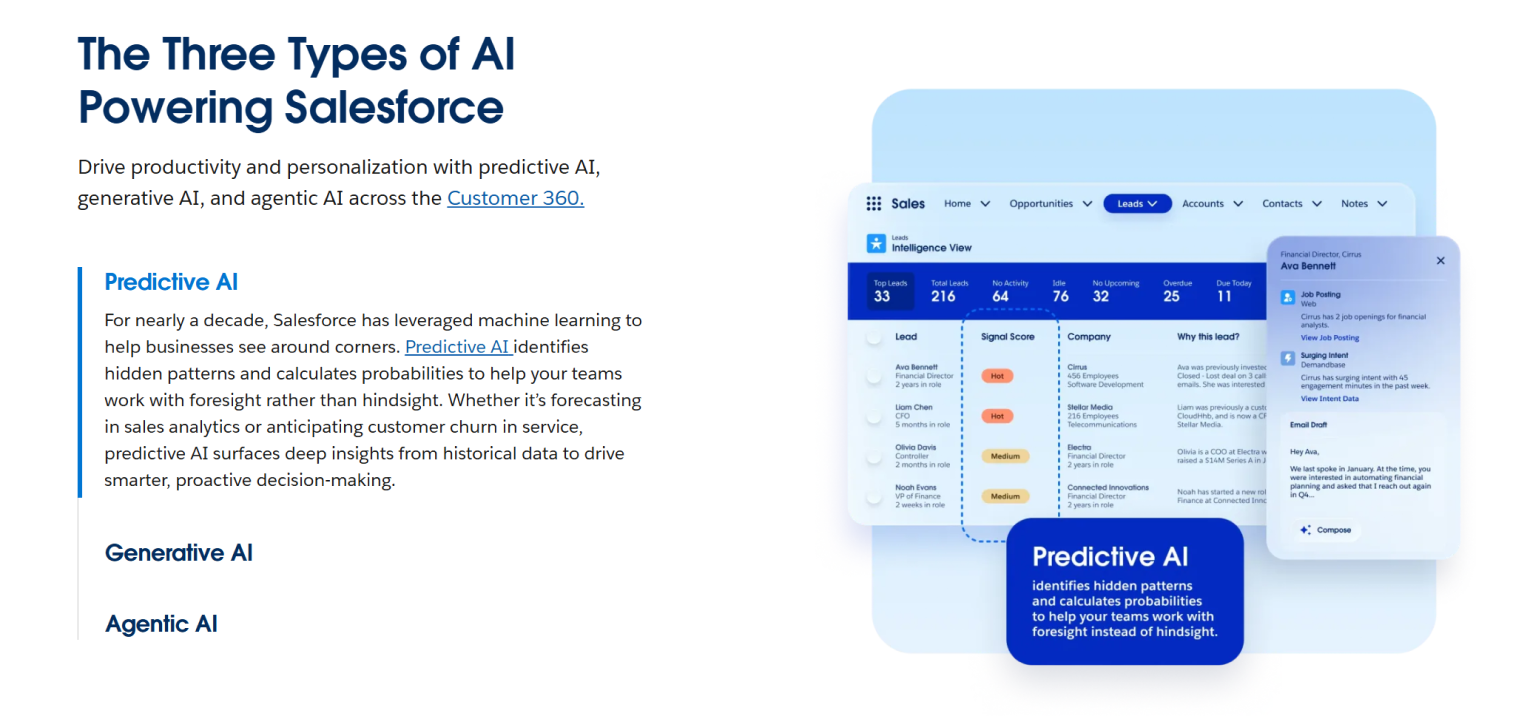 Screenshot of Salesforce Einstein highlighting Predictive AI for intelligent lead scoring and sales forecasting.
Apollo.io
Apollo.io combines prospect data with AI-powered outreach. High-performing teams use it to find leads, enrich profiles, generate personalized sequences, and track engagement in one place. It’s a strong fit for outbound-heavy sales motions.
Dialpad Sell
Dialpad Sell is built for phone-based sales teams. It offers live transcription, sentiment analysis, and real-time prompts during calls, then turns conversations into coaching insights for managers. It’s ideal for inside sales teams, call centers, and SDR organizations where phone conversations drive the majority of the pipeline.
Humantic AI
Humantic AI helps reps adapt their team communication style to individual buyers. Analyzing digital profiles offers guidance on how to tailor messaging for different personality types in complex deals. This is especially valuable for complex B2B sales with multiple stakeholders, where adapting communication style can significantly improve win rates.
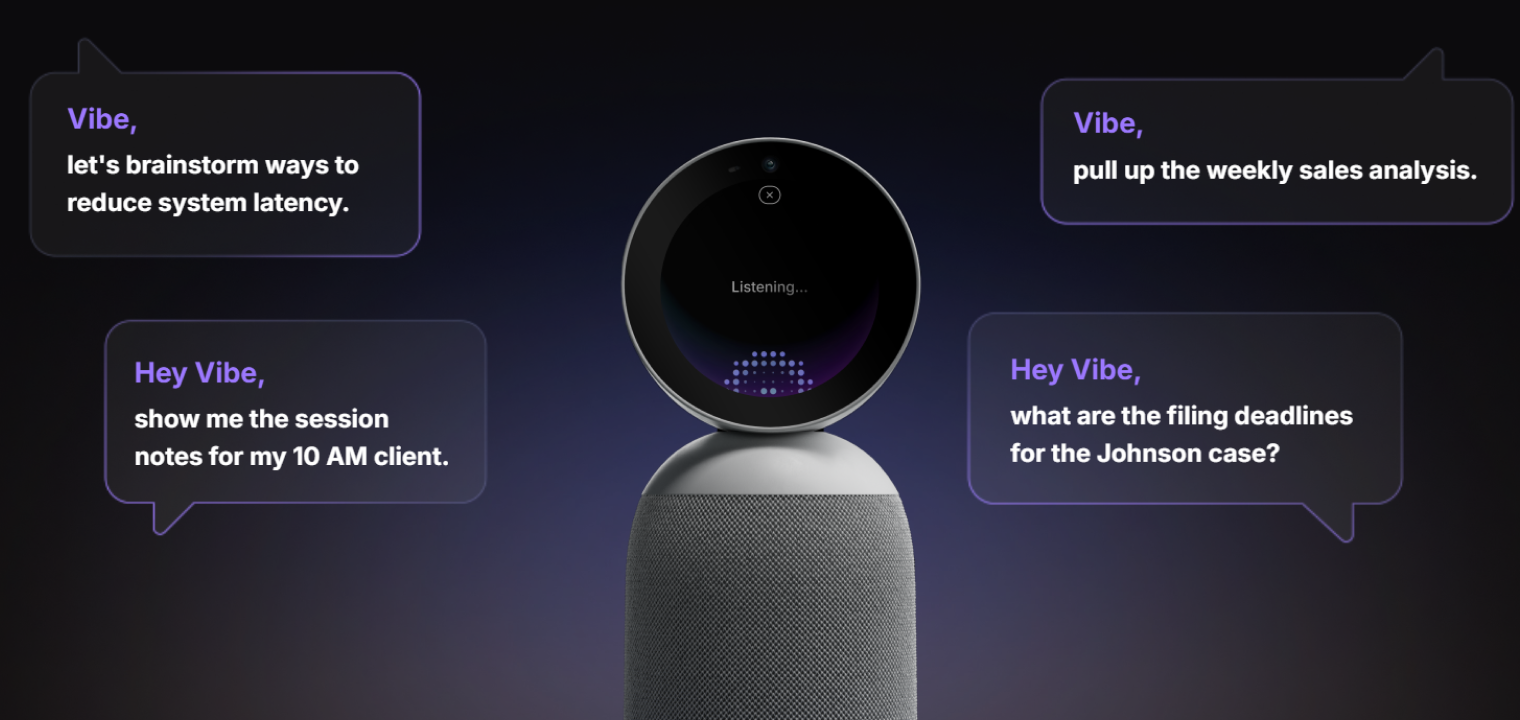 Vibe Bot, a 360° meeting device that captures the room and delivers live notes, summaries, and action items.
Why In-Person Meetings Need Different AI
In-person sales conversations convert at a much higher rate (34 times more) than digital-only outreach, yet most AI sales tools only capture what happens on video conference calls. That leaves a major blind spot. Important information from conference rooms, huddle rooms, and hybrid meetings never makes it into the system, even though those conversations often shape buying decisions.
This is where Vibe Bot stands apart. It’s built for the smart meeting room and works as a standalone device with its own operating system, so there’s no laptop juggling or complex setup. Vibe Bot captures face-to-face and hybrid conversations with strong microphone pickup, produces real-time transcripts, and turns discussions into summaries with assigned action items.
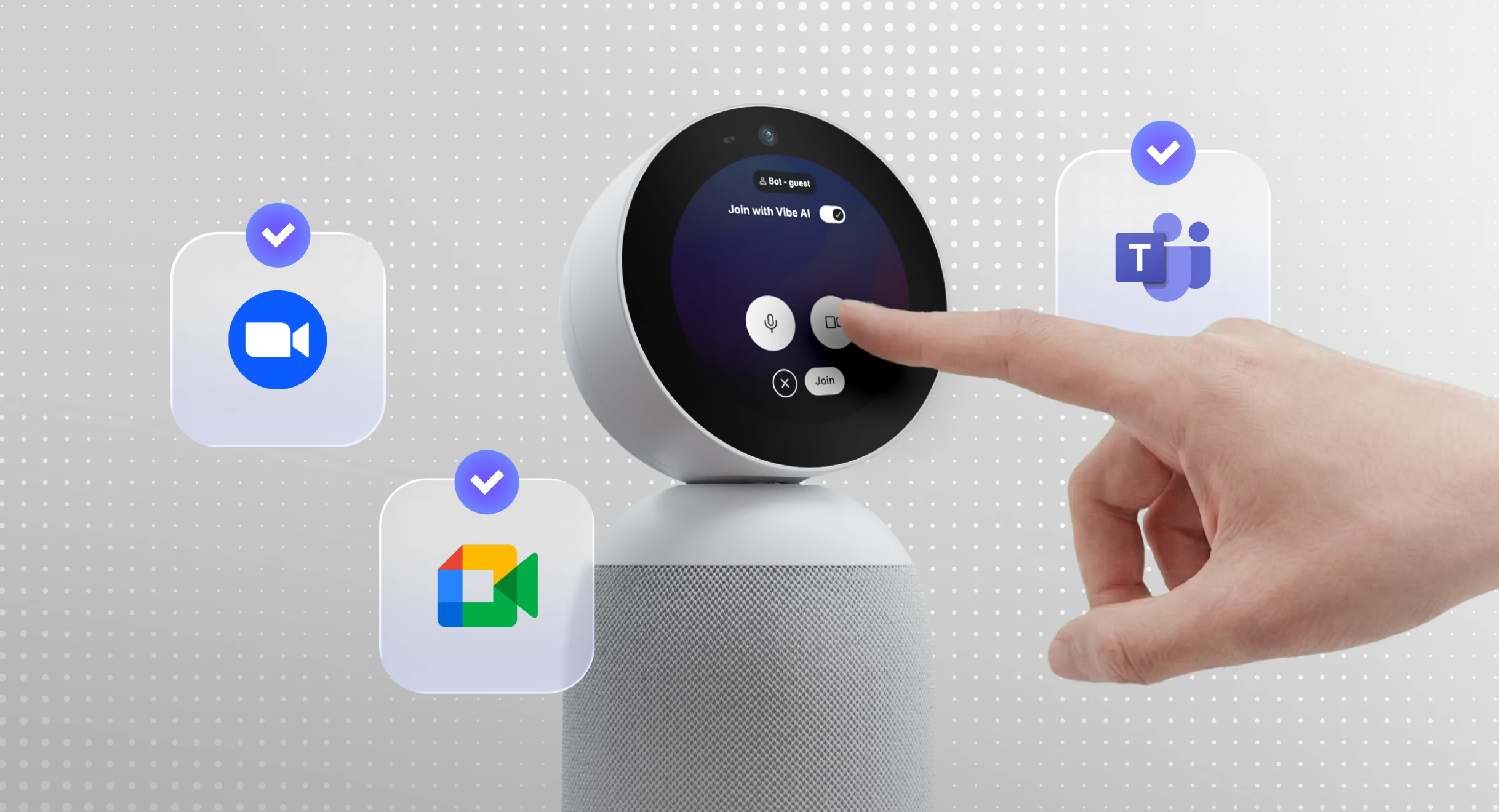
Voice commands let reps set follow-ups or log decisions without interrupting the flow of a client presentation. One-tap join with Zoom, Google Meet, and Microsoft Teams makes it just as useful for hybrid meetings as fully in-person ones.
To see how this fits into a smarter workspace, schedule a demo to experience it firsthand.
AI Assistants in Sales FAQs
Can AI close deals and generate sales?
AI doesn’t make deals on its own—it isn’t the only sales closing technique. But it directly supports the actions that lead to closed deals. It helps reps respond faster, stay organized, and handle objections more effectively during real sales conversations.
Is AI replacing human sales reps?
No. AI handles administrative work and finds helpful insights for you, while reps stay responsible for relationship-building and decision-making. Teams using AI typically spend more time selling, not less.
What is the 30% rule with AI?
The 30% rule refers to the idea that AI can reduce time spent on non-selling tasks by roughly a third. For most sales teams, that reclaimed time shows up in faster follow-ups and better deal coverage.