Manufacturing facilities run three distinct visualization jobs across three zones: collaboration in conference rooms, broadcast on the plant floor, and passive viewing in break rooms and training areas. Understanding the difference between interactive display vs digital signage vs TV for manufacturing environments prevents costly procurement mismatches. The wrong device in the wrong room creates unnecessary hardware costs.
The global interactive flat panel display (IFPD) market reached $14 billion in 2025. It is projected to grow to $28.8 billion by 2035 at a 7.4% compound annual growth rate, according to Global Market Insights, 2026. That growth reflects a real shift in how manufacturing teams communicate.
- Interactive displays, digital signage, and commercial TVs solve different problems — the space determines the right category
- Consumer TVs are rated for 4-6 hrs/day; commercial signage displays handle 16-24 hrs/day at 2-6× higher brightness
- Conference rooms and engineering review sessions need interactivity — a display that cannot be touched or annotated is a passive screen
- Digital signage belongs on the plant floor: safety alerts, KPI dashboards, and production status running 24/7
- Interactive displays with on-board compute eliminate the TV-plus-laptop-plus-conferencing-bar hardware stack
The Problem: What Happens When the Wrong Display Goes Into the Wrong Space
Deploying the wrong display category creates measurable friction in manufacturing operations. A consumer TV installed in a tiered meeting room, for example, eliminates annotation capability during production reviews. Similarly, digital signage placed in a huddle room wastes collaborative potential and is significantly more expensive to deploy than an equivalent interactive display. Conversely, an interactive display tasked with 24/7 broadcasting on the plant floor fails prematurely. Its panel is not rated for continuous operation.
The cost of these mismatches compounds quickly. In 2026, Jabra found that enterprises lose $130 million per year per company in wasted meeting time and technology failures. While that figure covers all enterprise meeting types, manufacturing operations, where shift handoffs and production reviews run on fixed schedules, are especially exposed to display failures that block timely information flow. When a display fails during a shift handoff or a production status update, the downstream impact is immediate, and expensive.
Unplanned downtime costs the world’s 500 largest manufacturers an estimated $1.4 trillion per year, 11% of total revenues, per Siemens, True Cost of Downtime 2024. Automotive plants alone average $2.3 million per hour when a line stops. A display that cannot show the right information at the right time adds to that exposure.
What Each Category Actually Is
The three screen categories have fundamentally different design intents. Understanding those differences keeps specifications aligned with the operating environment.
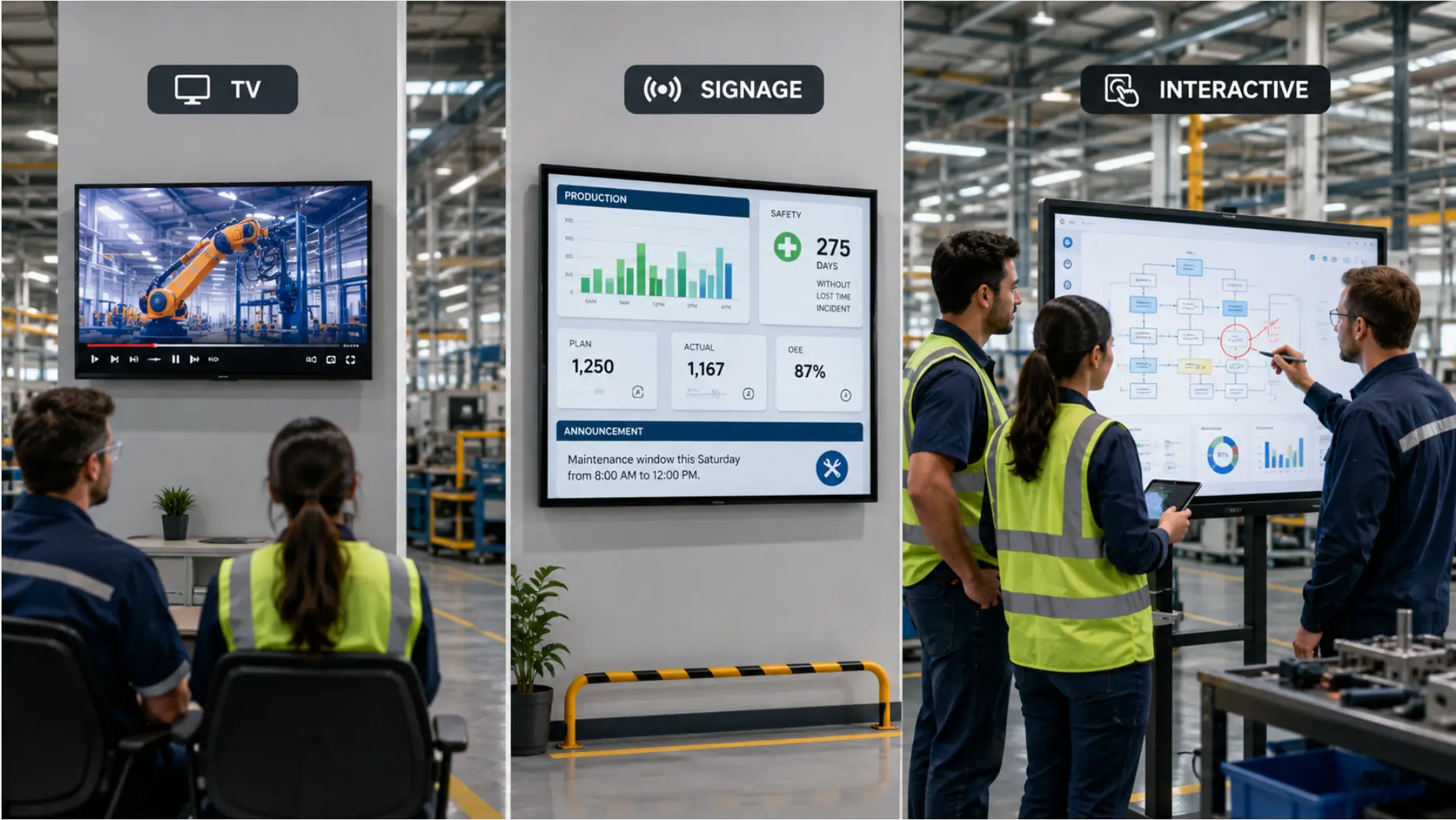 TV vs. digital signage vs. interactive display
Interactive Flat Panels (IFPDs)
Interactive flat panel displays are large touchscreens designed for active collaboration. Users can walk up to the screen, open a digital whiteboard, and annotate over schematics. They can also run a video conference and switch between input sources, all without connecting an external laptop. Most IFPDs ship with an on-board operating system such as Chrome OS or Windows. This allows native app installation and direct file storage.
IFPDs typically deliver 350-450 nits of brightness. That’s sufficient for indoor conference rooms and engineering review spaces where ambient lighting is controlled. Manufacturers design these panels for 8-16 hours of daily active use, not continuous broadcasting. This makes them unsuitable for 24/7 plant floor deployment.
Digital Signage Displays
Digital signage screens are purpose-built for continuous broadcast. These panels feature 16-24 hours of rated daily operation. Brightness levels range from 500 to 2,500+ nits. The higher brightness enables visibility in high-ambient-light environments. Think factory floors, loading docks, and outdoor covered areas.
Digital signage displays do not include on-board touch capability by default. Some models support add-on touch overlays for kiosk applications. However, the experience is not equivalent to a purpose-built IFPD.
Commercial TVs
Commercial TVs occupy the middle ground. They offer better durability than consumer televisions. Commercial signage panels are rated for 50,000+ hours of operation, compared to roughly 15,000 hours for consumer models, per Samsung QM-Series Commercial Display Specifications and AG Neovo, 2025. They also include commercial warranties, typically three or more years, and support basic signage features such as scheduled power on/off.
Commercial TVs work well for break rooms, training spaces, and passive viewing areas. In these spaces, staff watch content but do not interact with it.
Head-to-Head Comparison Table
The table below compares the three categories across five dimensions that matter in manufacturing environments.
|
Spec |
Consumer TV |
Digital Signage |
Interactive Display (IFPD) |
|---|---|---|---|
|
Daily duty cycle |
4-6 hrs |
16-24 hrs |
8-16 hrs |
|
Brightness (nits) |
200-350 |
350-2,500+ |
350-450 |
|
Touch/interactive |
No |
Optional (kiosk) |
Yes (20-point IR) |
|
Typical lifespan |
~15,000 hrs |
50,000-60,000 hrs |
50,000+ hrs |
|
Warranty |
1 year |
3+ years |
1-3 years |
|
On-board compute |
Consumer OS |
No / CMS player |
Full OS (Chrome OS / Windows) |
Sources: AG Neovo 2025; manufacturer specifications.
Interactive Display vs Digital Signage vs TV for Manufacturing Spaces
Space-first thinking resolves the buying decision. Each of the three primary manufacturing spaces maps to one display category.
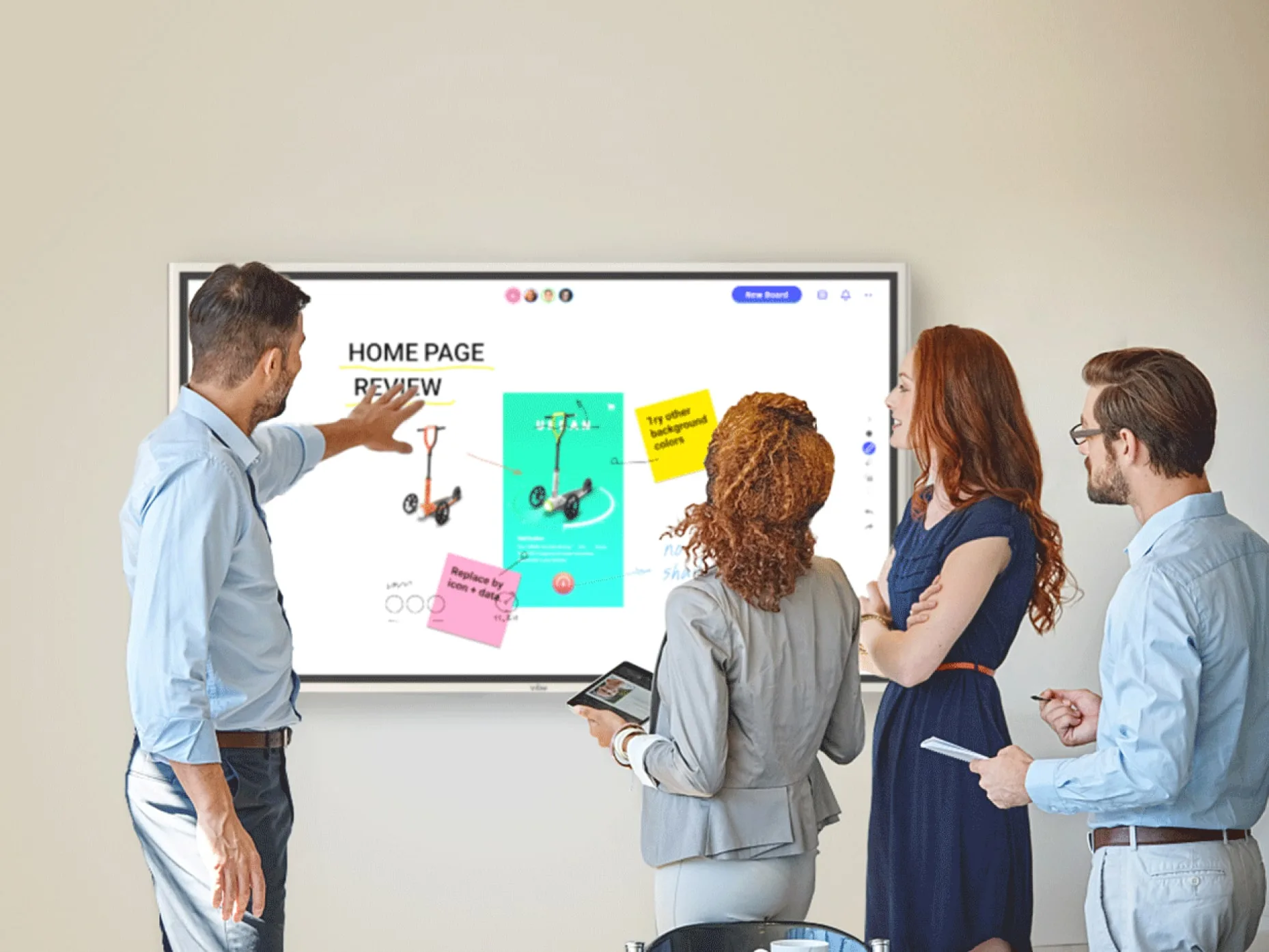
Conference Rooms and Engineering Review Spaces: Interactive Display
Tiered daily meetings, engineering change order reviews, and cross-functional production planning sessions require interactivity. During these sessions, participants pull up schematics, annotate over production diagrams, and run video conferences with remote stakeholders. The advantage is structural: annotation is live, notes save on-device automatically, and the display runs the video conference and the whiteboard in the same session. The laptop-and-projector setup loop, the most common source of delay in manufacturing review sessions, disappears entirely. A display that cannot be touched or annotated is just a passive screen in these spaces.
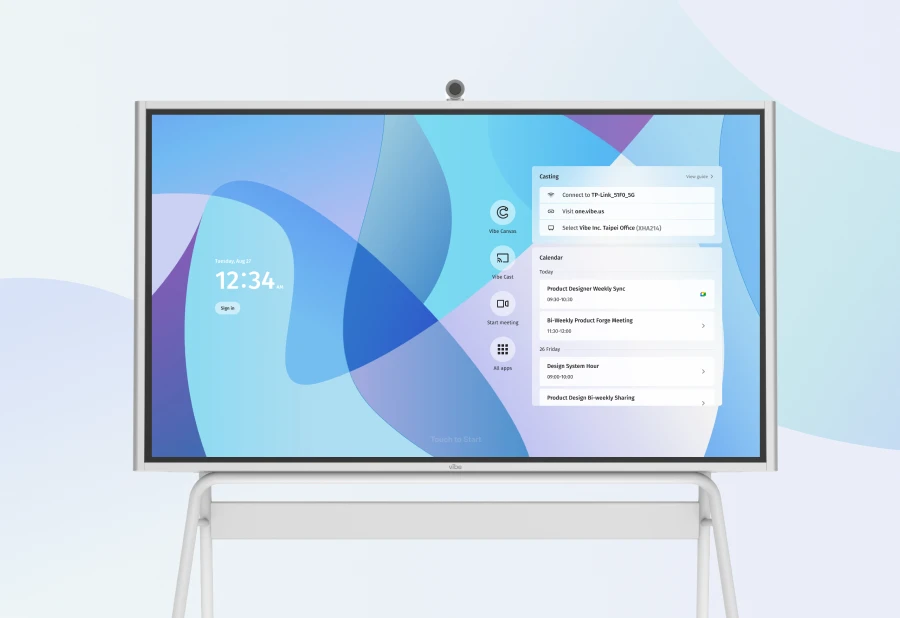
For manufacturing conference rooms, Vibe Board S1 Pro functions as an all-in-one conference room solution that replaces the traditional AV stack, TV, whiteboard, computer, and conferencing bar, with a single certified device. It is a designated Zoom Rooms device and Microsoft Teams Rooms device, and also runs Google Meet natively. One tap starts the meeting; no cable setup, no external laptop required.
The S1 Pro runs dual compute: an ARM processor for VibeOS and Android app workflows, alongside an Intel Core i7 running Windows 11 Pro. For manufacturing engineering teams, this means running industry-standard applications directly on the board, Bluebeam Revu for markup and drawing review, MATLAB and Simulink for engineering analysis, Microsoft Dynamics 365 or Salesforce Manufacturing Cloud for live production dashboards, and the full Microsoft Office 365 suite, all alongside the active meeting session. IT teams manage the full device fleet centrally via Microsoft Intune.
For conference rooms that need an AI-powered standalone conferencing device, Vibe Bot sits on the table and handles the camera and audio for Zoom Rooms, Teams Rooms, and Google Meet without a laptop. Its AI auto-framing tracks active speakers automatically; AI Audio handles beamforming, echo cancellation, and noise reduction. Through Vibe AI, every session is captured and transcribed automatically, action items surface at the end of each meeting, and decisions are indexed across sessions so any team member can query past meeting context in natural language.
Plant Floor Corridors and KPI Stations: Digital Signage
The plant floor runs on continuous broadcast: OSHA safety signage, real-time KPI dashboards, production status boards, and shift handoff information. Therefore, these visualization units need to run 16-24 hours per day. They also need brightness levels that remain visible in high-ambient-light industrial environments.
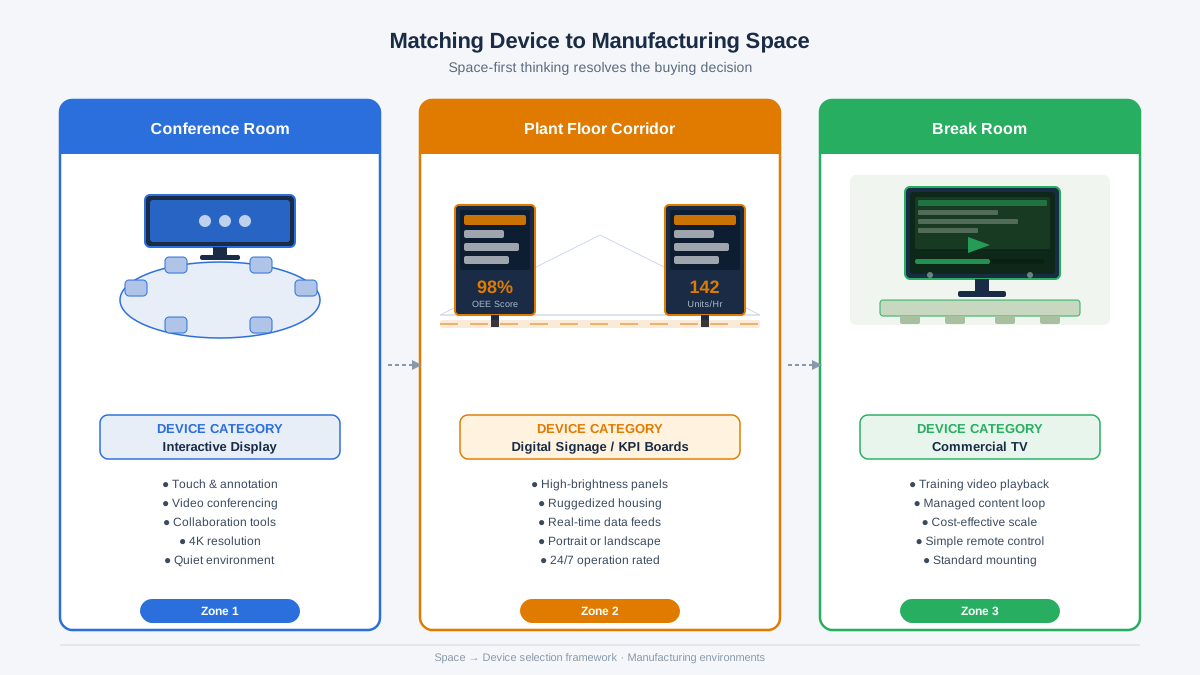 Diagram showing three manufacturing display zones: conference room with interactive display, plant floor corridor with digital signage KPI boards, and break room with commercial TV for training videos
Manufacturing facilities in the United States recorded approximately 370,000 nonfatal injuries in 2022, per Bureau of Labor Statistics, 2024. Screens that update automatically when a system event fires, feeding live equipment status, shift counts, and safety alerts directly to floor displays, let supervisors and workers see a developing problem before it escalates. For manufacturing teams integrating technology across their facilities, this visibility connects shift handoff data, production metrics, and safety alerts in one place.
This reduction stems from the immediacy of alerts, not passive signage content. A digital signage display connected to MES and ERP systems shows live production counts, quality metrics, and safety alerts as they occur. Commercial CMS platforms, including Pickcel, Yodeck, and Samsung VXT, support API-based integrations that update screen content in under five seconds when a system event fires.
Break Rooms and Passive Training Spaces: Commercial TV
Break rooms, onboarding classrooms, and passive training areas do not require touch capability or continuous operation. Instead, staff in these spaces watch safety training videos, company announcements, and scheduled broadcast content. A commercial TV with a three-year warranty and basic signage scheduling features meets that need at a lower cost.
Commercial TVs in the 55-75-inch range cost less than digital signage panels and IFPDs. That makes them the right choice for spaces where interactivity is not a requirement and the display will not run continuous broadcasts.
Vibe Board for Manufacturing Collaboration
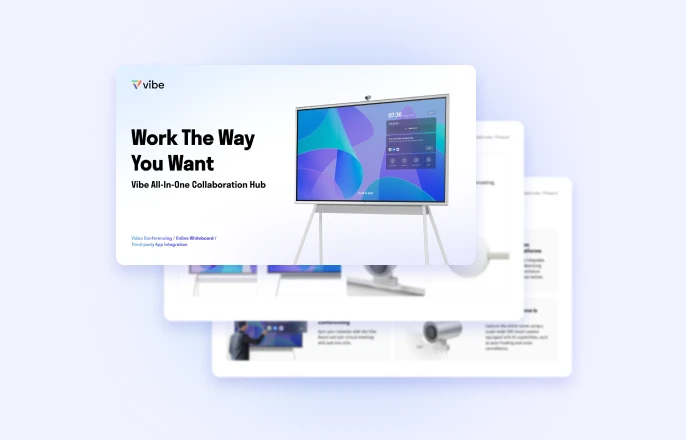
Within the interactive display category, Vibe Board S1 Pro is built for manufacturing conference rooms that need both full Windows capability and a certified video conferencing solution. The dual-compute design, ARM for VibeOS and Android app workflows, Intel Core i7 for Windows 11 Pro, supports 20-point simultaneous touch at under 4.5ms response time, letting multiple engineers annotate at the same time on a board that is simultaneously running a certified Zoom Rooms or Teams Rooms session.
In process manufacturing, steel, automotive, or discrete parts, tiered meetings follow a tight rhythm: 15-minute standups at each shift change, with department leads reviewing production counts and flagging quality issues. These sessions depend on current data: yesterday’s reject counts, today’s OEE target, the open maintenance ticket on Line 3. When that data is locked in a laptop that no one connected in time, the meeting stalls. An interactive display connected to shared network storage resolves the problem, the current data is on the board before the first person walks in.
For manufacturing engineering teams, the Windows 11 Pro environment means running industry-standard tools directly on the board: Bluebeam Revu for markup and drawing review, MATLAB and Simulink for engineering analysis, Microsoft Dynamics 365 or Salesforce Manufacturing Cloud for live production dashboards, and the full Microsoft Office 365 suite, all on the board, alongside the active meeting. IT teams manage the entire device fleet centrally via Microsoft Intune.
Remote workforce participation has grown from 5.7% in 2019 to 13.8% in 2023, per U.S. Census Bureau, 2025. Team collaboration accounts for 38.3% of the video conferencing market, per Fortune Business Insights, 2025. Manufacturing teams running hybrid production reviews need a display that handles both in-room annotation and remote participation in one device.
Vibe Board S1 Pro does not require recurring software licensing fees for its core whiteboarding and screen-sharing features. For manufacturing IT managers tracking total cost of ownership, the hardware cost covers the collaboration layer, and the absence of per-seat licensing for whiteboarding or screen sharing simplifies long-term budgeting.
Conclusion
Manufacturing teams need three different display types for three different jobs. Interactive displays belong in conference rooms and engineering review sessions where annotation and video conferencing drive decision-making. Digital signage handles plant floor KPIs, safety alerts, and 24/7 broadcasting. Commercial TVs serve break rooms and passive training spaces where interactivity is not required.
Picking the incorrect device type for a space increases total cost of ownership and reduces team effectiveness. A consumer TV in a tiered meeting room eliminates collaboration capability entirely. A useful tie-breaker for mixed-use spaces: if the primary activity involves people contributing to the display, annotating, presenting, conferencing, rather than watching it, an interactive display is the right category.
For manufacturing teams evaluating interactive displays for collaboration spaces, Vibe Board S1 Pro simplifies deployment as a certified Zoom Rooms and Teams Rooms device: 4K touchscreen, dual compute (ARM + Intel Core i7), Windows 11 Pro, and optional AI conferencing via Vibe Bot, a single device versus a four-device AV installation. Explore the conference room solution or request a demo for your facility.
FAQs
What is the best display technology for manufacturing meeting rooms?
Interactive flat panel displays are the best choice for manufacturing meeting rooms. They support real-time annotation, video conferencing, and app-based workflows without external hardware. The Vibe Board S1 Pro adds Zoom Rooms and Teams Rooms certification and a Windows 11 Pro environment, so engineering teams run familiar tools, Bluebeam, MATLAB, Office 365, directly on the board alongside the meeting. A passive screen cannot match those gains.
Interactive displays vs digital signage vs TV for manufacturing floors
Interactive flat panels support touch input, on-board apps, and collaboration workflows. Digital signage panels, by contrast, are designed for continuous broadcast of safety alerts, KPIs, and production status. Consumer TVs are rated for 4-6 hours daily. Commercial signage handles 16-24 hours, per AG Neovo, 2025. Factories should deploy IFPDs in conference rooms and digital signage on the plant floor.
Can you use a commercial TV for plant floor briefings?
Commercial TVs can serve plant floor briefing spaces, but only if requirements are limited to scheduled video playback and company announcements. TVs are not rated for continuous operation in high-ambient-light industrial environments. Consumer TV lifespan is approximately 15,000 hours versus 50,000+ hours for commercial signage panels rated for 24/7 operation, per Samsung QM-Series Commercial Display Specifications. For safety-critical displays, dedicated signage is the better choice.
What is the total cost of ownership difference between interactive displays and digital signage?
Interactive flat panel displays carry higher upfront hardware costs, typically $3,000–$8,000 for a 55–75-inch unit, but eliminate separate conferencing hardware and per-seat software licensing. A comparable AV stack (display + laptop + conferencing bar + whiteboard) runs $5,000–$12,000 in hardware alone. Digital signage adds an ongoing CMS subscription, typically $30–$200 per screen per month, plus a dedicated media player per screen. Enterprises lose $130 million per year in wasted meeting time and tech failures, per Jabra, 2026. The wrong display category creates hidden costs beyond the purchase price. Match the display to the space to minimize total cost of ownership.