
Interactive Display Showdown: SMART Board vs Promethean vs Vibe Board (2026 Buyer's Guide)
Every few years, districts face the same high-stakes decision: which interactive display belongs in the next refresh cycle? The three names that keep surfacing in 2026 RFPs are Promethean (ActivPanel 109), SMART Technologies (SMART Board MX/GX), and Vibe (Vibe Board S1).
This guide compares all three on the specs, software, total cost of ownership, and real-world fit that matter to IT directors — not marketing claims.
- SMART Board MX/GX is the safe choice for K-12 districts already invested in the SMART ecosystem, offering strong curriculum-aligned software but at premium pricing
- Promethean ActivPanel 9 provides flexible Android-based OS and competitive pricing, particularly strong in international markets
- Vibe Board S1 delivers the lowest total cost of ownership with cloud-native collaboration built in from the ground up
- Over 5 years, Vibe Board costs approximately $5,100 per unit versus $8,445 for SMART Board — a $669,000 difference across 200 units
- The best choice depends on your priorities: legacy software compatibility (SMART), Android flexibility (Promethean), or modern collaboration at lower cost (Vibe)
Quick Verdict:
-
SMART Board MX/GX is the safe, established pick for K-12 districts already invested in the SMART ecosystem. Strong curriculum-aligned software, but premium pricing and limited cloud collaboration.
-
Promethean ActivPanel 9 is a strong contender in international and UK markets, with a flexible Android-based OS and competitive pricing. ActivInspire is mature but showing its age.
-
Vibe Board S1 is the best fit for districts that prioritize cloud-native collaboration, modern app access, and lower total cost of ownership. It is the only board in this comparison built from the ground up as a collaboration workspace, not just a display.
If your priority is legacy curriculum software compatibility, SMART Board leads. If your priority is flexible, future-proof collaboration at a lower price point, Vibe Board wins.
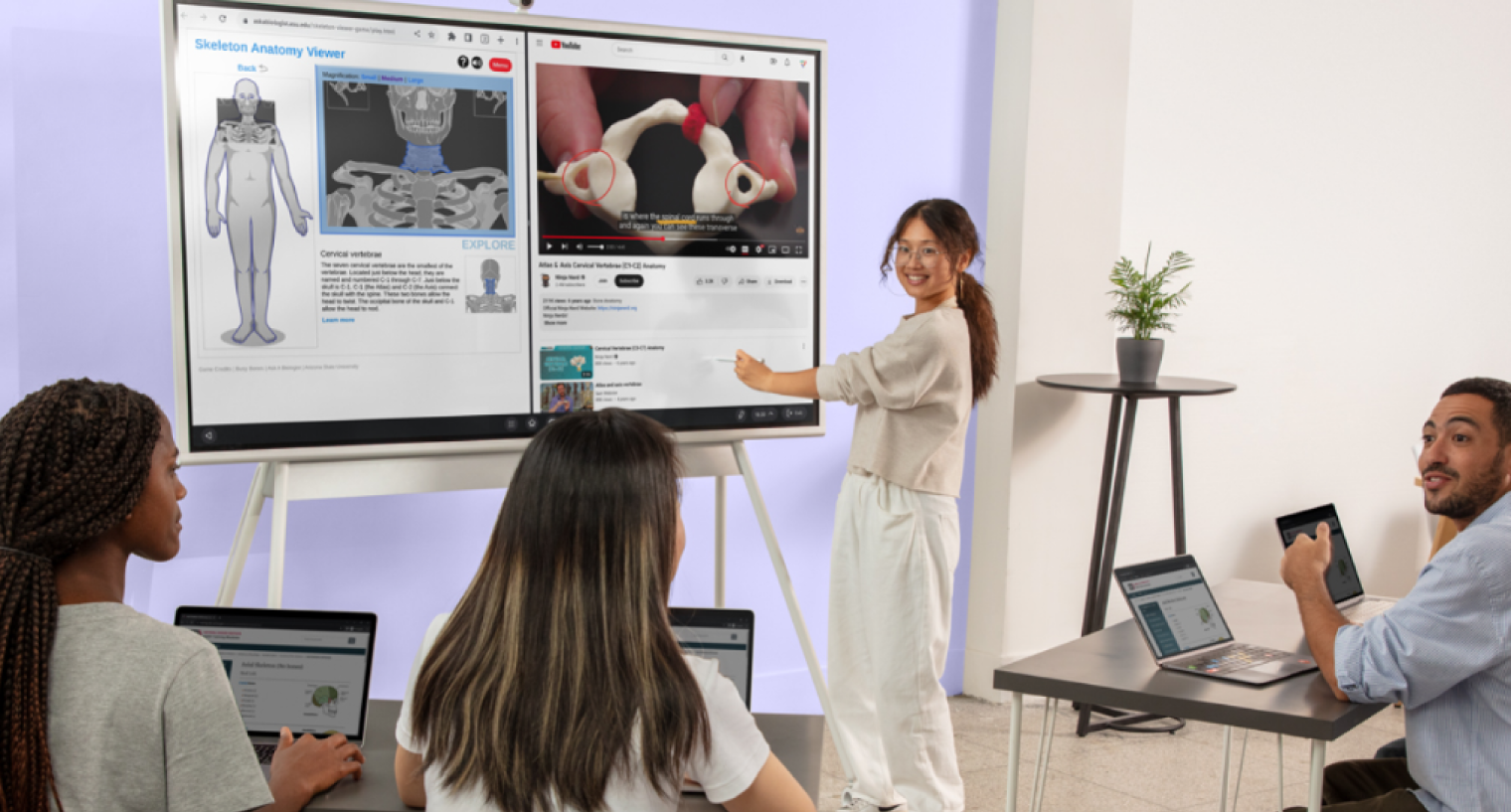 In a collaborative learning environment, a woman stands before a large interactive display, presenting a lesson on human anatomy to several colleagues seated with laptops. The digital screen features a 3D skeleton viewer and an educational video about vertebrae as the group engages in the presentation.
Side-by-Side Comparison Table
|
Feature |
SMART Board MX (75") |
Promethean ActivPanel 109 (75") |
Vibe Board S1 (75") |
|---|---|---|---|
|
Display Size |
65"–86" |
65"–86" |
55"–75" |
|
Resolution |
4K UHD (3840 x 2160) |
4K UHD (3840 x 2160) |
4K UHD (3840 x 2160) |
|
Touch Points |
40-point touch |
20-point touch |
10-point touch |
|
Touch Technology |
HyPr Touch (IR + InGlass) |
Vellum IR InGlass |
IR touch |
|
Built-in OS |
iQ (Android-based) |
Android 12 |
Android (custom) |
|
Bundled Software |
SMART Notebook, Lumio |
ActivInspire, ClassFlow |
Vibe Canvas (whiteboard) |
|
Cloud Collaboration |
Lumio (browser-based) |
ClassFlow (being sunsetted) |
Native — built into OS |
|
App Ecosystem |
Limited (iQ apps) |
Moderate (Google Play subset) |
Full (native + web apps) |
|
Wireless Casting |
Built-in (AirPlay, Miracast, ChromeCast) |
ScreenShare (Miracast/AirPlay) |
Built-in (AirPlay, Chromecast, Miracast) |
|
Annotation over Apps |
Yes |
Yes |
Yes |
|
Price Range (75" MSRP) |
$6,500–$8,000 |
$5,500–$7,000 |
$3,500–$5,000 |
|
Warranty |
5 years (display) |
5 years (display) |
1 year (display) & optional extended warranty |
|
Software License Cost |
Lumio: ~$59/teacher/yr |
ActivInspire: Free (basic) |
Vibe Canvas: Included |
|
Wall Mount Included |
No (sold separately) |
No (sold separately) |
Yes |
|
Annual Firmware Updates |
Yes |
Yes |
Yes |
SMART Board MX/GX Series — The Incumbent
SMART Technologies has been in the interactive display business longer than anyone. The SMART Board brand is essentially synonymous with "interactive whiteboard" in many U.S. school districts. The current MX and GX series represent SMART's latest hardware, as detailed on SMART Technologies product specifications.
Strengths
SMART Notebook remains one of the most feature-rich lesson-building tools in education technology. According to Futuresource Consulting's 2024 Global Interactive Display Market Report, SMART Technologies holds approximately 23% of the global interactive flat panel market share in education. That installed base means:
-
Deep familiarity among teachers
-
Abundant third-party lesson libraries
-
Wide reseller and support networks
The MX series' 40-point touch is best-in-class for multi-user collaboration at the board. HyPr Touch technology (a hybrid of infrared and capacitive sensing) delivers accurate palm rejection and low latency. SMART's iQ embedded experience provides a no-PC-needed environment for basic tasks.
Lumio, SMART's cloud-based lesson delivery platform, has improved significantly and enables student device participation — a real advantage for hybrid and 1:1 classrooms.
 A group of diverse students and a teacher are collaborating on a project in a modern STEM classroom. They are building a tall, intricate tower structure using colorful plastic rods and connectors on a large wooden table. In the background, a large digital screen displays engineering diagrams that complement their hands-on activity.
Weaknesses
Price is the primary barrier. At $6,500–$8,000 for a 75" panel (before mounting, installation, and accessories), SMART Boards carry a 30–50% premium over Vibe Board S1 at the same screen size. For a district refreshing 200 classrooms, that difference can exceed $600,000.
Key limitations include:
-
Lumio requires a per-teacher annual subscription (~$59/year), adding to ongoing costs
-
The iQ embedded OS offers a more limited app ecosystem compared to standard Android or cloud-native environments
-
Collaboration features are primarily designed for in-classroom use
-
Remote and asynchronous collaboration is not a core strength
Best For
Districts with existing SMART Notebook investments, teachers who rely heavily on SMART's lesson-building tools, and organizations where the IT team prefers a known quantity.
Promethean ActivPanel 109 — The International Contender
Promethean, now owned by Netdragon Websoft, has a strong presence in the UK and international markets. The ActivPanel 109 is their current flagship, running a full Android 12 experience. For complete technical details, visit Promethean ActivPanel specifications.
Strengths
The ActivPanel 9's Android 12 base gives it more native app flexibility than SMART's iQ. Teachers can install a subset of Google Play apps directly on the panel, reducing dependence on a connected PC.
ActivInspire, Promethean's desktop lesson software, is free for basic use — a meaningful cost advantage over SMART Notebook's licensing model. The Promethean Unified Menu provides a clean, teacher-friendly interface that requires less training than previous generations.
Promethean's pricing typically comes in 15–20% below SMART for comparable screen sizes, making it a middle-ground option for budget-conscious districts that still want a traditional interactive display experience.
Weaknesses
ClassFlow, Promethean's cloud-based lesson delivery platform, has been gradually deprioritized — creating uncertainty for districts that invested in it. The lesson content ecosystem around ActivInspire, while functional, is smaller than SMART Notebook's library.
The ActivPanel 9 is a capable display, but it remains fundamentally a display-first product. Collaboration features — especially cloud-based, asynchronous collaboration — are add-on capabilities rather than core to the product architecture.
Promethean's U.S. reseller and support network, while growing, is thinner than SMART's, which can impact response times for warranty and service issues in some regions.
Best For
International schools, UK-based institutions, districts looking for a mid-price traditional IFP with decent Android flexibility, and teachers who prefer free lesson-building software.
Vibe Board S1 — The Collaboration-First Alternative
Vibe entered the interactive display market with a fundamentally different thesis: the board should be a cloud-native collaboration workspace, not just a display with touch capability.
Strengths
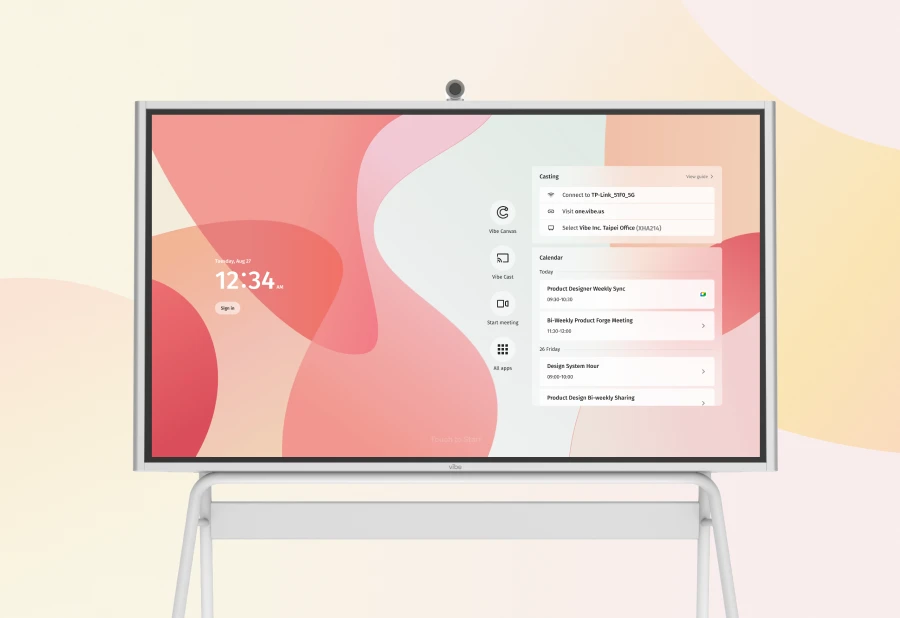
The Vibe Board S1's defining advantage is that collaboration is the product, not a feature bolted onto a display. Vibe Canvas — the built-in infinite whiteboard — supports real-time collaboration with remote participants out of the box, no additional subscription required. In a 2026 landscape where hybrid meetings, cross-campus collaboration, and remote participation are standard expectations, this architecture matters.
Pricing is Vibe's most concrete competitive advantage. At $3,500–$5,000 for the 75" S1 (wall mount included), a district can equip roughly two classrooms with Vibe Boards for the cost of one SMART Board MX 75". Vibe Canvas is included at no additional per-teacher cost, eliminating the recurring software licensing line item that inflates SMART's TCO.
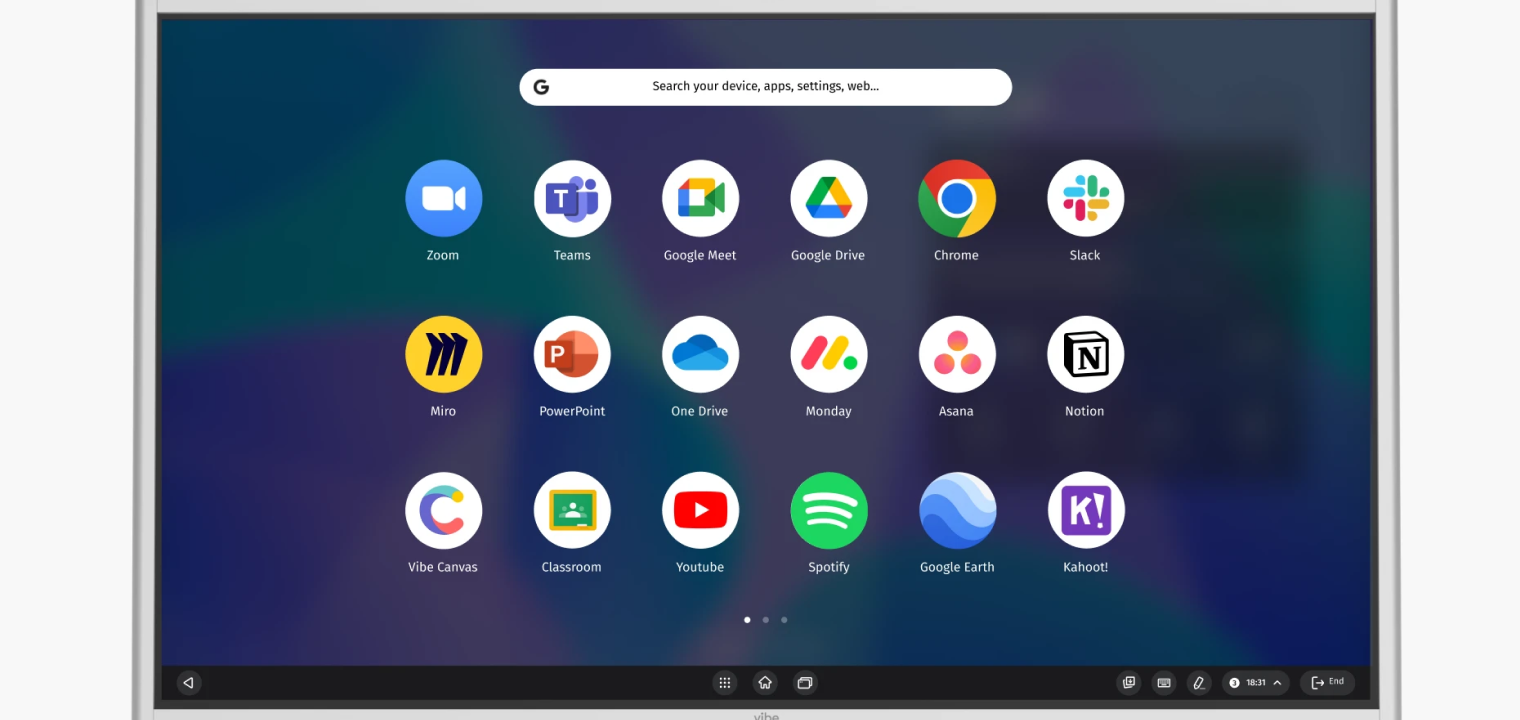 The image shows a digital interface or app drawer on a large screen, featuring a search bar at the top and a grid of various application icons. These icons represent popular productivity, collaboration, and educational tools such as Zoom, Slack, Google Drive, and Notion. A dark taskbar at the bottom displays navigation controls, system icons, and the current time.
The app ecosystem is broader than both competitors. Because Vibe's platform supports native Android apps and full web applications, teachers and IT teams can integrate tools like:
-
Google Workspace
-
Microsoft 365
-
Zoom
-
Hundreds of education apps without workaround
For districts evaluating interactive displays as part of a broader complete guide to classroom technology strategy, Vibe Board's open architecture integrates seamlessly with existing infrastructure. Learn more about the Vibe Board product page.
Weaknesses
Vibe is newer to the education market than SMART or Promethean. The brand does not yet have the same depth of reseller coverage or the decades-long teacher familiarity that SMART enjoys.
The Vibe Board S1's 10-point touch is sufficient for typical classroom use (writing, drawing, multi-finger gestures), but districts that specifically need 20+ simultaneous touch points for multi-user board activities will find SMART's 40-point touch superior.
Vibe's lesson-building ecosystem is thinner. There is no direct equivalent to SMART Notebook's vast library of pre-built, curriculum-aligned lessons. Teachers migrating from SMART will need to adapt workflows — though Vibe's open app platform means they can often use the same third-party content tools.
The standard warranty is 1 year versus the 5-year standard from SMART and Promethean. Extended warranty options are available but add to cost.
Best For
Tech-forward districts prioritizing cloud collaboration, budget-conscious districts maximizing units per dollar, hybrid/remote-friendly campuses, and organizations that value open app ecosystems over proprietary lesson software.
 A diverse group of professionals is collaborating in a bright workspace using a large interactive whiteboard to brainstorm design concepts. Two individuals stand at the screen, annotating digital sketches and photos of headsets, while others sit nearby and observe the presentation. The whiteboard displays a mix of hand-drawn diagrams, colorful sticky notes, and product imagery related to product development.
Total Cost of Ownership — The Number That Actually Matters
Hardware price is the number on the purchase order. Total cost of ownership (TCO) is the number that determines whether your refresh cycle budget actually works. Here is a realistic 5-year TCO comparison for a single 75" unit.
|
Cost Component (5-Year) |
SMART Board MX 75" |
Promethean ActivPanel 9 75" |
Vibe Board S1 75" |
|---|---|---|---|
|
Hardware (MSRP) |
$7,200 |
$6,000 |
$4,200 |
|
Wall Mount |
$350 |
$300 |
$0 (included) |
|
Installation |
$400 |
$400 |
$400 |
|
Software Licensing (5 yr) |
$295/teacher x 5 yr* |
$0 (basic ActivInspire) |
$0 (Vibe Canvas incl) |
|
Extended Warranty (to 5 yr) |
Included |
Included |
~$300 (optional) |
|
Training |
$200 |
$200 |
$200 |
|
TOTAL (per unit, 1 teacher) |
~$8,445 |
~$6,900 |
~$5,100 |
At scale, the difference is significant. For a 200-unit district refresh:
-
SMART: ~$1,689,000
-
Promethean: ~$1,380,000
-
Vibe: ~$1,020,000

For detailed pricing details, contact Vibe's education team.
Best-Fit Recommendations by Use Case
Small Classroom (K-5, single teacher, 25 students)
All three panels work well in this environment. SMART Board has the edge if the teacher already uses SMART Notebook daily. Vibe Board S1 offers the best value if the district is open to modern tools and cloud-based workflows.
Large Lecture Hall or Auditorium (50+ students, 86" preferred)
SMART and Promethean both offer 86" panels. Vibe's current lineup tops out at 75", which may be insufficient for very large rooms. If 86" is a hard requirement, SMART Board MX 86" or ActivPanel 9 86" are the options.
Budget-Conscious District (maximizing units per dollar)
Vibe Board S1 is the clear winner. The hardware savings, included mounting, and zero software licensing costs mean a district can deploy 40–60% more units for the same budget compared to SMART.
Tech-Forward District (1:1 devices, Google/Microsoft ecosystem, hybrid learning)
Vibe Board S1's cloud-native architecture and open app ecosystem make it the natural fit. The built-in collaboration features integrate with existing cloud platforms without additional middleware or licensing. For more on how displays work with response systems in modern classrooms, see our integration guide.
District with Heavy SMART Notebook Investment
If your teachers have years of SMART Notebook lesson files and workflows, the switching cost is real. SMART Board MX preserves that investment. However, districts should evaluate whether Notebook lock-in is a long-term strategic advantage or a dependency to migrate away from. For a broader perspective, consult our full smart board buying guide with more options.
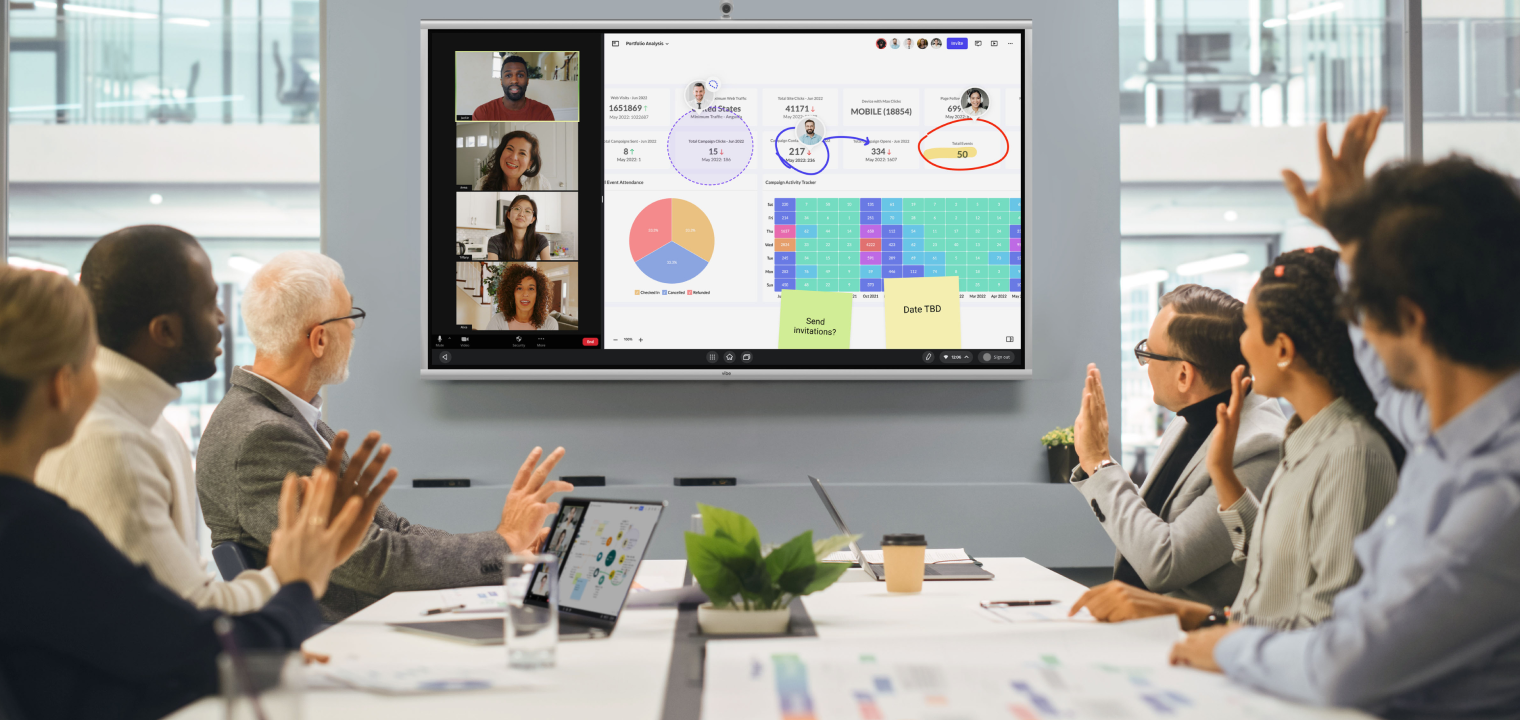 A diverse group of colleagues is gathered around a conference table in a modern office for a hybrid business meeting. They are interacting with a large digital display that shows video feeds of remote participants next to a detailed data dashboard filled with charts, metrics, and digital notes. Several in-person attendees have their hands raised, suggesting a collaborative voting or feedback session based on the information on the screen.
What About Security and Compliance?
All three vendors support standard enterprise security features including device management, OTA updates, and network-level controls. For U.S. education buyers, key considerations include:
-
COPPA and FERPA compliance: All three vendors publish compliance documentation. Verify current certifications directly with each vendor for your specific deployment.
-
Device management: SMART and Promethean offer proprietary MDM solutions. Vibe supports standard Android MDM integration.
-
Data residency: Vibe's cloud services use U.S.-based infrastructure. Confirm data handling policies with all vendors during procurement.
Frequently Asked Questions
Q: Is Promethean better than SMART Board for K-12 classrooms?
Neither is universally better. SMART Board has a larger U.S. install base and deeper curriculum-aligned lesson library through SMART Notebook. Promethean ActivPanel 9 offers better Android app flexibility and lower upfront pricing. The best choice depends on your district's existing software investments and budget constraints.
Q: How does Vibe Board compare to SMART Board and Promethean on touch accuracy?
SMART Board MX leads with 40-point HyPr Touch, followed by Promethean's 20-point InGlass touch, and Vibe Board S1's 10-point IR touch. For typical classroom use — one or two people writing simultaneously — all three perform well. The difference matters most for activities requiring many students touching the board at once.
Q: What is the total cost of ownership difference between these three boards?
Over a 5-year period for a single 75" unit, Vibe Board S1 costs approximately $5,100, Promethean ActivPanel 9 approximately $6,900, and SMART Board MX approximately $8,445 (including hardware, mounting, installation, software licensing, and warranty). At a 200-unit district scale, the difference between SMART and Vibe exceeds $600,000.
Q: Can I use SMART Notebook lessons on a Vibe Board?
SMART Notebook is proprietary software that runs on Windows and Mac. You cannot run Notebook natively on a Vibe Board. However, you can connect a laptop running Notebook to the Vibe Board, or export Notebook lessons to PDF/PowerPoint format for use on any platform. Many districts transitioning away from Notebook adopt platform-agnostic tools like Google Slides, Nearpod, or Pear Deck.
Q: Does Vibe Board work with Google Workspace and Microsoft 365?
Yes. Vibe Board S1 natively supports Google Workspace apps (Docs, Slides, Sheets, Meet) and Microsoft 365 apps (Teams, Word, PowerPoint, OneDrive). This is a core advantage for districts using cloud-based productivity suites.
Q: Which interactive display is best for hybrid or remote learning?
Vibe Board S1 is purpose-built for hybrid collaboration. Its built-in Vibe Canvas whiteboard allows remote participants to view and contribute in real time without additional software or subscriptions. SMART offers Lumio for remote student participation (subscription required). Promethean's remote collaboration options are more limited.
Q: Are these boards E-Rate eligible?
Interactive displays themselves are generally not E-Rate eligible (they fall under Category 2 equipment in limited circumstances). However, associated networking infrastructure may qualify. Check the USAC E-Rate Eligible Services List and consult your E-Rate coordinator for current guidance.
Q: What happens if Vibe goes out of business? Is there vendor risk?
This is a fair concern with any newer vendor. Vibe Board S1 runs on Android, meaning the hardware remains functional as a standard touchscreen display even without Vibe-specific services. Content saved in Vibe Canvas can be exported. Districts should evaluate vendor financial stability as part of any procurement process — this applies equally to all three vendors.
Bottom Line
The interactive display market in 2026 is no longer a two-horse race. SMART Board and Promethean remain strong options with proven track records, but Vibe Board S1 introduces a compelling alternative for districts that prioritize cloud-native collaboration, open app ecosystems, and total cost of ownership.
The right choice depends on your district's specific priorities:
-
Protecting existing SMART Notebook investments → SMART Board MX
-
Mid-range pricing with Android flexibility → Promethean ActivPanel 9
-
Maximum collaboration capability per dollar → Vibe Board S1
Request a Vibe Board demo to see the collaboration difference firsthand, or contact your regional Vibe education specialist for volume pricing.