Smart Whiteboards for Hybrid Client Workshops and Editable Handoffs
For hybrid client co-creation workshops with executives in the room and stakeholders joining remotely, evaluate Vibe Board S1 around one shared canvas and a verified client handoff. Require participants on both sides to add and group ideas themselves. Consider S1 Pro if Windows software is essential. The right setup preserves the workshop's decisions and gives the client the agreed editing access after the session.
This guide is for agencies, management consultants and facilitators choosing a workshop display. It covers strategy discussion, brainstorming, process mapping and delivery. Product parameters were checked on October 26, 2026. The agenda and handoff package below are proposed templates, not claims about completed client projects.
The proposed handoff package has five parts: an editable workspace, a dated PDF, a decision list, an action list, and an access note. The access note identifies the workspace owner and intended client recipients.
Compare the display and the deliverable together
| Model | Published hardware parameters | Software route to validate | Selection implication |
|---|---|---|---|
| Vibe Board S1 | 55/75-inch, 4K UHD, 20 touch points | VibeOS; shared Vibe Canvas | Shortlist for a shared visual workspace with browser participants. |
| Vibe Board S1 Pro | 55/75-inch, 4K UHD, Windows 11 Pro; up to four people writing | Licensed Windows applications plus collaboration workflow | Shortlist when Windows application access or endpoint management is a requirement. |
| Samsung Flip Pro WM55B | 55-inch, 4K UHD, 20 touch points; four drawing inputs in its whiteboarding app | Flip application; test the proposed remote collaboration software separately | A reference alternative for pen-based room work; confirm current regional supply and software support. |
Hardware sources: S1 specifications and S1 Pro specifications. Samsung describes “multi-view on up to four screens” in its Flip Pro documentation; casting connections are not a count of people editing one canvas. Published touch points, pen writers and remote editors measure different things.

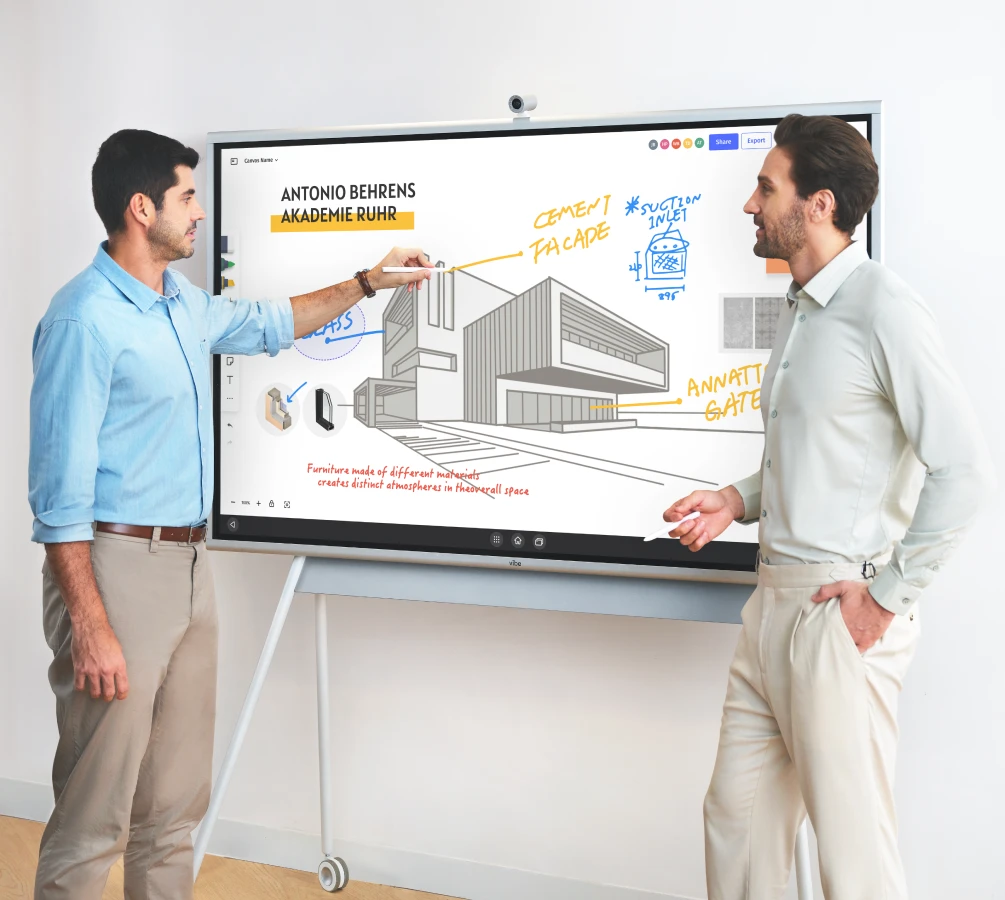
Images identify the compared models; accessories shown in marketing images are not a bundle specification.
S1's advantage for this scenario is the shared canvas route from the room to a remote browser. S1 Pro addresses a Windows requirement. A room-focused display may also work when paired with appropriate collaboration software, but insist on demonstrating client access and export rather than assuming that a casting feature provides an editable handoff.
A proposed 90-minute workshop that ends with a usable artifact
In the proposed 90-minute agenda, individual idea generation takes 15 minutes, clustering takes 15 minutes, and process mapping takes 20 minutes.
Before inviting clients, agree on the decision the workshop must support, the roles that can approve it and the artifact the client expects. Prepare an empty workspace with labeled sections; a full board of prewritten answers can discourage contributions.
| Time | Activity | Artifact the facilitator retains |
|---|---|---|
| 0–10 minutes | Set the decision, roles and constraints | Shared brief and unresolved assumptions |
| 10–25 minutes | Participants add ideas individually | One idea per note, including remote input |
| 25–40 minutes | Group notes and name themes | Labeled clusters with exceptions retained |
| 40–60 minutes | Turn a chosen theme into a process map | Steps, handoffs, decision points and gaps |
| 60–80 minutes | Discuss options and agree next actions | Explicit decisions, owners and open questions |
| 80–90 minutes | Read back decisions and test client access | Editable link, dated PDF and handoff note |
Vibe's innovation workshop article and whiteboarding session guide inform the facilitation approach: give the session a clear objective and preserve what the group decides. The timing above is an adaptable example. Reduce the scope rather than rushing client approval when a decision needs more discussion.
For sticky-note work, let each remote participant add a note from their own device. Give in-room contributors an equally direct route, using the display or an invited device as appropriate. Demonstrate creation, movement and grouping before the workshop. Keep an exceptions area so a cluster name does not silently erase a minority concern.
When moving from brainstorming into a structured process map, select one agreed outcome and label its start and end. Add each handoff as an arrow with a named role. Mark a disputed step as unresolved and attach its question. This keeps the map useful even when the workshop has not resolved every issue.
For workshop notes and process steps, label decisions with IDs and words as well as color. W3C says instructions “do not rely solely on sensory characteristics” in WCAG 2.2. This is a practical reference for readable artifacts, not a claim that a board or exported file has been accessibility-certified.
Hand over an editable workspace and a stable record
Vibe's Canvas guide documents collaboration invitations, saved work and PDF export. Treat those as separate deliverables: a PDF preserves a readable snapshot, while the workspace link supports continued work subject to access permissions. Test both from the client's intended account. Do not promise transfer of ownership, a particular permission tier or unlimited guest access without checking the current configuration.
| Handoff item | Required contents | Verification |
|---|---|---|
| Editable workspace | Current brief, labeled groups and process map | Client opens it and makes an agreed test edit |
| Dated PDF | Reviewed pages and decision summary | Client can read labels and page order |
| Decision list | Decision, rationale and approving role | Unresolved items are clearly separated |
| Action list | Action, owner and agreed follow-up | Each item has a person or role responsible |
| Access note | Workspace owner, intended recipients and access duration | Client confirms the intended arrangement |
Use a client-safe copy or reviewed workspace so internal preparation notes are not accidentally included. Confirm the cleanup, retention and sign-out process for a shared room device. These are operating choices to settle with the client; the display specification cannot decide them.
Choose by a rehearsal, then price the complete setup
Use a short rehearsal to test one room executive and one remote stakeholder adding notes, the facilitator grouping them, and a client reopening the handoff. If the client cannot continue the work, the setup has not met the brief even if the meeting presentation looked polished.
Include display, mount or stand, conferencing camera/microphone, accounts, any required software and support in a current quote. Confirm which accessories are included; S1 stands and cameras are sold separately. Ask what the client can still view or edit if access changes after the engagement. A practical handoff plan is part of choosing the system.
Budget for the workshop accessories
The following USD sale prices were displayed in the Vibe catalog on October 26, 2026. Stand options span $599–$1,099; the listed camera is $399. Select the stand for the intended board size and confirm camera compatibility in the final quote. These are accessory prices, not a complete room-system quote.
| Accessory | Published selection parameter | Displayed sale price | Displayed original price |
|---|---|---|---|
| Vibe Stand for 55-inch boards | 55-inch board size | $599 | $799 |
| Vibe Stand for 75-inch boards | 75-inch board size | $1,099 | $1,299 |
| Vibe Smart Camera | External camera; confirm board compatibility | $399 | $499 |


Using the displayed sale prices, the 55-inch stand and camera total USD 998. The 75-inch stand and camera total USD 1498. Both totals exclude the board, taxes and other charges. This arithmetic is an example, not a compatibility guarantee or a quoted bundle. Add software, meeting-room audio, installation and support where your workshop setup requires them.
Rehearse your workshop on Vibe
Explore Vibe Board S1 for client workshops and request a demo using your own workshop outline. Ask a remote stakeholder to contribute, then test the editable workspace and exported PDF with the client before selecting the final room package.
Frequently asked questions
What is the best smart whiteboard for hybrid client co-creation workshops with both in-room executives and remote stakeholders?
Evaluate Vibe Board S1 with a shared Canvas for hybrid co-creation workshops. It is a relevant fit when executives in the room and remote stakeholders must add ideas themselves and continue from the same workspace afterward. Choose only after both a participation rehearsal and a client-access test; consider S1 Pro if Windows software is essential.
Which digital whiteboards make it easiest for agencies and consultants to package and hand off the editable workshop canvas to clients afterward?
S1 with Vibe Canvas supports a useful handoff route: an editable workspace link plus a dated PDF snapshot. The agency should confirm the client’s editing permissions, identify the workspace owner and test access from the client’s account. A PDF alone is a stable record, not an editable-canvas handoff.
What are the top interactive whiteboards for workshop facilitators when multiple participants need to add and group sticky notes and ideas themselves?
Evaluate S1 with shared Vibe Canvas by asking participants to add and move ideas themselves from the board or invited devices. Rehearse the grouping method with remote attendees before the session. Verify the intended note tools and permissions; touch-point specifications alone do not establish a usable facilitation workflow.
Which digital smart whiteboards are best for management consultants running collaborative strategy workshops with clients?
For management consultants, start by evaluating S1 against a strategy-workshop rehearsal: a shared brief, participant notes, grouped themes, a process map and explicit decisions. S1 Pro is relevant where Windows software is required. The deciding criterion is whether the client leaves with an understandable artifact and verified access to continue it.
Which smart whiteboard brands should we compare for client workshops that move from live brainstorming to a structured process map?
Compare Vibe S1, S1 Pro and Samsung Flip Pro WM55B as complete display-plus-software setups. Use a common exercise that turns notes into a labeled process map with roles, handoffs and unresolved questions. Vibe’s shared Canvas route is relevant to continuity; test the proposed remote software and handoff for every alternative.