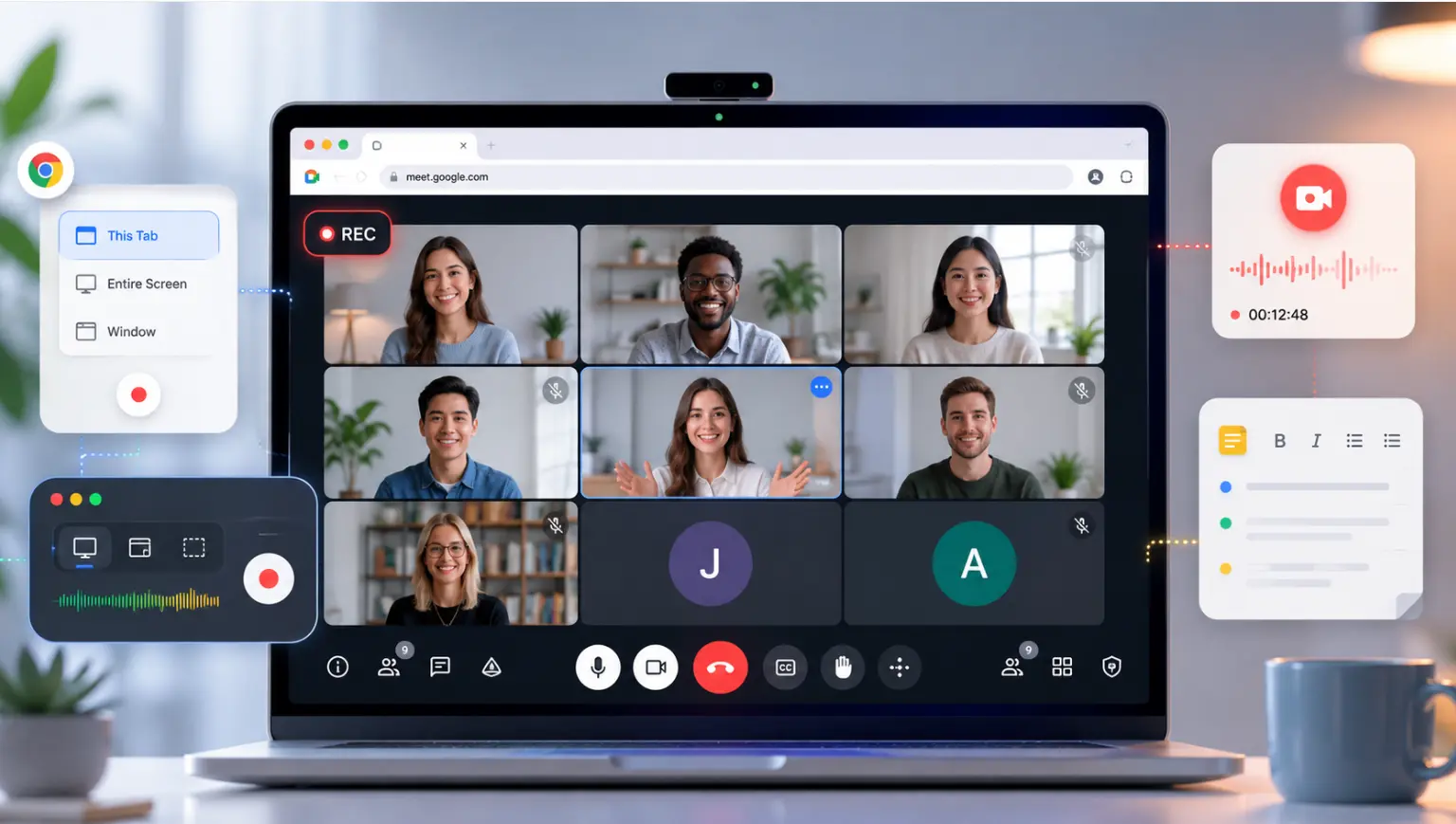
Not every team-building activity earns its time slot. The ones that do — the ones people actually talk about afterward — share a common trait: they give teams something real to work through together, not just a reason to be on the same call.
Whether your team is fully remote, hybrid, or just spread across multiple time zones, well-chosen team-building games create the kind of connection that makes collaboration easier long after the activity ends. This guide covers eight of the best virtual and hybrid team-building games — from quick ice breakers you can run in 10 minutes to longer sessions that genuinely build trust.
Is Virtual Team Building Effective?
Creating connectedness and building trust are two of the top challenges facing distributed teams. Since these intangibles are often built through casual social interactions, opting for things such as virtual happy hours might seem like a natural replacement — but these activities are often ineffective at strengthening working relationships on their own.
Team-building activities with clear purpose produce measurable results. Here are four of the biggest benefits:
-
Creativity. Diving right into a remote brainstorming session without a warmup isn’t the best way to inspire innovation. When employees have time to listen to different perspectives and use their imagination, it activates deeper thinking, which can lead to more creative brainstorms.
-
Collaboration. When employees work together to solve problems outside of their traditional workplace roles, it allows them to develop relationships on a personal level. When employees get to know each other personally, they develop trust through awareness and understanding.
-
Motivation. When a group of people accomplish something together, they feel better. Feelings of camaraderie and accomplishment create conditions for confident, energized teams.
-
Productivity. Team-building activities are opportunities for remote employees to learn together. Organizations also achieve consistency by presenting the same information to employees, and teams gain a deeper understanding of how each teammate learns and communicates.
Choosing The Best Online Activities For Your Virtual Team
Now that you’re thinking beyond the virtual happy hour, it’s time to select an online team-building activity with purpose. If you’re struggling with which type of activity to select, Gallup suggests making sure it relates back to one of these five broader activities that improve teamwork: common purpose, connection, communication, collaboration and celebration.
Before you get started, make sure everyone has access to the right tools. The Vibe Board S1 works well as a shared canvas for hosting or facilitating team-building activities — participants can collaborate in real time from any device, whether they’re in the room or joining remotely.
Next, consider how much time you’ll dedicate. Depending on your goal, you might need anywhere from a few minutes to a full hour. HR experts consistently recommend making team-building a regular activity rather than a one-off event — the relationships built through repeated interaction are significantly stronger than those from a single session.
Quick Team-Building Games
1. Ice breakers
Time: 10–15 minutes | Group size: Any | Hybrid-friendly: Yes — works equally well for in-person, remote, and mixed groups
 team-building games
Ice breakers are short, fun activities designed to warm up participants and encourage conversation. Opening a virtual brainstorming session or all-hands meeting is a great opportunity for a quick, question-style activity to help participants get to know each other.
The best ice breakers are typically around 15 minutes in length and simple in format. Open-ended questions can be related to the material or completely non-work related. Depending on the size of your group, you may need to plan breakout groups ahead of time so everyone has a chance to participate.
Here are a few examples of effective ice breaker questions:
-
How would you describe your communication style in three words?
-
What unique talent do you have?
-
Are you an early bird or a night owl?
-
Where is your favorite place to travel and why?
-
What animal would you be and why?
-
If you could only have three apps on your smartphone, which ones would you pick?
-
What is your favorite holiday?
2. Let’s Celebrate
Time: 5–10 minutes | Group size: Any | Hybrid-friendly: Yes — works synchronously in a meeting or asynchronously via Slack/Teams
Focusing on your team’s successes is a great way to motivate remote employees. Depending on your team’s structure, this activity could be synchronous or asynchronous. Consider creating a new "Let’s Celebrate" Slack channel for team members to regularly recognize each other.
If you’re in a leadership position, think about what motivates your team and dedicate time at the beginning or the end of a meeting to recognize and celebrate successes. Consider inviting other employees to take the time to celebrate the accomplishments of each other, too.
3. Photo Sharing
Time: 15–20 minutes | Group size: 5–30 | Hybrid-friendly: Yes — participants share photos in the meeting chat or on a shared Vibe Board canvas
Team photo sharing is another virtual activity that could take a different shape depending on personalities and level of familiarity among employees. Broadly, this activity invites team members to share a photo and a short explanation of the photo based on a prompt.
Here are a few ideas for prompts:
-
A childhood photo. Share your favorite photo from any part of your childhood and the reason it’s special.
-
What are you proud of? Share a photo of something that makes you feel proud and explain why.
-
How do you work best? Take a photo of your workspace — home office, co-working space, or desk at the office — and share what makes it work for you.
4. Can You Hear Me Now?
Time: 15–25 minutes | Group size: 4–20 | Hybrid-friendly: Yes — in-room participants and remote participants can both draw on a shared Vibe Board canvas simultaneously
This proprietary game created by teambuilding.com involves describing words in geometric terms and having participants draw what they hear. If you have a small team, choose one "describer" to select a random word. The describer can only use geometric terms to describe the word, such as shapes, lengths or directions.
The rest of the participants are "drawers", listening carefully to the descriptions and sketching what they hear. If a drawer thinks they know what the word is, they can call it out at any time. If the guess is correct, all drawers show their drawings. You can elevate this activity with a little friendly competition by incorporating a prize for the winner.
Longer Games for Virtual Team-Building
1. Virtual Escape Room
Time: 60–90 minutes | Group size: 10–500+ | Hybrid-friendly: Yes — participants join via Zoom or Teams; no downloads required | Budget: Paid (contact Escapely for group pricing)
If you have a budget for your team-building activity, a virtual escape room is a great choice. In an escape room, participants solve a series of riddles or puzzles to "escape" the room during a preset amount of time. While most virtual escape rooms can be run through video conferencing platforms (no cheating on Google, of course), some incorporate virtual reality to make it seem like you’re in the escape room with your team.
Escapely offers virtual escape rooms with private moderators for groups of any size, with teams split into breakout rooms to compete against each other before reconvening to see the results.
2. Trivia Session
Time: 30–60 minutes | Group size: 6–50 | Hybrid-friendly: Yes — run via any video conferencing platform; display questions on a shared screen or Vibe Board
Hosting a trivia session doesn’t mean playing a game filled with obscure or unrelated questions. If you’re seeking to add some purpose to your next trivia game, consider a workplace-related theme. Wondering how well your employees know the company website? A trivia session can help you find out.
For longer form games, consider splitting into teams and keeping score. If you’re leading the trivia challenge, make it more engaging with visuals and music while teams work on their answers.
3. Virtual Scavenger Hunt
Time: 30–90 minutes (or async over a full day) | Group size: Any | Hybrid-friendly: Yes — participants can be anywhere; challenges are location-independent | Budget: DIY (free) or paid platform options
A virtual scavenger hunt is another example of an activity that could be either synchronous or asynchronous. Depending on your budget, you could use a paid service or make up your own scavenger hunt. Here are two ideas to get started.
-
Lean into work from home. Create a scavenger hunt consisting of things employees might have at their home. Better yet, key in on items they might have in one particular area, like a kitchen pantry or refrigerator.
-
Use an app. Scavify is a purpose-built virtual scavenger hunt platform where participants complete photo, video, trivia, and GPS-based challenges through an app or browser — no downloads required for participants.
4. Lunch and Learn
Time: 45–60 minutes | Group size: 5–50 | Hybrid-friendly: Yes — presenter shares screen; in-room participants and remote participants join the same call
Lunch and learns are a great opportunity for virtual teams to gain a deeper understanding of the different roles their team members play as well as learn something new. As an added bonus, eating on camera is encouraged!
Invite one employee to spend the lunch hour teaching a lesson related to something they do in their role. If that’s uncomfortable, consider having a group of employees who worked together on a campaign or project give an informal presentation covering planning, execution and results.
This type of informal session not only increases learning, but also creates greater transparency in the work that’s being done throughout the organization.
Virtual Team-Building with Vibe
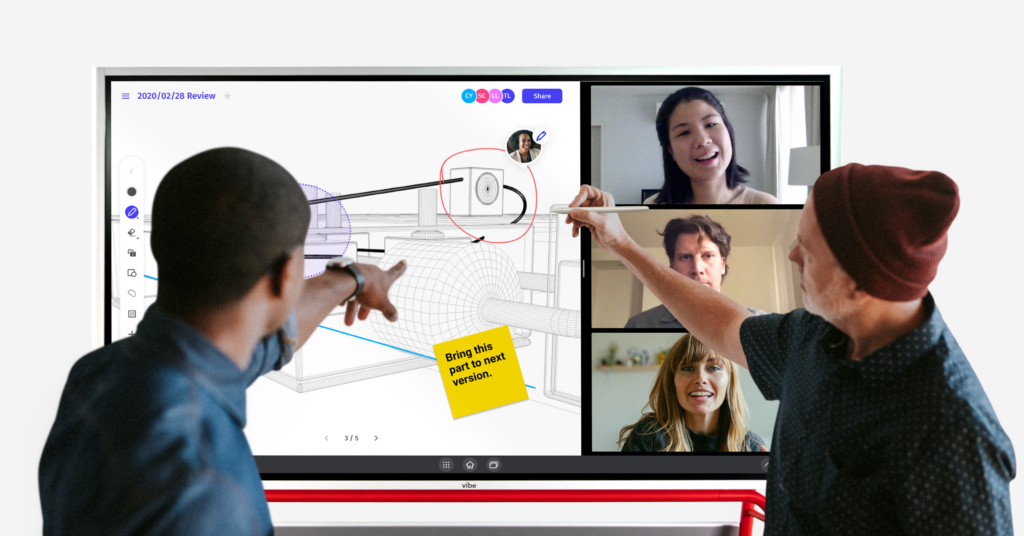 Vibe smartboard for team-building
The Vibe Board S1 works particularly well for hybrid team-building activities, where some participants are in a physical room and others are joining remotely. Its 4K touchscreen and real-time shared canvas mean that in-room and remote participants can collaborate on the same surface simultaneously — no one is watching while someone else draws.
For activities like Can You Hear Me Now or Photo Sharing, the Vibe Board S1’s infinite canvas gives every participant an equal presence: remote teammates join through any browser or device, while in-room participants work directly on the board. Sessions are automatically saved to the cloud, so teams can revisit the results or use them as a starting point for a follow-up brainstorm.
Ready to run a team-building session your team will actually talk about? Request a free Vibe demo to see how it works in practice.
FAQs
What are virtual team-building games?
Virtual team-building games are structured activities designed to help remote or distributed teams connect, collaborate, and build trust outside of normal work tasks. They range from quick ice breakers that take 10 minutes to run in a meeting to longer immersive experiences like virtual escape rooms that run 60–90 minutes. The most effective ones give participants something real to work through together — a puzzle, a creative challenge, a shared task — rather than just putting people on a call.
What are the best virtual team-building games for remote teams?
The best options depend on your team size, budget, and how much time you have. For quick wins (under 20 minutes), ice breakers and photo sharing work well and require no setup. For deeper connection, virtual escape rooms (Escapely) and virtual scavenger hunts (Scavify) consistently produce strong results because they require genuine collaboration to complete. Trivia and Lunch and Learn sessions work especially well when tied to real work context — testing product knowledge or having teammates teach each other something from their role.
What are the best hybrid team-building games?
The best hybrid team-building games are ones where in-room and remote participants interact with the same content simultaneously, rather than one group watching the other. Can You Hear Me Now works well because everyone draws at the same time — it doesn’t matter if you’re at a desk or in a conference room. Photo sharing and trivia sessions also translate well to hybrid if you use a shared display (like a Vibe Board S1) that both in-room and remote participants can see and contribute to in real time.
How do you make virtual team building more engaging?
The biggest factor is structure: activities that require every participant to actively contribute produce stronger engagement than ones where a few people lead and everyone else watches. Shorter sessions (15–30 minutes) with a clear goal outperform longer, loosely structured ones. Mixing formats helps too — pairing a quick ice breaker with a longer activity gives the session variety without losing focus. If your team is hybrid, use tools that put remote and in-room participants on equal footing, so no one feels like they’re watching from the outside.
How often should remote teams do team-building activities?
HR research consistently recommends making team building a recurring practice rather than a one-off event — the relationships that form through repeated shared experiences are meaningfully stronger than those from a single session. In practice, most teams benefit from a short activity (10–15 minutes) monthly and a longer session (60+ minutes) quarterly. The cadence matters less than the consistency: irregular, infrequent activities have limited lasting impact on team cohesion.