

Small businesses run lean, which means that time is one of their most valuable resources. Owners and small teams juggle customer requests and daily operations with very little margin for inefficiency. When work is spread across tools, inboxes, and meetings, even simple tasks start to slow everything else down.
An AI virtual assistant for small businesses has become a helpful solution for getting more done with less. These tools help small teams handle routine work, respond faster to customers, and stay organized alongside the collaboration software they already use. Instead of bouncing between systems or repeating the same actions every day, teams can offload that work and stay focused on what actually moves the business forward for customers.
This article shows how AI virtual assistants fit into real small-business workflows and where they deliver the most value.
- An AI virtual assistant for small businesses helps small teams handle routine work automatically, freeing up time for customer-facing and revenue-driving tasks.
- Unlike basic chatbots, AI virtual assistants connect to core business tools and take real actions, such as scheduling or updating records.
- Small businesses see the fastest impact when AI assistants are applied to specific workflows like support, scheduling, and internal coordination.
- The right AI assistant supports collaboration and communication without adding more tools or operational overhead.
What Is an AI Virtual Assistant for Small Business?
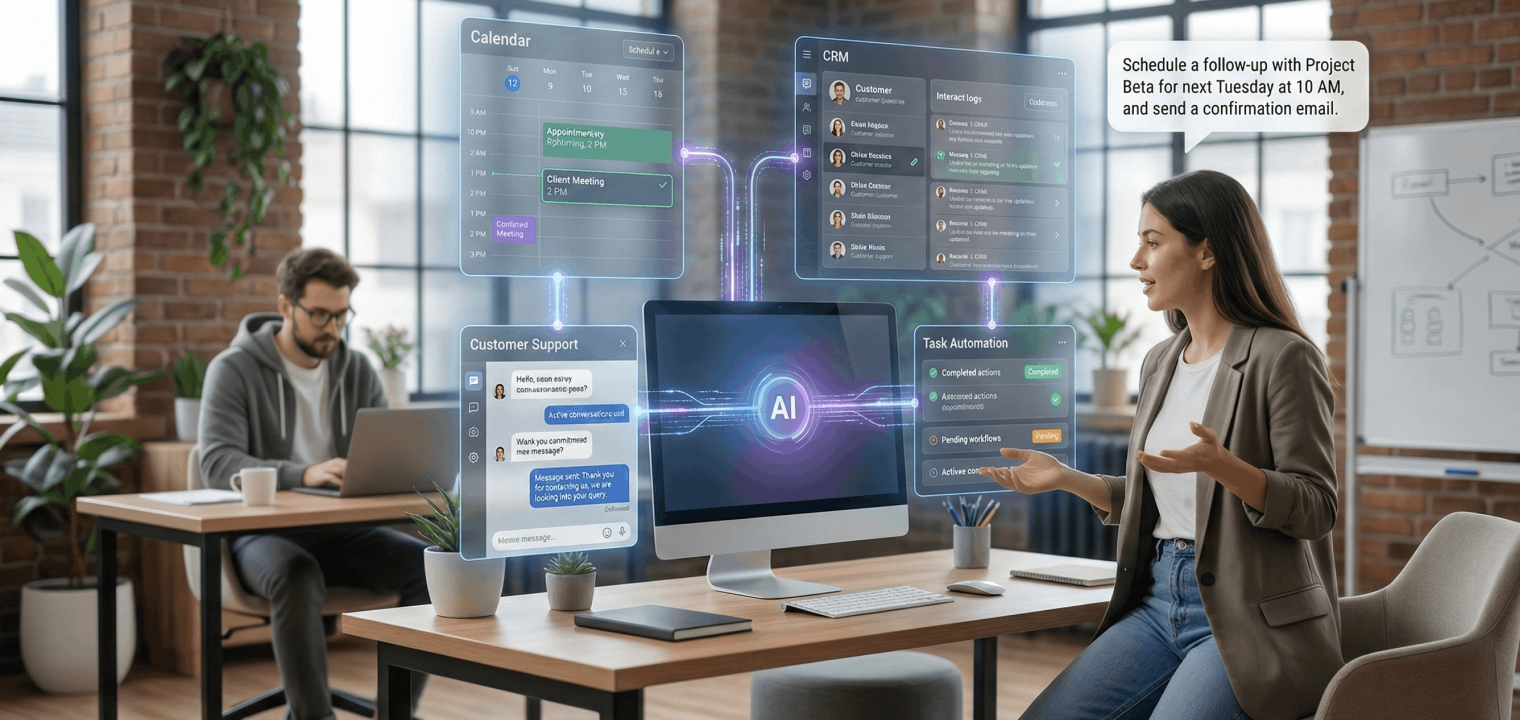
An AI virtual assistant for small businesses is software that handles routine work through natural language commands. Instead of clicking through multiple tools, a business owner or employee can ask the assistant to schedule hybrid meetings, respond to common customer questions, or update records across connected systems.
When trying to understand what an AI assistant is, the key difference from a chatbot is that it takes action. A virtual assistant doesn’t stop at providing information. It connects to tools like calendars, CRMs, and support platforms so that it can complete tasks and log activity without manual follow-up.
For small teams, this changes how work scales. The assistant absorbs repeatable tasks that usually pull people out of focus, which helps the business respond faster and operate more smoothly.
How AI Virtual Assistants Work
AI virtual assistants work by translating everyday requests into actions inside connected business systems. When someone asks a question or makes a request, the assistant identifies intent and determines which tool is involved. That might be a calendar, a CRM, or a support platform.
Language models handle interpretation, while integrations handle execution. Once connected, the assistant can retrieve information or update records without forcing someone to jump between tools. Over time, it improves by learning which responses are most useful in similar situations. Here’s a quick look at an AI assistant’s capabilities:
-
Natural Language Understanding: Interprets everyday spoken or written questions so users can ask for help in their own words.
-
Task Automation: Handles repetitive workflows like scheduling, reminders, data entry, and follow-ups without manual effort.
-
Omnichannel Support: Engages customers across channels such as chat, email, phone, and messaging apps from a single brain.
-
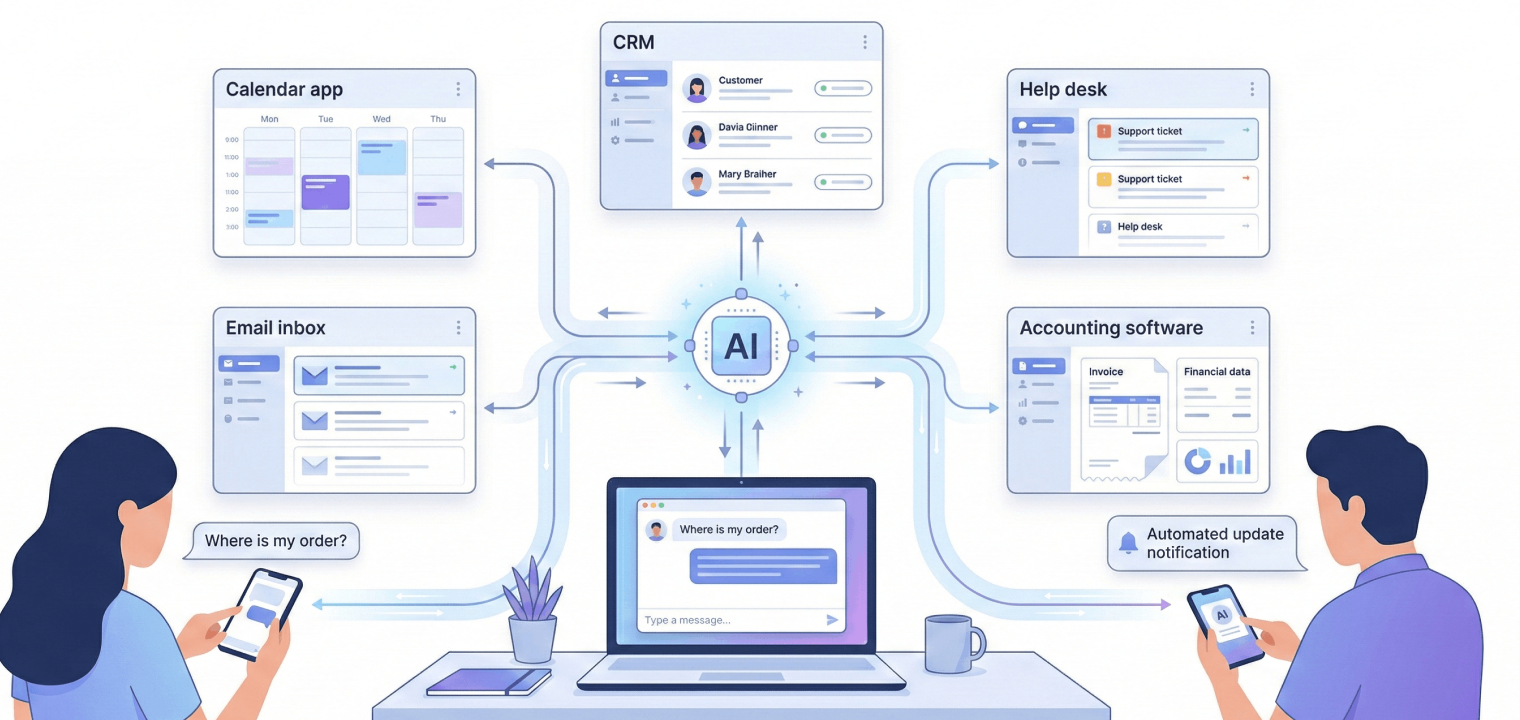
Tool Integrations: Connects with systems like CRM, calendars, help desks, and accounting software to take actions and sync data.
-
Personalization and Context: Remembers past interactions and preferences to deliver more tailored, relevant responses over time.
-
Analytics and Insights: Aggregates interaction data to surface trends, common questions, and optimization opportunities for the business.
Here’s a simple example of what these functions look like in practice. A customer asks about an order through chat. The assistant retrieves the current status and responds immediately. The interaction is logged automatically, and anything that needs follow-up is routed with context already attached.
All of this happens "in the background" so that your team has the information they need with very little time and labor on their part.
Benefits of AI Virtual Assistants for Small Businesses
For small businesses today, efficiency is all about removing work that doesn’t require human judgment so attention stays on customers, decisions, and growth. AI virtual assistants help small businesses operate with less friction by taking on repeatable tasks and keeping information moving inside a smart workspace. Here are the benefits that come from that.
Time and Productivity Gains
Much of a small business day disappears into work that feels necessary but adds little value. Scheduling, answering the same questions, and updating systems all chip away at focused time. An AI virtual assistant handles those tasks automatically, which gives owners and staff longer stretches of uninterrupted work. That reclaimed time often shows up as faster responses to customers and fewer delays between steps.
Always-Available Support
Customers don’t limit their questions to business hours. AI virtual assistants stay available through chat, email, or phone 24/7 so that common requests are handled even when the team is offline. This keeps conversations moving and captures leads that would otherwise wait until the next day. The experience feels responsive without requiring someone to be on call.
Lower Operational Costs
As demand grows, small businesses usually face a choice between slower service and higher payroll. AI virtual assistants absorb part of the administrative and support load, which allows teams to scale service volume without matching increases in staffing costs. That flexibility is especially valuable during busy seasons or periods of growth.
Streamlined Daily Operations
Connecting an assistant to internal systems reduces manual handoffs. After a call, records can update automatically, and confirmations can go out without extra steps. This cuts down on duplicate work and supports clearer team communication when updates move automatically instead of living in side conversations or in someone’s memory.
More Effective Work Processes
AI virtual assistants help standardize how work gets done. Responses stay consistent because tasks follow the same path each time, and insights surface based on real interactions. Plus, AI assistants continually learn from ongoing use, which means that workflows improve without requiring constant manual adjustments.
8 Ways to Use AI Virtual Assistants in Your Business
For high-performing teams, the smartest approach to implementing AI assistants is to start with one or two workflows that consume time every day, then expand once results are visible. Here’s where you can start.
1. Automated Customer Support
An AI virtual assistant can handle FAQs, route more complex issues to the right person, and log every interaction automatically. That reduces response times and keeps support from interrupting the rest of the team’s work. In one case, Italian eyewear retailer Eye-oo used an AI assistant to resolve most inquiries automatically while generating €177,000 in additional revenue from recovered and converted conversations.
2. Smart Appointment Scheduling and Reminders
AI virtual assistants remove the back-and-forth that usually comes with booking time. They can check availability, schedule appointments, and send confirmations or reminders automatically through email or text. In healthcare settings, this approach has reduced scheduling admin work by 30% while cutting no-show rates by 25%, simply by making rescheduling easier and follow-ups consistent.
3. Automated Email and CRM Updates
After video conferencing calls or chats, important details often sit in someone’s inbox instead of the system that needs them. An AI virtual assistant can draft routine follow-up emails and update contact records. A solo real estate wholesaler using AI-supported CRM workflows moved from inconsistent closings to a steady pipeline by keeping outreach and follow-up on track without daily cleanup.
4. Finance and Invoicing Assistance
Billing work quietly eats up time for small teams. AI virtual assistants can send invoices, follow up on overdue payments, and categorize transactions through connected accounting tools. In many small businesses, invoice automation has cut processing time by as much as 80%, lowered costs significantly, and reduced errors that slow cash flow.

5. Marketing and Social Automation
Small teams don’t often have a huge marketing network to fall back on, but social media and lead generation are key to any business, let alone one trying to build a customer base. An AI virtual assistant can draft simple posts, schedule them, and handle basic inbound messages so social media activity doesn’t stall when priorities shift. It’s an easy way to stay present without hovering over every channel.
6. Task and Workflow Automation
In many small businesses, internal tasks rely on someone remembering to follow up. When that doesn’t happen, work quietly stalls. An AI virtual assistant can turn incoming messages or form submissions into assigned tasks the moment they arrive, keeping ownership clear without manual coordination. This is especially useful in a collaborative workspace where work moves quickly between people and meetings.
7. Automated Data Entry and Note Taking
Information from calls, forms, or chats often lives outside the systems that teams rely on, which is especially difficult in remote collaboration environments. That usually means someone has to go back and log it later, which is easy to skip when things get busy. An AI virtual assistant can capture key details as they’re shared and record them automatically, giving small teams cleaner data without extra effort.
8. AI-Powered Data Insights
As interactions add up, patterns start to emerge that are hard to spot manually. An AI virtual assistant can surface trends based on real conversations and requests, such as repeated questions or common points of confusion. That visibility helps small businesses adjust processes and priorities even when they don’t have time to dig through reports themselves.

How to Pick and Implement the Right AI Tools
When evaluating AI virtual assistants for small businesses, focus on fit and practicality over feature volume.
-
Start with one clear use case: Pick a workflow that already eats time every week.
-
Check integrations first: CRM, calendar, help desk, or accounting tools should connect cleanly.
-
Prioritize ease of setup: Look for no-code configuration and fast onboarding.
-
Confirm data handling standards: Privacy, security, and compliance should be clear upfront.
-
Review pricing with growth in mind: Flexible plans matter more than long contracts.
-
Test accuracy early: Natural language understanding should work with real requests, not demos.
-
Make reporting visible: Time saved and response improvements should be easy to measure.
For implementation, start small, involve the team early, and expand only after results are visible.
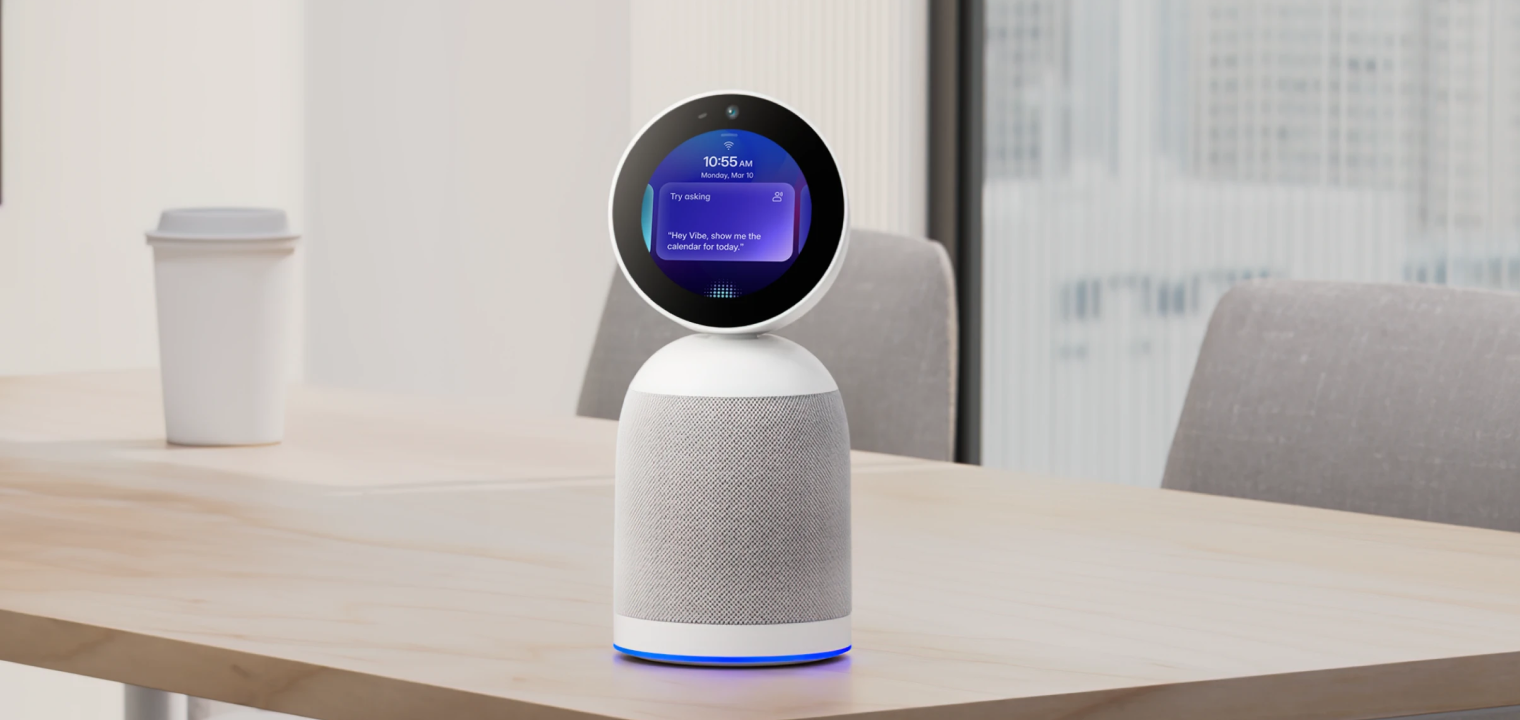
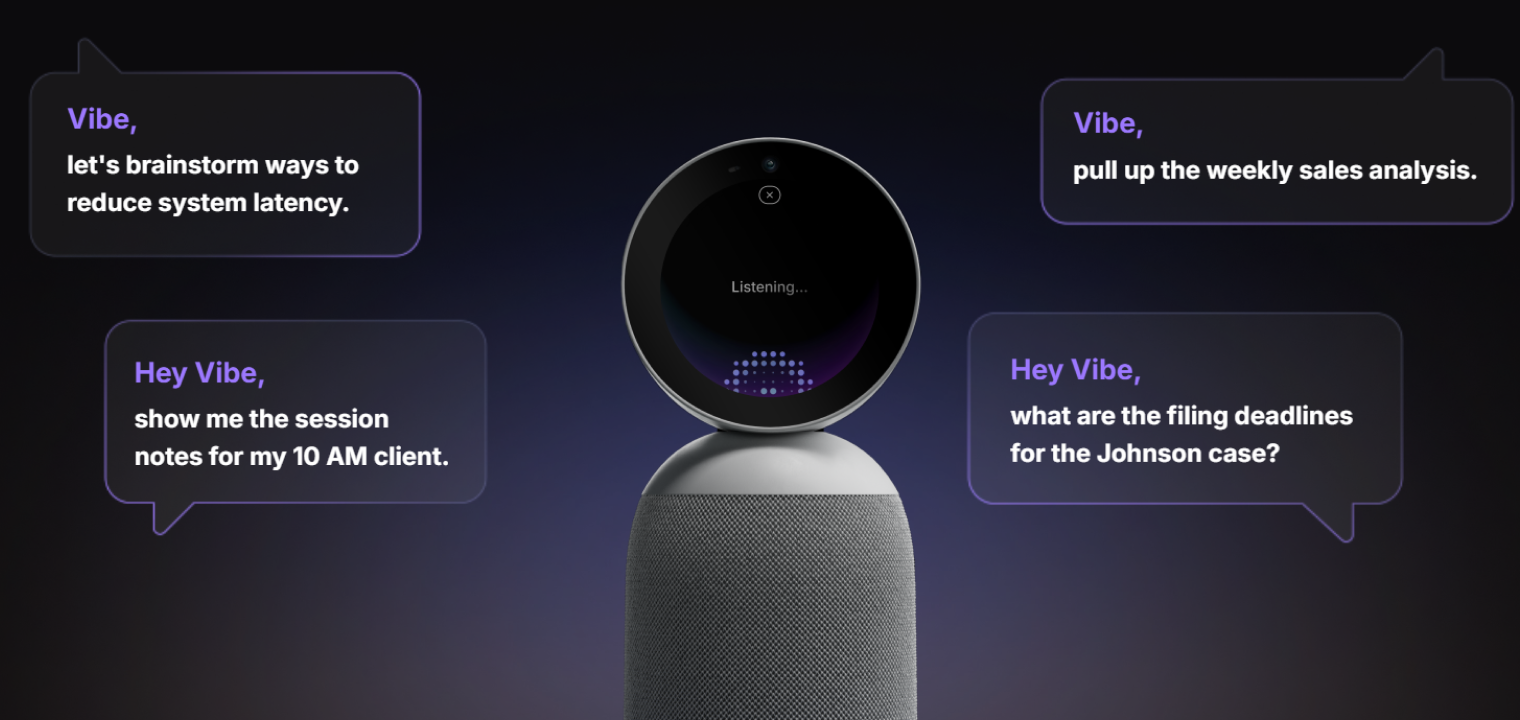 Vibe Bot, a 360° meeting device that captures the room and delivers live notes, summaries, and action items.
Beyond Virtual Assistants: Vibe Bot for Team Collaboration
AI virtual assistants are great at handling background work, but real collaboration still happens in conversations. And when those conversations aren’t captured, the details slip, and you have to circle back too much to work that should be squared away. That’s a common pain point for small businesses trying to manage both remote collaboration and in-person meetings.
Vibe Bot brings AI into the room where those conversations actually happen. It captures meetings in real time, turns them into clear summaries with action items, and works seamlessly in a smart meeting room or a huddle room setup. Nothing changes about how your team meets, but far less gets lost afterward.
If you’re looking to improve team collaboration without adding more tools, schedule a demo to see how Vibe Bot fits into everyday work.
AI Virtual Assistant for Small Business FAQs
How are AI virtual assistants different from chatbots?
Chatbots are designed to answer predefined questions and follow scripted paths. An AI virtual assistant goes further by understanding context and connecting to business systems so it can schedule meetings, update records, or route requests without human follow-up.
What common tasks do AI virtual assistants perform?
AI virtual assistants handle repeatable operational work such as scheduling appointments, responding to common customer questions, logging interactions, and triggering internal tasks. Their value comes from doing this work directly inside connected tools instead of acting as a standalone interface.
Can AI virtual assistants replace human employees?
AI virtual assistants are not a replacement for people. They remove administrative overhead and routine coordination so employees can focus on work that requires judgment, creativity, and relationship-building.
Are there any ethical or legal challenges to AI virtual assistants?
Yes, especially around data privacy and transparency. Small businesses need to understand where data is stored, how it’s used, and whether the assistant complies with relevant regulations before deploying it in customer-facing workflows.