

Only 47% of employees say new technology is paired with new processes when it’s rolled out. That gap explains why so many tools feel expensive, confusing, or underused. The technology is supposed to make work life easier, not create more headaches. But to be successful, you have to adopt it into your organization with intention. Below, we’ll break down the real benefits of technology in the workplace, along with the roadblocks teams face and how to use tech correctly.
- The biggest gains come from fewer lost messages, fewer duplicated tasks, and fewer meetings that could’ve been updates.
- Centralized tools help teams stay aligned because everyone can see the same work, decisions, and progress in one place.
- Automation takes care of routine steps so people can spend more time thinking, collaborating, and solving problems.
How Workplace Technology Has Evolved
Not that long ago, workplace technology mostly supported work that already happened in person. Email replaced memos. File storage replaced filing cabinets. Tools were helpful, but they weren’t central to how teams planned, discussed, or made decisions.
That’s changed. Hybrid and remote work, distributed teams, and faster turnaround times mean technology is where work happens. Your conversations start in chat, and your plans live in shared documents. Most collaborative decision-making happens across time zones instead of conference rooms—or in a smart meeting room online. Technology connects the pieces so teams can keep moving, no matter the environment.

6 Key Benefits of Workplace Technology
When workplace technology works well, you can feel it in the day-to-day. The benefits below focus on the impact of technology in the workplace in practical ways.
1. Multi-Channel Communication
Most teams need more than one way to communicate to work efficiently. Messaging, email, voice, and video give people options so that simple questions don’t turn into meetings and complex topics don’t get buried in long threads. When teams agree on how each channel is used, conversations move faster and with less confusion.
The key is being intentional. Chat works best for quick clarifications, email for formal decisions or approvals, and video when discussion or alignment is needed. Without those shared norms, multi-channel communication can quickly feel overwhelming instead of helpful. A few widely used platforms bring these channels together in one place:
-
Microsoft Teams
-
Slack
-
Zoom
2. Centralized Workflows
When work is spread across inboxes, personal folders, and side conversations, it’s hard to know what’s actually happening. Centralized workflows bring tasks, files, and updates into shared spaces so everyone can see progress, ownership, and next steps.
This kind of setup helps teams stay aligned as work scales. Instead of repeated check-ins or duplicated effort, a shared project management board gives teams a clear view of what’s in motion and what needs attention. Common tools teams use to centralize work include:
-
Asana
-
Trello
-
Jira Software
3. Automated Tasks
A lot of work time gets eaten up by small, repeatable steps: sending reminders, updating records, routing approvals, or compiling updates. Automation handles those background tasks so people can focus on work that actually requires judgment and collaboration.
In practice, that might mean a Slack message posting when a Jira ticket moves to "In Review," a CRM record updating automatically after someone fills out a form, or a weekly project summary landing in email without anyone compiling it by hand. These small automations add up, especially for teams juggling multiple tools and priorities. Tools teams often use for this include:
-
Zapier
-
Make
-
HubSpot
4. Data-Backed Decisions
When decisions are based on scattered reports or gut checks, teams often miss what’s actually happening. Analytics and dashboards bring work activity into one place so patterns are easier to see and conversations are grounded in real data.
A shared KPI dashboard or OKR dashboard helps teams understand progress, spot slowdowns, and talk through next steps without debating the numbers first. This kind of visibility supports better team dynamics because everyone is working from the same information. Teams commonly use tools like:
-
Power BI
-
Tableau
-
Looker Studio

5. Persistent Collaboration Spaces
Some work needs more than a task list. Ideas, decisions, and discussions often stretch across days or weeks, and when that context disappears, teams end up rehashing the same ground. Persistent collaboration spaces give work a place to live beyond a single meeting or thread.
These spaces make it easier to return to past thinking, bring new teammates up to speed, and keep creative workspaces moving forward without starting over each time. Common tools that support this kind of ongoing collaboration include:
-
Vibe Canvas
-
Notion
-
Google Workspace
6. Hybrid and Remote Work
Hybrid and remote work only function well when everyone can participate in the same conversations and see the same work. Smart workplace technology makes that possible by giving teams shared spaces for meetings, documents, and online collaboration, regardless of where people are working from.
Video conferencing, shared canvases, and cloud-based tools help level the playing field so remote teammates aren’t just listening in while decisions happen elsewhere. Teams typically rely on tools like:
-
Video conferencing software, such as Zoom or Google Meet
-
Smart whiteboards that combine digital whiteboarding, app access, and video

Overcoming Challenges to Workplace Technology
Adding more tools doesn’t automatically make work better. These are the most common challenges teams run into and how they typically address them.
Tool Fragmentation
When teams use too many overlapping tools, it’s hard to know what and who belongs where. This leads to extra checking and repeated questions, which slows down the entire team. High-performing teams usually improve this by consolidating tools where possible, clearly defining which system is the source of truth, and documenting what each tool is actually used for.
Ask yourself these three questions:
-
Do these tools overlap more than 50% in function?
-
Is integration feasible?
-
Does the specialized tool provide irreplaceable value to a specific team?
This will help you know what tools to keep or toss.
Low Adoption
A tool can look great on paper and still miss the mark if people don’t use it consistently. This often happens when onboarding is rushed or expectations aren’t clear. Adoption improves when training is tied to real tasks, managers model the behavior, and early users help others see how the tool fits into daily work. Try to identify 2-3 "power users" per department who learn the tool deeply, then train peers in practical workflows, not just feature tours. You can also create 5-minute video walkthroughs of the top 3 use cases for each role.
Technology Overload
When every update turns into a meeting or notification, workdays start to feel nonstop. Instead of helping, remote collaboration tools add noise. Teams push back on this by shifting routine updates to async channels, tightening meeting goals, and setting clearer boundaries around response time. Some common boundaries include "No meeting Fridays" or No Slack after 6pm."
Security and Privacy
Hybrid work introduces new risks around access and information sharing. Open links, guest users, and chat-based phishing can expose sensitive data faster than people realize. Teams reduce risk by standardizing access controls, using single sign-on and MFA, and setting clear rules for handling internal and confidential information.
Skill Gaps
Different comfort levels with technology can slow teams down. Some people hesitate to use advanced features, while others wait on work that never quite moves forward. Teams close this gap with role-based training, peer support, and short reference materials people can return to when they need a refresher.
Best Practices for Implementation and Use
Getting real value from workplace technology comes down to making a few clear decisions up front and assigning ownership as you go.
-
Assess: Audit current tools, gather team feedback, and identify overlap or gaps in how work gets done today.
-
Plan: Set specific goals, choose tools that support those goals, and map out a realistic rollout timeline.
-
Pilot: Test with a small group, define what success looks like, and adjust before expanding to the full team.
-
Train: Provide role-specific guidance, lightweight documentation, and a clear place to ask questions.
-
Iterate: Track usage and outcomes, review what’s working, and refine workflows over time.
Upgrade Workplace Technology with Vibe Board S1
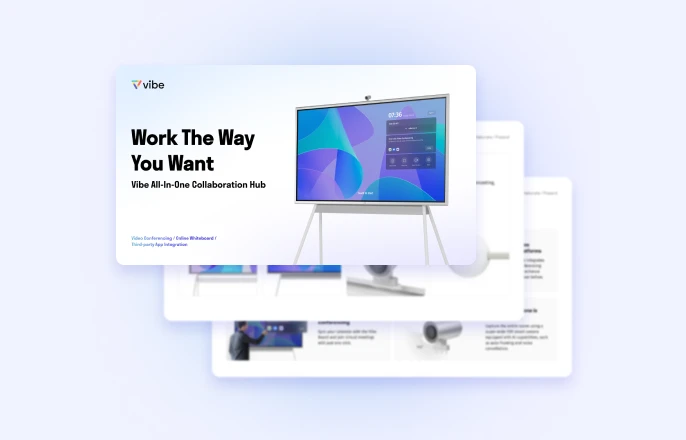
Built for hybrid work, the Vibe Board S1 brings video, apps, and visual collaboration into one screen that’s easy to use and easy to walk up to. It works for quick internal check-ins, deep working sessions, and client-facing conversations without complicated setups or extra tools.
Teams use the Vibe smart board in modern workspaces to:
-
Run meetings where everyone can see, hear, and participate clearly
-
Share visuals, documents, and ideas in one place
-
Collaborate in real time using Canvas
-
Present a polished experience to clients, no IT experts required
-
Turn any room into a functional meeting space
-
Work with the apps they already use, with over 250 workplace applications
See how the Vibe Board S1 works firsthand by scheduling a demo.
 Team using Vibe Board to brainstorm and capture idea collaboratively in one space.
Benefits of Technology in the Workplace FAQs
How is AI changing workplaces?
AI takes on routine tasks like data entry, scheduling, and basic analysis, which frees teams up for higher-value work. It also helps surface patterns in data faster so that decisions don’t rely solely on instinct.
How has technology helped the workforce?
Technology has made work more flexible and collaborative by supporting remote collaboration, shared visibility, and faster team communication. Teams can stay aligned without needing to be in the same place or online at the same time.
Are there disadvantages to technology in the workplace?
Yes. Poor implementation can lead to overload, confusion, or low adoption. Clear norms, fewer overlapping tools, and practical training help teams avoid those issues and get real value from their tech.