

Client relationships are built on communication, yet for many organizations, communication is scattered across email threads, messaging apps, phone calls, video meetings, and shared documents that rarely live in the same place. When conversations are fragmented, important updates get buried, follow-ups slip through the cracks, and clients are left repeating the same information multiple times. The result? Frustrated customers, slower response times, and missed revenue opportunities that could have been avoided with better coordination.
The stakes are high. Research consistently shows that 71% of B2B clients are ready to switch providers due to poor relationship management, highlighting how quickly communication gaps can turn into lost business. In today’s competitive environment, delivering fast, consistent, and personalized client interactions is a retention strategy.
That’s where modern client communication tools make a measurable difference. Instead of juggling disconnected platforms, you can centralize conversations, automate follow-ups, and collaborate internally in real time. From messaging hubs and CRM-integrated communication systems to remote collaboration platforms such as the Vibe Board S1, solutions are designed to keep teams aligned while creating smoother, more engaging client experiences.
Read on to learn about what client communication tools are, the essential features to prioritize when evaluating solutions, and a curated list of the 10 best client communication tools for building stronger relationships in 2026.
- Client communication tools centralize conversations and client data, helping teams respond faster and deliver more consistent experiences.
- The best communication platform depends on your organization’s size, workflows, and primary communication channels.
- Prioritizing integrations, automation, and scalability ensures your tools support long-term growth.
- Streamlined communication improves client satisfaction, retention, and competitive positioning.
- Visual collaboration tools enhance presentations, workshops, and hybrid client interactions.
What Are Client Communication Tools?
Client communication tools are software platforms designed to help businesses track, organize, and optimize interactions with current and prospective clients across the entire relationship lifecycle. Rather than relying on disconnected emails, spreadsheets, or scattered messaging apps, these tools create a centralized environment where teams can manage conversations, store client information, and maintain a clear record of every interaction.
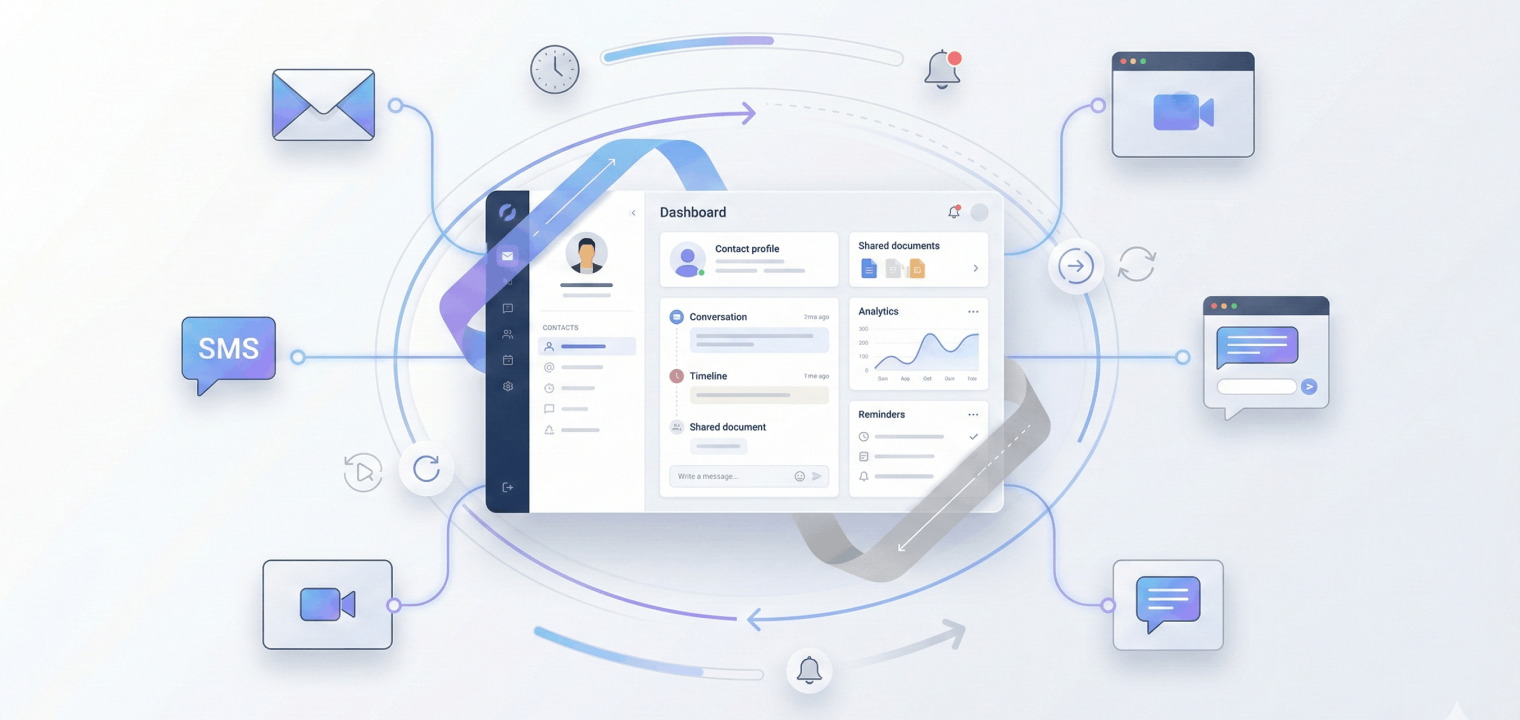
Modern client communication platforms bring together contact details, conversation history, engagement activity, and shared documents in one place, often integrating multiple communication channels such as email, SMS, video calls, live chat, and even social media messaging. This unified view allows teams to quickly understand a client’s history, preferences, and current needs without searching across multiple systems.
More importantly, these tools enable a shift from reactive communication to proactive relationship management. With automation, reminders, and analytics, you can follow up at the right time, personalize outreach, and identify opportunities to strengthen relationships before issues arise.
Common Types of Client Communication Tools
Client communication tools span several categories, each designed to support different types of interactions, workflows, and team responsibilities. Some solutions specialize in a single function—such as help desk ticketing or SMS messaging—while many modern platforms combine multiple capabilities into all-in-one communication ecosystems.
Below are the most common types of client communication tools used by modern businesses.
Customer Service & Help Desk Platforms
Customer service and help desk platforms are ticketing systems that capture and manage support requests across channels such as email, chat, and social media. They help teams prioritize issues, assign ownership, and track resolution times. It’s best for support teams handling high volumes of customer inquiries and requiring structured case management.
Unified Communications & Video Conferencing
These platforms enable video calls, voice meetings, screen sharing, and real-time collaboration, so your teams can maintain face-to-face engagement with clients regardless of location. Many include recording, scheduling, and integrated messaging features. It’s a great fit for remote teams and organizations conducting frequent client meetings, demos, or consultations.
SMS & Messaging Platforms
SMS and messaging tools allow businesses to send text-based communications for reminders, alerts, promotions, and quick service updates. Because messages are mobile-first and typically read quickly, they are ideal for time-sensitive engagement. So local businesses, appointment-based services, and teams delivering urgent notifications find this type of tool particularly helpful.
Collaborative Inbox Solutions
Collaborative inbox platforms manage shared email addresses such as support@, sales@, or hello@, so teams can assign conversations, add internal notes, and track response times. This prevents duplicate replies and ensures consistent communication ownership and is great for teams managing high volumes of shared inbox communications.
Interactive Whiteboard & Presentation Tools
Interactive whiteboard and presentation platforms enable visual collaboration through digital canvases, live annotation, brainstorming boards, and interactive presentations. They help teams communicate ideas more clearly during workshops, strategy sessions, and client demos.
 Team use the Vibe Board to conduct a smooth hybrid meeting
CRM-Integrated Communication Platforms
CRM-integrated communication tools combine customer data management with multichannel messaging, allowing teams to track every interaction alongside deal stages, account notes, and lifecycle data. This creates a unified customer view for personalized engagement. It’s great for sales, account management, and revenue teams managing long-term client relationships.
AI-Powered Customer Engagement Platforms
AI-powered engagement platforms use chatbots, automated workflows, and predictive analytics to manage conversations at scale, respond instantly to common inquiries, and personalize outreach based on behavior patterns. Using an AI engagement platform is particularly helpful for SaaS companies, digital businesses, and product-led growth teams managing in-app or automated messaging experiences.
Essential Features to Look for in Client Communication Tools
Not all communication tools are created equal, and you’ll want to prioritize the features below to ensure your platform supports both your current operational needs and your long-term growth strategy:
-
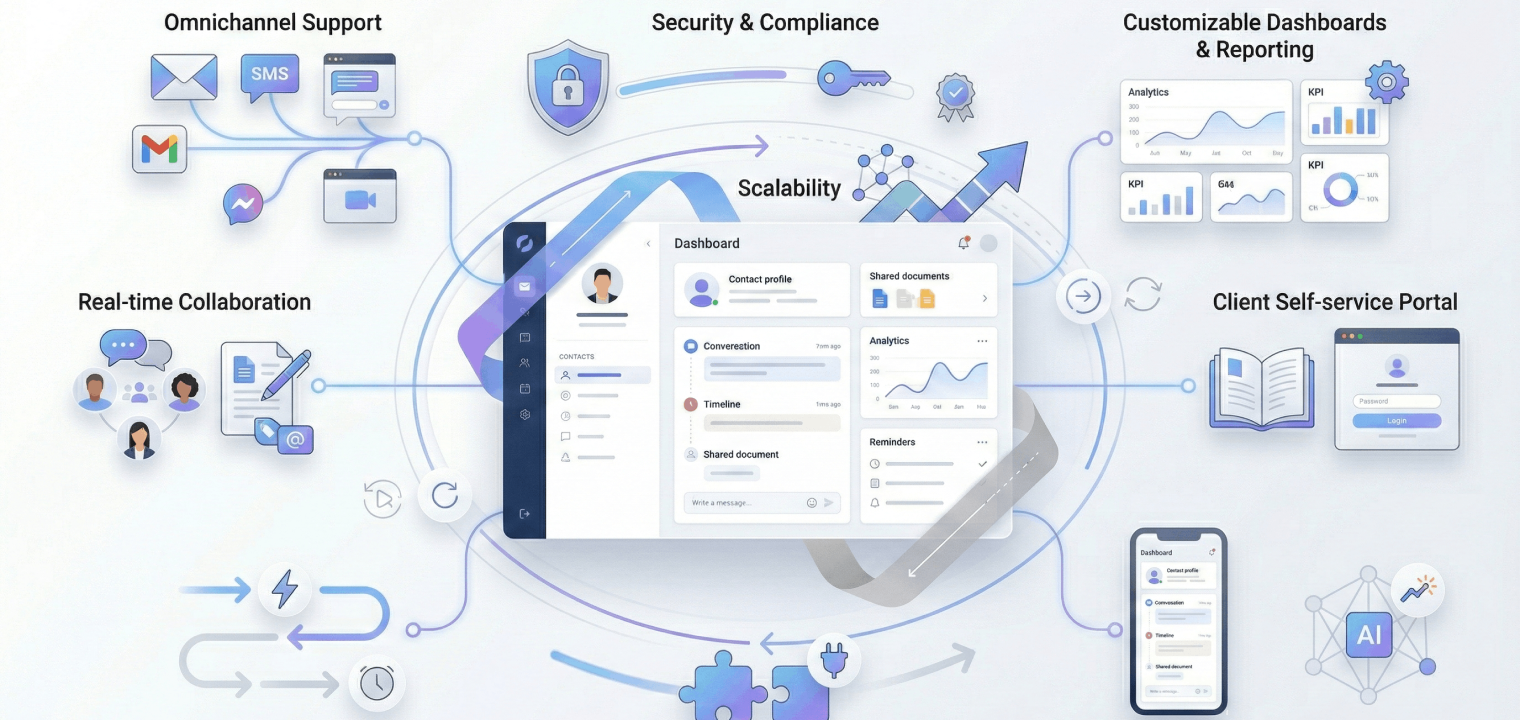
Omnichannel support. Modern clients expect to communicate on their preferred channels. Tools that unify email, SMS, live chat, social media, and video calls into a single interface help ensure that no conversation is overlooked.
-
Real-time collaboration. Features like colleague tagging, internal notes, shared conversation views, and conversation assignment allow teams to collaborate without forwarding emails or duplicating responses. This keeps everyone aligned while improving response speed and message accuracy.
-
Automation & workflows. Automation capabilities help eliminate repetitive manual work. Look for tools that automatically route inquiries, trigger follow-up reminders, send confirmations, or initiate outreach based on client actions or lifecycle stages.
-
Integration capabilities. Strong integrations with CRM systems, calendars, project management platforms, and other business tools reduce the need to switch between systems. Seamless integrations eliminate data silos, improve accuracy, and ensure that communication data contributes to a unified client record.
-
AI-powered insights. Artificial intelligence improves communication by analyzing conversation sentiment, suggesting responses, prioritizing high-value inquiries, and identifying engagement trends. AI-driven insights help you focus on the interactions that matter most while improving overall efficiency.
-
Mobile access. Client conversations don’t stop when team members leave their desks. Platforms with fully functional mobile apps allow employees to respond to messages, review client histories, and collaborate with teammates from anywhere.
-
Customizable dashboards & reporting. Clear visibility into performance metrics is essential. Dashboards that track response times, resolution rates, customer satisfaction, and communication volume help organizations identify bottlenecks, measure performance, and continuously refine communication strategies.
-
Security & compliance. Because communication tools often store sensitive client information, security features such as encryption, two-factor authentication, role-based access controls, and compliance certifications like GDPR, HIPAA, or SOC 2 are critical for protecting data and maintaining trust.
-
Scalability. Choose a platform that can grow with your organization. Scalable systems handle increased conversation volume, additional users, and expanded workflows without performance issues, reducing the need for disruptive migrations later.
-
Client self-service portals. Self-service capabilities—such as knowledge bases, branded portals, and account update tools—empower clients to find answers independently. This reduces support workload while improving satisfaction by giving clients faster access to the information they need.
The Importance of Utilizing Client Communication Tools
Organizations that adopt modern client communication tools consistently see measurable improvements in response times, client satisfaction, and overall team communication and efficiency. As customer expectations for speed and personalization continue to rise, businesses that rely on scattered communication methods—separate inboxes, disconnected messaging platforms, and manual tracking systems—often struggle to keep pace.
The cost of fragmented communication extends beyond inconvenience. When teams lack a centralized view of client conversations, opportunities can slip through the cracks, handoffs between departments become inefficient, and valuable context is lost. Over time, these gaps erode trust and reduce the likelihood of long-term retention.
Centralized communication platforms address these challenges by bringing every interaction—emails, messages, meeting notes, and engagement history—into a single, accessible system. This unified visibility enables faster, more informed responses, allowing teams to understand the full context of each client relationship and engage more proactively. Instead of reacting to issues after they arise, businesses can anticipate needs, personalize outreach, and maintain consistent communication across every touchpoint.
Operationally, the benefits are equally significant. Consolidated tools reduce technology sprawl, simplify workflows, and improve online collaboration by giving teams shared visibility into conversations and responsibilities. Built-in analytics and reporting also enable more data-driven decision-making, helping leaders track performance metrics, identify communication bottlenecks, and improve accountability across departments.

10 of the Best Client Communication Tools in 2026
Choosing the right client communication platform depends on several factors, including your organization’s size, industry, communication priorities, and existing technology stack. Some businesses require enterprise-level workflow automation and omnichannel case management, while others prioritize collaborative inboxes, SMS engagement, or visual client presentation tools for workshops. The best solution is one that aligns with how your teams actually communicate with clients day to day.
The following list highlights 10 of the best client communication tools in 2026. Together, they represent a broad range of capabilities designed to centralize conversations, improve responsiveness, and strengthen long-term client relationships.
|
Tool |
Best For |
Starting Price |
Key Strength |
Main Limitation |
|---|---|---|---|---|
|
Salesforce Service Cloud |
Large organizations in the Salesforce ecosystem needing unified customer view |
$25/user/month |
Enterprise-grade CRM integration with comprehensive analytics and Einstein AI |
Steep learning curve requiring admin/developer support |
|
Front |
Fast-moving teams managing shared inboxes with emphasis on collaboration |
$19/user/month |
Email familiarity combined with help desk structure and team transparency |
Email thread tracking and visibility management can be challenging |
|
Zoho Desk |
Small to mid-sized businesses seeking affordable multi-channel support |
$14/user/month (Free plan available) |
User-friendly interface with strong Freddy AI automation at a competitive price |
Advanced workflow customization less intuitive than competitors |
|
Freshdesk |
Startups and small teams needing fast, minimal-overhead implementation |
$15/user/month (Free plan available) |
Intuitive omnichannel ticketing with quick setup and deployment |
Customization limitations as organizational needs scale |
|
Podium |
Local and service-based businesses focused on mobile-first communication |
~$289/month |
SMS-first engagement with integrated review management and payments |
Can feel feature-heavy for basic messaging needs only |
|
Microsoft Teams |
Organizations using Microsoft 365 wanting integrated productivity tools |
$4/user/month |
Seamless integration across the Microsoft ecosystem with robust collaboration |
Feature depth can be overwhelming; the best value requires full commitment |
|
Vibe Board S1 |
Client-facing professionals conducting visual workshops and presentations |
$3,699 |
Interactive 4K touchscreen with infinite canvas and video conferencing |
Hardware investment required; not ideal for text-based support |
|
Zoom |
Teams reliant on video for client meetings and presentations |
$14.99/user/month (Free tier available) |
Industry-leading video quality with AI meeting summaries and transcription |
Limited employee engagement tracking and less developed collaboration tools |
|
Intercom |
SaaS companies managing user onboarding and product-led growth |
$39/month |
Behavior-triggered in-app messaging with sophisticated automation |
Pricing escalates quickly with user volume growth |
|
Slack |
Internal team collaboration and dedicated client channel management |
$7.25/user/month (Free plan available) |
Extensive integration ecosystem with 2,400+ apps and organized channels |
Not purpose-built for external support; can become noisy at scale |
This table showcases the best client communication tools tailored for various business needs.
1. Salesforce Service Cloud
Salesforce Service Cloud is an enterprise-grade customer communications platform that combines CRM data with omnichannel support across phone, email, chat, SMS, WhatsApp, and social media. By unifying customer records with real-time communication tools, organizations gain a complete view of every interaction, enabling highly personalized and efficient service experiences.
Best for: Large organizations already using the Salesforce ecosystem that require a unified customer view, advanced automation, and scalable workflow management.
Key features:
-
Einstein AI for next-best-action recommendations
-
Automated case routing and assignment
-
Integrated knowledge base
-
Macro templates for common responses
-
Comprehensive analytics and reporting
-
Role-based access controls
Limitations: The platform has a steep learning curve and often requires administrator or developer support for implementation and customization. Costs can also scale quickly depending on feature requirements.
Pricing: From $25/user/month (Starter Suite) to $300+/user/month (Unlimited), with advanced AI features available in higher tiers.
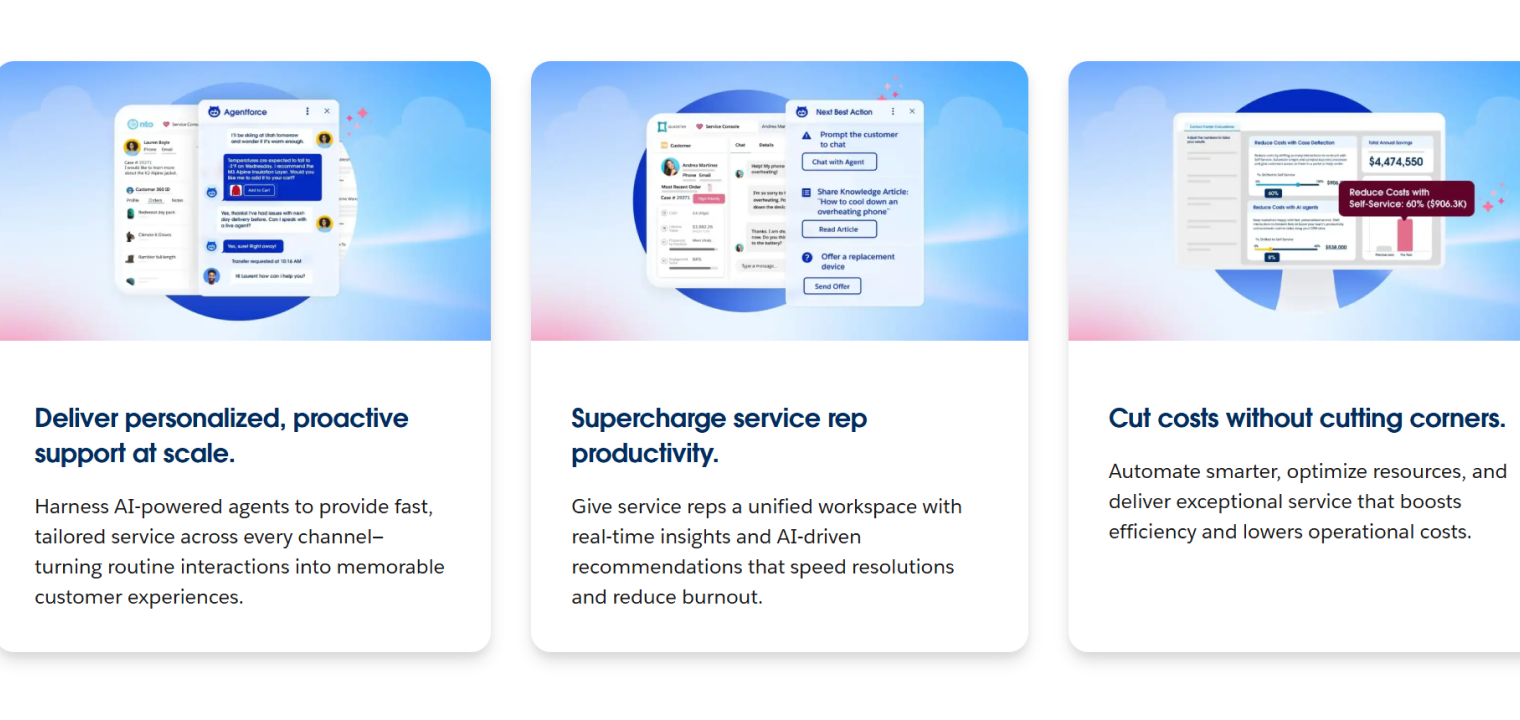 Screenshot of Salesforce Service Cloud showcasing AI-powered customer support features, including personalized agent assistance, real-time recommendations, and cost-saving automation.
2. Front
Front is a collaborative inbox platform that blends the familiarity of email with help desk-style assignment features and Slack-like internal communication tools. Teams can manage shared inboxes while collaborating internally through comments, tagging, and conversation ownership without leaving the interface.
Best for: Fast-moving teams managing shared inboxes that prioritize collaboration, transparency, and streamlined communication workflows.
Key features:
-
Shared inbox with internal comments and tagging
-
Conversation assignment and routing
-
Email templates and canned responses
-
Native integrations with 100+ tools
-
Mobile app for on-the-go management
-
Message-level analytics
Limitations: Some users find email thread visibility management challenging, and certain advanced automation features are only available in higher-tier plans.
Pricing: From $19/user/month (Growth) to custom enterprise pricing.
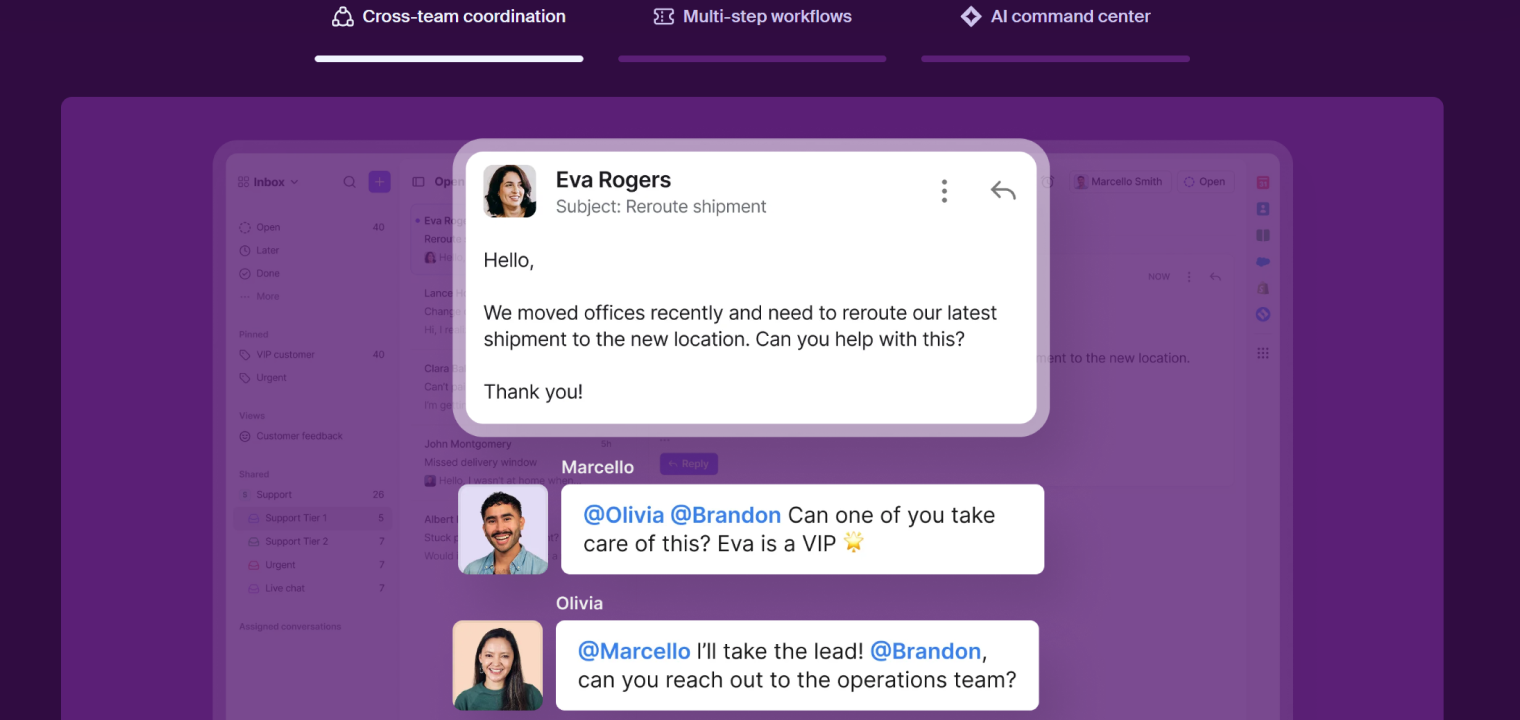 Screenshot of Front highlighting intelligent team collaboration and automated customer support workflows.
3. Zoho Desk
Zoho Desk is a user-friendly omnichannel help desk platform that consolidates email, chat, social media, WhatsApp, and phone support into one interface. Built-in AI assistance and workflow automation help teams respond faster while maintaining consistent service quality.
Best for: Small to mid-sized businesses seeking an affordable, intuitive support platform with strong multichannel coverage.
Key features:
-
Freddy AI for ticket intent detection and auto-resolution
-
Shared ownership and collaboration tools
-
Customizable workflows and automation
-
Parent-child ticketing for complex issues
-
Integrations with the Zoho ecosystem and third-party tools
Limitations: Advanced customization may feel less intuitive for complex workflows, and teams new to ticketing systems may still experience a short learning curve.
Pricing: Free plan available; paid plans from $14/user/month (Standard) to $40/user/month (Enterprise).
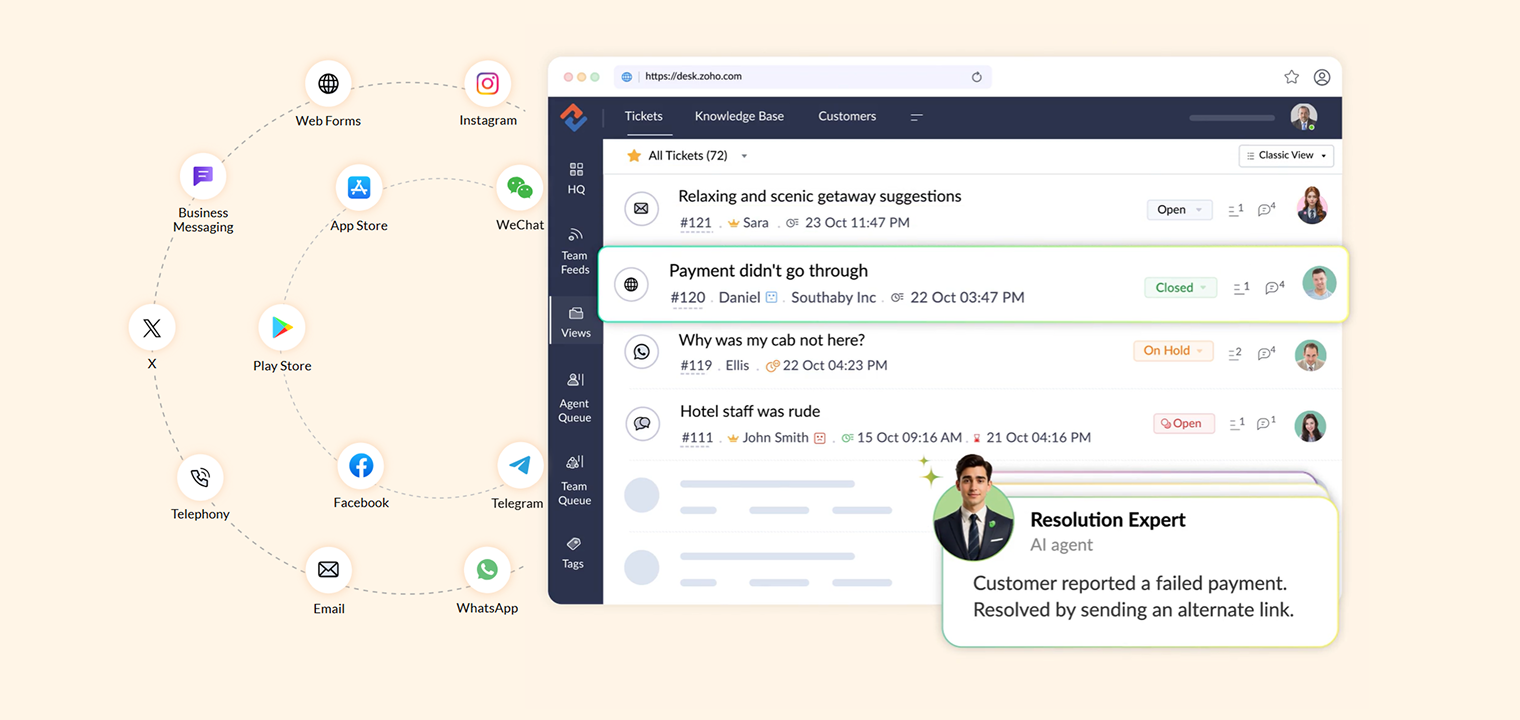 Screenshot of Zoho Desk showcasing AI-powered customer support with multi-channel ticketing and automated resolution by an AI agent.
4. Freshdesk
Freshdesk is an intuitive help desk platform designed for fast implementation and ease of use. It offers omnichannel ticketing, automation, and remote collaboration tools that enable growing teams to manage support efficiently without heavy technical overhead.
Best for: Startups and small teams needing rapid deployment and simple but powerful customer communication tools.
Key features:
-
Unified inbox across email, chat, phone, and social
-
Freddy AI for automated routing and responses
-
Team huddle collaboration features
-
Canned responses and ticket templates
-
Knowledge base builder
-
Mobile app access
Limitations: Customization flexibility can be limited for highly complex workflows, and occasional synchronization delays between channels may occur.
Pricing: Free plan available; paid plans from $15/user/month (Growth) to $49/user/month (Enterprise).
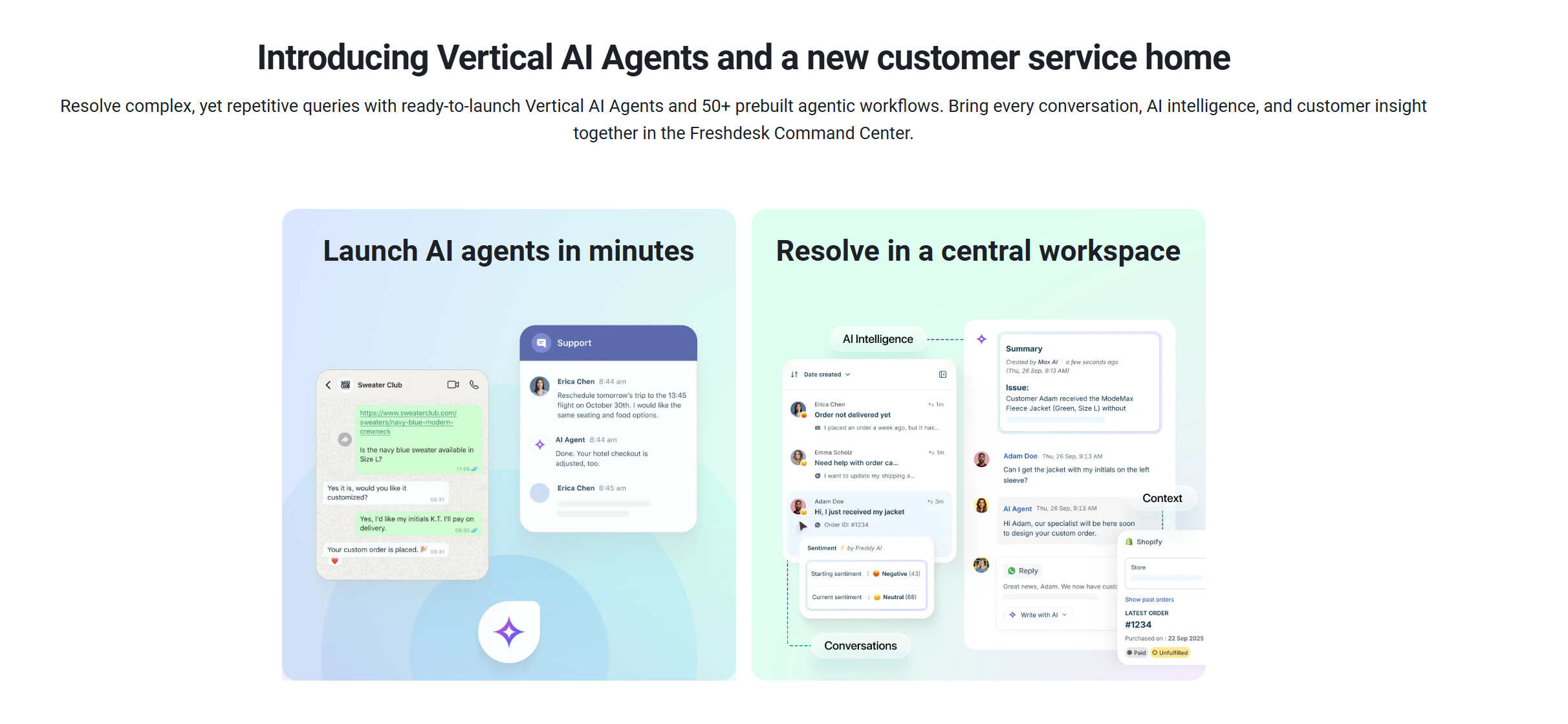 Screenshot of Freshdesk highlighting AI-powered customer service agents and a central workspace for efficient issue resolution.
5. Podium
Podium is an SMS-first client engagement platform designed to help businesses communicate with customers through text messaging while managing online reviews and payments. Its mobile-centric approach makes it particularly effective for local service businesses.
Best for: Local businesses and service providers focused on mobile-first communication, review management, and customer engagement.
Key features:
-
Centralized SMS, web chat, and social messaging
-
Automated review request campaigns
-
AI-powered response suggestions
-
Payment collection via text
-
Team inbox with conversation assignment
-
Mobile apps for field teams
Limitations: The platform may feel feature-heavy for businesses needing only basic messaging, and pricing can be higher for smaller teams.
Pricing: Custom pricing typically starts around $289/month.
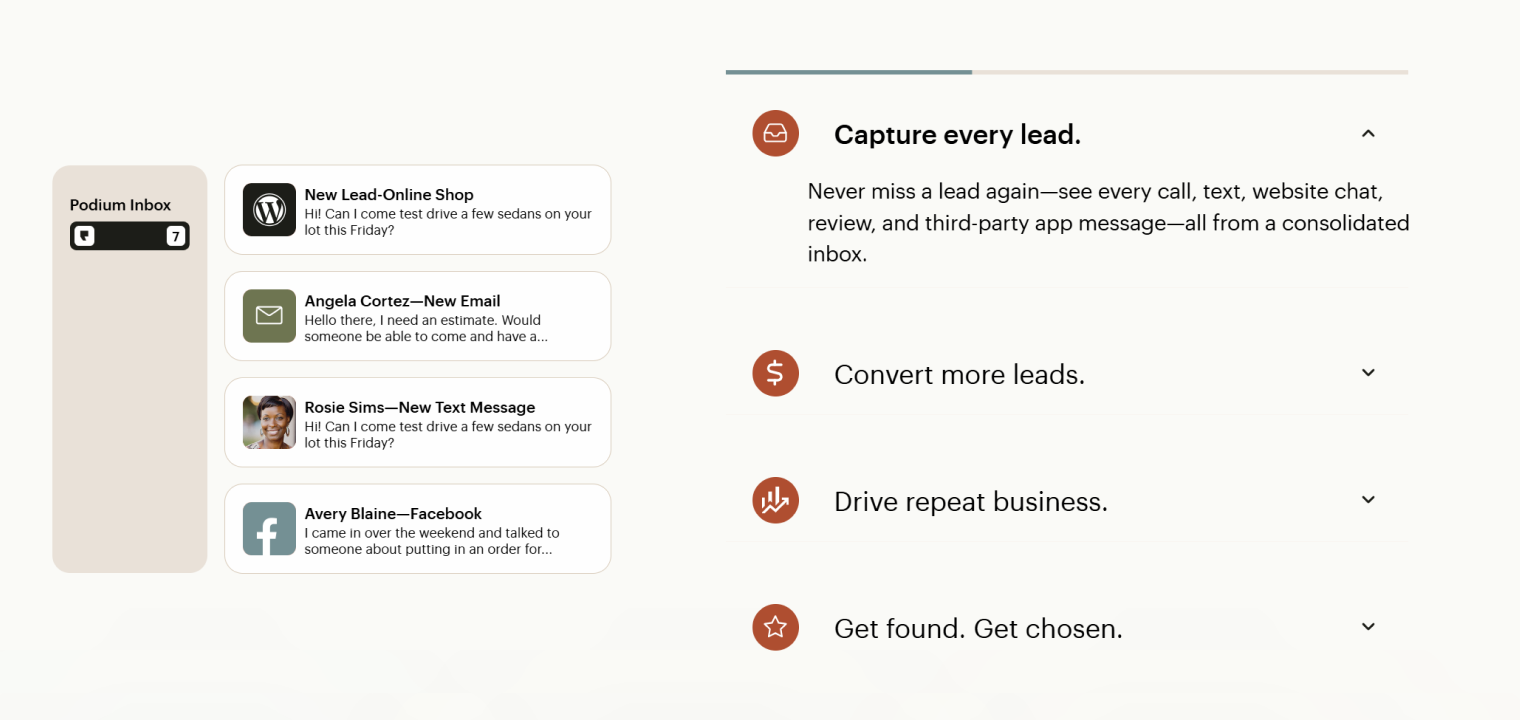 Screenshot of Podium highlighting unified lead capture across multiple communication channels.
6. Microsoft Teams
Microsoft Teams combines chat, video conferencing, file sharing, and collaboration tools into a single platform integrated with Microsoft 365. Its deep productivity integrations make it a central hub for communication and document collaboration.
Best for: Organizations already using Microsoft 365 seeking seamless communication and productivity integration.
Key features:
-
HD video conferencing with transcription
-
Persistent team chat channels
-
Integrated whiteboard collaboration
-
Meeting notes saved automatically
-
File sharing and co-authoring
-
Extensive app integrations
Limitations: The breadth of features can feel overwhelming, and the best value is realized when fully invested in the Microsoft ecosystem.
Pricing: From $4/user/month (Teams Essentials) to $12.50/user/month (Microsoft 365 Business Standard).
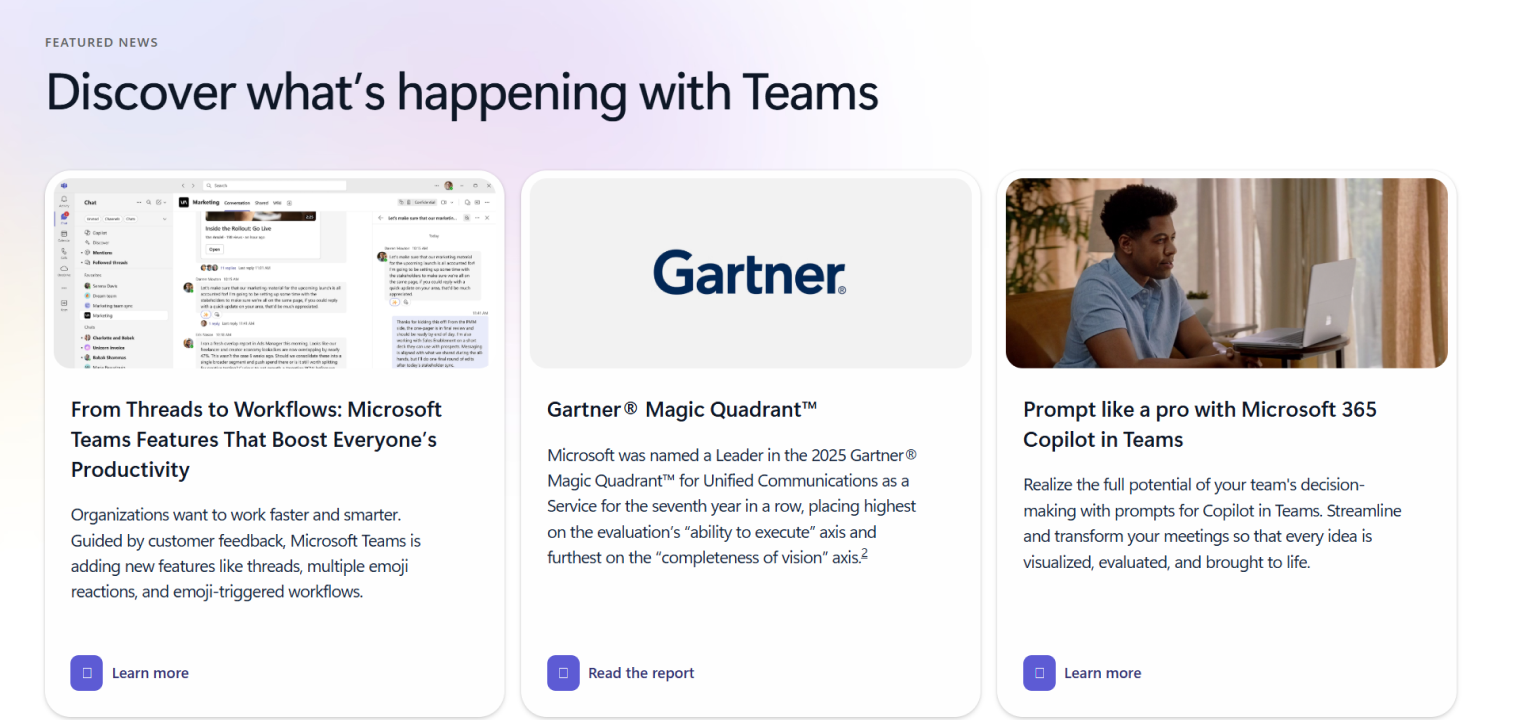 Screenshot of Microsoft Teams highlighting new features, Gartner leadership, and Copilot for smarter teamwork.
7. Vibe Board S1
Vibe Board S1 is an interactive smart whiteboard designed for hybrid collaboration, client presentations, and visual workshops. With an infinite canvas, real-time annotation, and integrated video conferencing, it enhances visual communication during both in-person and remote meetings.
Best for: Client-facing professionals, consultants, creative agencies, and teams conducting collaborative presentations or workshops.
Key features:
-
4K 55″ touchscreen with fast response time
-
AI handwriting recognition
-
An infinite collaborative canvas accessible from any device
-
Integrated Zoom, Teams, and Meet support
-
Screen sharing and annotation tools
-
Cloud-based automatic saving
Limitations: Requires hardware investment and is best suited for visual collaboration rather than text-based support communication.
Pricing: Contact Vibe for hardware + software subscription pricing.
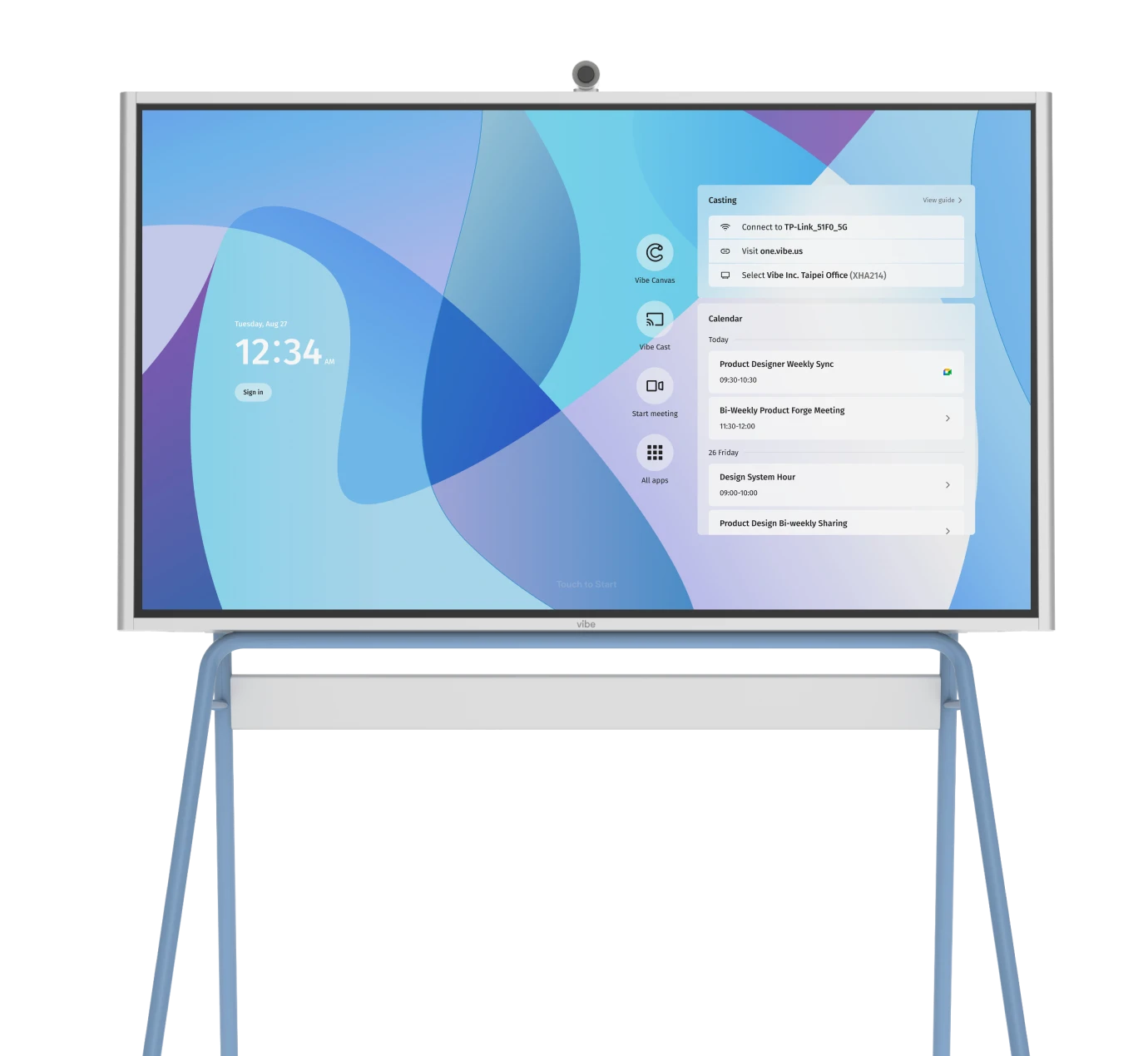
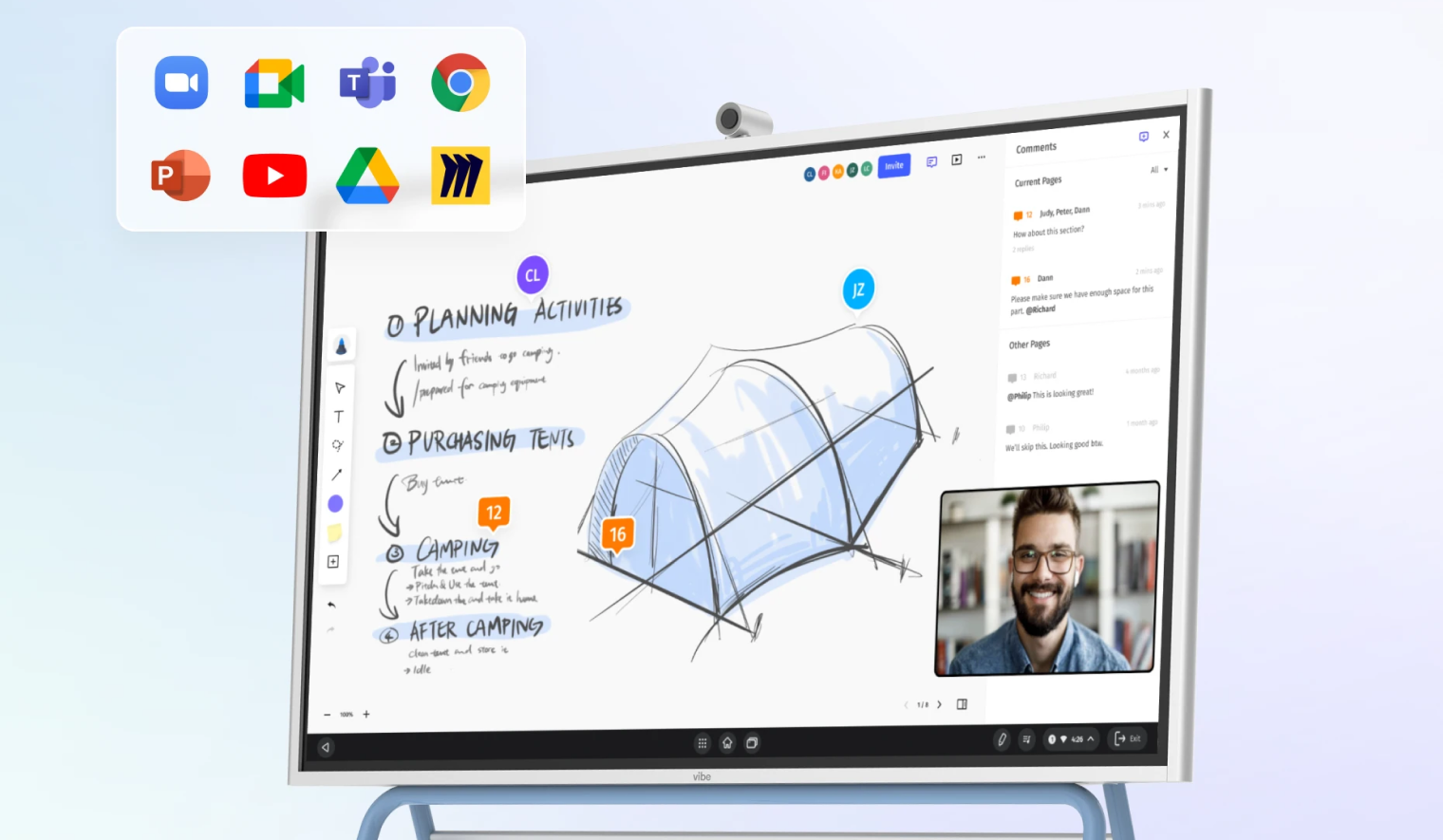 Vibe Board mounted on stand, featuring touchscreen display with collaboration interface.
8. Zoom
Zoom is a video-first collaboration platform that supports meetings, persistent chat, phone capabilities, and collaborative workspaces. Its AI meeting tools streamline note-taking and action tracking.
Best for: Organizations heavily reliant on video communication for meetings, presentations, and client workshops.
Key features:
-
HD meetings with screen sharing and annotation
-
Breakout rooms for workshops
-
Meeting recording and transcription
-
AI meeting summaries and action items
-
Zoom Chat and collaborative documents
Limitations: Engagement analytics are limited, and collaboration tools are less extensive than productivity-suite platforms.
Pricing: Free plan available; paid plans from $14.99/user/month (Pro).
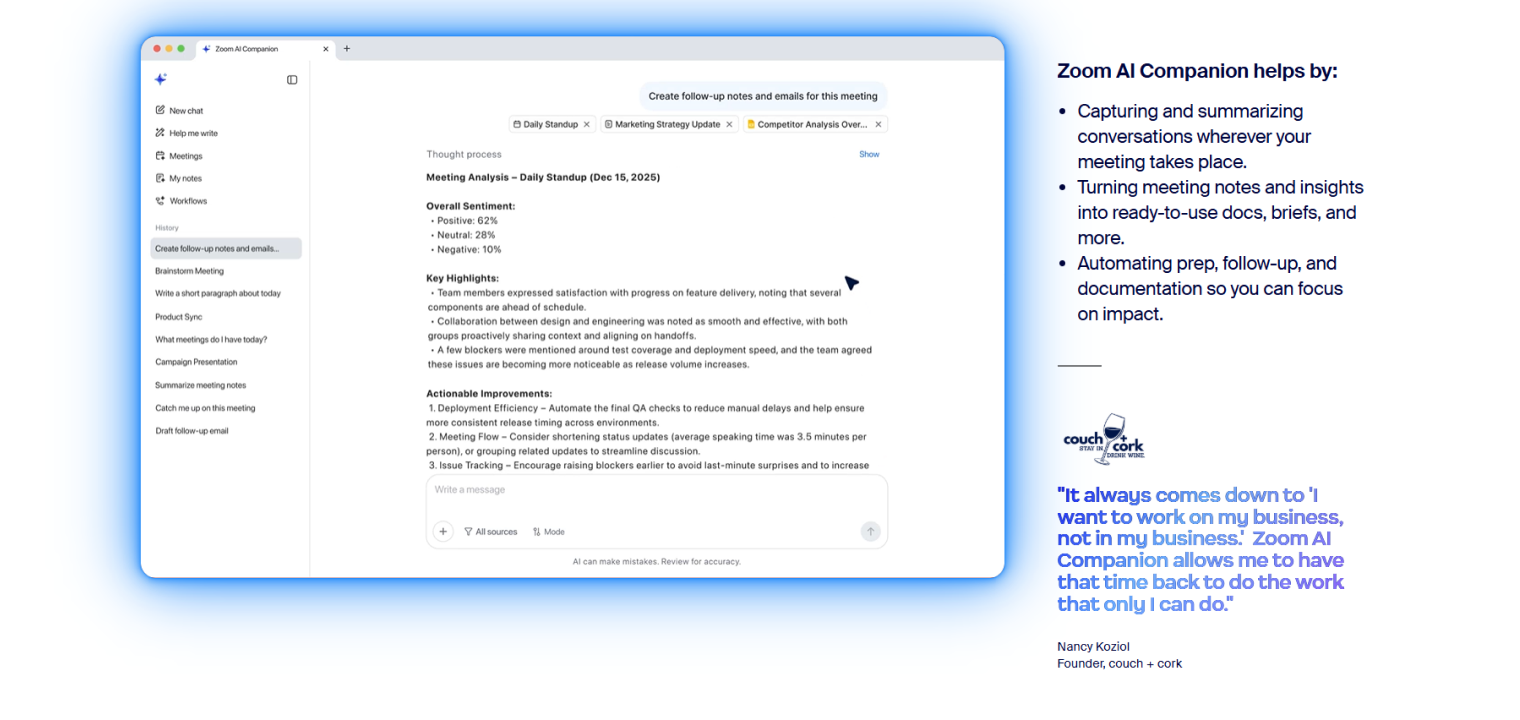 Screenshot of Zoom AI Companion highlighting AI-powered meeting notes, insights, and automated follow-ups.
9. Intercom
Intercom is a customer engagement platform specializing in in-app messaging, chatbot automation, and lifecycle messaging designed for product-led growth companies. It enables personalized communication directly inside digital products.
Best for: SaaS companies managing onboarding, in-app support, and automated engagement campaigns.
Key features:
-
In-app chat widget
-
Behavior-triggered messaging campaigns
-
Chatbot automation workflows
-
Product tours and onboarding flows
-
Conversation routing and assignment
Limitations: Pricing increases as user counts grow and may be excessive for simple support needs.
Pricing: From $39/month (Starter) to enterprise pricing.
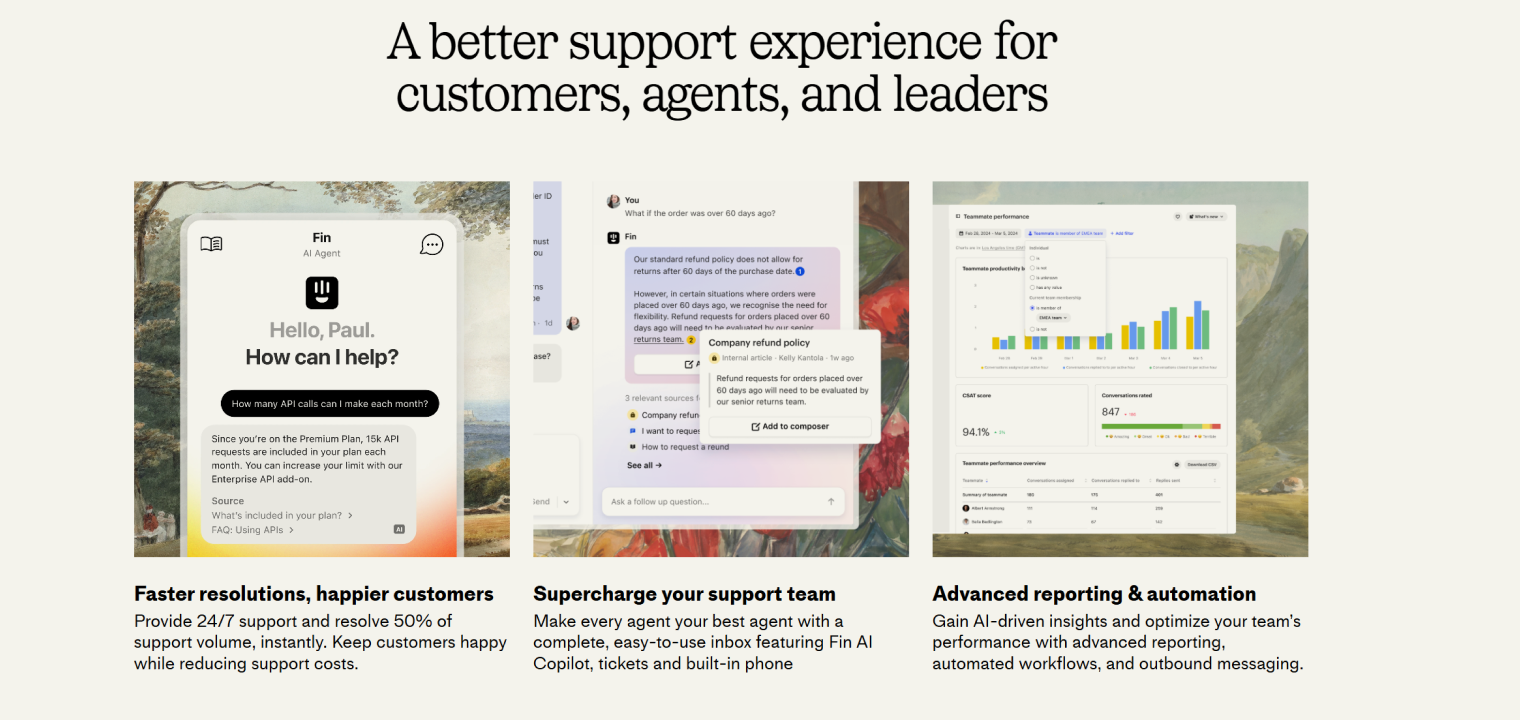 Screenshot of Intercom highlighting AI-driven support, agent productivity tools, and performance analytics.
10. Slack
Slack is a real-time communication platform built around organized channels, direct messaging, and extensive integrations with business tools. Many companies use dedicated client channels to manage external collaboration and internal coordination simultaneously.
Best for: Organizations prioritizing real-time team collaboration and integrated workflows across multiple tools.
Key features:
-
Topic-based communication channels
-
Direct and group messaging
-
Workflow automation with Slack bots
-
Audio and video huddles
-
Integration with 2,400+ apps
-
Powerful searchable conversation history
Limitations: Not purpose-built for external support management and can become noisy without clear channel governance.
Pricing: Free plan available; paid plans from $7.25/user/month (Pro) to $12.50/user/month (Business+).
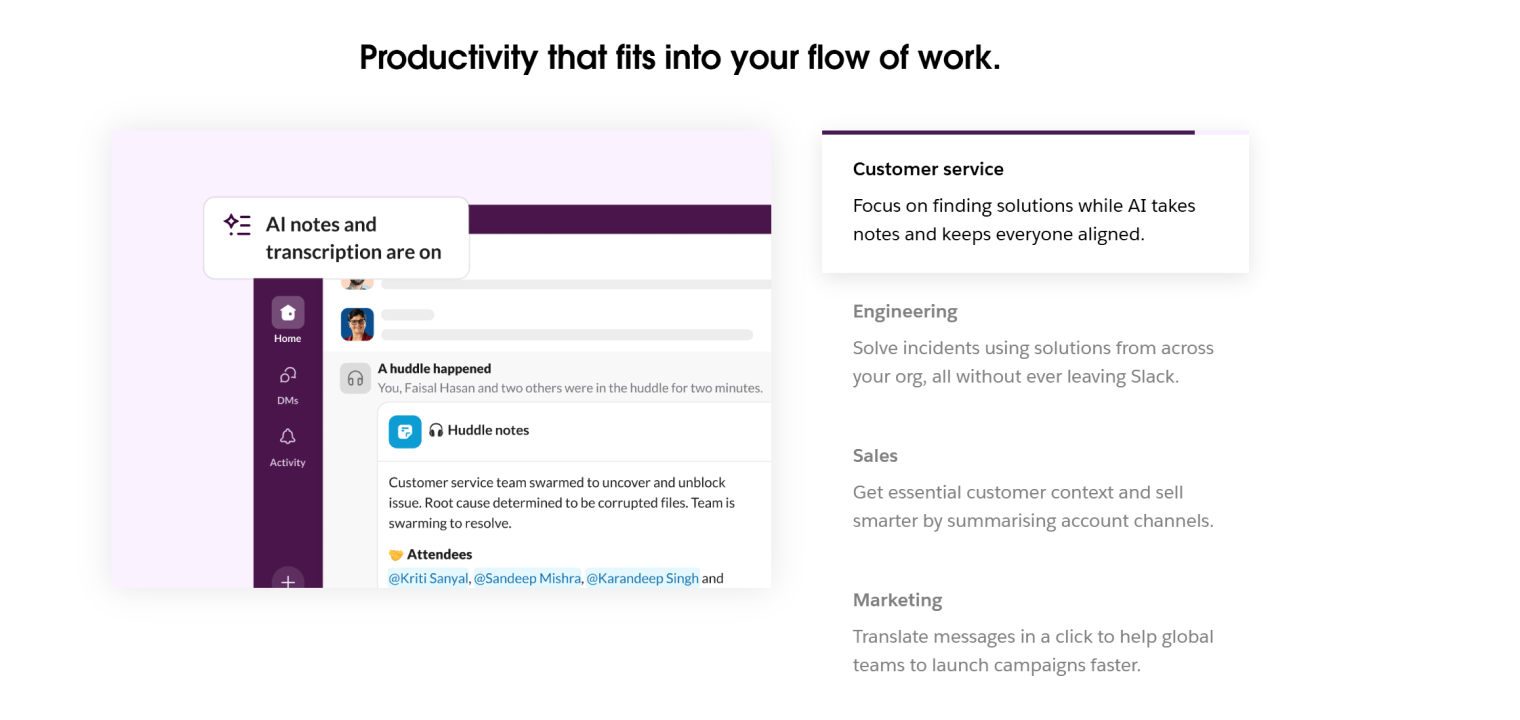 Screenshot of Slack highlighting AI-driven meeting notes and real-time collaboration across teams.
How to Choose the Right Client Communication Tools
Selecting the right client communication platform requires more than comparing feature lists. The most effective solution is one that aligns with your communication workflows, integrates smoothly with your existing systems, and supports both current needs and long-term growth. Use the framework below to guide your evaluation process.
1. Start with your communication priorities
Begin by identifying your primary communication objectives. Are you focused on improving customer support response times, strengthening sales outreach, enabling collaborative client presentations, or enhancing internal coordination? Clarifying your main use cases helps narrow down the categories of tools that will deliver the greatest value.
2. Assess your existing tech stack and integration requirements
Review the systems your team already relies on—such as CRM platforms, calendars, project management tools, and marketing software. Choosing tools with strong native integrations prevents the creation of data silos and reduces the risk of adding unnecessary tool sprawl.
3. Consider team size and scalability needs
Your communication needs today may look very different in two or three years. Select platforms that can scale with your organization by supporting increased message volume, additional users, and expanded workflows without requiring a disruptive migration later.
4. Evaluate ease of use and onboarding time
Even the most feature-rich platform will underperform if teams struggle to use it effectively. Prioritize solutions with intuitive interfaces, clear onboarding resources, and minimal training requirements—especially if your organization does not have dedicated technical support staff.
5. Factor in the total cost of ownership
Look beyond base subscription pricing and consider the full financial picture, including add-on features, implementation costs, integrations, and long-term licensing as your team grows. A lower upfront price does not always translate into lower long-term costs.
6. Prioritize security and compliance requirements
Depending on your industry, you may need tools that support encryption, role-based access controls, audit trails, and compliance with standards such as GDPR, HIPAA, or SOC 2 to protect sensitive client information.
7. Test tools through free trials
Whenever possible, run pilot programs using free trials or demo environments to evaluate how well each platform fits your real-world workflows and communication style.
8. Gather input from daily users
Finally, involve the team members who will use the tool every day. Their feedback and buy-in are essential for successful adoption, long-term usage, and maximizing the value of your chosen platform.
Beyond Digital: When Client Communication Needs Visual Collaboration
While messaging platforms, email, and CRM-integrated tools handle most day-to-day communication, some client interactions require visual, interactive collaboration to be truly effective. Strategy workshops, product demos, design reviews, onboarding sessions, and executive presentations often benefit from real-time annotation, shared canvases, and face-to-face collaboration experiences that standard software alone cannot fully replicate.
Interactive display technologies help bridge the gap between digital messaging and in-person engagement, enabling teams to collaborate visually regardless of location. Research shows that interactive whiteboards support real-time collaboration, visual clarity, and increased participation across distributed teams, helping organizations communicate complex ideas more effectively in hybrid environments.
For organizations running hybrid or client-facing meetings, dedicated collaboration hardware can make a measurable difference. Large interactive displays allow teams to brainstorm together, annotate documents live, and instantly share outcomes with remote participants, creating a more inclusive and productive meeting experience.
A leading example is the Vibe Board S1—an interactive smart whiteboard that combines a touchscreen display, collaboration canvas, and integrated conferencing capabilities in a single device. Designed for hybrid workspaces, it enables teams to present visually, collaborate in real time, and maintain continuity between in-person and remote participants.
If your team frequently gathers around conference rooms, leads collaborative client sessions, or runs hybrid meetings with both remote and in-person attendees, an interactive collaboration display—such as a Vibe solution—can become a powerful extension of your communication stack.
Experience the impact of visual collaboration firsthand—schedule a demo to see how the Vibe Board S1 can transform client communication and hybrid collaboration in your organization.
 Diverse team aligning project ideas during hybrid in-person and virtual collaboration session.
Client Communication Tools FAQs
What is an example of a client communication tool in use?
A common example is a help desk platform that consolidates customer emails, chat conversations, and support tickets into a single dashboard. Support teams use it to track inquiries, assign responsibilities, and respond quickly with full visibility into the client’s conversation history. This ensures faster resolution times and more consistent communication.
Do client communication tools integrate with other software?
Yes, most modern client communication tools are designed to integrate with CRM systems, calendars, project management boards, marketing tools, and payment systems. These integrations centralize data, reduce manual entry, and allow teams to manage client relationships without switching between multiple platforms. Strong integrations also enable automation and more accurate reporting.
What are the 5 C’s of effective communication?
The 5 C’s of effective communication are clarity, conciseness, consistency, correctness, and courtesy. Messages should be easy to understand, direct, aligned across channels, factually accurate, and respectful in tone. Following these principles helps build trust and ensures that client interactions are both professional and effective.