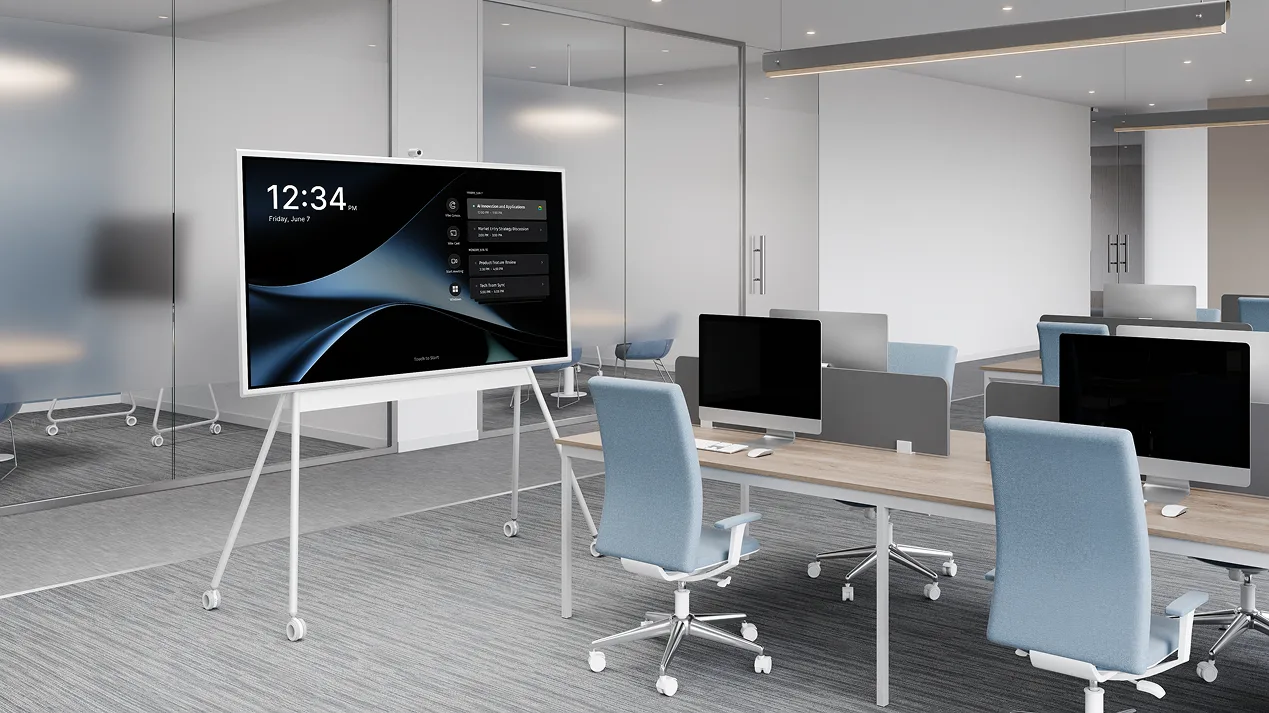
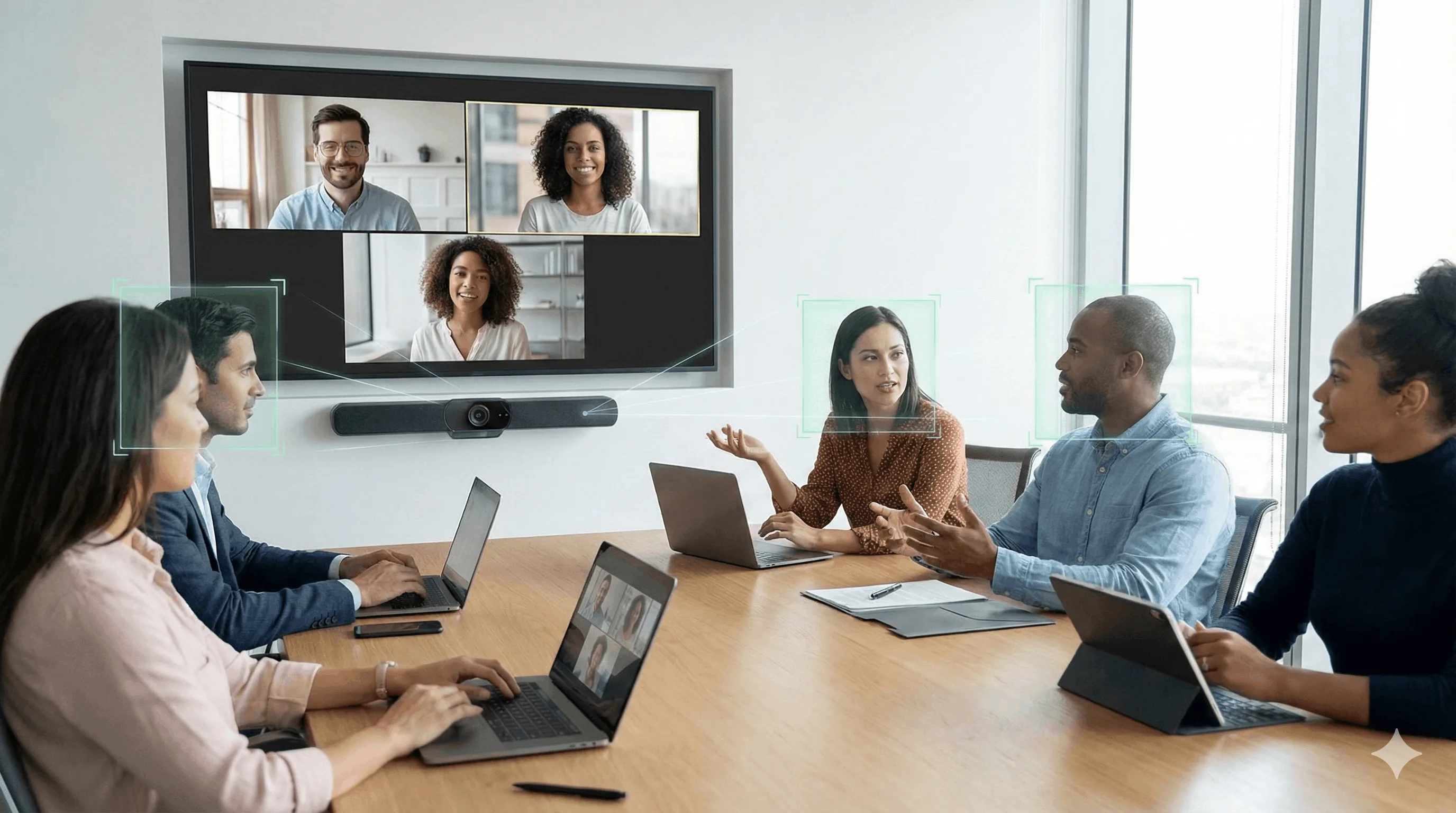
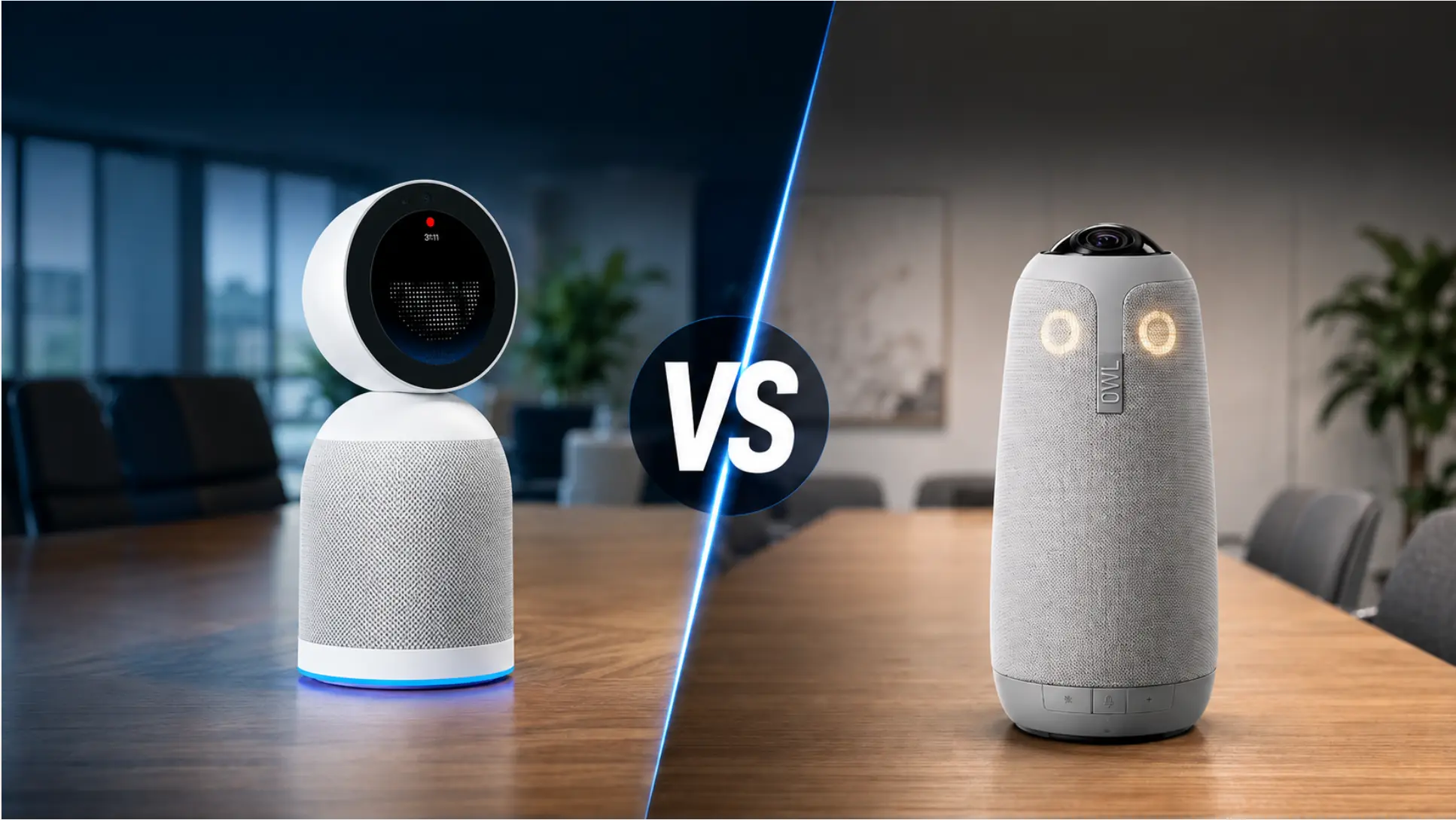
The best conference room camera in 2026 isn’t just about resolution — it’s about what the system does with the meeting after the video call ends.
Most buyers compare lens specs. The more useful comparison is whether the system produces a transcript, summary, and action items automatically, or whether that work falls back on a participant. A new category of AI-powered conference room devices handles both jobs in one unit: 4K video capture and native meeting intelligence, with no laptop required and no note-taker needed. That distinction now drives the most important buying decisions in this space, and this guide covers both generations — traditional cameras and AI meeting devices — so you can make the right call for your room and your team.
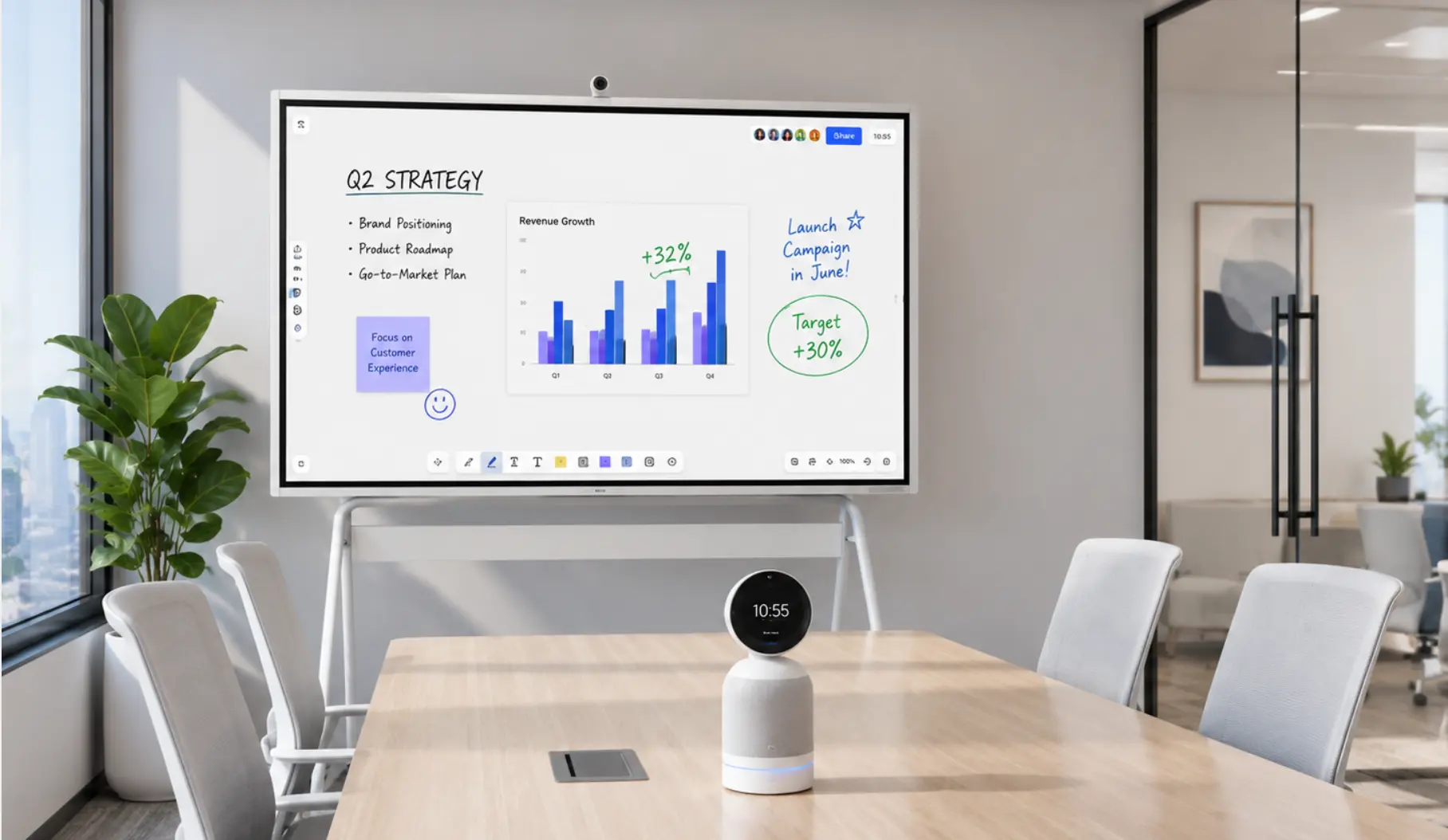
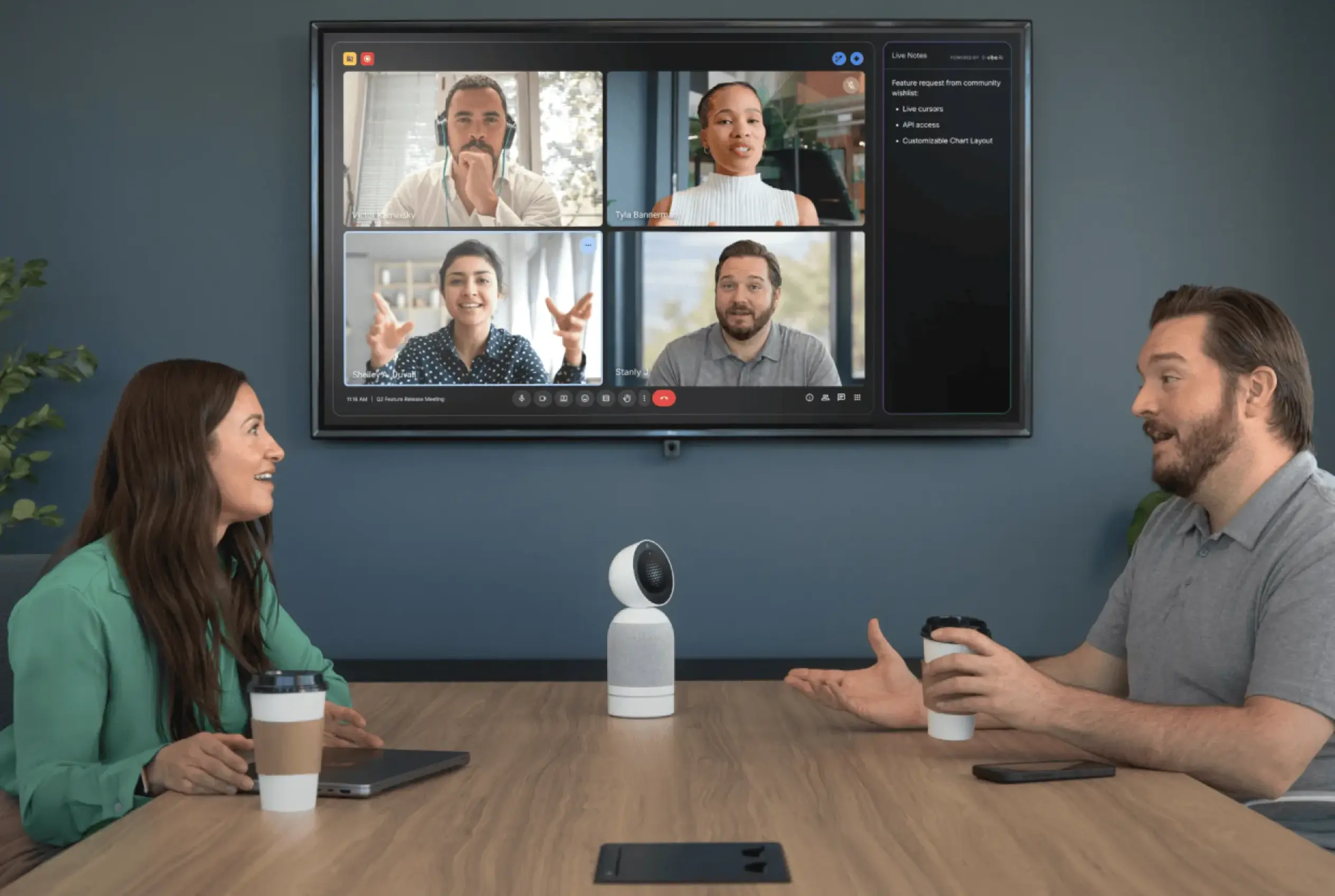 Vibe Bot AI conference camera on a table with a four-person video call and AI Live Notes panel displayed on screen
Quick Answer: Best Conference Room Cameras at a Glance
|
Pick |
Best For |
Price |
|---|---|---|
|
Vibe Bot |
AI meeting intelligence — any room size |
$1,599 |
|
Logitech Sight |
Enterprise tabletop companion for large rooms |
$2,199 |
|
Meeting Owl 4 |
360° all-in-one for round-table setups |
$1,799 |
|
HP Poly Studio USB |
Huddle rooms prioritizing audio quality |
~$814 |
|
OBSBOT Tiny 2 |
Solo presenters and desktop PTZ |
$329 |
What Is a Conference Room Camera?
A conference room camera is a purpose-built video capture system designed for shared meeting spaces — not individual desks. Unlike consumer webcams, conference cameras offer wider fields of view, multi-directional audio pickup, and AI features that handle framing, speaker tracking, and noise suppression automatically.
In 2026, the category has split into two distinct tiers:
-
Traditional conferencing cameras capture video and audio for the call. What happens with the meeting content after that is up to the participants.
-
AI meeting devices capture video, audio, and meeting intelligence — producing transcripts, summaries, and action items automatically, and in the most advanced systems, building a searchable record that persists across every session ever held in the room.
Understanding which tier fits your team is the most important buying decision in this category — more consequential than resolution, field of view, or brand.
Why Conference Room Camera Quality Matters More Than Ever
Hybrid work is now the default operating model for most knowledge workers, with the majority of professional meetings including at least one remote participant. When the camera fails — or simply underperforms — remote participants don’t just have a worse experience; they lose effective access to the meeting.
Research on hybrid meeting participation finds that 75% of professionals agree more is accomplished when cameras are on and participants can see each other clearly. The conference room camera is the primary channel through which remote attendees experience the room — it’s infrastructure, not a peripheral.
The cost of poor conference room video also compounds over time: remote participants with an obstructed or distant camera view contribute less, miss non-verbal cues that drive alignment, and disengage faster. Across dozens of weekly meetings, that shows up in decision quality and project velocity.
Key Features to Evaluate in a Conference Room Camera
Video Resolution and Frame Rate
4K is the current standard for conference room cameras in any shared space. The practical benefit isn’t just image sharpness — higher resolution enables digital PTZ (pan-tilt-zoom) that stays sharp when the camera crops to a speaker. At 1080p, digital zoom degrades quickly enough to make the close-up view hard to read.
Frame rate matters for AI-powered systems specifically: smooth speaker tracking requires higher frame rates to avoid the "hunting" delay where the camera lags behind a moving speaker. Vibe Bot’s 4K UHD at 60fps — combined with HDR — is meaningfully above the 4K 30fps that Meeting Owl 5 Pro and Logitech Rally Bar offer.
Field of View
-
90–120°: Rectangular tables where the camera mounts at one end
-
120–150°: Wider rooms or U-shaped seating
-
360°: Round tables, open seating, or rooms where participants surround the camera
Wider is not always better. An overly wide FOV in a deep room makes faces too small to read — and can disable some AI tracking features. Match FOV to actual room shape, not to a maximum-coverage assumption.
Mechanical vs. Digital PTZ
Mechanical PTZ (the camera lens physically moves) suits large rooms, auditoriums, and presentations where speakers move far from the camera. Optical zoom preserves quality at distance.
Digital PTZ (software crops the sensor) works well in most conference rooms where the camera stays fixed. It’s simpler to deploy and more reliable — but requires higher base resolution to maintain image quality when zoomed.
Integrated Audio: The Feature Most Buyers Underestimate
Bad audio breaks a meeting faster than bad video. A remote participant can tolerate a slightly blurry image; they cannot sustain comprehension when voices cut in and out or when room echo makes every sentence a struggle to parse.
Prioritize:
-
Beamforming microphones that focus on active speakers rather than capturing the room uniformly
-
AI noise suppression for HVAC, keyboard clicks, and ambient noise
-
Audio pickup range matched to your room (typically 6–8 ft for small rooms, 12–18 ft for medium, larger for boardrooms)
AI and Smart Features
This is where the category is diverging fastest. AI features now range from basic auto-framing (commodity) to full meeting intelligence (differentiator):
|
Feature |
What It Does |
Available In |
|---|---|---|
|
Auto-framing / group framing |
Keeps all participants in view automatically |
Most modern cameras |
|
Speaker tracking |
Follows whoever is talking |
Mid-range and above |
|
AI noise suppression |
Filters background noise in real time |
Most AI cameras |
|
On-device AI chip |
Processes locally — no cloud dependency during the meeting |
Vibe Bot |
|
Native transcription |
Automatic full-meeting text transcript |
Vibe Bot (native); others via platform |
|
AI meeting summary |
Auto-generated notes and action items |
Vibe Bot (native); others require add-on |
|
Cross-session memory |
Indexes every meeting into a searchable knowledge graph |
Vibe Bot + Vibe AI |
|
Local Conversation Mode |
Captures in-person meetings without a video call running |
Vibe Bot |
Platform Compatibility
Most conference cameras support Zoom, Google Meet, and Microsoft Teams. The differences that matter:
-
USB plug-and-play (BYOD): Lowest cost; requires a laptop or room PC for every session — the most common failure point in conference rooms
-
Standalone with built-in OS: No laptop required; one-tap join; fewer moving parts and faster meeting start
-
Platform-certified (Zoom Rooms, Teams Rooms): Full ecosystem features — centralized device management, smart gallery — at a price premium
5 Best Conference Room Camera Systems in 2026
1. Vibe Bot — Best AI Conference Room Camera
Price: $1,599 (early-bird, reg. $1,799) | Vibe AI: from $9/mo (Pro) Best for: Any room size where AI meeting intelligence matters — from huddle rooms to executive boardrooms
Hardware specs:
-
Camera: 4K UHD, 360° FOV, 2.2x lossless zoom, AI auto-framing and speaker tracking
-
Video: 60fps + HDR (above the 4K 30fps standard of most competing systems)
-
Audio: 6-microphone beamforming array with AI noise cancellation
-
System: 8-core 64-bit CPU + dedicated on-device AI chip running BotOS
-
Connectivity: Wi-Fi 6, Bluetooth 5.2, Ethernet via adapter
-
Dimensions: 9.3″ H × 4.0″ W × 4.0″ D, 2.27 lbs
-
Optional: Magnetic snap-on battery for wireless, room-to-room use
What makes it different:
Vibe Bot is the only device in this category with a dedicated on-device AI chip. That chip does what no app or platform integration can replicate: it processes the room locally, in real time, without routing audio through an external cloud service during the session.
The result is a system that doesn’t just capture video — it understands the meeting. Automatic transcription, AI-generated summaries, and action items assigned to specific speakers are ready immediately after the session ends, displayed as a QR code on the device screen. No one needs to take notes. No one needs to remember who said what.
The deeper differentiator is Vibe AI’s Memory Engine. Every meeting Vibe Bot captures is indexed into a searchable, cross-session knowledge graph. Weeks later, you can ask Vibe AI what was decided in a planning session — and it answers from the actual meeting record. That capability is unique in this price range. And because the Memory Engine connects across Vibe Bot, Vibe Dot, and Vibe AI, it works whether team members are in the room or joining remotely on their own devices.
 Vibe AI logo at the center of a network connecting multiple team members, representing AI-powered collaboration
Standalone deployment removes the single most common conference room failure point: the laptop. Vibe Bot runs BotOS independently. One-tap join connects to Zoom, Google Meet, or Microsoft Teams — no HDMI cable scramble, no driver update pop-up, no "why won’t it connect?" ten minutes into the meeting slot.
Local Conversation Mode means Vibe Bot also captures in-person discussions without a video call running — useful for team scrums, strategy sessions, and any meeting where some or all participants are in the room together.
Works in any room: The 360° camera and 6-mic beamforming array handle huddle rooms to boardrooms. For very large rooms (20+ people, deep rectangular tables), pairing Vibe Bot with an external display gives remote participants a fuller shared-content view while Vibe Bot handles capture and AI intelligence.
Compliance: SOC 2, HIPAA-aligned, NDAA-eligible. Red Dot Award 2026, iF Design Award 2026. Featured in The Verge, Wired, TechCrunch, and Forbes.
Trade-offs: Vibe AI subscription required for AI features — basic video conferencing works without it. AI features are where the value concentrates; the subscription is what makes Vibe Bot categorically different from a conventional camera.
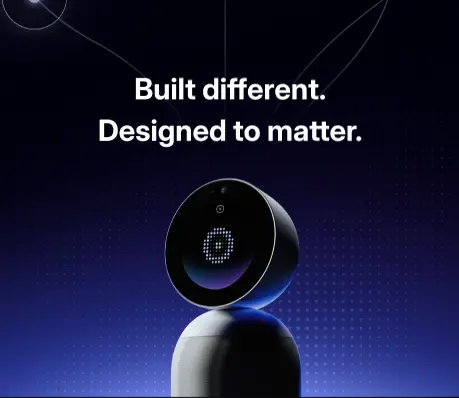
2. Logitech Sight — Best Enterprise Tabletop Camera
Price: $2,199 Best for: Large enterprise conference rooms with existing Logitech Rally infrastructure; IT teams standardizing at scale
Key specs:
-
Dual 4K tabletop cameras, 315° horizontal field of view
-
7 beamforming microphones, 7.5 ft pickup radius
-
AI participant framing and smart switching with front-of-room cameras
-
Certified for Microsoft Teams Rooms, Zoom Rooms, Google Meet
What makes it different:
Logitech Sight is a tabletop companion camera — designed to pair with a front-of-room unit like the Rally Bar. For large rooms where a single wall-mounted camera can’t adequately cover everyone seated around the table, the dual-camera format delivers gallery view equity: remote participants see a wide table shot plus close-ups of active speakers, not a single distant angle where everyone looks like background characters.
For organizations already running Logitech infrastructure, it’s the most natural upgrade path.
Trade-offs: Requires a front-of-room camera to unlock full smart-switching capability; as a standalone unit it provides wide coverage but without the AI switching that makes it compelling. No native meeting intelligence — transcription and summaries come from the video platform, not the device itself. At $2,199 plus the cost of a Rally Bar system, total room cost significantly exceeds Vibe Bot — and the AI meeting layer still requires a separate subscription to the video platform’s intelligence features.
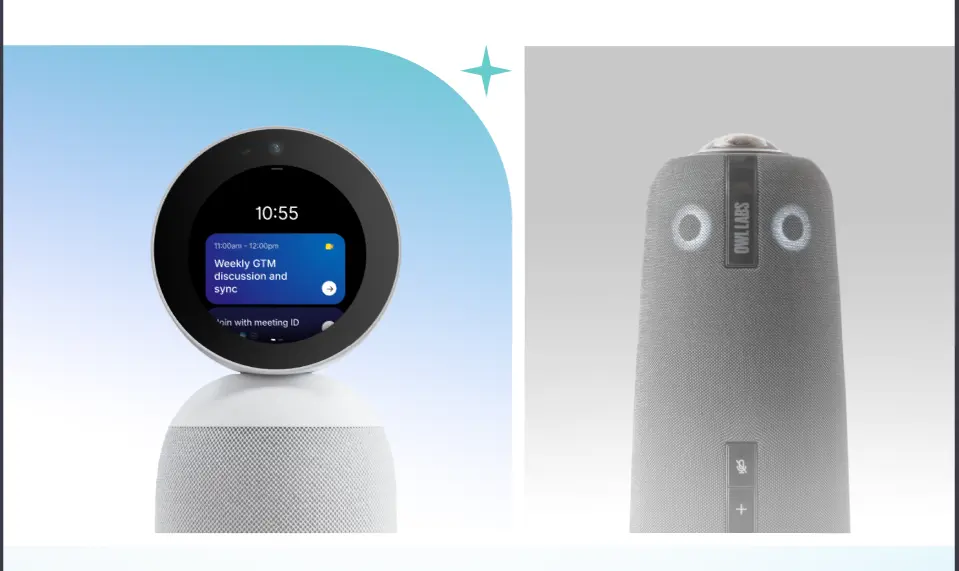
3. Meeting Owl 4+ — Best 360° All-in-One for Round Tables
Price: $1,799 (reg. $1,999) Best for: Round-table rooms, flexible seating layouts, teams wanting a single USB all-in-one device
Key specs:
-
360° panoramic 4K UHD camera, 64MP sensor, AI-powered speaker focus, 10 ft video radius
-
8-microphone 360° omnidirectional array, 18 ft audio pickup, echo cancellation and noise reduction
-
Integrated 360° dual-speaker system
-
USB-C plug-and-play, Microsoft Teams certified
What makes it different:
The Meeting Owl 4+’s core strength is simplicity and 360° coverage. One device on the center of the table handles camera, microphone, and speaker — no separate components, no installation, no configuration. The 4K UHD upgrade over the previous generation means speaker close-ups stay sharp even when the Owl crops digitally to an active face. For teams that frequently reconfigure spaces or want a portable device to move between rooms, the setup experience is genuinely frictionless.
Trade-offs: Meeting Owl 4+ is a USB device with no standalone operating system — it requires a connected laptop for every meeting, which is the most common source of conference room delays and failures. No native meeting intelligence — notes and summaries depend entirely on whichever video platform is running. For teams that have outgrown the Meeting Owl or want AI-native meeting capture, see the full comparison below.
4. HP Poly Studio USB Video Bar — Best for Audio-First Huddle Rooms
Price: ~$814 Best for: Small rooms and huddle spaces (2–8 people), teams prioritizing audio quality, plug-and-play deployments
Key specs:
-
4K USB camera, 120° field of view
-
Poly DirectorAI with speaker, people, and group framing
-
6-microphone array, 12 ft pickup range
-
Poly NoiseBlockAI and Acoustic Fence noise suppression
What makes it different:
The HP Poly Studio delivers notably clean audio relative to its price. Poly’s NoiseBlockAI is among the more aggressive noise suppression implementations at this price point — keyboard clatter, HVAC hum, and ambient bleed are handled reliably, which matters in open-plan offices where the conference room shares walls with other activity.
At ~$814, it’s the strongest price-to-performance option for small rooms that don’t require AI meeting intelligence.
Trade-offs: Requires a laptop connection (USB BYOD). No standalone capability. AI features are limited to camera framing and noise suppression — no transcription or meeting summaries without a separate platform subscription. The 120° FOV and 12 ft audio pickup don’t scale to medium or large spaces.
5. OBSBOT Tiny 2 — Best Desktop PTZ for Solo Presenters
Price: $329 Best for: Individual presenters, content creators, solo or two-person calls where AI tracking matters
Key specs:
-
4K AI PTZ webcam, full 50 MP sensor with All-Pixel Auto Focus
-
AI auto-tracking with auto-zoom and gesture control
-
Voice control and smart remote support
What makes it different:
At $329, the OBSBOT Tiny 2 delivers serious AI tracking capability for individual use cases — product demos, presentations, client calls from a personal workspace. Gesture control (raise your hand to trigger zoom) and voice commands make it genuinely hands-free for a presenter moving around a small space.
Trade-offs: This is a desktop webcam, not a conference room system. It works well for one or two people but is not designed for group conferencing in a shared space. No integrated speaker, no beamforming microphone array, no meeting intelligence. Appropriate for individual use cases only.
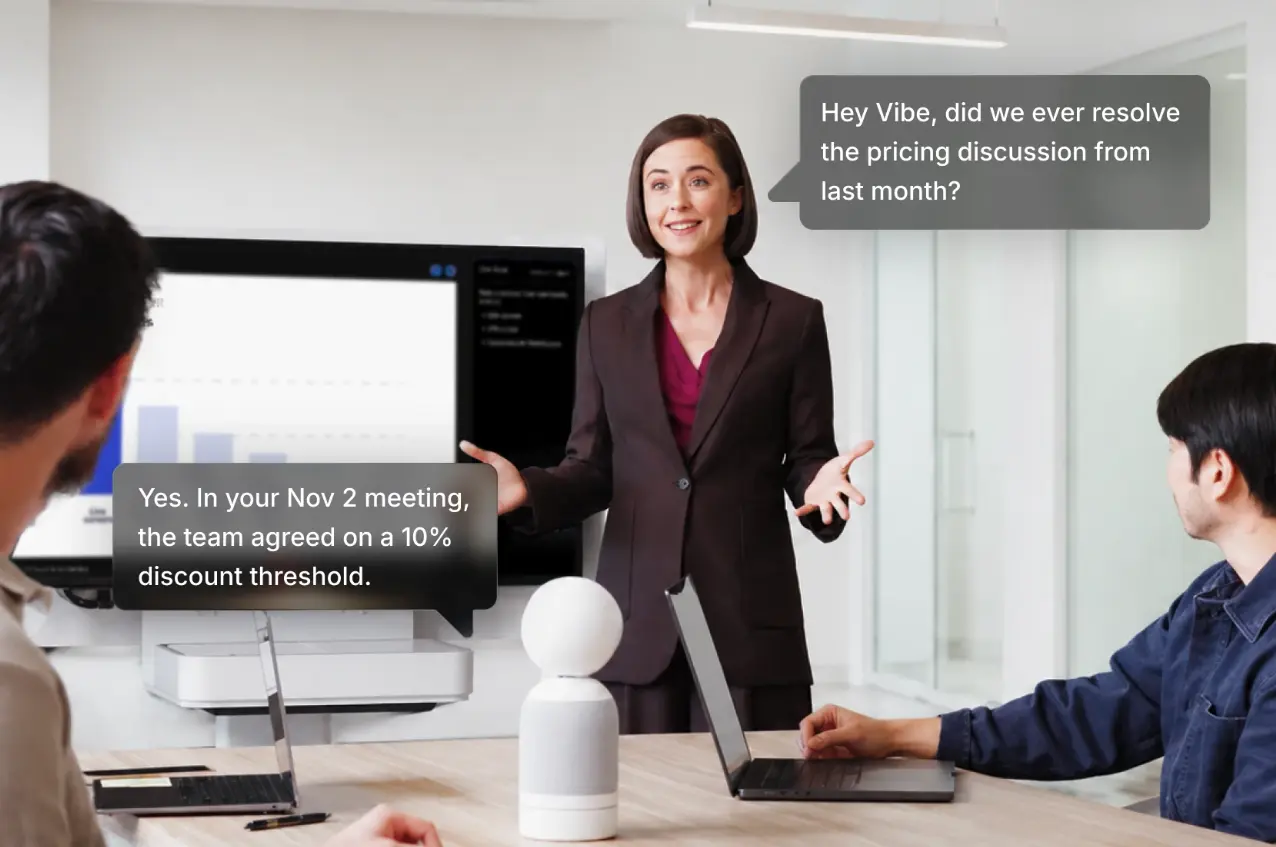 Vibe Bot AI conference camera answering a voice question by recalling past meeting details during a live discussion
How to Choose the Right Conference Room Camera
Step 1: Decide Whether You Need a Camera or an AI Meeting System
Camera only (traditional tier): You need video and audio capture. Notes are handled by a participant or a software bot added to the call. Works if meetings are short, action items are few, and your team has a reliable follow-up process.
Camera + platform AI: The video platform (Zoom, Teams, Google Meet) provides transcription and summaries. Quality varies by platform and plan. Summaries stay within that platform’s silo and don’t carry context across calls.
Dedicated AI meeting device (Vibe Bot): AI is on-device and platform-agnostic. Builds a searchable meeting history across sessions regardless of which platform the call runs on. Best for teams where decisions made in meetings drive work — and where losing that context between sessions is a real operational cost.
Step 2: Define the Room Requirements
|
Room Size |
Participants |
Primary Need |
|---|---|---|
|
Huddle room |
2–6 |
Wide-angle coverage, clean audio, simple setup |
|
Medium conference |
7–15 |
360° AI coverage, speaker tracking, beamforming mics |
|
Large conference |
15–25 |
Multi-camera or PTZ for depth, 4K required |
|
Boardroom |
25+ |
PTZ + tabletop companion, professional audio system |
Note on room size and Vibe Bot: Vibe Bot’s 360° 4K camera and 6-mic beamforming array are designed to work across room sizes — from a 4-person huddle to a 20-person executive room. For very large boardrooms with long rectangular tables, supplementing with an external display improves the shared-content experience for remote participants, while Vibe Bot handles AI capture and intelligence for everyone.
Step 3: Evaluate Deployment Model
-
USB BYOD: Cheapest upfront. Requires a laptop present for every meeting. Most common failure point.
-
Standalone device: No laptop. Higher upfront cost. Faster meeting start, fewer failure points, lower IT overhead per room.
-
Platform-certified room system: Full Zoom Rooms or Teams Rooms integration. More expensive hardware; strongest centralized IT management.
Step 4: Total Cost of Ownership
The sticker price is rarely the full picture.
|
Cost Factor |
Multi-Component Traditional Setup |
All-in-One AI Device |
|---|---|---|
|
Hardware (per room) |
$3,000–$15,000 |
$800–$2,500 |
|
Installation |
$2,000–$10,000 |
$0–$200 |
|
Annual software / maintenance |
$800–$2,000 |
$0–$300 |
|
IT support overhead |
High (multiple vendors, cables, drivers) |
Low (single device, OTA updates) |
|
3-year TCO (single room) |
$15,000–$35,000 |
$1,100–$5,300 |
Step 5: Run a Two-Week Pilot
Two weeks in your busiest room reveals more than any spec sheet. Track: How often did remote participants ask to move the camera or repeat audio? How long did it take to start each meeting? Did the meeting outputs — notes, action items — actually get used? A device that generates accurate, structured outputs that the team references later pays for itself in follow-through alone.
Conference Room Cameras for Microsoft Teams and Zoom
Two of the most searched queries in this category are conference room camera for Teams and conference room camera for Zoom — from buyers who’ve standardized on a platform and want clean integration.
For Microsoft Teams: Teams Rooms certification covers hardware from Logitech, Poly, Jabra, and others — delivering one-touch join, smart gallery, and centralized device management through the Teams Admin Center. Vibe Bot supports Microsoft Teams natively with one-tap join but does not carry a formal Teams Rooms certification. The practical trade-off: you gain Vibe AI’s cross-session meeting intelligence, which operates independently of Teams’ native features and persists across platforms.
For Zoom: Zoom Rooms certified hardware follows the same pattern. Vibe Bot supports Zoom with one-tap join and works alongside Zoom’s transcription features — or replaces them with on-device AI that doesn’t depend on the platform’s plan tier.
The question that actually matters: Is your team locked into the platform’s management ecosystem (IT needs centralized remote diagnostics), or locked into the platform’s meeting experience (participants need good video, audio, and notes)? If the former, a certified device is cleaner. If the latter, Vibe Bot provides a stronger meeting experience regardless of which platform the call runs on — and adds an AI intelligence layer that certified hardware alone doesn’t provide.
Conclusion
The conference room camera category has moved past the resolution arms race. The meaningful differentiator in 2026 is what the system does after the meeting ends — and whether that work happens automatically or falls on a participant.
Vibe Bot ($1,599) is the answer for teams where meeting intelligence matters: 4K 60fps video, 360° AI tracking, 6-mic beamforming audio, and on-device AI that produces a structured, searchable record of every session — all in a standalone device that requires no laptop and works with Zoom, Google Meet, and Microsoft Teams. It costs less than Meeting Owl 5 Pro ($2,599) and a fraction of Logitech Rally Bar ($4,199), and includes AI meeting intelligence that neither competitor provides natively.
For small huddle rooms on a budget, HP Poly Studio (~$814) delivers the best audio quality at its price point. For large enterprise rooms already running Logitech infrastructure, Logitech Sight ($2,199) completes the tabletop coverage picture.
If you’re outfitting a room where recurring meetings drive real decisions, learn more about Vibe Bot to see what the AI intelligence layer looks like in a room like yours.
Frequently Asked Questions
What is the best conference room camera in 2026?
For most teams, Vibe Bot ($1,599) is the strongest all-around choice — it combines 4K 360° video, a 6-mic beamforming array, and on-device AI that produces transcripts, summaries, and action items automatically after every session, with no laptop required. For teams whose primary constraint is audio quality in a small room on a budget, the HP Poly Studio (~$814) is the strongest price-to-performance option. For enterprise rooms already running Logitech Rally infrastructure, the Logitech Sight ($2,199) completes the tabletop coverage picture.
What is the difference between a conference room camera and a webcam?
A conference room camera is purpose-built for shared spaces with multiple participants — it includes a wider field of view (90–360°), multi-directional microphone arrays with beamforming, and AI features like speaker tracking and auto-framing. A consumer webcam is designed for a single person at a desk. Resolution may be similar, but everything else — audio pickup range, room coverage, and AI capability — is built differently. Advanced conference room devices like Vibe Bot also add meeting intelligence (transcription, summaries, cross-session memory) that no consumer webcam provides.
What is the best conference room camera for Microsoft Teams or Zoom?
Vibe Bot supports both Microsoft Teams and Zoom with one-tap join without a connected laptop. For organizations that require a formally certified Teams Rooms or Zoom Rooms device for centralized IT management, options from Logitech (Rally Bar), Poly, and Jabra carry those certifications. The trade-off: certified devices integrate more deeply into the platform’s device management stack, while Vibe Bot adds AI meeting intelligence that runs independently of the platform — including cross-session memory and action item tracking.
Can a conference room camera work without a laptop?
Yes — standalone systems like Vibe Bot run their own operating system (BotOS) and connect to Zoom, Google Meet, or Microsoft Teams via one-tap join without a laptop in the room. Most other conference cameras (Meeting Owl, HP Poly Studio, OBSBOT) are USB BYOD devices that require a connected laptop to initiate a call. The laptop requirement is the most common source of meeting delays and technical failures in conference rooms; standalone devices eliminate it entirely.
What conference camera works best for a hybrid meeting room?
For hybrid meetings, prioritize in this order: (1) audio clarity — beamforming mics with noise suppression matter more than video resolution for remote participant comprehension; (2) speaker tracking — so remote attendees can see who’s talking without asking; (3) 360° or wide-angle coverage matched to your room shape; (4) reliable platform integration that doesn’t require host laptop troubleshooting; (5) meeting output support — transcription and summaries that reduce post-meeting follow-up burden. Vibe Bot addresses all five in a single device.
How is AI improving conference room cameras in 2026?
AI in conference room cameras has moved well beyond auto-framing. The current generation handles speaker tracking (identifying and framing whoever is talking), AI noise suppression (removing HVAC, keyboard, and ambient noise in real time), and in advanced systems, full meeting intelligence — transcripts, summaries, and action items generated automatically. Vibe Bot extends this further with cross-session memory: every meeting is indexed into a searchable knowledge graph, so teams can query past decisions and context months later. That shift from passive video capture to active meeting intelligence is the defining development in this category in 2026.
What’s the difference between Vibe Bot and a traditional conference room camera?
A traditional conference room camera captures what happens in the room. Vibe Bot captures what happens in the room and understands it — producing structured meeting outputs (transcripts, summaries, action items) immediately after each session, and indexing them into a cross-session memory that persists across every meeting the device has captured. It also operates as a standalone device with no laptop required, unlike BYOD cameras that depend on a connected computer to run the call. Vibe Bot is not a camera with a note-taking add-on; it’s an AI meeting system that also functions as a high-quality 4K 360° conference camera.