If you’ve been shopping for a 360° conference camera, Meeting Owl is probably the first name that came up. It’s been the default recommendation for hybrid teams for years — and for good reason. The hardware is solid, the auto-framing is genuinely good, and Owl Labs has iterated consistently across three product generations.
But "default recommendation" and "best fit for how your team actually works" aren’t always the same thing. In 2026, AI meeting notes have become a baseline expectation, not a bonus feature. And that’s exactly where these two products diverge in ways the spec sheet doesn’t fully capture.
This comparison covers all three current Meeting Owl models — Owl 3, Owl 4+, and Owl 5 Pro — against Vibe Bot, across the things that actually matter when you’re buying a conference room device: video quality, AI capabilities, setup complexity, memory, compliance, and the true cost of ownership.
Quick Comparison
|
Vibe Bot |
Owl 3 |
Owl 4+ |
Owl 5 Pro | |
|---|---|---|---|---|
|
Price |
$1,599 |
$1,099 |
$1,999 |
$2,599 |
|
Native AI meeting notes |
✅ Included |
❌ |
❌ |
❌ |
|
Works without a laptop |
✅ Standalone OS |
❌ USB to PC required |
❌ |
❌ |
|
Battery / wireless power |
✅ Optional magnetic battery |
❌ |
❌ |
❌ |
|
Video |
4K UHD + HDR |
1080p HD |
4K UHD |
4K UHD |
|
Audio |
6-mic beamforming (speaker isolation) |
8-mic omni |
8-mic omni |
8-mic omni |
|
Cross-meeting memory |
✅ Vibe AI Memory Graph |
❌ |
❌ |
❌ |
|
Tool integrations |
Notion, Slack, HubSpot, Asana, and more (coming soon) |
❌ (via 3rd-party app) |
❌ |
❌ |
|
Security & compliance |
SOC 2 Type II, TPM 2.0, HIPAA-ready, edge AI |
Not published |
Not published |
Not published |
|
Year-one cost (with AI notes) |
$1,599 |
~$1,339 |
~$2,239 |
~$2,839 |
What Each Product Actually Is
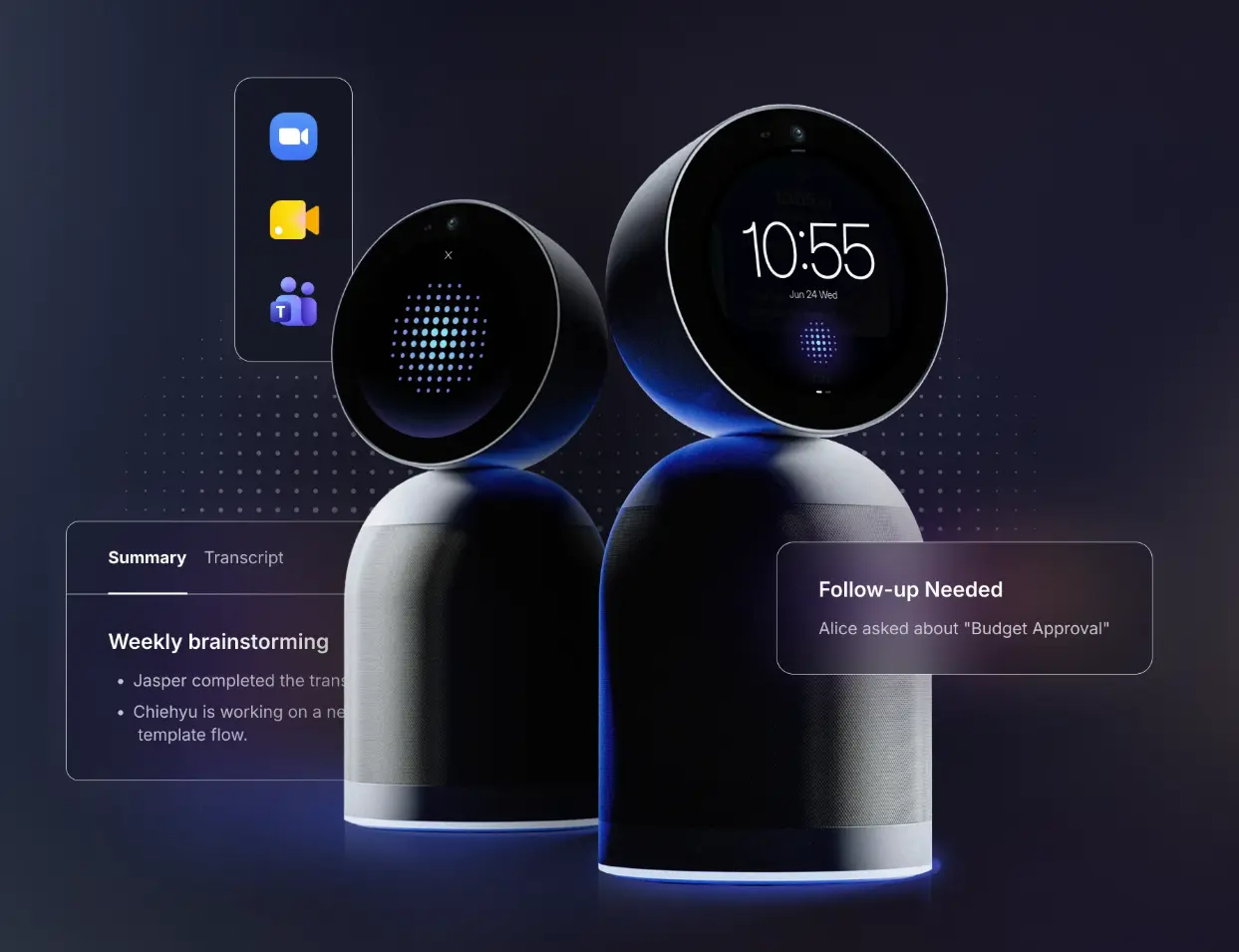
Vibe Bot launched at CES 2026 as a new category of in-room device: a standalone 360° AI conference system that records, transcribes, summarizes, and pushes action items directly to your tools — Notion, Slack, HubSpot, Asana — without a laptop in the room or a third-party subscription. It runs BotOS, its own on-device operating system, and every session it captures feeds into Vibe AI, building a searchable, connected memory across meetings.
Owl Labs offers three tiers in their current lineup:
-
Meeting Owl 3 — entry-level at 1080p, 8 omni mics, plug-and-play USB. The most affordable way into a 360° room camera.
-
Meeting Owl 4+ — upgraded to 4K with a Snapdragon 8250 processor, improved speaker tracking, and support for pairing multiple Owl devices in larger rooms. Same USB-to-laptop dependency as the Owl 3.
-
Meeting Owl 5 Pro — the enterprise flagship launched in early 2026, built around BYOD flexibility: single-cable setup, native HDMI passthrough, wired Ethernet, and flexible wireless or wired multi-device pairing. Still requires a connected host device.
All three are well-regarded room cameras with genuinely good auto-framing. The Owl Intelligence System handles speaker tracking, auto-zoom, and switching between room view and speaker view — it does that well. What it doesn’t handle: transcription, meeting summaries, action items, or any memory of what was discussed.
The Core Difference: A Camera vs. a Meeting System
This is the most important thing to understand before you buy either product.
Owl Labs’ AI is camera AI. When their product pages describe the "Owl Intelligence System™," they mean features like automatic speaker focus, smart framing, and view switching. That’s the full scope of what the AI does — and it does it well. What you won’t find anywhere in Owl Labs’ own documentation is transcription, meeting summaries, or action items. That’s simply not what the product is designed to do.
That’s not a flaw — it’s a deliberate scope decision. Meeting Owl is a room camera. If you want notes, you bring your own tool: typically Otter.ai or Fireflies, which run roughly $240/year per seat on their business plans.
Vibe Bot is built around a different premise. The 4K camera and six beamforming microphones are the input layer — but the system captures who is speaking (not just that someone is speaking), transcribes in real time, generates a structured summary and action items, and pushes them to your tools automatically.
If you leave a meeting with Vibe Bot, you have a record. If you leave a meeting with a Meeting Owl and no third-party note taker running, you have a video file — or nothing, if it was an in-person session with no call connected.
AI Capability: What Happens After the Meeting
This is where the gap between the two products is largest, and where Owl Labs’ spec sheet is most misleading if you read it quickly.
Meeting Owl’s AI ends when the meeting ends. The Owl Intelligence System manages the live experience — framing, tracking, switching views. When the call is over, there’s no record generated by the device itself. Any transcript, summary, or action item you get comes from a third-party app (Otter.ai, Fireflies, or whatever note taker you’ve connected) running on the laptop the Owl is plugged into. Each recording exists as an independent file, scoped to that one session.
Vibe Bot’s AI starts where most cameras stop. Every session is automatically transcribed with speaker attribution — the system knows who said what, not just that someone spoke. After the meeting, Vibe AI generates a structured summary, pulls out action items with assignees, and syncs everything to the tools your team already uses: Notion, Slack, HubSpot, Asana, and others via MCP integration.
More importantly, the intelligence is cumulative. Vibe AI’s Memory Graph links related conversations across sessions — so a decision made in last week’s client call can surface automatically as context in this week’s follow-up. You can query your full meeting history by voice or through Vibe AI, and get answers grounded in what was actually said and decided, not just what you remember. You can also give Claude, ChatGPT, or other AI tools direct access to your meeting context through Vibe AI’s MCP integration.
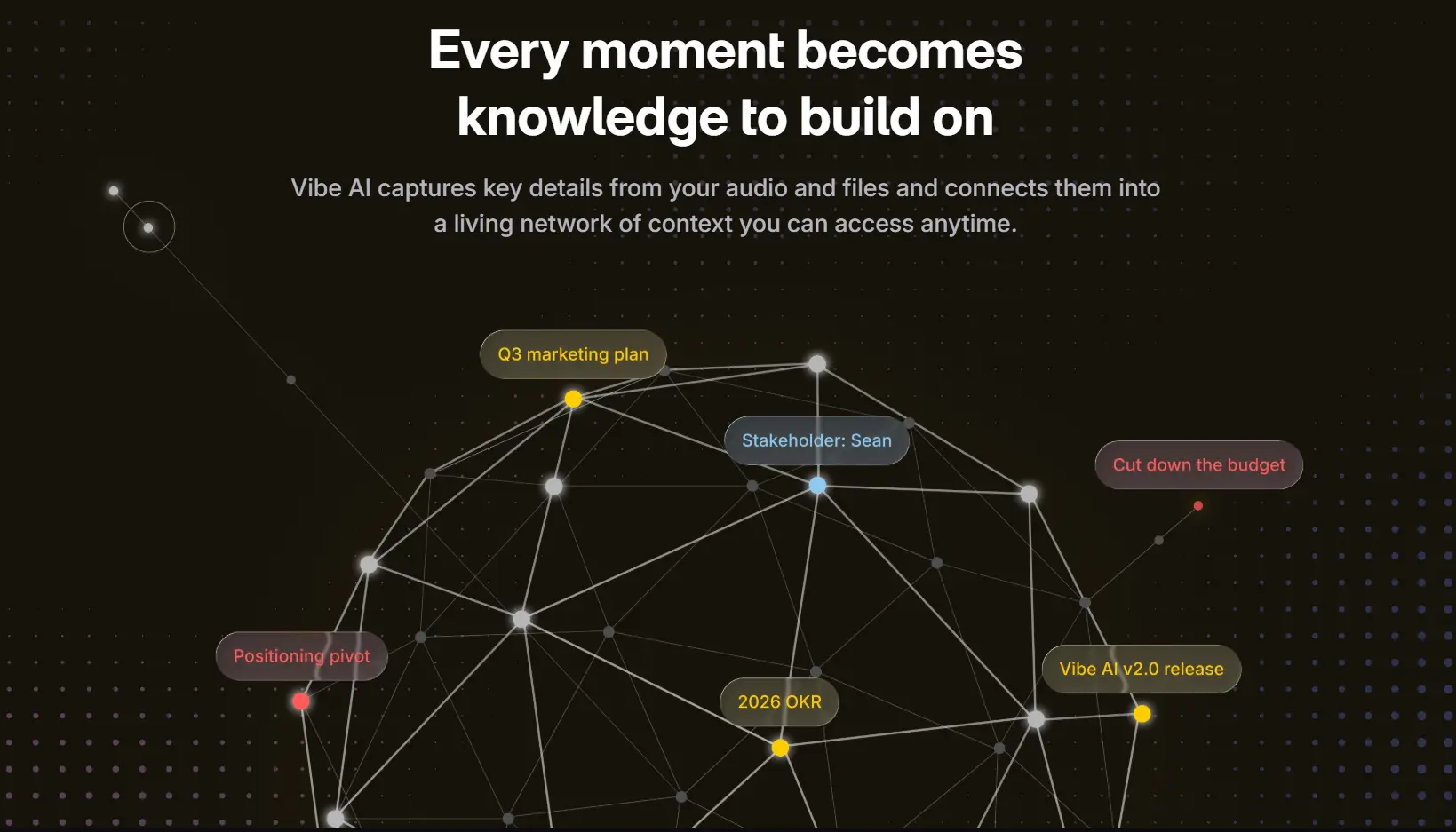
For teams that track ongoing projects, recurring clients, or multi-session decisions, this cross-meeting memory is a structural advantage that no amount of third-party tooling on top of a Meeting Owl can replicate — because the Owl itself doesn’t feed a connected memory system.
Setup: Standalone vs. BYOD
Every Meeting Owl model requires a laptop or PC in the room. Owl Labs’ own FAQ states it clearly: all models must be connected via USB cable to a host computer. The Owl 5 Pro’s BYOD positioning is about flexibility in which laptop you bring — not about running without one.
That creates a real-world dependency: the Owl camera is only as capable as the software stack running on the connected laptop. Recording, note taking, AI summaries — all of that lives in third-party apps on the host machine, not in the Owl itself.
Vibe Bot runs its own operating system. Walk it into a room, set it on the table, and start a session — no laptop, no dongles, no app to launch. It joins Zoom, Teams, or Google Meet with one tap from its built-in display, or runs completely standalone for in-person meetings. The optional magnetic battery base means you can move it between rooms without hunting for a power outlet.
This matters for teams with floating rooms, hot-desking setups, or anyone who wants to capture an in-person brainstorm that doesn’t involve a video call. In that scenario, a Meeting Owl without a connected laptop is a speaker with a camera on top — nothing is captured.
Audio: Beamforming vs. Omni
Both products pick up the full room, but the microphone philosophy is different.
Meeting Owls use eight omnidirectional microphones designed for coverage: pick up every voice across an 18-foot audio radius. Omni mics are effective for call clarity, but omnidirectional by design means they also capture room noise, HVAC hum, and side conversations — all of which can affect transcription accuracy.
Vibe Bot uses a six-mic beamforming array. Beamforming means the system actively tracks and isolates the person speaking, suppressing ambient noise from other directions. For transcription accuracy, this matters significantly: the system knows who is talking and can filter out what isn’t. The result is speaker-attributed transcripts rather than a single undifferentiated audio stream — which is what makes Vibe AI’s Memory Graph useful rather than noisy.
If accurate, searchable transcription is important to your team, the audio architecture is worth factoring in — it’s not just about volume pickup range.
Security and Compliance: What Happens to Your Meeting Data
For teams in healthcare, legal, and financial services, this question often determines whether a device can be deployed at all — before any feature comparison even starts.
Vibe Bot processes audio and AI analysis on-device via edge computing. Sensitive meeting content isn’t routed through a third-party cloud for transcription or summarization — it stays local to the device. Vibe Bot is SOC 2 Type II and TPM 2.0 certified, and is built to meet HIPAA requirements, making it deployable in clinical, legal, and financial environments where data handling is subject to regulatory scrutiny.
That on-device architecture matters practically: in industries where you can’t route patient discussions, attorney-client conversations, or non-public financial information through an external AI service, a cloud-dependent note taker simply isn’t an option. Vibe Bot’s edge processing means the intelligence runs where the meeting happens.
Meeting Owl doesn’t publish equivalent compliance certifications, and doesn’t detail where meeting audio is processed when paired with third-party transcription tools. If your team relies on Otter.ai or Fireflies for notes, those tools have their own data handling policies — adding a second compliance review to your procurement process. For regulated industries, that additional vendor evaluation is a real, ongoing cost of the BYOD-plus-subscription model.
If your organization’s IT or legal team needs to sign off on where meeting content lives, Vibe Bot’s documented certifications and on-device processing give you a cleaner, one-vendor answer.
Pricing: Total Cost, Not Just Hardware
The sticker comparison is close enough to be misleading.
|
Hardware |
AI notes add-on |
Year-one total | |
|---|---|---|---|
|
Vibe Bot |
$1,599 |
None (included) |
$1,599 |
|
Owl 3 |
$1,099 |
~$240/yr (Otter/Fireflies) |
~$1,339 |
|
Owl 4+ |
$1,999 |
~$240/yr |
~$2,239 |
|
Owl 5 Pro |
$2,599 |
~$240/yr |
~$2,839 |
Vibe Bot’s core AI features — transcription, speaker identification, basic summaries, and action items — are included for free at the Starter tier. No subscription required to get meeting notes out of the box.
For teams with heavier AI usage, Vibe AI scales into two paid tiers. Pro ($9/seat/month, billed annually) adds 1,200 transcription minutes per month, 12-month memory retention, custom summary templates, deep knowledge retrieval, and workflow integrations with Slack, Jira, and Linear. Max ($29/seat/month) unlocks unlimited transcription, permanent memory retention, advanced CRM integrations (Salesforce, HubSpot, Notion), and advanced recording access controls — built for teams with high meeting volume or enterprise compliance requirements.
Even at the Max tier, Vibe Bot plus Vibe AI Max comes in at $1,947 in year one — still less than the Owl 4+ with a basic note taking subscription, and nearly $900 less than the Owl 5 Pro with the same.
The Owl 3 remains the cheapest all-in option at ~$1,339 in year one. But what that buys you is basic transcription from a third-party tool with 7-day memory at best — no cross-meeting context, no workflow integrations, no on-device AI. Vibe Bot’s free tier already goes further than that.
Which One Is Right for Your Team?
|
If you want to… |
Go with |
|---|---|
|
Just get a great 360° camera — you already have AI notes covered by Zoom or Teams |
Meeting Owl |
|
Spend the least possible on a room camera, no frills needed |
Owl 3 |
|
Get AI meeting notes, summaries, and action items — no subscription, no extra app |
Vibe Bot — included at no extra cost |
|
Never lose track of what was decided across weeks of client or project meetings |
Vibe Bot — Memory Graph links every session automatically |
|
Capture in-person brainstorms and hallway decisions, not just scheduled video calls |
Vibe Bot — records any meeting, with or without a call running |
|
Deploy in healthcare, legal, or finance without a third-party compliance review |
Vibe Bot — SOC 2, TPM 2.0, HIPAA-ready, edge AI processing |
|
Have action items land in Notion, Slack, HubSpot, or Asana without copy-pasting |
Vibe Bot — auto-syncs after every meeting |
|
Ask "what did we decide about X?" and get an answer grounded in your actual meetings |
Vibe Bot — searchable memory across every session ever captured |
Bottom Line
The decision comes down to what you’re actually buying.
Meeting Owl is a camera. A good one — with three tiers at different price points, solid auto-framing, and a proven track record in hybrid rooms. If you already have the rest of the meeting stack covered, it does its job well.
Vibe Bot is a meeting system. The camera and microphones are the input; the AI, the memory, and the integrations are the output. It records every session — call or in-person — transcribes with speaker attribution, summarizes, surfaces action items, and connects what happened today to what was decided last month. All of it on-device, without a laptop in the room or a subscription add-on.
For teams that find themselves asking "what did we actually decide in that meeting?" — or worse, discovering that the answer is locked in someone’s head or a recording nobody saved — Vibe Bot is the clearer fit.
FAQ
Does Meeting Owl have any native AI meeting notes?
No. Owl Labs’ AI handles camera behavior — speaker tracking, auto-framing, view switching. Transcription and meeting summaries aren’t part of any Meeting Owl model. You’d need to add Otter.ai, Fireflies, or a similar tool on top, running on the laptop the Owl is connected to.
Can I use a Meeting Owl without a laptop in the room?
No. Per Owl Labs’ own documentation, all three current models require a USB connection to a host computer. The Owl 5 Pro’s BYOD positioning means you can bring any laptop — not that you can operate without one.
Can Vibe Bot work without a laptop in the room?
Yes. Vibe Bot runs on BotOS, its own built-in operating system. It joins video calls directly, records in-person meetings independently, and requires no connected computer. The optional magnetic battery base also means no power outlet required.
Is Vibe Bot more expensive than a Meeting Owl?
On hardware, Vibe Bot at $1,599 sits between the Owl 3 ($1,099) and Owl 4+ ($1,999). In total year-one cost — once you add a transcription tool to the Owl for feature parity — the Owl 4+ ($2,239) and Owl 5 Pro ($2,839) are both more expensive than Vibe Bot. The Owl 3 (~$1,339 all-in) remains cheaper in year one.
What is Vibe AI’s Memory Graph and how is it different from a regular meeting transcript?
A regular transcript is a record of one conversation. Vibe AI’s Memory Graph links related conversations across sessions — so context, decisions, and commitments from past meetings surface automatically as relevant in future ones. You can query your full meeting history by voice or through Vibe AI, and get answers grounded in what was actually said across all captured sessions. No third-party note taker built on top of a Meeting Owl has access to this cross-meeting context, because it requires a persistent AI memory layer — not just a file per recording.
Is Vibe Bot HIPAA-compliant? Can it be used in healthcare, legal, or financial environments?
Vibe Bot is SOC 2 Type II and TPM 2.0 certified and is built to meet HIPAA requirements. Its edge AI architecture processes meeting audio and transcription on-device — sensitive content isn’t routed through external cloud servers. This is a critical requirement for environments handling protected health information, attorney-client communications, or non-public financial data. Meeting Owl doesn’t publish equivalent certifications, and third-party note taking tools added on top each introduce their own data handling policies and compliance reviews.
Does Vibe Bot work with Zoom, Teams, and Google Meet?
Yes. Vibe Bot natively supports Zoom Rooms, Microsoft Teams Rooms, and Google Meet. It’s also certified as a professional camera and microphone source, and can function as a webcam/mic input when connected to a laptop.
Can I give other AI tools access to my Vibe Bot meeting history?
Yes. Through Vibe AI’s MCP integration, you can give Claude, ChatGPT, or other AI tools direct access to what was said, decided, and agreed on across your meetings — without copy-pasting or manually exporting transcripts.