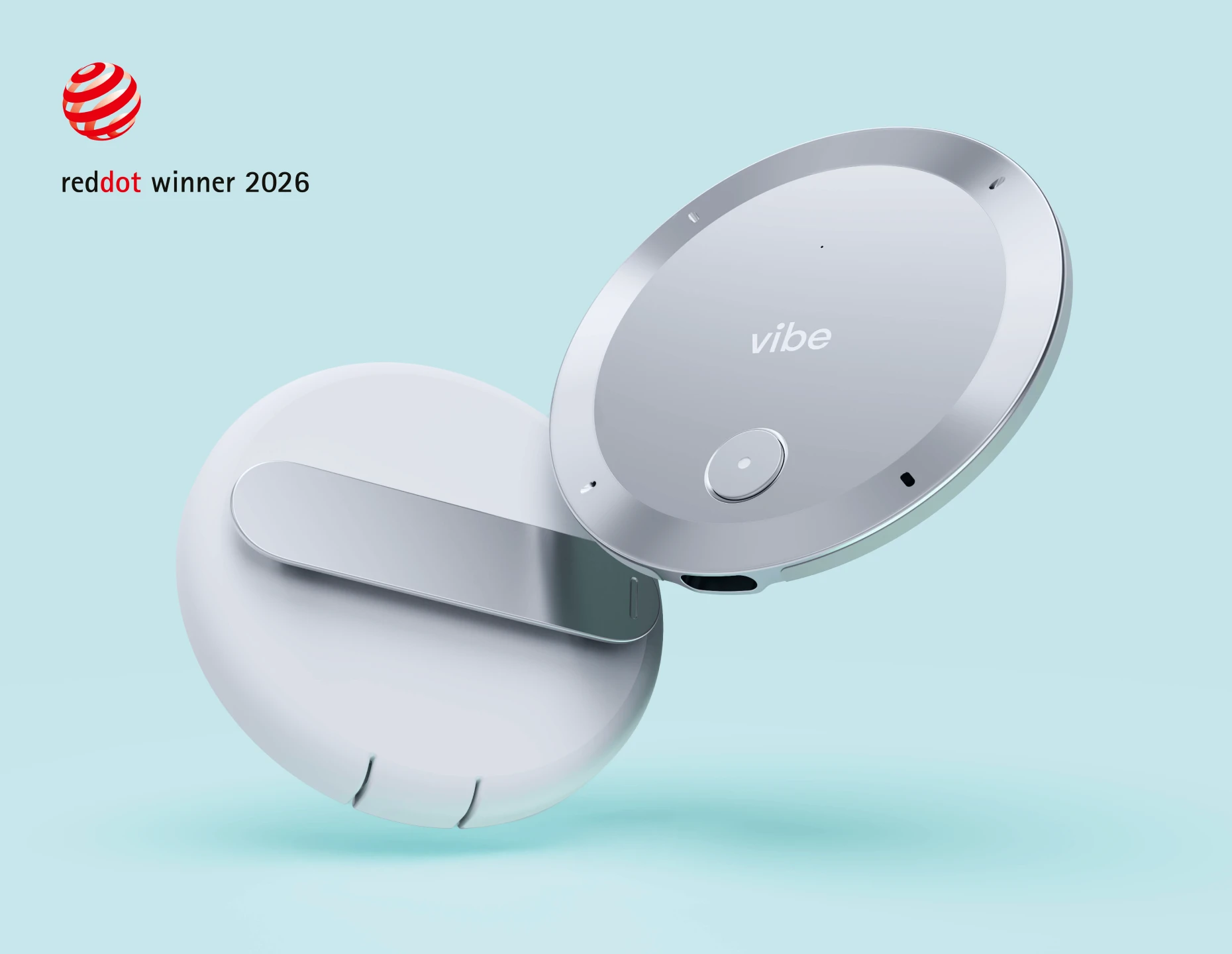
If you’re comparing Plaud alternatives, you’re probably not doing it because the product disappoints you. Plaud’s app holds a 4.9 out of 5 rating across more than 16,000 App Store reviews, and the hardware wins design awards. You’re here maybe because something about the fit is wrong — the plan cost, the shape of the device, or a compliance box your organization needs ticked.
This guide gives you five real options: three hardware devices and two software tools. For each one you’ll get the price, what it does better than Plaud, where it falls short, and the number most comparison lists leave out — what it actually costs you over twelve months, hardware plus subscription.
Quick Answer: Best Plaud Alternatives at a Glance
|
Rank |
Product |
Type |
Pick This If You… |
Device Price |
12-Month Total |
|---|---|---|---|---|---|
|
1 |
Vibe Dot |
Hardware + AI workspace |
Work client-facing or in a regulated field and need conversations to turn into follow-up |
$199 |
$199 (core features free) |
|
2 |
|
Hardware (MagSafe) |
Want to choose which AI model writes your summaries |
$129 |
$129 + optional Pro |
|
3 |
HiDock P1 |
Hardware (desk/laptop) |
Take calls with your earbuds in and want both sides recorded |
$169 |
$169 (transcription free for life) |
|
4 |
Granola |
Software (desktop) |
Need notes on calls where a visible bot would be awkward |
— |
$0–$168 |
|
5 |
Otter.ai |
Software (meeting bot) |
Want to watch the transcript during the call |
— |
$0–$100 |
Prices and plan figures verified against vendor pages in August 2026. This category moves fast — confirm before you buy.
Why You’re Looking Past Plaud
Before you compare alternatives, it’s worth being precise about what you’re replacing. "Plaud" is three different devices, and your gap depends on which one you own.
|
Plaud Model |
Price |
Form Factor |
Where It’s Strong |
Where You’ll Feel the Limit |
|---|---|---|---|---|
|
Plaud Note |
$159 |
Credit-card, magnets to phone |
Phone calls plus in-person, one all-purpose recorder |
2 MEMS mics and a 3m range; nothing to wear |
|
Plaud Note Pro |
$189 |
Card, 2.99mm thin, InstantView display |
The best phone-call recorder in the category — 4 MEMS + 1 VPU, 5m pickup, 30-hour battery |
Still a card, not a wearable |
|
Plaud NotePin / NotePin S |
$159 / $179 |
Clip, lanyard, wristband |
Hands-free in-person capture |
No bone-conduction isolation; AI is scoped to one session at a time |
All three share the same plan structure: a free Starter tier with 300 transcription minutes a month, Pro at $99.99/year for 1,200 minutes, and Unlimited at $239.99/year. A Note Pro plus a Pro plan puts you at roughly $289 in year one and $100 every year after. Hold that number — it’s the benchmark for everything below.
Plaud is also moving beyond cards and pins. It has announced Plaud One, AI earbuds with a built-in eSIM that record and summarize your meetings, shown at IFA 2026 with a Japanese launch planned for later this year. US pricing and availability haven’t been confirmed, so Plaud One isn’t included in the comparisons below.
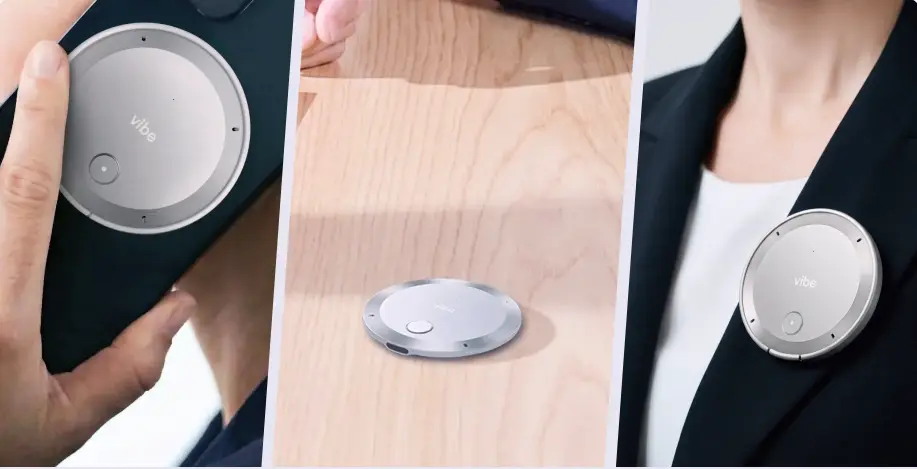 Vibe Dot AI meeting recorder held in hand, placed on a desk, and clipped to a blazer lapel
Three things about that structure catch buyers off guard, and all three come from Plaud itself:
-
The free tier runs out faster than the number suggests. In Plaud’s own worked example, a sales professional taking one 30-minute call each workday plus two hour-long meetings a week hits about 1,080 minutes a month — more than triple the free allowance. Minutes from the phone app and desktop client draw on the same pool as the recorder, and unused minutes never roll over — they’re deducted the moment processing starts, so deleting a file afterward won’t give them back.
-
Recordings leave the device. Transcription runs in Plaud’s cloud, and Plaud notes this may not suit organizations with on-premise-only data policies. Its certification stack is genuinely broad — ISO 27001, ISO 27701, SOC 2 Type II, HIPAA, GDPR, and EN 18031 across all tiers — but FERPA and NDAA aren’t in it, which is where school districts and federal buyers get stopped.
-
Going wearable means buying a second device. If you own a Note or Note Pro and want hands-free capture, the NotePin is a separate purchase, not a mode you switch into.
If none of those three describe your situation, stay with Plaud — it’s a good device. If one of them does, the rest of this page is for you.
How We Evaluated These Tools
Every option below was assessed on four things, weighted equally:
-
Capture quality — microphone setup, pickup range, and how the device holds up when three people talk at once or the room is loud.
-
What you get after the recording — a transcript you still have to read, or structured decisions, action items, and context you can search months later.
-
Privacy and compliance — published certifications, where your audio is stored, and whether the vendor trains models on it.
-
Twelve-month total cost — hardware plus the subscription you’ll realistically need, not the sticker price.
Specs, prices, and plan limits were checked against each vendor’s own pages in August 2026. Where a vendor’s status is in flux, you’ll see that said plainly rather than a number that’ll be wrong next month.
1. Vibe Dot — Best Overall Plaud Alternative
Pick this if your important conversations happen in person, you handle regulated information, or you want what you record to connect across meetings instead of living in separate transcripts.
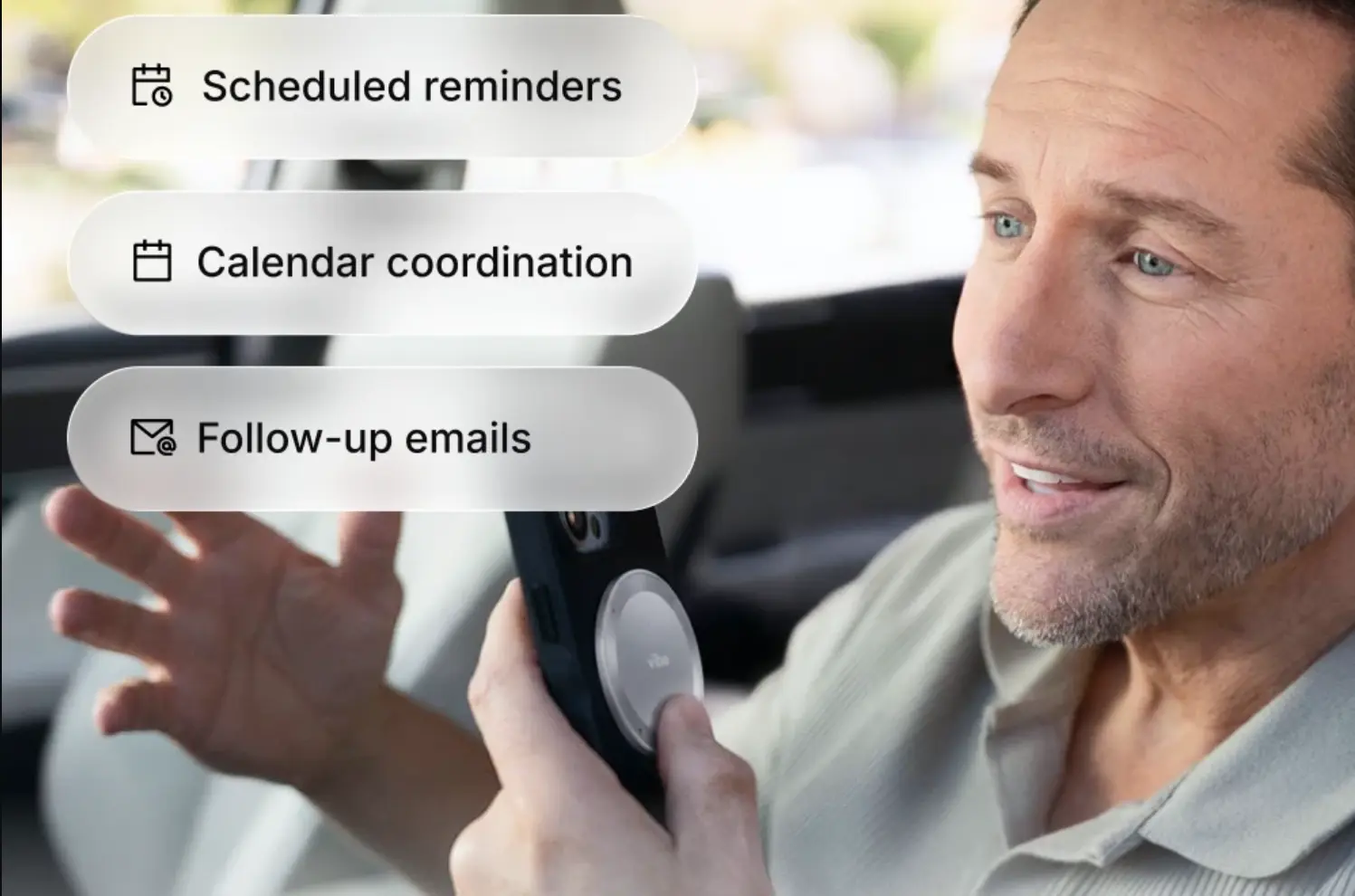 Vibe Dot attached to a phone captures a car conversation into reminders, calendar events, and follow-up emails
Vibe Dot snaps magnetically to the back of your phone, clips to your lapel, or sits on a desk. It’s built for the conversations that don’t start with a calendar invite: a client meeting, a site visit, a workshop, the sidebar chat after the meeting ends. Where most recorders summarize one conversation at a time, Vibe Dot links your conversations together, so you can ask why a decision changed three weeks later and get the thread, not a search result.
Where It Beats Plaud
Bone-conduction voice isolation. Plaud Note Pro gives you a 4 MEMS + 1 VPU array — all air microphones. Vibe Dot adds a dedicated bone-conduction microphone alongside four air mics, separating your voice from ambient noise at the hardware level. In a café, an open-plan office, or on a job site, you’ll see that in the transcript.
FERPA and NDAA. This is the concrete gap. Vibe Dot carries SOC 2, HIPAA, FERPA, and NDAA, plus a TPM 2.0 module and a hardware encryption chip that keeps your recordings unreadable if the device is plugged into a machine it isn’t bound to. If your procurement process has stopped you at FERPA or NDAA before, this is the option that clears it.
Three ways to start recording — including one you don’t start. Plaud’s dual-mode switching is smart, but it still waits for you to press the button. Vibe Dot doesn’t always need you to:
-
Spark — press and hold to catch a thought before it’s gone. Saves to your Personal Memo folder, so a five-second note to yourself doesn’t land next to a client call.
-
Tap to record — double-tap to start, press mid-conversation to flag a moment, tap to stop. Your default for anything scheduled.
-
Auto capture (Beta) — set your working hours and it records the conversations you join, unprompted. No card-style recorder can do this; a card in your pocket isn’t listening for anything.
Memory that spans conversations. Your recordings move into Vibe AI, where they become summaries, action items, and searchable context linked in a Memory Graph. You can ask "what did we decide about pricing last month?" and get an answer assembled across sessions rather than a keyword hunt through old files. Plaud handles each recording on its own; this works across your whole history.
It plugs into the AI you already use. Vibe Dot exposes your captured context through the open MCP standard, so ChatGPT, Claude, and other MCP-compatible tools can read your transcripts, summaries, and decisions and keep working from them. If you already run your week through an AI assistant, that’s the difference between a recorder that stops at its own app and one that feeds everything else you do.
No forced subscription. Recording, 64GB of local storage, transcription, and AI summaries come with the device. You don’t need a plan to use what you bought.
Where to Be Realistic
-
The free tier’s memory window is short. Starter gives you 300 minutes a month but only 7 days of memory retention. Pro ($9/seat/month, $108/year) extends that to 12 months; Max ($29/seat/month, $348/year) makes it permanent with unlimited transcription. If cross-session memory is why you’re buying, budget for Pro.
-
Phone calls aren’t its strength. Vibe Dot is built for in-person capture. If most of your important conversations happen on cellular calls, Plaud Note Pro does that specific job better.
Pricing: $199 (currently 20% off a $249 list price), with Vibe AI Starter free forever. Pro is $108/year for 1,200 minutes and 12-month memory. Max is $348/year for unlimited transcription and permanent retention.
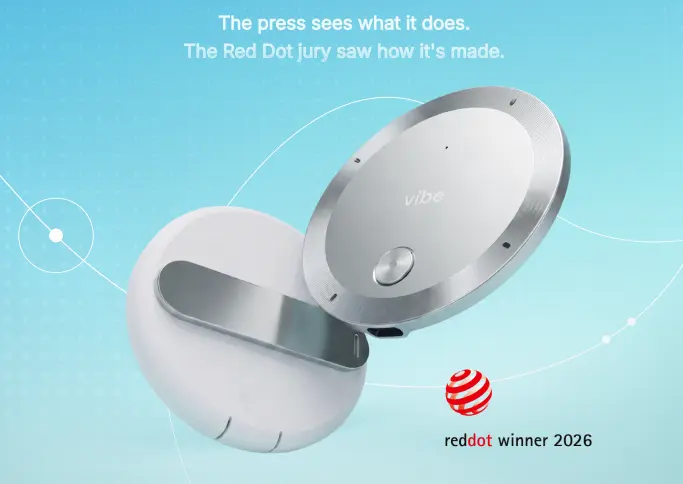
2. Pocket — Best If You Want to Choose the AI Model
Pick this if you want the Plaud form factor at a lower price and you’d rather decide which model writes your summaries.
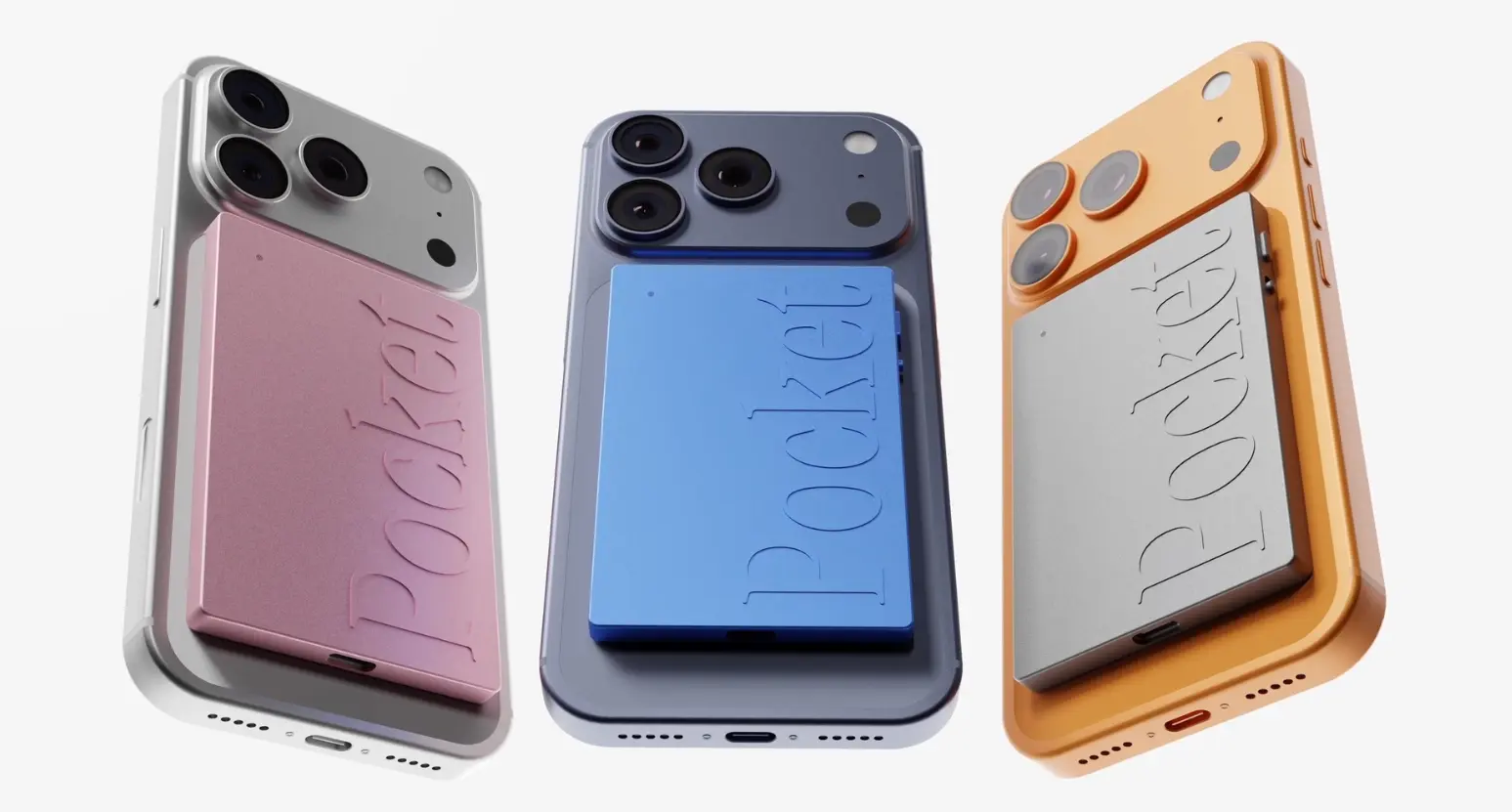 Pocket AI recorder in pink, blue, and silver magnetically attached to the backs of three smartphones
Pocket, from Open Vision Engineering, is the closest structural match to Plaud here: a small recorder that magnets to the back of your phone, captures in-person conversation and phone calls, and turns them into summaries, action items, and conversation maps. It’s $129 on a launch price against a $199 list.
What sets it apart is model choice — you pick the AI that writes your summary instead of taking the vendor’s default — plus a published MCP server, so your captures are reachable from AI tools without opening the Pocket app. You’ll get about four days of battery on moderate use, and the app carries strong ratings on both the App Store and Trustpilot.
Where you’ll hit limits: Pocket publishes no compliance certifications, so it’s out if you work in healthcare, education, or government. There’s no wearable option beyond the magnetic attach, which means you inherit the same form-factor problem that may have sent you looking in the first place. Recurring complaints cluster on noisy multi-speaker rooms, shipping timelines, and the cost of advanced features.
If Pocket is the comparison you’re actually running, we go deeper in our Pocket AI alternatives breakdown.
3. HiDock P1 — Best If You Take Calls With Earbuds In
Pick this if you live on Zoom, Teams, or phone calls while wearing AirPods, and you want transcription without a recurring bill.
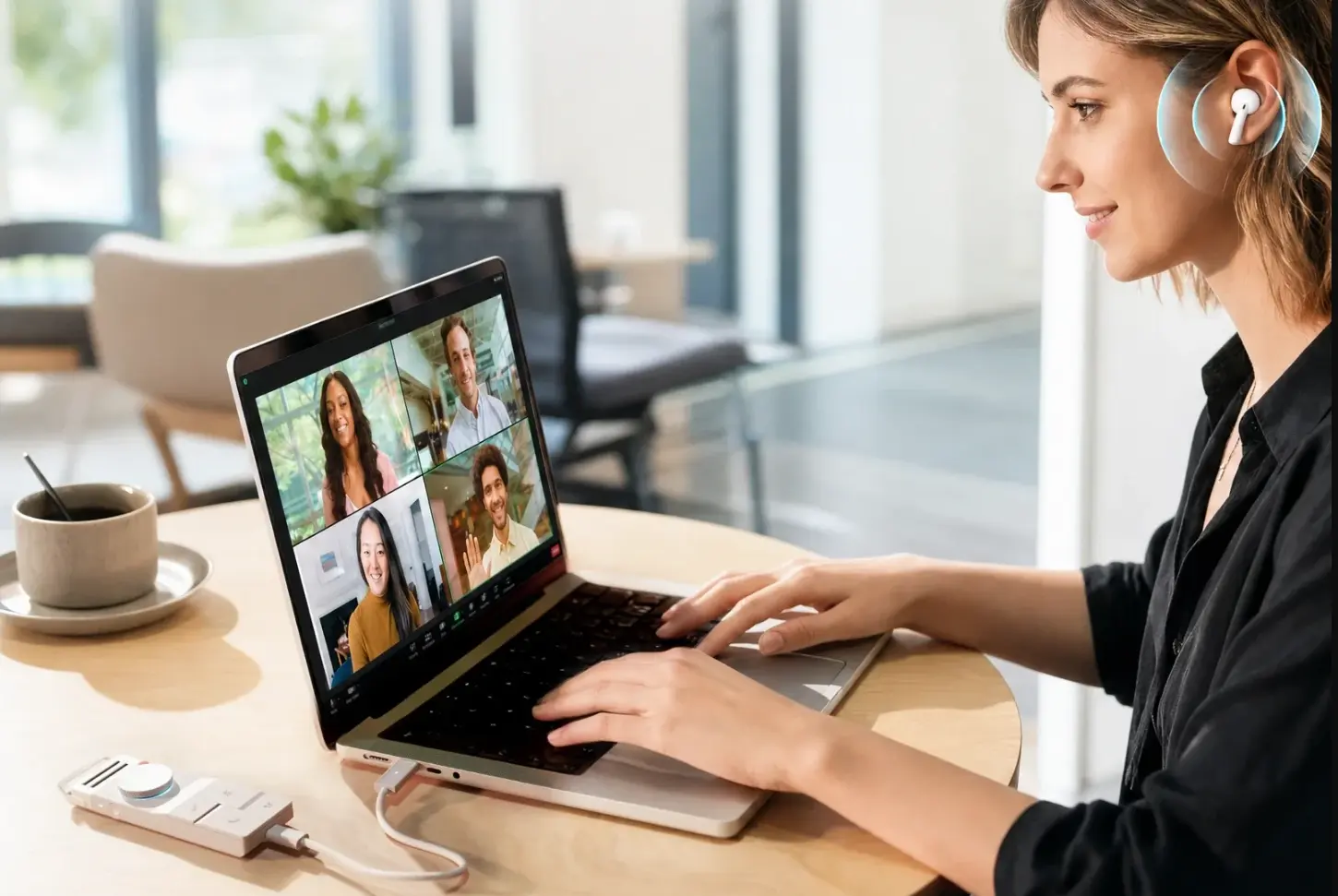 HiDock docking station connected to a laptop while a woman joins a video call with earbuds
HiDock P1 solves a problem the rest of this category ignores. When you wear Bluetooth earbuds on a call, a table-top or phone-attached recorder only hears your half of it. HiDock’s BlueCatch technology pairs with the earbuds you already own — AirPods, Sony, whatever — and captures both sides of a call on Zoom, Teams, Meet, WhatsApp, or a plain phone call, with no bot joining the meeting.
Three modes cover the rest of your day: Call Mode through your earbuds, Room Mode using dual studio-grade ECM microphones for meetings and interviews, and Whisper Mode for catching an idea on the fly. It’s a 72g aluminum body with a magnet that sticks to your laptop lid or a whiteboard, 64GB of local storage, and Bluetooth 5.3.
The pricing is the headline. At $169 you get unlimited AI transcription in 75+ languages, free for the life of the device, with summaries running on current frontier models. If $99.99 or $239.99 a year is the specific thing you’re escaping, this is the most direct answer on the page.
Where you’ll hit limits: Battery tops out at 8 hours of continuous recording — the weakest here by a wide margin, and a real problem if you capture all day. Call Mode needs the P1 tethered to a computer over USB-C, so it isn’t a standalone wearable for calls. Speaker identification, the extra templates, live translation, and the Notion and Google Docs integrations all sit behind a HiNotes Pro membership — and speaker ID is something you probably assume is standard. Your recordings stay local and process on Azure infrastructure with GDPR compliance, but HiDock publishes no HIPAA, SOC 2, FERPA, or NDAA certification of its own. Ratings sit at 4.4 out of 5 across 264 reviews: solid, with a longer tail of three-star and below than Pocket or Plaud.
4. Granola — Best Bot-Free Software Option
Pick this if a visible recording bot would be awkward on your calls and you don’t want to carry hardware.
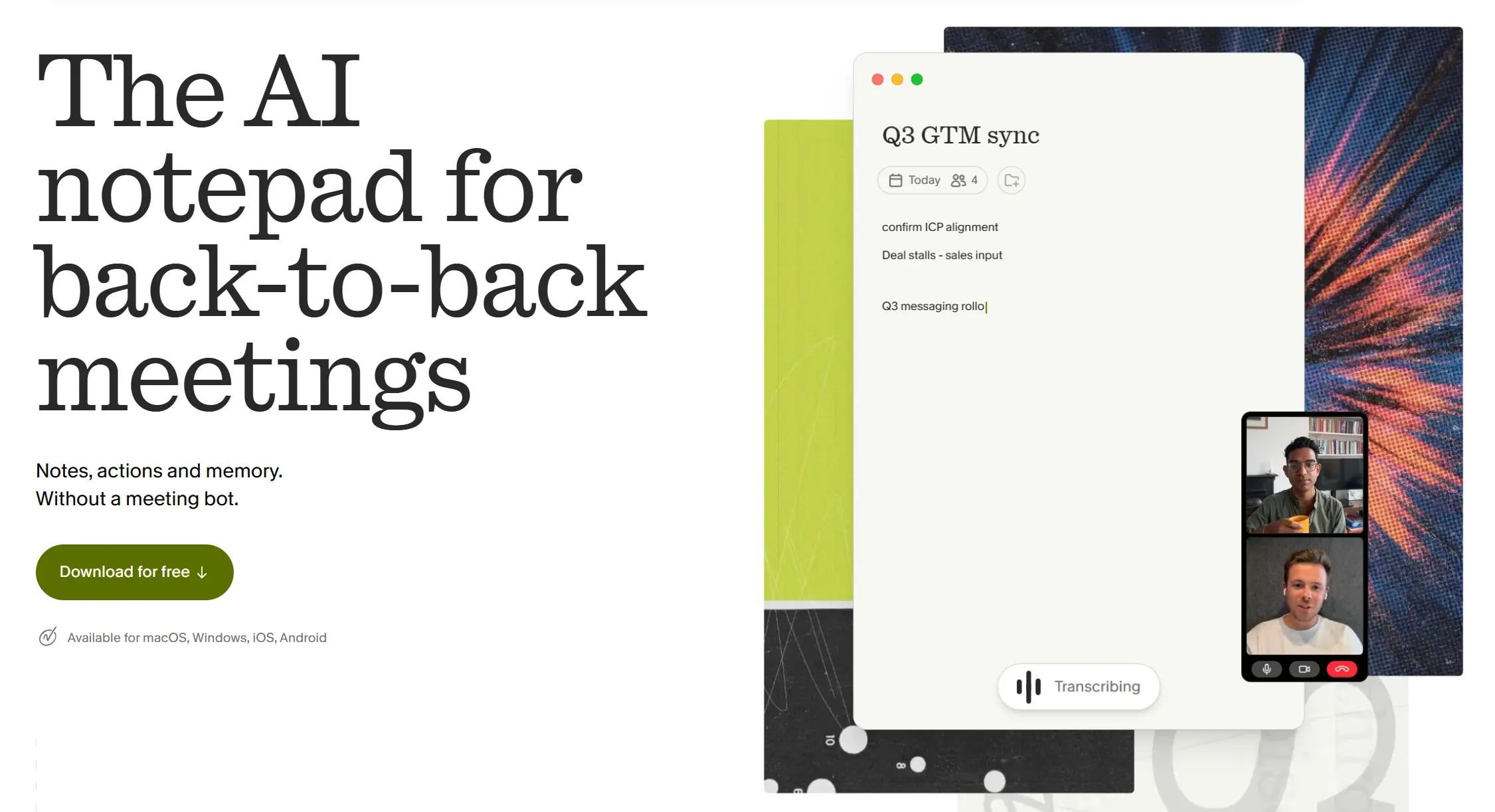 Granola AI notepad homepage showing bot-free meeting notes and live transcription
Granola is a desktop app for Mac and Windows, with an iOS app that also covers phone calls. It captures your computer’s system audio directly — nothing joins the call. You jot rough notes during the meeting and Granola expands your shorthand plus the transcript into a structured summary written from your point of view, not a generic recap. It connects to Notion, HubSpot, Slack, Attio, and Zapier, and it’s well funded — Granola raised a $125 million Series C in March 2026 at a $1.5 billion valuation.
Pricing: Basic is free but only keeps your most recent 30 days of notes accessible. Business is $14/user/month with unlimited history and integrations, billed monthly only — no annual discount, so $168 a year. Enterprise starts at $35/user/month and adds SSO plus org-wide model-training opt-out.
Where you’ll hit limits: Speaker identification gets shaky with three or more participants, there’s no Android app, and it can’t record an in-person conversation at all. One thing to check after you sign up: on Basic and Business, using your data to improve Granola’s models is on by default — you have to turn it off yourself. Org-wide opt-out only becomes the default on Enterprise.
5. Otter.ai — Best for Watching the Transcript Live
Pick this if you want to see the transcript scroll by during the meeting, not just read a summary afterward.
 Otter.ai homepage: real-time collaborative transcription
Otter has been at this the longest and it shows: real-time captions, in-meeting highlights, speaker ID, and a searchable archive. OtterPilot auto-joins your calendar meetings and Otter AI Chat answers questions across your transcript history.
Pricing: Basic is free with 300 minutes a month and a 30-minute cap per conversation. Pro is $8.33/user/month billed annually ($16.99 monthly) for 1,200 minutes, a 90-minute conversation cap, and 10 file imports a month. Business is $19.99/user/month annually ($30 monthly) with unlimited meeting transcription. Watch the annual-versus-monthly gap — the headline prices are the annual rates.
Where you’ll hit limits: Pro’s allowance was cut from 6,000 minutes to 1,200 with no price drop, which is the loudest recent complaint. Strong language support is effectively English, French, and Spanish. HIPAA is an Enterprise add-on, not standard. And nothing outside a scheduled call gets recorded.
Plaud Alternatives Without a Subscription: Your 12-Month Math
This is the question behind most searches for a Plaud alternative, and almost nobody answers it with numbers. Here’s what one year costs you, and what year two looks like.
|
Option |
Hardware |
Subscription You’ll Actually Need |
Year 1 |
Year 2 Onward |
|---|---|---|---|---|
|
Plaud Note Pro (your benchmark) |
$189 |
Starter free at 300 min/mo; Pro $99.99/yr for realistic use |
$189–$289 |
$0–$100/yr |
|
Vibe Dot |
$199 |
None. Starter free forever (300 min/mo, 7-day memory). Pro $108/yr for 12-month memory |
$199–$307 |
$0–$108/yr |
|
HiDock P1 |
$169 |
None. Unlimited transcription free for life. Pro only for speaker ID and templates |
$169 |
$0 |
|
|
$129 |
Core features included; Pro optional, price not published on the product page |
$129+ |
$0+ |
|
Granola |
— |
Free keeps 30 days of history; $168/yr for unlimited |
$0–$168 |
$0–$168/yr |
|
Otter.ai |
— |
Free at 300 min/mo; $99.96/yr Pro |
$0–$100 |
$0–$100/yr |
Three things you should take from this table.
If "no subscription" is non-negotiable and you need a physical device, HiDock P1 at $169 with transcription free for life is your cleanest answer — provided you can live with an 8-hour battery and paying separately for speaker identification.
The software free tiers look cheapest and aren’t really comparable. Granola’s free plan locks your notes after 30 days, and Otter’s stops at 300 minutes. More to the point, none of them can record a conversation that doesn’t run through your computer — so they’re not replacing your Plaud, they’re doing a different job.
And Vibe Dot isn’t the cheapest device here. The case for it isn’t price — it’s that recording, storage, transcription, and summaries work with no plan at all, and what sits on top of that (bone-conduction isolation, FERPA and NDAA, cross-session memory, MCP access from your own AI tools) you can’t buy from the others at any price.
Plaud vs. the Alternatives: Head-to-Head
Plaud vs. Vibe Dot
The comparison this whole page turns on. Plaud records phone calls better, and covers 112 languages and carries a broader ISO and EN certification set. Vibe Dot gives you bone-conduction isolation, FERPA and NDAA, memory that carries across conversations, MCP access from your own AI tools, and no plan required for core use. Put simply: Plaud is the safer buy this week, Vibe Dot is the better fit if your work is in-person, regulated, or already running through an AI assistant.
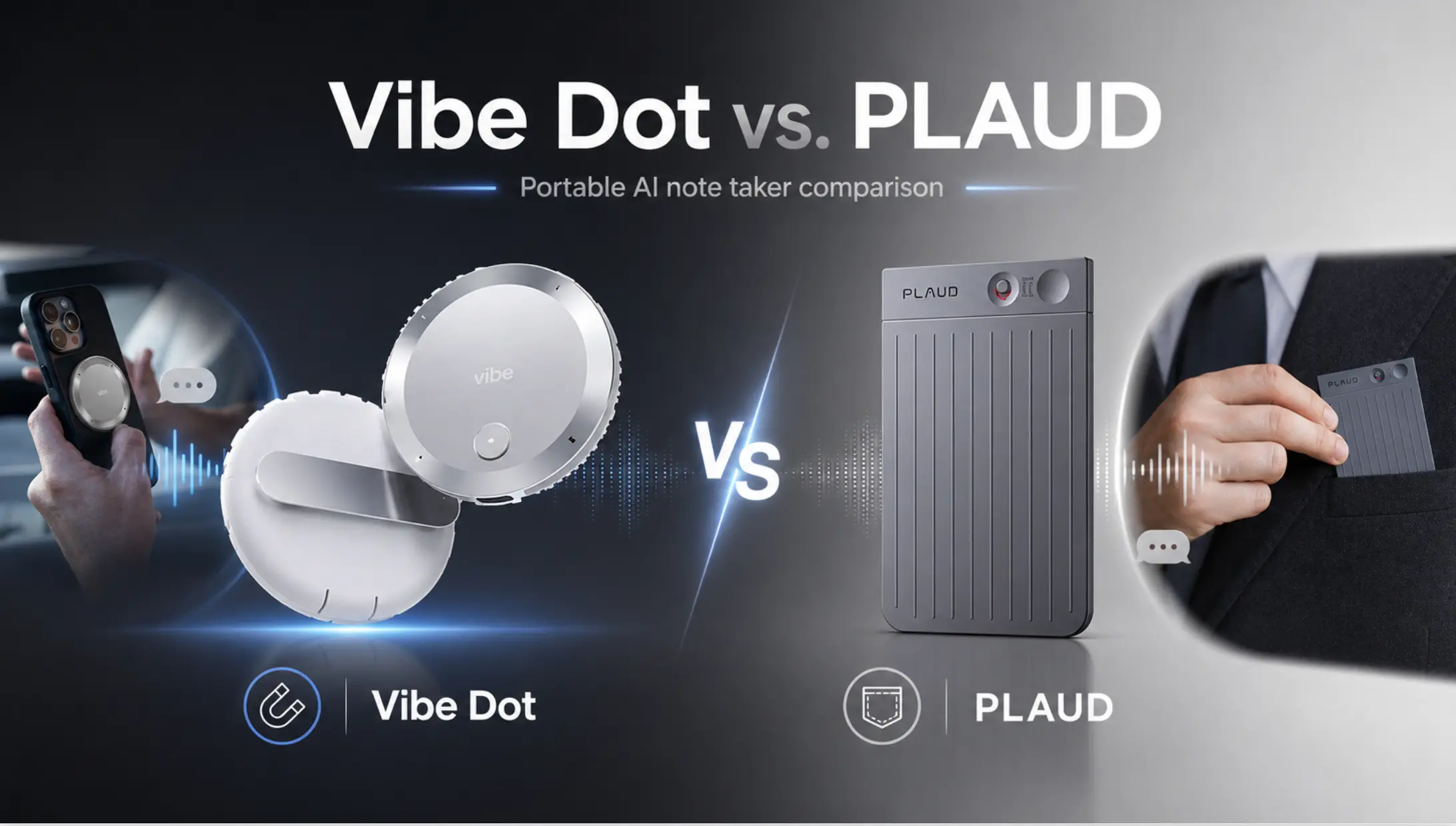 Vibe Dot vs. PLAUD comparison banner showing both portable AI note takers side by side
Plaud vs. Pocket
Your closest comparison — both are magnetic card-style recorders at similar prices. Plaud gives you a more mature app, wider language coverage, and a published certification set including HIPAA and SOC 2 Type II. Pocket gives you a lower price ($129 vs $189), your choice of summarization model, and MCP access. Neither is wearable. If compliance matters to you at all, this one isn’t close — take Plaud.
Plaud vs. HiDock P1
A cost-structure decision more than a hardware one. Plaud’s ceiling is its plan: 300 free minutes, then $99.99 or $239.99 a year. HiDock’s transcription is free permanently. What you give up is battery life (8 hours vs 30), the phone-attached form factor, and Plaud’s certifications — plus you pay separately for speaker ID. Heavy call volume and subscription fatigue point to HiDock. Regulated work points back to Plaud.
Plaud vs. Otter.ai
Not really competitors, though you’ll see them compared constantly. Otter only wakes up for scheduled calls; Plaud records whatever’s in the room. If any meaningful share of your important conversations happen in person, software can’t stand in for a device — they’re complements. If literally everything you do is on Zoom, skip the hardware entirely.
Plaud vs. Granola
Same distinction, one wrinkle: Granola is bot-free, so nothing announces itself on your call. That solves the awkwardness a Plaud device also solves — but only for calls running through your computer. Granola can’t capture a client lunch.
Full Comparison
|
Product |
Price |
Microphones |
Battery |
Offline Capture |
Published Compliance |
Cross-Session AI Memory |
Subscription Required |
|---|---|---|---|---|---|---|---|
|
Vibe Dot |
$199 |
4 air + 1 bone conduction |
30+ hrs |
Yes, 64GB |
SOC 2, HIPAA, FERPA, NDAA, TPM 2.0 |
Yes — Memory Graph |
No |
|
Plaud Note Pro |
$189 |
4 MEMS + 1 VPU |
30 hrs |
Yes |
ISO 27001/27701, SOC 2 Type II, HIPAA, GDPR, EN 18031 |
No — per session |
Free at 300 min/mo |
|
|
$129 |
Not disclosed |
~4 days |
Yes |
Not published |
No |
Core included |
|
HiDock P1 |
$169 |
Dual ECM + BlueCatch |
8 hrs |
Yes, 64GB |
GDPR; Azure-hosted |
No |
No — free for life |
|
Granola |
$0–$14/mo |
System audio |
— |
No |
Enterprise controls |
Within notes |
Free tier capped at 30 days |
|
Otter.ai |
$0–$8.33/mo |
Meeting bot |
— |
No |
GDPR; HIPAA on Enterprise |
Within transcripts |
Free tier capped at 300 min/mo |
How to Choose the Right Plaud Alternative
Go with Vibe Dot if your work mixes in-person and virtual conversations, you handle regulated information — especially in education or federal contexts where FERPA and NDAA come up — or you want your captured context reachable from the AI tools you already use.
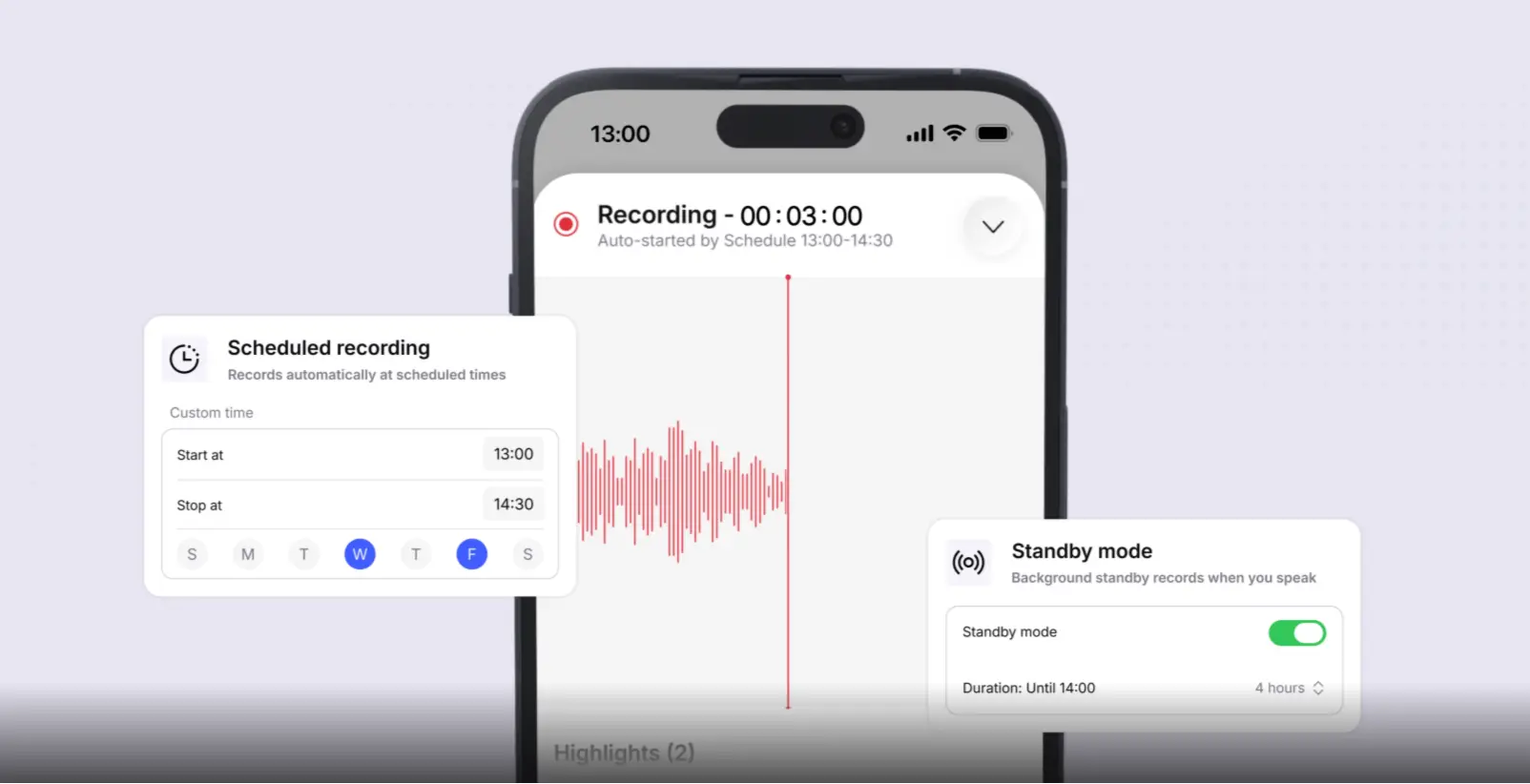 Vibe AI app showing scheduled recording with custom start and stop times and voice-activated standby mode
Go with HiDock P1 if the recurring subscription is the specific thing you’re escaping, and your day is calls with earbuds in at a desk.
Go with Pocket if you want the Plaud form factor cheaper and you’d rather pick your own summarization model than have compliance paperwork.
Go with Granola or Otter.ai if effectively all your important conversations are scheduled video calls: Granola for calls where a visible bot would be awkward, Otter for live captions and a usable free tier.
Stay with Plaud if phone-call recording is your core use case, you need something shipping today, or you want the widest language coverage available. It’s a good device. It just isn’t your only option.
If cost is why you’re here, HiDock P1 answers it most directly at $169 with transcription free for life. If capability is why you’re here, Vibe Dot is the only device on this page that gives you hardware-level voice isolation, FERPA and NDAA coverage, memory that persists across conversations, and open MCP access — with no subscription required to use what you bought.

Prices, plan limits, and certifications reflect vendor-published information verified in August 2026. This category changes quickly — confirm current details on the vendor’s own page before you buy.
FAQ
Who are Plaud’s main competitors in 2026?
In hardware, your closest options are Vibe Dot, Pocket, and HiDock P1. In software, the tools you’ll most often see weighed against a Plaud device are Granola and Otter.ai — though they solve a different problem, since they only capture scheduled calls.
Is there a Plaud alternative with no monthly subscription?
Yes. HiDock P1 ($169) gives you unlimited AI transcription free for the life of the device, no plan required. Vibe Dot ($199) includes recording, 64GB local storage, transcription, and AI summaries free forever, with a paid plan only if you need longer memory retention or higher volume. Both remove the recurring cost that probably brought you here. If you don’t need hardware at all, Granola and Otter.ai both have free tiers, capped at 30 days of note history and 300 transcription minutes a month respectively.
What’s the difference between the Plaud Note, Note Pro, and NotePin?
The Note ($159) and Note Pro ($189) are credit-card-shaped recorders that magnet to the back of your phone; the Note Pro adds a thinner body, an InstantView display, and a stronger microphone array. The NotePin ($159) and NotePin S ($179) are wearable, with clip, lanyard, and wristband options. All four share the same plan structure, so your choice is really about form factor.
Which Plaud alternative is best for recording phone calls?
For cellular calls, Plaud Note Pro is still the strongest thing you can buy — it attaches to your phone and switches between call and in-person modes on its own. If your calls happen on a computer while you’re wearing earbuds, HiDock P1’s BlueCatch captures both sides through your own AirPods, which nothing else here does.
Does Plaud publish compliance certifications?
Yes. Plaud publishes ISO 27001, ISO 27701, SOC 2 Type II, HIPAA, GDPR, and EN 18031 coverage across all plan tiers. What it doesn’t carry is FERPA or NDAA — the specific gap that matters if you’re deploying in K-12, higher education, or US federal procurement.
Do any Plaud alternatives work with ChatGPT or Claude?
Vibe Dot exposes your captured context through the open MCP standard, so ChatGPT, Claude, Gemini, and other MCP-compatible tools can read your transcripts, summaries, decisions, and action items and carry on from there. Pocket also publishes an MCP server. Most devices in this category, Plaud included, keep the AI layer inside their own app.
What do people on Reddit recommend as Plaud alternatives?
The themes you’ll see recur match the analysis above: subscription fatigue pushes people toward devices with free transcription like HiDock, form-factor complaints push them toward wearables, and privacy-focused users gravitate to devices with local storage and published certifications. Treat individual recommendations carefully — most reflect one person’s use case, and pricing claims in older threads go stale fast.
Which alternative works without an internet connection?
Vibe Dot records to 64GB of onboard storage and syncs when you’re back in range. HiDock P1 also stores locally on 64GB and works standalone in Room and Whisper modes. Both need a connection later for AI processing. The software tools need an active connection to a meeting platform the whole time.
Do you need to tell people you’re recording them?
Recording consent laws vary. Some jurisdictions need only one party to consent; others, including California, Illinois, and Florida, require everyone in the conversation to agree. Always-on and automatic recording raise this more sharply than press-to-record, since capture isn’t a deliberate act. Check the rules where you are — this applies to every product on this page, and no device changes the underlying legal requirement.