
The SAMR Model is a four-level framework for classroom technology integration developed by Dr. Ruben Puentedura. SAMR stands for Substitution, Augmentation, Modification, and Redefinition — each level representing a progressively deeper use of technology in teaching and learning.
Dr. Puentedura developed the model so that educators across different subjects and grade levels could share a common language when discussing how technology changes — and ultimately transforms — the learning experience.
What is the SAMR Model?
The SAMR model was created by Dr. Ruben Puentedura, founder and president of the educational consulting firm Hippasus. He developed it in the mid-2000s while working with the Maine Learning Technology Initiative, one of the first statewide programs to give every middle school student a laptop. The goal was practical: help teachers tell whether a piece of technology simply replaces an existing tool or actually changes what students can learn and do.
SAMR sorts technology use into four levels, grouped into two broader categories: Enhancement (Substitution and Augmentation) and Transformation (Modification and Redefinition). It applies to any classroom, whether in person, hybrid, or online, and to any subject or grade level.
 SAMR model diagram showing the four levels: Substitution, Augmentation, Modification, and Redefinition
|
Level |
What It Means |
Technology’s Role |
|---|---|---|
|
Substitution |
Technology replaces a traditional tool |
No functional change |
|
Augmentation |
Technology replaces a tool with added function |
Functional improvement |
|
Modification |
Technology enables significant task redesign |
Task enhancement |
|
Redefinition |
Technology enables entirely new tasks |
Task transformation |
The first two levels (Substitution and Augmentation) fall under Enhancement — technology improves how existing tasks are done. The last two levels (Modification and Redefinition) fall under Transformation — technology changes what learning looks like.
Let’s talk about each phase in detail:
Substitution
Technology acts as a direct substitute, with no functional change
This is the fundamental stage in which EdTech is adapted to serve as a replacement for more conventional methods. While the content of the class does not change, the way that content is delivered changes. Substitution methods allow teachers to free up valuable time and space by replacing paper-based tasks with digital alternatives. In comparison to printing everything out, digitizing class materials is a more efficient approach to keeping track of data and managing resources.
Learning by substitution is a far more accessible method of gaining technical soft skills than learning through modification and redefinition. It’s important for kids to get familiar with new technologies before teachers start incorporating them into classroom teaching. Essentially, this involves swapping analog learning components with digital ones, for example:
-
Rather than jotting down notes in their notebook, students can type their notes on word processing software (like Google Docs or Microsoft Word).
-
To save time and effort, quizzes and exams can be taken digitally instead of on paper.
-
A regular dry erase board can be substituted with a smart whiteboard, which can help students and teachers in sharing class notes, saving files, recording lessons, etc.
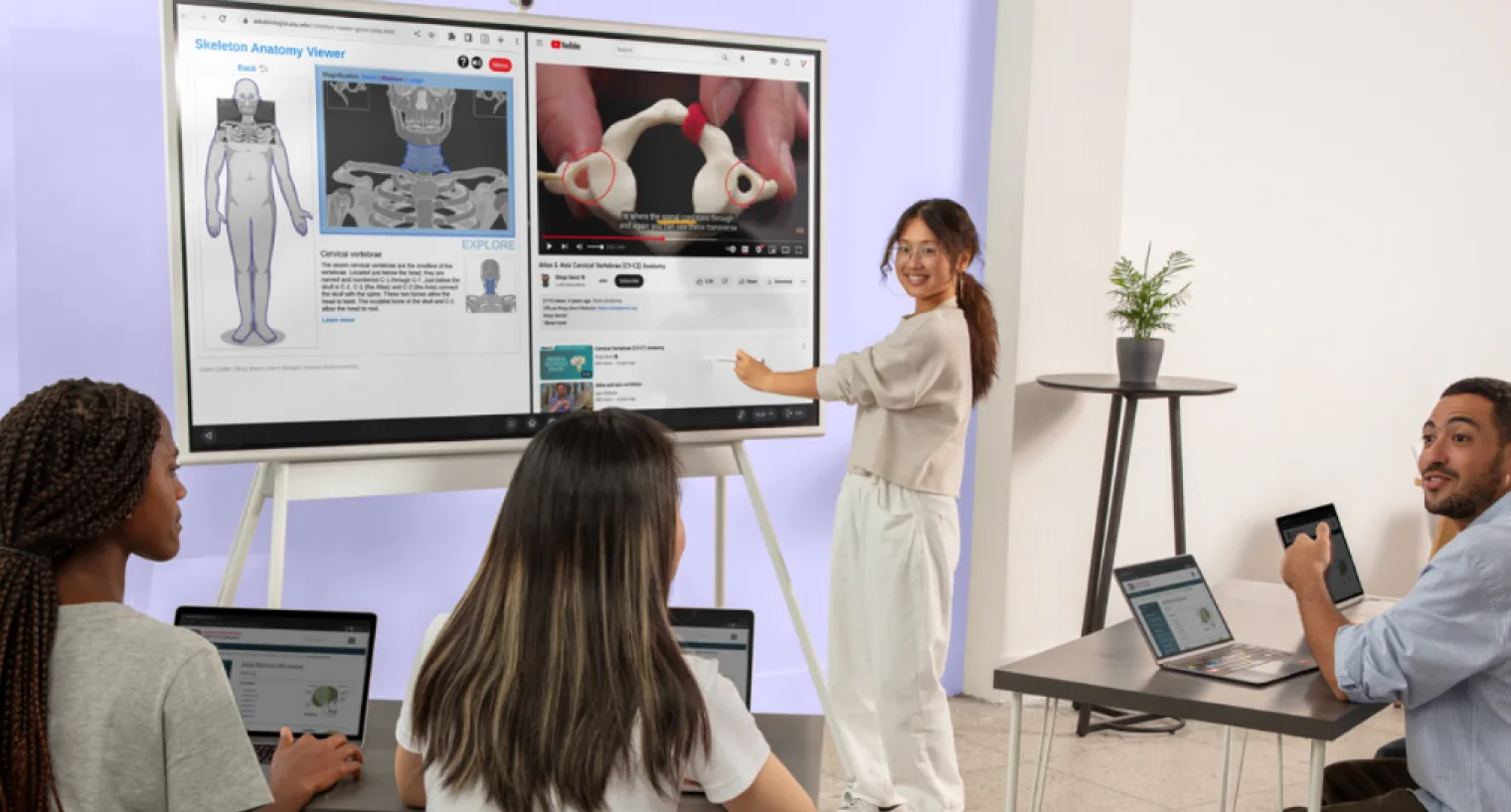
 Vibe Board displaying educational content and apps as students collaborate from their own devices.
Augmentation
Technology acts as a direct substitute, with functional improvement
In the augmented phase, technology contributes to education beyond the obvious ways. Building off the substitution phase, class content stays the same but is delivered in a new way so that students can take better advantage of newer digital features that aid in learning. Augmentation might help your students better understand a difficult subject or make it more engaging for them than more conventional teaching approaches.
Moreover, it paves the way for an education method that is student-oriented. Kids can jump right into studying with the help of technology.
For example:
-
A PowerPoint with multimedia features helps offer students more insightful and interesting presentations.
-
Instead of depending on teacher guidance, students do their own research online and collaborate on digital whiteboards.
-
Teachers and students can both use an ed-tech platform that uses game-based learning to deliver course content to boost interest and retention.
-
Tools such as videos are used to help teachers convey a complex topic to their students.
 Child writing on a Vibe Board during a classroom activity.
Modification
Technology allows for significant task redesign
In the first transformation phase, modification fundamentally reimagines traditional lessons. While enhancement phases merely improve existing activities, modification leverages technology to restructure tasks in ways previously impossible.
Learning management systems enable new collaborative opportunities in document editing, multimedia feedback, and real-time assessment—creating authentic learning experiences that develop critical thinking and digital literacy simultaneously. This collaborative environment naturally fosters student teamwork across physical and hybrid learning spaces.
For example:
-
Students use Google Docs to draft research reports and share them with their classmates, discussing the assignment in the comments section.
-
Students hand in their assignments using Google Classroom, and educators provide evaluations using the platform’s built-in rubric.
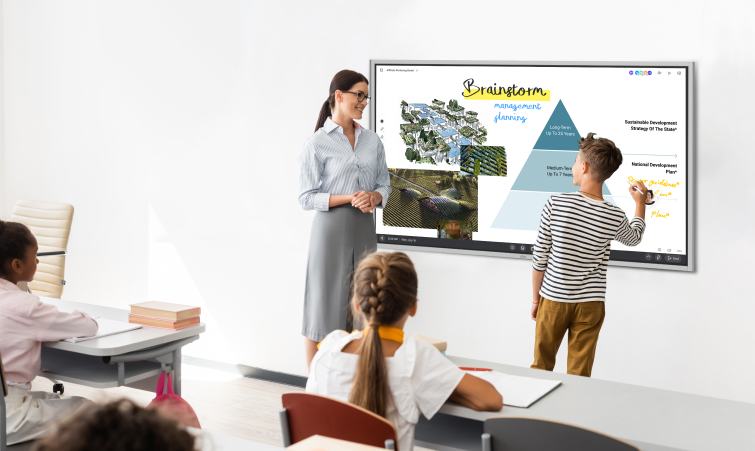 Student writing on a Vibe Board during a classroom brainstorming activity.
Redefinition
Technology allows for the creation of new tasks, previously inconceivable
The final stage of SAMR model is redefinition, where innovative learning practices are developed through the use of technology. The last step is a model of how student learning can be transformed via the use of modern, interconnected technologies. At this stage, students use technology in unusual ways to create challenging academic tasks that would not exist normally.
Learning may be revamped to better connect with the real world and provide genuine results. It also helps students develop more advanced "technical soft skills," such as communication, teamwork, and adaptability in a digital environment. It also entails making innovative use of technology in the classroom to help students develop a growth mindset so that they can succeed and become actively involved in their education in new ways.
For example:
-
Students can connect with people from across the globe and contribute to a more diverse learning environment.
-
Students can be recorded when they deliver a presentation or similar activity, and then use the recording to reflect on their performance.
 Teacher annotating on a Vibe Board during an online class session.
SAMR Model Examples
Here are three classroom tasks taken through all four levels, followed by examples for core subjects.
Writing a paper
Students can choose from the following writing strategies within the SAMR framework:
-
Substitution: Students type an essay in a word processor instead of writing it by hand.
-
Augmentation: Students use spell check, grammar suggestions, and text-to-speech to proofread their own drafts.
-
Modification: Students draft in a shared document, and classmates and the teacher leave comments and suggested edits that the writer responds to in revision.
-
Redefinition: Students turn their argument into a multimedia piece, such as a narrated video or podcast, and publish it for an audience beyond the classroom.
 Teacher holding a tablet while students raise their hands in a classroom
Assessments
Transforming a simple quiz into a collaborative project:
-
Substitution: Students complete the quiz in a digital document instead of on paper.
-
Augmentation: The quiz runs in Google Forms, which grades it automatically and gives students instant feedback.
-
Modification: Instead of multiple choice, students answer with a recorded explanation or an annotated diagram, and the teacher replies with audio or video feedback.
-
Redefinition: Small groups produce a short documentary that answers a central question from the unit, interviewing experts or community members over video calls.
Art Lessons
To create a piece of artwork:
-
Substitution: Students draw with a digital painting app instead of paper and pencils.
-
Augmentation: Students use layers, undo, and color tools to experiment freely without starting over.
-
Modification: Students photograph or scan their sketches, remix them digitally, and record a short artist’s statement explaining their choices.
-
Redefinition: Students co-create a mural on a shared digital whiteboard with a partner class in another school or country, then present it together live.
SAMR Examples by Subject
Here is what each level can look like in four core subjects:
|
Subject |
Substitution |
Augmentation |
Modification |
Redefinition |
|---|---|---|---|---|
|
Math |
Solve practice problems in a digital worksheet instead of on paper. |
Use an online graphing tool to see how changing a variable reshapes a graph. |
Record a screencast explaining the solution steps for classmates to review. |
Collect real data, such as school energy use, model it in a spreadsheet, and present recommendations to school leaders. |
|
Science |
Read the textbook chapter as an e-book. |
Watch an interactive simulation of a chemical reaction with built-in comprehension checks. |
Run a virtual lab, change variables, and log results in a shared class data set. |
Contribute observations to a real citizen science project and compare findings with researchers. |
|
History |
Read primary sources as scanned PDFs. |
Explore digitized archives with zoom, search, and linked annotations. |
Build a collaborative, annotated timeline with images, maps, and sources. |
Interview a community elder or veteran over video and publish an oral history for a local archive. |
|
World Languages |
Complete vocabulary exercises digitally instead of on paper. |
Practice pronunciation with a tool that plays native audio and gives instant feedback. |
Record dialogues in the target language and get peer and teacher feedback. |
Hold live video conversations with students at a partner school abroad. |
How to Use SAMR to Plan a Lesson
SAMR works best as a planning and reflection tool, not a checklist. Here is a simple four-step process:
-
Start with the learning goal. Decide what students should know or be able to do by the end of the lesson before choosing any technology.
-
Map your current plan to a level. Look at each activity that uses technology and identify which SAMR level it sits at today.
-
Decide whether moving up adds value. A higher level is only better if it serves the goal, for example by adding feedback, collaboration, or a real audience.
-
Reflect after teaching. Look at what students produced and whether the technology changed their learning, then adjust the plan for next time.
Questions to ask yourself at each level:
-
Substitution: What do we gain by replacing this tool with technology? Is the switch worth the setup time?
-
Augmentation: Does the technology add a useful feature, such as instant feedback or searchability?
-
Modification: How does the technology change the task itself? Can students now collaborate, revise, or get feedback in ways they could not before?
-
Redefinition: What can students now do that would be impossible without technology? Does the task bring in a real audience, real data, or people beyond the classroom?
Limitations and Common Criticisms of SAMR
SAMR is popular because it is simple, but that simplicity has drawn criticism. In a 2016 critical review published in TechTrends, Erica Hamilton, Joshua Rosenberg, and Mete Akcaoglu identified three main problems: the model ignores context, it is often treated as a rigid hierarchy, and it focuses on technology use rather than on the learning process. They also noted how little peer-reviewed research supports it. Keep these limitations in mind:
-
It is not a ladder. SAMR is often drawn as a staircase, which suggests teachers must climb from Substitution to Redefinition. In practice, a lesson can move between levels, and a well-chosen Substitution can be the right call.
-
Not every lesson needs to reach Redefinition. Higher levels take more time and planning. If a simple digital quiz meets the learning goal, there is no need to turn it into a documentary.
-
It describes the technology, not the learning. SAMR tells you how a tool is used, not whether students learned more. Pair it with clear learning goals and evidence of student progress.
-
It ignores context. The model does not account for the subject, students’ ages, available devices, or teacher experience, all of which shape what is realistic.
-
Levels can be hard to tell apart. Teachers often disagree on whether an activity counts as Augmentation or Modification, which makes SAMR less reliable for formal evaluation.
SAMR Model vs. Other Technology Integration Frameworks
SAMR is the most widely used technology integration framework in K-12 education, but it is not the only one. Here is how it compares to two alternatives educators often encounter, and how it pairs with Bloom’s Taxonomy:
SAMR vs. TPACK
TPACK (Technological Pedagogical Content Knowledge) focuses on the intersection of what teachers know — content, pedagogy, and technology. Where SAMR asks "how deeply is technology integrated into this task?", TPACK asks "does the teacher have the knowledge to use technology effectively for this subject?" The two frameworks are complementary: TPACK helps teachers build competency, SAMR helps them evaluate outcomes.
SAMR vs. Technology Integration Matrix (TIM)
The Technology Integration Matrix, developed by the Florida Center for Instructional Technology, evaluates technology use across five levels (Entry, Adoption, Adaptation, Infusion, Transformation) and five learning environment characteristics. TIM is more granular than SAMR and better suited to formal district-level evaluation. SAMR is faster to apply and more practical for individual lesson planning.
SAMR and Bloom’s Taxonomy
Puentedura and many educators pair SAMR with Bloom’s Taxonomy to connect technology use to the kind of thinking a task requires. The mapping is approximate, but it is a useful check: Substitution and Augmentation usually support the lower-order skills of remembering, understanding, and applying, while Modification and Redefinition make room for analyzing, evaluating, and creating. If a Redefinition activity only asks students to recall facts, the technology is doing more work than the thinking.
Which framework should you use?
For day-to-day lesson planning and reflection, SAMR is the most practical choice. For district-wide technology integration evaluations or professional development programs, TIM or a hybrid approach may offer more structure.
Tools to Bring Teaching to Life through SAMR
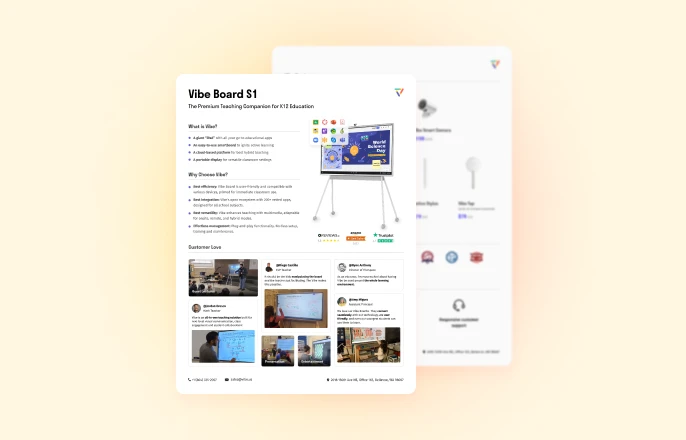
Vibe interactive whiteboards serve as comprehensive teaching solutions designed specifically for innovative classrooms and engaging lessons, perfectly complementing the SAMR model’s framework for technology integration in education. With its 4K touchscreen display, intuitive stylus input, and collaborative features, it enables educators to progress through all SAMR levels—from simple substitution to complete redefinition of learning experiences.
Vibe boards effortlessly integrate into the SAMR model, enabling educators to transform and elevate learning experiences. For example, at the Modification level, teachers can use Vibe’s collaborative tools to redesign tasks, such as having students work together on a shared Canvas to brainstorm, annotate, and create multimedia presentations in real-time. At the Redefinition level, Vibe boards allow for entirely new learning experiences, like virtual field trips or interactive simulations, where students actively engage with global experts or explore complex concepts visually and collaboratively.
 Young students drawing on a Vibe Board during a classroom activity.
For distance learning, hybrid classrooms, and in-person lessons, the Vibe Board S1 is perfect for taking your classroom to the next level. Learn just how you can both enhance and transform learning experiences with smart whiteboards for classroom teaching.
FAQs
How do you integrate technology into the classroom?
Integrating technology into the classroom starts with identifying clear learning objectives before selecting appropriate digital tools. Begin with simple substitutions of traditional activities, then gradually progress to using technology for tasks that would be impossible without it. Remember that effective integration enhances student engagement and learning outcomes rather than simply adding technology for its own sake.
What is SAMR used for?
Teachers use SAMR to plan and reflect on how technology fits into a lesson. It gives them a shared way to describe whether a tool simply replaces something they already do (Substitution and Augmentation) or changes what students can do (Modification and Redefinition). Schools and instructional coaches also use it in professional development to discuss technology integration.
What are the levels of SAMR?
There are four levels of SAMR:
-
Substitution: Using technology as a substitute, with no functional improvements
-
Augmentation: Adding functional improvements
-
Modification: Significant task redesign
-
Redefinition: Creation of new tasks that were previously impossible
What does SAMR stand for in education?
SAMR stands for Substitution, Augmentation, Modification, and Redefinition. These are the four levels of the SAMR model, a framework developed by Dr. Ruben Puentedura to help educators evaluate and improve how technology is integrated into classroom activities. Each level represents a different depth of technology use, from simple replacement of traditional tools (Substitution) to the creation of entirely new learning experiences that would be impossible without technology (Redefinition).
Who created the SAMR model?
The SAMR model was created by Dr. Ruben Puentedura, founder and president of the educational consulting firm Hippasus. He developed it in the mid-2000s while working with the Maine Learning Technology Initiative.
Should every lesson reach Redefinition?
No. SAMR is not a ladder that every lesson must climb. The right level depends on the learning goal. Substitution or Augmentation is often the best choice for practice and quick checks for understanding, while Modification and Redefinition suit projects where collaboration, feedback, or a real audience adds value.