Most classroom technology guides compare panel specs and software features. They rarely address the part of the job that actually determines whether a purchase happens on schedule: getting it approved, funded, and installed within the constraints of a school board calendar and a federal funding cycle.
This guide is written for the district IT director, technology coordinator, or business office administrator who already knows they need new interactive displays, a device refresh, or a classroom collaboration platform — and now has to get it through procurement. It covers board approval timelines, the FY2026-2030 E-Rate cycle, emergency and mid-year purchasing, and how to evaluate vendors on criteria that survive an audit, not just a product demo.
- Board approval timelines, not product features, are the most common reason classroom technology purchases slip to a later school year — plan backward from the board calendar, not forward from the vendor conversation.
- E-Rate Category 2's FY2026-2030 budget increase (20.7%, to $201.57 per student) funds network infrastructure, not classroom displays or devices directly — budget these separately.
- Emergency procurement tracks exist for genuine emergency conditions but still require documentation that survives later audit review.
- Evaluate vendors on integration fit, cooperative purchasing eligibility, compliance documentation, 5-year total cost of ownership, and vendor financial stability — in that order, before a product demo.
- Districts targeting a fall semester rollout should complete needs assessment and budget alignment by the end of the prior spring semester.
Why Procurement — Not Product Selection — Is Where Most Classroom Technology Projects Stall
District IT leaders rarely lose sleep over which interactive display has better touch resolution. They lose sleep over whether the purchase will clear board approval before the fiscal year closes, whether the funding source is still eligible for the equipment they want, and whether the vendor can actually deliver and install before the deadline that funding requires.
Cybersecurity remains the top-ranked technology concern for K-12 leaders, but attention to generative AI governance has grown sharply — the share of districts without formal AI guidelines dropped from 43% to 21% year over year, according to the Consortium for School Networking's State of EdTech 2026 report. That same report found the vast majority of districts, 86%, now have a formal process to vet free tools before classroom use, and 65% require IT review before adoption.
In other words: the vetting and approval layer around classroom technology has gotten measurably more formal in the past year. A procurement process that worked in 2023 may not clear the bar in 2026.
Board Approval: What Actually Slows Down a Classroom Technology Purchase
Board approval timelines vary by district size and governance structure, but three factors consistently determine whether a purchase clears in one meeting cycle or drags across three:
-
Dollar threshold triggers. Most districts set a spending threshold above which board approval (rather than superintendent or business office sign-off) is required. A single-classroom pilot often falls below this line; a multi-building refresh almost never does.
-
Competitive bidding requirements. Public procurement law in most states requires formal bid solicitation above a defined dollar amount. Skipping this step — even for a vendor the district already trusts — can invalidate the purchase during audit.
-
Budget line alignment. A purchase that doesn't map cleanly to an approved budget line (general fund, E-Rate Category 2, a specific grant) typically gets tabled for clarification rather than rejected outright — which still costs a board cycle.
The practical implication: districts that want a fall semester rollout should be filing paperwork, not evaluating vendors, by late spring. Waiting until August to start the approval process is one of the most common reasons classroom technology purchases slip to the following school year.
Funding Sources for Classroom Technology in 2026
The federal ESSER (Elementary and Secondary School Emergency Relief) funds that financed the pandemic-era technology wave have expired. Districts are now working from a narrower and more scrutinized set of funding sources. Understanding what each one actually covers — and what it doesn't — prevents a purchase from being disqualified after the fact.

E-Rate Category 2: Infrastructure, Not Displays
A new five-year E-Rate Category 2 cycle began with Funding Year 2026, running through 2030. The FCC raised the per-student multiplier to $201.57 (a 20.7% increase) and the minimum funding floor to $30,175 per school. That is a meaningful increase in available infrastructure funding — but Category 2 dollars are earmarked for internal connections: cabling, switches, wireless access points, firewalls, and the network hardware that moves data inside a building.
Interactive displays, student devices, and classroom collaboration platforms are generally not E-Rate Category 2 eligible. A common and costly planning mistake is assuming a display refresh can be folded into an E-Rate application. It cannot — although the network upgrade that supports a district-wide display rollout often can be. Districts planning a hardware refresh should file separately for the network capacity that will support it and budget the displays themselves through general fund, bond, or grant sources.
One other constraint to flag early: the five-year Category 2 budget is locked at the student count certified in a district's first application of the cycle. Undercounting at that stage caps available funding for the entire five years.
General Fund and Bond Financing
With ESSER gone, most interactive display and device purchases are now funded through general operating budgets or voter-approved bond measures, which puts every purchase under more direct scrutiny from the school board and, in bond cases, the public.
Title IV-A
Title IV-A (Student Support and Academic Enrichment Grants) can fund technology purchases when tied to a specific instructional or safety goal named in the district's plan. Districts using Title IV-A for classroom technology need documentation connecting the purchase to that goal — a generic "improve engagement" justification is a common audit finding.
Emergency and Mid-Cycle Procurement
Not every classroom technology purchase happens on a normal budget calendar. Hardware failure across a fleet, a sudden enrollment increase, or a safety-driven mandate can force a district to procure outside its normal cycle. Emergency procurement typically follows a separate, faster-approval track defined in state procurement law or district policy — but it still requires documentation of the emergency condition, and it does not exempt the purchase from later audit scrutiny. Districts anticipating this scenario — an aging device fleet nearing failure, for example — are better served by pre-negotiating a cooperative purchasing contract in advance, so that if an emergency does arise, the sourcing step is already done and only the approval step remains.
Evaluating Vendors: A Procurement-Ready Framework
A product demo answers "does this work well?" A procurement-ready evaluation has to answer a different question: "will this survive board review, audit, and a vendor viability check?" Districts should score any classroom technology vendor against five criteria before a purchase goes to the board:
-
Integration fit. Does it authenticate through the district's SSO provider, connect to the SIS, and support LTI standards for LMS integration? A tool that requires a separate login and a manual data sync creates an ongoing IT support burden that outlasts the purchase decision.
-
Cooperative purchasing eligibility. Is the vendor available through an existing cooperative purchasing contract (state contract, regional purchasing cooperative, or GSA schedule)? This can bypass a lengthy independent bid process entirely.
-
Compliance documentation. SOC 2 Type II compliance, a signed Student Data Privacy Consortium (SDPC) agreement, and FERPA/COPPA documentation should be requested and reviewed before a purchase is drafted for board approval — not after.
-
Total cost of ownership over 5 years. Hardware price is the number on the purchase order; software licensing, training, support, and installation typically add 40-60% more over a 5-year term. Districts that evaluate hardware price alone routinely underbudget a refresh.
-
Vendor financial stability and exit plan. What happens to the hardware and saved content if the vendor is acquired or exits the education market? Districts should request this in writing, not assume it.
For a closer look at how three of the most commonly evaluated interactive display vendors compare on these criteria, see our side-by-side comparison of Promethean, SMART Board, and Vibe Board.
Where Interactive Displays Fit Into the Procurement Conversation
Interactive displays are one of the few classroom hardware categories where district IT leaders report continued investment even as other hardware categories have plateaued — largely because displays carry a long replacement cycle (7-10 years) and anchor the physical classroom in a way that's hard to defer.
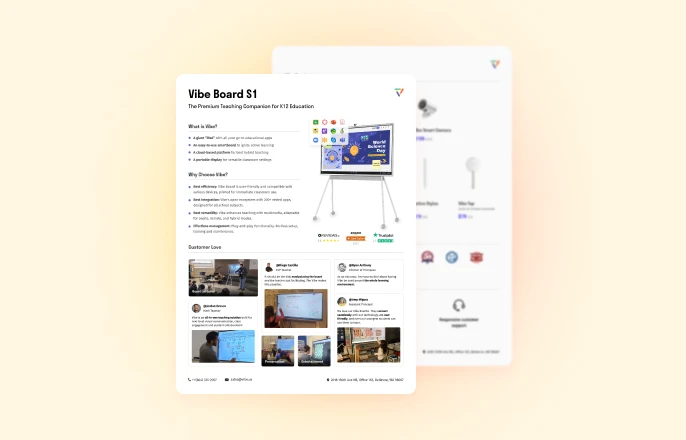
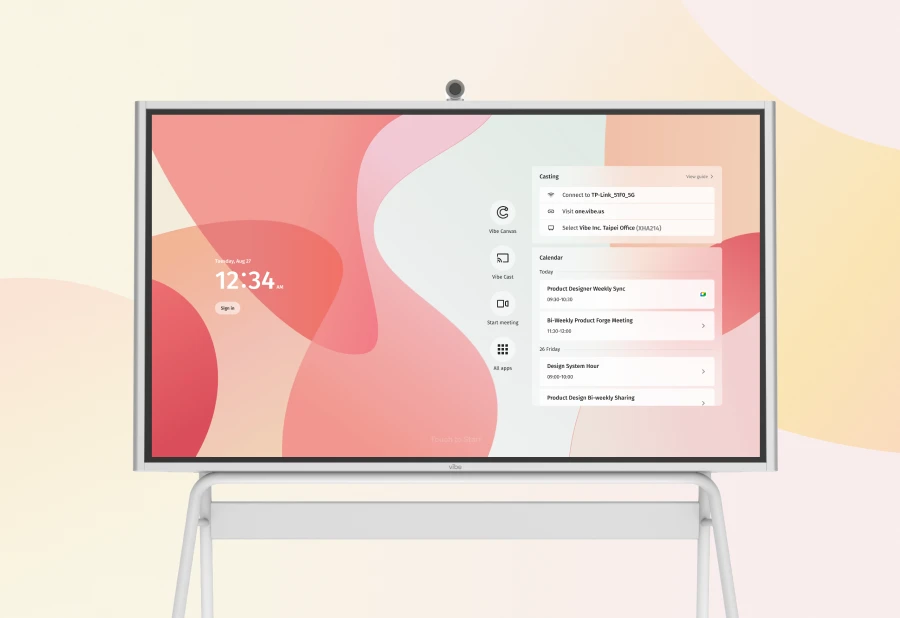
Procurement teams evaluating displays specifically should treat software architecture as a procurement criterion, not just a feature comparison. A display that requires a separate per-teacher software subscription adds a recurring line item that has to be re-approved and re-budgeted every year — a meaningfully different procurement burden than a board that includes collaboration software at no additional licensing cost, such as the Vibe Board S1. That distinction matters as much on a purchase order as it does in a classroom.
For a full breakdown of display pricing tiers and what's typically included versus billed separately, see our smart board pricing guide for schools.
A Realistic Procurement Timeline
For a standard (non-emergency) classroom technology purchase requiring board approval and competitive bidding, districts should plan for:
-
2-3 months for needs assessment, budget line identification, and internal sign-off before any vendor conversation starts
-
1-2 months for competitive bid solicitation and vendor evaluation, where required by state law or district policy
-
1 board cycle (typically 4-8 weeks depending on meeting frequency) for formal approval, assuming no requests for additional information
-
4-12 weeks for vendor delivery, installation, and initial configuration, depending on order volume
Districts targeting a fall rollout should have completed needs assessment and budget alignment by the end of the prior spring semester — well before summer break narrows the window for board meetings and staff availability.
Conclusion
Ready to evaluate interactive displays as part of your next procurement cycle? See how the Vibe Board S1 compares on total cost of ownership, or request a demo to walk through classroom and procurement workflows together.
FAQ
How long does school board approval take for a classroom technology purchase?
It depends on the district's meeting frequency and the purchase's dollar threshold, but budgeting for one full board cycle — typically 4 to 8 weeks — is a safe planning assumption for purchases requiring formal approval, assuming no request for additional information extends the timeline.
Can E-Rate funding be used to buy interactive displays?
Generally, no. E-Rate Category 2 funds internal network connections — cabling, switches, wireless access points — not classroom display hardware. Districts should budget displays separately from their E-Rate Category 2 network plan, even when both are part of the same broader refresh.
What triggers emergency procurement for classroom technology?
Emergency procurement is typically triggered by a documented emergency condition — widespread hardware failure, a sudden safety mandate, or an unplanned enrollment surge — defined under state procurement law or district policy. It requires its own documentation trail and does not exempt the purchase from later audit review.
What compliance documentation should a district request before purchasing classroom technology?
At minimum: SOC 2 Type II compliance documentation, a signed Student Data Privacy Consortium (SDPC) agreement, and current FERPA/COPPA compliance statements. Request these before drafting the board approval item, not after the vendor is already selected.
What is the difference between Category 1 and Category 2 E-Rate funding?
Category 1 covers the internet connection itself (broadband service). Category 2 covers the internal infrastructure that distributes that connection inside school buildings — cabling, switches, access points, and related network hardware. Neither typically covers classroom display or device hardware directly.
How much does a district technology refresh typically cost over 5 years?
Total cost of ownership varies significantly by scope, but districts should budget 40-60% above the hardware purchase price to account for software licensing, installation, training, and support over a 5-year term. Evaluating hardware price alone is one of the most common budgeting errors in classroom technology refreshes.
Can a district use cooperative purchasing contracts for classroom technology?
Yes, and many districts should. Cooperative purchasing programs — state contracts, regional purchasing cooperatives, or GSA schedules — allow a district to purchase from a pre-vetted vendor without running an independent competitive bid process, which can significantly shorten the procurement timeline.
What happens if Title IV-A funding is used for a purchase not tied to a stated goal?
It becomes an audit risk. Title IV-A funds must connect to a specific goal named in the district's approved plan. Districts should document that connection at the time of purchase, not retroactively during an audit.