- Smart board cost ranges from ~$1,500 (entry) to $9,000+ (premium) — but the sticker price is only part of the story.
- 5-year TCO for a single classroom typically runs $4,000–$11,000 depending on tier and software model.
- Software licensing is the hidden cost most quotes don't show — SMART Learning Suite alone can add $20,000–$30,000 across 10 classrooms over 5 years.
- Vibe Board's free-tier software model makes it one of the lowest-TCO options at the mid-range tier.
- Title IV-A, E-Rate, and ESSER funds can offset or fully cover the purchase — and most schools qualify.
Before You Look at a Price Tag
You’re probably here because your principal asked you to bring a recommendation to the next department meeting. Or maybe you’ve been pulling apart a projector cart, fighting with a laptop HDMI cable, and switching whiteboard markers mid-lesson one too many times. Either way — you need numbers, and you need a case.
But here’s the reframe before we get to any prices.
The real cost question isn’t the sticker price. It’s what your classroom loses every day without a connected workspace.
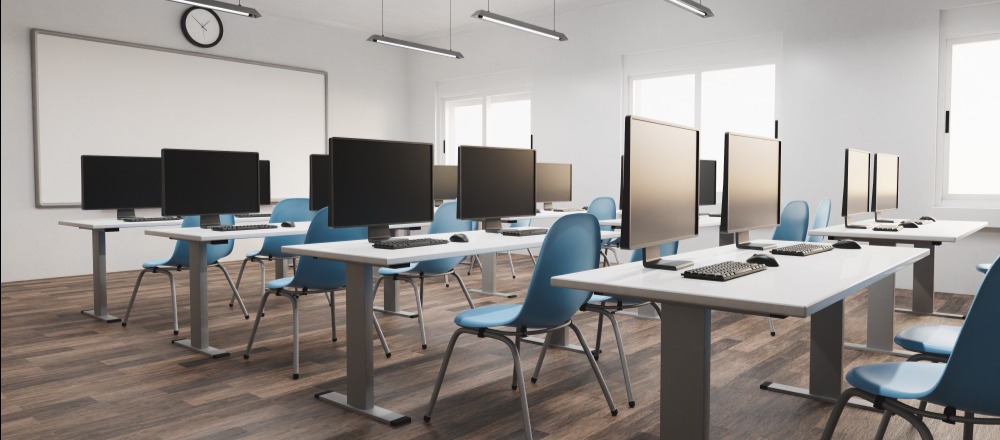
The average teacher spends between 12 and 20 minutes per day on tool transitions — switching from the projector to the whiteboard, reconnecting a laptop, waiting for apps to load, losing their place in a lesson. Over a 180-day school year, that adds up to more than 36 hours of instructional time lost. Not to technology. To switching between technology.
That’s the cost that never appears on any invoice.
A smart board — properly selected — doesn’t just replace a whiteboard or a projector. It replaces the switching. When your lesson lives in one place, you teach continuously. When the tools are fragmented, you don’t.
This guide gives you the full picture: hardware prices by tier and brand, what’s typically included vs. what’s extra, a 5-year total cost of ownership comparison, school funding options, and a template for making the case to your administration. If you’d like a broader look at the top-rated options, see our guide to the best interactive whiteboards for teachers for a feature-first comparison.
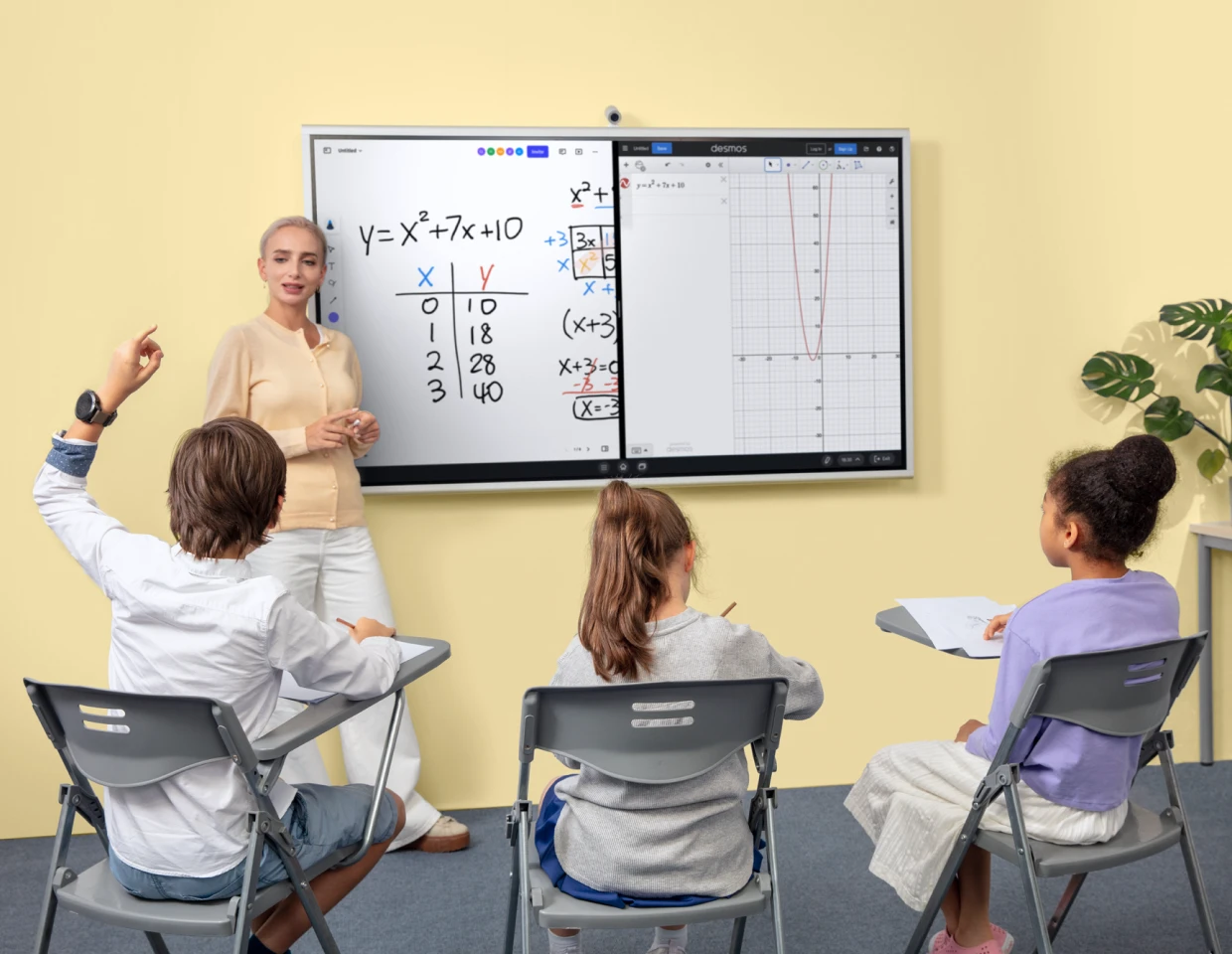
Interactive Whiteboard Pricing Overview (2026)
What "Smart Board" Actually Covers
"Smart board" is often used as a generic term — the way "Kleenex" describes all tissues. In education technology, it typically refers to an interactive flat panel display (IFPD): a large touchscreen that combines a digital whiteboard, annotation tools, screen sharing, and app access into one display. Prices vary significantly based on screen size, touch technology, built-in software, and hardware quality.
The three tiers below reflect what most teachers encounter when shopping for their school.
Entry-Level: $1,500–$3,000
What You Get
Entry-level interactive displays in this range typically offer 55–65″ screens, basic 10-point touch, and built-in Android systems with access to standard educational apps. They handle annotation, basic screen mirroring, and Google Workspace integration reasonably well.
The Teaching Workflow Reality
These boards work for straightforward lessons: show a slide, annotate, save notes. Where they begin to break down is in lessons that require moving between multiple apps, running video while annotating, or sharing content with student devices in real time. Teachers in this tier frequently find themselves back to the projector-plus-whiteboard combination for anything beyond basic presentation.
Who It’s Right For
Classrooms where the primary use case is replacing a projector and static whiteboard — particularly where budget constraints are significant and the school has a strong existing device ecosystem (Chromebooks, shared apps).
Mid-Range: $3,000–$5,500
What You Get
Mid-range panels typically offer 65–75″ screens, 20-point multi-touch, faster processors, and better software pre-loaded — often including native video conferencing support, more robust whiteboard tools, and device management capabilities. This is where most school purchasing decisions land.
The Teaching Workflow Reality
Mid-range boards let teachers run a full lesson from a single display: pull up lesson materials, annotate over content, share student work, run a quick poll. The interruptions are fewer. Teachers who make the switch from projector setups to this tier frequently report that the first week feels like the most continuous teaching they’ve done in years. The tool-switching rhythm disappears.
Who It’s Right For
Schools committed to making the interactive display the center of classroom instruction — not just a projector replacement. Works well when paired with student Chromebooks or tablets for collaborative activities.
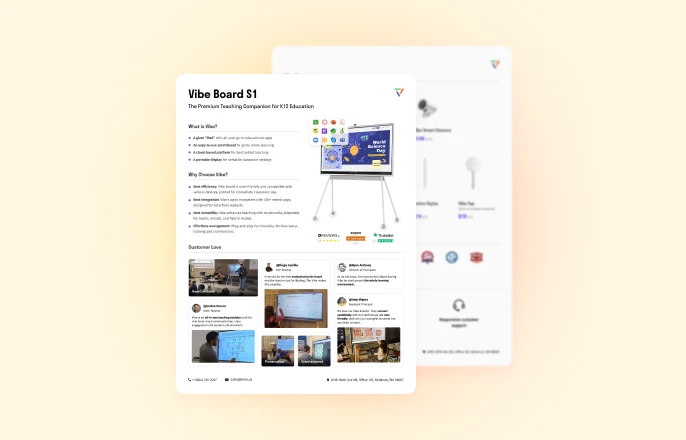
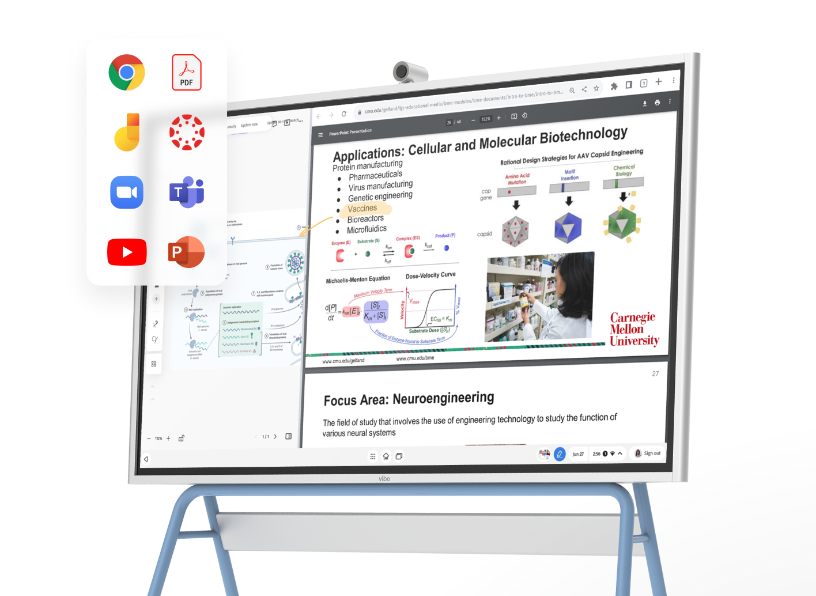 Vibe Board higher education solution transforming teaching and learning in the classroom
Premium: $5,500–$9,000+
What You Get
Premium interactive panels — 75–86″, 4K resolution, 40-point touch, enterprise-grade processors, full built-in OS with app stores, advanced collaboration software, MDM (mobile device management) compatibility, and multi-year software licenses included. These are built for classrooms where the board is the teaching platform, not just a display.
The Teaching Workflow Reality
In this tier, the board stops being a tool and becomes the classroom environment. Teachers annotate, collaborate, connect student devices, record lessons, and manage the room from a single surface. There is no switching — to a laptop, to the whiteboard, to a document camera. Everything is in one place. According to a 2024 study by the Consortium for School Networking (CoSN), schools that implemented unified classroom display platforms reported a measurable reduction in transition time and improved teacher confidence with classroom technology within the first semester.
Who It’s Right For
Schools investing in long-term classroom infrastructure, districts standardizing technology across multiple classrooms, and teachers who run highly interactive lessons (science labs, collaborative projects, student-led activities).
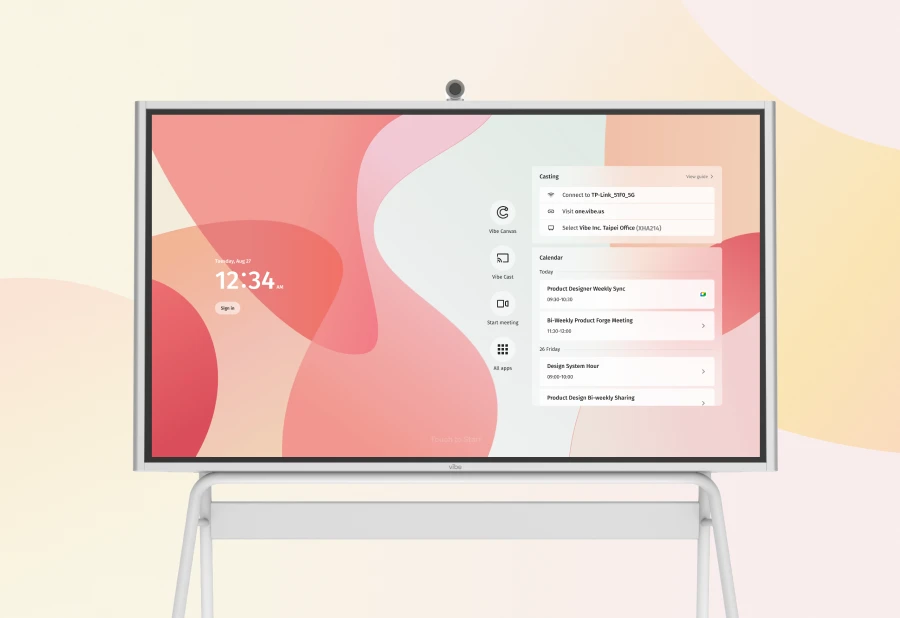
Smart Board Price Comparison by Brand (2026)
The table below compares approximate pricing for representative models across the major brands in K-12 education. Prices reflect typical U.S. market ranges for education buyers as of early 2026.
|
Brand |
Entry (55–65″) |
Mid (65–75″) |
Premium (75–86″+) |
Software Model |
Notes |
|---|---|---|---|---|---|
|
Vibe Board |
~$2,799 |
~$3,999–$4,499 |
~$5,499+ |
Subscription (Vibe OS, free tier + Pro) |
All-in-one canvas OS; no separate license required for basic use |
|
SMART Board |
~$2,500–$3,500 |
~$4,000–$6,000 |
~$7,000–$9,000+ |
SMART Learning Suite (annual, ~$500/yr) |
Strong brand recognition in K-12; software cost adds up over time |
|
Promethean ActivPanel |
~$2,000–$3,000 |
~$3,500–$5,500 |
~$6,000–$9,000+ |
ClassFlow (free + premium tiers) |
Good ecosystem; popular in Title I schools |
|
BenQ Board |
~$1,800–$2,800 |
~$3,000–$4,500 |
~$5,500–$8,000+ |
EZWrite (included); optional add-ons |
Strong hardware quality; leaner software ecosystem |
|
ViewSonic ViewBoard |
~$1,500–$2,500 |
~$2,800–$4,200 |
~$4,800–$7,500+ |
myViewBoard (free + premium) |
Budget-friendly entry tier; broad model range |
Key insight for teachers: The hardware price is only one variable. The more important question is what the software model looks like over 5 years — a board that seems cheaper at purchase can cost significantly more when you add annual licensing fees for every classroom. For a deeper side-by-side breakdown of how these platforms perform in real classroom use, see our Vibe Board vs SMART Board vs Promethean: A Teacher’s Guide.
What’s Included vs. What Costs Extra
Typically Included
-
The display panel itself (hardware)
-
Built-in operating system (Android or proprietary)
-
Basic whiteboard and annotation software
-
Pre-installed apps (Google Workspace, some include Zoom or Teams)
-
1-year standard warranty (most brands)
-
Power cable and mounting hardware
Often NOT Included (Check Before You Budget)
Software Licensing
Many brands include basic software but charge annually for premium features — lesson templates, student collaboration tools, formative assessment integrations, cloud storage, and admin dashboards. SMART Learning Suite, for example, is typically priced separately at ~$400–$600 per classroom per year. Over a 5-year period on 10 boards, that’s $20,000–$30,000 in software costs alone that won’t appear on the hardware quote.
What to ask: "What software is included for the life of the board, and what requires an annual subscription?"
Installation and Mounting
Professional installation — including wall-mount bracket, electrical, and cable management — typically runs $200–$600 per classroom depending on your facility. Some vendors include this in education bundles; most don’t. Mobile stand/trolley options are available at ~$150–$400 but are a separate purchase.
Accessories
-
Styluses/pens: Some boards require branded pens ($30–$80 each); others work with finger touch
-
Student response clickers or devices: If you want student interaction beyond BYOD, budget separately
-
Document cameras: Frequently sold as add-ons ($150–$400)
-
Audio: Many panels have built-in speakers; some classrooms need external audio for rooms over 900 sq ft
-
Cables and adapters: HDMI, USB-C, wireless dongles — budget $50–$150 per room
Extended Warranty and Support
Standard warranties are typically 1–2 years. Extended coverage (3–5 years) adds $200–$800 depending on the plan. For school environments with heavy daily use, extended warranties almost always pay for themselves.

Total Cost of Ownership: 5-Year TCO Comparison
Understanding the 5-year total cost of ownership (TCO) is what separates a good purchasing decision from one that looks good on paper but costs more in practice.
The table below models a single-classroom installation at each tier, including hardware, software, installation, accessories, and estimated maintenance.
|
Cost Component |
Entry ($2K board) |
Mid ($4K board) |
Premium ($6K board) |
Vibe Board (mid) |
|---|---|---|---|---|
|
Hardware |
$2,000 |
$4,000 |
$6,000 |
$3,999 |
|
Software (5 yr) |
$500 (basic) |
$2,500 ($500/yr) |
$3,000 ($600/yr) |
$600 (free tier) or $1,500 Pro |
|
Installation |
$400 |
$400 |
$500 |
$400 |
|
Accessories (initial) |
$300 |
$400 |
$600 |
$300 |
|
Extended warranty |
$400 |
$500 |
$700 |
$500 |
|
Maintenance/replacement |
$300 |
$300 |
$300 |
$200 |
|
5-Year TCO |
~$3,900 |
~$8,100 |
~$11,100 |
~$6,000–$6,900 |
The Hidden TCO Variable: Instructional Time
TCO calculations typically ignore the most valuable resource in a school: teacher time. If fragmented tools cost teachers 15 minutes of instructional time per day across a 180-day year, that’s 45 hours per classroom, per year. At an average substitute teacher cost of $120/day, the economic equivalent of that lost time is approximately $675 per classroom annually — or $3,375 over 5 years. A connected, single-workspace board that eliminates tool-switching recovers that cost in instructional quality, even before you calculate teacher satisfaction or student outcomes. Check out Vibe Board pricing to see how the numbers stack up for your school’s configuration.
The real question isn’t whether you can afford a better board. It’s what it costs your classroom to keep using a fragmented setup.
Funding Options for Schools
Purchasing a smart board doesn’t always require a single budget line item. Most K-12 schools in the United States have access to multiple funding streams that can offset or fully cover the cost.
Title Funds (Title I, Title II-A, Title IV-A)
The U.S. Department of Education’s Title I program allocates funds to schools serving low-income students, while Title II-A and Title IV-A support professional development and technology respectively. Interactive whiteboards and classroom displays are allowable technology purchases under these programs when tied to improving instruction. Title IV-A (Student Support and Academic Enrichment) specifically includes technology infrastructure as an eligible use.
How to use it: Work with your school’s Title coordinator. Document how the technology supports instructional goals — not just hardware replacement.
E-Rate Program
The E-Rate program, administered by the FCC through USAC, provides discounts of 20–90% on eligible technology for schools and libraries. As of 2024, E-Rate covers Category 2 equipment including internal connections and some classroom display technology, depending on configuration. Discount rates are based on free-and-reduced lunch eligibility — Title I schools often qualify for the highest discount tiers.
Key deadline: E-Rate applications follow a specific annual filing window (typically January–March). Missing the window means waiting a full year. Start the conversation with your district’s E-Rate coordinator early.
State Technology Grants
Most states offer competitive or formula-based technology grants for K-12 education. Programs vary significantly by state. Common sources include state general purpose technology grants, ESSER (Elementary and Secondary School Emergency Relief) carryover funds, and state digital learning initiatives. Check your State Department of Education’s technology office or the CoSN state resources database.
ESSER and One-Time Federal Funding
ESSER III (American Rescue Plan) funds have a final expenditure deadline of September 30, 2024 in most states, but carryover flexibility and state-level extensions exist in some cases. Confirm current status with your district’s business office — some schools still have unspent technology allocations.
Budget Planning Tips for Teachers
You’re probably not the one signing the purchase order — but you are the one making the case. Here’s how to position the request:
-
Bundle classroom requests. A single-classroom purchase is harder to approve than a 3–5 room pilot program that can be evaluated and expanded.
-
Connect to existing initiatives. If your district has a digital learning plan, a PBIS program, or a reading/math intervention initiative, frame the board as supporting those goals — not as a standalone hardware purchase.
-
Ask for a demo unit. Most vendors will loan a board for 30–60 days. A demo period lets you build internal evidence before the formal request.
-
Reference TCO, not just purchase price. Showing your principal a 5-year cost comparison that includes software and the cost of maintaining a fragmented setup is more persuasive than a hardware quote alone.
How to Make the Case to Your Administration
The Cost Justification Template
Use this framework when presenting a smart board recommendation to your principal or department head.
Classroom Technology Upgrade Proposal
Current State:
Our classroom currently uses [projector/laptop/physical whiteboard]. Each lesson requires [X] tool switches, which interrupts instruction flow. Based on informal tracking, we lose approximately [X] minutes per class period to transitions and setup.
Proposed Change:
Replace the current setup with an interactive flat panel display that consolidates all classroom tools into one workspace.
Cost:
-
Hardware: $[X]
-
Installation: $[X]
-
Software (5 years): $[X]
-
Total 5-Year TCO: $[X]
Funding Opportunity:
[Title IV-A / E-Rate / State Grant / Budget line] may offset [X]% of this cost. I have spoken with [coordinator name] and the purchase qualifies under [program].
Expected Outcome:
-
Recover an estimated [X] minutes of instructional time per day
-
Reduce tech setup/troubleshooting time
-
Increase student engagement during collaborative activities (see attached research)
-
Align with [district technology plan / digital learning initiative]
Request:
Approve a [demo period / single-classroom pilot / department purchase] by [date].
ROI Talking Points for Teachers
When your principal asks "why this, why now," these are your anchors:
-
Instructional time is the most scarce resource. According to the National Center for Education Statistics, the average school year is 180 days. Every minute recovered from tool-switching is a minute returned to instruction.
-
Technology fragmentation is the real cost. The problem isn’t old hardware — it’s that the tools don’t talk to each other. A connected workspace eliminates the reset between devices.
-
Teachers don’t need more tools. They need fewer transitions. The goal of this purchase isn’t to add technology. It’s to remove the switching that interrupts teaching.
-
A pilot is low risk. One classroom, one semester, measurable outcomes. If the tool improves instruction, expand it. If it doesn’t, you know before committing district-wide.
-
Funding exists. This doesn’t have to come from the general classroom budget. E-Rate and Title IV-A were designed for exactly this kind of purchase. Ready to see the board in action? Request a demo and we’ll walk through classroom workflows together.

Frequently Asked Questions
Q: How much does a smart board cost for a school?
Smart board cost for schools in 2026 ranges from approximately $1,500–$3,000 for entry-level interactive displays to $5,500–$9,000+ for premium panels with built-in collaboration software and 4K resolution. Most mid-range boards suitable for full classroom use fall between $3,000 and $5,500 before installation and accessories. When budgeting, schools should account for the total 5-year cost including software licenses, installation, and extended warranty — not just the hardware price. For a single classroom, 5-year TCO typically ranges from $4,000 to $11,000 depending on tier and software model.
Q: Are smart boards worth the cost for schools?
For most classrooms, yes — when the right board is matched to classroom needs and the purchase is justified with a 5-year TCO view rather than just purchase price. The strongest case for smart boards is instructional continuity: teachers who use interactive flat panels consistently report fewer lesson interruptions, easier access to digital materials, and higher student engagement during collaborative activities. The weaker case is made when schools buy hardware without a plan for software, training, and ongoing use — in those scenarios, smart boards become expensive projector screens. The investment pays off when the board becomes the center of classroom instruction, not an add-on to an existing fragmented setup.
Q: Can schools use E-Rate funding to buy smart boards?
E-Rate funding (administered through the FCC’s Universal Service program) can cover certain classroom display and connectivity purchases under Category 2. Eligibility depends on how the purchase is classified and configured. Schools qualifying for the highest E-Rate discount tiers (typically those with 75%+ free-and-reduced lunch eligibility) can receive discounts of up to 90% on eligible equipment. However, E-Rate applications follow a strict annual filing window, and the program has specific rules about eligible equipment categories. Schools should consult their E-Rate coordinator or a program consultant early in the planning process — ideally 6+ months before the purchase target date.
Q: What ongoing costs should schools budget for after buying a smart board?
Beyond hardware, schools should budget for: (1) Software licenses — many platforms charge $400–$600 per classroom per year for premium features; (2) Extended warranty — standard 1-year coverage is often insufficient for daily school use; plan for 3–5 year coverage at $200–$800; (3) Accessories — replacement pens, mounting hardware updates, audio peripherals; (4) Professional development — teacher training is often underestimated; budget 2–4 hours of onboarding time per teacher. The total annual ongoing cost after initial purchase typically runs $600–$1,200 per classroom depending on the software model chosen.
Q: How long do smart boards last in schools?
Quality interactive flat panel displays in school environments typically last 7–10 years with normal use, based on industry estimates from education technology vendors. Display backlights are rated for 50,000+ hours on most mid-range and premium models, which at 8 hours/day school use equals 17+ years of operational life for the display itself. The more common failure points are touch sensors and software obsolescence — both of which are more likely to limit useful life before the hardware itself fails. Extended warranties and choosing platforms with a strong software update commitment are the most reliable ways to protect the investment.
Q: How much does a Promethean board cost for schools?
Promethean ActivPanel pricing for schools in 2026 runs approximately $2,000–$3,000 for entry-level 55–65″ models, $3,500–$5,500 for mid-range 65–75″ panels, and $6,000–$9,000+ for premium 75–86″ configurations. These ranges reflect typical U.S. education pricing — actual quotes vary by region, screen size, and district volume. Promethean’s ClassFlow software is available in a free tier with premium options, which means software costs are lower than SMART Board over a 5-year period, though still worth confirming in any vendor quote. Schools purchasing five or more units typically qualify for volume pricing; contact Promethean’s education sales team directly for district pricing and bundle options.
Q: How much does a Vibe Board cost for schools?
Vibe Board pricing for schools starts at approximately $2,799 for the 55″ configuration and $3,999–$4,499 for the 75″ model, with S1 Pro (Windows-based) configurations available at higher price points. Unlike SMART Board, Vibe Board includes a functional free software tier — meaning basic whiteboard, annotation, and video conferencing use does not require an annual license on top of the hardware cost. Schools that need premium collaboration features can add Vibe’s Pro subscription. For school districts purchasing multiple units, Vibe offers education pricing and volume quotes through its K-12 solutions page.
Q: What does smart board installation cost for a classroom?
Professional installation for a smart board — including wall-mount bracket, electrical connections, and cable management — typically runs $200–$600 per classroom in the U.S., depending on wall construction, wiring requirements, and whether the vendor bundles installation or subcontracts it locally. Mobile stand/trolley options are an alternative to wall mounting at $150–$400 per unit and avoid installation labor costs entirely, though they trade off stability and cable management. Some education vendors include installation in bundled pricing for multi-room purchases; always ask whether installation is included before comparing quotes. For budget planning, assume $400 per classroom as a conservative estimate if installation details are not yet confirmed.