Interactive Whiteboards on Mobile Stands for Construction Site Planning
For construction managers, general contractors, and project engineers mapping equipment locations, access routes, and work zones on a site plan, mobile interactive whiteboards with lockable heavy-duty stands provide an agile workspace across site trailers and coordination meetings.
Jobsite trailers and field offices demand flexible display hardware that can be wheeled between superintendent coordination sessions, subcontractor safety briefings, and owner design updates without delicate recalibration. Evaluating hardware for digital plan markups requires comparing screen responsiveness under dusty field conditions, drawing precision with work gloves, multi-format PDF/CAD support, and seamless export of daily annotated revisions.
Why construction site planning requires dedicated mobile touch displays
Field coordination differs fundamentally from corporate conference room presentations. Construction site planning involves multi-layered architectural, structural, and civil site plans that demand continuous interaction:
| Field Coordination Challenge | Static TV or Paper Blueprint Constraint | Mobile Interactive Whiteboard Advantage |
|---|---|---|
| Dynamic equipment & crane zones | Paper drawings require manual redlining that fails to reflect daily crane pick radiuses | Moveable digital stamps and color-coded zones update crane swings and laydown staging in real time |
| Subcontractor clash detection | Subcontractors look at separate trade drawings without overlaid spatial references | Multi-layer PDF viewing displays MEP overlays alongside architectural plans on one 4K canvas |
| Trailer space constraints | Jobsite trailers lack wall space to permanently hang 75-inch commercial monitors | Heavy-duty rolling stands with locking casters navigate trailer doorways and reposition effortlessly |
| Distributing daily site records | Paper markup photos taken on phones are blurry and prone to misplacement | One-touch export transmits high-resolution annotated drawings directly to field management software |
Specifications checked against official manufacturer documentation on October 30, 2026. Hardware recommendations are editorial guidance for project management purchasing.
Compare three interactive whiteboards for jobsite trailers
Reviewing site drawings and coordinating subcontractor trades requires examining screen size, operating system flexibility, and heavy-duty mobile cart stability:
| Display Model | Core Display Specs | Operating System & Application Route | Mobile Stand & Field Usability | Selection Recommendation |
|---|---|---|---|---|
| Vibe Board S1 Pro | 55-inch / 75-inch 4K UHD, 4,096 pressure levels | Dual OS (VibeOS + Windows 11 Pro) | Custom rolling stand with locking wheels, low center of gravity | Shortlist when direct access to Windows CAD, BIM viewers, and full cloud syncing is required in the trailer |
| Samsung Flip Pro WM65B | 65-inch 4K UHD, 20 touch points | Tizen OS; Samsung Workspace | Mobile cart compatible; passive pen drawing | Strong pen-feel alternative for direct PDF sketches, but requires external PC for full CAD software execution |
| ViewSonic ViewBoard IFP6552 | 65-inch 4K UHD, 33 touch points | Android OS with myViewBoard suite | Heavy-duty commercial trolley compatible | Reliable multi-touch display for classroom-style subcontractor safety orientations |
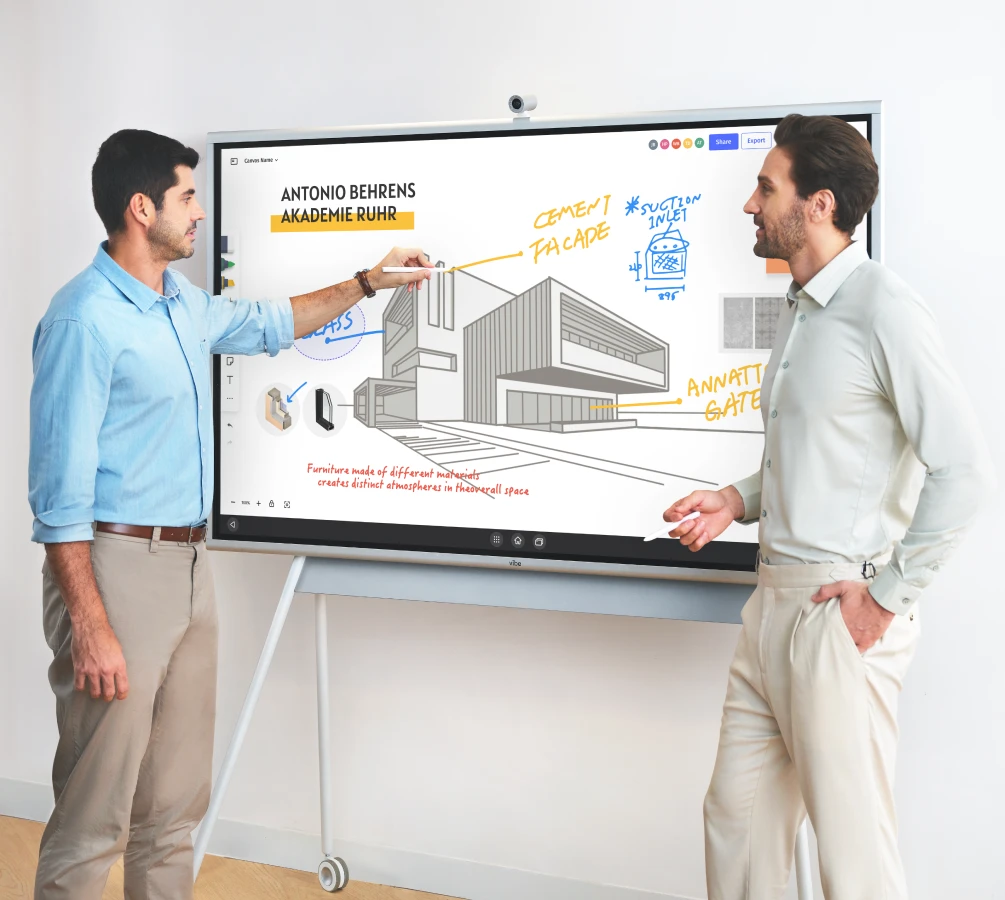
Evaluating software routes: PDF markups versus live CAD navigation
Choosing between Android-based whiteboards and Windows-enabled displays determines whether field teams can run authoritative model software or rely on exported static sheets:
- Direct PDF drawing workflows: Teams using Bluebeam Revu, Drawboard PDF, or Autodesk Construction Cloud require fast pinch-to-zoom navigation across vector blueprints. Displays with low latency ensure smooth tracing of access routes.
- Authoritative CAD/BIM execution: When superintendents must interrogate 3D Revit models or Navisworks clash sets, displays with dedicated Windows 11 Pro processing prevent lag and eliminate the need to tether a separate laptop with loose cables.
- Infinite collaborative canvases: Vibe Canvas enables remote trade partners to join the coordination session from tablets or desktop browsers, adding equipment icons directly to the shared plan.

Jobsite pilot checklist before procurement
Conduct a structured verification trial in your site trailer before standardizing across multiple project locations:
- Trailer doorway clearance: Measure width and threshold ramps to ensure the rolling stand passes easily between trailer partitions.
- Anti-glare screen legibility: Test drawing readability under harsh fluorescent jobsite lighting and sun-exposed windows.
- Touch input with dirty hands: Verify palm rejection and stylus sensitivity when handling drawings with dusty or gloved fingers.
- Network resiliency: Confirm that cloud board sessions buffer reliably over 5G cellular jobsite routers without losing stroke data.
Frequently asked questions
Can we connect our Trimble or Leica surveying equipment to display real-time coordinates?
Yes. When running on a Windows-enabled board like the Vibe Board S1 Pro, surveying and grade-management applications can be opened directly on the screen to review topographic points against planned site routes.
How durable are touch screens in dusty jobsite trailer environments?
Commercial interactive flat panels feature 7H toughened anti-glare glass that withstands repeated pen strikes and daily cleaning. Ensure the mobile cart provides cable management to keep dust from accumulating in port hubs.
Can subcontractors annotate drawings from their own mobile devices during the meeting?
Yes. Participants scan an on-screen QR code to join the collaborative session via mobile browser, allowing trade foremen to mark utility tie-ins without crowding the physical screen.
Explore Vibe Board S1 Pro for project management