
Does an AI note taker waive attorney-client privilege? Not automatically, but it can put privilege at risk. Privilege protects confidential lawyer-client communications made to obtain legal advice, and recording software doesn’t change that rule. What changes is whether the conversation stays confidential once a vendor’s servers, data-use terms, or an uninvited meeting bot are involved. This guide breaks down the AI note taker attorney-client privilege question using ethics opinions and a 2026 federal ruling, then gives lawyers a checklist for deciding whether, and how, to use one. See also Vibe’s legal solutions for law firms.
This article is general information, not legal advice. Privilege and recording rules vary by jurisdiction and by the facts of each matter. Consult an attorney licensed in your state before setting firm policy.

Does an AI Note Taker Waive Attorney-Client Privilege? The Short Answer
Privilege survives AI note-taking when the recording stays confidential, the vendor can’t freely reuse or disclose it, and a lawyer supervises how the tool is used. It’s at risk when any of those three break down.
Courts ask whether a communication was between lawyer and client (or their agents), kept confidential in fact, and made to get or give legal advice. An AI note taker touches the confidentiality element most directly, through three levers:
-
Access. Anyone beyond the lawyer, client, and their agents weakens the confidentiality claim.
-
Vendor rights. Retention, model training, and disclosure terms belong at the top of your review list.
-
Direction. A lawyer-supervised workflow looks very different from a client acting alone.
What Ethics Opinions Say About Recording Client Conversations
ABA Formal Opinion 512, issued July 29, 2024, tells lawyers using generative AI to protect all client-related information under Rule 1.6, whatever its source, unless the client gives informed consent. It also points to competence, communications, and fees.
The New York City Bar’s Formal Opinion 2025-6, issued December 22, 2025, is more specific. It covers AI that records, transcribes, and summarizes client conversations. A lawyer should get the client’s consent before recording, weigh whether recording is wise given confidentiality and privilege, and verify the output for accuracy. The opinion also tells lawyers to check where data is stored and for how long, whether it’s discoverable, whether the tool trains on it, and whether it can be deleted. If a client records with their own AI tool, the lawyer should warn about the loss of confidentiality and privilege. It’s a New York opinion, so check your own state’s guidance. For the broader security picture, see Secure Collaboration for Law Firms.
What United States v. Heppner Decided (and What It Didn’t)
In United States v. Heppner, Judge Jed Rakoff of the Southern District of New York held that about 31 documents a defendant created with a consumer AI chatbot were neither attorney-client privileged nor protected work product. The ruling concerned a client using a public tool on his own initiative, not a lawyer-directed meeting recorder.
The February 17, 2026 written opinion rested on three points:
-
No lawyer was involved. The chatbot isn’t an attorney.
-
No reasonable expectation of confidentiality. The provider’s privacy policy allowed inputs and outputs to be retained, used for model training, and disclosed to third parties.
-
Wrong purpose. The defendant wasn’t seeking legal advice from the chatbot.
Work product failed because counsel hadn’t directed the work. Commentators stress what the court did not say: it didn’t declare generative AI incompatible with privilege, and its reasoning leaves room for a different result when a lawyer directs the tool under enforceable confidentiality terms. One lesson applies directly to note-taking: a document that wasn’t privileged when created doesn’t gain protection by being forwarded to a lawyer.
Where AI Note Takers Create Real Privilege Risk
The risk concentrates in three places: what the vendor can do with your data, who ends up in the recording, and whether anyone supervises the tool.
1. What the Vendor Can Do With Your Data
Heppner turned on the provider’s terms. A separate case shows why that matters for meeting recorders. On August 13, 2026, a federal judge in the Northern District of California let wiretap, California privacy, and Illinois biometric claims proceed against Otter.ai. The court found it plausible, at this early stage, that a vendor retaining and using conversation data for its own commercial purposes could be treated as a third-party eavesdropper rather than a tool of the meeting host. Those are allegations. The ruling doesn’t decide whether Otter broke the law, and Otter argues it acts at the host’s direction.
The reasoning isn’t about privilege, but the lesson carries over: a recording a vendor can reuse is harder to call confidential. Fisher Phillips also tells firms to check whether vendors keep recordings, transcripts, and metadata indefinitely, especially without an enterprise agreement.
2. Who Ends Up in the Recording
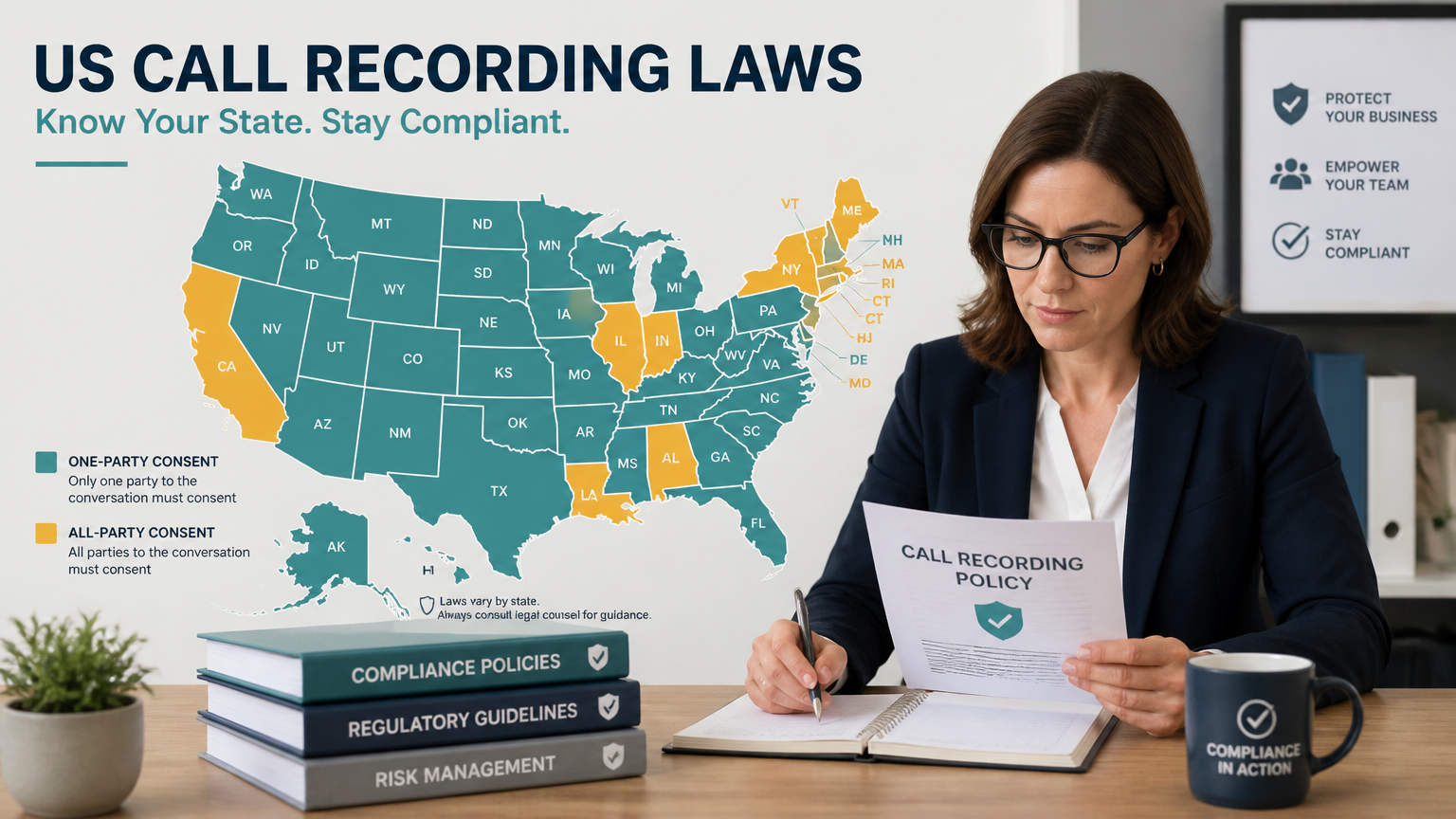
Federal law permits recording with one party’s consent (18 U.S.C. § 2511(2)(d)), but about a dozen states require every participant to agree, and when participants sit in different states the stricter rule typically governs.
Picture an estate planning attorney in a one-party state meeting a prospective client who joins by video from California. If a calendar-connected bot joins and records without announcing itself, California’s rule can apply, and no one has given the consent it requires. The fix takes seconds: announce the recording, get a clear yes from everyone, and log it.
The Otter plaintiffs allege exactly this: a meeting assistant joining calls and recording participants without the consent the law requires. Fisher Phillips advises getting consent from all participants, including outsiders, and consulting legal before using a notetaker in legal strategy discussions. For state-by-state detail, see Can Lawyers Record Client Meetings?
3. Whether Anyone Supervises the Tool
A transcript is a new record that lives wherever the vendor stores it and wherever your team shares it, so broad sharing and open-ended retention widen the circle of people who can see privileged content. Courts also look at oversight. Privilege can reach outside helpers when they were hired to support legal advice, work under a lawyer’s supervision, and owe a duty of confidentiality. Treat a note taker like any vendor that touches client files, with a named lawyer who owns the decision to use it.
A Practical Checklist Before You Record a Client Meeting
Before using an AI note taker with clients, confirm six things:
-
Data terms. Get no-training, defined-retention, and limited-disclosure terms in writing. They give you a stronger confidentiality argument.
-
Consent from every participant. Follow the strictest rule in play, announce the recording, and keep a record of the yes.
-
User-initiated capture. Decide when recording starts, and avoid calendar-triggered auto-join bots on privileged calls.
-
Access and retention controls. Set per-matter permissions and confirm you can delete recordings and transcripts on demand.
-
Security evidence. Ask for the SOC 2 Type 2 report, not just a badge. It shows how controls operate, not whether a recording is privileged.
-
Review and policy. Verify every transcript and summary for accuracy, document who may record and when, and name the meetings that are never recorded, such as litigation strategy sessions.
How Vibe Dot and Vibe Bot Fit a Privilege-Conscious Workflow
No note taker can make a conversation privileged. The right one removes the avoidable risks above, and Vibe’s devices address three of them.
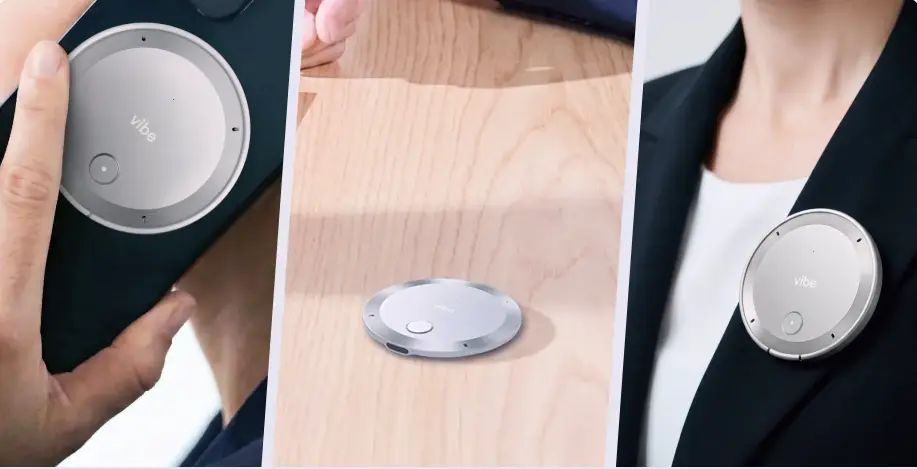
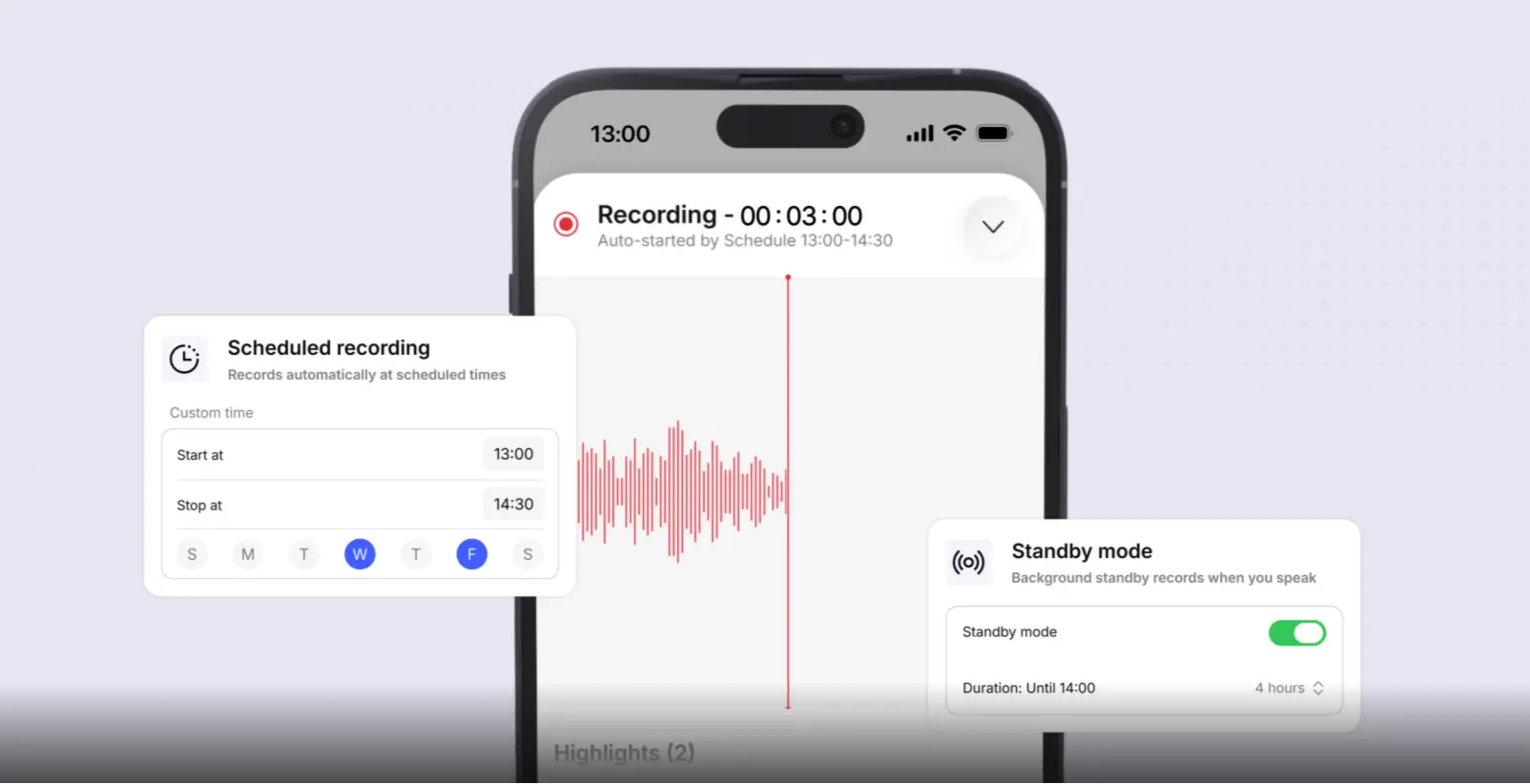
Recording starts when you decide. Vibe Dot records through its own microphone, so no bot joins your call. You double-tap to start and stop, and Auto Capture (currently in beta) starts when it recognizes your voice or at times you schedule. Vibe Bot, the in-room device for client meetings, prompts you to record when it notices a conversation start.
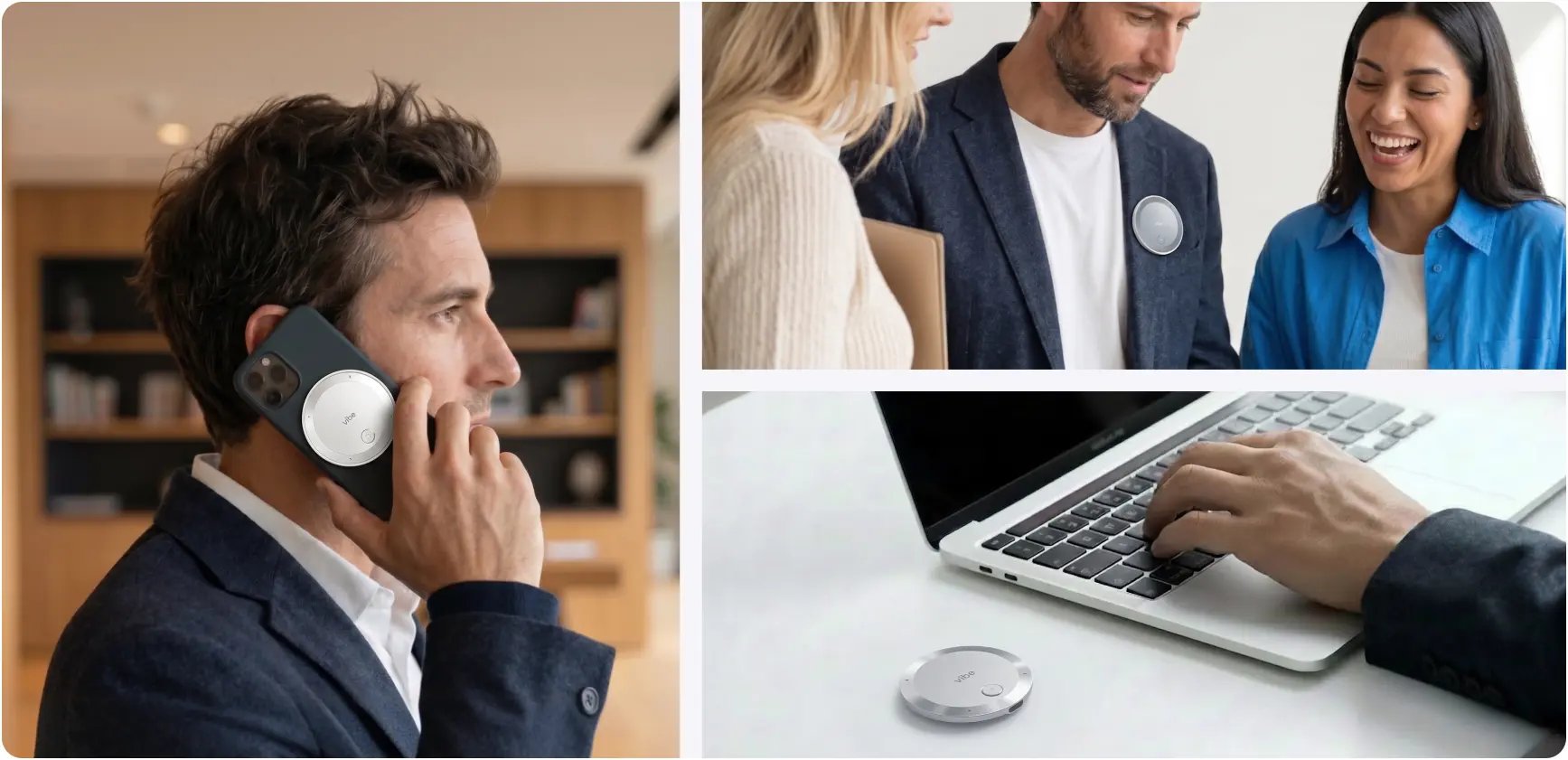
Your data isn’t used to train models. According to the Vibe AI page, customer information is never used to train Vibe’s or third-party AI models and is processed in a secure, isolated environment. Account owners set retention policies, delete conversations at any time, and use per-thread permissions to control who sees each recording.
Independent security evidence exists. Vibe AI reports an unqualified opinion on its SOC 2 Type 2 report from Prescient Assurance, plus a HIPAA attestation from the same firm. Vibe Dot adds a dedicated hardware encryption chip that helps protect recordings at the device level.
Here are the limits. Certifications show how data is protected, not whether a recording is privileged, and consent and supervision remain the lawyer’s job. Auto Capture is in beta, and Vibe notes that speaker separation and voice recognition are in beta too and may not identify every speaker, so review transcripts before relying on them. Ask Vibe’s sales team about data-handling terms for your firm. For a wider comparison, see Best AI Note Takers for Lawyers.
The Bottom Line
AI note taker attorney-client privilege risk isn’t a reason to avoid the technology. It’s a reason to choose and configure it deliberately. Confidentiality, consent, and attorney oversight decide the outcome far more than the label on the tool.
If you’re building a process for client meetings, explore Vibe’s legal solutions, see how Vibe Dot handles user-initiated capture, or compare options in AI Tools for Client Meetings: A Lawyer’s Guide.
Frequently Asked Questions
Does using an AI note taker waive attorney-client privilege?
Not automatically. The leading decision, United States v. Heppner, didn’t hold that AI use alone waives privilege. It applied ordinary rules to a client using a public chatbot without his lawyer’s direction. Privilege turns on whether the communication stayed confidential, so the vendor’s data terms, who else can access the recording, and attorney oversight all matter. Ask a licensed attorney to review your specific setup.
Is it safe for lawyers to use AI note takers with clients?
It can be, with safeguards. ABA Formal Opinion 512 requires protecting all client information under Rule 1.6, and the New York City Bar advises getting client consent, weighing privilege risks, and checking AI output for accuracy. Vet the vendor’s data terms, confirm your content isn’t used for training, limit access and retention, and keep a written policy. Skip recording the most sensitive strategy discussions unless counsel approves.
Do I need client consent to record a meeting with an AI note taker?
Often yes, and getting it from every participant is the safe course. Federal law allows recording with one party’s consent, but about a dozen states require everyone’s, and the stricter state’s rule typically governs across state lines. The New York City Bar concluded that clients should be notified, and consent obtained, when AI records their calls. See Can Lawyers Record Client Meetings? for details.
What did United States v. Heppner decide?
On February 17, 2026, Judge Rakoff of the Southern District of New York issued a written opinion holding that about 31 documents a defendant generated with a consumer AI chatbot, on his own initiative, were neither privileged nor work product. The chatbot isn’t a lawyer, the provider’s privacy policy undercut any expectation of confidentiality, and counsel hadn’t directed the work.
Can an AI-generated meeting summary be privileged?
It depends on the facts. A document that wasn’t privileged when created doesn’t become privileged just because it’s later shared with counsel, according to the Heppner opinion. A summary produced under attorney direction, in a confidential setting, from a privileged meeting may be treated differently. That call belongs to a licensed attorney in your jurisdiction.