Quick Answer:
|
If you need… |
Best pick |
|---|---|
|
Best overall |
Zoom |
|
Microsoft 365 org |
Microsoft Teams |
|
Best free option |
Google Meet |
|
Enterprise security |
Webex |
|
Hybrid meeting rooms |
Zoom or Teams + Vibe Board S1 |
For a full breakdown by team size, budget, and use case — read on.
Comparison Table: 10 Best Video Conferencing Tools at a Glance
|
Tool |
Best For |
Free Plan |
Starting Price |
Max Participants |
AI Features |
|---|---|---|---|---|---|
|
Zoom |
Most teams, webinars |
✅ (40-min limit) |
$15.99/mo |
1,000+ |
Summaries, transcription |
|
Microsoft Teams |
Microsoft 365 users |
✅ |
$6/user/mo |
300–1,000+ |
Copilot, live captions |
|
Google Meet |
Google Workspace users |
✅ (60-min limit) |
Included in Workspace |
500 |
Gemini notes, captions |
|
Webex |
Enterprise, compliance |
✅ (40-min limit) |
$12/user/mo |
1,000+ |
AI assistant, recap |
|
Zoho Meeting |
SMBs, budget teams |
✅ |
$3/user/mo |
250 |
Recording, polls |
|
Dialpad Meetings |
Sales, client calls |
✅ (10 participants) |
$15/user/mo |
150 |
Real-time transcription |
|
Jitsi Meet |
Privacy-first, developers |
✅ (free only) |
Free (self-hosted) |
~35 practical |
None built-in |
|
RingCentral Video |
VoIP + meetings combo |
✅ |
$10/user/mo |
500 |
AI notes |
|
GoTo Meeting |
Enterprise webinars |
❌ |
$14/mo |
3,000 |
AI assistant |
|
Pumble |
Internal chat + video |
✅ |
$2.49/user/mo |
100 |
Limited |
What to Look for in Video Conferencing Software (2026)
Before jumping into individual reviews, here's what separates good tools from great ones in 2026.
For most teams: reliable HD video, noise-suppressed audio, screen sharing, calendar integrations (Google or Outlook), a functional mobile app, and AI meeting summaries or transcription.
For startups and small teams: a generous free plan with no hidden limits, a one-link join experience that doesn't require guests to create an account, and cross-platform support (Windows, Mac, iOS, Android).
For home businesses: low bandwidth usage, professional virtual backgrounds, breakout rooms for client workshops, and cloud recording.
For enterprises and regulated industries: end-to-end encryption, HIPAA or GDPR compliance options, admin controls (waiting rooms, participant permissions, audit logs), and SSO/identity management integration.
 An example of hybrid meetings
What Is Video Conferencing Software?
"Video conferencing software," "video call software," "online meeting software," and "web conferencing tools" are often used interchangeably — but they describe slightly different things:
-
Video conferencing software is the broadest term: platforms like Zoom, Teams, and Meet that handle audio, video, screen sharing, and collaboration at scale.
-
Video meeting tools typically refers to simpler tools used for 1:1 or small group calls.
-
Web conferencing tools emphasizes browser-based access — no download required — like Google Meet or Jitsi.
-
ICT tools for live video communication is an enterprise/government procurement term for the same category.
This guide covers all of the above, from quick free tools to enterprise-grade platforms with breakout rooms, AI summaries, and compliance controls.
1. Zoom — Best Overall Video Conferencing Software
Zoom is the most widely used video conferencing platform in the world. It handles everything from 2-person calls to 10,000-person webinars, and its AI features are mature enough to genuinely save time.
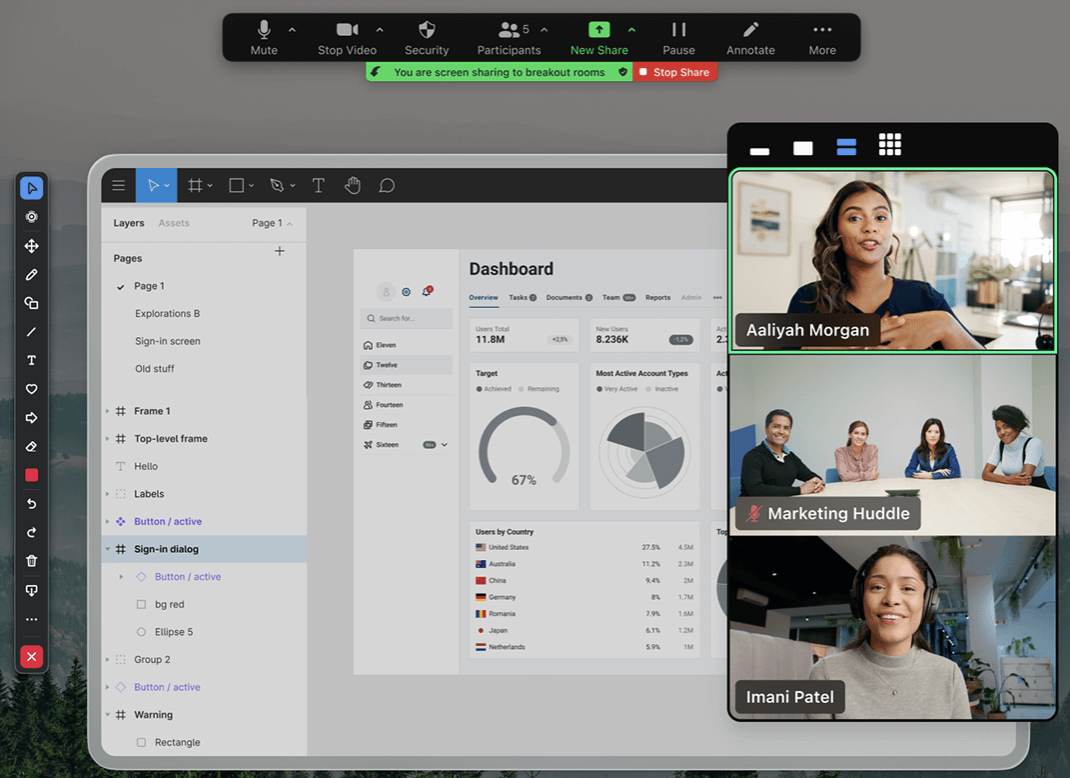 Video meeting using Zoom
Standout features:
-
AI Companion: automatic meeting summaries, action items, and real-time transcription
-
Breakout rooms: up to 50 rooms simultaneously, with host broadcast and timer controls
-
Zoom Whiteboard with persistent canvas (content survives after the call)
-
Webinar licenses supporting up to 1,000,000 view-only attendees
-
1,500+ third-party app integrations
Plans & pricing:
-
Free: 100 participants, 40-minute limit on group meetings
-
Pro: $15.99/month — 30-hour meetings, 5 GB cloud recording
-
Business: $21.99/month — 300 participants, managed domains
Pros: Easiest onboarding of any platform; best breakout room controls; strongest webinar product.
Cons: The free plan's 40-minute cap is genuinely disruptive; costs escalate at scale.
Bottom line: The default choice for teams with no existing software lock-in.
2. Microsoft Teams — Best for Microsoft 365 Organizations
Teams is more than a video conferencing tool — it's a collaboration hub tightly integrated with Word, Excel, Outlook, and SharePoint. For organizations already paying for Microsoft 365, it's effectively included at no extra cost.
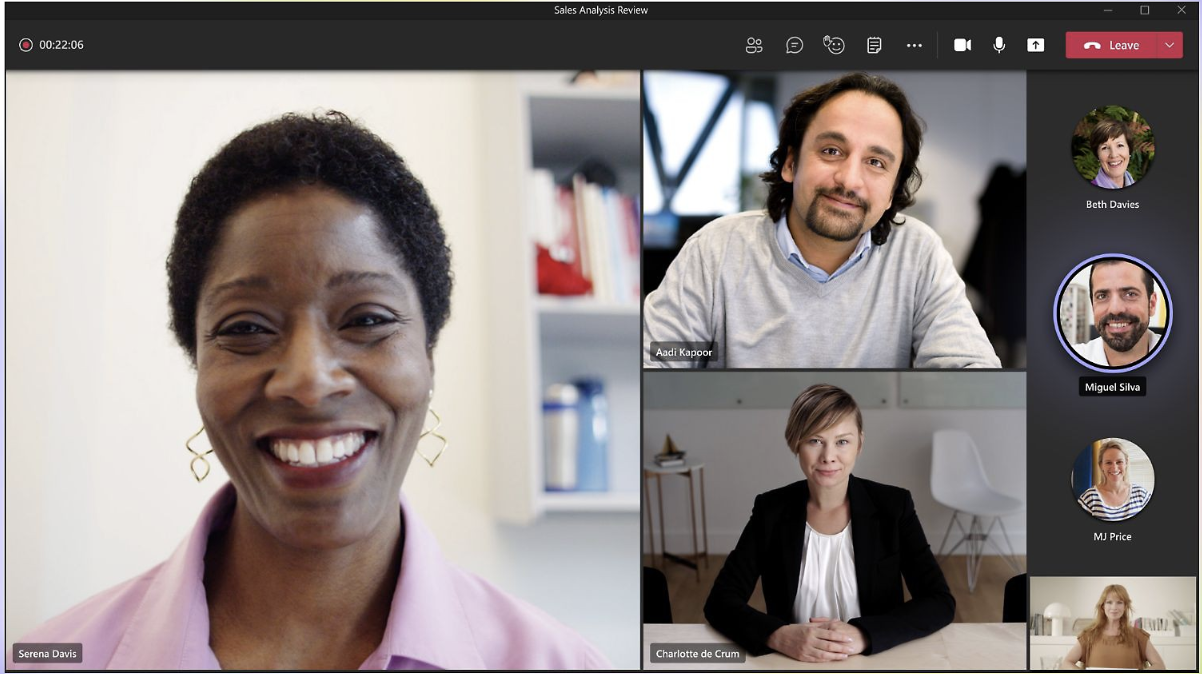 Video meeting using Microsoft Teams
Standout features:
-
Native Microsoft 365 integration: co-edit Word and Excel documents during a live call
-
Microsoft Copilot AI: real-time meeting notes, summaries, and suggested follow-ups
-
Teams Rooms certified hardware ecosystem for conference room deployments
-
Live captions and translation in 30+ languages
-
Town Hall mode: up to 1,000 participants with moderated Q&A
Plans & pricing:
-
Free: 100 participants, 60-minute meetings, 5 GB storage
-
Microsoft 365 Business Basic: $6/user/month — 300 participants, 1 TB OneDrive
-
Enterprise: custom pricing with full compliance suite
Pros: Unmatched for Microsoft-stack organizations; strong compliance and admin controls; Copilot is a genuine productivity multiplier.
Cons: Feels heavyweight for small teams; UI complexity grows with organization size.
Bottom line: If your org runs on Microsoft 365, Teams is the obvious choice — adding a separate video tool is redundant.
3. Google Meet — Best Free Video Conferencing Tool
Google Meet is the fastest path to a video call. It's fully browser-based (guests need no account, no download), auto-integrates with Google Calendar, and includes Gemini AI note-taking on paid plans.
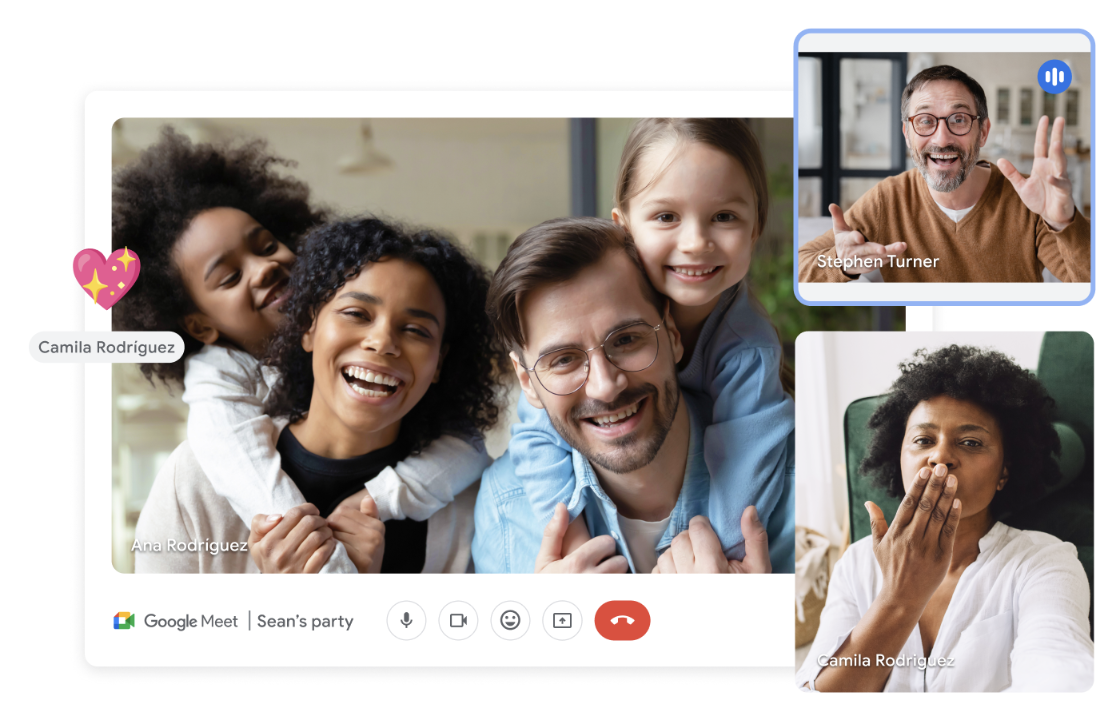 Video meeting using Google Meet
Standout features:
-
Zero-install joining from Chrome, Firefox, Edge, or Safari
-
Gemini AI: automated meeting notes and summaries (Workspace plans)
-
Live captions in multiple languages
-
Native integration with Google Calendar, Drive, and Docs
-
Up to 500 participants on Business Plus plans
Plans & pricing:
-
Free: 100 participants, 60-minute group calls
-
Google Workspace Individual: $7.99/month
-
Business Starter: $6/user/month — includes recording and extended call limits
Pros: Zero friction for external guests; the best free video conferencing option for Google Workspace users; clean and simple interface.
Cons: No breakout rooms on the free plan; whiteboarding is limited compared to Zoom.
Bottom line: The best free video conferencing tool for teams already using Google Workspace.
4. Webex — Best for Enterprise Security and Compliance
Cisco Webex has been a video conferencing platform since before Zoom existed. Its enterprise-grade security — FedRAMP, HIPAA, GDPR — makes it the default choice for healthcare, government, and financial services.
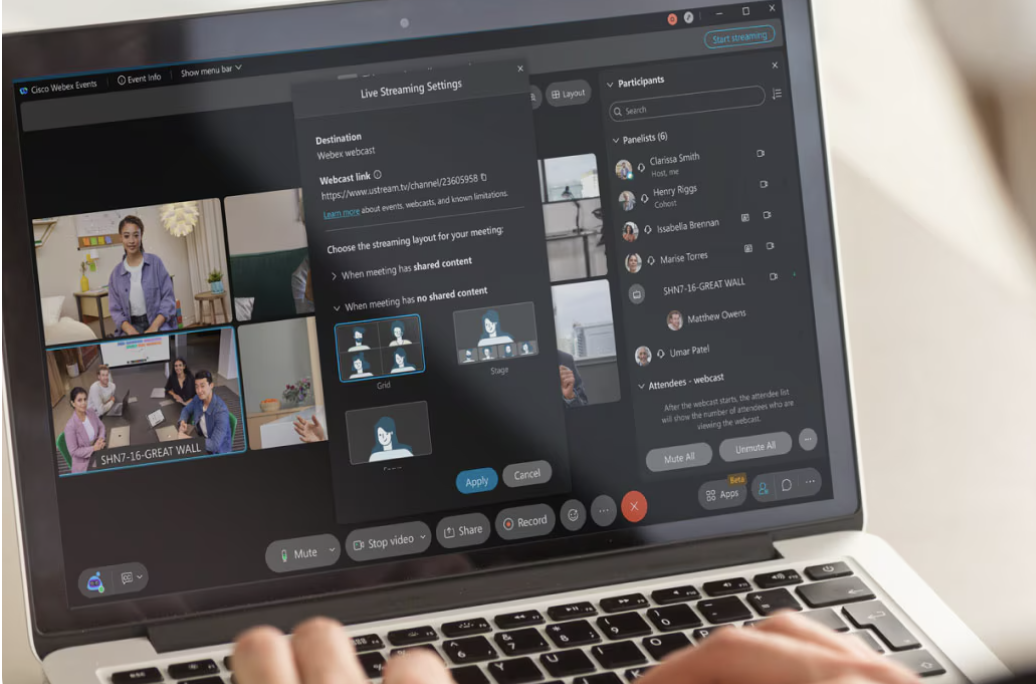 Video meeting using Webex
Standout features:
-
AI Assistant: real-time transcription, post-meeting summaries, and action item detection
-
Control Hub: centralized admin for device analytics, user management, and compliance
-
FedRAMP-authorized version for U.S. government agencies
-
HIPAA-compliant meeting configurations
-
Webex Webinars scales to 100,000 attendees
Plans & pricing:
-
Free: 100 participants, 40-minute limit
-
Meet: $12/user/month — unlimited meetings, 10 GB cloud storage
-
Suite: $22.50/user/month — adds calling, messaging, and full compliance suite
Pros: Best-in-class security and compliance; robust enterprise admin controls; consistently high video quality.
Cons: More expensive than most alternatives; interface is less intuitive than Zoom.
Bottom line: The go-to platform for regulated industries where compliance is non-negotiable.
5. Zoho Meeting — Best Budget Video Conferencing for SMBs
Zoho Meeting delivers both meeting and webinar functionality at a fraction of the cost of Zoom or Teams, with solid integration into the Zoho ecosystem.
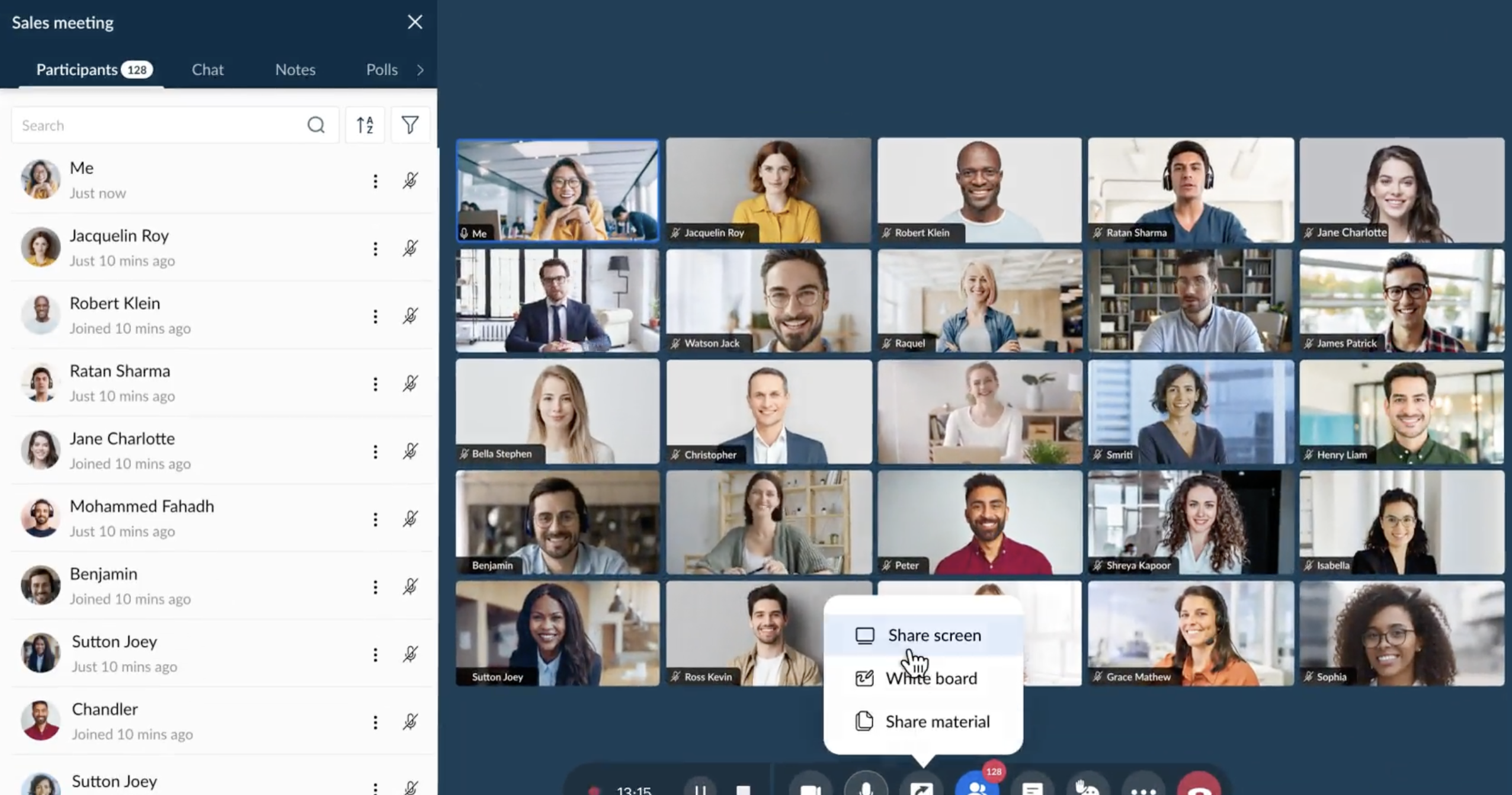 Video meeting using Zoho Meeting
Standout features:
-
Built-in webinar module — no separate license needed
-
Cloud recording with up to 5 GB storage per host
-
Polls, hand-raising, and Q&A tools for engagement
-
Direct integration with Zoho CRM and Zoho Projects
-
Registration pages for public webinars
Plans & pricing:
-
Free: 100 participants, 60 minutes
-
Meeting Standard: $3/host/month — 250 participants, recording, polls
-
Webinar Standard: from $8/host/month
Pros: Extremely affordable; full-featured webinar mode included; solid for Zoho ecosystem users.
Cons: Smaller third-party integration library than Zoom or Teams; less polished UI.
Bottom line: The best value video conferencing software for small businesses, particularly those already using Zoho.
6. Dialpad Meetings — Best AI-Powered Tool for Sales Teams
Dialpad is purpose-built for high-stakes conversations. Real-time transcription, automatic action item detection, and post-call coaching make it the strongest choice for sales, recruiting, and customer success teams.
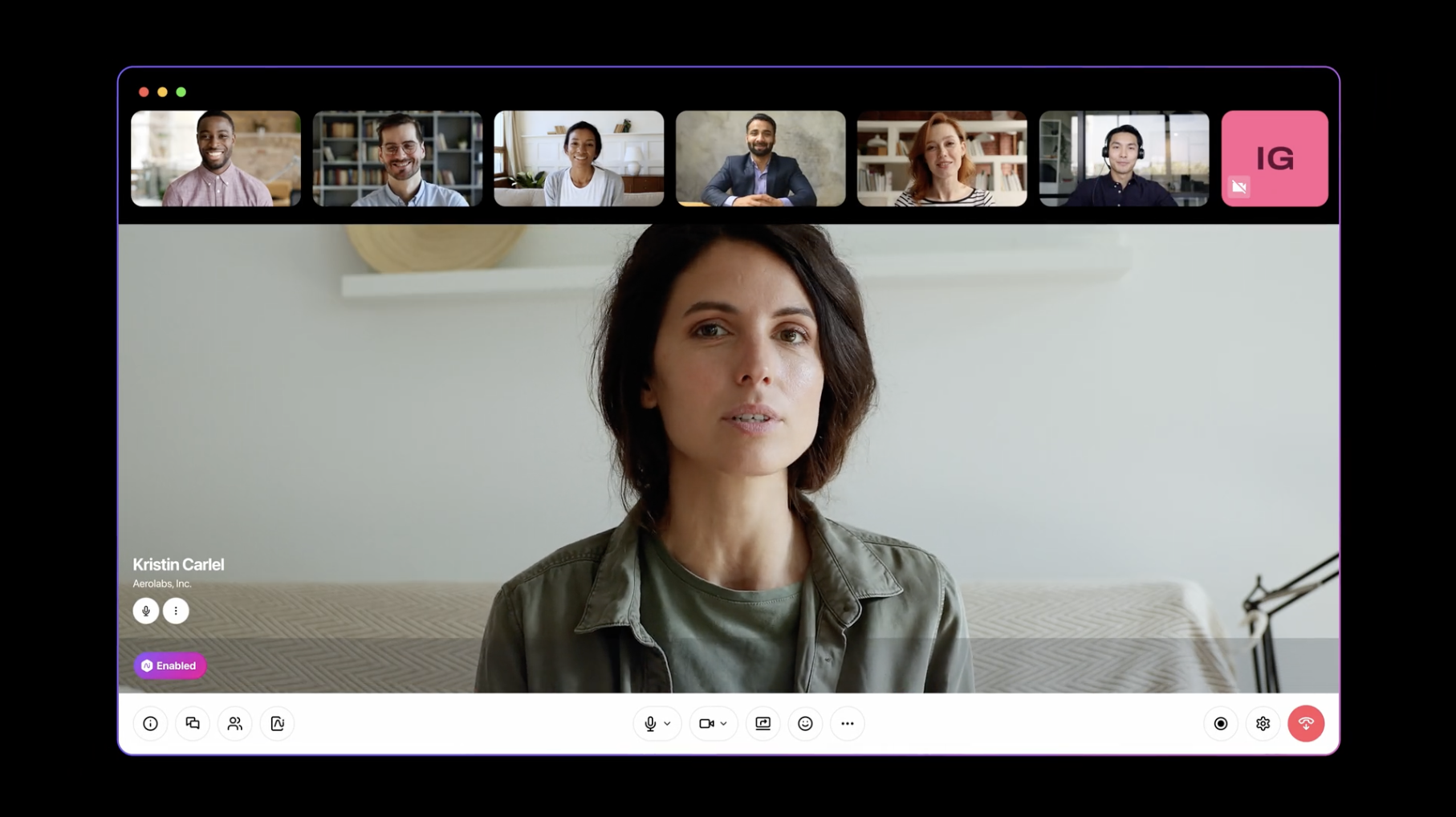 Video meeting using Dialpad Meetings
Standout features:
-
Real-time transcription with speaker identification (diarization)
-
AI-generated call summaries and action items
-
Sentiment analysis and talk-time analytics per participant
-
Native integrations with Salesforce, HubSpot, and Slack
-
Krisp AI noise cancellation built in
Plans & pricing:
-
Free: 10 participants, 45-minute calls
-
Business: $15/user/month — 150 participants, unlimited transcription
Pros: The best AI feature set for sales-oriented teams; clean interface; excellent noise cancellation.
Cons: Free plan is very limited; not designed for large team meetings or webinars.
Bottom line: The top pick for revenue teams that need automatic, accurate call documentation.
7. Jitsi Meet — Best Free Open-Source Video Conferencing
Jitsi is the privacy-first, open-source option for developers and organizations that want full control over their video infrastructure. No account required, no download, no cost.
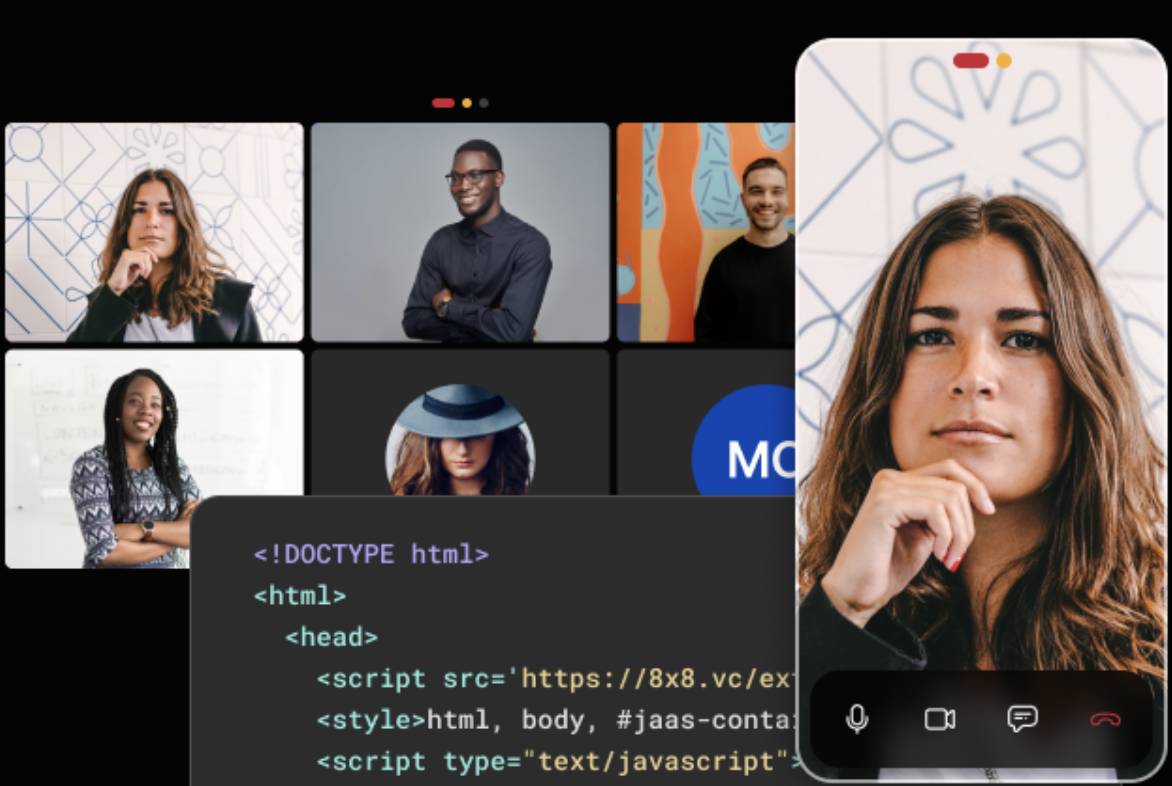 Video meeting using Jitsi Meet
Standout features:
-
Fully open-source and self-hostable (Apache 2.0 license)
-
End-to-end encryption by default
-
No account required — share a link and join
-
YouTube live streaming built in
-
Embeddable in any website or application via SDK
Plans & pricing:
-
Free forever (hosted at meet.jit.si)
-
Jitsi as a Service (JaaS): paid tier for businesses needing SLA and scale
Pros: Completely free; strong privacy defaults; developer-friendly API.
Cons: No dedicated support; performance depends on server infrastructure; no built-in AI features.
Bottom line: The best no-cost option for privacy-conscious teams or developers building custom meeting experiences.
8. RingCentral Video — Best for Teams That Also Need VoIP
RingCentral Video makes sense for businesses that want video meetings, team messaging, and a phone system under one vendor — the most natural upgrade from a traditional PBX.
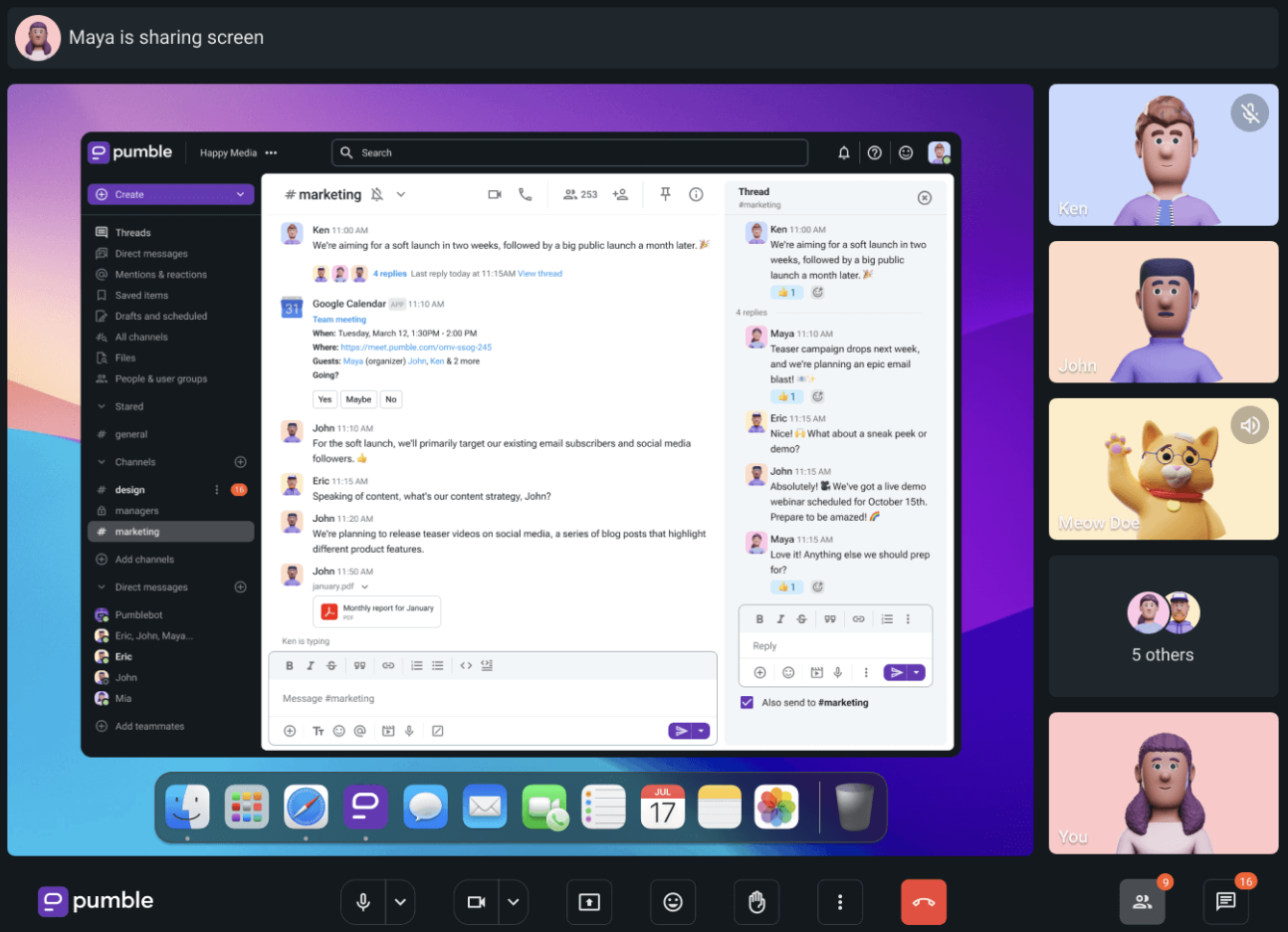 Video meeting using RingCentral Video
Standout features:
-
Video, messaging, and VoIP in one unified platform
-
AI-generated meeting summaries
-
Up to 500 participants on higher plans
-
Integrations with Salesforce, Google Workspace, and Microsoft 365
-
Persistent meeting rooms with custom URLs
Plans & pricing:
-
Free: 100 participants, 50-minute meetings
-
Core: $10/user/month — 100 participants, AI notes
-
Ultra: $25/user/month — 500 participants, full analytics
Pros: Best all-in-one UCaaS option; strong VoIP pairing; easy admin management.
Cons: More complex to onboard than Zoom; higher total cost at scale.
Bottom line: Ideal for businesses replacing a legacy phone system and wanting one vendor for all communications.
9. GoTo Meeting — Best for Large-Scale Enterprise Webinars
GoTo Meeting is the professional choice for high-stakes presentations. No meaningful free plan — but paid tiers are built for reliability at scale.
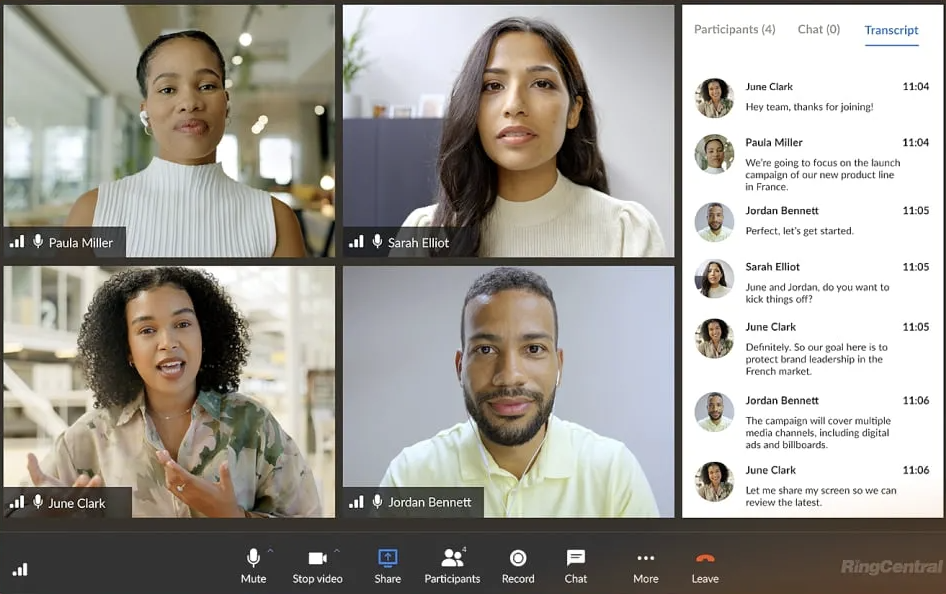 Video meeting using GoTo Meeting
Standout features:
-
Up to 3,000 participants on Enterprise plans
-
No meeting time limits on any paid plan
-
Lag-free screen sharing on large displays
-
Smart meeting assistant for transcription and summaries
-
Consistent uptime SLA for business-critical events
Plans & pricing:
-
Professional: $14/month — 150 participants
-
Business: $19/month — 250 participants
-
Enterprise: custom pricing — up to 3,000 participants
Pros: Proven reliability for large events; no meeting length limits; strong for client-facing webinars.
Cons: No free plan; the UI feels dated compared to modern alternatives.
Bottom line: Best for enterprise training events and large-scale webinars where reliability is more important than feature breadth.
10. Pumble — Best for Internal Teams Wanting Chat + Video Combined
Pumble is a messaging-first platform with built-in video calling, priced well below Slack while offering unlimited message history even on the free plan.
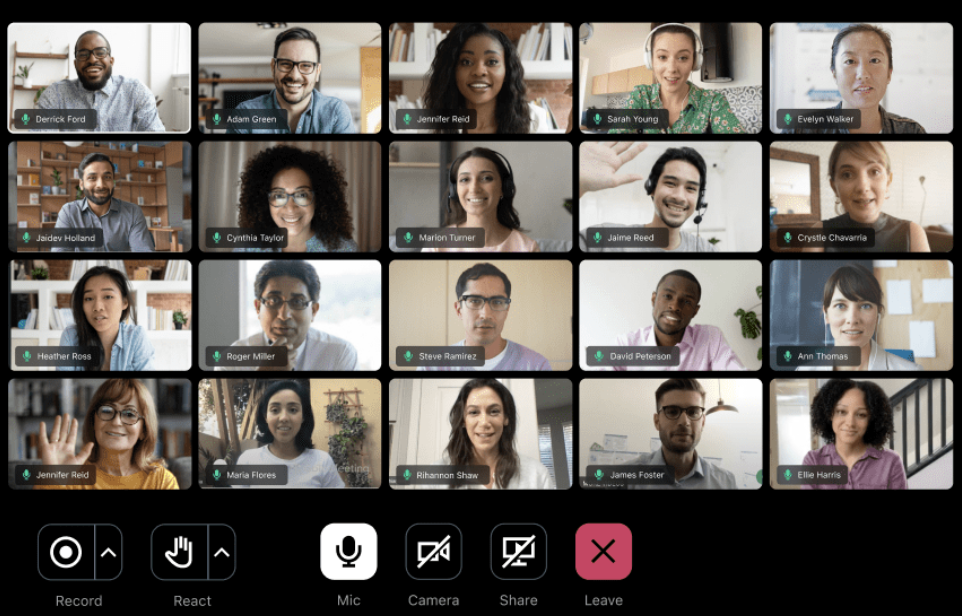 Video Meeting using Pumble
Standout features:
-
Unlimited message history (free plan included)
-
Team channels + direct video calling
-
File sharing and searchable message archives
-
Guest access for external collaborators
-
Desktop, mobile, and browser apps
Plans & pricing:
-
Free: unlimited messages, 1:1 video calls only
-
Pro: $2.49/user/month — 50 participants, group video
-
Business: $4.99/user/month — 100 participants, full admin controls
Pros: Very affordable; replaces both Slack and a separate video tool; unlimited message history is unusual at this price.
Cons: Not designed for external or client-facing calls; no AI features.
Bottom line: The best budget option for small internal teams that want a Slack-style experience with video included.
During the Meeting: Vibe Canvas
Vibe Canvas is Vibe's infinite virtual whiteboard app — the collaboration surface that runs natively on Vibe Board S1 and in any browser or mobile device. It's designed specifically for touchscreens, and it's what makes in-room and remote participants feel like they're working on the same physical board.
What Vibe Canvas offers:
-
Infinite canvas — no slide limits; zoom in on details or out to the big picture
-
Brush mode — stylus drawing with lifelike brushes and vivid colors
-
Smart Text Recognition — AI handwriting-to-text conversion for faster note-taking
-
Smart Shape — hand-drawn shapes auto-convert to clean vector forms; connect shapes to build flowcharts
-
Annotation — mark up any document, slide, or screen in real time during a call
-
Follow Along mode — remote participants follow the presenter's view; great for demos and walkthroughs
-
Sticky notes, stickers, and comments — async feedback that persists between sessions
-
Templates — project management, decision trees, customer journeys, fishbone diagrams, and more
-
Multi-device — works on Vibe Board, laptops, tablets, and phones simultaneously
Canvas sessions persist after the call ends — teams can return and keep building on the same board. Content exports to PDF, Google Drive, OneDrive, Dropbox, and Box.
Beyond the Call: What Happens to Meeting Knowledge Afterward
Every tool on this list records the video, saves the transcript, or drops a link in your calendar. But none of them connect why a decision was made last Tuesday to what your team discussed three weeks ago.
Vibe AI is a contextual memory workspace that works on top of whichever conferencing tool you already use. Its Memory Graph ingests audio from Vibe devices, files, and messages, then links them into continuous, project-level memory — so you can ask "What did we decide about pricing last month?" and get an answer sourced from your actual meetings, not a keyword search.
|
Your setup |
What Vibe AI adds |
|---|---|
|
Zoom meetings |
Persistent memory of decisions across all calls |
|
Microsoft Teams |
Cross-session AI connecting Teams chats with meeting outcomes |
|
Hybrid meetings via Vibe Board |
Vibe Canvas board content + spoken decisions in one searchable thread |
|
Client calls (any tool) |
Automatic action item capture and proactive task surfacing |
Key Vibe AI features:
-
Memory Threads — meeting recordings, Slack messages, and Vibe Canvas boards automatically linked per project
-
Cross-session Ask AI — natural-language Q&A across your entire history of meetings and docs
-
Smart AI Summary — instantly extract decisions and action items; apply templates to turn raw sessions into structured reports
-
Proactive task agent — identifies action items from conversations and surfaces them before they fall through the cracks
-
Smart catch-up — missed a session? Get a synthesized briefing of what changed and what needs attention now
Vibe AI is HIPAA-compliant and SOC 2 Type 2 certified. Your data is never used to train AI models.
Best Video Conferencing Tools by Use Case
Best Virtual Meeting Solutions for Home Businesses
Home business owners need software that looks professional on client calls, works on a shared home WiFi connection, and is simple enough for non-technical clients to join without help.
Top picks
-
Zoom — One-click join link; professional virtual backgrounds; reliable on congested networks; free plan supports most solo use cases.
-
Google Meet — Zero friction for clients (no account required, works in any browser); auto-populates Google Calendar invites.
-
Dialpad Meetings — Automatically captures transcripts and action items so you're not scrambling to take notes during a client call.
What home business owners specifically need: waiting rooms (so early joiners don't interrupt your prep), background blur or virtual backgrounds, and easy recording access. Zoom and Google Meet both deliver all three on free plans.
Best Video Conferencing Tools for Startups
Startups need tools that are fast to onboard, require no IT setup, and scale without a large upfront cost.
Top picks:
-
Google Meet — Free with any Google account; integrates with Gmail and Calendar from day one.
-
Zoho Meeting — Lowest-cost paid tier ($3/host/month) with enough features for a growing team.
-
Zoom Free — Works for most early-stage calls; the 40-minute limit becomes a real constraint once you're running regular team standups or client demos.
When to upgrade: Most startups outgrow free plans at 10–20 people. Zoom Pro ($15.99/month for the account, not per user) is typically the most cost-effective upgrade for teams running regular external calls or product demos.
Best Video Conferencing Platforms with Breakout Rooms
Breakout rooms are essential for workshops, training sessions, and interactive webinars. Not all platforms handle them equally.
Breakout room rankings:
-
Zoom — The best implementation. Hosts can pre-assign rooms, move between rooms freely, set countdown timers, and broadcast messages to all rooms simultaneously. Available on the free plan.
-
Microsoft Teams — Solid breakout room support with automatic assignment and timer-based returns. Available on all paid plans.
-
Google Meet — Breakout rooms available on Workspace Business Standard and above (not free).
-
Webex — Strong enterprise breakout features with per-room attendance tracking.
For educators and trainers: Zoom's breakout room controls are the most intuitive of any platform. If you run regular workshops with 20–100 participants, Zoom is the safest choice.
Best Web Conferencing Tools (Browser-Based, No Download Required)
For external clients, partners, or organizations with strict IT policies around software installation, browser-based access is non-negotiable.
-
Google Meet — Fully browser-based for all participants on Chrome, Firefox, Edge, and Safari.
-
Jitsi Meet — 100% browser-based; no account required; open-source.
-
Zoom — Web client available with limited features vs. the desktop app, but sufficient for guests.
-
Microsoft Teams — Web client works well for guest participants without a Microsoft account.
Best ICT Tools for Live Video Communication Over the Internet
In enterprise and institutional procurement contexts, the best video communication platforms are evaluated on reliability, security, interoperability, and total cost of ownership:
-
Microsoft Teams — Best interoperability with enterprise IT infrastructure (Active Directory, Exchange, SharePoint).
-
Webex — Best for regulated industries requiring FedRAMP, HIPAA, or GDPR compliance.
-
Zoom — Best for organizations running both internal meetings and large external webinars on one platform.
-
Google Meet — Best for education and public sector organizations running Google Workspace for Education.
Hybrid Meetings: Why Software Alone Isn't Enough
Even with the best video conferencing software, hybrid meetings fail when the in-room experience overwhelms the remote one — someone talks off-mic, the whiteboard isn't visible on camera, or remote participants can't annotate shared content.
Hardware closes this gap.
Vibe Bot — AI Meeting Capture for Any Conference Room
Vibe Bot is a portable device that sits on any conference table and acts as an active meeting participant. It captures multi-directional room audio, identifies individual speakers (diarization), and feeds everything to Vibe AI — so every in-room conversation is preserved with the same fidelity as a Zoom recording.
What Vibe Bot does:
-
Captures room audio and delivers real-time transcription to remote participants via Zoom or Teams
-
Attributes decisions to the right speakers via diarization
-
Feeds all content to Vibe AI, linking in-room conversations to the broader project memory
-
Wireless setup — place on the table, no AV configuration needed
Best for: Teams with a dedicated meeting room who want AI-level meeting capture without a full smart board installation.
Vibe Board S1 — The Full Hybrid Collaboration Hub
Vibe Board S1 is a 55″ or 75″ smart interactive whiteboard that natively integrates with Zoom, Microsoft Teams, Google Meet, and 250+ apps. It replaces the laptop + HDMI cable + separate webcam + whiteboard app setup with a single device.
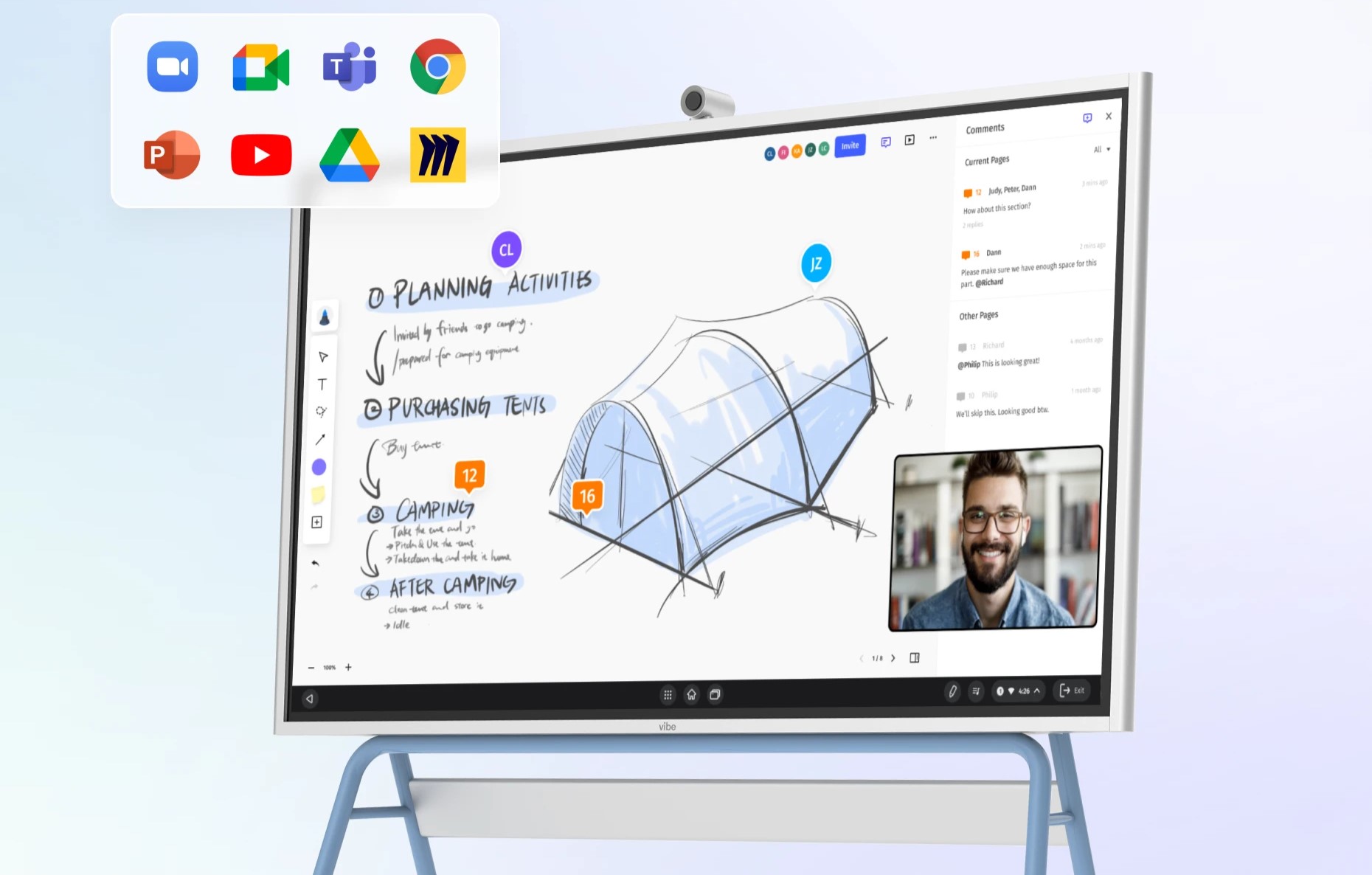 Vibe integrates seamlessly with various apps, enabling smooth collaboration and video conferencing in hybrid work settings.
What this means for hybrid meetings:
-
Remote participants see and co-annotate on Vibe Canvas (the built-in infinite whiteboard) in real time
-
In-room participants annotate slides and documents instantly shared to remote screens
-
Vibe Canvas sessions persist after the call — teams return to the same board to keep building
-
Whiteboard content feeds into Vibe AI's Memory Graph, making every sketch and decision searchable
-
One-touch Zoom or Teams launch from the board
Common setups:
-
Zoom + Vibe Board: One-touch Zoom launch; whiteboard content syncs automatically to remote screens.
-
Teams + Vibe Board: Full Teams meetings with native whiteboarding that persists after the call.
See how to set up a hybrid meeting room with Vibe →
Common Video Conferencing Problems (and How to Fix Them)
Audio quality issues (echo, background noise)
-
Best fix: Enable AI noise suppression — available in Zoom, Teams, and Dialpad.
-
Hardware fix: Use a dedicated USB microphone or speakerphone instead of laptop speakers.
-
Vibe fix: Vibe Board S1 includes an integrated directional microphone array.
Remote participants feel left out in hybrid meetings
-
Best fix: Use a platform with interactive whiteboard features (Zoom or Teams with Vibe Board S1).
-
Process fix: Assign a "remote advocate" in every meeting to flag when remote voices aren't being heard.
Meeting recordings are hard to find or share
-
Best fix: Use cloud recording (Zoom, Teams, Meet) with auto-shared links sent to all participants after the call.
Clients or guests struggle to join
-
Best fix: Use Google Meet or Zoom — both offer one-click browser join with no account required for guests.
Meetings run over time with no clear outcome
-
Best fix: Enable AI summaries (Zoom AI Companion, Teams Copilot, or Dialpad) and share the draft summary 30 minutes before the meeting ends to drive wrap-up.
Quick-Start Checklist: Before Your Next Video Call
-
Test camera, microphone, and speaker 10 minutes before joining
-
Enable AI noise suppression in your platform settings
-
Have a backup dial-in number ready for critical calls
-
Set a virtual background or blur if your environment is distracting
-
Send a one-link calendar invite with no-download join for external guests
-
Enable cloud recording if you need a record of the meeting
-
For hybrid rooms: verify the room camera's field of view covers everyone on-site
FAQ
What is the best video conferencing software in 2026?
Zoom is the best video conferencing software for most teams in 2026 — it's the most widely used, handles meetings and webinars on one platform, and has mature AI features. Microsoft Teams is the best option for Microsoft 365 organizations. Google Meet is the best free pick. For security-critical industries, Webex leads.
What are the best free video conferencing tools in 2026?
The best free video conferencing tools in 2026 are:
-
Google Meet — 100 participants, 60-minute group calls, fully browser-based
-
Zoom — 100 participants, 40-minute limit on group calls, most features
-
Jitsi Meet — ~35 practical participants, no time limit, no account required
-
Microsoft Teams — 100 participants, 60-minute meetings
Which virtual meeting solutions work best for home businesses?
For home businesses, Zoom and Google Meet are the most effective virtual meeting solutions. Zoom provides professional features like waiting rooms, virtual backgrounds, and breakout rooms on the free plan. Google Meet is the easiest for clients to join — no download or account required for guests.
What is the best video conferencing tool for startups?
The best video conferencing tools for startups are Google Meet (best free), Zoho Meeting (best affordable paid at $3/host/month), and Zoom (best when you need webinars or large team calls). Most startups start with Google Meet and upgrade to Zoom Pro when they consistently hit the 60-minute group call limit.
What are the best video conferencing platforms with breakout rooms?
Zoom has the best breakout room implementation of any video conferencing platform — available on the free plan, supports up to 50 simultaneous rooms, with automatic participant assignment and host broadcast features. Microsoft Teams and Google Meet (Business Standard and above) also offer solid breakout rooms for structured workshops.
What is the difference between video conferencing software and web conferencing tools?
"Web conferencing tools" refers to browser-based platforms (Google Meet, Jitsi) that require no software download. "Video conferencing software" is the broader category covering both downloadable apps and browser-based tools. In 2026, most leading platforms — including Zoom and Teams — offer both options.
What ICT tools are best for live video communication over the internet?
For enterprise and institutional contexts, the best ICT tools for live video communication are Microsoft Teams (best for Microsoft IT ecosystems), Webex (best for compliance-heavy industries such as healthcare and government), and Zoom (best for scalable events and webinars). All three support HD video, end-to-end encryption, and enterprise admin controls.
Do I need a smart whiteboard for video conferencing?
Not for basic calls. For hybrid meetings — where some participants are in a room together and others are remote — a smart whiteboard like Vibe Board S1 substantially improves the experience. It allows in-room and remote participants to co-annotate, brainstorm, and share content in real time, removing the "second-class participant" problem that affects most hybrid setups.
What is the best video conferencing setup for a conference room?
A well-configured conference room needs: a wide-angle room camera, a speakerphone or ceiling microphone array, a large display or smart board, and a conferencing platform (Zoom or Teams).
For AI-level meeting capture without a full AV build-out, Vibe Bot is a portable device that sits on the table and feeds real-time transcription and speaker identification to your calls.
For the most complete hybrid setup, Vibe Board S1 combines display, camera, and software integration in one device — with Vibe Canvas as the built-in infinite whiteboard for real-time collaboration. Pair either with Vibe AI to make every meeting decision searchable long after the call ends.
Summary: Which Video Conferencing Tool Should You Choose?
|
Your situation |
Best pick |
|---|---|
|
Most teams, general use |
Zoom |
|
Microsoft 365 organization |
Microsoft Teams |
|
Google Workspace user |
Google Meet |
|
Healthcare / finance / government |
Webex |
|
Startup on a tight budget |
Google Meet → Zoom Pro when ready |
|
Home business / freelancer |
Zoom or Google Meet |
|
Sales or client-facing teams |
Dialpad Meetings |
|
Privacy-first or developer use |
Jitsi Meet |
|
All-in-one comms + VoIP |
RingCentral Video |
|
Large enterprise webinars |
GoTo Meeting |
|
Internal team chat + video |
Pumble |
|
Hybrid meeting rooms |
Zoom or Teams + Vibe Board S1 + Vibe Bot |
|
Real-time whiteboarding in meetings |
Vibe Canvas |
|
Making meetings matter after they end |
Vibe AI |