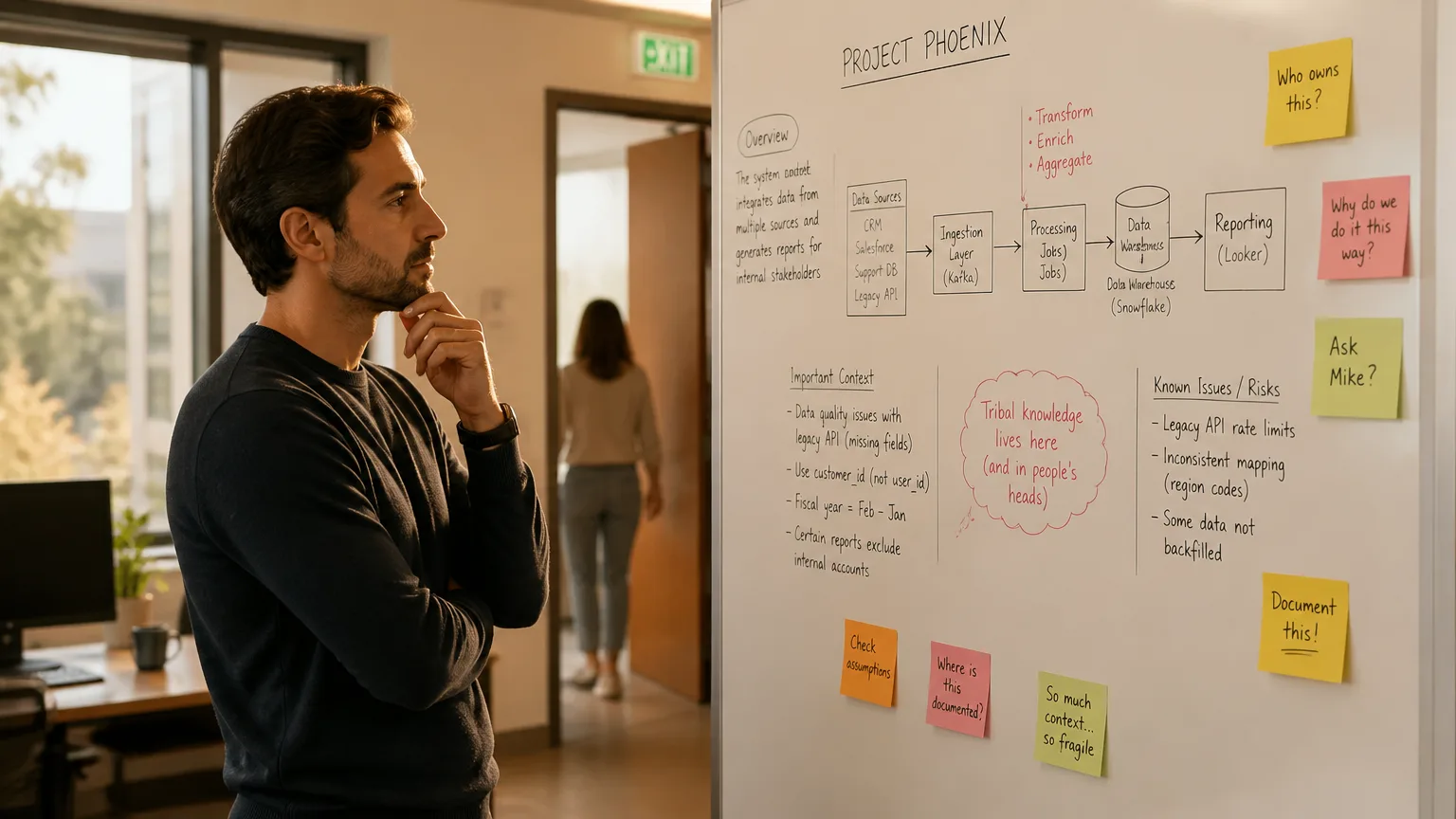
Think about the last meeting that actually mattered to you. Maybe it was a hallway conversation that turned into a decision. Maybe it was a client lunch, or a five-minute call nobody put on the calendar. Now ask: did your AI meeting assistant catch any of it?
For most people, the honest answer is no. And that gap says a lot about where AI meeting assistants came from — and where they have to go next.
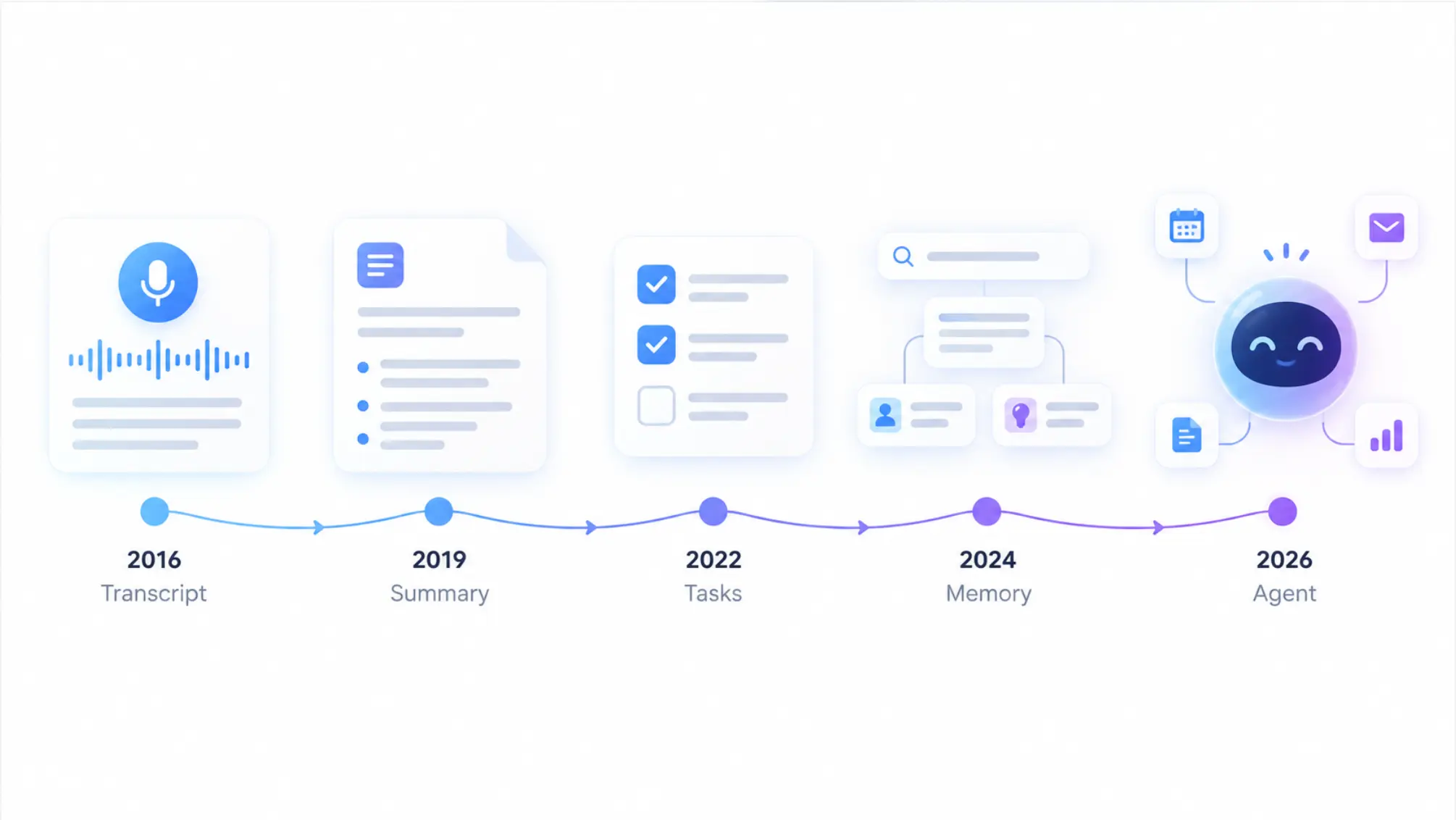
The evolution of AI meeting assistants over the past decade is a story of each generation fixing the last one’s biggest flaw. Transcripts fixed note-taking. Summaries fixed unreadable transcripts. Live Q&A fixed joining late. Automated follow-up fixed action items that died in a doc. But almost every step happened inside the same boundary: a video call window on a screen.
This guide walks through each stage, what it solved, what it left broken, and what the next generation needs to get right.
 The evolution of AI meeting assistants
Why Meetings Needed AI in the First Place
The pressure didn’t come from technology. It came from the shape of the modern workday.
Microsoft’s 2025 Work Trend Index, which drew on more than 30,000 knowledge workers, found that employees are interrupted every two minutes during core hours — about 275 interruptions a day from meetings, email, and chat. The same research found that 57% of meetings are ad hoc calls with no calendar invite, and that nearly 65% of workers had sat in meetings whose goal was never stated.
That second number is worth sitting with. More than half of meetings aren’t scheduled. They happen when someone pings, turns around, or walks over. Keep it in mind as we go through each stage — because it explains why every generation of AI meeting tool has felt helpful but incomplete.
What Is an AI Meeting Assistant? (And How Is It Different from an AI Meeting Agent?)
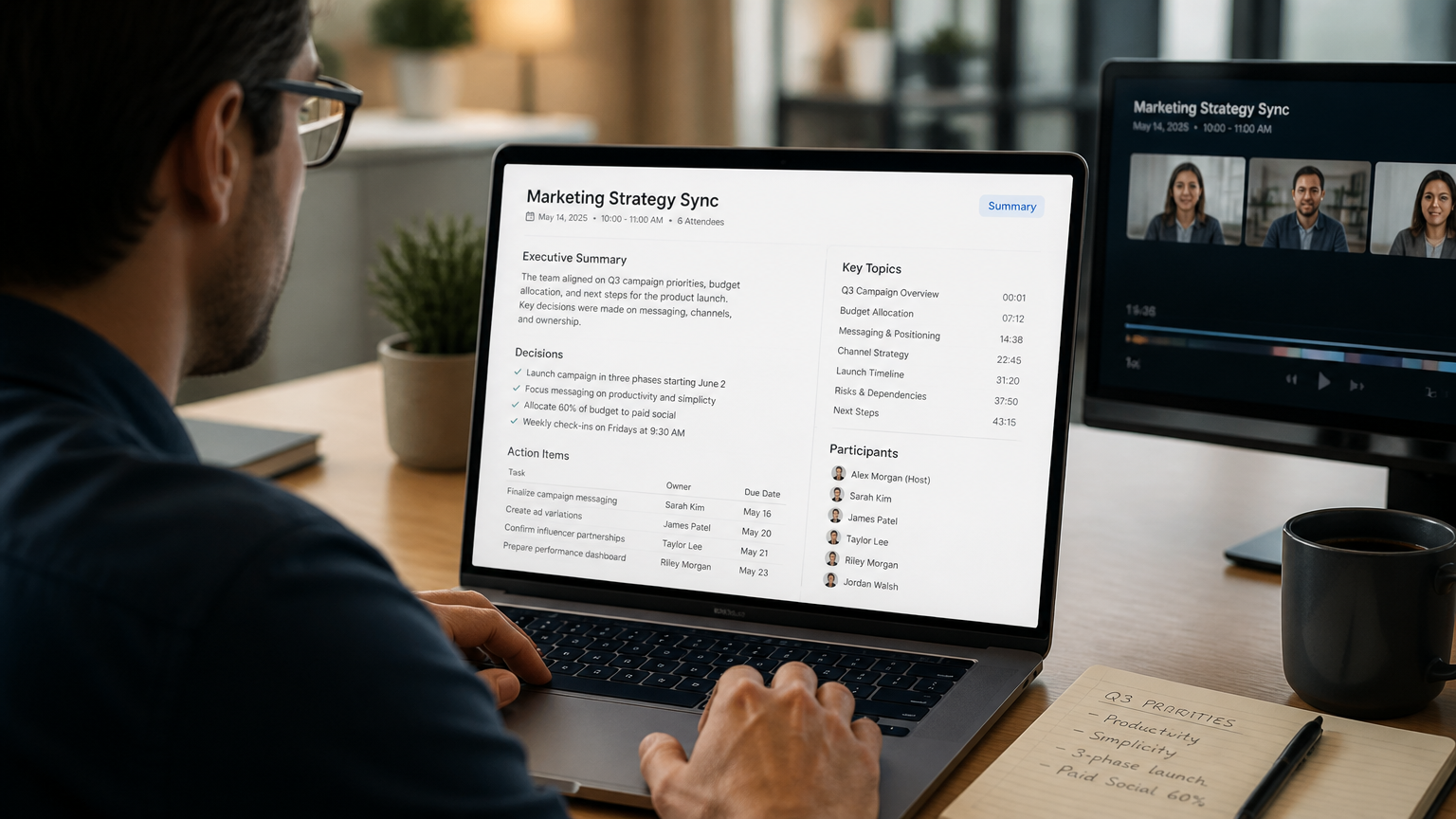
An AI meeting assistant is software that captures a conversation and turns it into something usable: a transcript, a summary, a list of decisions and action items. Its job ends when the notes are delivered.
An AI meeting agent goes a step further. It retains context across many conversations, answers questions about past meetings, and helps move work forward after the meeting ends — preparing briefings, tracking commitments, and connecting meeting knowledge to the tools where work actually happens.
The shift from assistant to agent is the central arc of the last decade. Here’s how it unfolded.
Stage 1: The Transcript Era (2016–2020)
What it solved: Nobody had to type notes anymore.
The modern AI meeting assistant category starts with speech-to-text going mainstream. Otter.ai was founded as AISense in 2016, and in January 2018 it announced a partnership with Zoom to transcribe video meetings after they ended. In March 2019 it launched Otter for Teams for enterprise transcription and storage.
What these early tools delivered was mostly raw material. A 2020 industry overview described the category leaders of the time — Fireflies.ai, Avoma, and others — as offering speech-to-text transcription, recording, and some meeting analysis typically based on keywords or phrases.
What it left broken: A 60-minute meeting produces roughly 8,000–10,000 words of transcript. A searchable wall of text is better than nothing, but almost nobody rereads it. The information was captured; it wasn’t usable.
Stage 2: Bots Join the Call, and Summaries Arrive (2020–2023)
What it solved: You could finally read the meeting in two minutes instead of sixty.
Two things happened in this period. First, the meeting bot became the default delivery mechanism: connect your calendar, and an AI participant automatically joins your Zoom, Meet, or Teams call. Second, large language models made summaries genuinely good
In February 2023, Otter launched OtterPilot, which automated meeting attendance and produced AI-generated summaries of key topics, captured shared slides, and offered real-time collaborative notes. Fireflies, Fathom, tl;dv, and a wave of competitors followed the same playbook.
What it left broken: Two things. The bot itself became a social problem — a visible "Notetaker has joined" participant that changed how people spoke and raised questions about who agreed to be recorded. And every summary lived in isolation. Meeting #12 with a client knew nothing about meetings #1 through #11.
Stage 3: The Platforms Build It In (2023–2024)
What it solved: AI notes became free and frictionless — no extra tool, no extra bot.
Once summaries proved valuable, the meeting platforms absorbed them. In September 2023, Zoom introduced AI Companion at no additional cost for paid accounts, including meeting summaries and an in-meeting side panel for catching up on what you missed. Coverage at the time noted that Google and Microsoft were racing to add similar features, with transcription and summarization becoming table stakes.
Google followed with Gemini in Meet. Its "Take notes for me" feature began rolling out to Workspace Labs users on August 13, 2024, automatically generating notes into a Google Doc.
What it left broken: Platform-native AI only works inside its own platform. Your Zoom AI doesn’t know what happened in last week’s Teams call with a partner, and neither knows anything about the conversation you had at a client’s office. Summaries became a commodity — but a fragmented one.
Stage 4: Ask Questions While the Meeting Is Happening (2023–2025)
What it solved: You no longer had to wait until the meeting ended to understand it.
The next leap was interactive. Instead of reading a summary afterward, you could ask the AI questions mid-meeting: What did I miss? What’s been decided so far? Who owns that?
Zoom’s AI Companion offered in-meeting catch-up from its 2023 launch. Google pushed the idea further: in September 2025 it launched Ask Gemini in Meet, which can give you a quick brief on the meeting’s goals, list key takeaways and action items, and help late joiners catch up.
What it left broken: Live Q&A is bounded by what the platform captured in that session. Google’s own documentation notes that Ask Gemini in Meet doesn’t create a recording or transcript, and can’t answer questions about discussion before you joined unless "Take notes for me" was already on. The AI got smarter during the meeting — but it still forgot almost everything once the window closed.
Stage 5: From Notes to Action (2025)
What it solved: Action items stopped dying in a doc.
The most consequential shift of 2025 was turning meeting output into tracked work. Microsoft’s Facilitator agent in Teams is a clear example: it captures action items, lets participants assign owners during the meeting, and syncs tasks into Planner and To Do so they appear in Outlook. Microsoft also extended it to Teams Rooms for in-person and hybrid meetings.
Zoom made the strategic intent explicit. When it launched AI Companion 3.0, CEO Eric Yuan described it as part of Zoom’s journey from a communication company to a "system of action" company — with AI Companion now able to take notes in in-person meetings and on third-party platforms like Teams and Google Meet.
What it left broken: Follow-through is only as good as what was captured. Each of these agents works best inside its own ecosystem and license: Facilitator needs Microsoft 365 Copilot, Zoom’s agent lives in Zoom Workplace. And the action layer still mostly operates meeting by meeting, rather than on a continuous understanding of a project or relationship.
The Two Side Stories That Changed the Category
The five stages above describe how AI got smarter. But two parallel stories shaped where and how it was allowed to listen — and they matter just as much for what comes next.
Side story A: The consent problem (2024–2025)
As meeting bots spread, so did discomfort with them. In May 2024, Granola launched as an AI notepad explicitly designed to replace intrusive meeting bots, transcribing on the user’s own computer instead of sending a participant into the call. "Bot-free" quickly became a feature category of its own — see our breakdowns of Granola alternatives and Bluedot alternatives for how crowded it got.
Then the legal reckoning arrived. On August 15, 2025, a class action was filed against Otter.ai in the Northern District of California, alleging its Notetaker recorded meeting participants without consent from everyone in the conversation. By October 2025, four separate suits had been consolidated into a single federal case.
The most useful takeaway isn’t about Otter specifically. As one analysis of the case argued, the legal question was never "bot or no bot" — it’s whether everyone knew and everyone agreed. An invisible recorder doesn’t solve the consent problem; it can make it worse.
Side story B: Capture leaves the screen (2023–2025)
While software tools fought over bots, a different group asked a simpler question: what about conversations that never happen on a screen at all?
Plaud launched its credit-card-sized Plaud Note via Kickstarter in 2023, raising over $1 million and proving there was real demand for dedicated hardware capture. Big tech noticed. Amazon acquired the wearable startup Bee in July 2025, and Meta acquired Limitless, maker of an AI recording pendant, in December 2025 — with Limitless ending sales of its device after the deal.
The logic behind this wave is straightforward: doctors, lawyers, consultants, field sales reps, and anyone whose important conversations happen in person work in exactly the settings that Zoom-based software can’t hear.
 Where AI meeting tools listen vs. where work happens
Where AI Meeting Assistants Stand in 2026
Put the stages and side stories together, and the picture in 2026 looks like this:
|
What users need |
Status in 2026 |
|---|---|
|
Transcripts |
Commoditized — effectively free |
|
Summaries and action items |
Commoditized — bundled into Zoom, Meet, and Teams |
|
Live Q&A during meetings |
Available, but bounded by platform and session |
|
Automated follow-up |
Emerging, mostly tied to one ecosystem and license |
|
Capture outside the video call |
Partial — platforms are adding in-person modes; dedicated devices fill the gap |
|
Memory across months of conversations |
The least solved problem in the category |
|
Consent that everyone can see |
Increasingly a legal requirement, not a nice-to-have |
The scale of adoption is real. Otter alone reports more than 35 million users and over 1 billion meetings transcribed as of April 2026.
But that’s exactly the point. When transcripts and summaries are everywhere and mostly free, they stop being the reason anyone chooses a tool. The competition has moved to a different set of questions.
What the Next Generation Has to Get Right
Based on how the category has evolved, the next stage of AI meeting assistants will be judged on three things.
1. Capture everywhere, not just inside a call
Remember the 57% of meetings with no calendar invite. Platform AI can’t help with a conversation it never hears. The next generation needs to capture conversations wherever they happen — video calls, conference rooms, client offices, job sites, a hallway — without depending on which meeting platform a company happens to license.
2. Memory that compounds over time
A summary of today’s meeting is useful. Knowing what a client said about budget across the last six meetings is transformative. The real value of meeting AI shows up when it connects conversations over weeks and months: who committed to what, what changed, and what still hasn’t been resolved. Most tools today still treat each meeting as an island.
3. Follow-through you can trust
Action items only matter if they get done, and AI only earns that responsibility when people trust how it captured the conversation in the first place. That means visible, transparent recording that everyone in the room understands — and security strong enough for regulated industries to actually deploy.
Where Vibe Dot Fits
Vibe Dot was designed around those three requirements rather than around a single meeting platform.
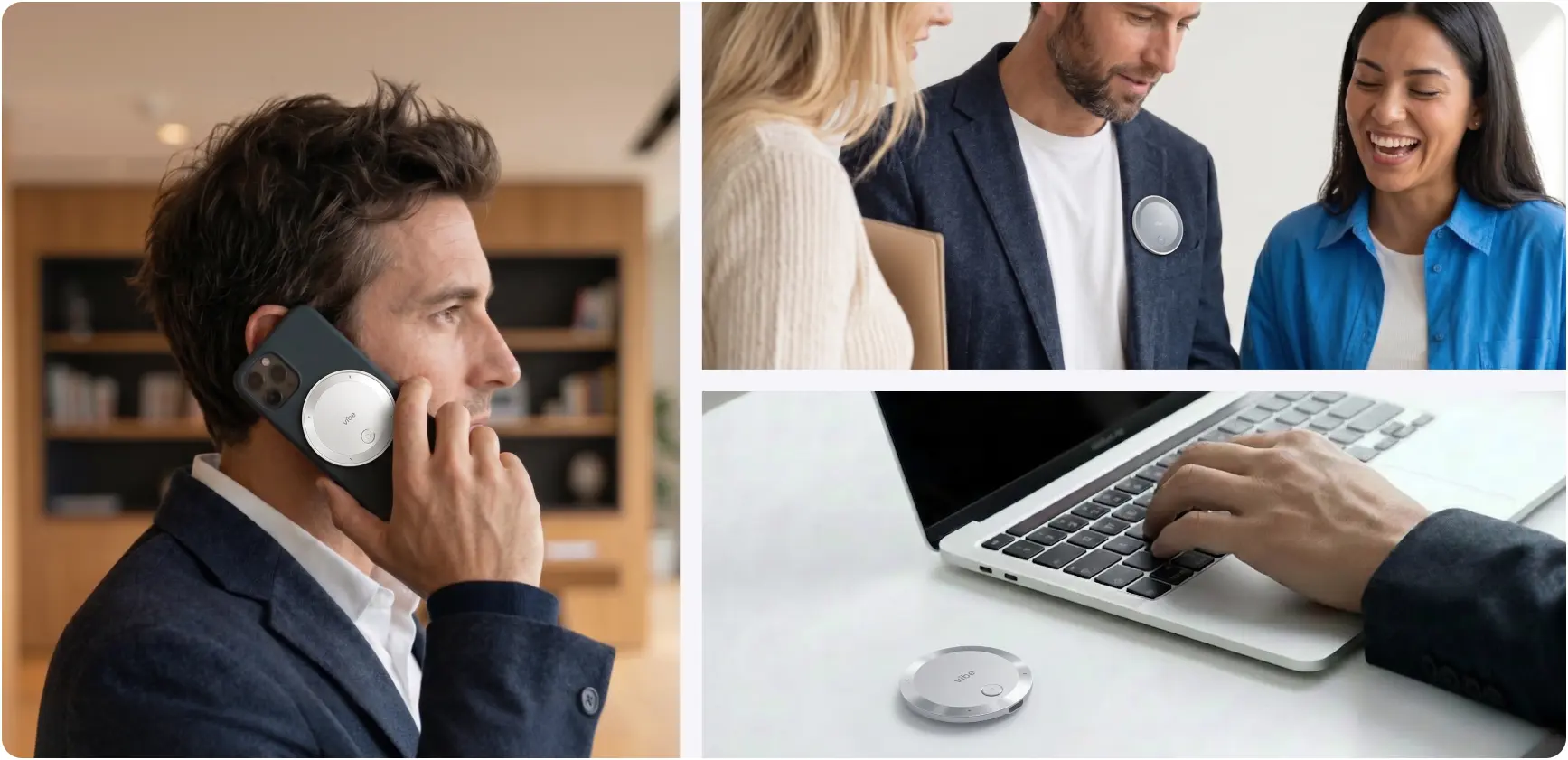
Capture everywhere. Vibe Dot is a wearable AI capture device, about the thickness of a coin and weighing 0.83 ounces, that records any conversation — a video call, a conference room, a client lunch, a site walk — with no laptop open and no bot in the meeting. With 64GB of onboard storage and a 30+ hour battery, it captures offline and syncs when you’re back online, so a dead zone or a dropped Wi-Fi connection doesn’t mean a lost conversation.
Memory that compounds. The Vibe AI layer generates summaries and action items after each conversation, but its defining feature is the Memory Graph: cross-session memory that links your meetings, documents, and context over time. You can ask questions across your entire meeting history — "What did the client say about timeline in our last three conversations?" — and get catch-up briefings before a follow-up, instead of digging through old transcripts.
Consent and security people can see. A physical device on the table is an honest signal: everyone in the room knows a conversation is being captured. Recordings are protected by a dedicated hardware encryption chip, and Vibe Dot carries SOC 2, HIPAA, FERPA, and NDAA certifications, which matters for healthcare, education, and government teams evaluating AI capture.
It’s worth being clear about the trade-off. If every conversation you have happens inside one video platform and you never leave your desk, the AI already built into Zoom, Meet, or Teams may cover most of what you need. Vibe Dot is built for people whose most important conversations happen outside that window — and who need an AI that remembers them.
Conclusion: From Remembering Meetings to Remembering Work
In ten years, AI meeting assistants went from producing a transcript nobody read, to summaries, to answering questions mid-meeting, to assigning tasks before the call ends. Each stage was a real improvement, and each one made the previous stage free.
What hasn’t changed is the boundary most of these tools still live inside: one platform, one meeting, one screen. The next era belongs to tools that break that boundary — capturing conversations wherever work happens, remembering them across months, and doing it in a way everyone in the room can trust.
The question for anyone choosing an AI meeting tool in 2026 isn’t "Does it summarize well?" Almost everything does now. The better question is: "Will it still know what matters three months from now — including the conversations that never happened on a screen?"
Frequently Asked Questions
How have AI meeting assistants evolved?
AI meeting assistants have moved through roughly five stages: raw transcription (around 2016–2020), bot-based summaries powered by large language models (2020–2023), summaries built natively into Zoom, Google Meet, and Teams (2023–2024), live in-meeting Q&A (2023–2025), and automated post-meeting follow-up such as task assignment (2025). The next stage focuses on capture beyond video calls and memory across many conversations.
What is the difference between an AI note taker and an AI meeting agent?
An AI note taker captures a meeting and produces outputs such as a transcript, summary, and action items, then its job is done. An AI meeting agent retains context across many meetings, answers questions about past conversations, prepares briefings, and helps move work forward after the meeting ends. The industry’s shift from note takers to agents is the defining trend of 2025–2026.
Which was the first AI meeting assistant?
There’s no single first product, but Otter.ai is widely recognized as an early category leader. It was founded as AISense in 2016, partnered with Zoom for meeting transcription in 2018, and launched OtterPilot with AI-generated summaries in 2023. Earlier speech recognition research dates back decades, but meeting-specific AI assistants became mainstream in the late 2010s.
Are AI meeting summaries now free?
For many users, yes. Zoom includes AI Companion with paid accounts at no extra cost, and Google Meet and Microsoft Teams offer AI notes within certain Workspace and Microsoft 365 plans. Because basic summaries are now widely bundled, AI meeting tools increasingly compete on capture outside video calls, long-term memory, follow-through, and privacy rather than on summaries alone.
Why are meeting bots controversial?
Meeting bots join calls as visible participants, which some attendees find intrusive, and they raise questions about whether everyone in the meeting consented to being recorded. In 2025, Otter.ai faced a consolidated federal class action alleging its notetaker recorded participants without all-party consent. The broader lesson for the category is that transparent, all-party consent matters more than whether a bot is visible.
What is the future of AI meeting assistants?
The future of AI meeting assistants is likely to center on three capabilities: capturing conversations wherever they happen (not just inside a video call), maintaining memory that connects meetings over months, and reliably following through on decisions. Platforms are adding in-person modes, and dedicated capture devices like Vibe Dot are built to bring AI memory to conversations that happen away from a screen.