A consultant walks out of a client lunch and reaches for their phone. They can recall the broad shape of the conversation. They cannot recall the exact budget figure the client quoted, or the three concerns the client raised before the bill arrived.
That gap is the quiet cost of client-facing work, and an AI tool that remembers past meetings closes it. Microsoft’s 2025 Work Trend Index finds that 60% of meetings are ad hoc and never reach the calendar. The tool captures, transcribes, and structures off-calendar conversation into searchable memory you can query later.
What Is an AI Tool That Remembers Past Meetings?
An AI tool that remembers past meetings captures spoken conversation, transcribes the audio, and pulls out summaries, decisions, and action items you can retrieve later. Microsoft’s Work Trend Index reports that 69% of leaders and 45% of employees already use AI regularly.
The word that matters here is memory, not notes. A transcription app gives you a verbatim record you have to re-read. By contrast, a note-taker captures highlights only when someone remembers to write them down. A meeting-memory tool sits between the two: it records the full conversation, then distills it into a structure you can search and ask questions of.
That distinction matters because most of what you need from a meeting is not the transcript itself. It is the decision, the number, or the objection buried inside it. Some tools in this category come in a wearable form factor, a small device that clips to clothing or snaps to a phone. That is where a closer look at wearable AI assistant devices is worth reading.
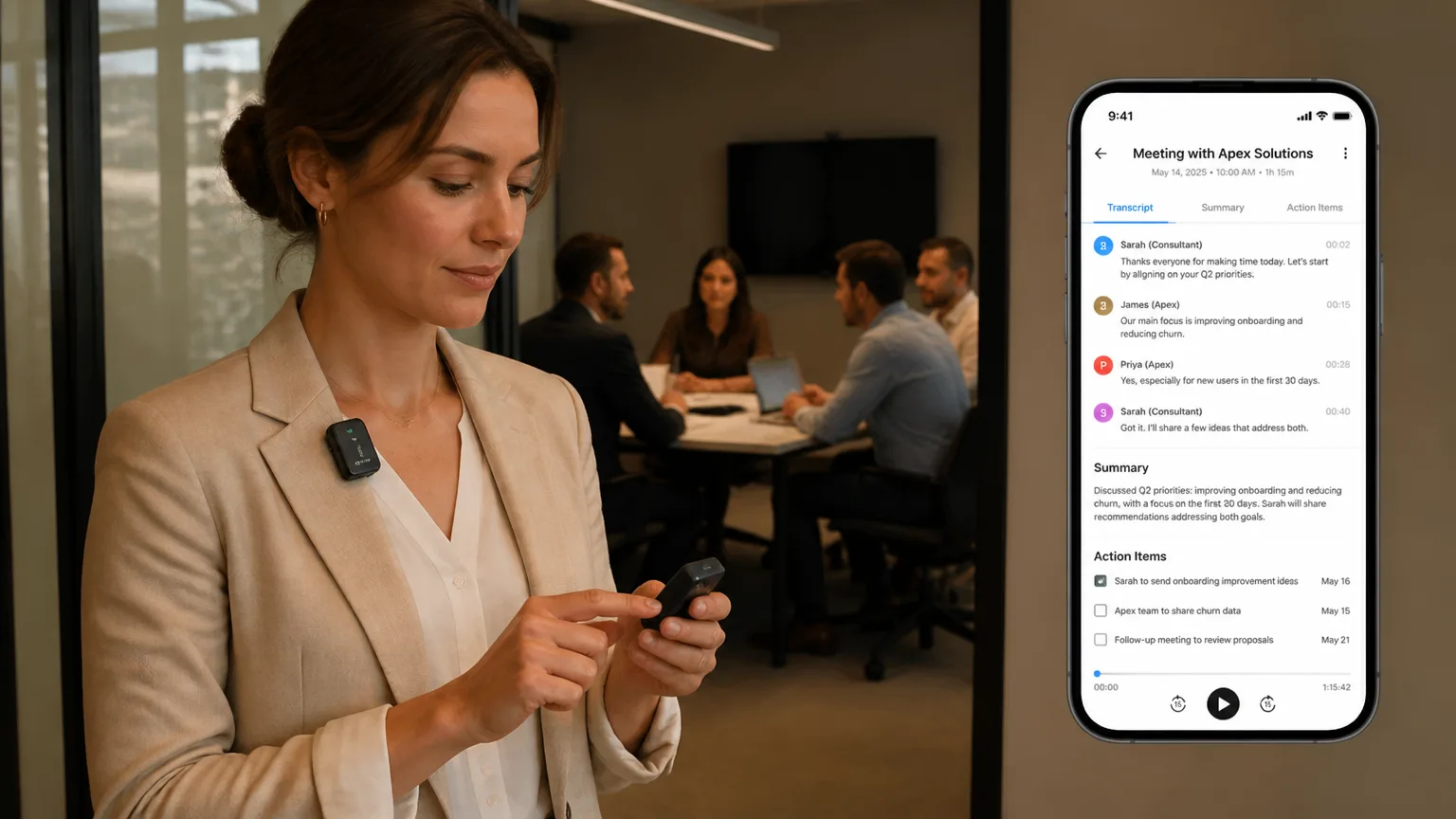
 Vibe Dot wearable AI recorder clipped to a jacket lapel, held by a professional mid-conversation beside a laptop, with the Vibe app showing a meeting summary on the phone nearby
It is also not a chatbot and not a CRM. A chatbot answers from its training data, which knows nothing about your Tuesday client call. Meanwhile, a CRM stores only what a rep manually enters, a fraction of what was actually said. Meeting-memory AI fills the space between: it is the record of your own conversations, made searchable.
The difference from a plain recorder comes down to that last step. A recorder stores; a memory tool retrieves. Retrieval is what turns a growing pile of past conversations into a working asset instead of an archive.
The shift is already underway. Gartner predicts that up to 40% of enterprise applications will embed task-specific AI agents by 2026, up from under 5% in 2025. Meeting memory is one of the earliest places that prediction lands. Conversation generates exactly the kind of unstructured information an agent can structure.
The Cost of Forgetting Your Meetings
Forgetting meeting detail carries a measurable cost, and it starts with attention. Microsoft’s 2025 telemetry shows employees are interrupted about every two minutes during core work hours, roughly 275 times a day, by meetings, email, and chat. Each interruption forces a context switch, and the detail lost in that switch is often the specifics of the last conversation. Attention scattered across the day never gets a chance to consolidate what was said.
The cost of forgetting shows up as "work about work." Asana’s Anatomy of Work Index finds that 60% of a knowledge worker’s time goes to communicating, searching for information, app-switching, and chasing status rather than the work itself.
Microsoft’s Work Trend Index finds 48% of employees and 52% of leaders say their work feels chaotic and fragmented. When the specifics of the last conversation slip away, the next interaction starts over from a weaker position.
As a result, client-facing professionals feel this cost most directly. A salesperson, consultant, account manager, or lawyer who cannot recall a specific commitment from the last conversation pays for it. The cost shows up in trust, in rework, or in a missed follow-up. The forgetting is personal, and so is the cost.
Why Meeting Software Still Misses Most of Your Conversations
Most meeting software is built around the calendar, and the calendar misses most of the conversation. Microsoft’s telemetry counts 60% of meetings as unscheduled or ad hoc, never reaching the calendar at all.
In contrast, a scheduled video call gets a recording because the software knows it exists. A hallway conversation, a client walkthrough, a site visit, or the discussion after the agenda ends never triggers the same capture. These are the meetings your AI note-taker can’t capture. In fact, those are often the moments where the budget figure, the objection, or the real decision actually surfaces. Vibe’s founder and CEO Charles Yang, in an interview with SiliconANGLE, puts the scale in numbers: he estimates that 40% of meetings still happen in the physical world, where there is no Slack and no Google Meet.
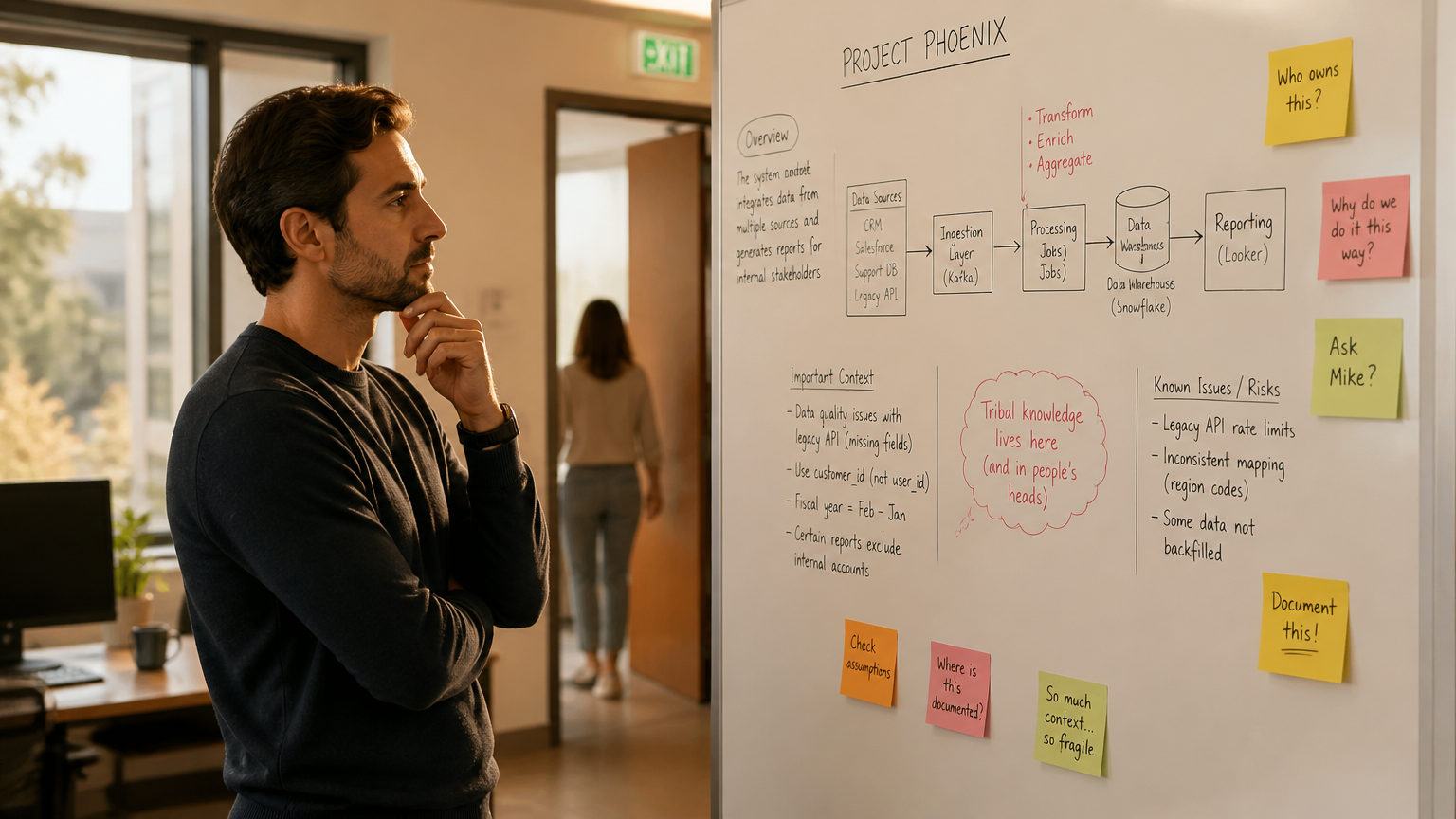
Think of the walk to the parking garage after a negotiation, where the client quietly names the real blocker. Or the site visit where a facilities manager mentions a budget number out loud but never in a follow-up email. None of that reaches a calendar, which is exactly why it gets lost.
The boundary is blurring further. Microsoft’s analysis of the infinite workday finds meetings starting after 8 p.m. are up 16% year over year. Work is leaking into the hours no scheduling tool is watching.
This is not a limitation software will quietly fix. Screen-based capture can only see what happens on a screen or inside a scheduled call. The off-calendar gap is structural, not incidental.
A body-worn device records the conversation wherever the person is. That reframes meeting memory around the person rather than the calendar.
How Meeting Memory Works
Meeting memory runs on a simple loop: capture, transcribe, structure, and retrieve. The reason it matters is how fast human memory decays. The Ebbinghaus forgetting curve, first documented in 1885, shows people forget newly learned information rapidly, with the steepest drop in the first hours. A peer-reviewed replication of the original experiments measured about 44% of learned material retained after an hour and 34% after a day.
Vibe AI, the software layer Vibe Dot records into, turns that loop into three concrete stages. Capture pulls conversation in from the device and files in from everyday tools. Understand links each recording into a memory thread and attaches a summary, decisions, and action items. Act is where the value shows: ask a question across every captured conversation and get an answer back, or hand a follow-up to a task agent that schedules it.
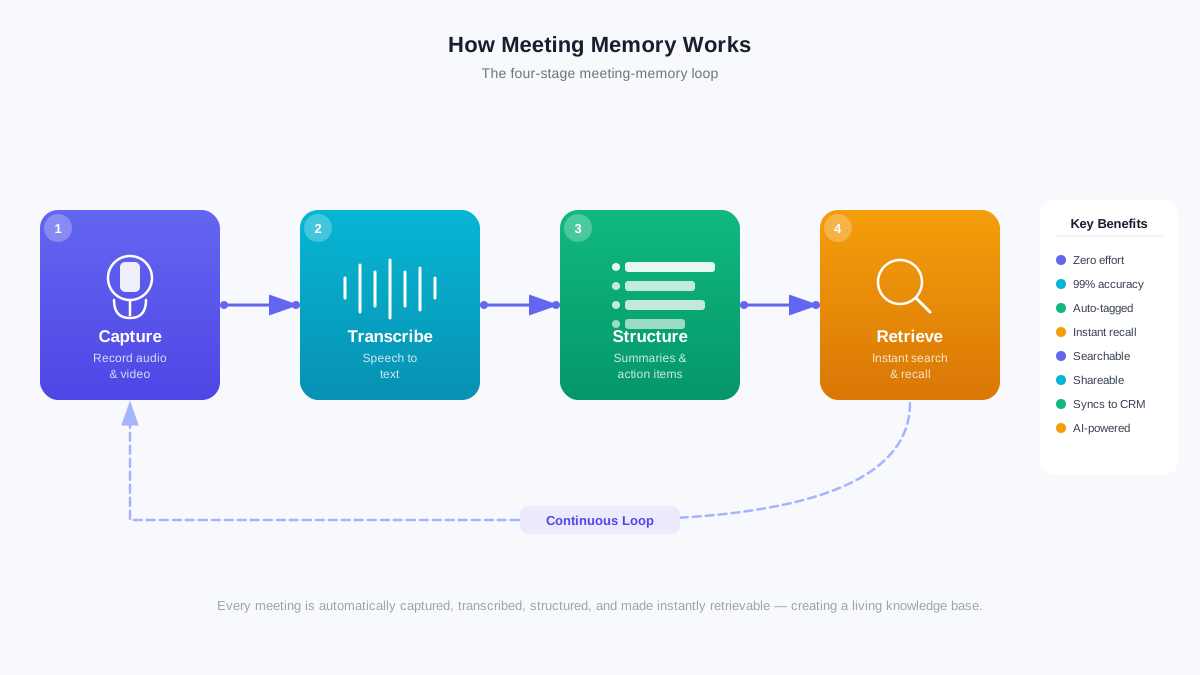 The four-stage meeting-memory loop: capture, transcribe, structure, retrieve
In practice, retrieval feels less like search and more like memory. Ask Vibe AI for the three concerns a client raised, and it returns the three concerns with the context around them. Ask for the budget figure from last Tuesday, and it returns the number, not a 90-minute transcript you have to skim.
One variable gets far less attention than it deserves: how long the memory is kept. Two tools can produce identical summaries yet differ completely in value. One holds the memory for a week; the other for a year.
A client’s concerns from March still matter in October. Treating retention duration as a purchase criterion, alongside transcription quality and capture modes, changes which tool wins the shortlist.
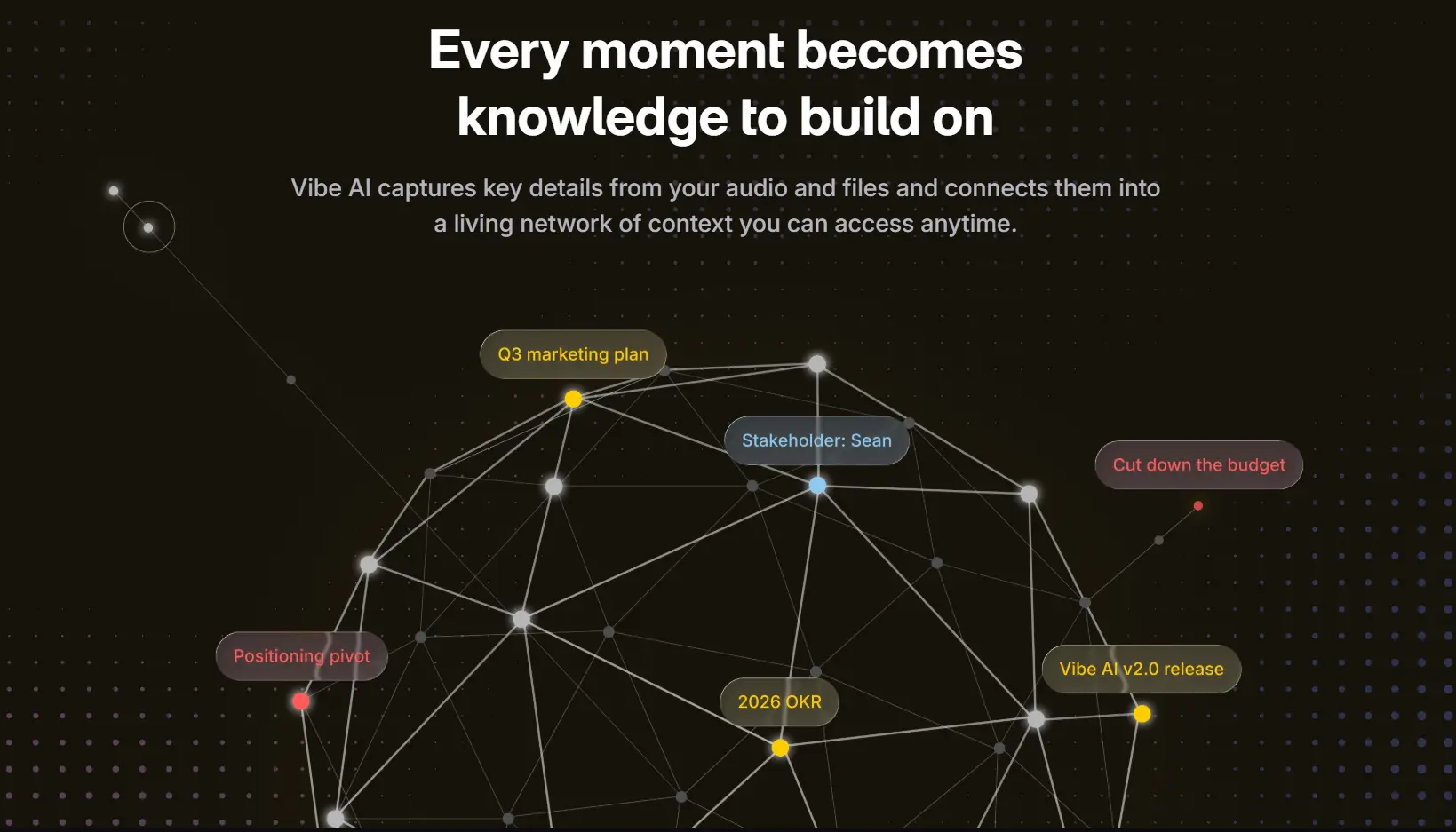
Personal memory compounds into team memory. It follows one person across their own conversations, then links them into the shared threads where institutional memory lives.
What to Look For in a Meeting-Memory Tool
Once the mechanics are clear, the buying question becomes practical: which tool actually runs the loop well? Five factors separate a useful meeting-memory tool from a gadget. Retention duration sets how long the tool keeps your memory before it is gone. Capture modes decide whether it records only when you tell it to, or also when you forget. Queryability determines whether you can ask questions in plain language or must re-read transcripts. Portability decides whether it stays on a desk or follows you into a client’s office. Consent controls govern whether you can record another person ethically and lawfully.
The market is expanding fast, which means more options and more noise. Before you buy, test the two things that are hardest to change later: queryability and retention. Ask the tool a real question from a real past conversation and see whether the answer comes back cleanly. Then check the retention window, because a tool that forgets after a week is a note, not a memory.
Meanwhile, the pricing model deserves the same scrutiny as the features. Most tools in this category charge a monthly subscription, which means your memory disappears the month you stop paying. A one-time hardware purchase paired with tiered retention flips that equation: the device is yours, and only the depth of memory scales with what you pay.
For a full comparison of how the current field performs, a tested roundup of wearable AI recording devices and a guide to the best AI voice recorders for meetings cover the tradeoffs in detail.
Recording Other People: Consent and Etiquette
Recording other people in person raises real consent obligations, and the rules differ by state. In 2026, the Reporters Committee for Freedom of the Press counts about 11 US states that require all-party consent before a conversation can be recorded, including California, Florida, Illinois, Massachusetts, and Washington. The remaining 39 states plus Washington, DC are one-party states.
The law is the floor, not the ceiling. Even in a one-party state, telling the person across the table that you are recording is usually the better move. It builds trust, and it removes the risk of a misunderstanding later. A short heads-up at the start of a client conversation costs nothing and keeps the relationship intact.
A body-worn recorder is visible, which changes the etiquette for the better. Pointing it out at the start of a meeting, or clipping it in plain view, avoids the sense that you are recording secretly.
Practical etiquette follows the same logic: record the substance, not the gossip; mark anything sensitive as private; and if someone asks you to stop, stop. These habits matter more when the device is small and easy to forget, which a body-worn recorder inherently is.
Vibe Dot: The AI Tool That Remembers Your Meetings
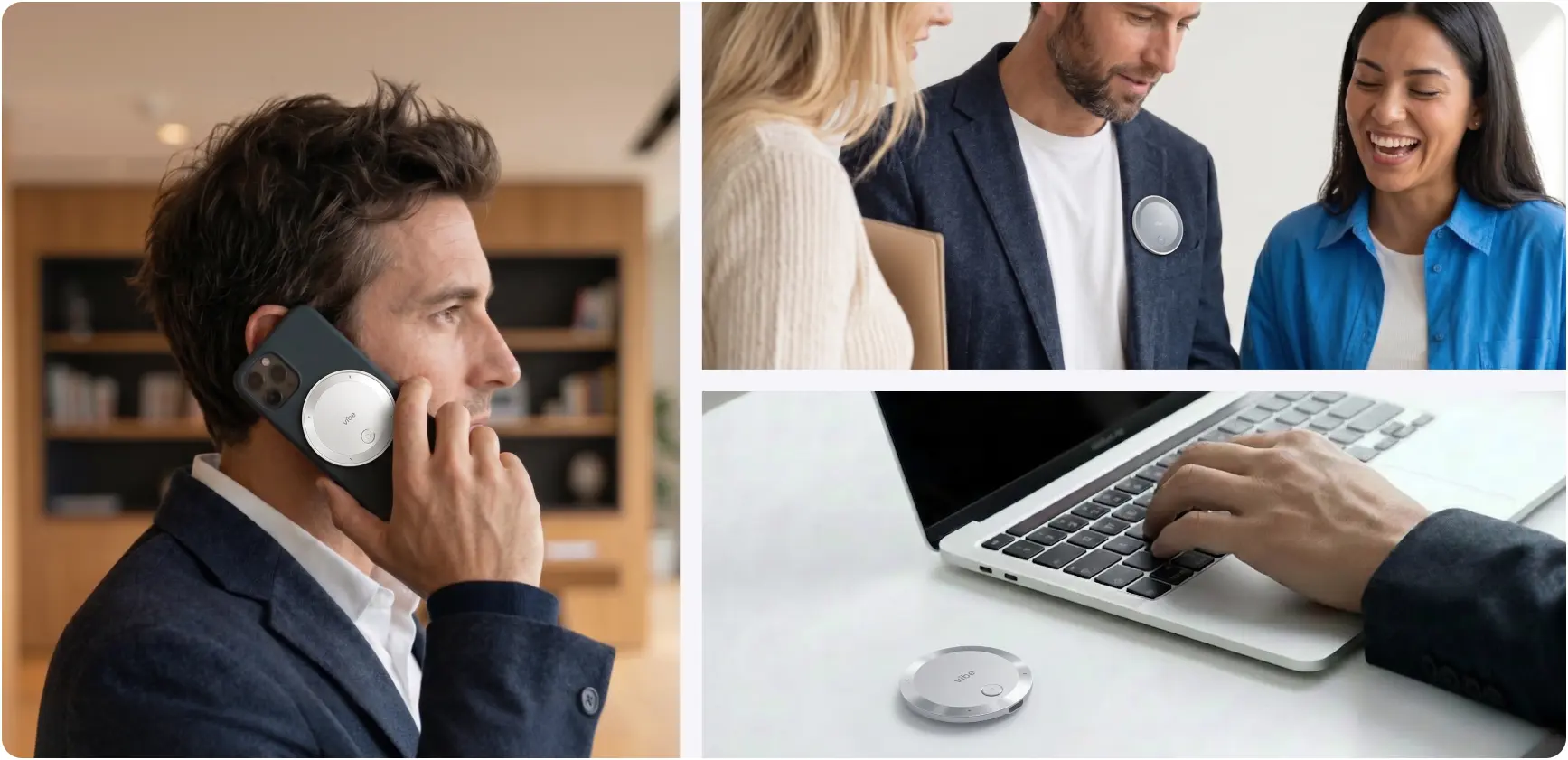
Vibe Dot is a wearable AI assistant device that turns off-calendar conversation into queryable memory. It snaps to a phone, clips to clothing, or sits on a desk, so it records client meetings, site visits, and everyday conversation. It sells for $199 with a financing option, won a Red Dot Design Award in 2026, and ships in July 2026 after pre-order.
 Vibe Dot clipped to a jacket lapel during a client meeting, phone nearby showing the Vibe app transcript
Getting Started
Vibe Dot is designed to be set up once and then left alone. Setup runs through the Vibe app: pair the device over Bluetooth, then choose how you want it to capture. Because it records without Wi-Fi and stores audio locally, it keeps working in a client’s building or a basement conference room. Then it syncs to your phone for cloud processing.
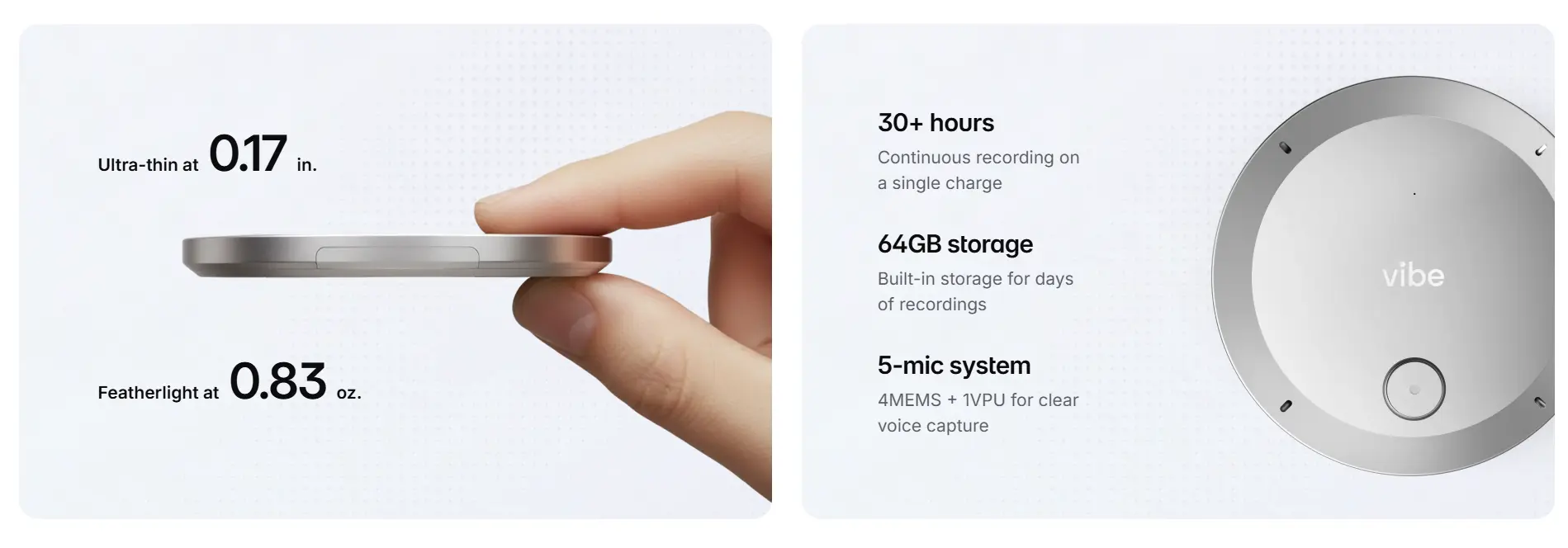
The device itself is 0.17 inches thin and 0.83 ounces. It has a five-microphone system and 30-plus hours of continuous recording on one charge. In the box you get the device, a magnetic case, a magnetic clip, a magnetic ring for non-MagSafe phones, and a USB-C cable. A full charge takes about 90 minutes.
Three Ways to Capture
The three recording modes exist because a fleeting idea is not the same job as a client meeting. Spark is a press-and-hold for a quick thought or brainstorm, saving the memo automatically to the Personal Memo folder. Tap to record uses a double-tap to start and another tap to stop, while a press marks a key moment that gets highlighted in the transcript.
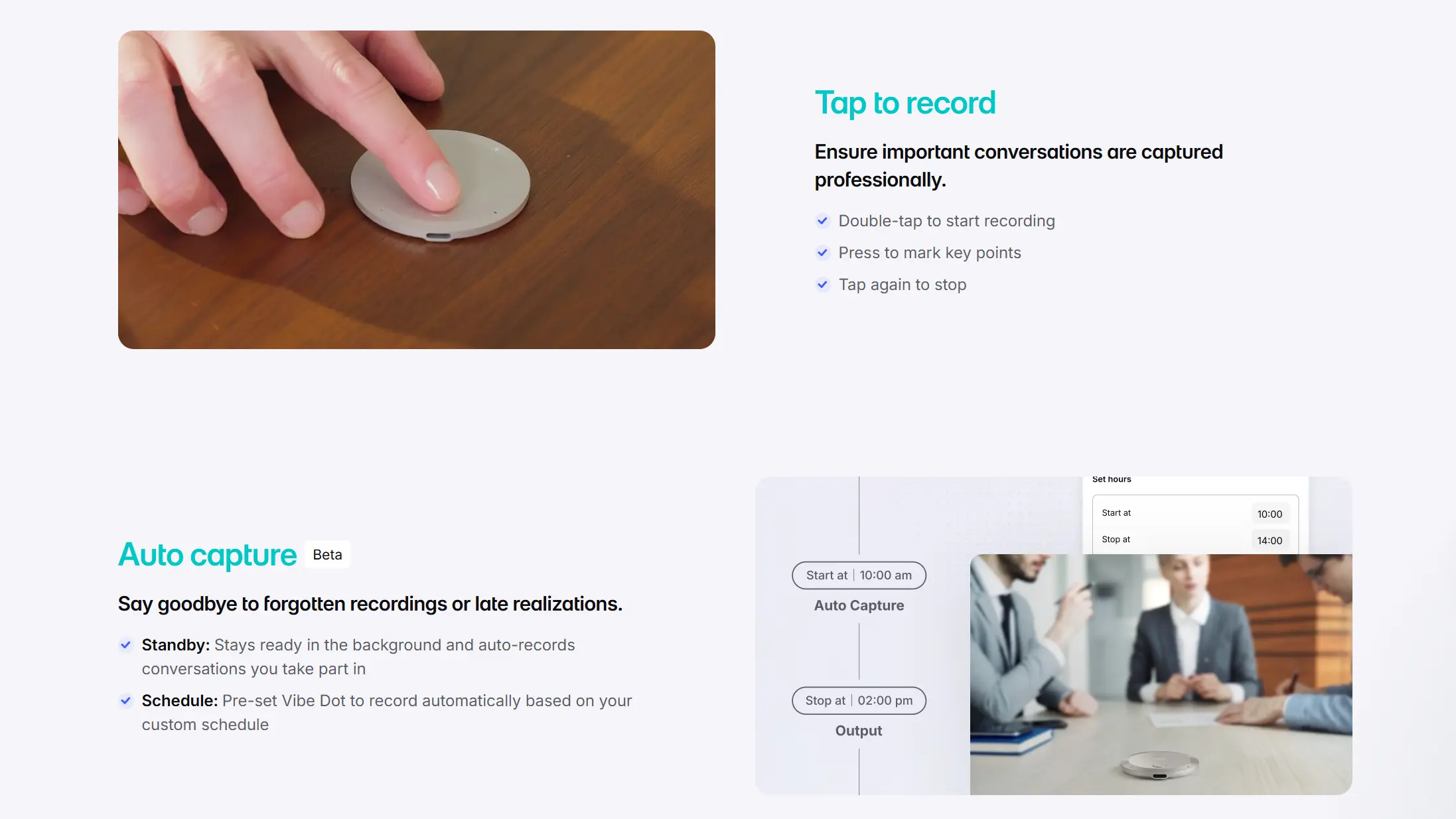 Three ways to capture that Vibe Dot supports
Auto capture, still in beta, uses Standby mode to auto-start when it detects your voice. That requires Voice ID. Schedule mode records on preset time windows.
Auto capture is in beta, so the most reliable captures are the ones you start yourself. For a client conversation where you cannot afford a missed word, tap to record is the safer choice.
Ask Your Memory
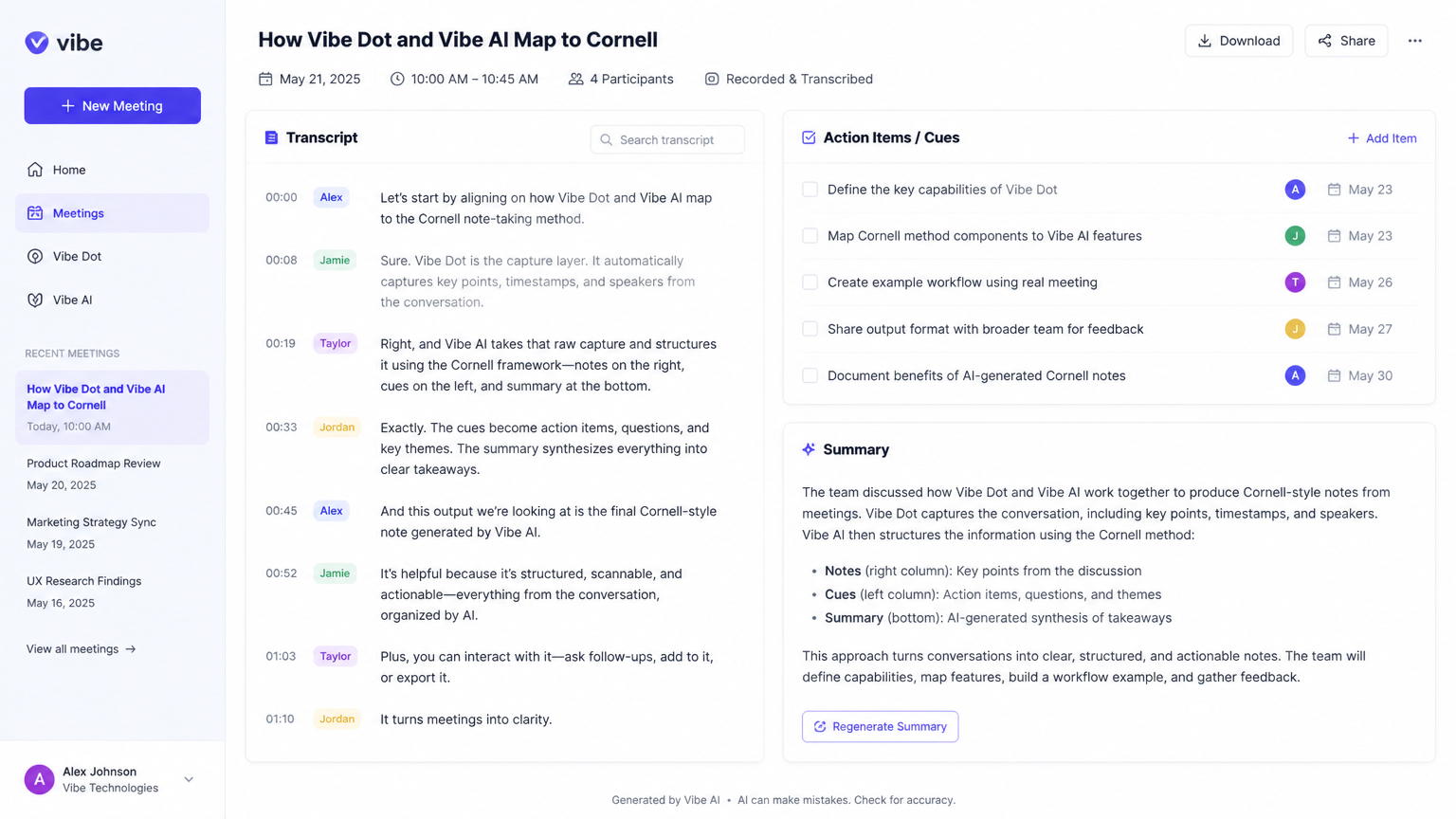
The retrieval step is what separates Vibe Dot from a recorder. Once a conversation is captured, Vibe Dot turns it into a transcript, a structured summary with industry-specific templates, and a set of action items, keeping Personal Memos and Meetings separate.
The tool connects the dots across conversations, so context carries from one day to the next. For example, a decision from a site visit three weeks ago stays attached to the follow-up call today. Agentic actions and voice commands are coming soon to handle follow-ups from spoken context.
The part that changes the workflow is asking questions of your memory. You can ask "What were the three main concerns the client had?" or "Remind me of the budget figure mentioned last week." Then you get the answer back instead of re-reading a transcript.
Consider a sales rep preparing for a renewal call. Three months earlier the buyer raised a pricing objection that never made it into the CRM. The rep asks Vibe Dot what the objection was and gets the exact wording back, with the context around it. That turns a cold renewal into a prepared one. The same consent rules from the previous section apply whenever it records another person.
Memory Retention Tiers
Retention is a tiered decision. Starter is free and keeps memory for 7 days, with 300 minutes of AI transcription a month. Pro costs $9 a month or $108 a year and extends retention to 12 months, with 1,200 minutes a month. Max costs $29 a month or $348 a year and keeps memory permanently, with unlimited transcription and document imports.
Which tier fits depends on how far back your work reaches. A sales cycle that runs months, or a client relationship that spans a year, argues for at least Pro. A 7-day window forgets the budget figure from last month.
Security is handled in hardware. A TPM 2.0 encryption chip keeps recordings unreadable if the device is lost. The service holds SOC 2, HIPAA, FERPA, and NDAA compliance. It is not always listening; you set working hours for auto capture or record manually.
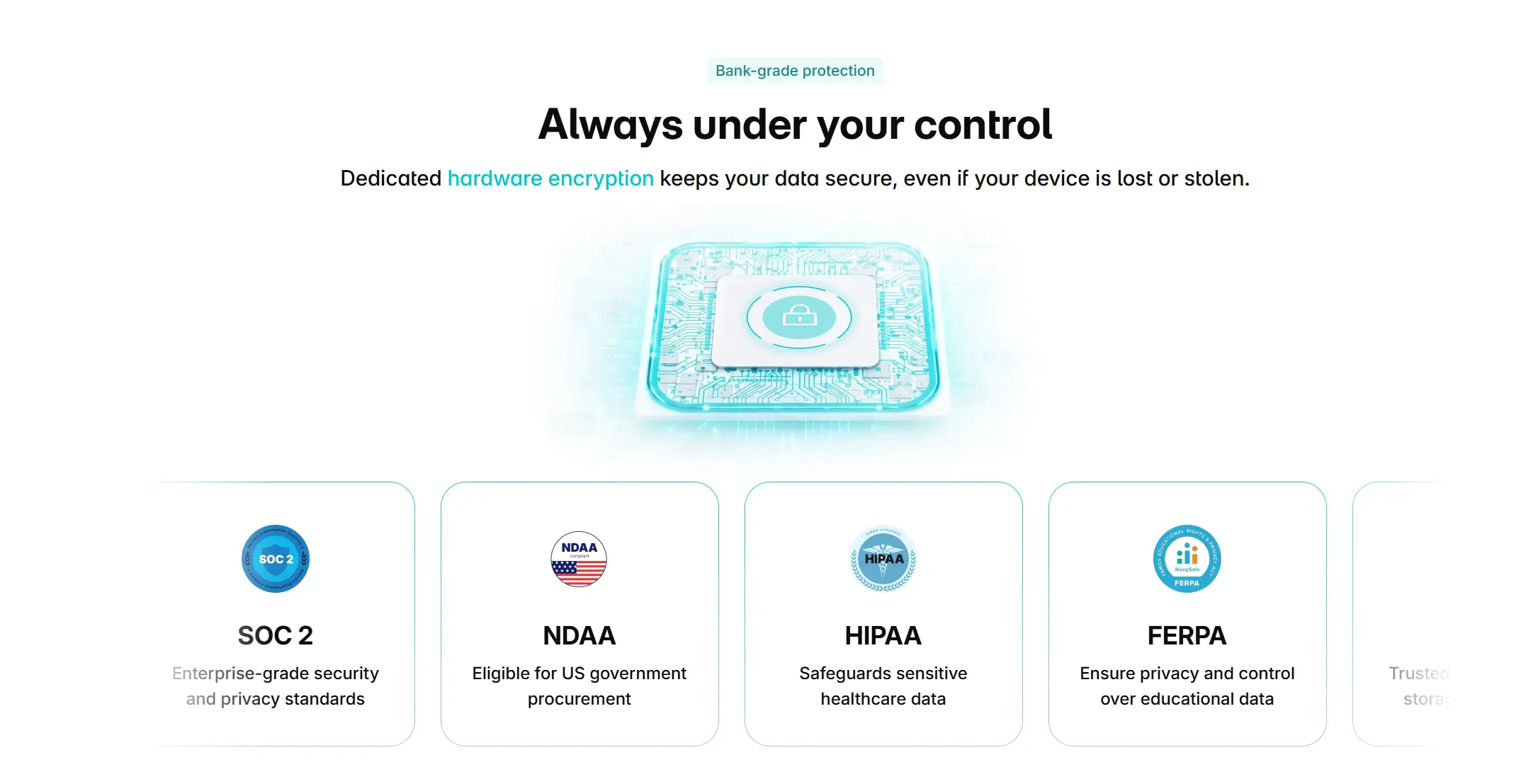 Vibe Dot is SOC 2, HIPAA, FERPA, and NDAA compliant
Conclusion
Meeting memory closes the gap between what is said and what you can recall. Most conversation never reaches a calendar, and most software never sees it. A wearable that records wherever you are changes the arithmetic for client-facing professionals.
The question is not whether the technology works, the capture-to-retrieval loop is proven. The question is how long you want your memory to last, and whether your capture tool follows you off the calendar. Vibe Dot is available for pre-order now and ships in July 2026. Pre-order Vibe Dot to start capturing the conversations your calendar misses.
FAQs
Can AI remember my past meetings?
Yes. A meeting-memory tool records the conversation, transcribes it, and structures it into summaries and action items you can search and query. Microsoft’s Work Trend Index finds 69% of leaders and 45% of employees already use AI regularly, and meeting memory is one of its most practical uses.
How does an AI tool remember meeting details?
It records the audio, turns speech into text, and organizes the result into summaries and action items you can ask questions of. The Ebbinghaus forgetting curve, documented in 1885, shows people lose about two-thirds of new information within 24 hours. That is what the tool compensates for.
What is the best AI tool for remembering meetings?
The best tool depends on where your conversations happen. If they happen off the calendar and in person, a wearable that records wherever you are matters more than a screen-based app. Vibe Dot is built for that use: a $199 device that records off-calendar talk and returns searchable, queryable memory.
How long does an AI meeting assistant keep memory?
It varies by tier, which makes retention a purchase criterion. Vibe Dot’s Starter plan keeps memory for 7 days, Pro extends it to 12 months, and Max keeps it permanently. Confirm the retention window before you commit. A free tier that forgets in a week may not serve work that spans months.
Do I need permission to record an in-person meeting?
Usually, yes. In 2026, the Reporters Committee for Freedom of the Press counts about 11 US states that require all-party consent before a conversation can be recorded. Even in one-party states, telling the person you are recording is the safer, more transparent choice.