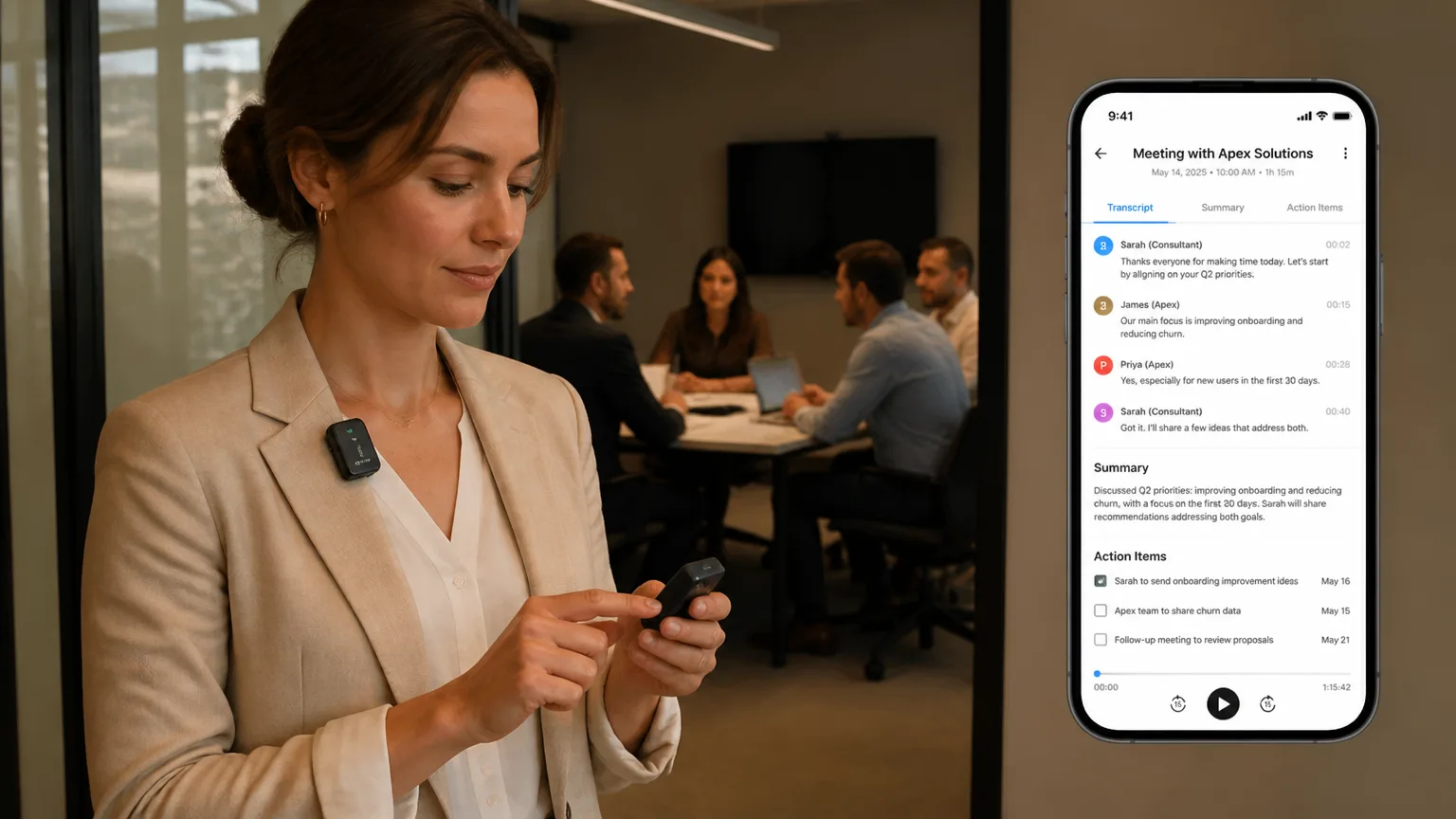
What Is a Wearable AI Recorder?
A wearable AI recorder is a small, body-worn device that captures audio from your environment and uses AI — either on the device itself or in the cloud — to transcribe, summarize, and extract structured information from what it hears.
The "AI" part is what changes everything. A traditional voice recorder gives you a raw audio file. You still have to play it back, transcribe it, or remember which timestamp had the important part. A wearable AI recorder gives you a searchable transcript, a structured summary, and extracted action items — often within minutes of the conversation ending.
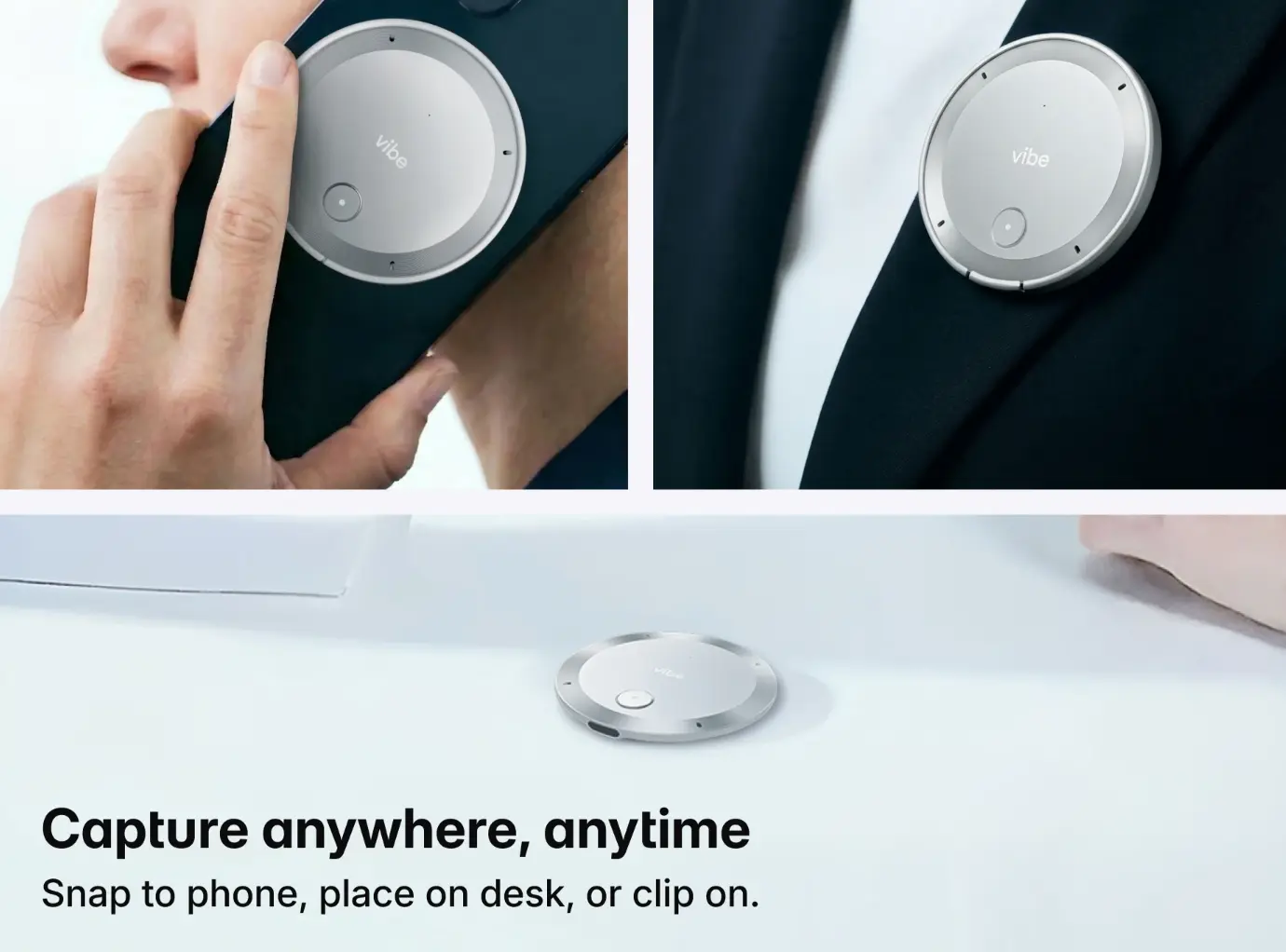
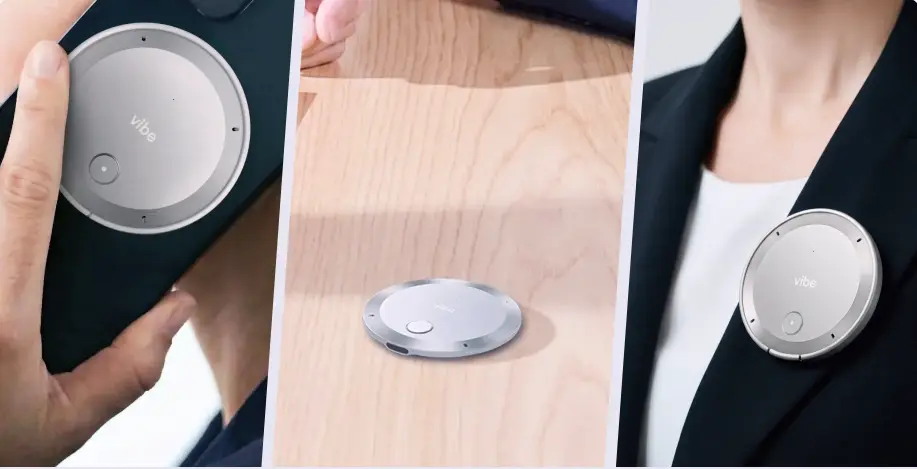 Vibe Dot AI recorder shown handheld, on desk, and worn as lapel pin
Most devices clip to a shirt collar, hang on a lanyard, or attach magnetically to a lapel. They’re designed to disappear into your day. You put it on, go to your meeting, your site walkthrough, your lecture, your interview — and by the time you’re back at your desk, the machine has already done the clerical work of remembering.
This makes the category fundamentally different from smartwatches, earbuds, or AR glasses, which are primarily output devices — they surface information to you. A wearable AI recorder is an input device. Its job is to listen, understand, and remember on your behalf.
The simplest definition: A wearable AI recorder turns spoken conversations into structured, searchable knowledge — automatically, without you doing anything after you put it on.
How a Wearable AI Recorder Actually Works — Layer by Layer
Most explainers stop at "it records audio and AI summarizes it." That’s accurate but not useful, because the quality gap between a mediocre wearable recorder and a good one lives entirely in how each of these layers is executed. Here’s what’s actually happening.
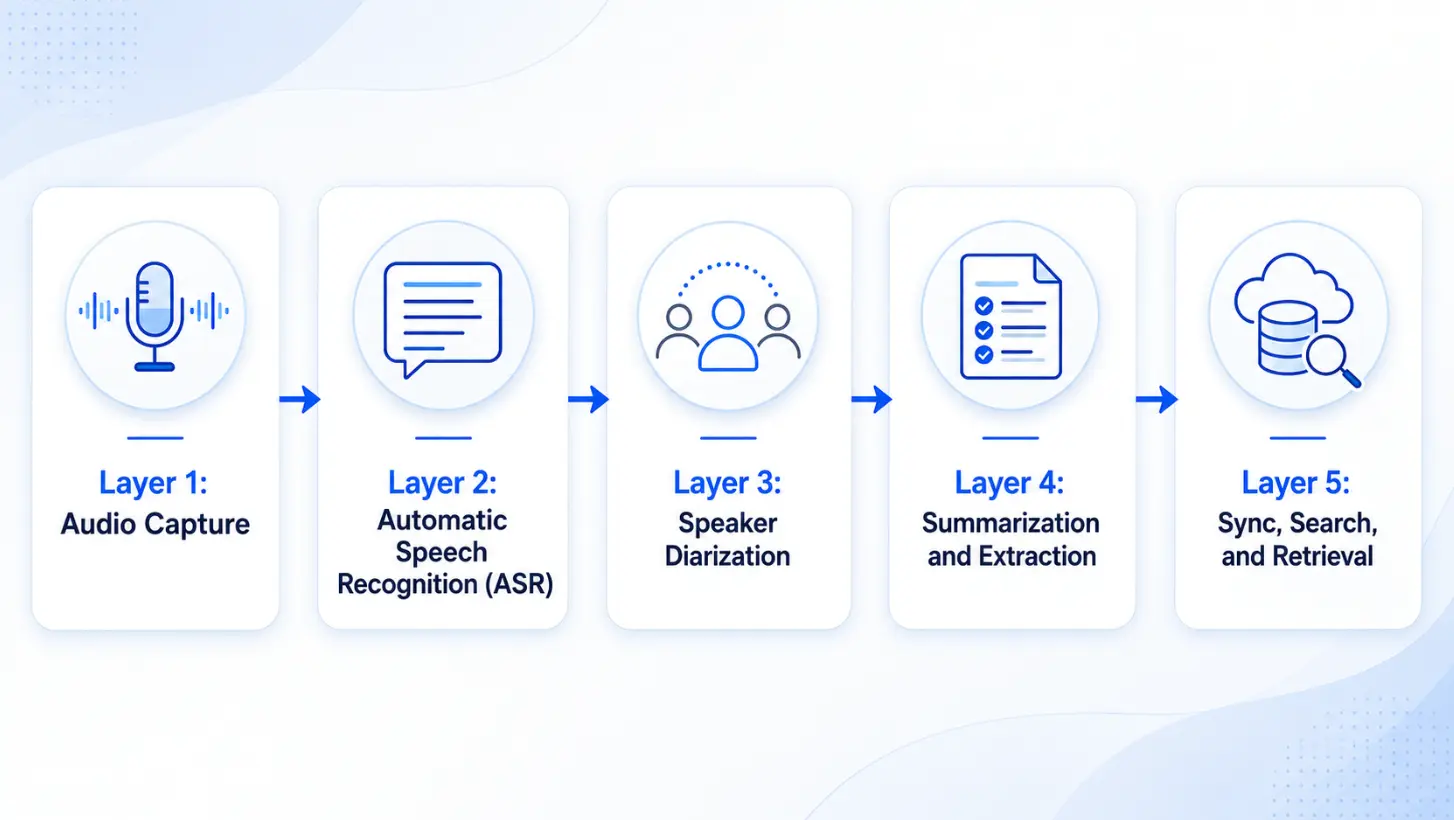 How a wearable AI recorder actually works — layer by layer
Layer 1: Audio Capture
The device contains one or more microphones — often a directional array rather than a single omnidirectional mic. The difference matters immediately in real-world conditions.
A single omnidirectional microphone picks up everything: your voice, the HVAC, the person tapping their pen, the conversation at the next table. A multi-mic array with beamforming uses the phase difference between microphones to spatially focus on sound sources in front of the device while suppressing sound from other directions.
In practice, this means the difference between a transcript that reads cleanly and one littered with "[inaudible]" markers. If you regularly record in open offices, cafes, or outdoor environments, microphone quality is the single most important hardware spec to evaluate.
Layer 2: Automatic Speech Recognition (ASR)
ASR converts audio into raw text. Modern ASR is genuinely impressive — in clean conditions with clear speech, error rates on leading models are under 5%. But "clean conditions" is doing a lot of work in that sentence.
ASR accuracy degrades with:
-
Accented speech — particularly non-native English speakers
-
Technical vocabulary — medical, legal, and engineering terminology that isn’t well-represented in training data
-
Overlapping speech — when two people talk simultaneously, most ASR models make a mess
-
Background noise — the more noise, the worse the transcript
Better devices use domain-adapted ASR models or allow vocabulary customization so that "EBIT," "HVAC," or specific proper nouns don’t consistently get mangled.
Layer 3: Speaker Diarization
Diarization is the process of answering "who spoke when." It’s what turns a wall of text into a recognizable meeting transcript where each line is attributed to a speaker.
This is the weakest layer in most current devices. Diarization works by clustering voice characteristics — pitch, cadence, vocal timbre — into groups and labeling them. The problems:
-
If two speakers have similar voices, the model confuses them
-
If someone new enters the conversation mid-session, they may be misattributed
-
Short utterances ("yeah," "right," "okay") are often misassigned
-
Phone voices played on speakerphone frequently get mislabeled as a new speaker
In practice, expect diarization to be good enough to follow the conversation, but plan on occasional mis-attributions that you’ll need to correct manually. Devices that let you train the model on individual voice profiles — or that integrate with a calendar to pre-load participant names — perform noticeably better.
Layer 4: Summarization and Extraction
After transcription, the AI runs a second pass to extract structure: key decisions, open questions, action items, and a narrative summary of what the meeting was actually about.
This is where models diverge most dramatically in usefulness. A weak summarization model produces a compressed version of everything that was said — which is marginally better than reading the full transcript but not dramatically more useful. A strong summarization model understands what mattered: it can tell a decision from a discussion, a confirmed next step from an open question, and a throwaway comment from a key insight.
Vibe Dot feeds its extraction output into Vibe AI‘s Memory Graph — so summaries aren’t isolated documents, they’re connected to your other work context. You can ask "what did we agree on about the Q3 timeline?" and get an answer that pulls from multiple sessions across weeks.
Layer 5: Sync, Search, and Retrieval
The output — transcript, summary, action items — syncs to a companion app or cloud workspace. What you can do with it from there varies enormously between devices.
At minimum: read the transcript, read the summary, download a text file.
At the high end: full-text search across all recordings, natural language queries across your recording history, integration with your calendar and task management tools, and proactive surfacing of relevant context from past conversations when you enter a new one.
The retrieval layer is where the compounding value of a wearable AI recorder actually shows up. A single recording is a productivity win. A year of recordings that you can search and query is an organizational memory system.
What Can It Actually Capture? A Realistic Look
The marketing answer is "anything." The honest answer is more useful.
|
Recording scenario |
Transcript quality |
Diarization quality |
Notes
|
|---|---|---|---|
|
1:1 in a quiet room |
Excellent |
Excellent |
Ideal conditions |
|
Small meeting (3–5 people) |
Very good |
Good |
Occasional speaker confusion |
|
Large group (8+ people) |
Good |
Moderate |
Voice clustering degrades; mic placement matters |
|
Open office / ambient noise |
Moderate |
Moderate |
Multi-mic devices significantly outperform single-mic |
|
Outdoor or windy |
Fair–Moderate |
Fair |
Wind is devastating for ASR; most devices struggle |
|
Lecture / single presenter |
Very good |
Excellent |
Single dominant speaker is easy to track |
|
Video call (ambient capture) |
Moderate |
Poor |
Echo, compression, and multiple audio sources confuse models |
|
Phone call on speakerphone |
Fair |
Poor |
Speakerphone audio has heavy compression; remote voice often misidentified |
The practical implication: wearable AI recorders are optimized for in-person, professional conversations at normal speaking distance — roughly within 3–6 feet of the device. For everything else, quality degrades in predictable ways that are worth understanding before you buy.
If your primary use case is capturing Zoom meetings, a phone app or dedicated software integration (like native Zoom AI Companion or Otter’s Zoom integration) will outperform ambient capture from a wearable. The wearable’s advantage is the in-person conversation that nothing else can capture well.
Wearable AI Recorder vs. Phone App: The Real Comparison
This is the question that matters most for most buyers, and most comparison articles give it a paragraph. It deserves more.
 Side-by-side comparison illustration: phone apps vs. Vibe Dot
Why phone apps fall short for in-person recording
Placement is unpredictable. A phone put down on a conference table ends up wherever it ends up — often at the far end, pointed away from the primary speaker, partially covered by a notebook. A device clipped to your collar is consistently 12–18 inches from your voice and angled toward the room.
You have to remember to start it. This sounds trivial until you’ve missed the first five minutes of a meeting three times. A wearable worn on your body records from the moment you’re in the room. Some devices offer always-on capture with retroactive save.
Attention and battery compete. A two-hour recording session in a phone app occupies the device’s primary processing resources, heats the battery, and leaves the phone less available for everything else. A dedicated device runs independently.
The social dynamic is different. A phone on the table in a meeting is a signal — intentional or not — that you might be distracted, checking messages, or paying partial attention. A small device clipped to your collar reads as a recorder, which is a more honest and less attention-splitting signal.
Where phone apps still make sense
-
Occasional one-off recordings in quiet, controlled conditions
-
Video call transcription (where the app integrates directly with the call platform)
-
When budget is the primary constraint and meeting frequency is low
-
When you already use a platform like Otter or Fireflies that integrates with your workflow
The hybrid approach
Some professionals use both: a phone app as the default for scheduled video calls, a wearable AI recorder for in-person meetings, field work, and unscheduled conversations. This covers the full range of capture scenarios without either tool having to do something it’s not optimized for.
Key Features to Look For — and a Decision Framework
Microphone quality and noise cancellation
Why it matters more than specs suggest: Every other layer of the AI stack is limited by the quality of the audio input. A mediocre transcript from bad audio cannot be rescued by excellent summarization. Microphone quality is the foundation.
What to look for: Multi-mic arrays (2+) with active noise cancellation or beamforming. Single-mic devices are adequate for quiet 1:1 conversations; they are not adequate for open offices, group meetings, or field environments.
Decision rule: If you ever record in noisy environments, this is non-negotiable. Spend here before anywhere else.
On-device vs. cloud processing
|
On-device |
Cloud
| |
|---|---|---|
|
Privacy |
Audio never leaves the hardware |
Audio transmitted to vendor servers |
|
Accuracy |
Limited by device compute |
Best available models |
|
Latency |
Real-time |
Near-real-time to minutes |
|
Offline use |
Full functionality |
Transcription only or none |
|
Best for |
Legal, healthcare, finance, NDA-heavy work |
General professional use |
Decision rule: If you work in a regulated industry or routinely record privileged conversations, on-device processing is a requirement, not a preference. For everyone else, cloud processing delivers meaningfully better results.
Battery life
The benchmark that matters: Not how long the device can record in ideal lab conditions, but how long it lasts across a realistic workday — with gaps between sessions, standby time in your pocket, and Bluetooth sync overhead.
A device rated for 6 hours of continuous recording might last 10–12 hours of a real workday with intermittent recording. A device rated for 4 hours might not make it to 3pm if you have a full meeting schedule.
Decision rule: For occasional use, 4–6 hours is fine. For all-day professional use, 8+ hours of active recording is the floor.
AI quality: summarization and action item extraction
This is the hardest feature to evaluate from a spec sheet because every vendor claims "powerful AI." The only way to evaluate it honestly is to test it against your actual meeting content.
What good looks like:
-
Summaries that distinguish decisions from discussions
-
Action items attributed to specific people with clear next steps
-
Key questions flagged as open vs. resolved
-
Consistent quality across long sessions, not just short demos
What bad looks like:
-
Summaries that are just compressed versions of everything said
-
Action items that are vague ("follow up on project") rather than specific ("Maria to send revised timeline by Friday")
-
Summaries that bury the lead — spending equal weight on small talk and critical decisions
Decision rule: Request a trial and run it through your three most representative meeting types before committing.
Search and memory integration
The single question to ask: Can I search across all my recordings with natural language, or only keyword search within individual sessions?
The compounding value of a wearable AI recorder grows with the depth and connectivity of your recording history. Devices that integrate with a broader AI memory layer — like Vibe Dot connecting to Vibe AI — turn individual recordings into an organizational memory system.
Privacy controls and data transparency
Minimum requirements:
-
Visible recording indicator (LED or haptic)
-
One-tap pause or stop
-
Documented data retention policy
-
Option to delete recordings and derived data
Enterprise requirements (additional):
-
Data residency options (where is your audio stored?)
-
Role-based access controls
-
Compliance documentation (SOC 2, HIPAA, FERPA as applicable)
-
Export and deletion APIs
Top Use Cases — With Real Scenarios
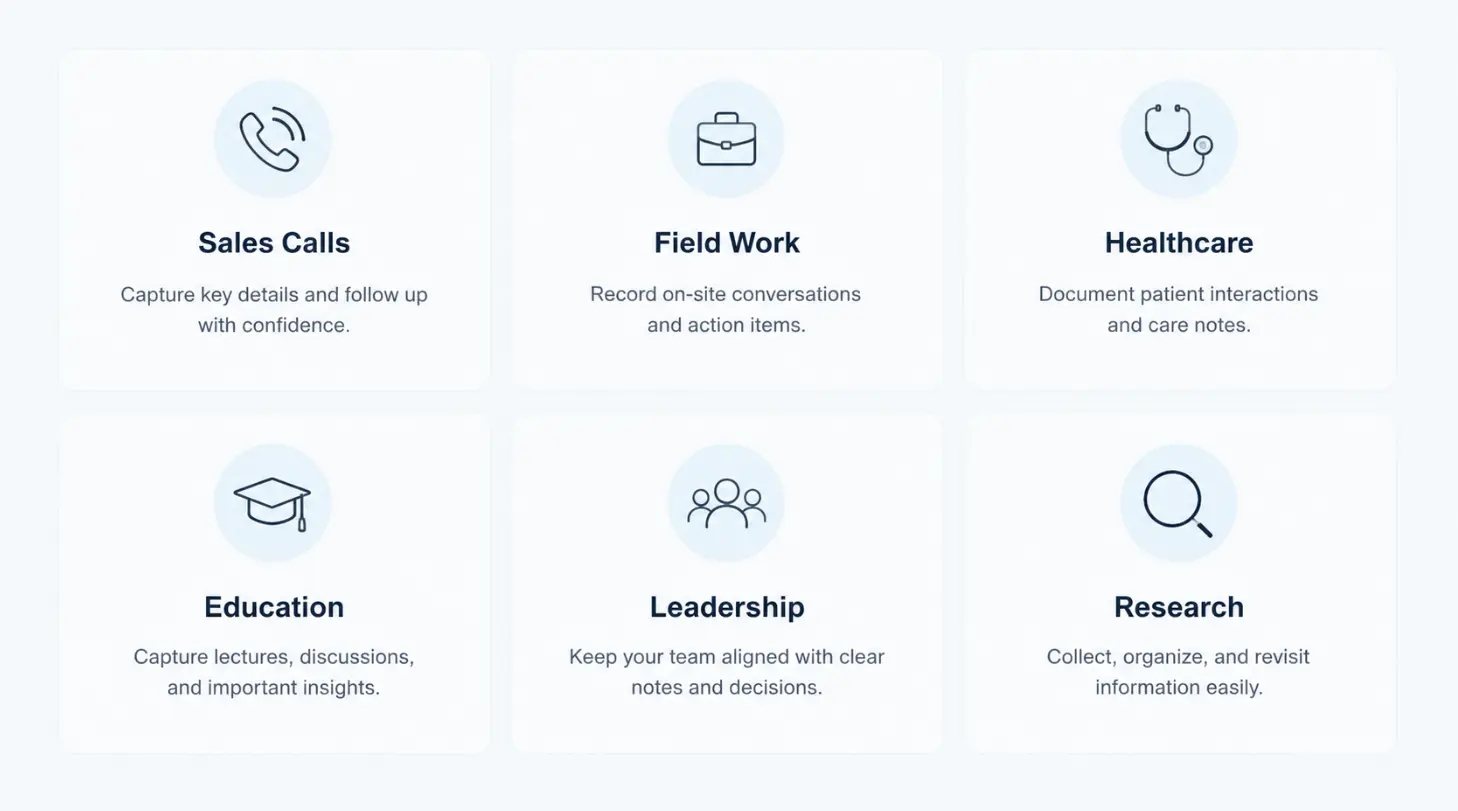 Top AI recorders use cases: Sales Calls, Field Work, Healthcare, Education, Leadership, Research
Executive and leadership workflows
The scenario: A founder has 8 meetings in a day across three different topics. By 5pm, she can’t reliably separate what was decided in which meeting, who committed to what, and which decisions are still open.
A wearable recorder produces a structured summary for each meeting. An AI memory layer (like Vibe AI) lets her ask "what’s the status of the product roadmap discussion from this week?" and get a synthesized answer across multiple sessions.
What to prioritize: Excellent summarization quality, strong memory and search integration, fast sync and summary generation.
Sales and client meetings
The scenario: You’re in a 45-minute discovery call with a new prospect. They mention offhand that their current contract expires in Q2, that their biggest pain point is onboarding time, and that the final decision needs sign-off from a CFO who won’t be in today’s call.
Without a wearable recorder, those three details — contract timing, key pain point, decision-maker constraint — live in whatever notes you managed to jot while also maintaining eye contact and steering the conversation. With a wearable recorder, the AI surfaces all three as key context in the post-meeting summary, and you walk into the next call prepared.
What to prioritize: Accurate speaker diarization, good action item extraction, and fast sync time so you can review before the follow-up.
Field work: Architecture, Engineering, and Construction
The scenario: A project manager is walking a construction site with a client and two subcontractors. The client says they want the lobby entrance moved 8 feet east. One subcontractor says it’s possible but will require a structural change. The other says it’ll push the timeline by two weeks.
None of that is written down. It happened while walking between buildings, without a table to put a laptop on. A wearable recorder captures the entire walkthrough. The AI generates a summary of decisions made and open questions from the site visit.
What to prioritize: Outdoor noise handling, long battery life for extended site visits, fast transcript availability.
Healthcare and clinical documentation
The scenario: A physician sees 18 patients in a day. Each appointment generates documentation requirements — clinical notes, follow-up instructions, referral rationale. Typing that documentation takes 2–3 minutes per patient in the room, or significantly longer after hours.
A wearable AI recorder captures the patient encounter. The AI generates a draft clinical note from the conversation. The physician reviews and approves rather than composing from scratch.
Critical requirements: On-device processing or verified HIPAA-compliant data handling, patient consent protocols, and AI output clearly labeled as a draft for physician review.
What to prioritize: On-device processing, compliance documentation, fast note generation, and integration with EHR systems.
Education: students and researchers
The scenario: A PhD student is conducting ethnographic fieldwork — observing and interviewing community members over several months. Manually transcribing 40+ hours of recordings would take weeks. A wearable AI recorder produces searchable transcripts automatically.
What to prioritize: Long battery life, reliable accuracy across different speaker accents and speaking styles, strong search functionality.
What Wearable AI Recorders Get Wrong — Honest Limitations
Most product pages and comparison articles skip this section entirely. We think that’s a mistake, both for readers making real decisions and for building genuine trust in a product category that’s still maturing.
 Man using Vibe Dot to record his ideas
Diarization breaks down with similar voices. If two participants have similar vocal profiles — same gender, similar age, similar accent — the AI will mis-attribute their speech. This is a fundamental limitation of current speaker separation technology, not a fixable bug.
Summaries miss subtext. AI summarization captures what was said. It does not reliably capture what was meant, what was conspicuously not said, or the emotional register of the conversation. A meeting where two stakeholders are passive-aggressively disagreeing while ostensibly agreeing will produce a summary that shows consensus. Human judgment about meeting dynamics is still irreplaceable.
Background noise is a hard ceiling. Noise cancellation is impressive in marketing demos and limited in genuinely noisy environments. A construction site, a loud restaurant, or a crowded conference floor will degrade transcript quality significantly regardless of which device you’re using.
Battery life claims assume ideal conditions. Most battery life ratings are measured at room temperature with continuous recording and minimal Bluetooth overhead. In real use — intermittent recording, cold weather, active sync — expect 15–30% less than the rated spec. That gap matters more than the headline number. Vibe Dot’s 30+ hour rating leaves meaningful headroom even after that discount: a full day of client meetings, a site visit, and an evening debrief without reaching for a charger. If a device is rated at 20 hours, the real-world number gets closer to a single long workday.
Storage and sync create gaps. If a device fills its local storage before syncing, or loses connectivity, recordings may be queued or lost. This is worth understanding before you rely on any device for a critical conversation. Vibe Dot ships with 64GB of onboard storage — enough to hold hundreds of hours of recordings locally before a single sync is required. Even if you lose connectivity mid-trip, the conversation stays on the device until it reaches your network. For anyone who records frequently across multiple locations, that buffer is the difference between a recoverable situation and a lost recording.
AI summaries require review. AI-generated summaries capture what was said. They do not reliably capture what was meant, and transcription errors propagate into summary errors — action items can be misattributed, decisions mischaracterized, key context missed. Every wearable AI recorder has this limitation. What varies is how easy it is to go back and check. With Vibe AI, the full transcript is searchable across sessions — so when a summary doesn’t look right, you can pull up the exact moment in the original recording rather than hunting through a folder of audio files. The judgment call is still yours. The raw material is just easier to find.
Privacy, Consent, and Legal Considerations
Recording consent laws
United States: Recording consent law varies by state. Federal law and most states operate under one-party consent — you can record a conversation you’re participating in without informing the other party. However, a significant number of states — including California, Florida, Illinois, Maryland, Massachusetts, Michigan, Montana, New Hampshire, Oregon, Pennsylvania, and Washington — operate under two-party (all-party) consent laws. Recording without all participants’ consent in these states is a criminal offense, not just a civil matter.
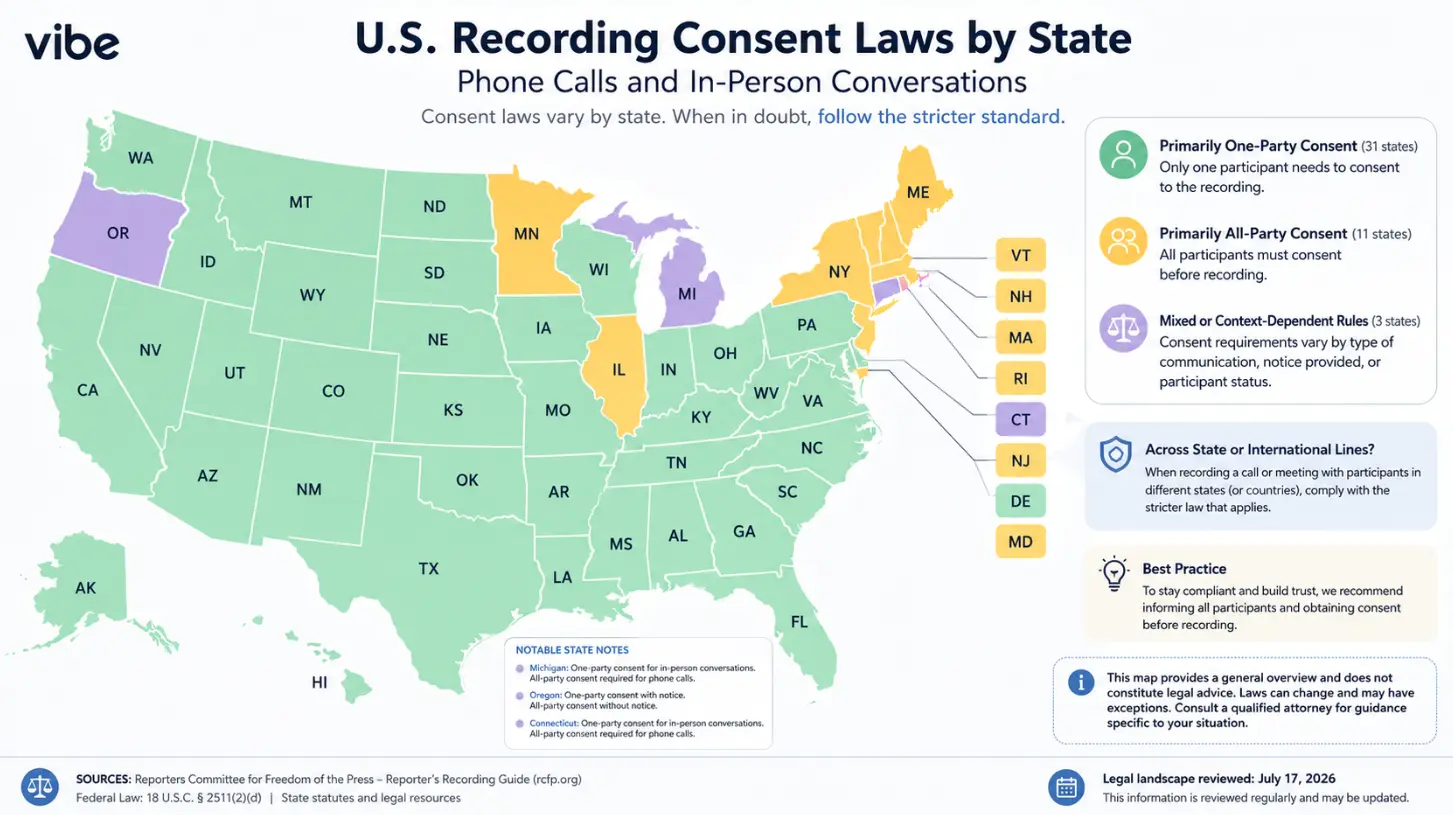 U.S. map showing recording consent laws by state, grouped into primarily one-party, primarily all-party, and mixed or context-dependent rules, with guidance to follow the stricter standard across jurisdictions.
If you travel between states or have participants calling in from different states, the consent requirement defaults to the more restrictive jurisdiction.
European Union: Under GDPR, audio recordings of identifiable individuals constitute personal data. Collection requires a lawful basis, individuals have rights to access and deletion, and cross-border data transfers are restricted.
UK, Canada, Australia: Broadly similar to the US one-party consent framework at the federal level, with regional variations. Verify locally.
Workplace recording
Even in one-party consent jurisdictions, many employment agreements, NDA provisions, or company policies explicitly prohibit recording meetings without HR or legal approval.
Best practice: Before deploying wearable recorders in a team context, get explicit sign-off from legal and HR, and document the policy under which recording is permitted.
Enterprise data compliance checklist
Ask every vendor these questions before committing:
-
Where is audio data stored, and in which country/region?
-
What is the data retention period, and can it be customized?
-
Can individual recordings and derived data be deleted on demand?
-
Is data encrypted at rest and in transit?
-
Who at the vendor organization has access to customer audio data?
-
What compliance certifications does the vendor hold? (SOC 2 Type II, HIPAA BAA, ISO 27001)
-
Does the vendor use customer audio data to train models?
-
What happens to data if the customer churns or the vendor is acquired?
Practical courtesy
Beyond legal compliance: recording someone without their knowledge — even where it’s legal — erodes trust if discovered. A visible recording indicator, a verbal "I’m recording this for my notes" at the start of a meeting, or a clear device that reads obviously as a recorder are professional norms worth following regardless of jurisdiction.
Vibe Dot: Built for Professional Workflows
Vibe Dot is a $199 wearable AI recorder designed for the use cases covered in this article — professional meetings, field work, and any context where in-person conversations need to be captured accurately and made retrievable.
What distinguishes Vibe Dot from standalone recorders is its integration with Vibe AI and the Memory Graph. Your recordings don’t live in isolation — they connect with your other Vibe workspace context, including meeting recordings from Vibe Bot, whiteboards from Vibe Canvas, and notes from other sessions. You can query across your entire work history in natural language: "What did we decide about the product launch timeline?" returns an answer synthesized from every relevant session, not just the last one.
For teams already using Vibe Bot in hybrid meeting rooms, Vibe Dot extends the same AI memory layer to the in-person conversations that room technology doesn’t capture — the hallway debrief, the client site visit, the working lunch where the real decisions get made.
If you’re still in the evaluation stage, two resources worth reading next:
-
Best Wearable AI Recorders of 2026 — a full category comparison across leading devices
-
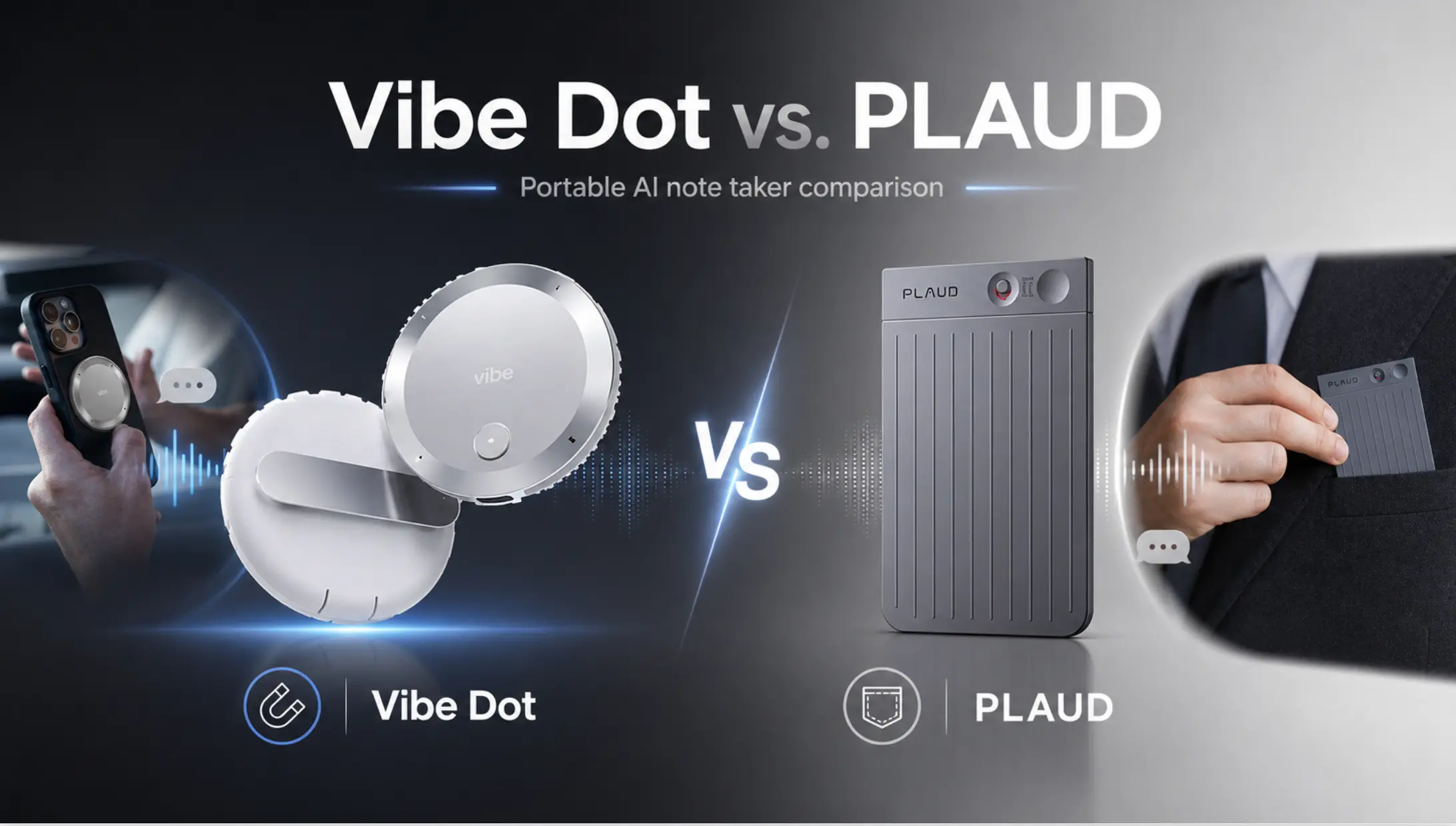
Vibe Dot vs. Plaud — a direct feature-by-feature comparison between the two most commonly considered devices in this category
FAQs
What’s the difference between a wearable AI recorder and a smartwatch or earbud?
Smartwatches and earbuds are output devices — they surface information to you. A wearable AI recorder is an input device: it captures audio from your environment and transforms it into structured, searchable knowledge. They serve fundamentally different functions and are not substitutes for each other.
Do I need Wi-Fi or cellular connectivity for a wearable AI recorder to work?
Most devices can capture and store audio offline, then sync when connectivity is restored. Real-time transcription and AI summarization typically require a connection. On-device models are closing this gap — some 2026 devices deliver basic transcription without any connectivity — but cloud processing still delivers meaningfully better accuracy and more sophisticated summarization.
How accurate are the AI transcriptions in real-world use?
In controlled conditions — quiet room, two to four speakers, clear speech — top-tier devices achieve 90–95% word accuracy. In noisy environments or with overlapping speech, accuracy drops significantly. Speaker diarization is typically the weakest layer; expect occasional mis-attributions even in good conditions. Budget time to review summaries rather than treating them as error-free records.
Are wearable AI recorders legal to use in meetings?
Legality depends on your jurisdiction. In one-party consent states you can legally record a conversation you’re participating in. In two-party consent states — including California, Florida, and Illinois — all participants must consent. See the Privacy section above for a full breakdown. Legality aside, best practice is to inform participants that a recording device is present.
Can a wearable AI recorder work for video calls?
Technically yes, but ambient capture of a video call produces lower-quality transcripts than a native integration (like Otter’s Zoom integration or Zoom AI Companion), because speakerphone audio is compressed and echo-prone. Wearable recorders are most valuable for in-person conversations that software-based tools can’t capture at all.
What should I ask a vendor before buying for enterprise use?
Data residency, retention policy, deletion rights, encryption, access controls, and compliance certifications (SOC 2, HIPAA as applicable). Whether the vendor uses customer audio to train models is particularly important — many vendors’ default terms permit this. See the enterprise checklist in the Privacy section above for the full list.
How long does the battery typically last?
Rated specs vary from 4 to 10+ hours of active recording. Real-world performance typically runs 15–30% lower than rated specs due to temperature, Bluetooth overhead, and intermittent vs. continuous use. For all-day professional use without a charging opportunity, look for devices rated at 8+ hours.
What happens if I lose the device? Is my data exposed?
This varies by device and vendor. Better devices encrypt locally stored audio; some require a PIN or biometric to access the companion app. Ask the vendor: what data is stored on the device vs. in the cloud, and what happens if the device is lost or stolen? The ability to remotely wipe a lost device is worth asking about for enterprise deployments.