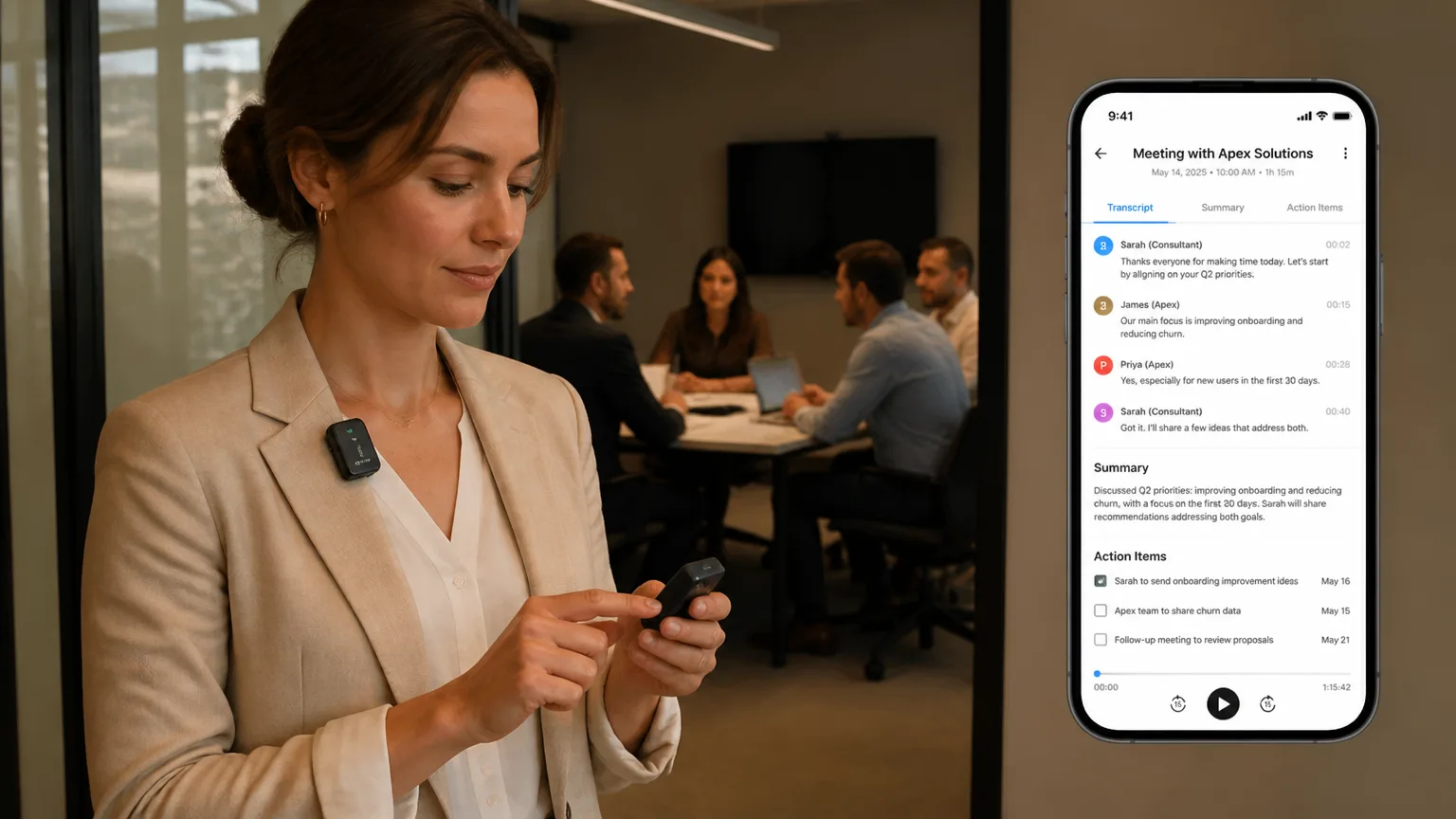
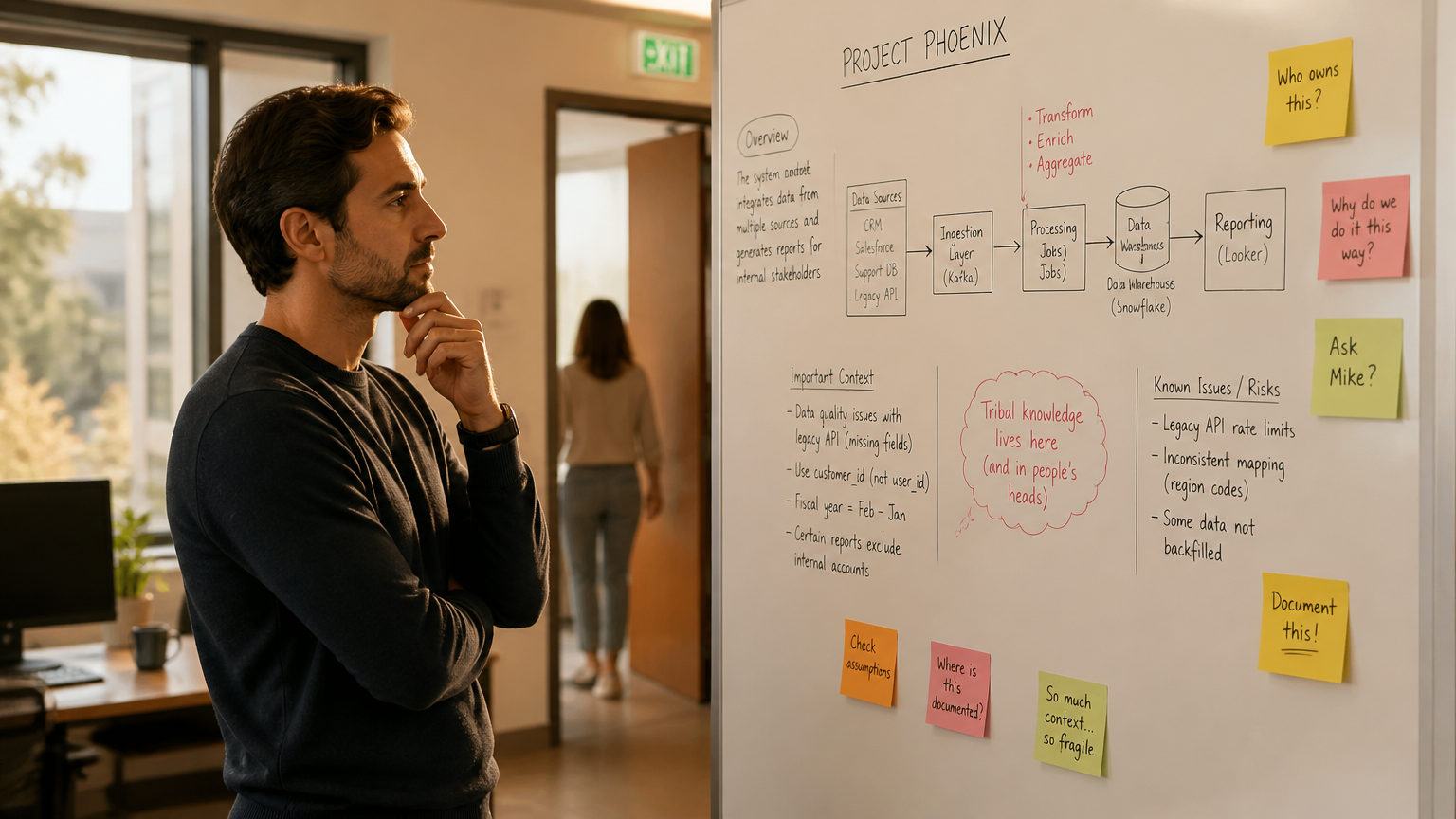
 Professional in an informal client conversation, not at a desk, a natural moment after a formal meeting where real decisions emerge
A sales representative finishes a video demo with a prospective client on a Tuesday afternoon. The AI meeting assistant transcribes the call, extracts action items, identifies the stakeholders mentioned, and logs everything to the CRM. The account manager reviews the summary, updates the pipeline stage, and schedules a follow-up.
But the real conversation happened after the recording stopped. The client muted the microphone to ask a clarifying question about competitor pricing. The procurement lead mentioned a budget cycle that was not in the RFP. The technical buyer whispered a concern about integration complexity while walking the rep to the elevator. None of it entered the digital record. Those details live only in memory, and memory degrades.
Software AI note-takers work exactly as designed. They capture scheduled, platform-hosted, bot-admitted, internet-connected meetings with precision. The gap is not a flaw in execution. It is a structural boundary that defines the meetings AI note-taker can’t capture, conversations that fall outside the dependency chain.
For client-facing professionals, understanding these blind spots reveals where critical information slips through the cracks.
- Software AI note-takers rely on a dependency chain: platform, calendar, bot admission, and internet connection. Each link defines what they can see.
- Calendar-integrated tools miss 57% of meetings that happen without formal invites.
- Bot-based tools face blocking by enterprise policies and platform security queues, while platform-bound integrations cannot follow conversations across tools.
- Dedicated hardware capture removes the dependency chain—recording flows from physical presence, not platform connection.
Understanding the Meetings Software AI Note-Taker Can’t Capture
Software AI note-takers operate through a dependency chain that begins with a meeting platform and ends with a formatted transcript. The architecture is consistent across most tools in the category. Understanding how the chain works reveals why the boundary exists and where the gaps appear.
The chain has four links. The platform (Zoom, Teams, Google Meet) provides the audio stream and the API access point. The calendar (Google Calendar, Outlook) provides the trigger, it tells the tool when a meeting is happening and who will attend. The bot or integration joins as a visible participant or browser extension, receiving the audio stream. The cloud processing layer transcribes the audio, identifies speakers, and generates summaries via remote APIs.
Every link must be intact for capture to occur. The architecture is efficient for scheduled, platform-hosted video calls, it reliably captures that specific context. But each link also defines a boundary.
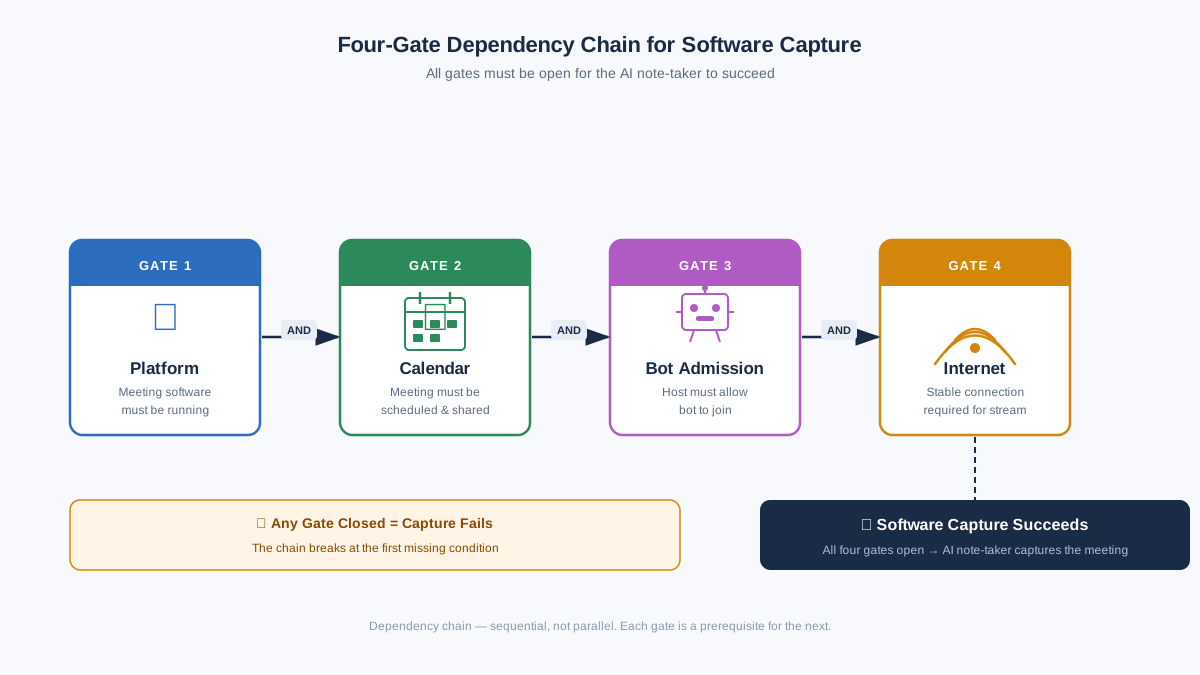 Four-gate dependency chain flowchart: Platform → Calendar → Bot Admission → Internet Connection, all gates must be open for software capture to succeed
The architecture is elegant for its intended scope. By 2025, the Microsoft Work Trend Index found that Teams meeting time had more than doubled since 2020, the average knowledge worker now spends 15–17 hours per week in scheduled virtual calls. For those sessions, the software stack works reliably.
But every link in the chain is a gate. The tool captures when every gate is open. The moment one closes, the capture stops.
Gallup’s 2025 workplace research found that 53% of remote-capable U.S. workers now follow a hybrid schedule, workweeks that mix virtual and in-person interactions by design. For client-facing professionals, the in-person half of that split often carries the most consequential conversations. Software capture tools follow the virtual thread. Everything that happens off-platform slips through.
Ceiling 1: The Calendar Dependency
Software note-takers capture what is scheduled. The calendar invite is the trigger. No invite, no capture. This is the first gate in the dependency chain, and it excludes a substantial share of professional conversation.
Off-calendar conversations permeate professional life. A client lunch where the real objection surfaces after the formal presentation ends. A hallway exchange that clarifies project direction faster than any email thread. A post-meeting debrief where the team decides what actually happened. These moments are consequential, and they are structurally invisible to calendar-bound tools.
The scale of the blind spot is measurable. In 2025, Microsoft, Work Trend Index found that 57% of meetings are ad hoc calls without a calendar invite. More than half of professional conversations happen outside formal scheduling. The study also notes that 1 in 10 scheduled meetings is booked at the last minute, a pattern that compresses the window for calendar integration to detect and respond.
Ad hoc does not mean inconsequential. The off-calendar call often carries information that scheduled meetings precede or follow. A scheduled demo introduces the product and establishes the agenda. An unscheduled debrief reveals whether the demo landed and what concerns remain unaddressed. A scheduled performance review documents the formal record. The unscheduled conversation in the hallway afterward determines whether the employee stays or starts looking elsewhere.
Calendar dependency is the design choice that enables scalable software deployment. Integration with Google Calendar, Outlook, and other platforms provides a reliable trigger mechanism. The tradeoff is scope. A tool that waits for a calendar invite cannot see the conversation that never receives one, and those missed exchanges often carry the decision weight that shapes what happens next.
Ceiling 2: The Bot Architecture
Bot-based note-takers join meetings as visible participants. The meeting roster shows a third-party account with a name like "Notetaker" or "AI Assistant," listening to the conversation. Visibility is the mechanism that enables capture. It is also a vulnerability that creates conditions for exclusion.
Enterprise IT teams can block third-party bots through policy. Platform security systems can quarantine unfamiliar accounts in meeting lobbies, requiring explicit admission. Meeting organizers can remove bots they do not recognize. The bot architecture creates multiple points where capture can be blocked.
The blocking trend is accelerating. In March 2026, Microsoft published Message Center notice MC1251206, requiring organizers to explicitly admit third-party bots labeled "Unverified" in Teams meeting lobbies, according to the Microsoft 365 Message Center Archive, MC1251206. The notice cited data security, privacy, and compliance risks. The policy reflects Microsoft’s recognition that bots may access meetings without the knowledge or consent of the meeting organizer or the hosting tenant.
Major institutions have actively restricted third-party AI meeting bots. The University of Washington, Chapman University, and UC Riverside all blocked AI bots from Zoom and Teams in 2025, according to UC Today, AI Meeting Bot Controls. The restrictions reflect institutional concern about data governance. A bot that records and transmits conversation content to a third-party cloud creates a data exposure that IT departments are paid to prevent.
Social friction compounds the technical barrier. Sensitive conversations, legal reviews, HR discussions, executive negotiations, confidential client matters, carry a social expectation of discretion. A visible bot participant changes the dynamics of the room. Participants may withhold information, speak more carefully, or request that the bot be removed. The presence that enables capture also inhibits candor in precisely the conversations where candor matters most.
The bot visibility issue creates a paradox: the bot must be present to capture, but presence changes the conversation. The more sensitive the discussion, the more likely participants are to exclude the bot or withhold candor. The conversations where documentation matters most are often those where a visible recorder is least welcome.
Bot architecture is the second gate. When the gate is open, IT permits the bot, the platform admits the account, the meeting organizer approves, capture proceeds. When the gate closes, the tool cannot enter the room. For a growing share of enterprise environments, the gate is closing more often, and the conversations most likely to be blocked are precisely those where unfiltered documentation carries the highest value.
Ceiling 3: The Platform Boundary
Software note-takers are built around specific platform integrations. A tool designed for Zoom connects to Zoom’s APIs or joins as a Zoom participant. A tool optimized for Microsoft Teams integrates with Teams infrastructure. Platform specificity enables deep functionality and reliable capture within scope. It also creates boundaries.
A Zoom-optimized tool does not automatically capture a Teams call. A tool built for video platforms cannot follow a conversation that moves to a phone call or a platform the tool does not integrate with. When the conversation crosses a platform boundary, the capture breaks.
In 2026, BetterCloud, State of SaaS 2026 found that the average SaaS portfolio is growing again, mid-market organizations saw apps jump 41% year-over-year, from 116 to 164. Communication sprawls across email clients, messaging platforms, video conferencing tools, and phone systems. No single AI note-taker integrates with every channel where business conversations occur.
Platform specificity is a necessary design choice. Building deep integration with one or two platforms allows the tool to work reliably within its scope. The tradeoff is fragmentation. As communication continues to fragment across an expanding app portfolio, the boundaries between tools will only grow more porous, and the gaps in any single platform’s capture envelope will widen.
Ceiling 4: Connectivity and Location
Software tools require a live internet connection to process audio and return results. The cloud processing pipeline that delivers accurate transcription and AI-generated summaries depends on real-time data transmission. When connectivity fails, the capture chain stops.
Field environments often sit outside reliable internet coverage. A site visit at a construction project in a rural area. A meeting in a government facility with restricted WiFi. A hospital hallway conversation where cellular signals do not reach patient care areas. A commute call from a train passing through a dead zone. The locations where professionals work are not always the locations that support cloud computing.
In 2025, the Bureau of Labor Statistics found that 22.8% of U.S. employees work remotely at least part of the time. The Stanford SIEPR Global Survey notes that remote work is highest in North America, the UK, and Australia, with English-speaking countries averaging 1.5 to 2 days per week working from home.
Remote and hybrid workers frequently operate in variable connectivity environments. Client sites may have restricted network access. Transit between locations creates connectivity gaps. Coffee shops and co-working spaces often have congested WiFi. Each location represents a potential break point.
Connectivity dependency is the fourth gate. A tool that requires internet to record cannot see conversations where internet is unavailable. For field professionals, traveling workers, and remote employees working from client sites or transit, the connectivity gate is a regular reality.
What the Missed Conversations Cost
The meetings software misses are not peripheral. They carry decision weight disproportionate to their formality.
Client objections surface informally after the demo ends. During the structured presentation, the client nods and takes notes. After the call concludes, a stakeholder mentions a concern about implementation timeline or a competitor’s pricing. The objection that would change the sales approach is stated in an unguarded moment.
The real project risk gets named in the debrief on the drive back. The budget approval happens in a hallway exchange after the formal review. The hiring decision crystallizes during the walk from the conference room.
The cognitive science is clear: the Ebbinghaus Forgetting Curve shows human memory decays to roughly 30% retention within 24 hours without reinforcement, a finding that has held across replications for more than a century (Hermann Ebbinghaus, Memory: A Contribution to Experimental Psychology, 1885/1964). The absence of capture creates a memory gap with measurable consequences. Decisions evaporate. Action items dissipate. The team that met yesterday cannot recall what was decided today.
The financial impact compounds. Ineffective meetings cost enterprises over $130 million per year in wasted time, tech failures, and avoidable downstream work, according to Jabra, Billion-Dollar Brain Drain 2026. When the conversation that clarified the decision never enters the record, the team re-litigates the same questions in a follow-up meeting.
The conversations that fall outside the software capture envelope are often the conversations that matter most. The scheduled meeting documents the official version. The off-calendar exchange reveals what was actually decided. The platform-hosted call establishes the agenda. The in-person debrief determines what happens next.
The Architecture That Has No Ceiling
Dedicated hardware capture operates on a different architecture. The trigger for recording is physical presence, not platform connection. A device present in the room captures because it is there. No calendar is required. No bot joins. No platform integration is necessary. No internet connection is needed to start recording.
The architectural shift removes the dependency chain entirely. The calendar gate disappears because the device records conversations whether or not an invite exists. The user carries the device into the conversation, and the device captures. The bot gate disappears because the device does not exist as a participant on any platform. The device is hardware, not a software account, and platforms cannot block it. The platform boundary disappears because the device captures audio regardless of which tool, if any, hosts the conversation. The connectivity gate softens because the device can record locally and sync when connectivity returns.
The change in trigger mechanism is fundamental. Software tools wait for a signal from a calendar or platform. Hardware tools respond to physical presence. The device clips to clothing, sits on a desk, or rests in a pocket. The user enters a conversation, and the device captures. The user does not need to remember to start recording. The user does not need to schedule the conversation. The capture flows from the fact of being present.
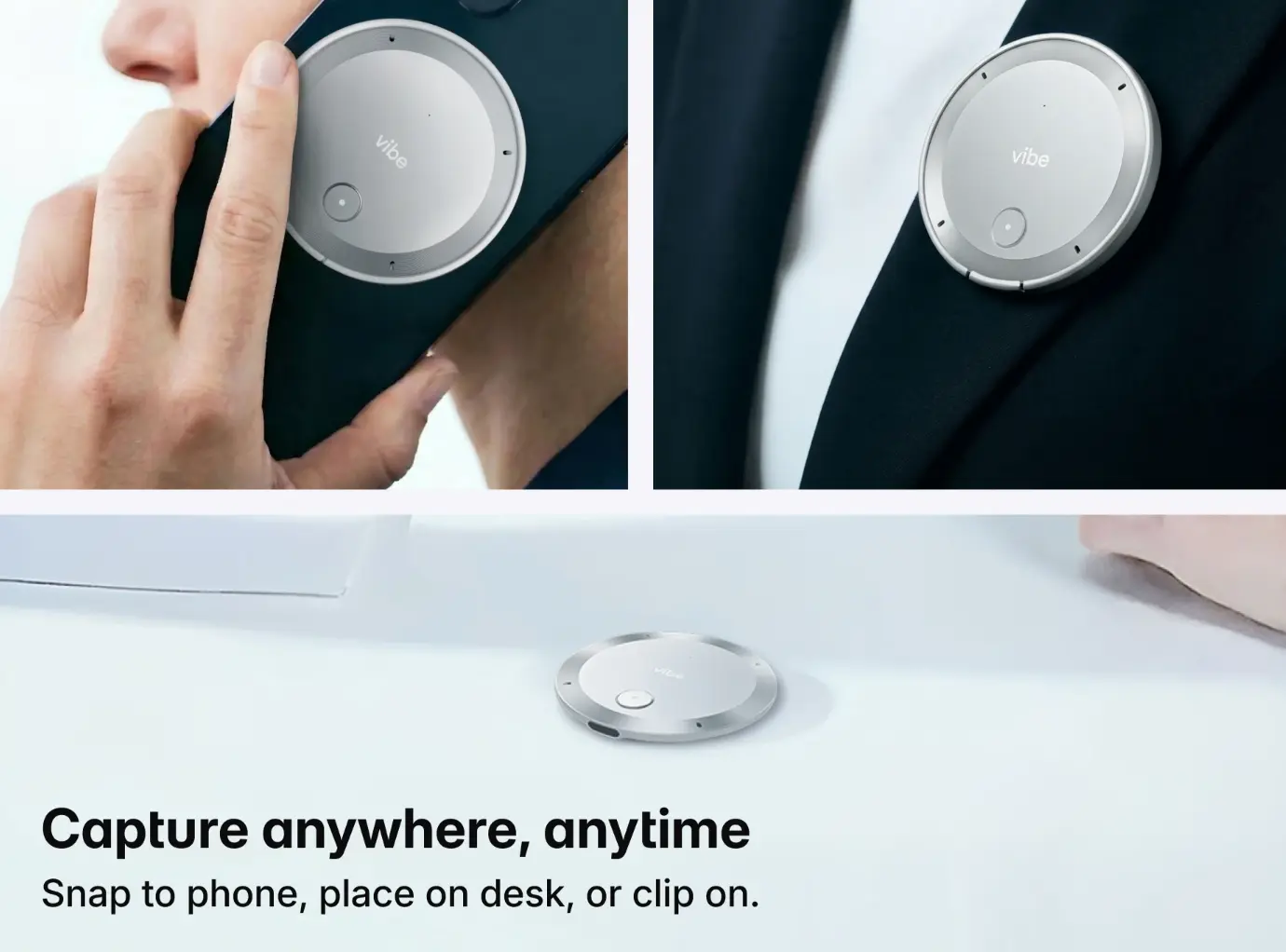
The best wearable AI recorders illustrate the category. Devices designed for this purpose record in ambient environments, without dependency on meeting platforms or calendar triggers. The microphone system captures clear audio from speakers who are not directly addressing a device. The battery and storage capacity support extended recording without connectivity. The form factor allows the device to be present without being obtrusive.
The distinction matters for client-facing professionals. Sales representatives, consultants, account managers, and field engineers operate in the environments where software capture fails most often. Client sites, in-person meetings, site visits, and informal exchanges are the moments when relationships solidify and decisions emerge. Hardware capture brings those moments into the record.
Hardware capture does not replace software tools. The two architectures address different problems. Software captures the scheduled, platform-hosted, bot-admitted meetings that already live in the digital record. Hardware captures the off-calendar, in-person, field conversations that software misses by design. The architectures are complementary. A professional who uses both can capture across the full range of conversation contexts.
For teams evaluating capture strategies, the choice is not software or hardware. It is both, deployed according to the conversation context. The video conferencing technology stack handles the formal, scheduled, platform-hosted meetings that dominate calendars. The hardware layer handles the unscheduled, in-person, field conversations that calendars exclude. Together, the two approaches provide comprehensive capture.
The architectural ceiling of software is not a problem for software to solve. It is a boundary defined by the design choices that make software viable. Removing the boundary requires a different architecture, designed around different constraints. Hardware capture removes the dependency chain entirely, extending the capture envelope to conversations that software was never built to see.
How Vibe Dot Captures What Software Misses
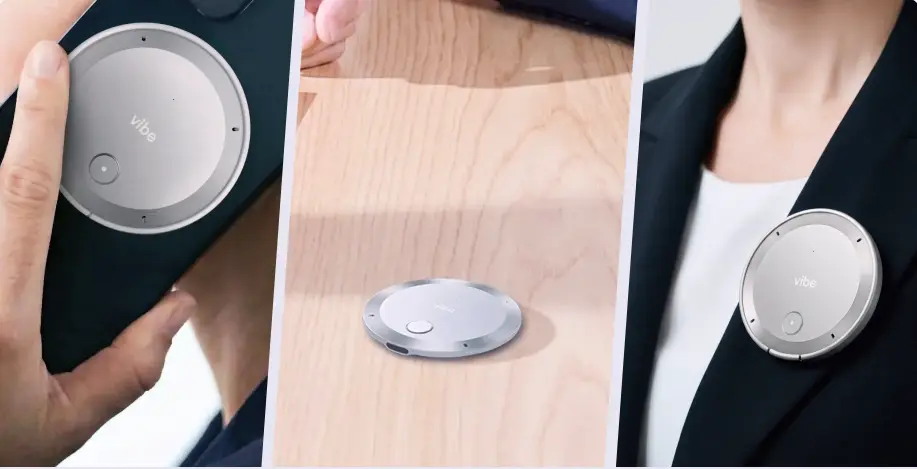 Vibe Dot device clipped to professional clothing or resting on a desk in a non-conference-room setting, ready for ambient capture
Vibe Dot is a dedicated AI capture device built around physical presence rather than platform connection.
Its audio system is designed for ambient environments. A 5-microphone array combines four MEMS microphones with one voice processing unit to capture clear audio in rooms where the speaker is not directly addressing a device. The form factor, a 0.17-inch thick, 0.83-ounce device, makes it portable in settings where a laptop or phone would be intrusive.
The recording modes match different moments. Spark mode captures fleeting thoughts with a press-and-hold of the record button. Tap-to-record mode handles important conversations that warrant structured capture. Auto-capture mode allows the device to stay ready in the background and record conversations automatically.
Compliance addresses the security concerns that drive bot blocking. Vibe Dot holds SOC 2 attestation, HIPAA safeguards, and NDAA eligibility. Hardware encryption keeps data secure even if the device is lost or stolen. The IT policies that exclude third-party bots often come from the same governance frameworks these certifications address.
Enterprise and public-sector buyers typically require documented security posture before deploying any capture tool. In April 2025, OMB M-25-22 required federal agencies to assess AI tool transparency and data handling in procurement decisions. NDAA eligibility supports procurement conversations in government-adjacent contexts where supply-chain security is a condition of evaluation.
A note on recording consent. Any capture device, hardware or software, operates within the legal and organizational frameworks that govern recording. Recording laws vary by jurisdiction (one-party and two-party consent regimes differ across U.S. states and countries). Organizational policies, union agreements, and regulated-industry rules (healthcare, legal, financial services) may require explicit participant notice. Vibe Dot’s tap-to-record mode gives the user direct control over when recording starts. Auto-capture mode should be configured with the organization’s consent and notice policies in place. Before deploying any recording tool in a professional context, legal counsel and HR should confirm the applicable consent requirements for each jurisdiction and conversation type.
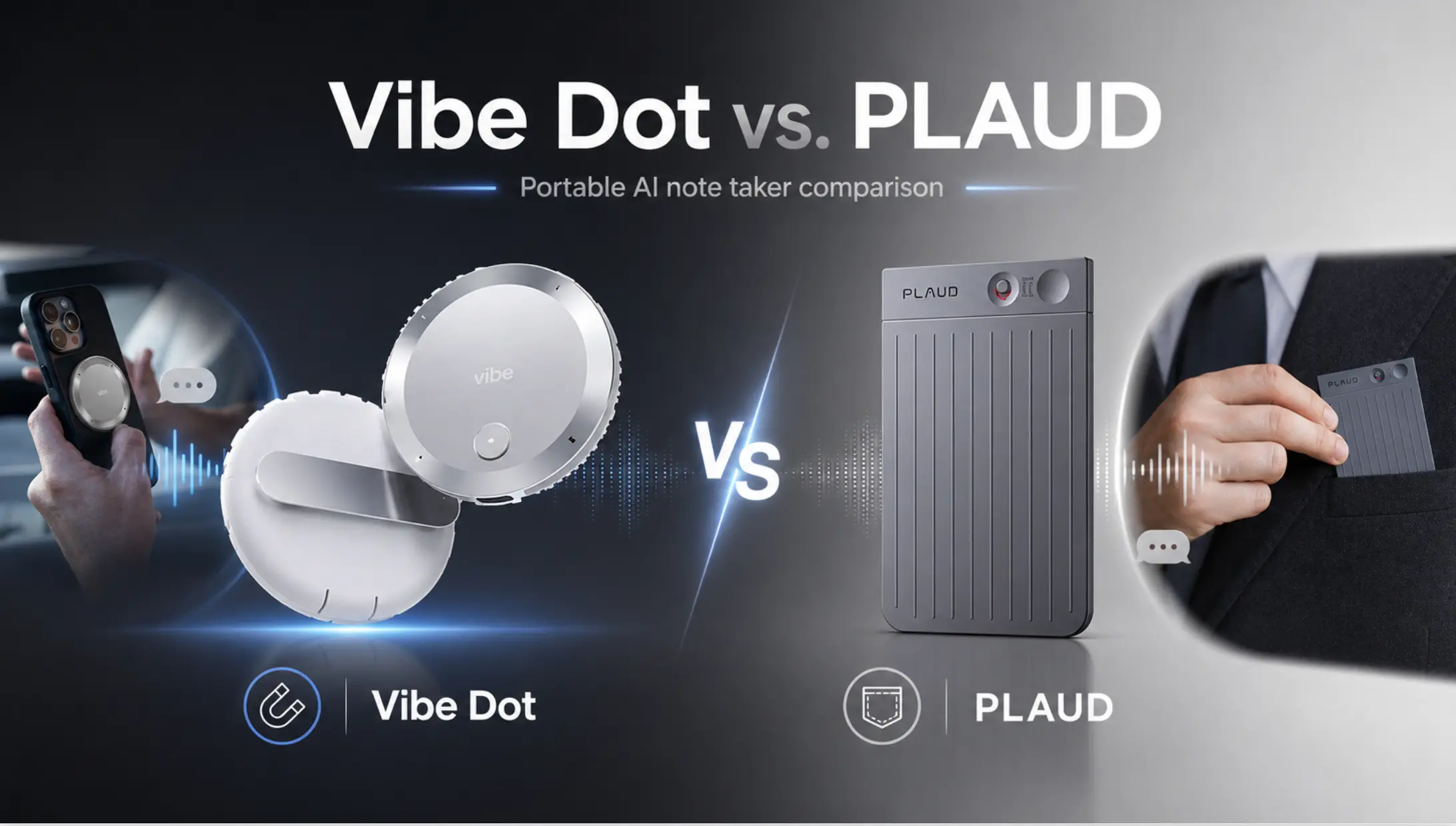
The information gain from hardware capture is visibility into conversations that software never sees. The client conversation after the Zoom call ends. The hallway exchange that clarifies what the meeting meant. The site-visit observation that redefines project scope. Those moments are now part of the record.
Conclusion
Software AI note-takers capture scheduled, platform-hosted, bot-admitted, internet-connected meetings with precision. The architecture is sound for its intended scope. What falls outside that scope, off-calendar conversations, in-person exchanges, bot-blocked rooms, field environments, remains invisible to the digital record.
The boundaries are architectural, not accidental. Calendar dependency enables reliable triggering but excludes ad-hoc exchanges that constitute the majority of professional conversations. Bot visibility enables platform integration but creates blocking opportunities for enterprise security teams. Platform specificity enables deep functionality but fragments cross-tool conversations. Connectivity dependency enables cloud processing but fails in offline environments.
The conversations that fall outside the envelope carry real weight. Client objections, project risks, and budget decisions surface in informal moments that never appear on a calendar. The cost of non-capture compounds through lost decisions, repeated meetings, and misaligned teams. When the conversation that clarified the issue never enters the record, the team continues without shared understanding.
The record matters. When moments of genuine clarity, objection, and decision happen outside the software envelope, a capture device can be physically present to witness them. The architectural ceiling of software is real. The conversations that happen below the ceiling deserve to be captured.
FAQs
What types of meetings are AI note-takers unable to capture?
Software AI note-takers miss meetings that fall outside their dependency chain: unscheduled conversations, in-person exchanges, calls on non-integrated platforms, meetings where bots are blocked, and conversations in locations without reliable internet. In 2025, the Microsoft Work Trend Index found that 57% of meetings are ad hoc calls without calendar invites, conversations most software note-takers never detect. These off-calendar exchanges often carry decision weight disproportionate to their formality.
Why do AI meeting bots sometimes get blocked?
Enterprise IT teams and platform security policies increasingly block third-party bots due to data security and compliance concerns. Bots that record and transmit conversation content to external cloud systems create data exposure risks that institutional security teams are paid to prevent. In March 2026, Microsoft MC1251206 via the Microsoft 365 Message Center required organizers to explicitly admit bots labeled "Unverified" in Teams lobbies. Major universities blocked AI bots from Zoom and Teams entirely in 2025, reflecting institutional concern about third-party data exposure.
Can AI note-takers work without an internet connection?
Most software AI note-takers require a live internet connection for cloud processing and cannot record without connectivity. The speech recognition and natural language processing models run on remote servers, requiring audio data to travel over the network. In 2025, the Bureau of Labor Statistics found that 22.8% of U.S. employees work remotely at least part-time, often in environments with variable connectivity. Dedicated hardware devices like Vibe Dot solve this by recording locally to internal storage and syncing when connectivity returns.
What is the difference between a software AI note-taker and a hardware recorder?
Software AI note-takers depend on platform integrations, calendar triggers, and internet connectivity to capture scheduled virtual meetings. They join meetings as bots or browser extensions and process audio through cloud services. Hardware recorders capture audio through onboard microphones, recording to local storage without requiring a platform, calendar, or live internet. With 53% of remote-capable U.S. workers following hybrid schedules (Gallup, 2025), workweeks routinely span both virtual and in-person interactions, hardware captures the in-person half that software misses, including off-calendar conversations, in-person exchanges, and field discussions.
How do I capture off-calendar conversations with AI?
Off-calendar capture requires a device that records from physical presence rather than calendar triggers. Dedicated hardware like Vibe Dot offers tap-to-record and auto-capture modes that function without scheduling. The device clips to clothing or sits on a desk, capturing ambient audio through a multi-microphone array. The 57% ad-hoc meeting rate documented by Microsoft means a large share of conversations never trigger calendar integration, hardware capture addresses that gap directly by recording from physical presence rather than a scheduled invite.