You walk out of a two-hour strategy session. You have three bullet points, a vague memory of the key decision, and no idea who owns the follow-up action items. Sound familiar?
The best AI voice recorders for meetings solve this problem at the root. Instead of splitting your attention between listening and note-taking, you let a purpose-built device or app handle the first draft — and you stay present for the conversation that actually matters.
This guide covers the top AI voice recorders across hardware devices and software tools, evaluated on audio quality, transcription accuracy, battery life, privacy protections, and how well they handle real meeting conditions — not just quiet one-on-one calls.
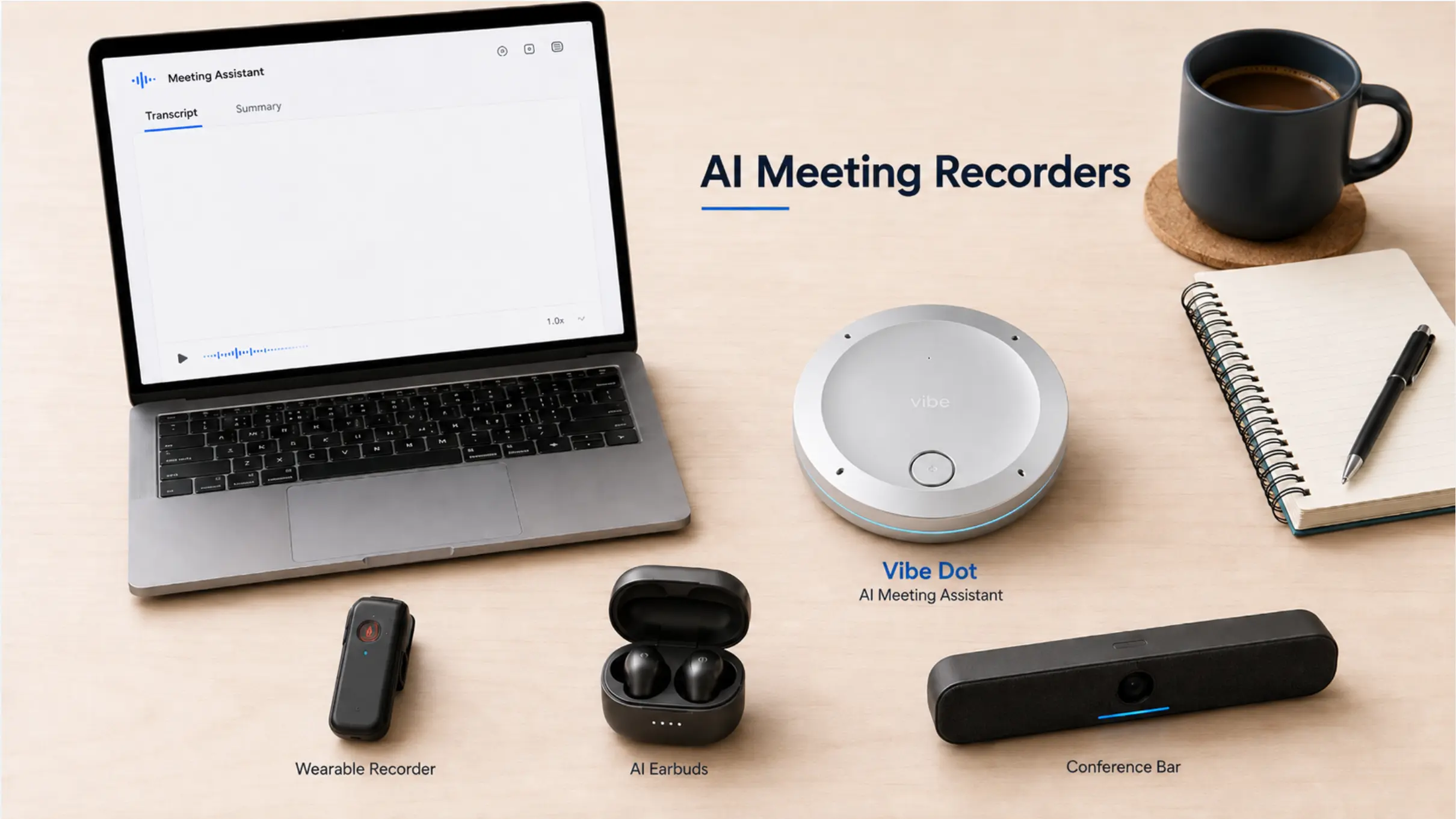 Comparison flatlay of top AI meeting recording devices, including wearable and desk-placed hardware options
What Is an AI Voice Recorder for Meetings?
An AI voice recorder for meetings is a device or application that captures audio, converts speech to text, and uses AI to generate structured outputs — transcripts, summaries, action items, and key decisions — without requiring manual note-taking.
The category splits into two distinct form factors:
-
Wearable and pocket hardware — Physical devices that record in any environment, independent of video platform or internet connection. Best for in-person meetings, field visits, and hybrid scenarios. If you’re still deciding whether dedicated hardware is worth it, our guide to what is a wearable AI recorder walks through how these devices work and what the AI actually does well.
-
Software bots and apps — Tools that join video calls as virtual participants or tap into your computer’s audio. Best for back-to-back remote meetings where all participants are on screen.
The right choice depends on where your meetings happen and what you need to do with the output afterward.
How We Evaluated These AI Voice Recorders
To build this list, we assessed each option across five dimensions:
-
Audio capture quality — Pickup range, speaker separation, and noise handling in real conditions
-
Transcription accuracy — Especially for jargon-heavy conversations, overlapping speakers, and accented speech
-
AI output quality — Summaries, action items, and decision logging; not just raw transcripts
-
Privacy and compliance — Local storage options, encryption, and certifications relevant to enterprise and regulated industries
-
Integration and workflow — How easily outputs connect to tools like Slack, Notion, HubSpot, or Asana
The 10 Best AI Voice Recorders for Meetings in 2026
1. Vibe Dot — Best for Individual Professionals
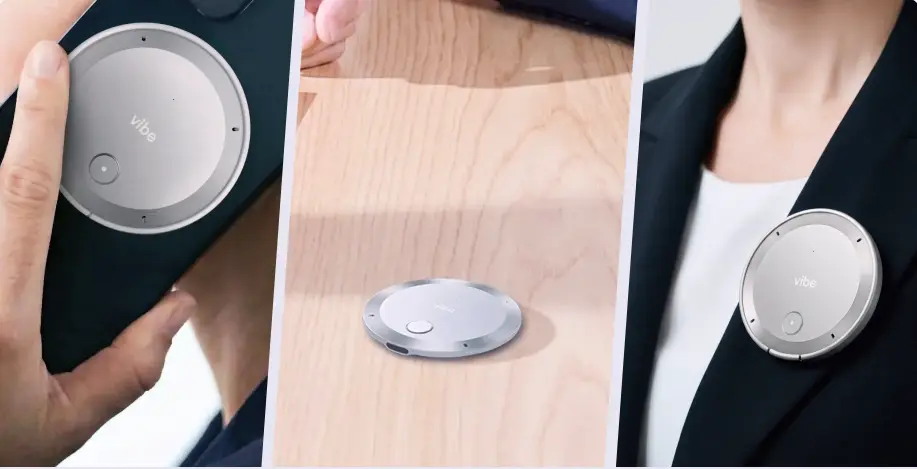 Vibe Dot AI recorder shown handheld, on desk, and worn as lapel pin
Best for: Professionals who move between in-person, hybrid, and remote meetings throughout the day
Pricing: $199 (hardware) + Vibe AI free tier included; Pro plan from $9/month; Max plan $29/month
Vibe Dot takes a different approach to AI meeting capture than most devices on this list. Rather than joining a virtual meeting as a bot or requiring you to manually press record, it uses Voice Activity Detection (VAD) to begin capturing automatically when speech is detected within your configured working hours — so the conversation that starts before the meeting officially kicks off doesn’t disappear.
The hardware specs are purpose-built for meeting environments: a 5-microphone array (4 air MEMS microphones + 1 bone-conduction VPU) with a 16-foot capture range, 30+ hours of continuous recording per charge, and 64GB of onboard local storage. That means it keeps recording even without Wi-Fi — critical for field visits, offsite sessions, and any meeting where connectivity is inconsistent.
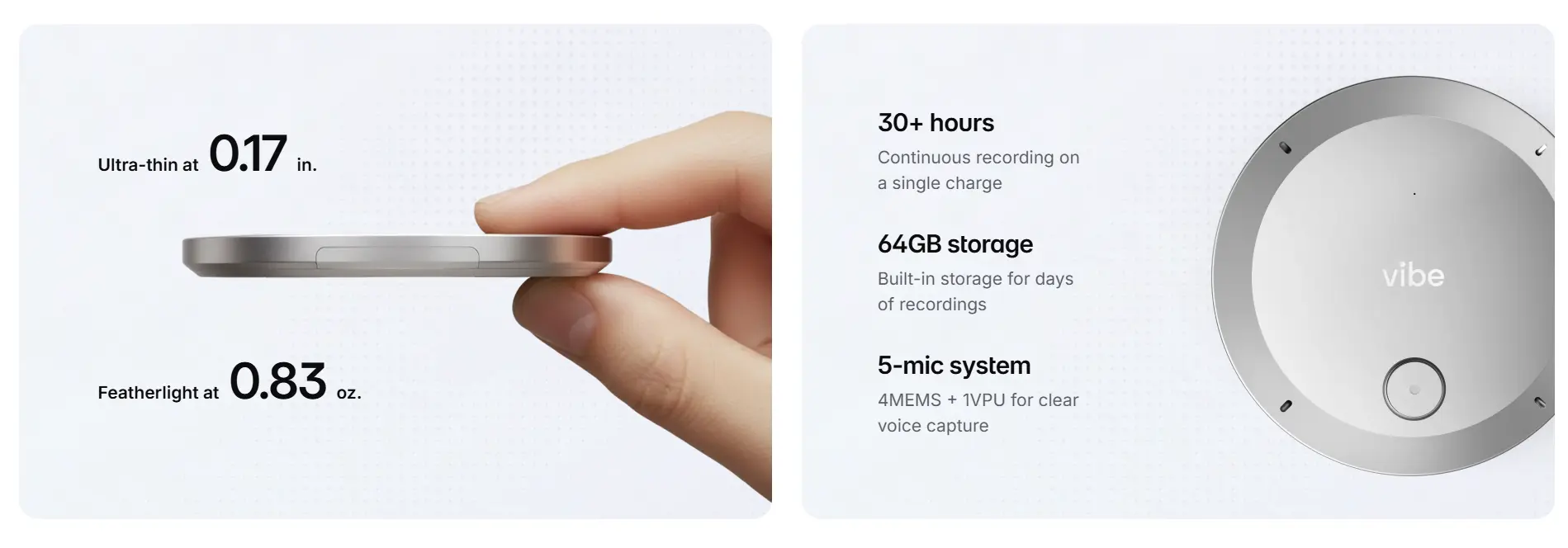 Vibe Dot portable AI recorder specs — 0.17 in. thin, 0.83 oz., 30+ hour battery, 64GB storage, 5-mic system
After each session, audio syncs to the Vibe AI platform over Bluetooth. The AI layer generates a full transcript, a structured summary with industry-specific templates, key decisions, and automatically assigned action items. What separates Vibe Dot from pure recording devices is what happens next: its Memory Graph connects context across sessions. Ask your AI assistant about a decision made three Thursdays ago and it surfaces the answer — because Vibe AI treats your recordings as a continuously searchable knowledge layer, not a list of siloed audio files.
For teams in healthcare, legal, or enterprise environments, the compliance story matters: Vibe Dot carries SOC 2, HIPAA, and NDAA certifications, and the hardware includes a dedicated TPM 2.0 encryption chip that ensures recordings are unreadable if the device is plugged into an unauthorized computer — a level of data protection that software-only tools cannot replicate.
Vibe Dot also functions as a physical input layer for AI workflows. Via the open MCP standard, your AI assistant — including Claude Code and other MCP-compatible tools — can query your meetings directly.
Key specs:
-
5-mic array (4 air + 1 bone-conduction VPU), 16-ft capture range
-
30+ hours recording / 64GB local storage
-
SOC 2, HIPAA, NDAA certified; TPM 2.0 hardware encryption chip
-
VAD auto-capture (voice-activated); LED privacy indicator
-
MagSafe-compatible (iPhone), magnetic clip, desk placement modes
-
Vibe AI Memory Graph: cross-session context and recall
-
MCP-compatible for AI workflow integration
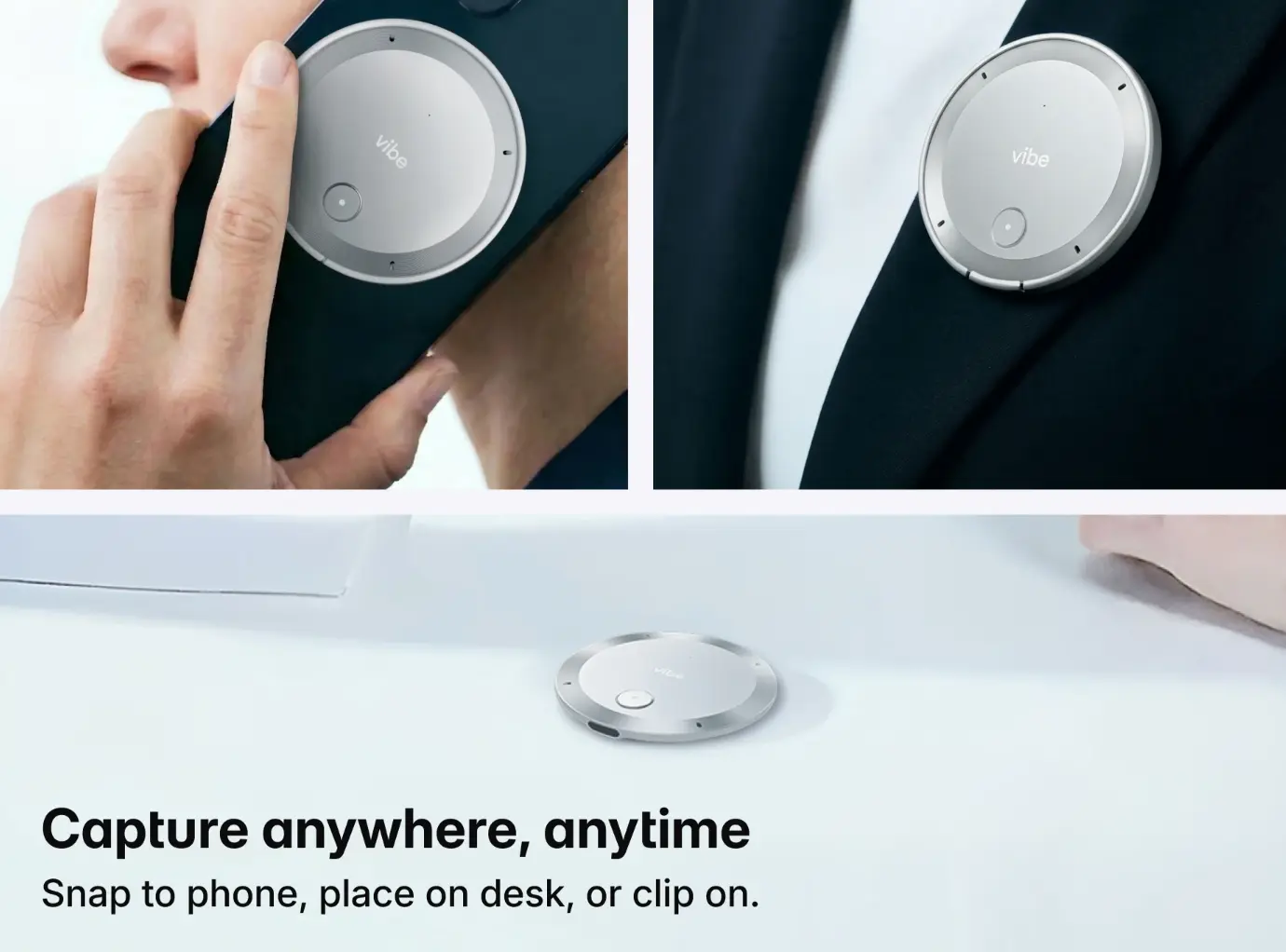
2. Plaud Note Pro — Best Pocket Hardware for In-Person Use
Best for: Professionals who want a slim, subscription-optional hardware recorder for in-person meetings
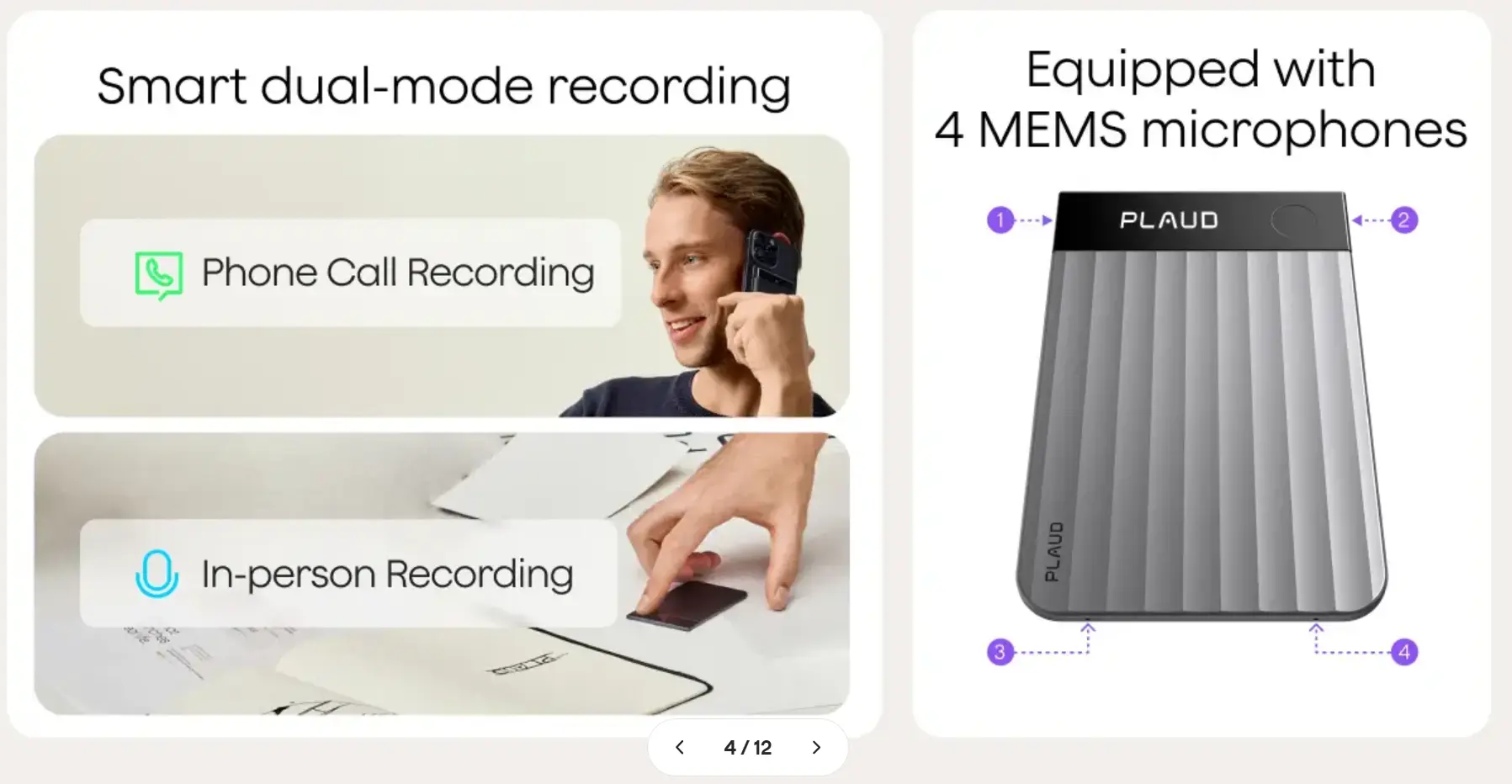 Plaud – smart dual-mode recording
Pricing: $159 (hardware); AI transcription subscription from $8/month; annual plans available
The Plaud Note Pro is a credit-card-thin recorder — roughly 3.37 × 2.13 inches and 0.12 inches thick — with a four-microphone array, up to 30 hours of recording in standard mode, and AI transcription across 112 languages. Reviewers consistently highlight the four-mic array’s ability to pick up voices across a normal conference table, including from the person who always sits furthest from the device.
Plaud’s AI app handles transcription, speaker labeling, and summaries after the session. It’s a capable choice for solo professionals whose meetings are primarily in-person and who want a device that disappears into a shirt pocket. The 112-language support makes it one of the strongest hardware options for international meetings.
Where it falls short vs. Vibe Dot: Plaud Note Pro lacks cross-session AI memory, HIPAA/FERPA compliance certifications, voice-activated auto-capture, and the bone-conduction voice isolation hardware that Vibe Dot uses to separate speaker voice from ambient noise at the hardware level. It also does not function as an MCP-compatible input layer for AI workflows. For a full side-by-side, see our Vibe Dot vs. Plaud comparison.
Key specs:
-
4-mic array, credit-card form factor
-
Up to 30 hrs recording (standard mode), 50 hrs (endurance mode)
-
112-language transcription support
-
No enterprise compliance certifications; no VAD auto-capture
3. Otter.ai — Best Software Recorder for Real-Time Virtual Meetings
Best for: Teams whose meetings are primarily on Zoom, Google Meet, or Microsoft Teams, and who want real-time transcription on screen during the call
 Otter AI homepage screenshot
Pricing: Free (300 min/month); Pro $16.99/user/month; Business $30/user/month
Otter.ai is one of the most widely deployed meeting transcription bots, with real-time captions, speaker labels, and collaborative note-editing built directly into the meeting interface. It integrates with calendar tools to automatically join and record scheduled meetings, and the live transcript view during calls is particularly useful for accessibility and distributed teams who need to follow along across time zones.
The free tier is reasonably generous for light use, and the platform’s search across historical transcripts remains one of the stronger archive features in the software category. For a broader look at how Otter stacks up against purpose-built hardware, see our Otter.ai alternatives roundup.
Its core limitation is structural: Otter.ai works only within scheduled video calls. It cannot capture in-person meetings, hallway conversations, or calls that happen outside a calendar invite — which means a meaningful percentage of decisions in any organization fall outside its coverage window.
Key specs:
-
Real-time transcription with live speaker labels
-
Supports Zoom, Google Meet, Microsoft Teams
-
Searchable transcript archive
-
English, French, and Spanish transcription support
-
Bot is visible to meeting participants
4. Fathom — Best Free AI Voice Recorder for Individuals
Best for: Individual users and small teams who want to test the category without a hardware or subscription commitment
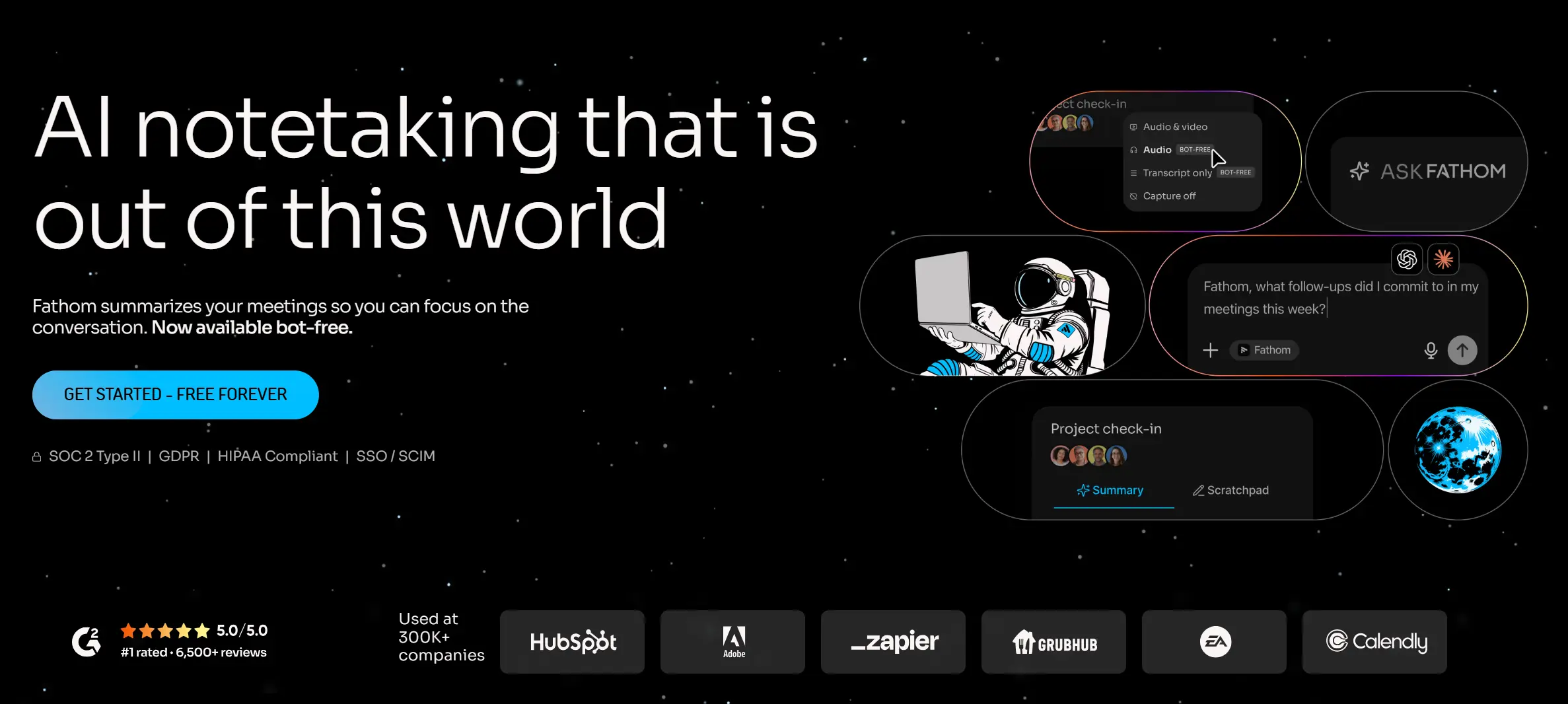 Fathom AI meeting assistant homepage with free-forever plan and ask-Fathom feature
Pricing: Free (unlimited recordings, 5 AI summaries/month); Premium $15/user/month; Team $19/user/month; Business $34/user/month
Fathom’s free tier is the most generous in the software category — it includes unlimited meeting recordings and transcripts, which makes it the lowest-friction starting point for anyone evaluating AI meeting capture for the first time. The structured summaries it generates after each call are well-organized, and the platform integrates with HubSpot and Salesforce for sales teams that need CRM automation.
The AI summaries cap at five per month on the free plan, which pushes frequent users toward paid tiers quickly. Like most software bots, Fathom is cloud-based and bot-dependent — it joins your call as a visible participant, which some clients find intrusive.
Key specs:
-
Unlimited free recording and transcription
-
Automatic summaries, action items, highlights
-
Bot joins as visible participant
-
HubSpot and Salesforce native sync
5. Fireflies.ai — Best for Multilingual Teams and CRM Workflows
Best for: Distributed teams operating across multiple languages who need meeting data flowing directly into CRM and project management tools
 Fireflies.ai homepage screenshot
Pricing: Free (800 min storage); Pro $10/user/month (annual); Business $19/user/month (annual); Enterprise $39/user/month
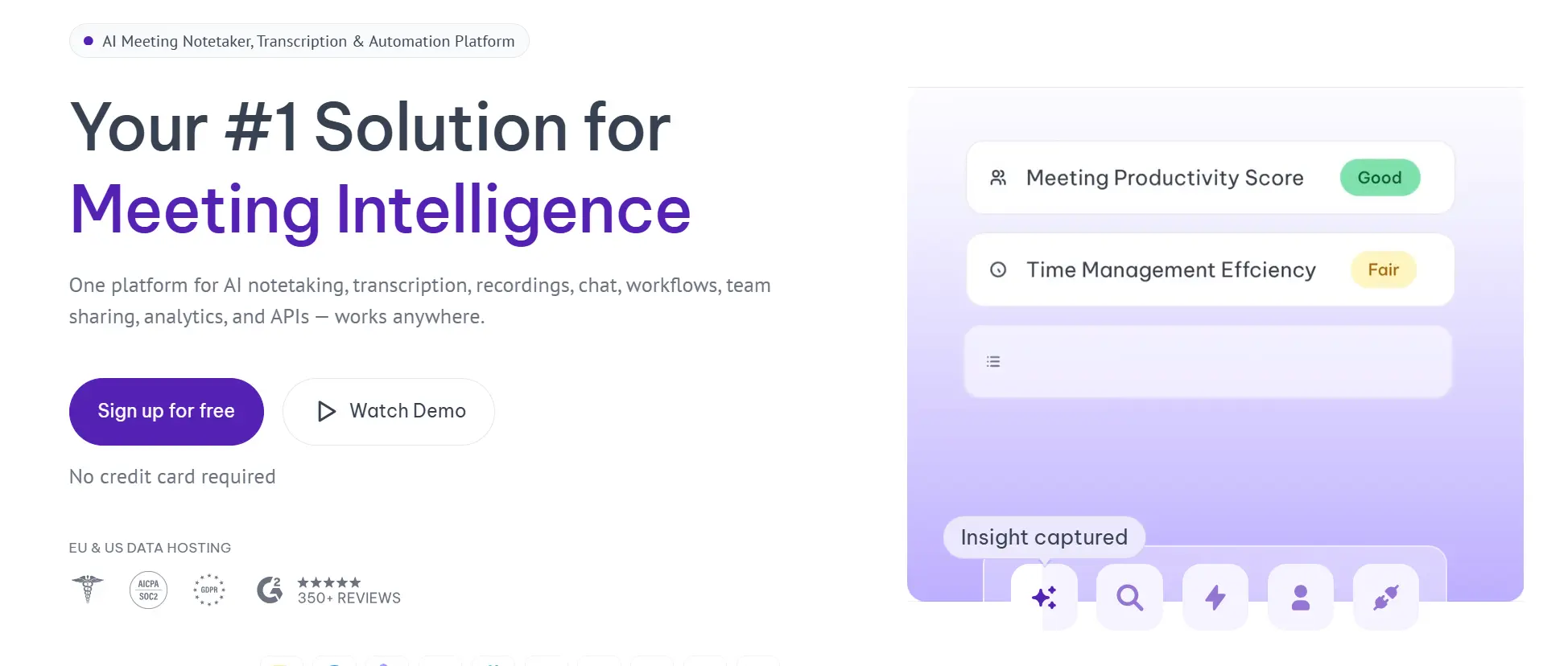
Fireflies.ai supports 100+ languages and includes deep integrations with Salesforce, HubSpot, Slack, Asana, and Notion — making it one of the strongest tools for teams that need meeting outputs to flow automatically into the tools they already use. Its "AskFred" assistant lets you query past meetings across your full account history, which goes beyond single-call search to genuine cross-meeting intelligence.
For globally distributed teams, the combination of broad language support and CRM automation makes Fireflies a compelling choice. Its coverage is limited to video calls — it cannot capture in-person meetings or off-calendar conversations.
Key specs:
-
100+ languages
-
Integrates with Salesforce, HubSpot, Slack, Asana, Notion
-
AskFred AI query across meeting history
-
Bot joins as visible participant
6. Granola — Best Bot-Free Option for Sensitive Meetings
Best for: Consultants, executives, therapists, or anyone whose client calls hinge on candor — and where an AI bot joining the meeting would change the dynamic
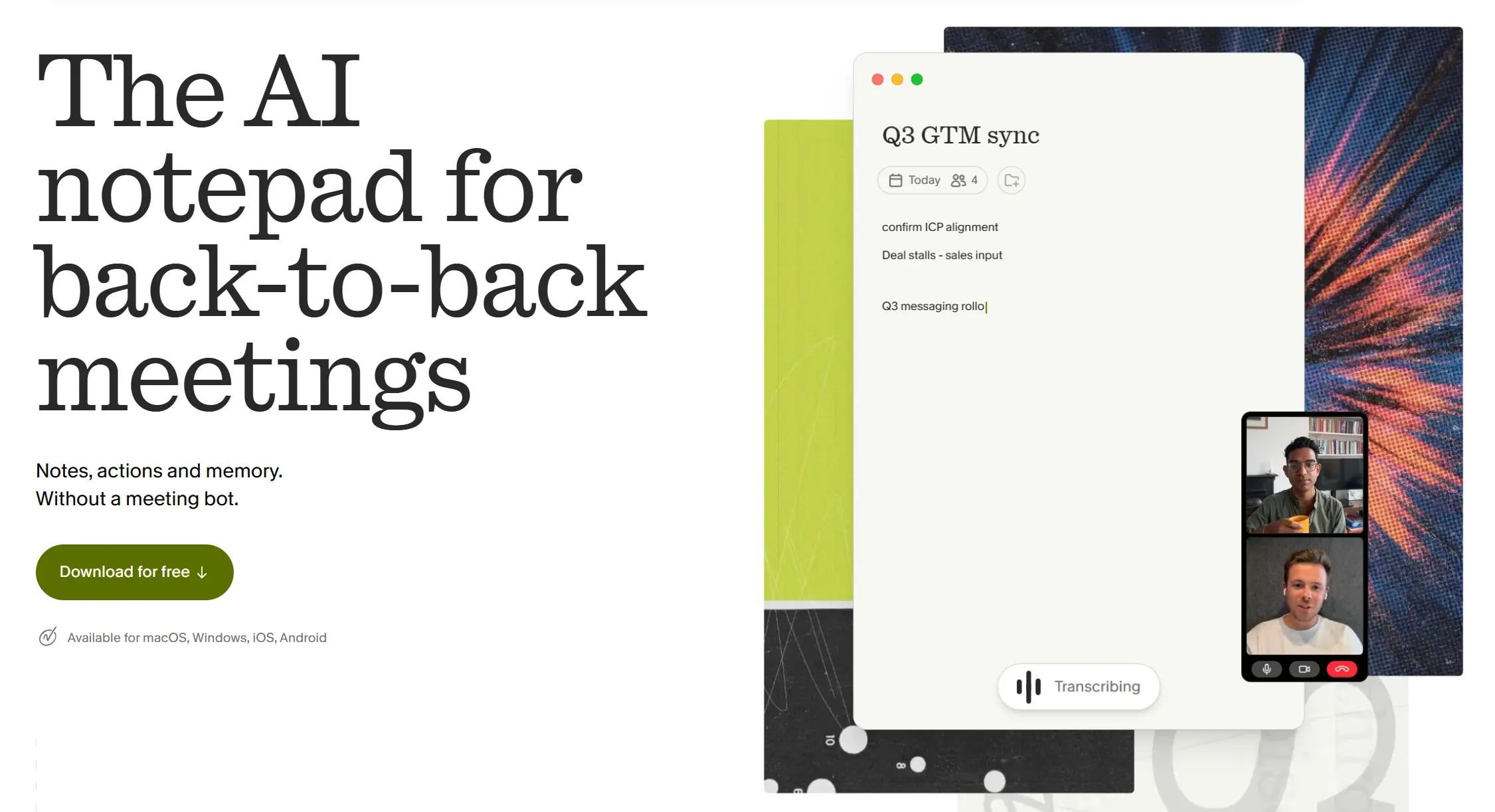 Granola AI meeting notepad app
Pricing: Free (25 meetings lifetime); Pro $14/user/month; Business/Enterprise $35/user/month
Granola is the only tool in this roundup that never announces itself. It captures audio locally from your Mac’s microphone, processes the transcript in the cloud after the call, and generates structured notes and action items — with no bot in the participant list and no notification that anyone is being recorded by an outside tool.
The workflow is hybrid: you can take your own notes during the meeting, and Granola’s AI uses the transcript to fill in the details and clean up what you missed. VCs, consultants, and professionals running sensitive client calls cite this as the primary reason they choose it over Otter or Fireflies.
The trade-offs: Granola requires Google Workspace, offers no live captions during the call, limits free meeting history to 14 days, and was Mac-only as of early 2026. It is also cloud-processed despite local capture, which means recordings leave your device for transcription.
Key specs:
-
No bot; local audio capture, cloud transcription
-
Human-in-the-loop note editing
-
Mac-only (as of early 2026)
-
Requires Google Workspace
-
No live captions during the call
7. tl;dv — Best for Clipping and Sharing Meeting Moments
Best for: Sales teams, customer researchers, and product managers who need to share specific moments from calls — not just summaries
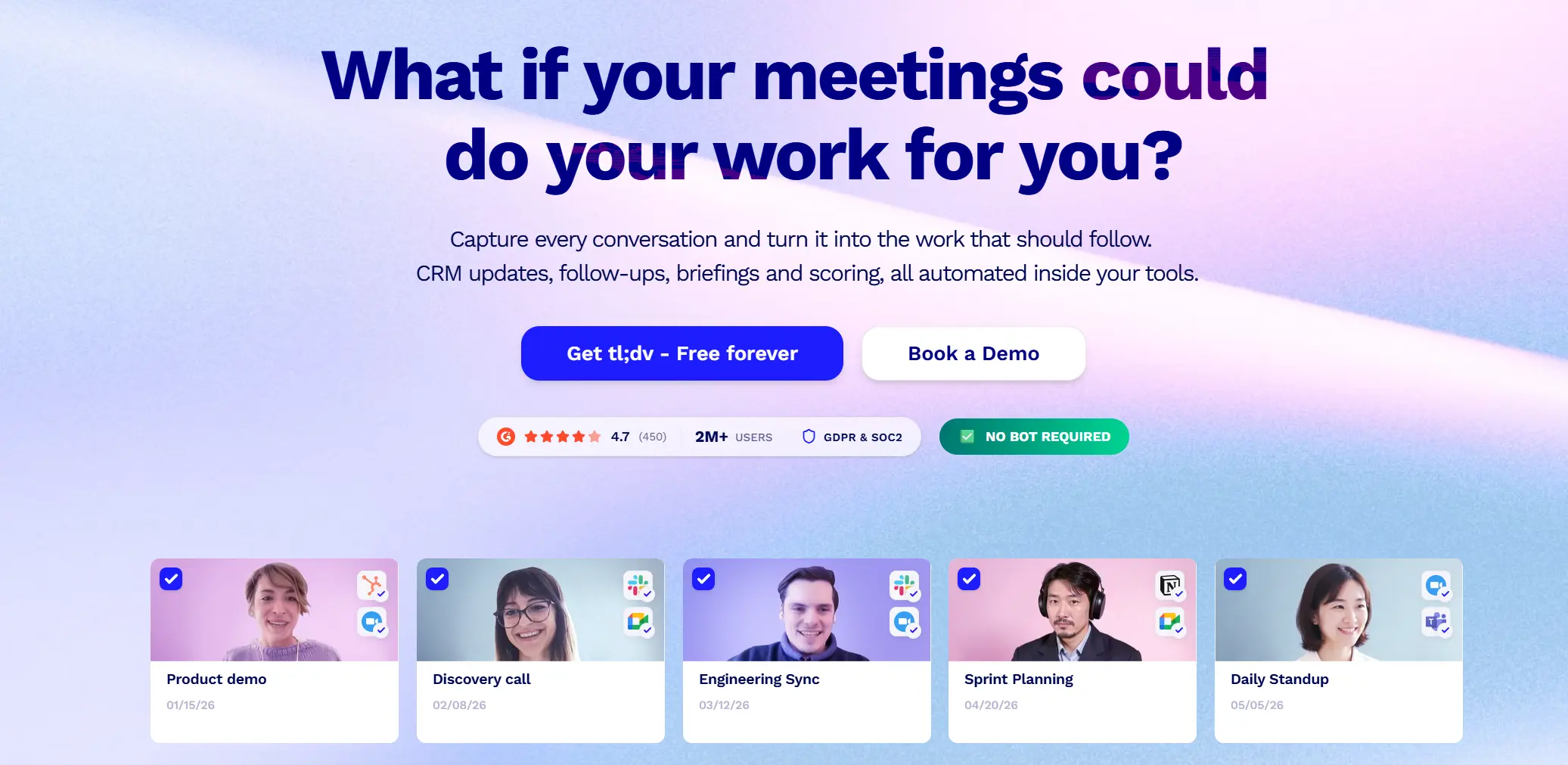 tl;dv homepage screenshot
Pricing: Free (unlimited recordings, limited AI credits); Pro $25/user/month
tl;dv is built around a specific use case: capturing what someone said and making it easy to share that exact moment with someone who wasn’t there. You can clip any timestamped segment from a transcript, create highlight reels, tag teammates, and push clips directly into Slack, Notion, HubSpot, or Asana. For sales coaching, customer interview synthesis, and voice-of-customer documentation, this clip-and-share workflow is meaningfully faster than sending a full recording link and asking someone to find the relevant section.
The free plan is generous for recording volume; the AI features (meeting notes, multi-meeting analysis) are where the credit caps apply. A bot-free desktop recorder option is also available alongside the standard bot.
Key specs:
-
Clip and share specific meeting moments with timestamps
-
Unlimited recordings on free plan
-
Ask tl;dv AI to query individual calls
-
Bot option + bot-free desktop recorder option
-
Zoom, Google Meet, Microsoft Teams
8. Krisp — Best for Noise Cancellation in Remote Settings
Best for: Remote workers whose audio environment is inconsistent — home offices, co-working spaces, travel — and who need clean input before any transcription tool gets to work
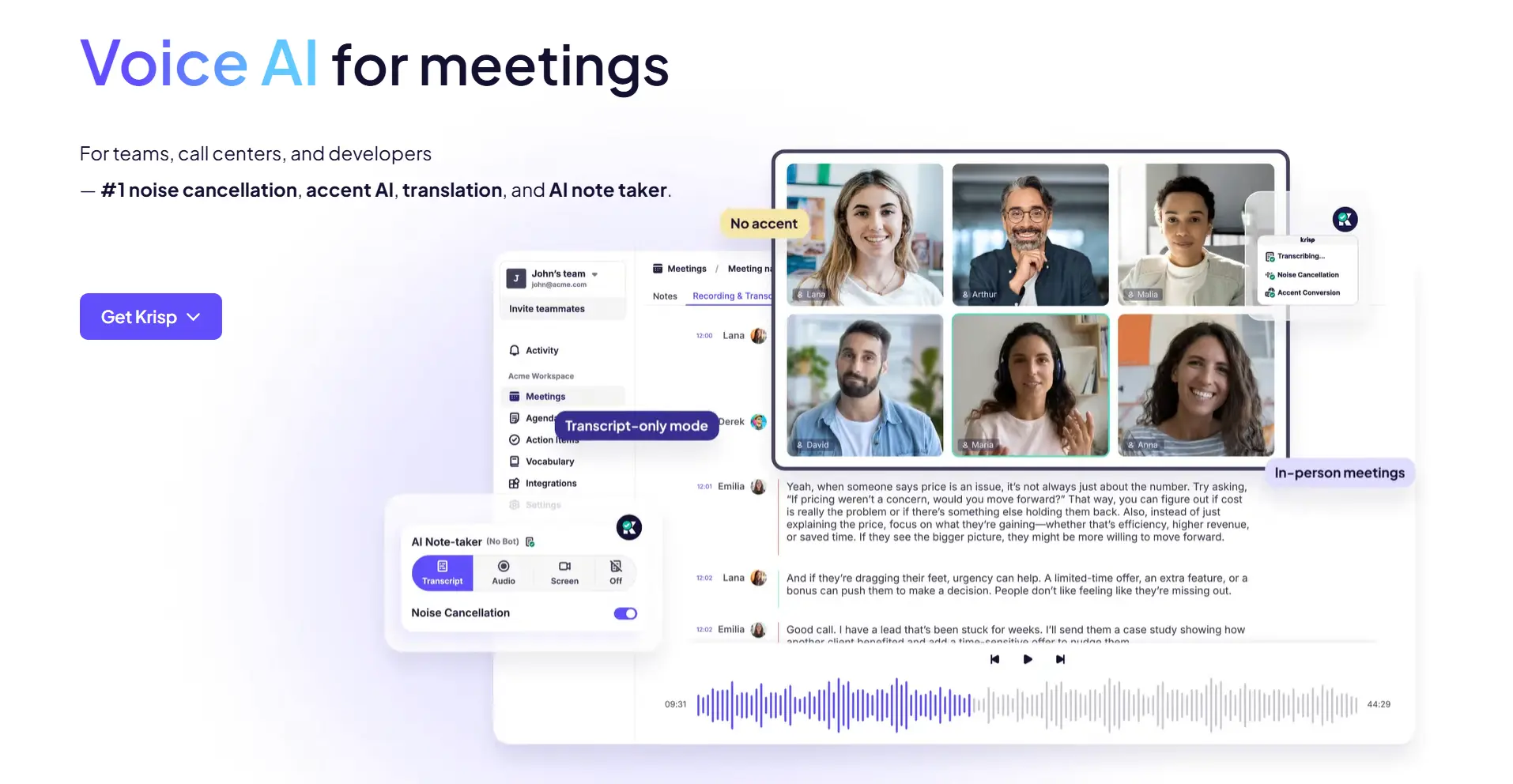 Krisp homepage screenshot
Pricing: Free (limited daily minutes); Pro $12/month
Krisp made its name as a noise cancellation tool, and it remains the best in that category. Its AI noise suppression works at the system level — processing audio before it reaches your conferencing app — using a neural network trained to distinguish speech from background noise (typing, dog barking, street sounds). The meeting recording and transcription features were added later and have improved, but if you’re evaluating dedicated recording tools, Krisp’s core value is fixing the input signal, not the AI output.
For professionals who take calls from consistently noisy environments and struggle with audio quality degrading transcription accuracy across every tool they try, Krisp solves the upstream problem that makes everything else work better.
Key specs:
-
System-level AI noise cancellation (works across all platforms)
-
Basic meeting transcription and note-taking
-
Desktop-only
-
Free tier available; Pro $12/month
9. Read.ai — Best for Meeting Engagement Analytics
Best for: Team leads and managers who want behavioral insights — talk time, engagement scores, participation patterns — alongside transcription
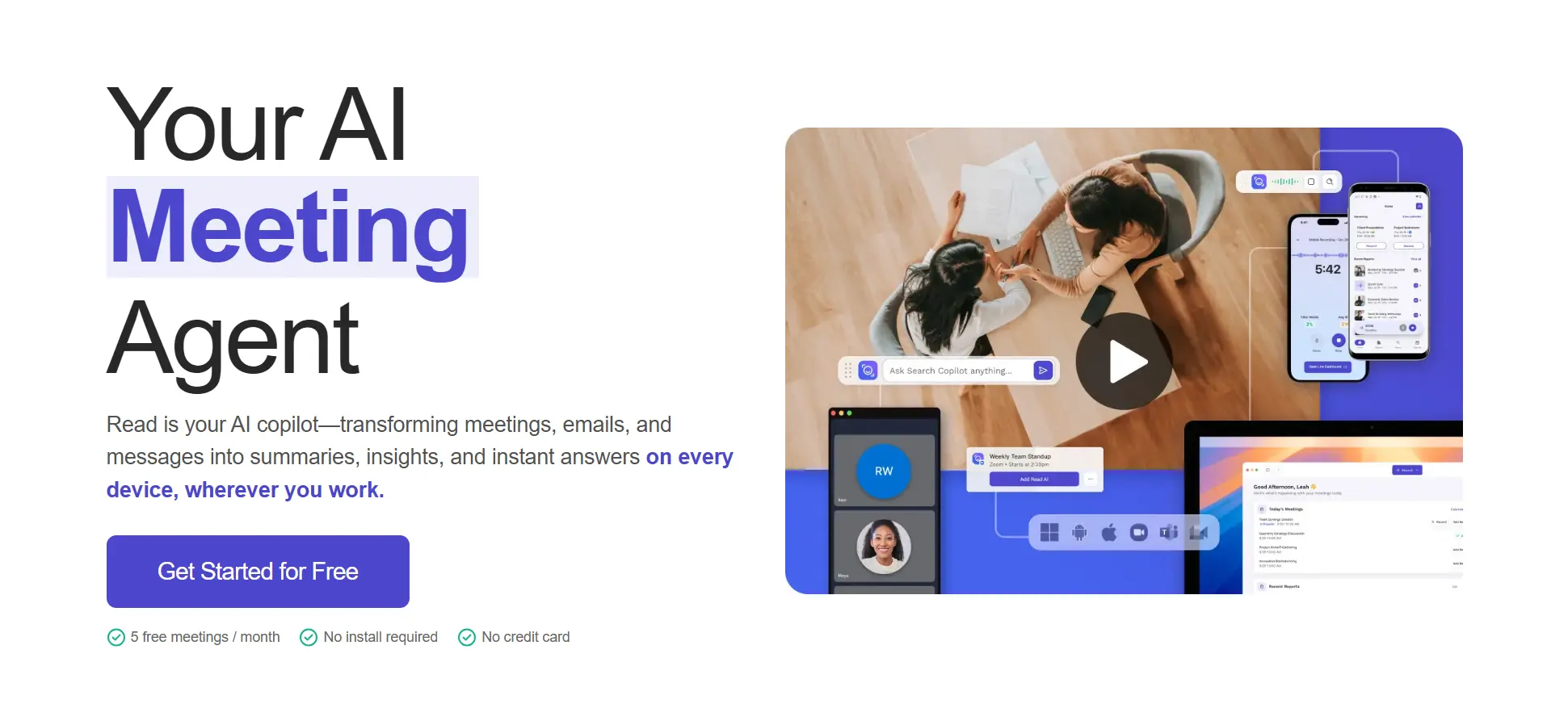 Read.ai homepage screenshot
Pricing: Free (5 meetings/month); Pro $15/user/month (annual); Enterprise $22.50/user/month (annual)
Read.ai goes beyond transcription to generate a real-time in-meeting dashboard showing engagement metrics: who’s talking, who’s silent, sentiment signals, and participation balance. After the call, it produces a meeting quality score alongside the standard transcript, summary, and action items. The meeting coach feature provides feedback on your performance as a facilitator — which meeting is overlong, who’s dominating, and where energy dropped.
For managers running regular team standups, performance reviews, or training sessions, these analytics add a layer that pure transcription tools don’t surface. For most individual contributors, the extra data is noise rather than signal.
Key specs:
-
Real-time engagement dashboard during calls
-
Meeting quality score and speaker analytics
-
AI meeting coach with facilitation feedback
-
Supports Zoom, Google Meet, Microsoft Teams
-
Cloud bot + email and Slack search integration
10. Jamie — Best for Privacy-First Teams Across Any Platform
Best for: European teams with strict GDPR requirements, or any team that needs bot-free transcription across in-person and virtual meetings in 70+ languages
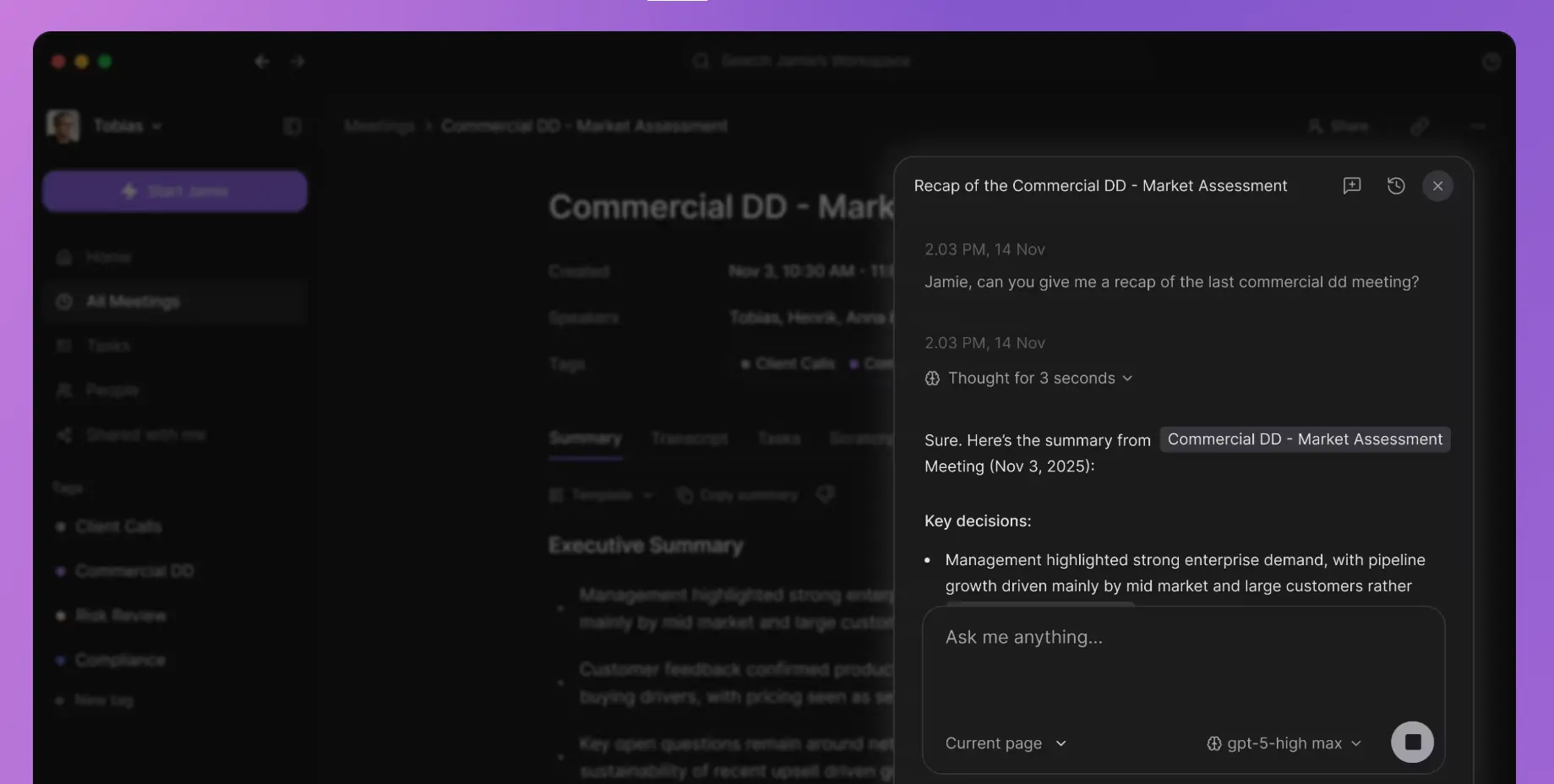 Jamie homepage screenshot
Pricing: Free (limited meetings); Pro plans start around $24/user/month; Business/Enterprise $35/user/month
Jamie records directly from your device — no bot joining, no cloud upload during the session — and supports 70+ languages with offline transcription capability. It works across any meeting platform and any in-person conversation, making it one of the more flexible bot-free options for teams operating in regulated environments or jurisdictions where all-party consent requirements make bot-based recording sensitive.
The GDPR-by-design architecture and EU hosting make Jamie a distinctive choice for European teams that can’t or won’t route meeting audio through US-based infrastructure.
Key specs:
-
Bot-free local recording, works on any platform
-
70+ languages with offline transcription
-
EU-hosted, GDPR by design
-
Works for in-person and virtual meetings
-
No live captions during calls
Hardware vs. Software: Which Type Do You Actually Need?
|
Wearable/Pocket Hardware (Vibe Dot, Plaud) |
Software Bot (Otter, Fireflies, Fathom) |
Bot-Free App (Granola, Jamie, Krisp) | |
|---|---|---|---|
|
In-person meetings |
✅ |
❌ |
⚠️ (laptop mic only) |
|
Virtual meetings |
✅ (via desk placement) |
✅ |
✅ |
|
Hybrid meetings |
✅ |
⚠️ Partial |
⚠️ Partial |
|
Works offline |
✅ |
❌ |
⚠️ (Jamie only) |
|
No bot visible in meeting |
✅ |
❌ |
✅ |
|
Cross-session AI memory |
✅ (Vibe Dot) |
❌ |
❌ |
|
Enterprise compliance certs |
✅ (Vibe Dot) |
⚠️ Varies |
⚠️ Varies |
|
Setup friction |
Low |
Very low |
Low |
The cleanest heuristic: if most of your meetings happen on video and you have no compliance requirements, start with a free software tool. If you regularly capture in-person sessions, field conversations, or sensitive calls where a visible bot changes the dynamic, hardware or a bot-free app is worth the investment.
Key Features to Look For
Audio quality and pickup range
For in-person meetings, multi-microphone arrays with active speaker separation outperform single-mic setups in conference room conditions. Look for devices that specify effective pickup range — not just "good audio." Vibe Dot’s 16-foot capture range is designed for a standard meeting table; software tools using your laptop’s built-in mic will struggle at any meaningful distance from the speaker.
Voice-activated capture
Manual record buttons introduce friction — and more importantly, they miss the conversation that happens before you remember to press them. Voice Activity Detection (VAD) automatically starts and stops recording when speech is detected within your set working hours, so you never have to think about it. This is a meaningful differentiator between purpose-built hardware like Vibe Dot and most pocket recorders or software bots, which require manual initiation.
Transcription accuracy and language support
Accuracy varies significantly by accent, speaker overlap, and domain-specific terminology. Most leading AI recorders achieve 90–95% accuracy in clean audio conditions, according to independent evaluations by NIST; accuracy drops materially in noisy environments. If your team operates in multiple languages, confirm supported language count — Plaud Note Pro supports 112 languages, Fireflies supports 100+, Jamie supports 70+.
Battery life and storage
For full-day use — especially across multiple back-to-back meetings — battery life matters. Vibe Dot runs 30+ hours per charge with 64GB local storage. Software tools have no hardware limitations but depend entirely on internet connectivity.
Privacy, compliance, and consent
In the U.S., federal law permits one-party consent recording, but at least 11 states require all-party consent. For healthcare, education, or government-adjacent contexts, certifications like HIPAA, FERPA, SOC 2, and NDAA compliance aren’t optional — they’re procurement requirements. Vibe Dot holds SOC 2, HIPAA, and NDAA certifications. Regardless of jurisdiction, disclosing that you’re recording at the start of any session is the safest and most professional default.
Hardware encryption vs. software-only security
There is a meaningful security difference between hardware encryption and software-only protection. A device with a dedicated TPM 2.0 chip — like Vibe Dot — ensures that even if the physical device is removed and plugged into another computer, the audio files cannot be read. Software-only encryption, by contrast, protects data in transit and at rest on the server, but leaves recordings vulnerable at the device level if the device is physically compromised. For industries handling sensitive conversations, this distinction matters.
AI output quality and workflow integration
Raw transcripts are only the beginning. The most valuable AI recorders generate structured outputs — summaries with clear decision logging, assigned action items, and searchable archives — and connect those outputs to the tools your team already uses. Evaluate the AI layer, not just the recording hardware.
Full Comparison at a Glance
|
Tool |
Hardware |
Free Plan |
Paid Starts At |
VAD Auto-Capture |
Security |
|---|---|---|---|---|---|
|
Vibe Dot |
$199 |
✅ Basic AI included |
$9/month |
✅ Voice-activated |
TPM 2.0 chip + SOC 2 + HIPAA + NDAA |
|
Plaud Note Pro |
$159 |
❌ |
~$8/month |
❌ Manual only |
No enterprise certs |
|
Otter.ai |
— |
✅ 300 min/month |
$16.99/user/month |
❌ |
SOC 2 |
|
Fathom |
— |
✅ Unlimited recordings |
$15/user/month |
❌ |
SOC 2 |
|
Fireflies.ai |
— |
✅ 800 min storage |
$10/user/month |
❌ |
SOC 2 + GDPR |
|
Granola |
— |
✅ 25 meetings (lifetime) |
$14/user/month |
❌ |
Local capture; cloud transcription |
|
tl;dv |
— |
✅ Unlimited recordings |
$25/user/month |
❌ |
SOC 2 |
|
Krisp |
— |
✅ Limited daily minutes |
$12/month |
❌ |
Local noise processing |
|
Read.ai |
— |
✅ 5 meetings/month |
$15/user/month |
❌ |
SOC 2 + GDPR |
|
Jamie |
— |
✅ Limited meetings |
~$24/user/month |
❌ |
EU-hosted + GDPR by design |
The Bottom Line
The best AI voice recorder for meetings in 2026 isn’t a single device — it’s the one that fits how your meetings actually happen.
If you’re an individual professional moving between in-person conversations, client calls, and desk-based meetings throughout the day, Vibe Dot is the most complete solution: voice-activated hardware capture, 30+ hours of battery, enterprise compliance certifications, and an AI memory layer that connects context across sessions rather than treating each recording as an isolated file.
If your meetings are almost entirely virtual and you’re starting without a hardware budget, Fathom gives you unlimited free recording with zero setup friction. For multilingual teams that need meeting outputs flowing into CRM tools, Fireflies.ai is the stronger long-term choice.
And if client candor is on the line — and a bot joining the call would kill the conversation before it starts — Granola or Jamie give you bot-free capture that stays invisible.
The shift happening in 2026 isn’t just better transcription. It’s the move from passive recording to active organizational memory — where every conversation becomes searchable, every decision becomes traceable, and every follow-up becomes automatic.
Frequently Asked Questions
What is the best AI voice recorder for meetings in 2026?
The best AI voice recorder for meetings depends on where your meetings happen. For in-person and hybrid meetings with enterprise compliance requirements, Vibe Dot leads on hardware specs, privacy certifications (SOC 2, HIPAA, NDAA), and cross-session AI memory via the Memory Graph. For back-to-back virtual meetings, Fathom’s unlimited free plan is the best starting point for individuals, while Fireflies.ai offers the strongest CRM integration and multilingual support for teams.
Can an AI voice recorder work without internet during a meeting?
Yes — hardware recorders like Vibe Dot store audio locally (64GB onboard) and only require a connection after the session for transcription and AI processing. Software bots require an active internet connection throughout the meeting. Jamie supports offline transcription in some configurations. For environments with unreliable connectivity, a hardware recorder with local storage is the more reliable choice.
Do I need to tell people they’re being recorded?
Yes, in most professional contexts you should disclose that you’re recording. In the U.S., 11 states require all-party consent for recorded conversations. In the EU, GDPR requires explicit disclosure. The safest and most professional approach is to inform participants at the start of every session. Physical devices like Vibe Dot include a visible LED indicator that signals when recording is active, which supports transparency in in-person settings.
What’s the difference between a wearable AI recorder and a software bot?
A wearable recorder like Vibe Dot follows an individual throughout their day — capturing in-person conversations, one-on-ones, and impromptu discussions that never make it onto a calendar. A software bot joins your video calls as a virtual participant and works only within scheduled digital meetings. The key practical difference: hardware works anywhere you are, including offline; software bots require an active meeting link and internet connection.
How accurate is AI transcription in real meeting conditions?
Leading AI recorders achieve 90–95% accuracy in clean audio conditions. Accuracy decreases with overlapping speakers, heavy accents, domain jargon, and background noise. Most platforms allow you to correct transcripts after the session. For the best accuracy in in-person meetings, a dedicated hardware device with a multi-microphone array — rather than a software tool using a laptop’s built-in mic — produces meaningfully cleaner audio for the AI to process.
What should I look for in an AI recorder for HIPAA-regulated environments?
Look for SOC 2 Type II certification, HIPAA compliance, and hardware-level encryption. Vibe Dot’s TPM 2.0 encryption chip ensures recordings are unreadable if the device is accessed without authorization — a meaningful distinction from software-only encryption. Confirm that the vendor signs a Business Associate Agreement (BAA), which Vibe supports for qualifying plans. Most software bots do not carry HIPAA certification.