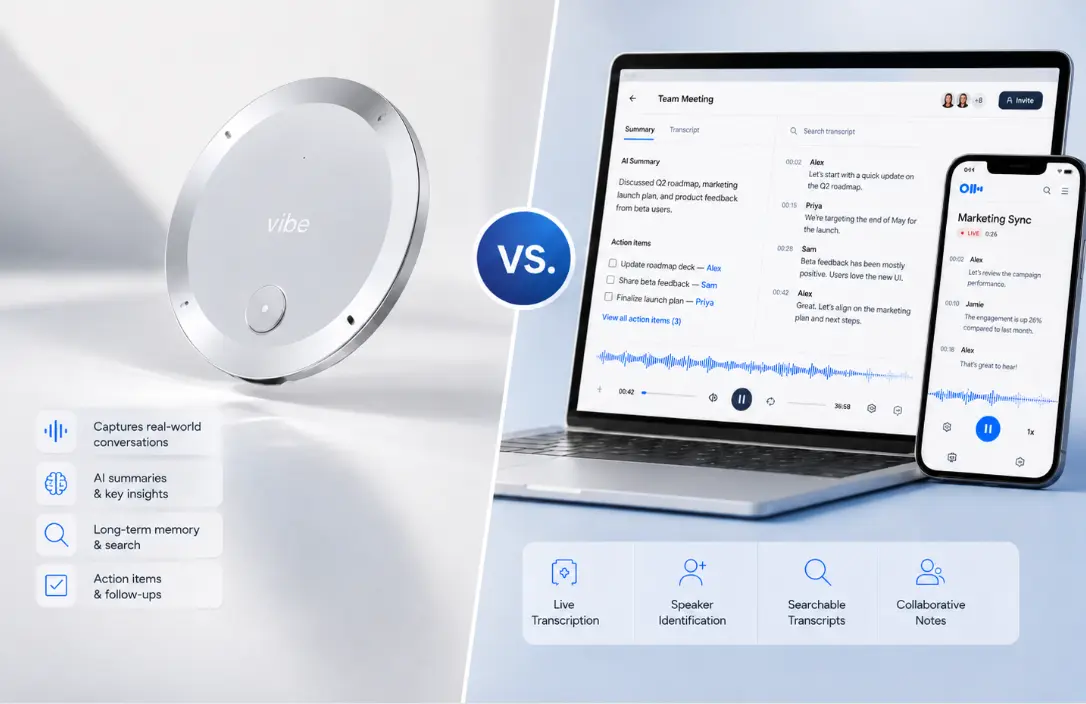
Otter.ai practically invented the AI meeting notes category. It’s crossed $100M in annual recurring revenue, processed over a billion meetings, and built a user base of 35 million people. By any market measure, it’s won.
So why are so many of those users actively looking for a way out?
In 2025 and 2026, the reasons have become hard to ignore: a federal class-action lawsuit alleging unauthorized recording of non-users, minute caps that cut transcription off mid-conversation, a bot notorious for auto-joining calls and emailing entire contact lists without permission, and a "shrinkflation" pattern where users get fewer minutes for the same price year over year.
If you’re one of the people shopping for an Otter.ai alternative, this guide is built for you. We’ve evaluated 8 tools across three categories—AI hardware recorders, bot-free software note takers, and bot-based meeting assistants—with enough detail to make a real decision, not just a list.
Why People are Switching Away from Otter.ai in 2026
Understanding what’s driving the exodus helps clarify what to look for in a replacement.
The federal class-action lawsuit. In August 2025, California resident Justin Brewer filed Brewer v. Otter.ai in the U.S. District Court for the Northern District of California. The complaint—consolidated in December 2025 with seven causes of action—alleges Otter secretly records conversations involving non-users without all-party consent, and uses that data to train its AI models. The lawsuit invokes the federal Electronic Communications Privacy Act (ECPA), the Computer Fraud and Abuse Act (CFAA), and California’s all-party-consent statute (CIPA). Otter is the only major AI notetaker currently facing a class action over its data practices. (Otter denies the allegations, and the case remains pending.)
Minute caps with no escape valve. Otter’s free plan allows 300 minutes per month with a hard 30-minute cap per conversation. The Pro plan allows 1,200 minutes per month. When you hit either limit, transcription stops entirely—no overage option, no rollover, no pay-as-you-go. For users with heavy meeting loads, this isn’t a minor inconvenience; it’s a hard workflow break.
The intrusive bot. Threads on r/sysadmin and r/projectmanagement describe Otter’s bot as spreading "like a virus"—auto-joining every calendar meeting and, in some configurations, emailing or inviting entire contact lists after a single user signs up. IT admins have flagged it as a security and governance issue in enterprise environments.
Speaker identification that doesn’t work well enough. Multi-speaker transcripts are a known weak point. Users consistently report spending significant post-meeting time manually re-tagging speakers and cleaning up attribution errors—defeating the time-saving purpose of the tool.
Language limitations. Otter supports only four languages: English, French, Spanish, and Japanese (added in 2025). For any team with international participants, that’s a hard ceiling.
With those pain points in mind, here’s what the alternatives look like.
How We Organized This Guide
The AI note-taking market has split into three meaningfully different categories:
-
AI hardware recorders — physical devices that capture audio in any environment, including in-person meetings that never appear on a calendar
-
Bot-free software note takers — apps that capture system audio from your device without sending a bot into your meeting
-
Bot-based meeting assistants — cloud bots that join your Zoom/Meet/Teams calls and generate transcripts and summaries
Each category solves a different problem. The right choice depends on where your important conversations actually happen.
Category 1: AI Hardware Recorders
Bot-based and bot-free software tools share one fundamental limitation: they only capture audio that runs through your computer during a virtual call. They can’t help you in a client office, a hospital room, a construction site, or a coffee shop where an important conversation happens without a calendar invite.
If any meaningful portion of your work involves in-person conversations, the tools in this category are the only ones that can help.
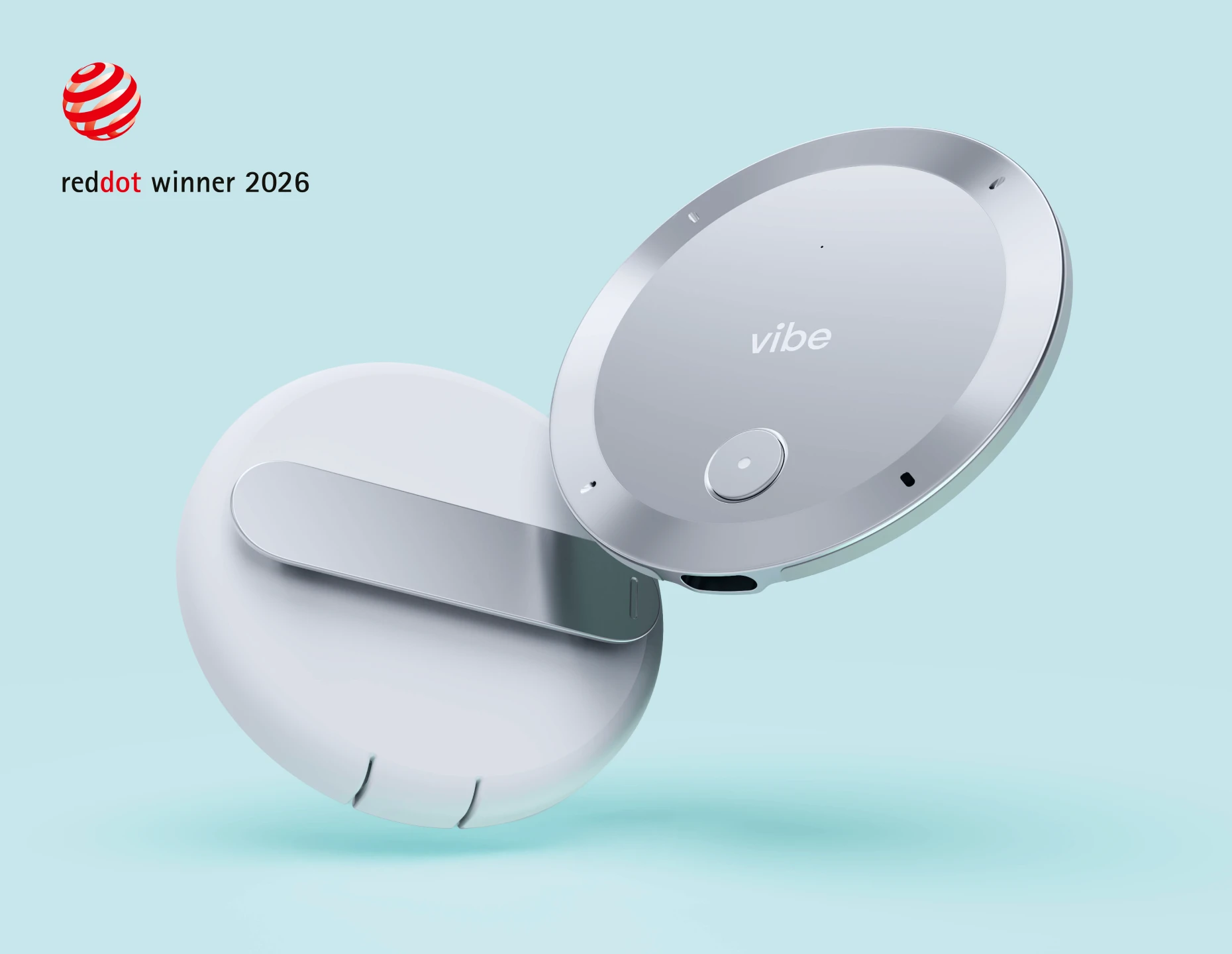
1. Vibe Dot — Best for In-Person Capture with Enterprise Security
Vibe Dot is an AI wearable recorder built by Vibe Inc., the company behind the Vibe Board S1 Pro interactive whiteboard and Vibe Bot, the AI conference room device. Vibe Dot extends the same AI infrastructure to conversations that happen anywhere—not just in conference rooms.
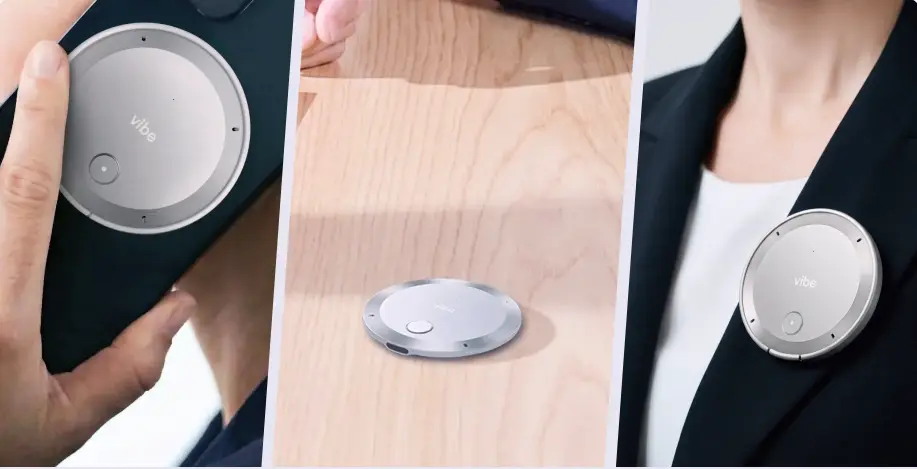 Vibe Dot AI recorder shown handheld, on desk, and worn as lapel pin
What it looks like and how it works
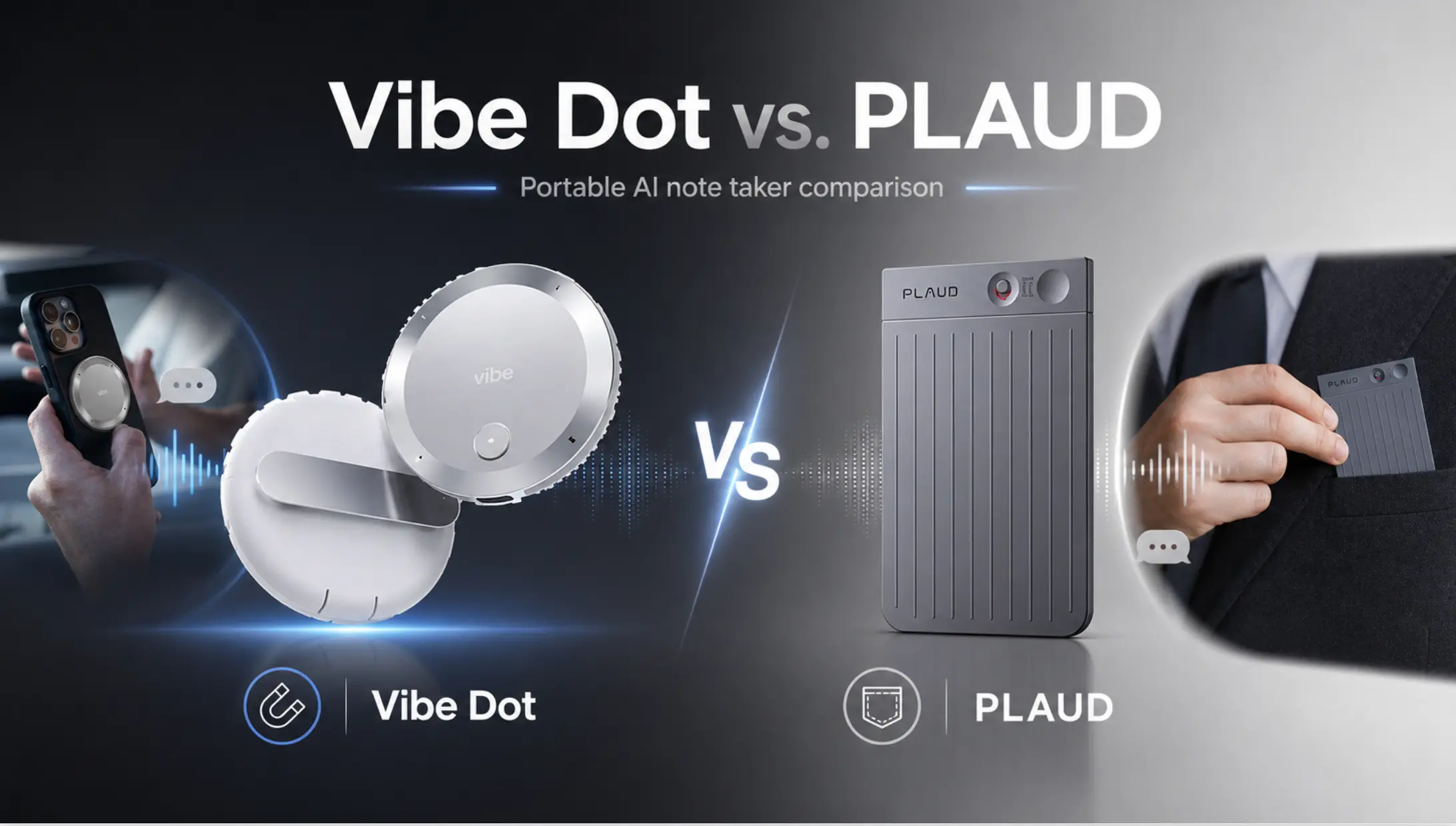
Vibe Dot is ultra-thin and palm-sized. It attaches magnetically via MagSafe to the back of an iPhone (a magnetic ring adapter ships in the box for Android users), clips onto clothing, or sits on a desk during a meeting. There’s no app running in the foreground, no virtual meeting to join, and no internet connection required during recording. A physical LED indicator shows when recording is active—a transparency feature that matters increasingly in an era of all-party consent laws.
The hardware spec: a 5-microphone array (4 air microphones + 1 bone-conduction mic) with a 16-foot capture range, 30+ hours of continuous recording on a single charge, and 64GB of onboard storage. Voice Activity Detection (VAD) can automatically start and stop recording when conversation is detected, reducing manual management during long or intermittent sessions.
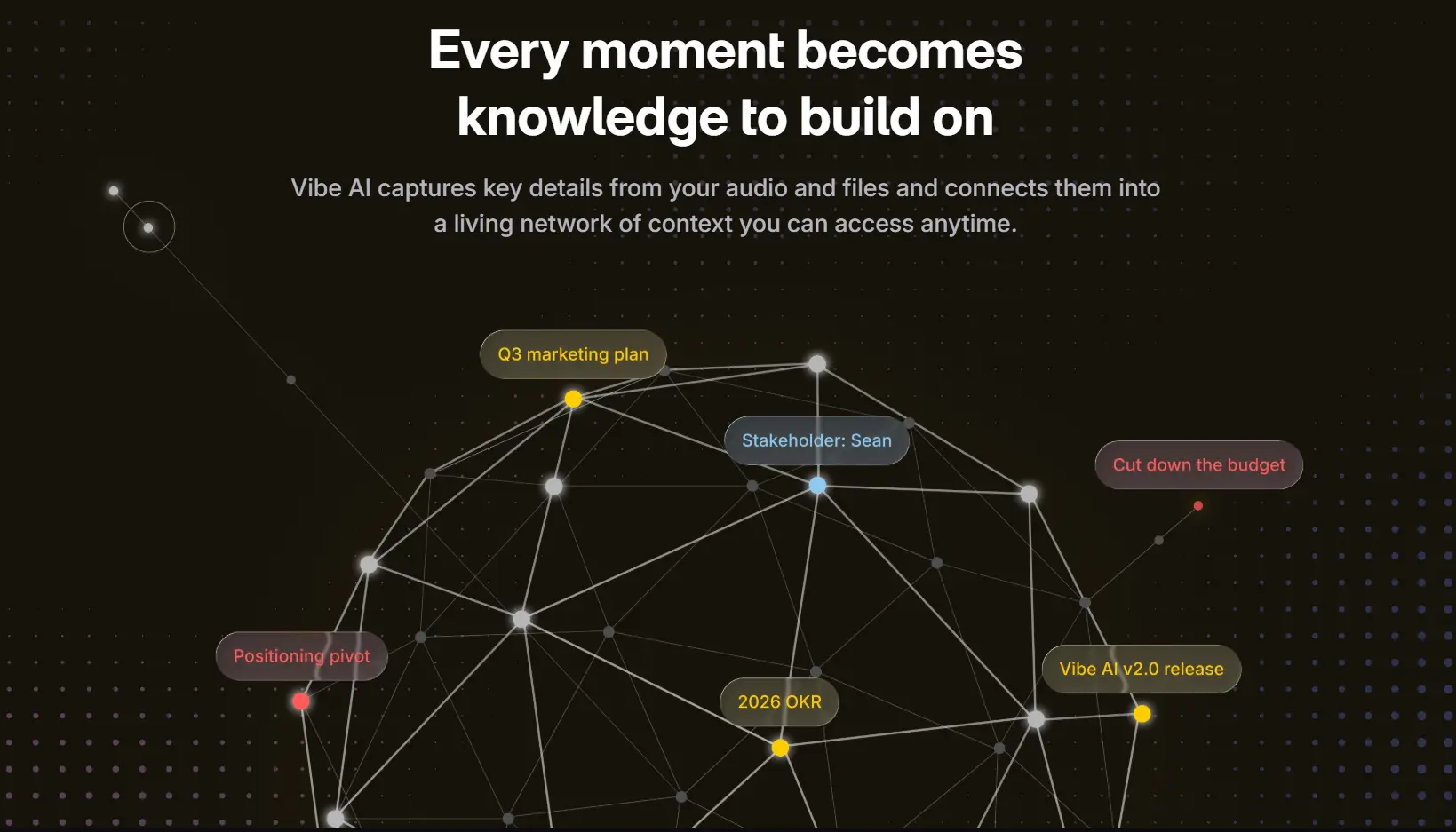
After a session, audio syncs to the Vibe AI platform over Bluetooth, where it’s transcribed, summarized, and made searchable through the Vibe AI memory engine.
The AI layer
Vibe AI uses a multi-model stack: Claude handles reasoning and summarization, Codex handles structured output, and Vibe’s proprietary "OpenClaw" agentic layer orchestrates between them. Because Vibe Dot supports Model Context Protocol (MCP), your transcripts can flow directly into external agents—Claude Code, Slack, Notion, CRM workflows—rather than living in a closed ecosystem. "Spark" voice commands let you trigger these agentic actions hands-free during or after recording. (Full Slack/Notion/CRM agentic actions are partially still rolling out.)
Security and compliance
This is where Vibe Dot meaningfully separates from the field. It carries SOC 2, HIPAA, NDAA, FERPA certifications, a FIPS 140-3-certified hardware encryption chip, and TPM 2.0 secure enclave. That combination—hardware-level encryption plus the full enterprise compliance stack—is designed for exactly the industries where in-person conversations carry the most legal and regulatory weight: healthcare, government, legal services, and education.
To understand the full compliance picture, Vibe publishes its security documentation publicly.
Pricing
The device is $199 (list price $249, currently at a 20% launch discount). Vibe AI subscription tiers:
|
Plan |
Price |
Transcription |
Memory |
|---|---|---|---|
|
Starter |
Free |
300 min/month |
7 days |
|
Pro |
$9/seat/month (annual) |
1,200 min/month |
12 months |
|
Max |
$29/seat/month (annual) |
Unlimited |
Permanent |
Who it’s actually for
Vibe Dot makes the most sense for professionals whose important conversations don’t all happen on Zoom. Think: a physician documenting patient interactions, a consultant running a client workshop, an attorney conducting a deposition or client intake, a field engineer doing site walkthroughs, or an executive having a series of candid 1:1s over the course of a day. For these users, every bot-based tool on this list misses the majority of their workday.
It also makes sense for anyone in a regulated industry who needs the compliance stack—HIPAA-eligible BAAs, FERPA coverage, NDAA compliance for government procurement—that most software tools either don’t offer or lock behind expensive enterprise tiers.
The honest tradeoffs
Vibe Dot is purpose-built for in-person capture, which means it’s not the right fit for every workflow. If all your meetings are scheduled virtual calls, a software-only tool will get the job done at a lower upfront cost. And like any hardware product, the full agentic feature set—deep Slack, Notion, and CRM automation—is still rolling out in stages.
Best for: Healthcare professionals, consultants, attorneys, field teams, government contractors, and enterprise teams in regulated industries who need in-person capture plus a serious compliance stack.
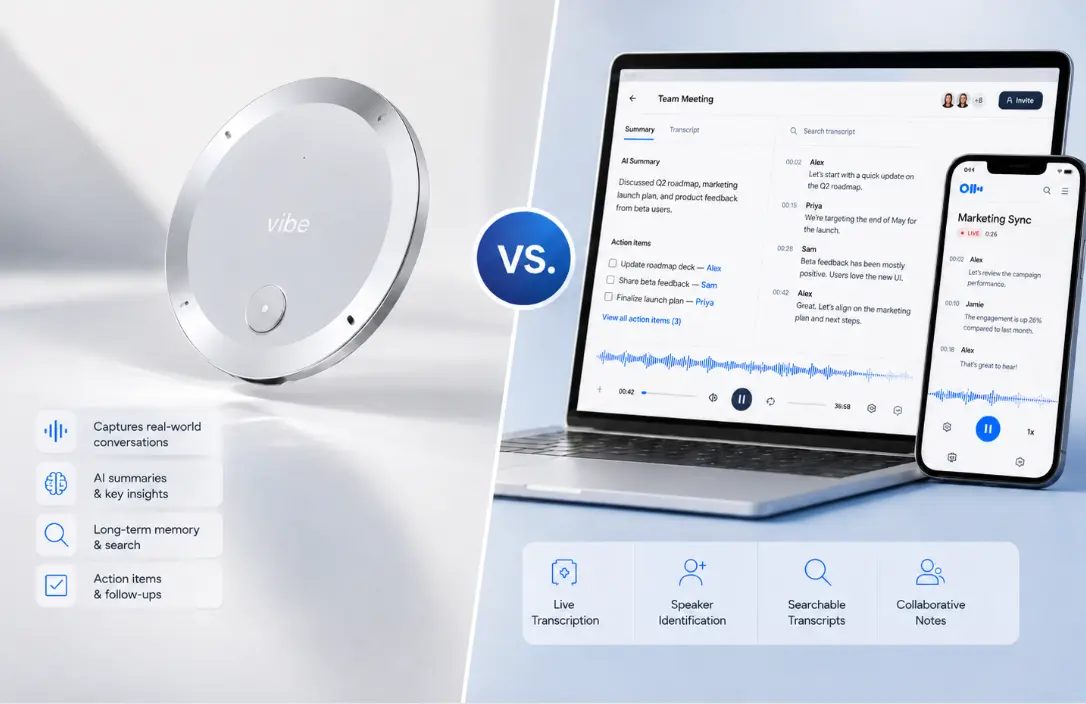
2. Plaud Note Pro — Best Established Hardware Recorder
Plaud Note Pro is Vibe Dot’s closest direct competitor and the most widely deployed dedicated AI recorder on the market, with over 2 million users across 170+ countries. It has been shipping since October 2025, giving it a real-world track record that Vibe Dot is still building.
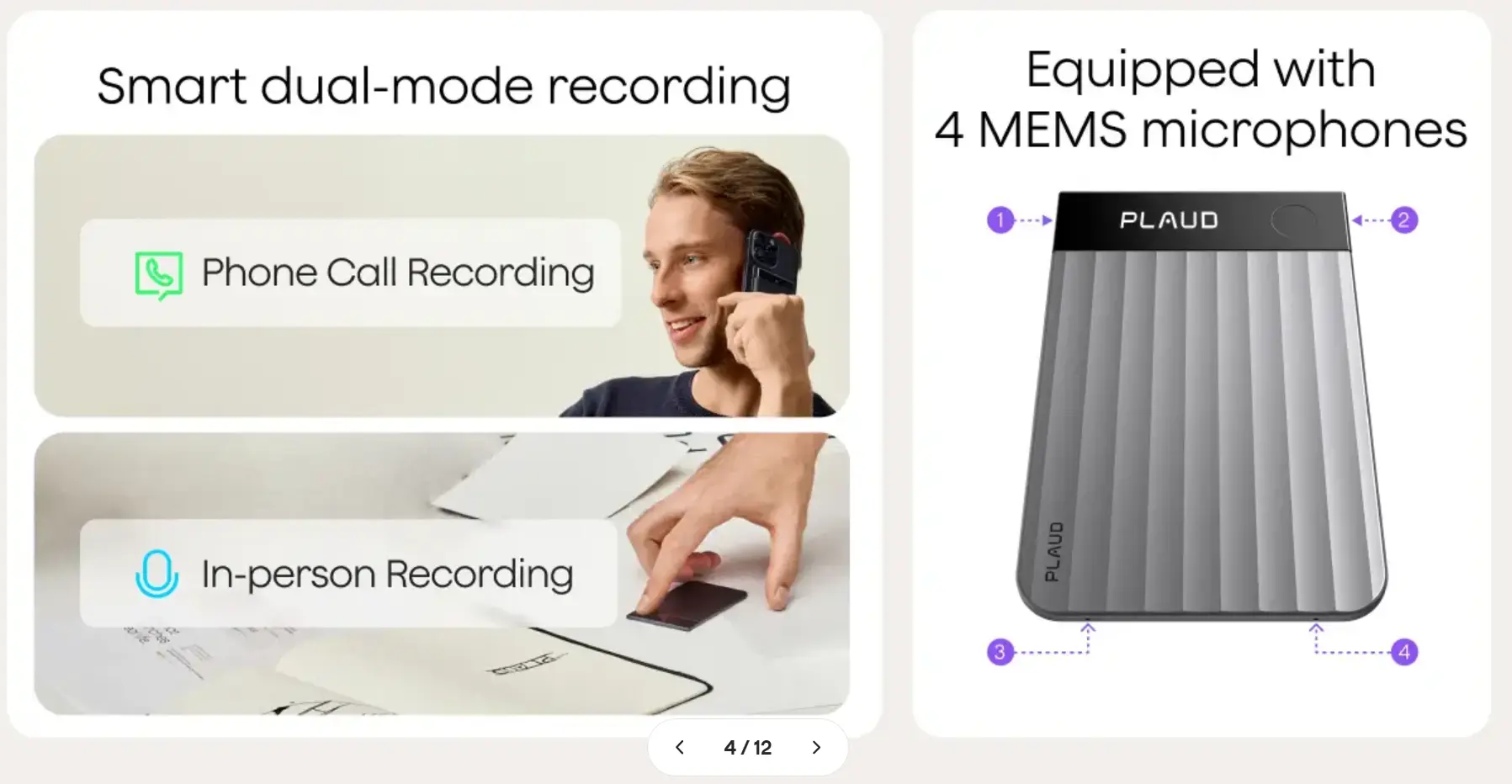 Plaud for dual-mode recording
Hardware design
Plaud Note Pro is credit-card-thin (0.12 inches, 1.06 oz)—thin enough to sit in a wallet pocket. It attaches magnetically to the back of a smartphone or can be placed on a table. Its InstantView AMOLED display shows recording status, time elapsed, and storage remaining at a glance. The 4 MEMS + 1 VPU microphone array covers a 16.4-foot range, and the battery supports up to 30 hours of recording or 50 hours in Endurance mode (reduced processing), with a 60-day standby.
The AI layer
Plaud supports 112 languages—one of the broadest in the category. Its AI processing runs on top models including GPT-4o, Claude Sonnet, and Gemini, and produces multi-dimensional summaries (action items, key decisions, speaker roles). "Ask Plaud" lets you query across your recording history. It also supports multimodal input: you can attach photos or handwritten notes to a recording for context.
Security and compliance
Plaud carries ISO 27001, ISO 27701, GDPR, SOC 2, HIPAA, and EN 18031 compliance. Recordings are not used to train AI models.
Pricing
The device is $179 (some listings at ~$199). Subscription:
|
Plan |
Price |
Transcription |
|---|---|---|
|
Starter |
Free |
300 min/month |
|
Pro |
$8.33/month ($99.99/year) |
1,200 min/month |
|
Unlimited |
$239.99/year |
Unlimited |
Where it falls short
Plaud picks up background noise more than Vibe Dot’s bone-conduction mic configuration does, and transcription accuracy drops noticeably beyond about 10 feet. Processing requires the phone app (there’s no web-only workflow), and the subscription cost for heavy use (unlimited plan) is higher annually than Vibe Dot’s Max tier.
Best for: Journalists, consultants, and clinicians who want a proven, well-reviewed device with broad language support and don’t need the FIPS 140-3 hardware encryption or NDAA compliance that Vibe Dot provides.
Category 2: Bot-Free Software Note Takers
The tools in this section capture audio from your computer’s system output—what you’re hearing through your speakers or headphones—without placing a visible bot in the meeting. From other participants’ perspective, it looks like a normal call. That has both privacy and practical advantages: no consent pop-up appears, no "Otter Bot is recording this meeting" notification fires, and no one feels surveilled.
The tradeoff: these tools only work for virtual calls where audio runs through your device.
3. Granola — Best Bot-Free Note Taker for Privacy
Granola has become the default tool for a notable slice of the VC and startup world—and the reason is its philosophy, not its feature count. It captures system audio locally, generates notes, and then discards the audio file. Nothing gets uploaded to a server for storage. There’s no third-party AI training on your data. The only trace of your conversation that leaves your device is the processed text.
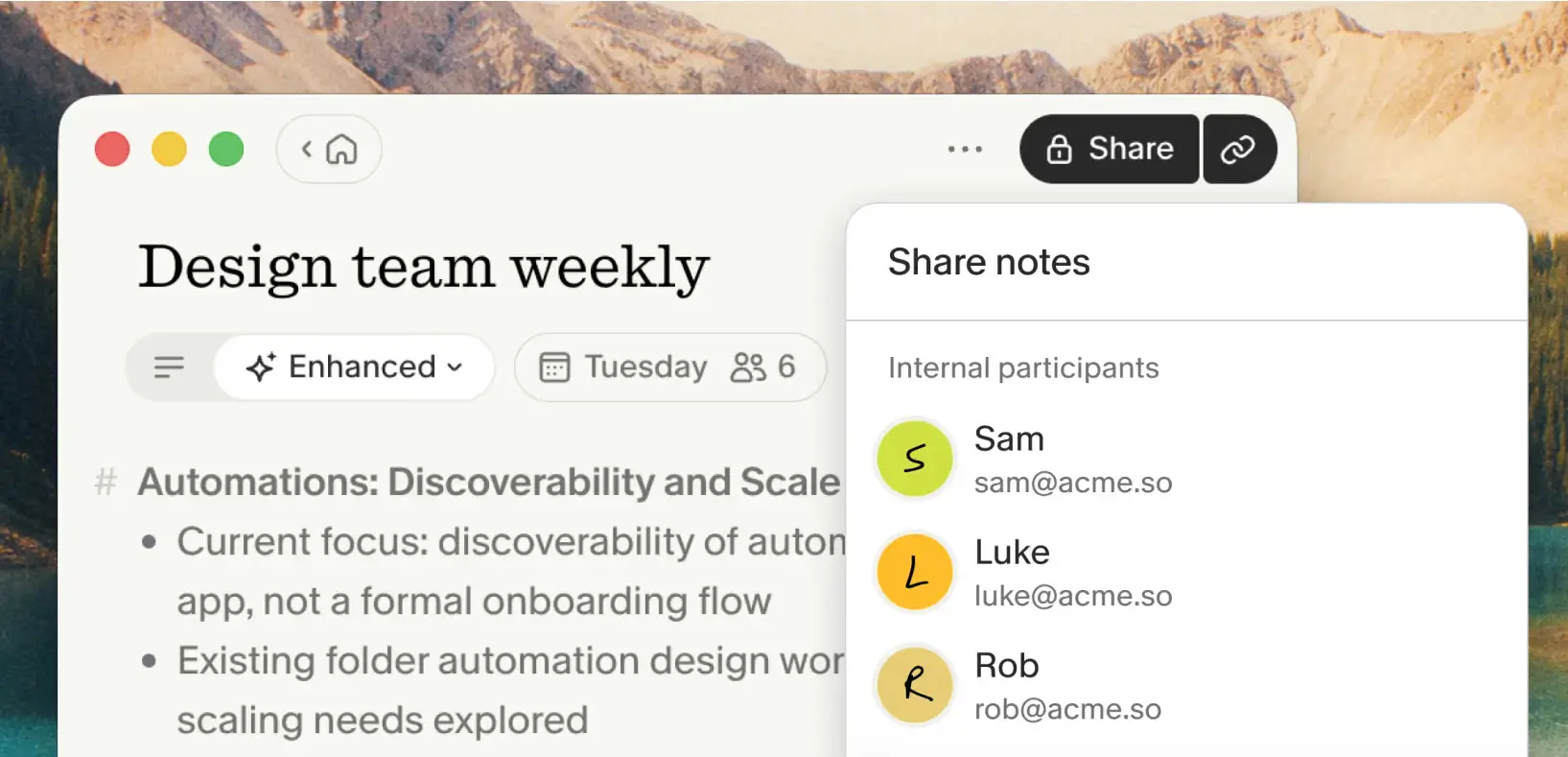 Granola – screenshot
How it works
Granola’s workflow is deliberately hybrid. During a meeting, you jot rough notes the way you normally would—a few words, a key phrase, something you don’t want to forget. After the call ends, Granola takes your notes plus its local transcript and produces a polished, structured document: summary, decisions, action items, key quotes. The combination of your real-time cues and the AI’s full transcript typically produces better output than either would alone. In testing, note quality runs around 90–92% accuracy.
The AI layer offers "Recipes"—29 built-in saved prompt templates for different meeting types (sales call, 1:1 review, board meeting, investor update). "Granola Chat" lets you ask questions across your full meeting history, and on paid plans you can choose between GPT-4o, Claude, and Gemini as your underlying model.
Funding and momentum
Granola’s growth has been exceptional: the company raised a $43M Series B in May 2025, then a $125M Series C in March 2026 at approximately a $1.5 billion valuation—a sixfold jump driven by 250% quarterly revenue growth. Index Ventures led the round, with participation from Kleiner Perkins. The tool is reportedly in use at Vercel, Brex, Ramp, and across much of the VC community.
Where it struggles
Speaker attribution degrades in group calls with more than two or three participants—Granola works best in 1:1s and small calls. Language support is limited to around 10 languages. There’s no HIPAA certification today, no audio or video playback (the audio is discarded), and no native CRM integration. If you need speaker-labeled transcripts for a 12-person all-hands or a compliance BAA for healthcare, look elsewhere.
Pricing
|
Plan |
Price |
What you get |
|---|---|---|
|
Free |
$0 |
AI-enhanced notes, limited history (~25 meetings) |
|
Business |
$14/user/month |
Unlimited history, Spaces, MCP, integrations |
|
Enterprise |
$35/user/month |
SSO (50+ users), org-wide training opt-out |
Best for: Consultants, VCs, executives, and anyone who values discretion, clean note quality, and a privacy-first architecture over deep integrations or multilingual support.
4. Krisp — Best for Noisy Environments
Krisp started as a noise cancellation product in 2017 and has since added meeting notes on top of that foundation. That origin story is the reason to choose it: if background noise—open offices, coffee shops, home environments with ambient sound—is actively degrading your meeting experience, Krisp addresses the root problem that every other tool on this list ignores.
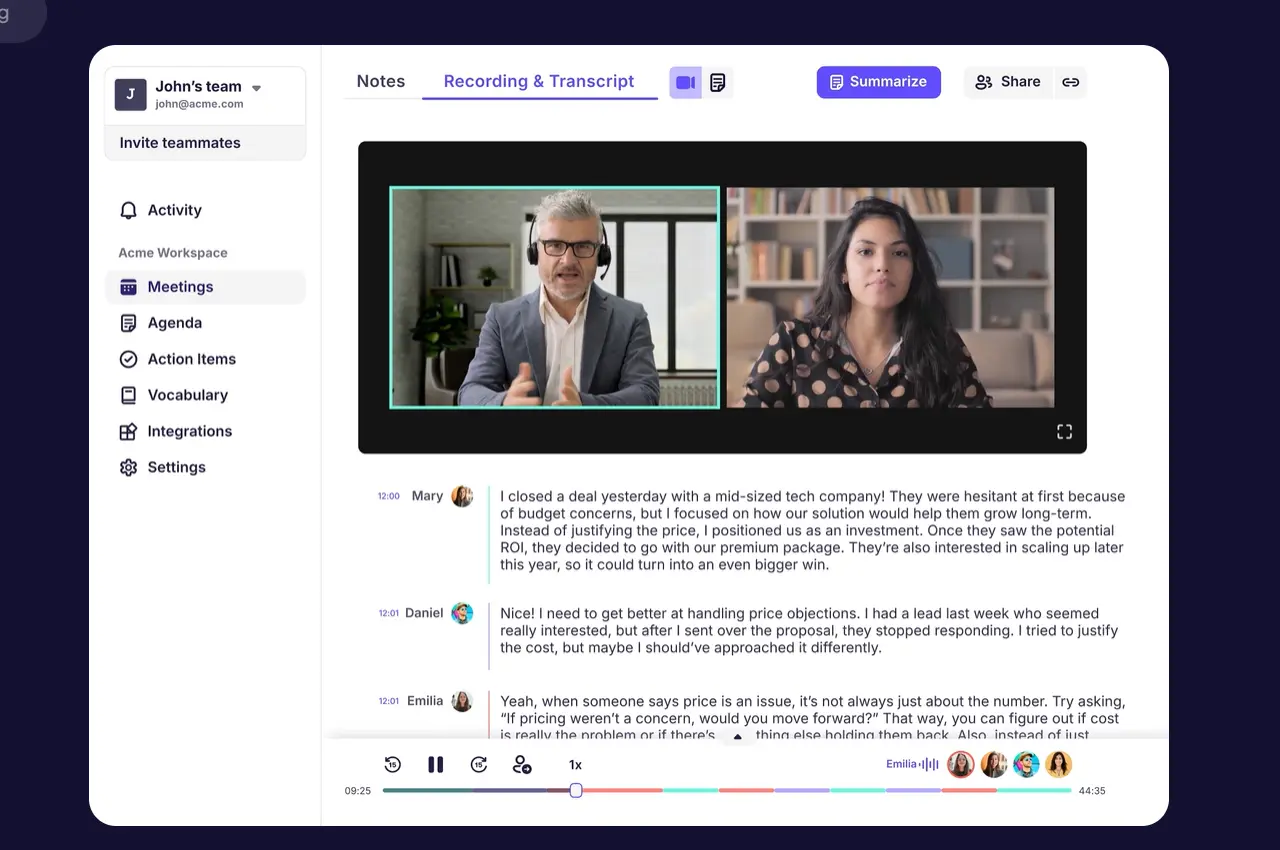 Krisp, suitable for noisy environments
The noise cancellation
Krisp’s bidirectional noise cancellation operates at the system audio level, filtering both your microphone output (what others hear from you) and your speaker input (what you hear from others), reducing background noise by up to 40 dB. It works with any calling application—Zoom, Teams, Meet, FaceTime, phone calls via headphones—without requiring any integration or bot. It’s local, on-device processing, which means audio never leaves your machine for noise filtering purposes.
The company processes over 1 billion voice minutes per month across its user base, which has given its noise models an unusually large training dataset.
Meeting notes
Krisp’s notes layer captures system audio without a bot and generates transcripts, summaries, and action items. On-device English transcription is available even without an internet connection; 15 additional languages are available via server processing. The Pro plan adds unlimited AI notes, team dashboards, and the full Krisp integration set. HIPAA and SOC 2 are included on Pro—not locked behind an enterprise tier.
Where it falls short
Krisp’s notes and analytics are shallower than dedicated meeting assistants like Fireflies. There are fewer integration options, and the team dashboard features aren’t as developed as purpose-built tools. If audio quality isn’t your primary pain point, you’re paying for a feature (noise cancellation) you may not need.
Pricing
|
Plan |
Price |
Key limits |
|---|---|---|
|
Free |
$0 |
60 min/day noise cancellation, 2 AI notes/day, English transcription only |
|
Pro |
$8/month (annual) |
Unlimited noise cancellation, unlimited AI notes, HIPAA |
|
Business |
$15/month |
Adds CRM integrations, SSO, team management |
Best for: Remote workers in consistently noisy environments, call center teams, and multi-app users who want noise cancellation and basic notes in a single tool with no bot.
5. Notion AI Meeting Notes — Best if You Already Pay for Notion
Notion added AI Meeting Notes to its Business and Enterprise plans in 2025. If your team already lives in Notion, this is the path of least resistance: there’s nothing new to install, no new login to manage, and every meeting note automatically becomes a searchable Notion page within your existing workspace.
How it works
Notion captures system audio locally—no bot, no visible participant—and generates a native Notion page containing a transcript, structured summary, and extracted action items. The Notion Agent (on Business plan) can assign action items with owners and due dates. Meeting notes are searchable across your entire Notion workspace alongside your other documents, databases, and wikis. One-click consent messages can be sent to participants before recording starts.
The real limitations
Notion AI Meeting Notes is not a standalone meeting assistant—it’s a feature of a workspace tool, and that shapes what it can and can’t do. Speaker identification in group calls is weak and inconsistent. There’s no calendar auto-join or automatic meeting detection. There’s no native CRM sync (you’d need Zapier or a manual workflow). HIPAA compliance is Enterprise-only. And it only supports 16 languages.
If you need reliable speaker attribution across large-group calls, or if any of your meeting workflow depends on CRM integration, Notion AI Meeting Notes is not a complete solution.
Pricing
AI Meeting Notes is included in Notion Business ($20/user/month annual, $24/user/month monthly). It’s not available on Free or Plus plans.
Best for: Teams already on Notion Business who want lightweight, integrated meeting notes and don’t need speaker ID, CRM sync, or standalone meeting assistant features.
Category 3: Bot-Based Meeting Assistants
Bot-based tools are the most feature-rich category and the most direct replacements for Otter.ai’s core use case: capturing scheduled virtual meetings on Zoom, Google Meet, or Microsoft Teams. A cloud bot joins the meeting as a participant, records audio (and sometimes video), and generates transcripts, summaries, action items, and integrations with your downstream tools.
This approach offers the deepest feature sets and the most integration options. The tradeoffs: other participants can see the bot, there are consent implications, and none of these tools can capture in-person conversations.
6. Fathom — Best Free Option
Fathom’s free tier is the most genuinely useful no-cost starting point in the category. Unlike most "free plans" that expire in a week or are capped at a handful of meetings, Fathom offers truly unlimited recording, transcription, and AI summaries on its free tier—no credit card required.
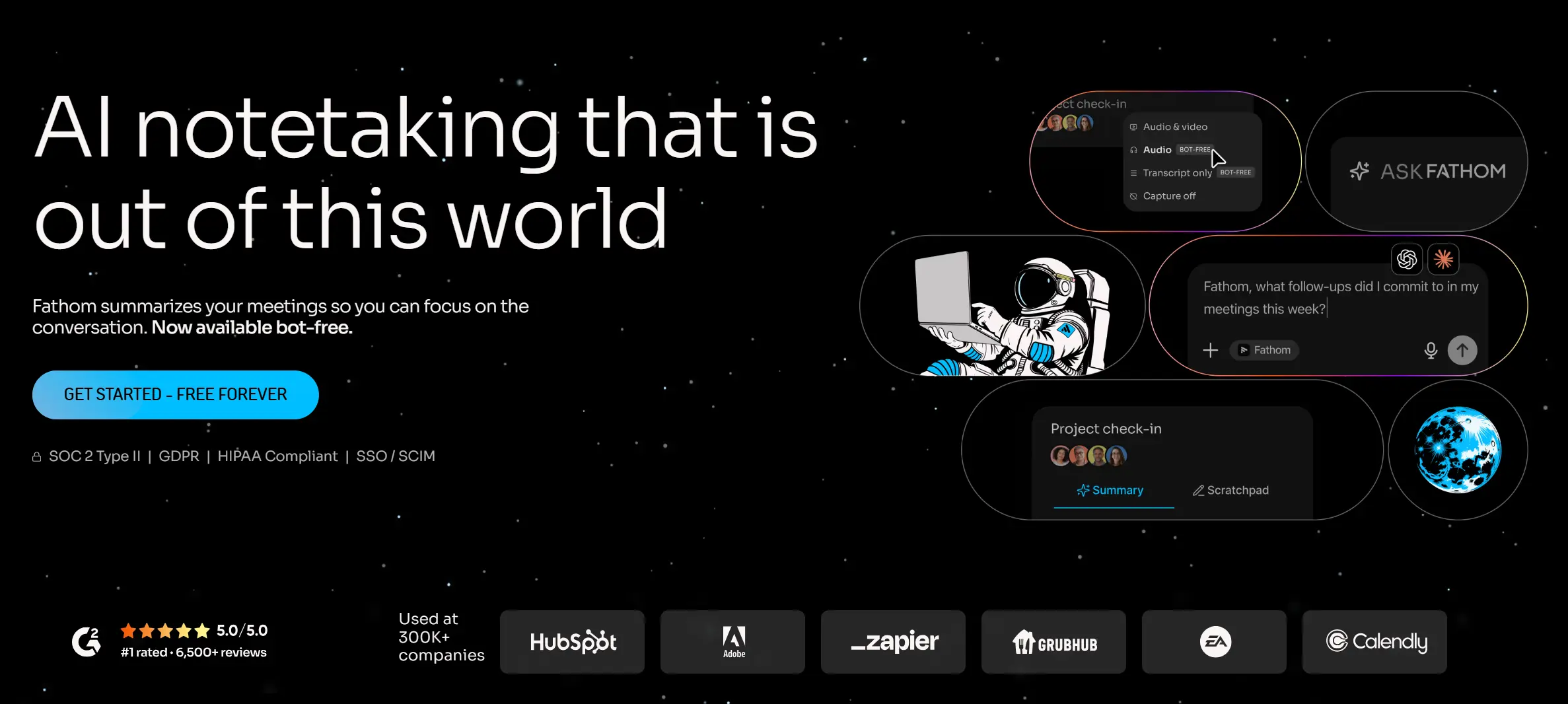 Fathom – free AI note taker
Feature depth
Fathom’s bot joins Zoom, Google Meet, and Microsoft Teams. AI summaries are typically generated in under 30 seconds after a meeting ends. "Ask Fathom" lets you query individual meeting transcripts for specific information. The tool has native HubSpot and Salesforce sync, and Zapier is free on all plans (a meaningful differentiator since Fireflies and others charge for Zapier access). It’s currently HubSpot’s most-installed meeting notetaker app, with over 20,000 installs.
For compliance, Fathom holds SOC 2 Type II, HIPAA, and HITRUST certifications—a stronger compliance stack than many tools that charge significantly more.
Where the free tier actually stops
The main limit on the free plan is AI features: approximately 5 AI summary or Ask Fathom calls per month. For occasional use that’s fine; for a heavy meeting load it runs out quickly. There’s also no mobile recording app (mobile access is view-only via the browser), and CRM team sync is capped at 3 users per domain on the free plan.
Fathom is bot-only—there’s no stealth recording or system audio option—and it has no support for in-person meeting capture.
Pricing
|
Plan |
Price |
Key features |
|---|---|---|
|
Free |
$0 |
Unlimited recording/transcription/summaries, ~5 AI calls/month |
|
Premium |
~$16/user/month (annual) |
Unlimited AI, more integrations |
|
Team / Team Pro |
~$15–25/user/month |
Shared workspace, team analytics |
Best for: Individuals and small teams who want a polished, compliance-ready virtual meeting recorder without paying for it. Ideal as an immediate Otter.ai replacement while you evaluate paid options.
7. Fireflies.ai — Best for Sales and CRM Teams
Fireflies is the category leader for teams that need deep CRM integration and conversation analytics across a high volume of sales or customer calls. It supports 100+ languages, connects to more external tools than any comparable product, and offers genuinely useful conversation intelligence on its Business plan.
 Fireflies, suitable for teams that need deep CRM integration
What makes Fireflies different from the others
Most AI notetakers produce a transcript and a summary. Fireflies goes further on Business: talk-time ratios, sentiment tracking, filler word analysis, monologue detection, and trend reports across hundreds of calls over time. "AskFred" lets you chat with your entire meeting history—not just individual calls—using Perplexity-powered web search even on the free tier. This cross-meeting intelligence is what justifies the price premium for sales managers and revenue teams.
The CRM ecosystem is the widest in the category: deep native integrations with Salesforce, HubSpot, Pipedrive, Zoho, and others. Call data, action items, and meeting summaries can be automatically written back to CRM records without manual entry.
The AI credits system—read this carefully
Fireflies uses a credit system for AI features (AskFred, Soundbites, AI Skills) that is separate from transcription. Pro accounts get roughly 20 AI credits per month, Business gets ~30, and additional credits cost approximately $0.10 each. For light users this is irrelevant. For teams with a high volume of AI queries—sales reps using AskFred after every call, for example—the credits can run out mid-month, producing unexpected overage costs well above the sticker price. Understand your usage pattern before committing.
Security and HIPAA
HIPAA compliance and Private Storage are Enterprise-only on Fireflies. If you’re in healthcare or another regulated field, the Business plan at $19/user/month does not include a BAA. SOC 2 Type II, GDPR, and ISO 27001 are available on lower tiers.
Pricing
|
Plan |
Price |
Transcription |
AI features |
|---|---|---|---|
|
Free |
$0 |
~400–800 min storage |
Limited credits |
|
Pro |
$10/user/month (annual) |
Unlimited |
~20 credits/month |
|
Business |
$19/user/month (annual) |
Unlimited |
~30 credits/month + conversation intelligence |
|
Enterprise |
$39/user/month (annual) |
Unlimited |
Custom + HIPAA + Private Storage |
Best for: Sales teams, customer success, and recruiting teams who need deep CRM integration, conversation analytics, and multi-language support. Less suited to teams with sensitive in-person conversations or strict HIPAA requirements below the Enterprise tier.
8. Vibe Bot — Best for Conference Rooms and Hybrid Teams
If your team runs meetings from a dedicated conference room, a software-based note taker is working against you from the start. It relies on whoever’s laptop happens to be open, picks up room audio inconsistently, and still shows up in the meeting as a bot participant. Vibe Bot solves the problem at the room level instead.
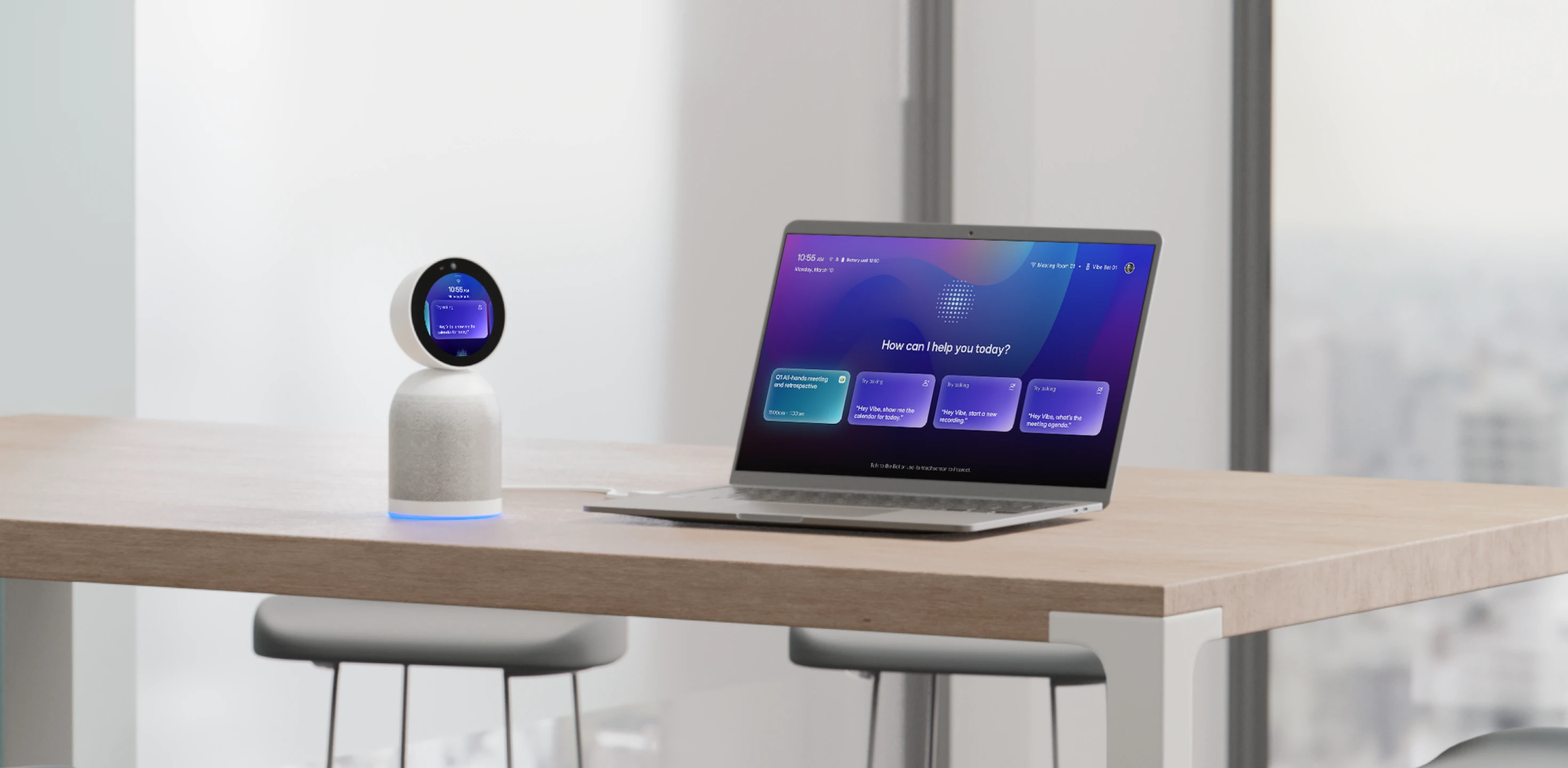 Vibe Bot — your best conference camera
Launched at CES 2026 and winner of both the Red Dot Award and iF Design Award, Vibe Bot is a standalone in-room AI meeting device—no laptop required, no subscription software to manage, no bot joining from the cloud.
How it works
Vibe Bot runs on its own BotOS operating system with an 8-core 64-bit CPU and a dedicated AI chip. It sits on the conference table, syncs with your calendar, and joins Zoom, Google Meet, or Microsoft Teams with a single tap. Its 4K UHD camera covers a full 360° field of view with AI auto-framing and speaker tracking—automatically following whoever is talking so remote participants always have a clear view. The 6-microphone beamforming array isolates individual voices with intelligent noise cancellation, even in larger rooms. At the end of a session, Vibe Bot generates a full transcript, AI summary, and action items, and displays a QR code on screen for instant access—no logging into a portal, no waiting for an email.
Meeting notes, decisions, and action items sync automatically to Notion, Slack, HubSpot, and Asana. No copy-paste, no manual handoff.
How it fits with Vibe Dot
Vibe Bot and Vibe Dot share the same Vibe AI memory layer, which means your conference room meetings and your in-person field conversations live in the same searchable memory graph. For teams that split time between the office and client-facing work outside it, the two devices work as a system rather than two separate tools with two separate knowledge silos.
Pricing
The device is $1,599 (early-bird discount available: $200 off). Basic video conferencing works out of the box; AI-generated notes, summaries, and workflow integrations require a Vibe AI plan (same Starter/Pro/Max tiers as Vibe Dot).
Best for: Teams with dedicated meeting rooms who want room-level AI capture, speaker-aware transcripts, and automatic sync to their project management and communication tools—without depen
Quick Comparison
|
Tool |
Category |
Device cost |
Subscription starts |
HIPAA |
In-person |
Languages |
|---|---|---|---|---|---|---|
|
Vibe Dot |
Hardware |
$199 |
Free |
✅ |
✅ |
Multi |
|
Vibe Bot |
Hardware |
$1,599 |
Free |
✅ |
✅ |
Multi |
|
Plaud Note Pro |
Hardware |
$179 |
Free |
✅ |
✅ |
112 |
|
Granola |
Bot-free software |
— |
Free |
❌ |
❌ |
~10 |
|
Krisp |
Bot-free software |
— |
Free / $8/mo |
✅ |
❌ |
15+ |
|
Notion AI |
Bot-free software |
— |
Bundled ($20/mo) |
Enterprise only |
❌ |
16 |
|
Fathom |
Bot-based |
— |
Free |
✅ |
❌ |
English-primary |
|
Fireflies |
Bot-based |
— |
Free / $10/mo |
Enterprise only |
❌ |
100+ |
Pricing and feature details reflect information available as of July 2026. AI note-taking products update their plans frequently; confirm current pricing and compliance certifications on each vendor’s official website before purchasing.
How to Choose
If you want one tool that works across your entire workday: Vibe Dot is the only option on this list built for how work actually happens—not just the meetings on your calendar. Scheduled stand-ups, impromptu hallway conversations, client dinners, site visits, back-to-back 1:1s—Vibe Dot captures all of it and connects every conversation into a single, searchable AI memory. You stop losing context between meetings. You stop switching tools depending on where you are. For regulated industries (healthcare, government, legal, education), the compliance stack—HIPAA, FIPS 140-3, NDAA, FERPA—means sensitive conversations are covered wherever they happen.
If you want the fastest, cheapest switch from Otter: Start with Fathom. The free tier covers unlimited recording and transcription, is HIPAA-certified, and takes about 10 minutes to set up—no payment information required.
If privacy is why you’re leaving Otter: Granola (bot-free, no audio stored, no third-party AI training) or Krisp (on-device processing) are the strongest choices. For regulated industries that also need a formal HIPAA BAA, Vibe Dot covers both the privacy architecture and the compliance documentation.
If your team is sales-focused: Fireflies for deep CRM integration and conversation intelligence across high call volumes. Watch the AI credit system closely if your reps are heavy AskFred users—costs can exceed the sticker price.
If you already use Notion Business: Add Notion AI Meeting Notes at no marginal cost for lightweight note integration—but pair it with a dedicated tool if you need reliable speaker labels, CRM sync, or calendar auto-join.
A note on hardware platform risk: The Limitless pendant was acquired by Meta in December 2025 and discontinued as a standalone product within weeks—forcing users to export data and migrate under time pressure. Before committing to any hardware recorder, prioritize tools that let you export your data and connect to workflows you control. Vibe Dot’s MCP-based open architecture was designed with exactly this concern in mind.
FAQ
Is there a free Otter.ai alternative?
Yes, several. Fathom is the strongest free option for virtual meetings: unlimited recording, transcription, and AI summaries with no credit card required. tl;dv offers a generous free tier that includes video recording. For in-person recording, Vibe Dot’s Starter plan provides 300 transcription minutes per month at no cost—matching Otter’s free tier while adding in-person capability and a stronger security posture.
What’s the best Otter.ai alternative for privacy?
Granola is the strongest choice for users whose primary concern is discretion: no bot in meetings, no audio stored on servers, no third-party AI training on your data. Krisp offers on-device audio processing with a similar privacy philosophy and adds best-in-class noise cancellation. For regulated industries where HIPAA compliance is required—not just preferred—Fathom and Vibe Dot both offer certified HIPAA coverage with BAA support, without locking it behind an enterprise tier.
Can any Otter.ai alternative record in-person meetings?
Not if it’s a software-only tool. Every bot-based and bot-free software tool on this list captures audio that runs through your computer during a virtual call. They have no mechanism for capturing in-room audio, field conversations, or any meeting that doesn’t route through your device. Vibe Dot and Plaud Note Pro are dedicated hardware recorders built specifically for in-person capture.
Does Vibe Dot work for healthcare?
Yes. Vibe Dot is one of the few AI recorders—hardware or software—that combines HIPAA certification with a FIPS 140-3-certified hardware encryption chip and TPM 2.0. It also carries NDAA compliance for government procurement and FERPA for education. For healthcare teams capturing patient conversations, clinical rounds, or case consultations, the compliance stack is purpose-built for those requirements. See Vibe’s security page for documentation.
What happened to the Limitless pendant?
Limitless (formerly Rewind) was acquired by Meta in December 2025. The standalone product was discontinued: hardware sales stopped, the Mac app’s recording features were disabled, and service was shut down entirely in the EU, UK, Brazil, China, Israel, South Korea, and Turkey. Users in those regions had their data deleted after December 19, 2025. The team moved to Meta’s Reality Labs. It’s the most prominent recent example of hardware platform risk in the AI recorder category.
Does Vibe Dot work without a phone?
Yes. Vibe Dot records locally to its 64GB onboard storage with no phone, app, or internet connection required during recording. You need the Vibe AI app (iOS or Android) to sync, transcribe, and process recordings via Bluetooth after the session.
Which Otter.ai alternative is best for multilingual teams?
Fireflies (100+ languages) is the best software option for multilingual virtual meetings. Plaud Note Pro (112 languages) is the best hardware option for in-person use across languages. Notta (58 languages) is a solid alternative for multilingual solo use at a lower price point.