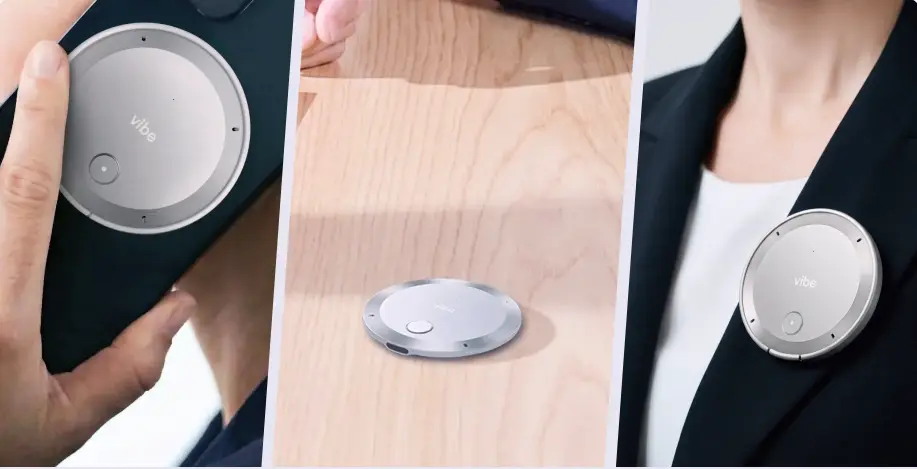
If you’ve ever left a meeting with a clear list of next steps only to realize three days later that half of them never got done, you’re not alone. Learning how to track action items from meetings is less about finding the perfect app and more about building a system that survives the chaos of back-to-back calls, scattered notes, and shifting priorities. This guide walks through a repeatable process project managers can use to capture, assign, and actually close out action items.
Why Action Items Get Lost in the First Place
Before fixing the problem, it helps to name it. Most dropped action items don’t fail because of laziness — they fail because of process gaps:
-
No single source of truth. Action items live in someone’s notebook, someone else’s Slack DM, and a third person’s memory.
-
Ownership is implied, not stated. "Someone should follow up on this" is not an assignment.
-
No due date attached. An action item without a deadline quietly becomes a someday-item.
-
Context decays between meetings. By the next check-in, nobody remembers why the item mattered or what was already tried.
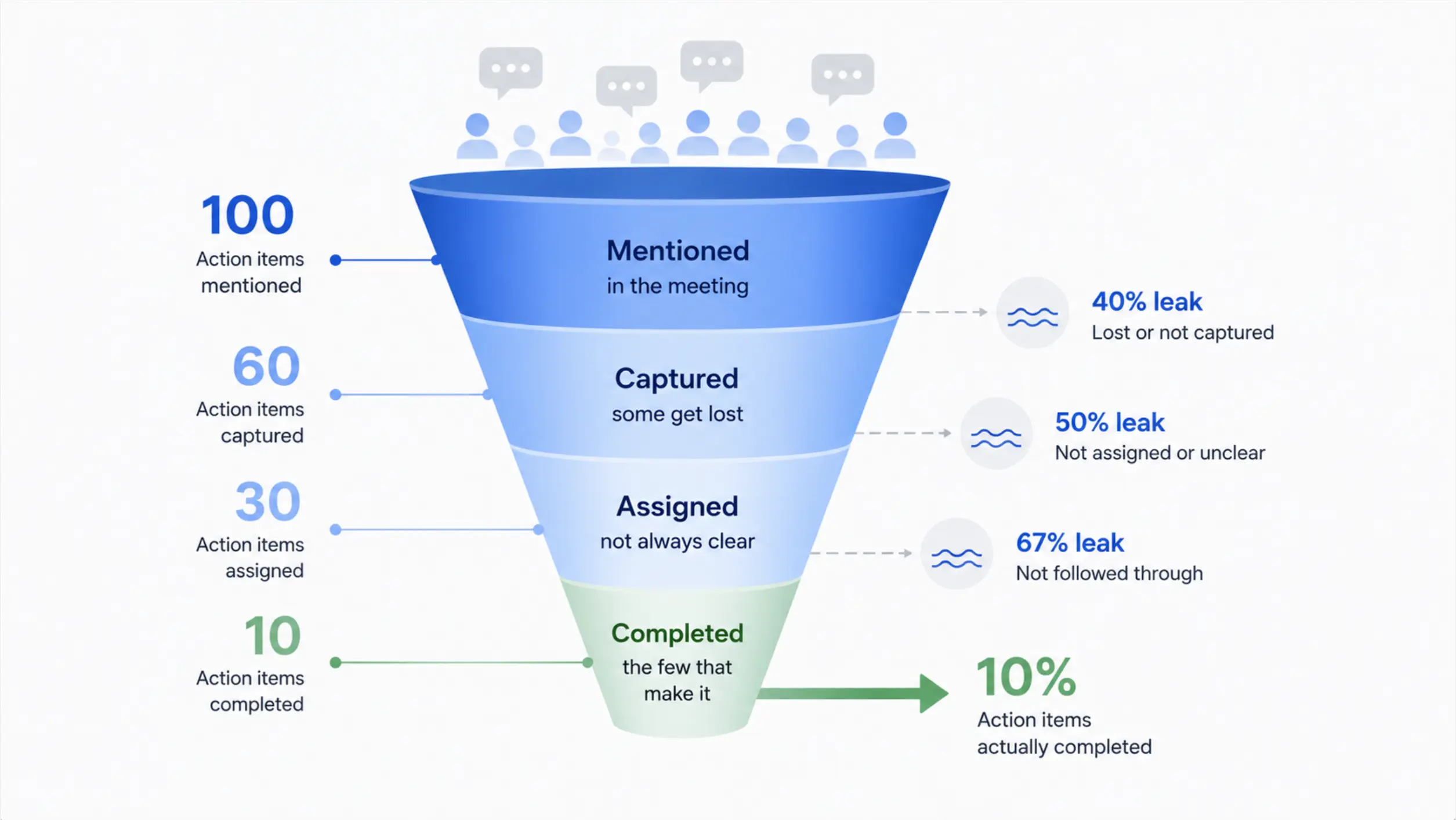 Simple diagram showing the "leaky funnel" — action items mentioned in a meeting vs. action items actually captured, assigned, and completed
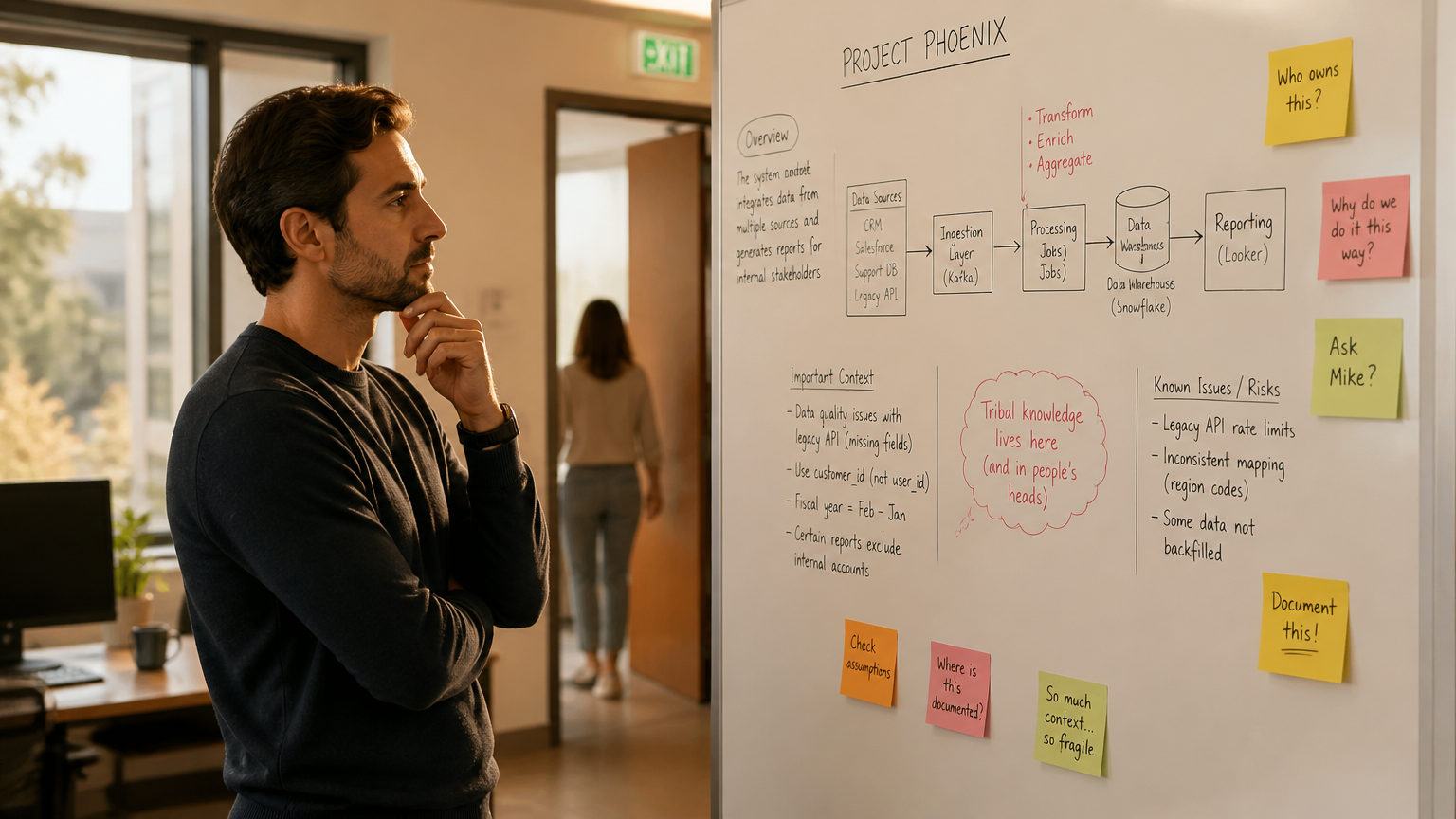
That last point matters more than it seems. Project managers who run dozens of stakeholder meetings a week aren’t just fighting forgetfulness — they’re fighting context loss across meetings that are only tangentially related but still build on each other.
Step 1: Capture Action Items in Real Time, Not From Memory
Direct answer: capture action items as they’re spoken, during the meeting — not by reconstructing them afterward from memory or a recording.
Reconstructing notes after the fact is where most detail gets lost or distorted. A few practical ways to capture in real time:
-
Live shared doc: One person (rotating or fixed) types action items into a shared doc visible to all attendees, so people can correct misattributions on the spot.
-
Dedicated action item column: If you’re already taking meeting notes, keep a separate column or section just for action items — don’t bury them inside general notes.
-
AI meeting assistants: Tools like Vibe Dot can transcribe the conversation and automatically flag action-item language ("I’ll send that over," "Let’s have Sarah own this"), so nothing depends on one person’s typing speed. This is especially useful in meetings where the PM is also actively participating and can’t type and contribute at the same time.
Step 2: Write Action Items in a Consistent Format
An action item is only useful if it answers three questions: who, what, by when. Use a consistent template:
[Owner] will [specific action] by [date].
Compare
-
❌ "Follow up with the vendor about pricing"
-
✅ "Priya will follow up with the vendor about updated pricing by Thursday, Sept 4"
The second version can be assigned, tracked, and checked off without anyone needing to ask clarifying questions later.
Step 3: Assign Ownership Before the Meeting Ends
Direct answer: confirm ownership out loud, in the meeting, before moving to the next topic — don’t assign action items after the fact.
This is the single highest-leverage habit in this entire guide. If an action item is mentioned and the meeting moves on without a named owner, it’s already at risk. Close the loop immediately: "So that’s you, Marcus — does that work?" takes five seconds and eliminates an entire category of dropped items.
Step 4: Centralize Action Items in One Tracker
Action items scattered across five meetings’ worth of notes are functionally invisible. Move them into a single running tracker — whether that’s a project management tool (Asana, Jira, Monday), a shared spreadsheet, or a dedicated action item log. At minimum, your tracker should have:
|
Field |
Purpose |
|---|---|
|
Owner |
Who’s accountable |
|
Action |
Specific, verb-first description |
|
Source meeting |
Which meeting it came from, for context |
|
Due date |
Creates urgency and a review trigger |
|
Status |
Open / In progress / Done / Blocked |
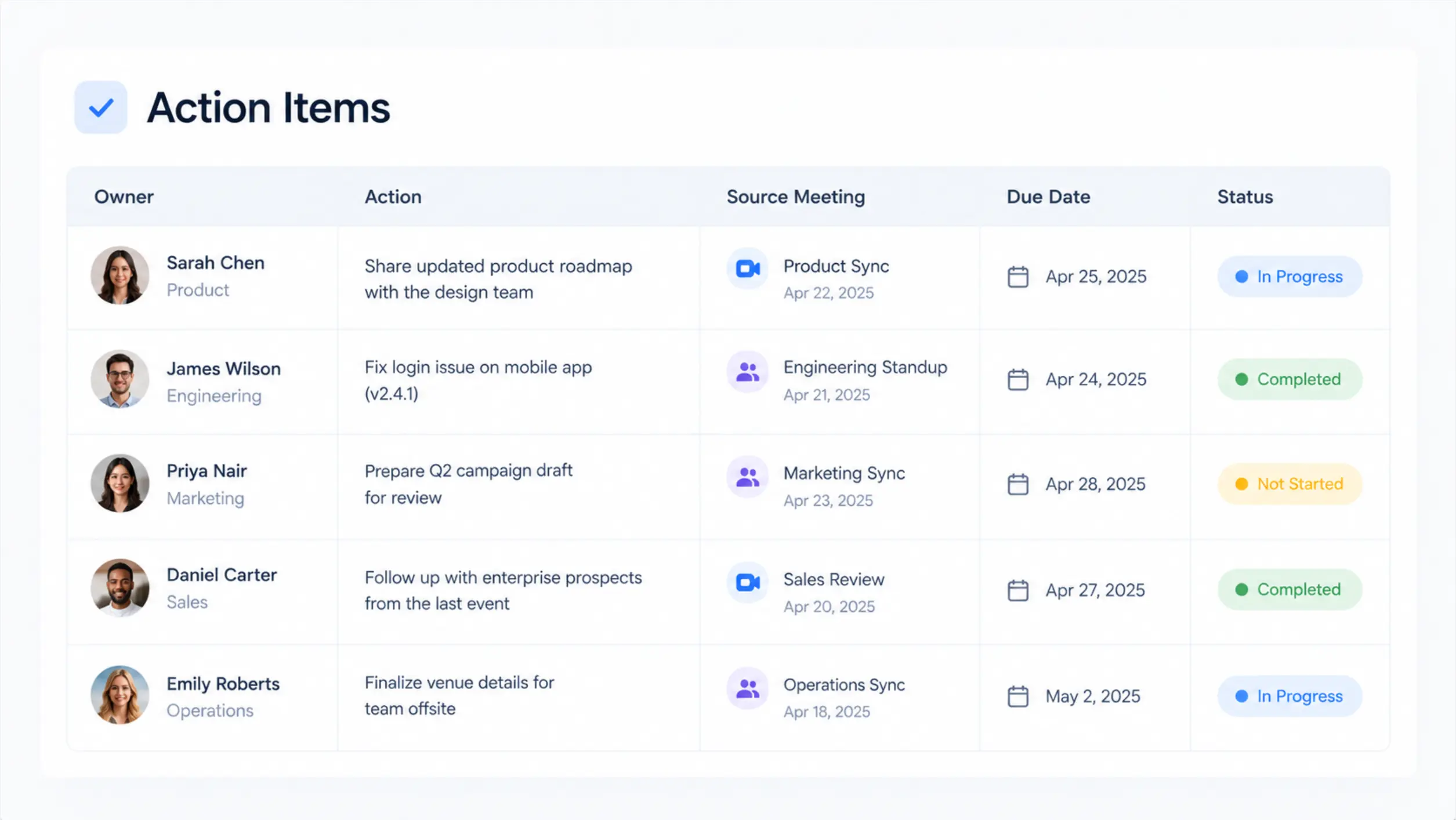 Example action item tracker table with columns for owner, action, source meeting, due date, and status
This is also where AI note-taking tools add real value — some can push captured action items directly into your project management tool rather than requiring manual re-entry, which removes a step where items commonly fall through.
Step 5: Review Open Action Items at the Start of the Next Meeting
Direct answer: open every recurring meeting by reviewing outstanding action items from the last one — before introducing new topics.
This single habit does more to improve accountability than any tool. It signals that action items are tracked and expected to be completed, and it surfaces blockers early instead of at the end of a project phase.
Where Context Gets Especially Hard: Multi-Meeting Projects
Project managers rarely run just one meeting per topic. A single initiative might touch a kickoff call, three stakeholder check-ins, a vendor call, and an internal status meeting — all in the same week, often with overlapping but not identical attendees.
This is where traditional note-taking tools show their limits: each meeting’s notes exist in isolation. If a stakeholder references a decision made two meetings ago, the PM either remembers it, digs through old notes, or asks the room to re-explain — all of which cost time.
This is a genuine gap that AI meeting tools with cross-session memory are built to close. Vibe AI‘s Memory Graph, for example, keeps context linked across meetings rather than treating each one as a standalone transcript — so if a vendor call references a decision from last week’s stakeholder meeting, that context is already connected rather than needing to be manually cross-referenced. In our testing, this mattered most on projects with recurring, overlapping meeting cadences, where re-establishing context was the actual time sink — not note-taking itself.
Vibe Dot, the hardware layer that feeds this system, is worth mentioning here because it’s designed to travel with the PM across meeting formats — in-person, video call, or phone — rather than being locked to one video conferencing platform’s built-in transcription. For a PM whose day includes a mix of Zoom calls, in-person stand-ups, and phone check-ins with vendors, that format-agnostic capture matters more than it might for someone who lives entirely inside one tool.

How to Use Vibe Dot to Capture and Track Action Items in a Double-Tap (or Even Without a Tap)
Here’s what this looks like in practice:
1. Start recording before the conversation begins — then just let it run.
Double-tap the Record button on Vibe Dot to start capturing, whether it’s a scheduled status meeting or an impromptu conversation with a stakeholder in the hallway. If something important comes up mid-conversation, a single tap on Vibe Dot (or tapping Highlight in the Vibe AI app) marks the moment so it’s easy to find in the transcript later.
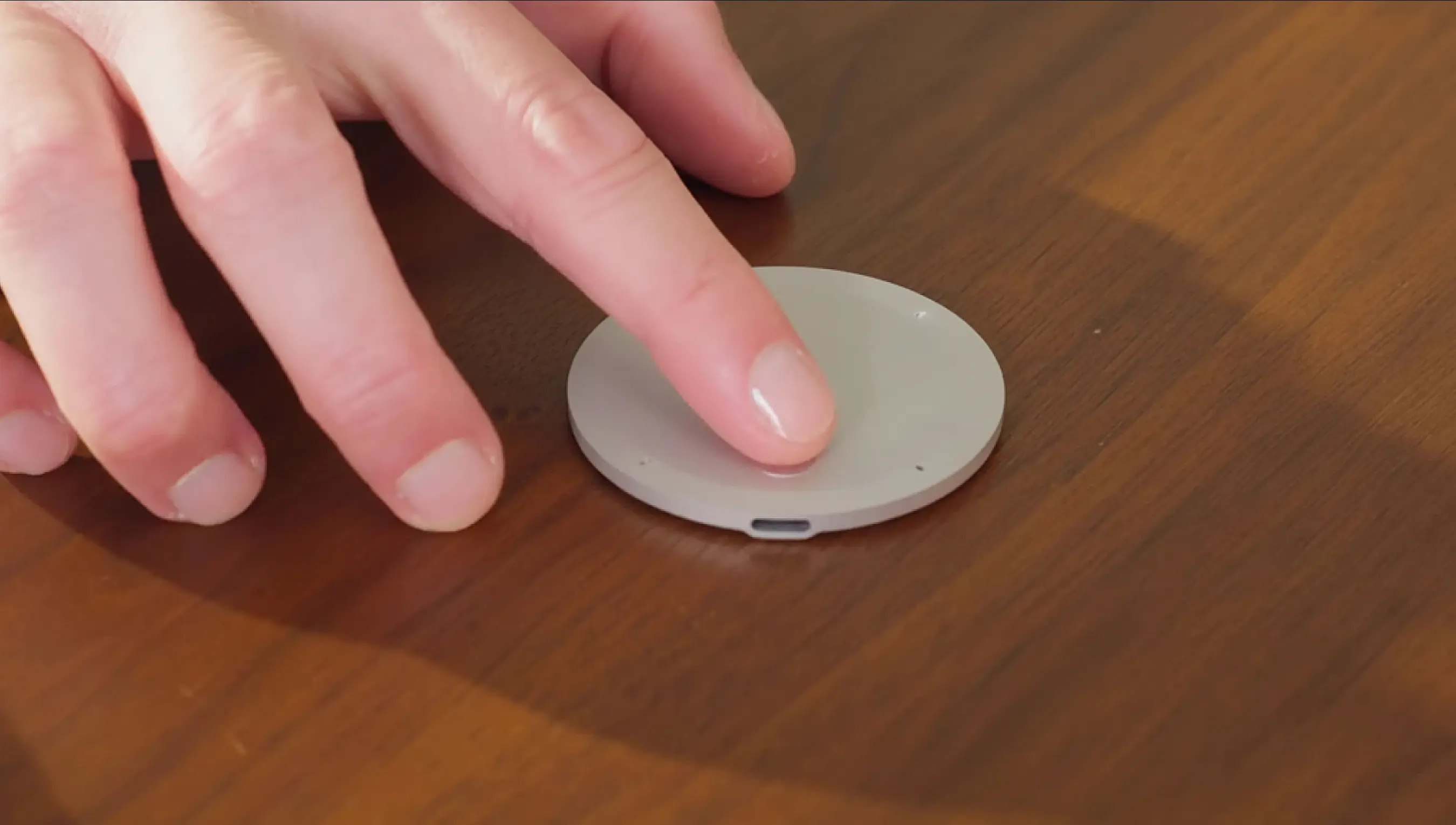 Tap to record
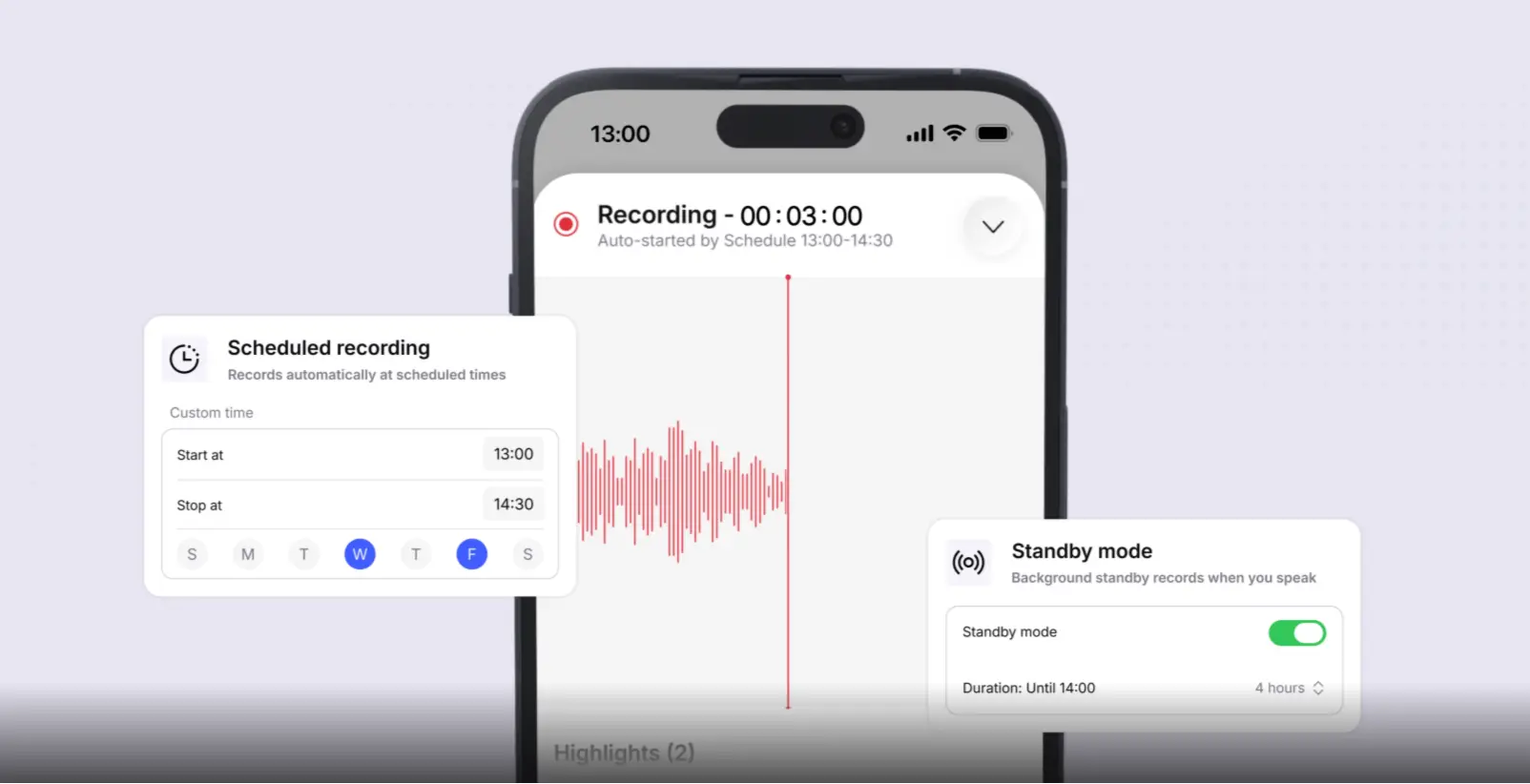
If you’d rather not think about starting and stopping at all, Vibe Dot’s Auto Capture mode handles it for you. In Standby mode, Dot recognizes your voice and automatically starts recording once a conversation begins, then stops after a period of silence — useful for PMs who bounce between unscheduled hallway conversations and drop-in check-ins throughout the day. For recurring meetings on a fixed schedule, Scheduled recording auto-starts and stops Dot around a set time window, so a recurring 9 a.m. stand-up is captured without needing to remember to hit record.
2. Vibe AI generates the action items for you — no typing required.
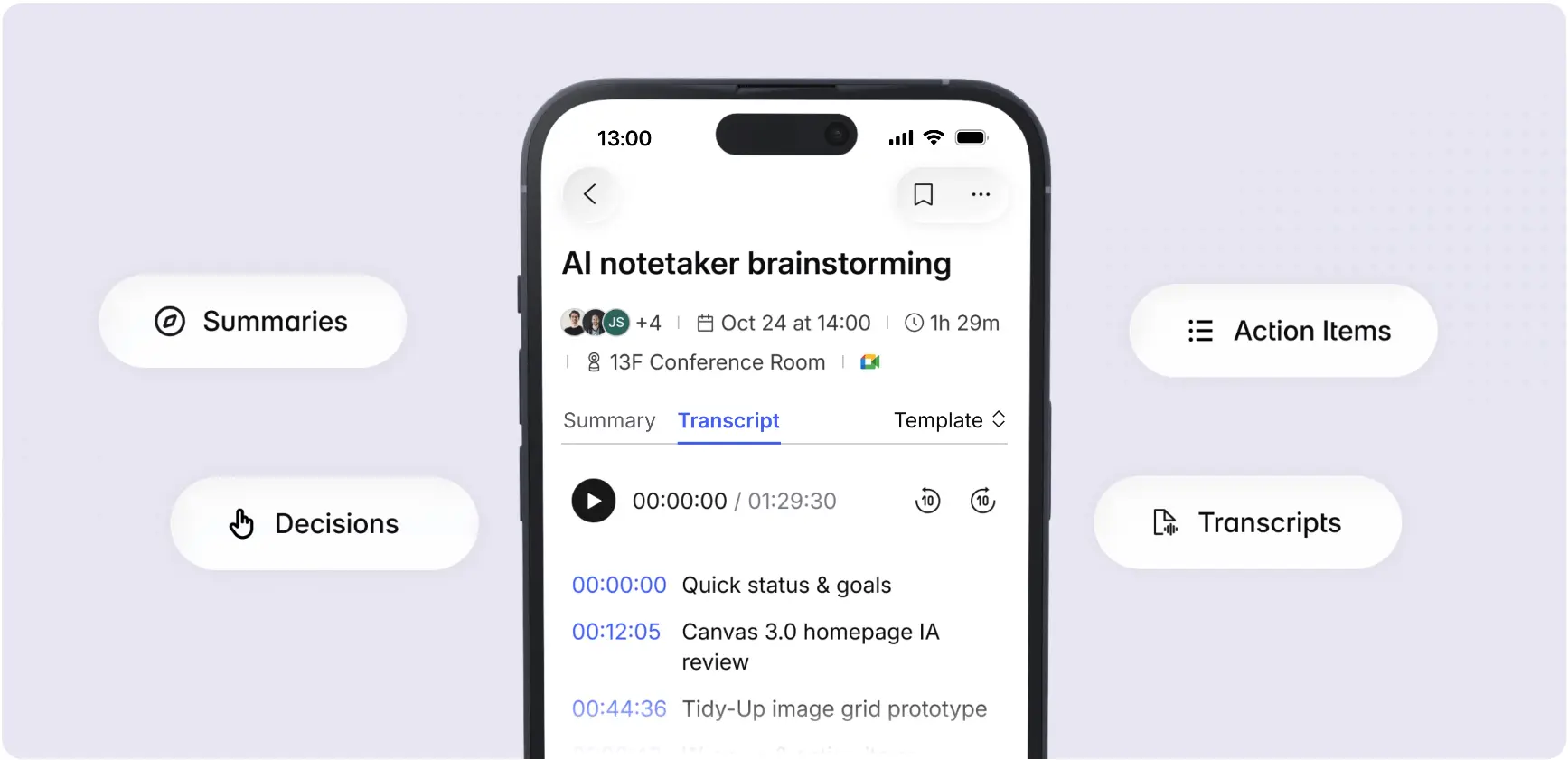
Once the recording ends, Vibe Dot syncs to the Vibe AI app, where the conversation is transcribed and processed into a summary — including action items pulled directly from what was said. Open the app and the action items from that conversation are already there, organized and ready to review.
3. Follow up directly from the app.
From this point, the Vibe AI app becomes the tracker for that conversation’s action items — assign owners, check items off as they’re completed, and revisit the original transcript if context is needed later. Because Memory Graph links related conversations, following up on an item from last week’s stakeholder call doesn’t require digging back through old notes to remember what was decided — the summary and context are already connected for you.
A Simple Weekly System, Put Together
-
Capture action items live, in a consistent who/what/when format.
-
Confirm ownership verbally before the meeting ends.
-
Log every item into one centralized tracker immediately after.
-
Open the next relevant meeting by reviewing what’s still open.
-
For projects with heavy, overlapping meeting cadences, consider a tool with cross-session memory so context doesn’t need to be manually rebuilt each time.
None of these steps require expensive tooling — the habits matter more than the software. But for PMs managing a high meeting volume, the right AI note-taking layer removes a lot of the manual bookkeeping that makes the habits hard to sustain.
Frequently Asked Questions
What’s the best way to track action items from meetings without extra software?
A shared running document with a dedicated action item section, using a consistent "[Owner] will [action] by [date]" format, works well without any special tools. The key is centralizing items in one place and reviewing them at the start of each recurring meeting, rather than the specific tool used.
How do I stop action items from being forgotten between meetings?
Assign ownership out loud before the meeting ends, log the item immediately in a centralized tracker, and open the next relevant meeting by reviewing outstanding items first. Most dropped action items fail at the assignment or review step, not the capture step.
Can AI meeting tools automatically create action items?
Yes. AI meeting assistants like Vibe Dot can transcribe conversations and flag action-item language in real time, then organize them into a structured list. Some also integrate with project management tools to push items directly into an existing tracker.
How should I format an action item so it’s actually actionable?
Use a specific owner, a clear verb-first action, and a due date: "[Owner] will [specific action] by [date]." Vague phrasing like "someone should look into this" almost always results in the item being dropped.
What’s different about tracking action items across multiple related meetings?
The main challenge is context, not capture — remembering what was already decided or attempted in a previous, related meeting. AI tools with cross-session memory, such as Vibe AI’s Memory Graph, are designed specifically to keep that context linked across meetings instead of treating each one in isolation.
Should action items be reviewed weekly or at every meeting?
At minimum, review open action items at the start of every recurring meeting they relate to. For projects with a fast pace or many stakeholders, a separate weekly review across all open items — independent of any single meeting — adds an extra safety net.