Every project starts with more requirements than time and resources allow. The MoSCoW method gives teams a structured way to decide what gets built now, what gets built later, and what doesn’t get built at all — without turning prioritization into a prolonged argument.
This guide explains how the method works, what each category means in practice, and walks through concrete examples across different project types so you can apply it immediately.
What Is the MoSCoW Method?
The MoSCoW method is a prioritization framework that sorts project requirements into four categories: Must Have, Should Have, Could Have, and Won’t Have (this time). It gives teams a shared language for making decisions about scope, resources, and delivery order — especially when not everything on the backlog can realistically be completed within the available time or budget.
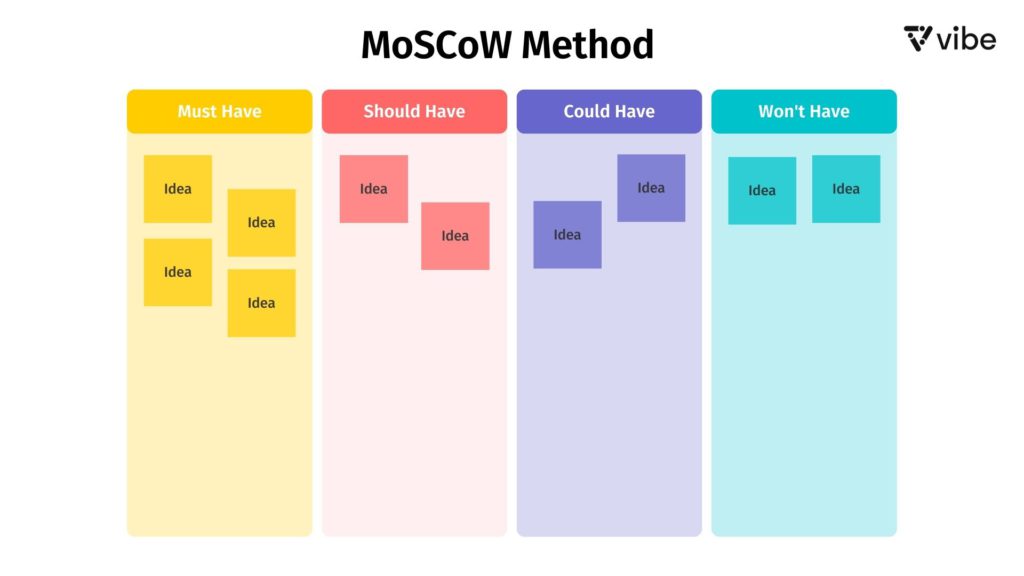 Four categories of the MoSCoW method
The framework was developed by software developer Dai Clegg in 1994 while working at Oracle, originally for use in Rapid Application Development (RAD). It later became a core component of DSDM (Dynamic Systems Development Method) and is now widely used across agile methodologies, product management, business analysis, and general project planning.
What Does MoSCoW Stand For? (And What Is MSCW?)
MoSCoW is an acronym where each capital letter stands for a prioritization category:
-
M — Must Have
-
S — Should Have
-
C — Could Have
-
W — Won’t Have (this time)
The lowercase "o" letters between the capitals are added purely to make the word pronounceable — they don’t stand for anything. You’ll sometimes see the framework written as MSCW, which is the literal acronym without the filler vowels. Both refer to the same method. MoSCoW is the conventional spelling; MSCW is the stripped-down version. If you’ve searched for "MSCW method" or "MSCW framework" and landed here, you’re in the right place.
The Four MoSCoW Categories Explained
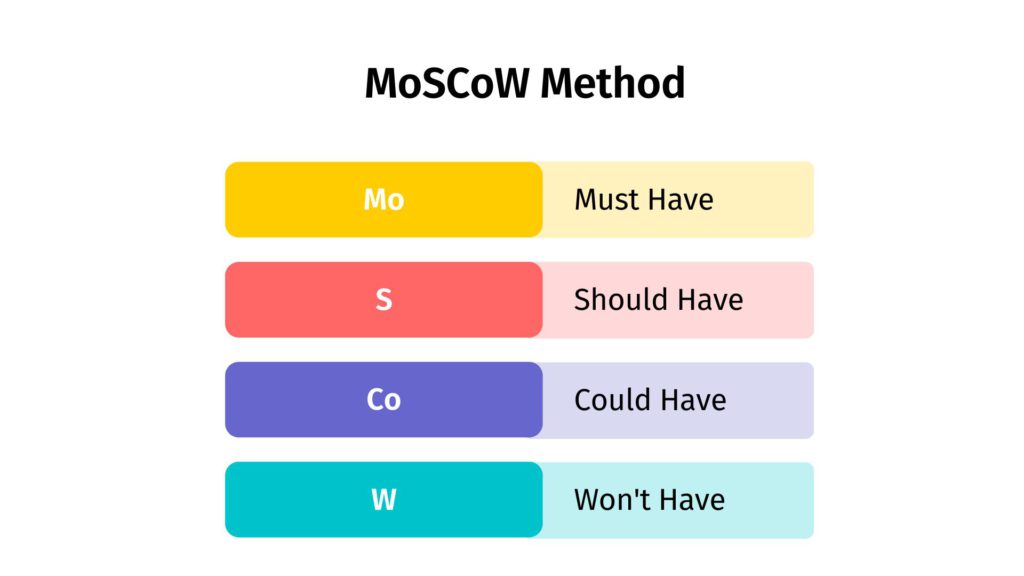 The Four MoSCoW Categories Explained
M — Must Have
Must Haves are non-negotiable. These are the requirements without which the project fails to meet its core purpose — removing them would render the deliverable useless, unsafe, or impossible to use. In agile contexts, Must Haves define the Minimum Viable Product (MVP): the smallest set of features that justifies shipping.
A useful test: ask "What happens if we launch without this?" If the answer is "the product doesn’t work" or "we’re in breach of a requirement," it’s a Must Have. If the answer is "it’s worse but still usable," it probably isn’t.
Questions to ask:
-
Would the project fail or lose its purpose without this?
-
Is this legally, contractually, or safety-critical?
-
Would stakeholders consider the project a failure without it?
S — Should Have
Should Haves are important but not critical to launch. They add significant value and would be missed if absent, but the project can ship without them and still deliver on its core purpose. These are typically the first items to be descoped if timelines tighten — and the first to be added back in a subsequent release.
The word "should" here carries its conventional meaning: this is a strong expectation, not a strict requirement. Teams often find that Should Haves become Must Haves in future sprints once the core product is established.
Questions to ask:
-
How much value does this add relative to Must Haves?
-
Would users notice and be frustrated by its absence?
-
Is this feasible within the current timeline if Must Haves are done?
C — Could Have
Could Haves are desirable but low-priority enhancements. They improve the user experience or add convenience, but their absence has minimal impact on core functionality. These are sometimes called "nice-to-haves." They get included only when all Must Haves and Should Haves are on track and there is remaining capacity.
The key discipline here is not letting Could Haves creep into higher categories without explicit justification. This is where scope creep typically originates — a feature that starts as a Could Have gradually gets treated as a Should Have, then as a Must Have, without the team ever formally re-evaluating the decision.
Questions to ask:
-
Does this meaningfully improve the experience, or just add complexity?
-
Would cutting this affect delivery of higher-priority items?
-
Is this better suited to a future release?
W — Won’t Have (This Time)
Won’t Haves are explicitly out of scope for this release. This category is often the most valuable of the four — it’s where teams document the deliberate decision not to include something, which prevents the same items from being re-raised and relitigated repeatedly throughout the project.
"Won’t Have" does not mean "never." It means "not now." These items may be valid priorities for a future release; the point is to make the exclusion formal and visible so the team can stop spending energy on them during the current cycle.
Questions to ask:
-
Is this out of scope for the current release by explicit decision?
-
Would including this jeopardize delivery of higher-priority items?
-
Is this better addressed in a future roadmap cycle?
MoSCoW Method Examples
Abstract definitions are only useful up to a point. Here are three complete examples across different project types to show how the same framework applies in practice.
Example 1: Software Product — Mobile Banking App
A fintech team is building the first release of a mobile banking app. They have six weeks to ship a version to beta users.
|
Category |
Requirements |
|---|---|
|
Must Have |
Secure login with two-factor authentication; account balance display; transaction history (last 90 days); money transfer between own accounts; regulatory compliance with data encryption standards |
|
Should Have |
Push notifications for transactions; bill payment functionality; spending categories and basic analytics; in-app customer support chat |
|
Could Have |
Savings goal tracker; card freeze/unfreeze toggle; dark mode; personalized financial tips based on spending patterns |
|
Won’t Have (this time) |
Investment portfolio management; cryptocurrency support; international wire transfers; Apple Watch or wearable integration |
The key decision here: the team explicitly moved "international wire transfers" to Won’t Have despite customer requests, because the regulatory requirements would have delayed the launch by at least three weeks. The Won’t Have documentation prevents this from being re-raised as a blocker during the sprint.
Example 2: Marketing Campaign — Product Launch
A marketing team is planning a product launch campaign with a fixed go-live date tied to a trade show. Budget is constrained and the team is four people.
|
Category |
Deliverables |
|---|---|
|
Must Have |
Launch landing page live before the event; email announcement to existing customer list; press release distributed to core media contacts; product demo video (2 minutes) |
|
Should Have |
LinkedIn and social media announcement series (5 posts); paid search campaign targeting competitor keywords; case study from one beta customer; updated sales deck |
|
Could Have |
Blog post series (3 articles); webinar announcement for post-launch; influencer outreach; retargeting ad campaign for landing page visitors |
|
Won’t Have (this time) |
Podcast guest appearances; physical event booth materials (digital-only launch); full SEO content cluster; video testimonials from multiple customers |
The discipline here is the deadline. With a fixed trade show date, the MoSCoW analysis forced the team to acknowledge that the blog post series — which originally felt essential — would take two weeks to produce and review, making it a liability rather than an asset for the launch window. It moved to Could Have and was published the following month instead.
Example 3: Internal Operations — Remote Work Policy Rollout
An HR team is rolling out a revised hybrid work policy across a 200-person company. They have four weeks to communicate and implement it.
|
Category |
Requirements |
|---|---|
|
Must Have |
Written policy document approved by legal and leadership; all-hands communication with Q&A session; manager briefing guide; updated employment contracts for affected roles |
|
Should Have |
FAQ document for common employee questions; updated onboarding materials for new hires; department-level implementation guides; desk booking system configuration |
|
Could Have |
Video walkthrough from the CEO; pulse survey to measure employee sentiment post-launch; updated intranet page with policy history |
|
Won’t Have (this time) |
Full manager training program (flagged for Q3); policy translated into multiple languages (prioritized for APAC rollout next quarter); external PR announcement |
This example shows MoSCoW’s value outside of software. The HR team originally included manager training as a Must Have, but the MoSCoW process revealed it would require 12 hours of content development they didn’t have capacity for. Moving it to Won’t Have — with an explicit commitment to Q3 — resolved the disagreement without eliminating the item from the roadmap.
When to Use the MoSCoW Method
MoSCoW works best when a team has more to do than time and resources allow and needs a structured way to make scope decisions collaboratively. The most common contexts:
-
Sprint and release planning in agile development, where the team must decide what fits within the current iteration
-
Product roadmap reviews, where stakeholders have conflicting views on feature priority
-
Project kickoffs, to establish shared expectations about scope before work begins
-
Resource-constrained campaigns, where budget or headcount limits mean not everything can ship simultaneously
-
Stakeholder alignment sessions, where different departments or clients need to reach consensus on priorities
MoSCoW is less useful when requirements are highly interdependent (the method doesn’t capture dependencies between items), when a single decision-maker can determine priority without a group process, or when scope is already fixed by a contract or regulatory requirement with no discretionary items.
Benefits of Using the MoSCoW Method

Prevents Scope Creep
The Won’t Have category is the most underrated part of the framework. By explicitly documenting what is out of scope, teams eliminate the ambiguity that allows scope creep to take hold. When a stakeholder raises an excluded item mid-project, the team can point to the documented decision rather than re-opening the debate.
Creates Shared Understanding Across Roles
MoSCoW uses plain language that doesn’t require technical knowledge to interpret. Developers, designers, project managers, and business stakeholders can participate in the same prioritization conversation using the same vocabulary, which reduces the translation overhead that often causes misaligned expectations.
Supports Transparent Resource Allocation
When Must Haves and Should Haves are clearly separated, resource allocation decisions become easier to justify. Teams can show stakeholders why certain features are delayed without it appearing arbitrary — the decision was made at the start, with shared input, against known constraints.
Integrates Well With Timeboxing
MoSCoW is particularly effective when combined with timeboxing — fixing the deadline and allowing scope to flex rather than extending the timeline to fit all requirements. In this model, Must Haves are guaranteed; Should Haves and Could Haves are delivered if time permits; Won’t Haves are formally deferred. This is how DSDM and many agile frameworks use it in practice.
MoSCoW Method vs. Other Prioritization Frameworks
MoSCoW is one of several prioritization approaches. It’s worth knowing when other methods might be a better fit:
-
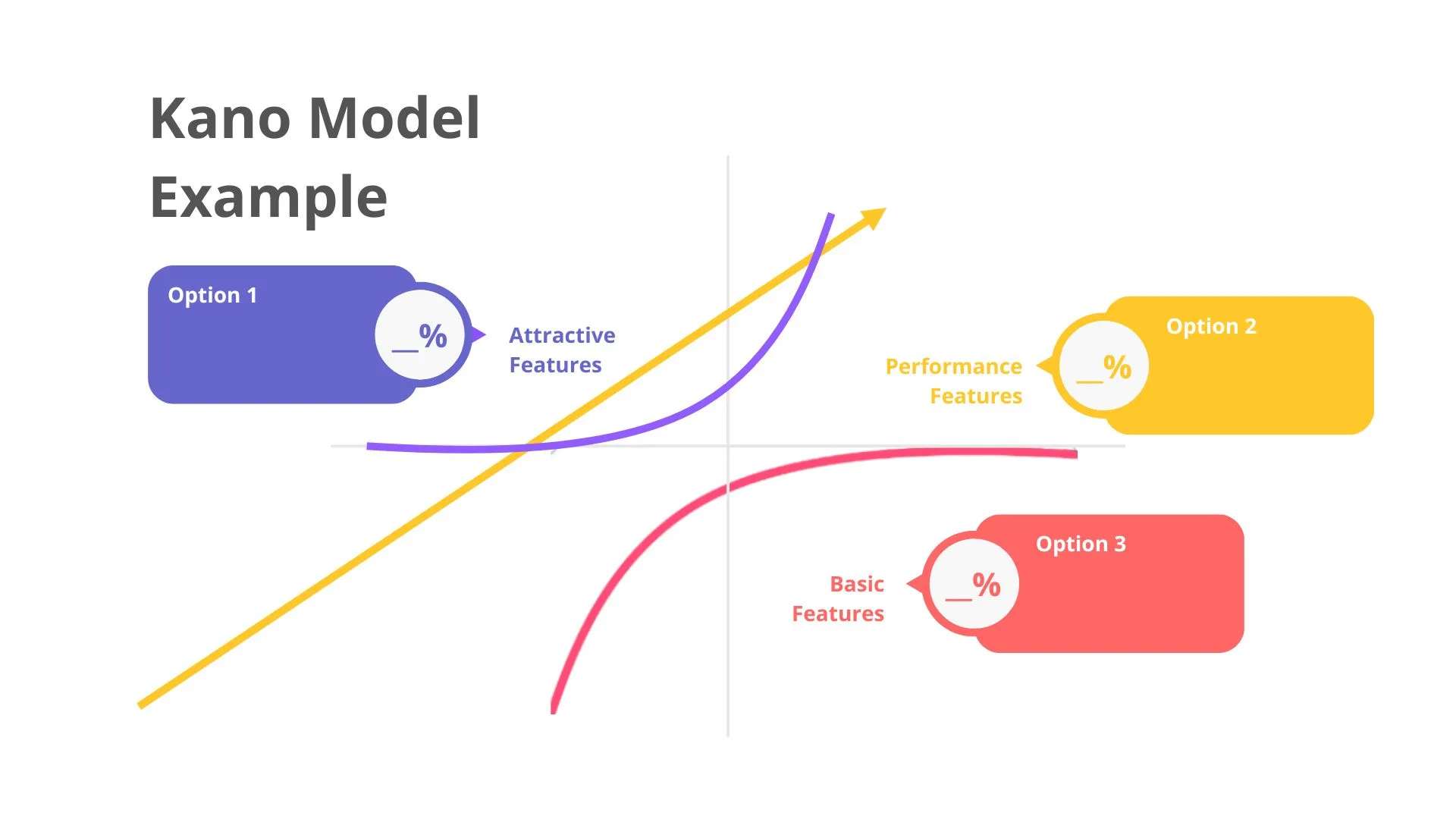
MoSCoW vs. Kano Model: The Kano Model categorizes features by their effect on customer satisfaction (basic, performance, delighters). It’s better for understanding customer perception; MoSCoW is better for internal scope decisions under time constraints.
-
MoSCoW vs. Priority Matrix (Impact/Effort): An action priority matrix plots tasks by impact and effort, useful for individual task management. MoSCoW works better for collaborative backlog grooming where team buy-in matters.
-
MoSCoW vs. RICE Scoring: RICE (Reach, Impact, Confidence, Effort) produces a numerical score for ranking features. It’s more precise but requires more data and time to apply. MoSCoW is faster and better for early-stage prioritization when quantitative data isn’t available.
For teams running innovation workshops or structured planning sessions, MoSCoW is often the right starting point because it requires no data inputs — only stakeholder judgment and a clear understanding of project constraints.
Using Vibe Board for the MoSCoW Method
MoSCoW sessions work best as collaborative exercises, not solo spreadsheet tasks. When team members participate in sorting requirements together, the output reflects genuine consensus rather than one person’s opinion — and the act of discussing where an item belongs often surfaces disagreements that would otherwise derail the project later.
 Man using Vibe Board for the MoSCoW method
Running a MoSCoW session on a shared Vibe Board gives every participant a direct hand in the process — whether they’re in the room or joining remotely. Here’s a practical workflow:
-
Set up a four-column template on the Vibe Board canvas, one column per category: Must Have, Should Have, Could Have, Won’t Have. Label each with a distinct color.
-
Add all requirements as sticky notes to a staging area before sorting begins. This gives the team a full picture of the backlog before any prioritization decisions are made.
-
Sort together. Have each team member drag items into their proposed category. Where there’s disagreement — two people put the same item in different columns — leave it visible and discuss before resolving.
-
Use voting or emoji reactions to handle contested items without prolonged debate. A quick poll on whether something is a Must or Should Have is faster than a 20-minute discussion.
-
Check proportions before finalizing. A common rule of thumb: Must Haves should represent no more than 60% of the total estimated effort. If everything is a Must Have, the prioritization hasn’t happened yet.
-
Lock the board and share the output. Once the team reaches consensus, the completed board becomes the reference document for scope decisions throughout the project. Export or share the link so anyone can access it without asking.
The advantage of a shared whiteboarding tool over a spreadsheet or slide deck is that the sorting process is visible and participatory in real time. Stakeholders who watch requirements move between columns during the session are more likely to accept the final output than those who receive a completed prioritization document after the fact.
MoSCoW Method FAQs
How many categories are in the MoSCoW method?
Four: Must Have, Should Have, Could Have, and Won’t Have (this time). Each represents a different level of priority, from non-negotiable requirements to items explicitly excluded from the current scope.
What does MSCW mean?
MSCW is the literal acronym for the MoSCoW method — Must Have, Should Have, Could Have, Won’t Have. The lowercase "o" letters in MoSCoW are added to make the word pronounceable but don’t stand for anything. MSCW and MoSCoW refer to the same framework.
What is the difference between Must Have and Should Have?
Must Haves are requirements without which the project fails or cannot ship — their absence makes the deliverable broken, non-compliant, or useless. Should Haves are important and would be missed, but the project can still deliver value without them. A practical test: if removing the item means the product doesn’t work at all, it’s a Must Have. If it makes the product worse but still functional, it’s a Should Have.
What does "Won’t Have" mean — is it permanently excluded?
No. Won’t Have means out of scope for this specific release or sprint, not permanently rejected. The category’s purpose is to formally document the decision not to include something now, which prevents the same items from being re-raised and re-debated repeatedly during the project. Won’t Have items frequently become Must Haves or Should Haves in future releases once higher-priority work is complete.
Can the MoSCoW method be used outside of software development?
Yes — any project with more requirements than resources can benefit from MoSCoW prioritization. It’s commonly used in marketing campaign planning, product roadmaps, HR and operations rollouts, event planning, and personal task management. The framework’s plain language makes it accessible to non-technical stakeholders, which is one reason it has spread well beyond its software development origins.
How do you handle disagreements during MoSCoW prioritization?
Disagreements during MoSCoW sessions usually reflect either different assumptions about constraints (timeline, budget, resource availability) or genuinely different views on what the project is for. The most productive approach is to make the constraint explicit: "Given that we have six weeks and two developers, can we deliver this as well as all other Must Haves?" Framing the question around capacity rather than opinion often resolves the impasse. If genuine disagreement remains, use a quick vote to make a provisional decision, note the dissenting view, and move on — the session shouldn’t stop for extended debate on any single item.
What percentage of requirements should be Must Haves?
A widely used guideline is that Must Haves should account for no more than 60% of the total estimated effort for the project. If Must Haves alone fill the entire available time, the team has no buffer for the unexpected — and something will always go wrong. If everything ends up as a Must Have, the prioritization session hasn’t done its job and needs to be re-run with a clearer constraint in place.