Zoom fatigue is the cognitive and physical exhaustion that accumulates from sustained video conferencing — and it’s measurably different from the tiredness of a long in-person meeting day.
If you’ve ever ended a back-to-back video call day feeling more drained than a full day of in-person meetings would explain, you’re not imagining it. The research is clear: video calls impose a unique set of cognitive demands that in-person interaction doesn’t, and those demands compound quickly when calls are back-to-back, cameras are mandatory, and every meeting requires the same high-attention posture.
This guide covers what Zoom fatigue actually is, why it happens at a neurological level, and 10 evidence-based ways to reduce it — including how AI tools are beginning to address the problem at its source.
What Is Zoom Fatigue?
Zoom fatigue is the mental exhaustion caused by the unique cognitive demands of video conferencing — including sustained eye contact at close range, continuous self-monitoring via the self-view, the extra effort required to interpret non-verbal cues through a screen, and reduced physical mobility from being camera-fixed.
The term entered mainstream vocabulary in 2020, but it wasn’t until February 2021 that Stanford professor Jeremy Bailenson published the first peer-reviewed study on the subject, identifying four specific mechanisms that make video calls disproportionately tiring. Those findings remain the foundational framework for understanding the phenomenon — and for addressing it.
Zoom fatigue is distinct from general meeting fatigue (too many meetings) or screen fatigue (too much screen time). It’s specifically about the neurological overhead of video communication itself, which is why reducing call frequency alone doesn’t fully solve it.
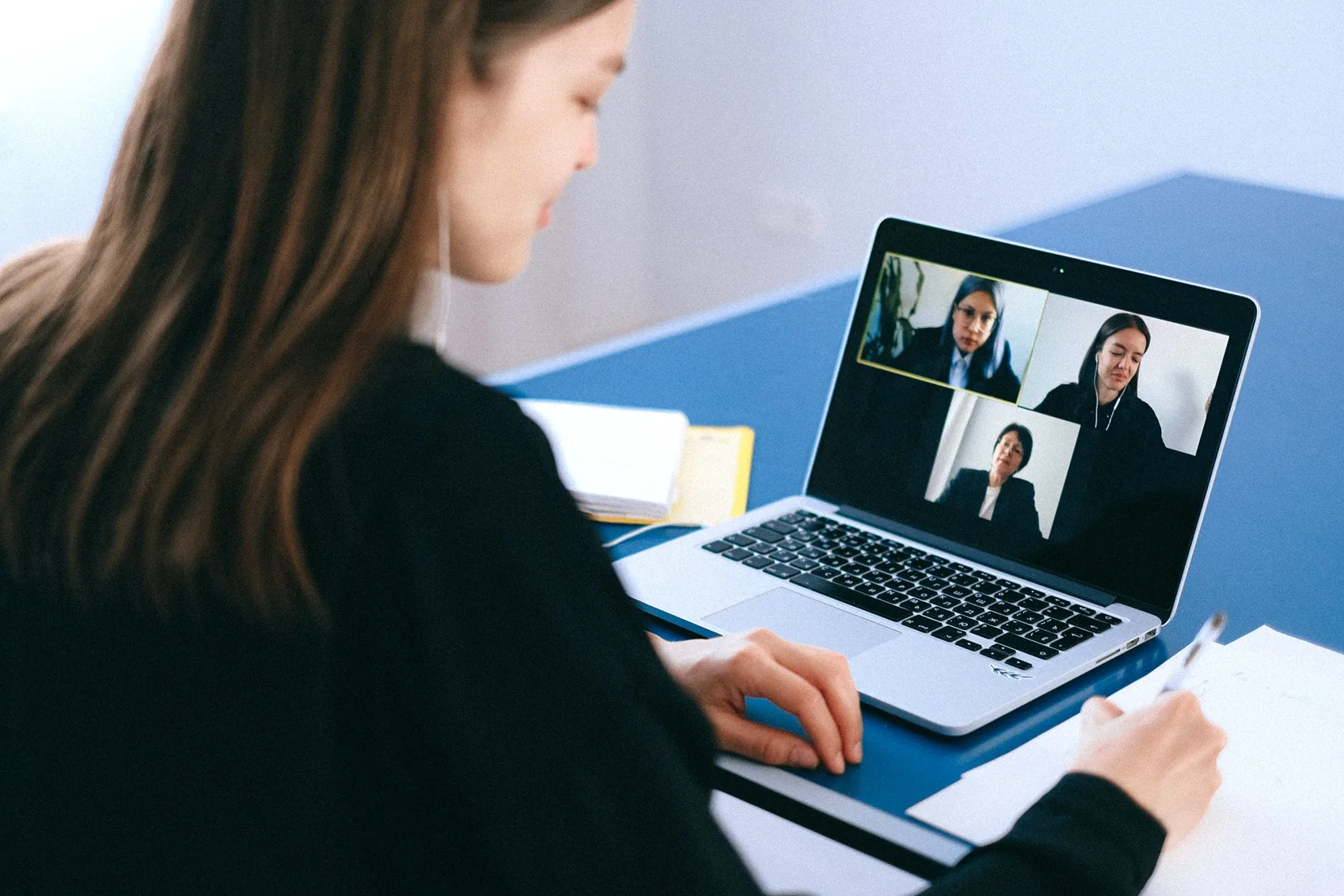
 A man in a zoom meeting
Why Zoom Fatigue Happens: The 4 Root Causes
Understanding the mechanism matters because different causes require different solutions. Bailenson’s research identified four distinct contributors:
1. Unnatural Eye Contact at Close Range
In a typical in-person meeting, participants naturally avert their gaze — glancing at notes, the whiteboard, other people. That gaze variation is cognitively restful and socially normal.
On a video call, looking at the screen is interpreted as making direct eye contact with everyone simultaneously. Faces appear at a larger-than-life scale. And the sustained, grid-wide eye contact that feels normal in video meetings would, in any in-person context, signal extreme intimacy or aggression.
"On Zoom, behavior ordinarily reserved for close relationships — such as long stretches of direct eye gaze and faces seen close up — has suddenly become the way we interact with casual acquaintances, coworkers, and even strangers." — Jeremy Bailenson, Stanford VHIL
2. Amplified Non-Verbal Communication
In person, small gestures and eye cues naturally signal agreement, confusion, or a desire to speak. These micro-signals are barely visible on a 200×200 pixel thumbnail. To compensate, video call participants over-perform engagement — exaggerated nodding, visible thumbs-up reactions, performative attentiveness — that would feel bizarre in a physical room.
This compensatory effort is exhausting because it’s continuous and unnatural. The cognitive budget spent on performing engagement is budget not spent on the content of the meeting itself.
3. Self-View Mirror Anxiety
Most video platforms show participants a real-time view of their own face throughout the call. There is no in-person equivalent. Bailenson’s research describes it as: "if somebody was following you around with a mirror constantly — so that while you were talking to people, making decisions, giving feedback — you were seeing yourself in a mirror, that would just be crazy."
The self-view activates ongoing self-monitoring that consumes attentional resources. Bailenson’s study also found that women experience significantly more mirror anxiety from the self-view than men, making this a measurable equity issue in meeting design.
4. Reduced Physical Mobility
Walking and movement are associated with improved creativity and cognitive function — Bailenson cites research showing people generate more creative ideas when moving. Most webcams require participants to stay within a narrow frame, eliminating the standing, pacing, and incidental movement that naturally punctuate in-person discussions.
When meetings run back-to-back for hours, the immobility compounds. The body hasn’t moved; the brain hasn’t rested.
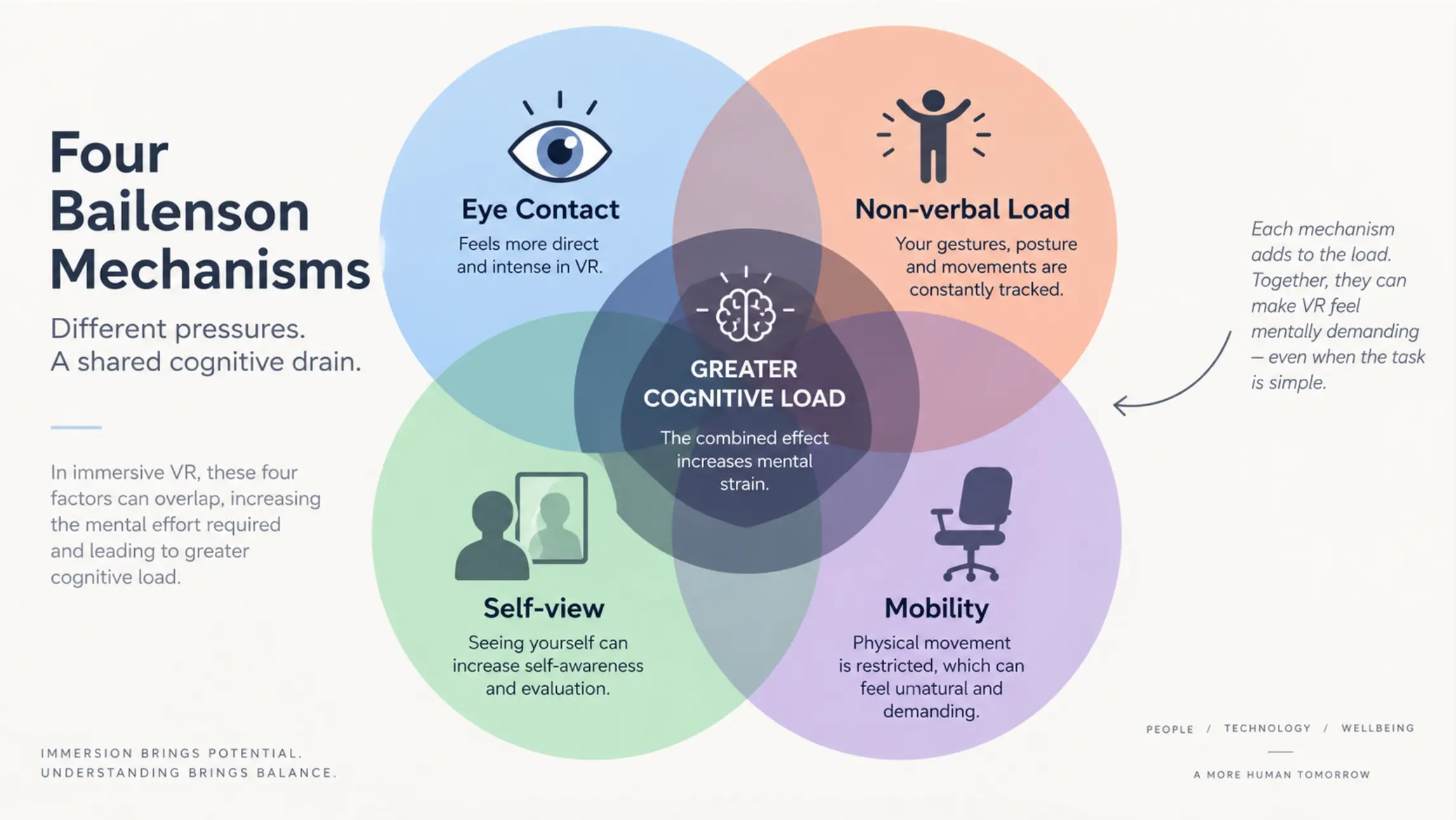 Diagram of the four Bailenson mechanisms — eye contact, non-verbal load, self-view, mobility — shown as four overlapping cognitive drains
How Big Is the Problem in 2026?
Video meeting volume has not decreased since 2020 — it has stabilized at a permanently elevated level. Microsoft’s 2025 Work Trend Index reports that the average Teams user spends significantly more time in meetings than pre-pandemic, with back-to-back scheduling remaining the norm rather than the exception in hybrid and remote organizations.
The hybrid transition has added a layer: in hybrid meetings, remote participants face all four of Bailenson’s fatigue mechanisms simultaneously, while in-room participants experience only some of them. This asymmetry means remote employees systematically accumulate more Zoom fatigue than their in-office counterparts — a structural equity problem that most organizations haven’t deliberately addressed.
According to JLL’s 2025 Workforce Preference Barometer, covering 8,700 workers across 31 countries, 46% of caregivers — who represent nearly half the global workforce — report high levels of exhaustion, with meeting overload cited as a primary contributor. Reducing meeting cognitive load is no longer a wellness nice-to-have; it’s a workforce retention issue.
10 Ways to Overcome Zoom Fatigue
These solutions are organized by the mechanism they address. Applying a mix across all four categories is more effective than optimizing heavily for one.
Address Eye Contact Fatigue
1. Shrink your video window
Most participants default to full-screen or large-window video views, which magnify faces to an uncomfortable scale and intensify the close-range eye contact effect. Reducing the video window to a smaller size — so faces appear closer to the scale they would in a real room — meaningfully reduces the gaze intensity Bailenson identified as a primary fatigue driver.
Remind your team to do this at the start of each meeting. It takes five seconds and has a measurable effect on comfort over a long call.
2. Normalize camera-off time
Mandatory camera-on policies amplify fatigue without proportionally improving meeting outcomes. Research consistently shows that comprehension and participation don’t significantly degrade when cameras are off for portions of a call — but fatigue does decrease.
Create a team norm that cameras are encouraged but not required for full-meeting duration, particularly in long working sessions or listening-heavy calls. Reserve camera-on expectations for the portions where visual connection genuinely matters: introductions, sensitive discussions, collaborative decision-making.
Reduce Non-Verbal Communication Load
3. Establish explicit turn-taking signals
Much of the non-verbal compensatory effort in video meetings comes from participants trying to signal when they want to speak without interrupting. Without the ambient cues of in-person interaction, people either over-signal or stay silent.
Standardize a turn-taking method: hand-raise feature in the platform, a simple chat message ("Q"), or a verbal protocol at the start of each meeting. When the mechanism is clear, participants don’t need to maintain continuous non-verbal vigilance.
4. Replace status-update meetings with async formats
A significant portion of recurring meetings exist to transmit information that could be delivered asynchronously — project updates, weekly standups, progress reports. These are exactly the meeting types that produce high Zoom fatigue relative to their value, because they require sustained attention for content that could be read in two minutes.
Audit your recurring meeting calendar. Any meeting that follows a predictable format and doesn’t require real-time decision-making is a candidate for conversion to a shared document, a recorded loom, or an AI-generated summary.
Address Self-View Anxiety
5. Hide self-view during calls
Every major video platform now offers a "hide self-view" option that removes your own face from your screen without affecting what others see. This is one of the highest-ROI changes a participant can make individually — it eliminates the self-monitoring loop entirely without any coordination with others.
On Zoom: click the three dots on your own video tile → "Hide Self View." On Google Meet: click the three dots → "Remove tile." On Teams: right-click your video → "Hide for me." Make this a default habit, not an occasional workaround.
6. Use AI-generated meeting notes to reduce note-taking anxiety
A significant but underappreciated source of self-monitoring fatigue is the anxiety of being responsible for remembering what was said. When participants are worried about capturing key decisions and action items, they can’t relax their attention even during low-stakes moments of the call.
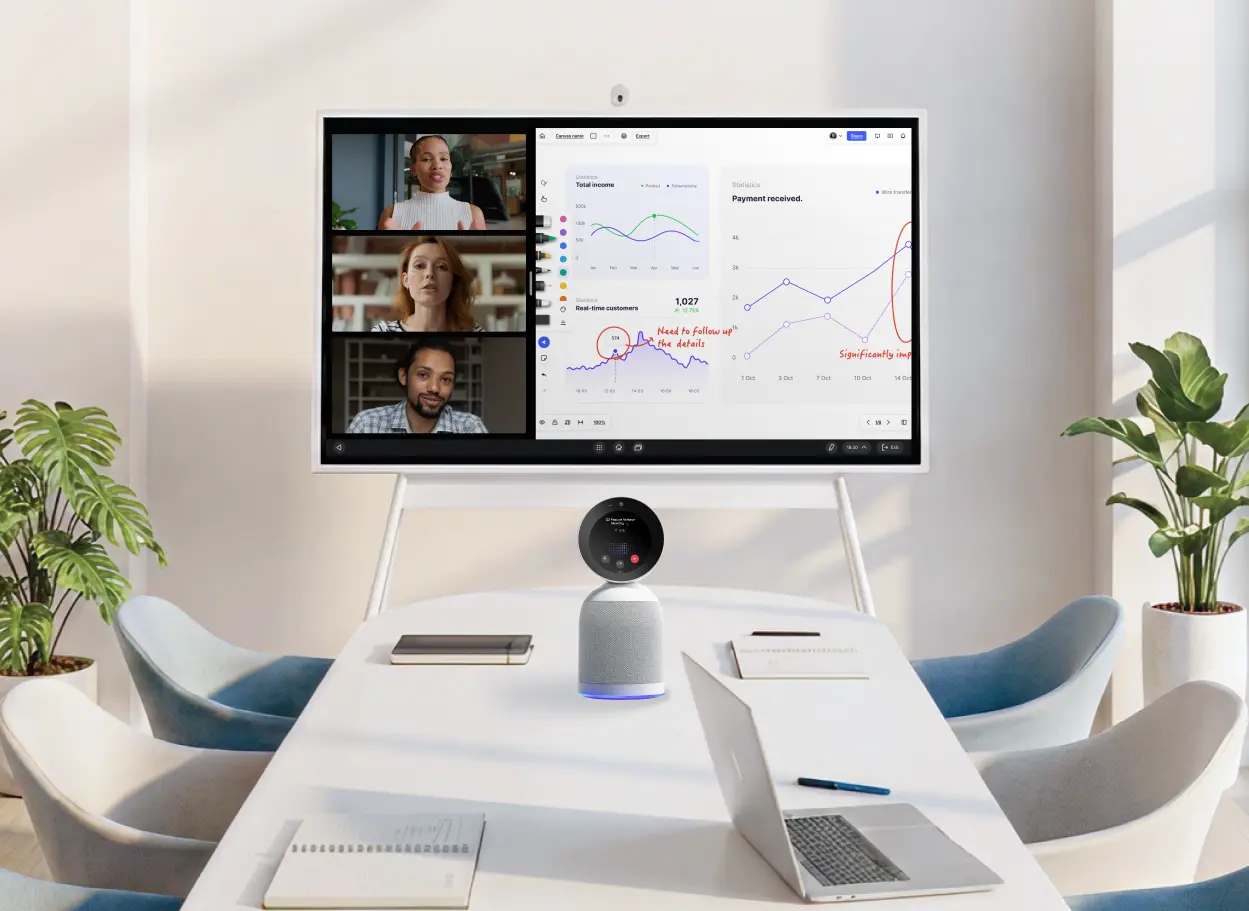
AI meeting tools that automatically generate transcripts, summaries, and action items remove this pressure entirely. Vibe Bot captures the full meeting in the conference room — 360° 4K video, 6-mic beamforming audio, on-device AI processing — and delivers a complete summary and action item list the moment the call ends. For individual participants joining remotely, Vibe Dot provides the same capability as a personal recording device. When the meeting record is handled automatically, participants can be fully present rather than simultaneously attending and documenting.
Restore Physical Mobility
7. Take walking calls for audio-only meetings
Not every meeting requires video. For one-on-one check-ins, brainstorm discussions, or catch-up calls with familiar colleagues, audio-only calls allow participants to walk, stand, or move freely. The mobility benefit is immediate and the relationship doesn’t suffer — Bailenson’s research explicitly cites walking as a driver of creative ideation.
Build a team norm: certain meeting types (1:1s, informal syncs) are audio-optional by default. The host sets this expectation in the calendar invite, and participants can join from their phone while moving.
8. Protect transition time between meetings
Back-to-back scheduling eliminates the transition time that in-person meetings naturally include — walking between rooms, grabbing water, having a two-minute informal conversation. That transition time isn’t wasted; it’s neurologically necessary for the brain to process one conversation before beginning another.
At an organizational level, the most effective intervention is a meeting policy that builds in 5–10 minute buffers between consecutive calls. Practically: schedule meetings to end at :50 or :25 rather than on the hour, making the buffer automatic. Microsoft’s research on the physiology of back-to-back meetings found measurable differences in brain stress indicators when even short buffers were present between calls versus absent.
Structural Interventions
9. Make brainstorms interactive instead of passive
One of the most fatigue-inducing meeting formats is the passive brainstorm: everyone stares at a talking head, ideas get spoken into the void, and participation is uneven. Replacing passive idea-gathering with interactive visual collaboration reduces the sustained-attention burden because participants are doing something rather than watching.
A smart whiteboard accessible to both in-room and remote participants lets everyone contribute simultaneously to a shared canvas — typing, annotating, organizing — rather than waiting for their turn to speak. The activity itself is less fatiguing because it’s varied and participatory.
10. Audit and reduce total meeting volume
All the above interventions help, but they don’t address the most direct lever: fewer meetings. If a meeting doesn’t have a clear decision to make, a problem to solve, or a relationship to build, it probably shouldn’t be a meeting.
A useful heuristic: before scheduling a meeting, ask whether the outcome could be achieved with a well-written document or a recorded async update. If yes, default to that. Reserve live video calls for work that genuinely benefits from real-time interaction — collaborative problem-solving, sensitive feedback conversations, relationship-building with new colleagues or clients.
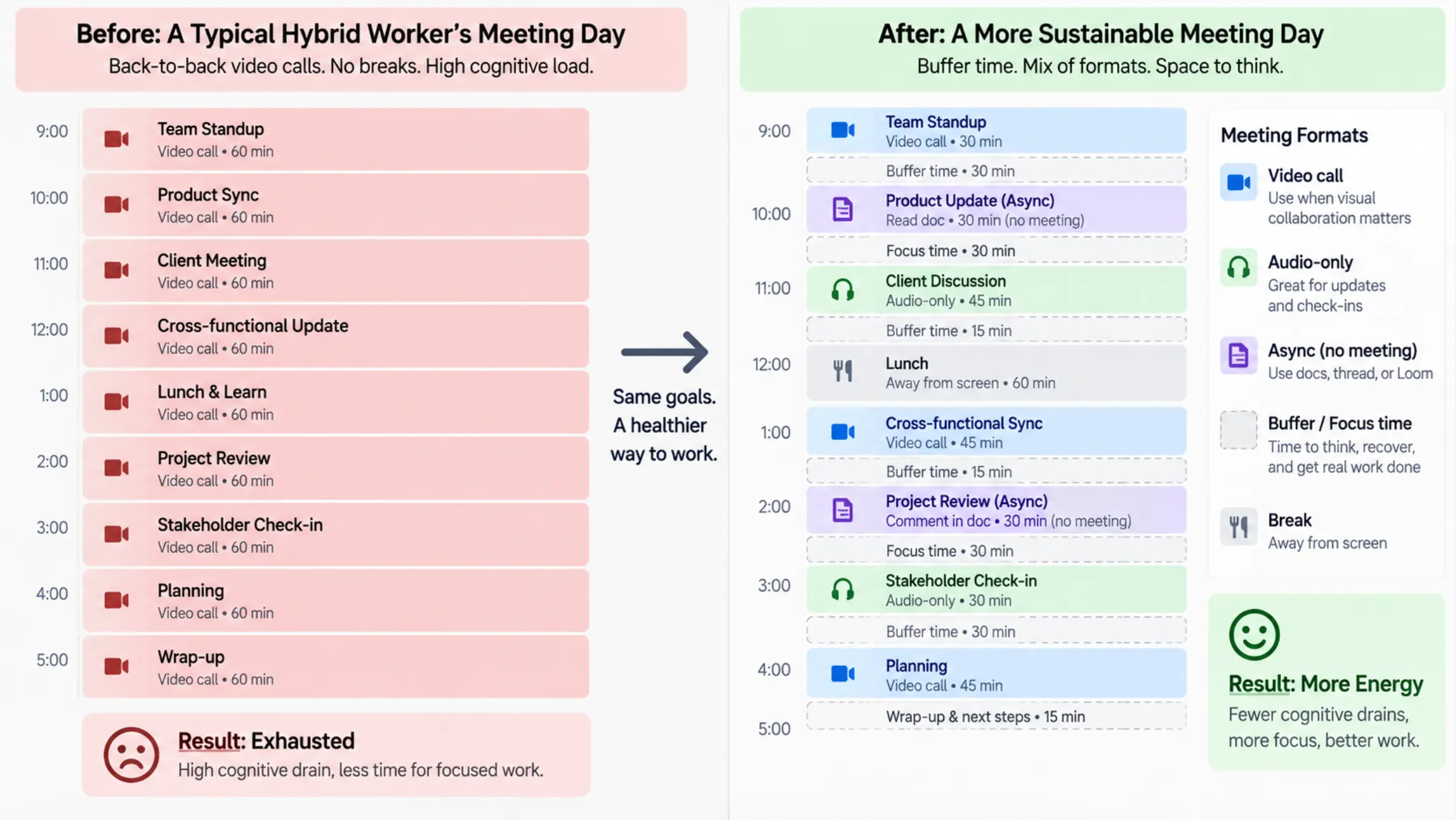 Calendar view showing before/after of a typical hybrid worker's meeting day — before: back-to-back calls on the hour; after: meetings with buffer time, some replaced with async formats, some audio-only
How AI Meeting Tools Address Zoom Fatigue at Its Source
Most Zoom fatigue interventions address the symptoms — reducing call frequency, adjusting camera settings, building in breaks. AI meeting tools address one of the root causes: the cognitive burden of being simultaneously present and responsible for capturing what’s said.
When every participant knows they need to remember decisions and action items, they can’t fully relax during low-stakes portions of the call. The attentional load never drops to zero. Over a full day of meetings, that constant low-level vigilance compounds into the distinctive end-of-day exhaustion Zoom fatigue produces.
Automatic transcription and AI-generated summaries change this. When the meeting record is captured reliably — not dependent on one person’s notes, not requiring anyone to stay in "document mode" — participants can direct their attention to the discussion rather than to documentation.
For conference rooms: Vibe Bot handles this at the room level. A standalone device that runs without a laptop, it captures 4K 360° video and beamforming audio, and delivers a transcript, summary, and speaker-attributed action items immediately when the meeting ends. In-room and remote participants get the same record.
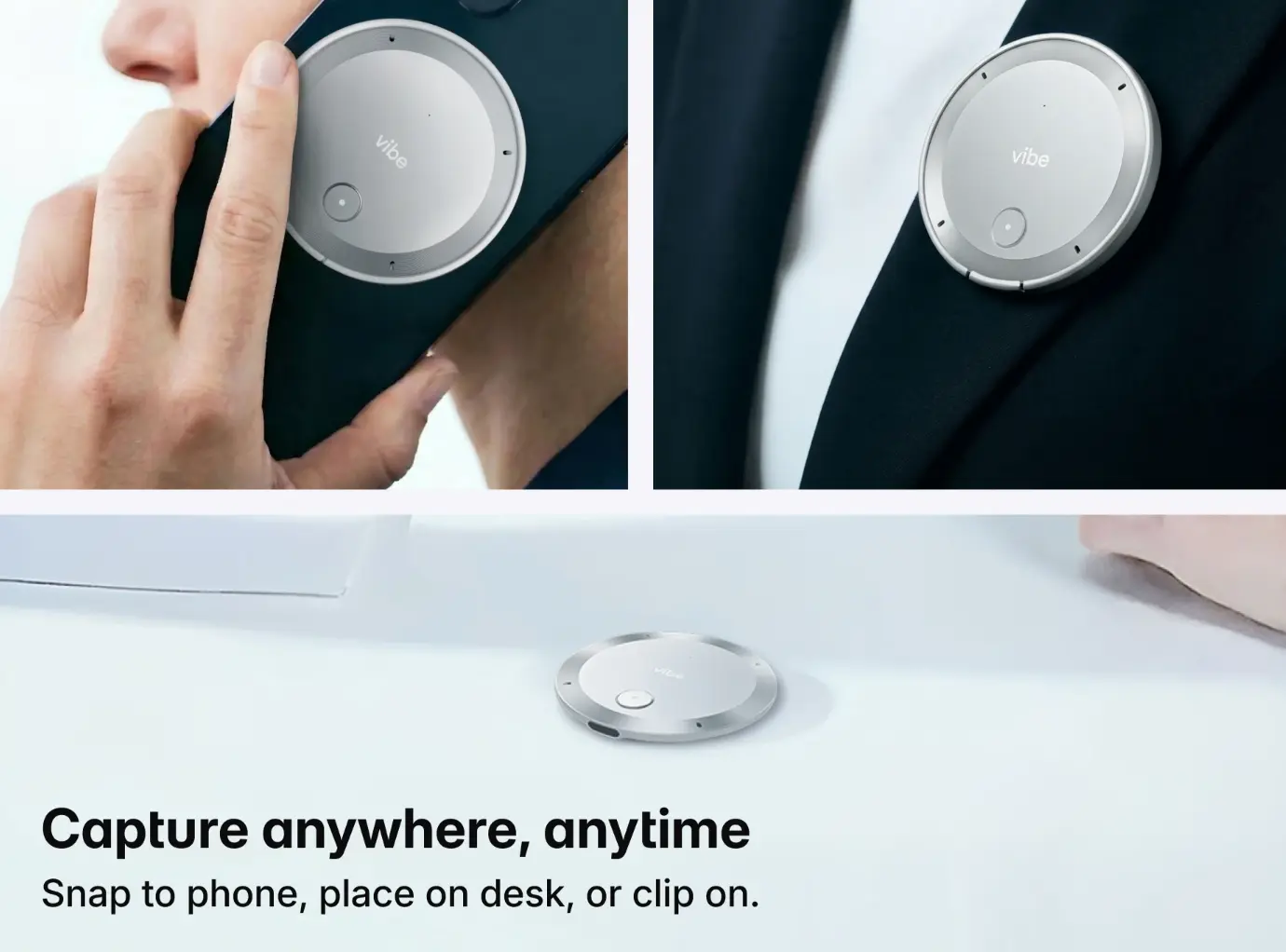
For individual remote participants: Vibe Dot is a personal AI recording device that captures and summarizes meetings, calls, and conversations on the go — without requiring the conference room to have any particular hardware.
The result isn’t just better meeting records. It’s a measurable reduction in the vigilance overhead that compounds into Zoom fatigue over the course of a meeting-heavy day.
Conclusion
Zoom fatigue is well-understood, real, and solvable — but solving it requires addressing the right mechanisms. The four causes Bailenson identified in 2021 are still the most accurate framework: eye contact overload, non-verbal compensation, self-view anxiety, and mobility loss. The solutions map directly to those causes.
The most underused lever in 2026 is removing the documentation burden from meetings. When AI captures the record automatically, participants can be fully present rather than simultaneously attending and archiving — and that shift alone reduces the sustained-attention overhead that makes back-to-back video calls so draining.
Start with the simplest interventions: hide your self-view, shrink your video window, and protect 10 minutes between consecutive calls. Then evaluate whether AI meeting tools can remove the documentation load that’s keeping your team’s attentional budget maxed out through every session.
Frequently Asked Questions
What is Zoom fatigue and why does it happen?
Zoom fatigue is the cognitive and physical exhaustion caused by the specific demands of video conferencing — sustained close-range eye contact, continuous self-monitoring via the self-view, amplified non-verbal communication effort, and reduced physical mobility from being camera-fixed. Stanford professor Jeremy Bailenson identified these four mechanisms in the first peer-reviewed study on the subject (2021). Unlike general tiredness from a long day, Zoom fatigue accumulates from the neurological overhead of video communication itself, which is why it persists even when the meeting content is engaging and the meeting duration is reasonable.
How do you overcome Zoom fatigue?
The most effective approaches target the four root causes directly: reduce the self-view to eliminate self-monitoring anxiety; shrink your video window to decrease close-range eye contact intensity; build in transition time between consecutive calls to allow neurological recovery; take audio-only calls when video isn’t necessary to enable physical movement; and use AI meeting tools to remove the documentation burden that keeps participants in continuous high-attention mode. No single intervention eliminates Zoom fatigue, but combining two or three from different categories produces a meaningful reduction.
Does turning off your camera help with Zoom fatigue?
Yes — but selectively. Turning off the self-view (so you can’t see yourself) has the most direct impact on the mirror anxiety mechanism Bailenson identified. Turning off your outward camera reduces the eye contact and non-verbal performance demands on others in the meeting, but also reduces your own connection to the group. Most research suggests a middle path: hide self-view as a default, keep your camera on for the portions of calls where visual connection genuinely matters (collaborative decisions, introductions, sensitive conversations), and use audio-only for listening-heavy or one-on-one calls.
How is Zoom fatigue different in hybrid meetings?
In hybrid meetings, remote participants face all four of Bailenson’s fatigue mechanisms simultaneously — sustained screen eye contact, self-view monitoring, amplified non-verbal effort, and immobility — while in-room participants experience only some of them and can move, look away, and interact physically. This asymmetry means remote employees in hybrid organizations systematically accumulate more Zoom fatigue than their in-office colleagues. The structural fix requires deliberate meeting design: AI meeting capture that removes documentation pressure, audio-optional norms for lower-stakes calls, and shorter default meeting lengths for remote participants.
What tools help reduce Zoom fatigue?
The most impactful tools work at the cognitive burden level rather than just the comfort level. AI meeting devices like Vibe Bot (for conference rooms) and Vibe Dot (for individual use) automatically generate transcripts, summaries, and action items — removing the documentation vigilance that contributes to fatigue over a meeting-heavy day. At the platform level, Zoom, Google Meet, and Teams all offer "hide self-view" settings that directly address mirror anxiety. Async tools (Loom, Notion, shared documents) reduce the total number of live calls needed by replacing status-update meetings with structured written updates. Used together, these tools address both the frequency and the cognitive intensity of video meetings.
How many video calls per day is too many?
There’s no universal threshold, but research suggests that back-to-back scheduling without transition time is more damaging than the total number of calls. Microsoft’s Work Trend Index found measurable differences in physiological stress indicators when even 5–10 minute buffers separated consecutive meetings. A practical guideline: no more than three consecutive video calls without a 10-minute break; audio-only or async alternatives for any call that doesn’t require visual collaboration; and a daily review of whether each recurring meeting is earning its place on the calendar.