A laptop on a cart was enough to get through the early days of telehealth. It isn’t enough for a durable virtual care program in 2026.
Healthcare organizations that launched telehealth as an emergency measure during the pandemic are now building it into permanent clinical workflows — weekly specialist consultations, behavioral health follow-ups, multidisciplinary team meetings, rural care programs, and patient education sessions. The rooms supporting these workflows have different requirements than a standard corporate conference room: HIPAA compliance isn’t optional, camera placement affects clinical observation quality, audio privacy matters in ways it doesn’t in an office, and the technology needs to work without requiring a clinician to troubleshoot setup before every appointment.
This guide covers what healthcare organizations need from their telehealth and consultation room technology in 2026 — from the physical room design to the AV hardware, platform compliance, and AI layer that makes clinical meetings more effective.
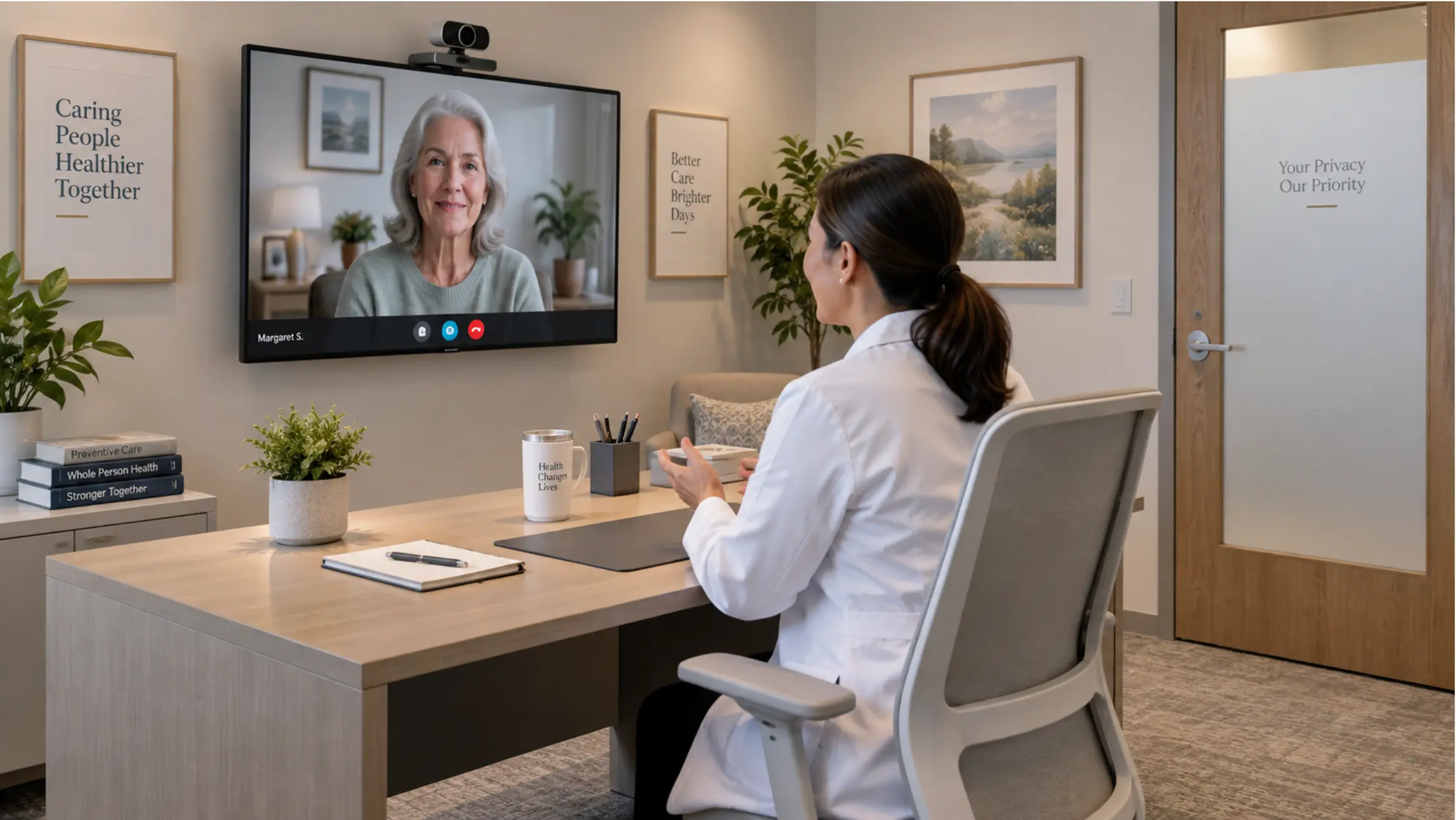 A clean, well-lit telehealth consultation room — large display showing a patient video call, wall-mounted camera at eye level, clean desk with no visible cabling, privacy screen on the door
What Makes a Telehealth Room Different from a Standard Conference Room
Healthcare AV design has a practical mission: make virtual care easy to deliver well. The requirements that separate a telehealth room from a generic meeting room fall into four categories:
1. HIPAA compliance at the room and platform level Every device, platform, and workflow in a telehealth room that touches patient information must comply with HIPAA. This includes the video conferencing platform, the display device, how sessions are recorded or stored, and how access to the room system is controlled. A video platform is HIPAA compliant only when the vendor signs a Business Associate Agreement (BAA) with your practice — encryption and waiting rooms matter, but neither substitutes for that signature.
2. Audio privacy A telehealth room’s microphone captures protected health information. That means acoustic design — how much the room’s audio leaks into adjacent spaces — is a clinical and compliance concern, not just a comfort issue. Telehealth rooms need audio that feels natural, steady, and private. If the room echoes, clips speech, or picks up hallway noise, both the clinical quality and patient trust degrade immediately.
3. Camera placement for clinical observation In a standard meeting, a camera that shows faces clearly is sufficient. In a telehealth exam room, the camera may need to show patient positioning, skin conditions, range of motion, or other clinical observations that require deliberate placement and potentially a wider field of view than a standard conference camera provides.
4. Simplified operation for clinical staff When those experiences become routine, staff stop thinking about the technology altogether. A room that requires clinicians to troubleshoot setup before each appointment introduces delays, friction, and errors — in an environment where time and focus need to be on the patient. The technology should be invisible in operation.
Room Types and Their Technology Requirements
Individual Consultation Room (1 clinician, 1 remote patient)
Use case: Primary care follow-ups, behavioral health sessions, specialist consultations, prescription renewals, chronic disease management.
Core equipment:
|
Component |
Requirement |
Notes |
|---|---|---|
|
Display |
43–65″, commercial or medical-grade |
Large enough for patient to see clinician clearly; avoid consumer TVs in clinical settings |
|
Camera |
Clinical-grade webcam or fixed clinical camera |
Eye-level mounting; wide-angle if patient needs to show body areas |
|
Microphone |
Directional mic or compact speakerphone |
Privacy matters — minimize ambient room capture |
|
Speaker |
Built-in display or compact clinical speaker |
Positioned toward clinician, not door |
|
Compute |
Windows-based device running HIPAA-eligible platform |
Role-based access controls required |
|
Platform |
Zoom for Healthcare, Microsoft Teams (BAA signed), or dedicated telehealth platform |
BAA is non-negotiable |
Where Vibe Dot fits here: For clinicians moving between consultation rooms, offices, and hallway conversations throughout the day, Vibe Dot is a wearable AI recorder that captures audio across Zoom, Teams, Google Meet, and in-person conversations — with Vibe AI generating automatic notes after every session. For a solo clinician doing back-to-back telehealth appointments, Vibe Dot travels with them rather than being fixed to a single room.
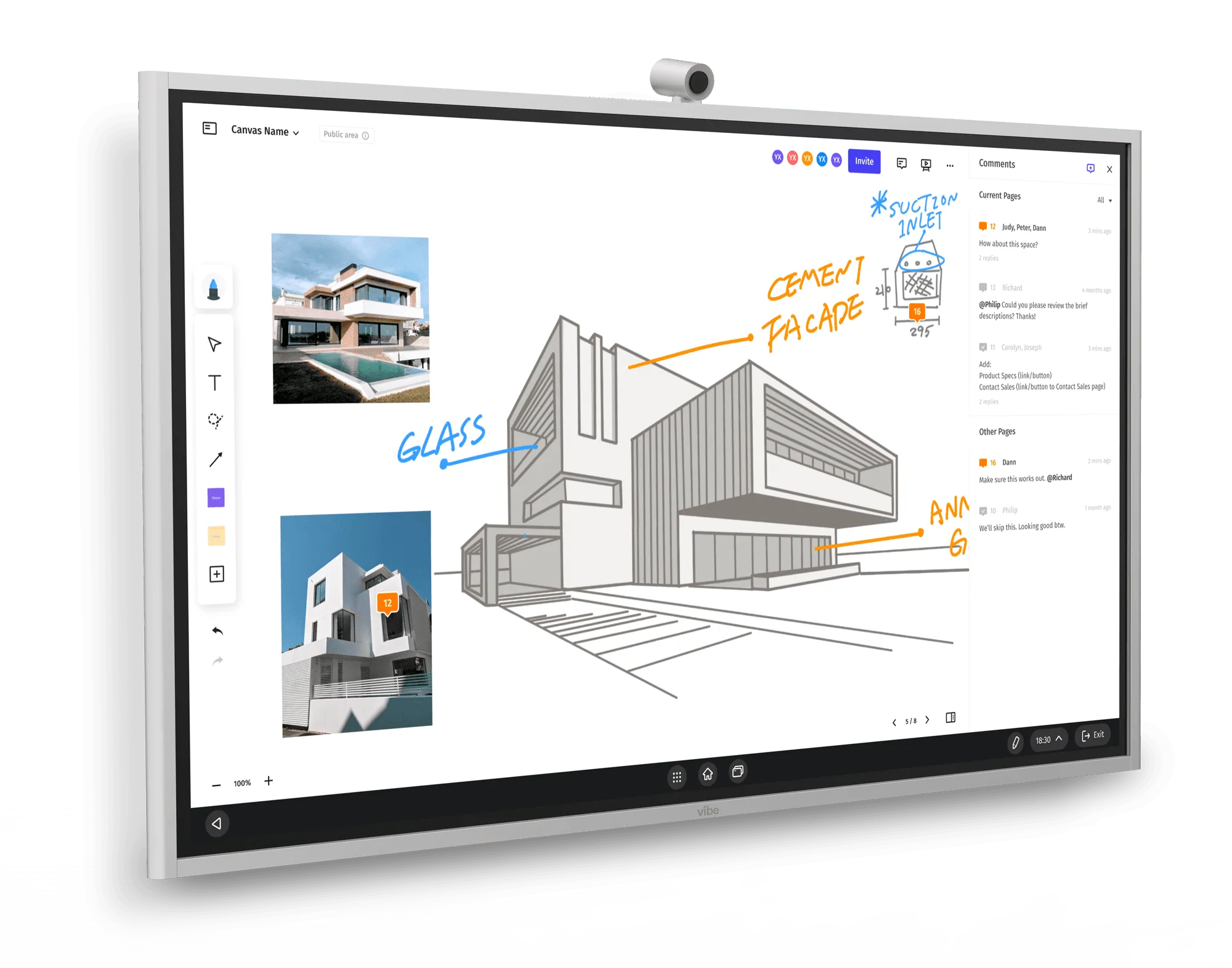
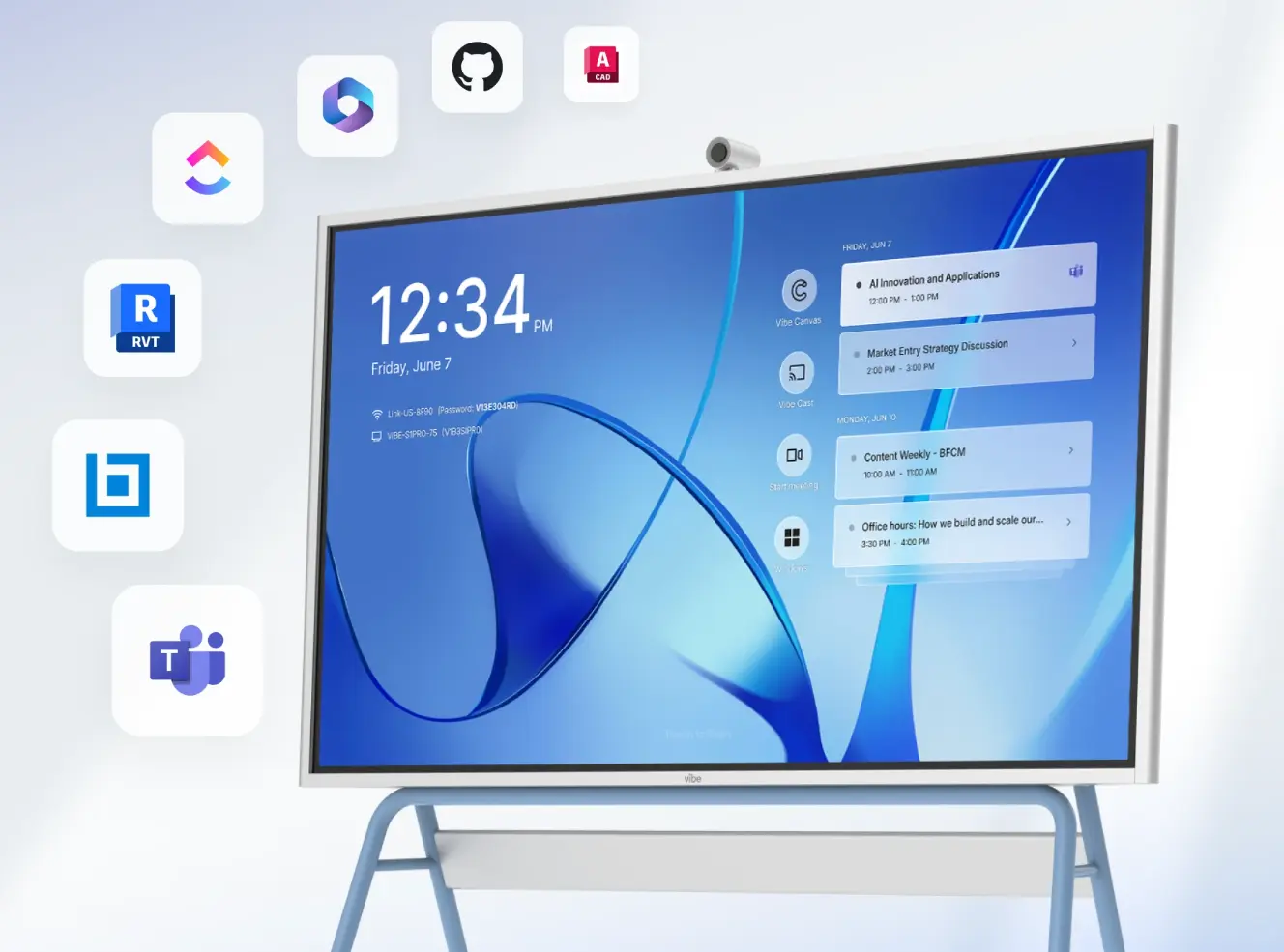
Where Vibe Board S1 Pro fits here: Vibe Board S1 Pro runs Windows 11 Pro, making it compatible with HIPAA-eligible platforms including Zoom for Healthcare and Microsoft Teams with a signed BAA. For clinicians who use Windows-based clinical software (EHR platforms, diagnostic tools, patient record systems) alongside their telehealth sessions, S1 Pro provides a single device that handles both the consultation display and the clinical computing layer — without switching between a separate workstation and a dedicated telehealth screen.
Budget range (Vibe-based setup): $7,000–$9,500 (Vibe Board S1 Pro + Vibe Smart Camera + audio + stylus set + installation)
Multidisciplinary Team Room (MDT / Care Coordination)
Use case: Tumor boards, case conferences, care planning meetings, specialist consultations with multiple clinicians in the room. High-stakes meetings where decisions directly affect patient outcomes.
Core equipment:
|
Component |
Requirement |
Notes |
|---|---|---|
|
Display |
75″+, interactive preferred |
Multiple clinicians need to annotate shared imaging, scans, or case notes |
|
Camera |
AI auto-framing, clinical-grade |
Tracks active speaker across multi-person room |
|
Microphone |
Tabletop array or ceiling mic (room size dependent) |
Full-table coverage; echo cancellation in hardware |
|
Speaker |
Room-filling, clear speech reproduction |
Intelligibility at all seats |
|
Compute |
Windows-based, runs EHR and imaging software natively |
PACS, DICOM viewers, clinical decision support tools |
|
AI meeting capture |
In-room hardware + AI notes layer |
Clinical decisions and care plans need reliable capture |
|
Platform |
HIPAA-eligible platform with BAA |
The case for Vibe Board S1 Pro + Vibe Bot in MDT rooms:
MDT meetings generate the most consequential clinical decisions in a healthcare organization — and the ones most likely to have documentation gaps. Vibe Board S1 Pro runs Windows 11 Pro, supporting PACS viewers, DICOM imaging software, and EHR platforms directly on the display. Multiple clinicians can annotate the same scan or case summary on a shared 75″ touchscreen.
Vibe Bot adds the AI capture layer: dedicated in-room hardware that records the session, with Vibe AI generating structured meeting notes, decision summaries, and action items automatically. For a weekly tumor board or MDT case conference, Vibe AI’s cross-session Memory Graph surfaces prior decisions and open care questions at the start of each meeting — creating a continuous clinical record rather than a series of disconnected sessions.
Important: For MDT meetings where patient information is discussed, confirm that Vibe AI’s data handling meets your organization’s BAA requirements and PHI policies before deployment.
Budget range (Vibe-based setup): $9,000–$13,000 (Vibe Board S1 Pro + Vibe Bot + Vibe Smart Camera + tabletop audio + installation)
Behavioral Health Consultation Room
Use case: Therapy sessions, psychiatric evaluations, counseling, substance use treatment. Highest privacy sensitivity of any telehealth room type.
Specific requirements:
-
Sound masking: More critical here than in any other room type. Patient conversations in behavioral health are acutely sensitive — acoustic panels, sound-absorbing materials, and potentially active sound masking near the door are standard for purpose-built rooms.
-
Neutral, calm visual environment: Background visible to the patient on camera should be professionally neutral — no clinical equipment, posters, or visual distractions. A simple backdrop or dedicated camera angle matters.
-
No visible recording indicators: Patients in behavioral health sessions are more likely to disengage if they perceive they are being recorded without consent. Recording settings and UI should be managed carefully.
-
Waiting room features: HIPAA-eligible platforms like Zoom for Healthcare and Doxy.me provide virtual waiting rooms where patients wait before being admitted — important for scheduling privacy in clinical workflows.
Equipment configuration:
|
Component |
Recommendation |
|---|---|
|
Display |
43–55″, positioned to avoid reflections or glare visible to patient on camera |
|
Camera |
Fixed, eye-level, tight framing — wide-angle not appropriate here |
|
Audio |
Directional speakerphone; acoustic panels on walls and door |
|
Platform |
Doxy.me, SimplePractice, or Zoom for Healthcare — purpose-built telehealth tools include BAA by default |
|
Recording |
Disabled by default; enabled only with explicit patient consent and compliant storage |
Clinical Training and Education Room
Use case: Medical student education, resident training, continuing medical education (CME), simulation debriefs, case study reviews.
What makes this different: The room is used for teaching, not patient care — so HIPAA requirements apply only when patient cases are discussed with identifiable information. The collaboration requirements, however, are more demanding than a standard consultation room: faculty need to annotate shared content, trainees need to contribute asynchronously, and sessions need to be captured for later review.
Equipment:
|
Component |
Requirement |
|---|---|
|
Display |
75″+ interactive — annotation is core to clinical education |
|
Camera |
AI auto-framing for hybrid groups (some trainees remote, some in-room) |
|
Audio |
Full-room coverage |
|
Compute |
Windows — runs simulation software, PACS, EHR training environments |
|
Digital whiteboard |
Persistent canvas for case annotation across sessions |
|
Session recording |
Capture for async review by trainees who couldn’t attend |
Vibe Board S1 Pro is particularly well-suited to clinical training environments: Windows 11 Pro supports simulation software and EHR training platforms natively, Vibe Canvas provides a persistent shared canvas for case annotation that carries across sessions, and the touch + stylus interface enables the kind of diagram annotation and case markup that defines clinical teaching. Vibe Bot + Vibe AI can capture session notes and decisions for trainees to review asynchronously.
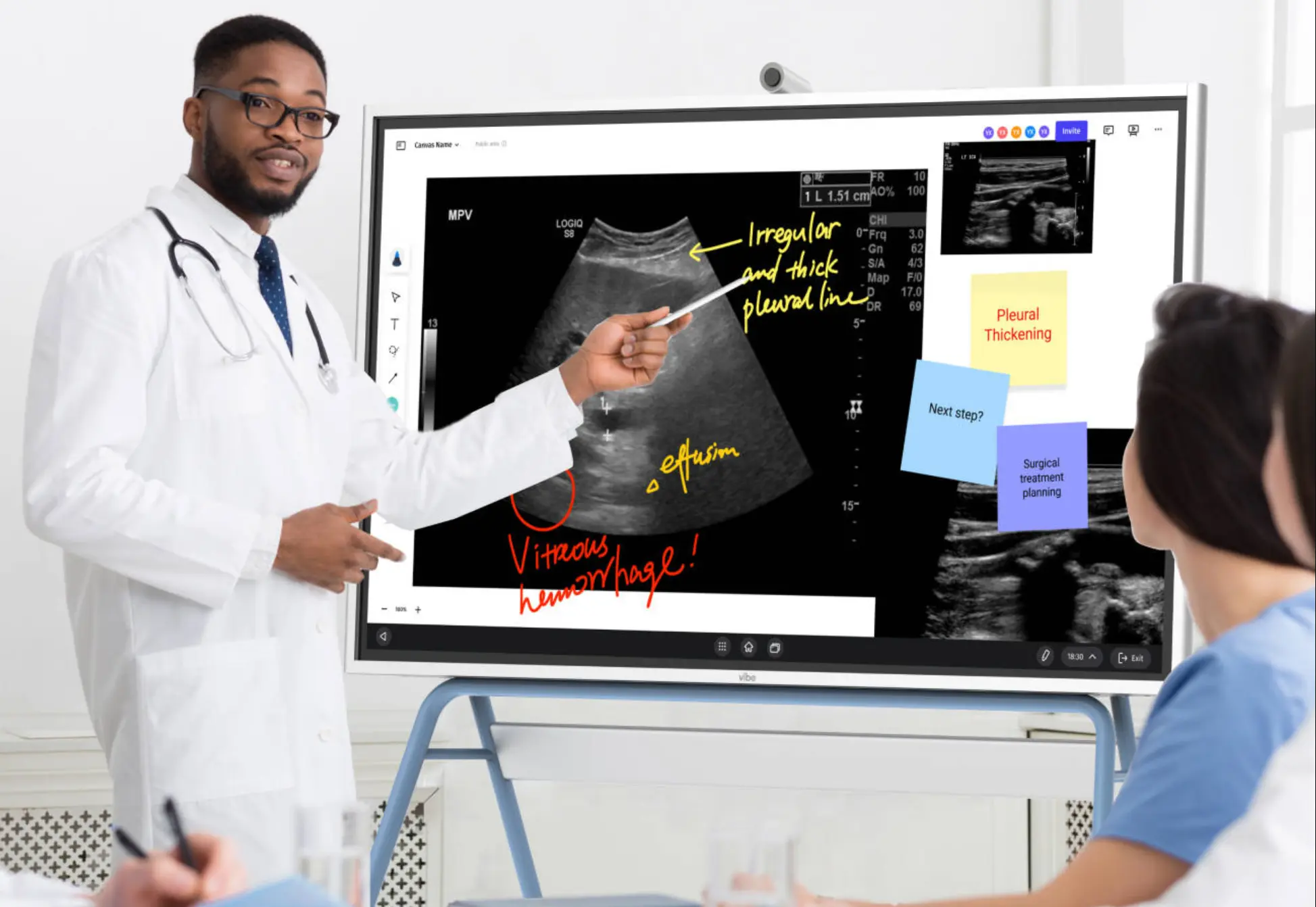 A clinical training room with Vibe Board S1 Pro showing a medical imaging scan, an attending physician annotating directly on the display with a stylus
HIPAA Compliance: What the Room Technology Stack Must Support
HIPAA compliance in a telehealth room is not a checkbox on a platform settings page. It applies to every layer of the technology stack that touches patient health information.
The platform layer: BAA is required
The U.S. Department of Health and Human Services states clearly that covered healthcare providers must use technology vendors that comply with HIPAA Rules and will enter into a BAA for their video communication products used in telehealth.
HIPAA-eligible platforms and their BAA process:
|
Platform |
BAA availability |
Notes |
|---|---|---|
|
Zoom for Healthcare |
Available — requires sales engagement and specific paid plan |
Standard Zoom is not HIPAA-eligible — must use Zoom for Healthcare plan |
|
Microsoft Teams |
Available — administrator signs in admin console |
Available with qualifying Microsoft 365 plans; admin must complete BAA acceptance |
|
Doxy.me |
Included with Professional plan |
Purpose-built telehealth; BAA included |
|
SimplePractice |
Included with subscription |
Purpose-built for behavioral health and therapy |
|
Google Workspace / Meet |
Available — administrator signs in admin console |
BAA available; configure data handling settings |
Paying the invoice alone does not make you compliant. Each platform requires specific steps — a sales engagement, an admin console action, or a signed agreement — before the BAA is in effect.
The device layer: access controls and encryption
The display device and compute unit in a telehealth room must support:
-
Role-based access controls — clinicians, administrators, and support staff should each access only what they need
-
Automatic session termination — rooms should not remain logged into patient sessions after the appointment ends
-
Encrypted storage — any local storage on the device should use current encryption standards (AES-256)
-
Centralized device management — IT needs to be able to push security updates, audit access, and remotely wipe devices if needed
Vibe Board S1 Pro’s Windows 11 Pro foundation supports standard enterprise MDM (Mobile Device Management) tools, BitLocker encryption, and role-based access configurations that align with healthcare IT security requirements.
The recording layer: consent and storage
AI meeting notes and session recording introduce PHI handling requirements in healthcare contexts. Before deploying Vibe Bot + Vibe AI in clinical settings:
-
Confirm patient consent procedures for session recording with your compliance team
-
Verify that Vibe AI’s data handling and storage meets your organization’s BAA and PHI requirements
-
Establish which session types are appropriate for AI capture (MDT meetings, clinical training) vs. which require stricter controls (individual patient consultations, behavioral health)
Healthcare organizations should work with their compliance, privacy, and legal teams on applicable requirements, vendor agreements, and internal policy before deploying AI meeting tools in clinical workflows.
Audio Design: The Most Overlooked Telehealth Room Requirement
Audio is where most telehealth rooms fail — and where clinical experience is most immediately affected. If the room echoes, clips speech, or picks up hallway noise, trust drops immediately.
The three audio problems in telehealth rooms
1. Acoustic privacy: Conversations leak through doors and walls. In behavioral health and consultation rooms, this is a HIPAA concern as well as a comfort concern. Solution: acoustic panels on walls, solid-core doors, and sound masking in adjacent corridors.
2. Echo and reverb: Hard floors, parallel walls, and glass create echo that microphones can’t fully cancel in software. Solution: acoustic treatment before installing microphones — not as a fix after.
3. Background noise capture: HVAC systems, corridor noise, and adjacent room activity all get picked up by sensitive microphones. Solution: directional microphone placement, hardware echo cancellation (DSP), and room layout that keeps the microphone away from noise sources.
Microphone selection for telehealth rooms
|
Room type |
Recommended microphone |
Why |
|---|---|---|
|
Individual consultation (1 clinician) |
Directional speakerphone (Jabra Speak2, Poly Sync) |
Focused capture of clinician voice; minimal ambient pickup |
|
Multidisciplinary team room |
Tabletop array with DSP |
Full-table coverage; hardware echo cancellation |
|
Behavioral health |
Directional speakerphone, noise-isolated |
Privacy-first; minimal room capture |
|
Clinical training room |
Ceiling beamforming array (if large) or tabletop array |
Full-room coverage for faculty + trainee capture |
The Telehealth Technology Stack: What to Budget
Unlike corporate conference rooms where budget is primarily driven by room size, telehealth room budgets are also shaped by clinical use case and compliance requirements.
Individual consultation room (Vibe-based):
-
Vibe Board S1 Pro + Vibe Smart Camera + directional audio + Vibe Active Stylus × 2 + installation: $7,000–$9,500
-
Platform licensing (Zoom for Healthcare Pro): $14.16/provider/month (annual, BAA included)
Multidisciplinary team room (Vibe-based):
-
Vibe Board S1 Pro + Vibe Bot + Vibe Smart Camera + tabletop audio + installation: $9,000–$13,000
-
Platform licensing: varies by platform and headcount
Behavioral health consultation room:
-
Display + clinical camera + directional audio + acoustic treatment + installation: $4,000–$7,000
-
Purpose-built telehealth platform (Doxy.me Professional): $35/provider/month; SimplePractice: varies by plan
Clinical training room (Vibe-based):
-
Vibe Board S1 Pro + Vibe Bot + Vibe Smart Camera + Vibe Active Stylus × 2 + full-room audio + installation: $11,000–$16,000
Building Your Telehealth Room Technology Stack
The right telehealth room configuration depends on clinical use case, room size, and compliance requirements. Start with the use case — individual consultation, multidisciplinary team meeting, behavioral health, or clinical training — and work backwards to the technology requirements.
For most healthcare organizations building or upgrading telehealth infrastructure in 2026, the practical priorities are:
-
Platform compliance first — confirm BAA status before deploying any video conferencing tool in a clinical workflow
-
Acoustic treatment before hardware — address room acoustics before purchasing premium microphones
-
Windows-based compute for clinical software — EHR platforms, PACS viewers, and clinical decision support tools require Windows
-
AI capture for MDT and training rooms — not for individual patient consultations until compliance pathway is clear
-
Simplified operation — the technology should work without clinician troubleshooting before every session
Frequently Asked Questions
What makes a telehealth room HIPAA compliant?
HIPAA compliance in a telehealth room requires three things: a video conferencing platform with a signed Business Associate Agreement (BAA) from the vendor, device-level security controls (role-based access, encrypted storage, session termination), and organizational policies governing how patient information is handled in the room. Encryption and waiting rooms are necessary but not sufficient — the BAA with your platform vendor is the legal foundation, and it must be signed before the platform is used for patient consultations.
Can I use Zoom for telehealth consultations?
Standard Zoom is not HIPAA eligible. Zoom for Healthcare is a separate plan specifically designed for clinical use — it requires a sales engagement to sign a BAA with Zoom, and the BAA must be in effect before using the platform for patient consultations. When properly configured on the right plan, Zoom for Healthcare is used by many healthcare organizations for telehealth. Note that some AI features in Zoom are automatically disabled when a covered entity signs a BAA.
What’s the difference between a telehealth room and a standard conference room?
The core differences are: HIPAA compliance requirements (platform BAA, device access controls, PHI handling), audio privacy requirements (conversations contain patient health information), camera requirements optimized for clinical observation rather than just face visibility, and the need for simplified operation so clinicians can focus on patients rather than technology. A standard corporate conference room setup is not appropriate for patient-facing telehealth without addressing these requirements.
Do I need a dedicated room for telehealth, or can I use an existing office?
A dedicated room is strongly recommended for any regular telehealth program. Shared offices and general meeting rooms often have insufficient acoustic privacy, inconsistent lighting and backgrounds, and no standardized equipment — leading to variable patient experience and compliance risk. A dedicated room can be configured once and operated consistently across providers, with standardized equipment, compliant platforms, and predictable patient experience.
How do I handle AI meeting notes in a telehealth context?
AI meeting notes introduce PHI handling requirements when patient information is discussed. Before deploying AI capture tools like Vibe Bot + Vibe AI in clinical settings, work with your compliance team to: establish patient consent procedures for session capture, verify that the AI tool’s data handling meets your organization’s BAA requirements, and determine which clinical meeting types are appropriate for AI capture (MDT meetings, clinical training, care coordination) vs. which require stricter controls (individual patient consultations, behavioral health sessions). The MDT and training room use cases are typically the right starting point for AI meeting tools in healthcare.
What’s the most important investment for a behavioral health telehealth room?
Acoustic privacy. Behavioral health conversations are the most sensitive patient interactions in any healthcare setting — they must remain fully private. Before investing in premium cameras or displays, invest in acoustic panels, a solid-core door, and potentially active sound masking in the corridor. A room with excellent acoustic isolation and a modest camera is a better behavioral health telehealth environment than a room with premium AV and inadequate sound privacy.