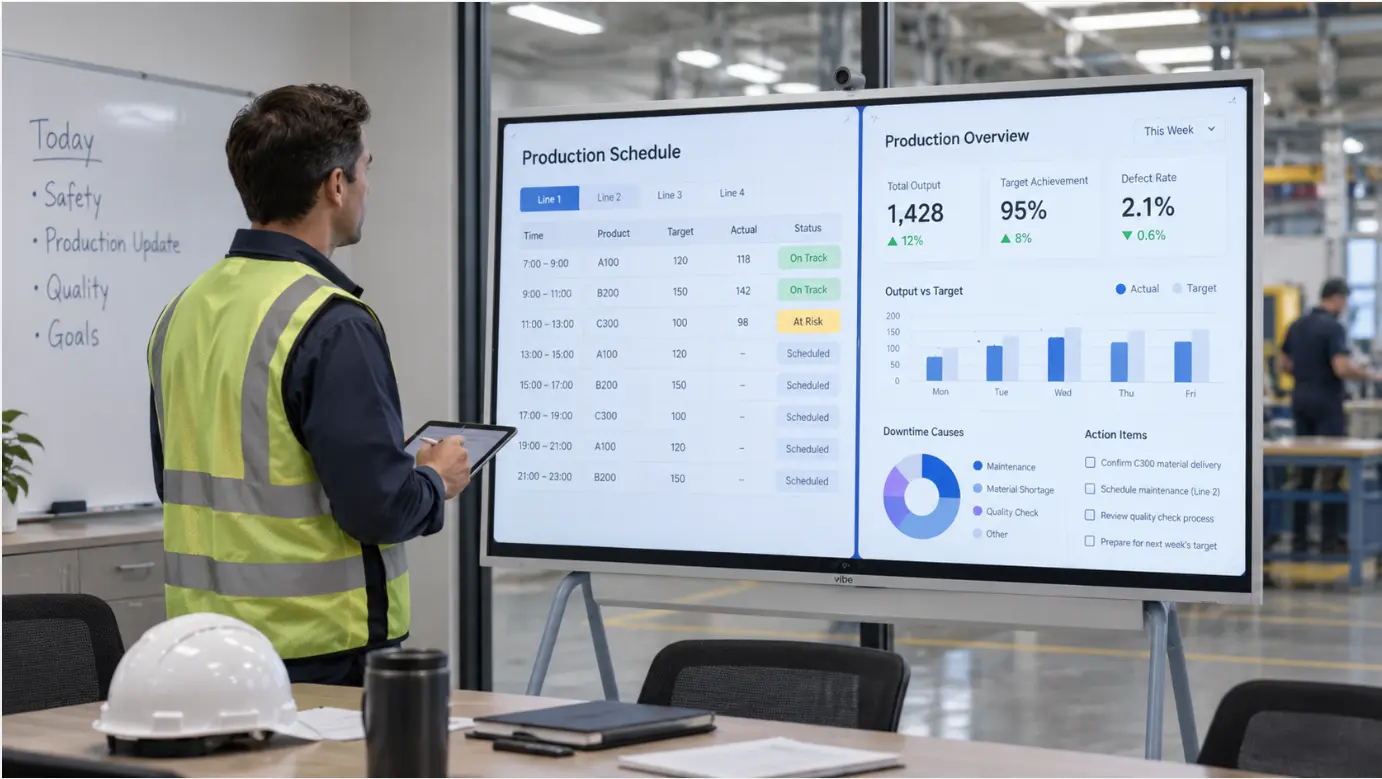
A3 problem solving and QRQC are not the same thing, though they are often used together and sometimes confused. Understanding the difference matters before deciding how to digitize either one — because the display requirements are different, and the wrong approach for one can undermine the other.
A3 is a structured problem-solving process developed at Toyota. It gets its name from the A3 paper size (11 x 17 inches) used to document the work. The discipline is not the paper — it is the thinking: working through a problem using the Plan-Do-Check-Act (PDCA) cycle, with all the reasoning visible on a single page. The Lean Enterprise Institute describes the A3 not primarily as a form but as a storyboard that guides dialogue, analysis, and coaching throughout the problem-solving process. An A3 is active as long as the problem is being worked.
QRQC (Quick Response Quality Control) is a quality response system developed at Nissan in the 1990s. Where A3 is a thinking tool, QRQC is an operational system: it defines how quality problems are detected, escalated through management tiers, and resolved within defined time limits. A key feature of QRQC is the escalation clock — if a problem is not resolved at one management level within a set deadline, it automatically escalates to the next level. According to Tervene’s QRQC implementation guide, the four core steps are problem identification, root cause analysis, corrective action, and verification of effectiveness. QRQC often uses A3 documents as part of its problem-solving work, but the two are distinct.
This distinction shapes what digitizing each one actually requires.
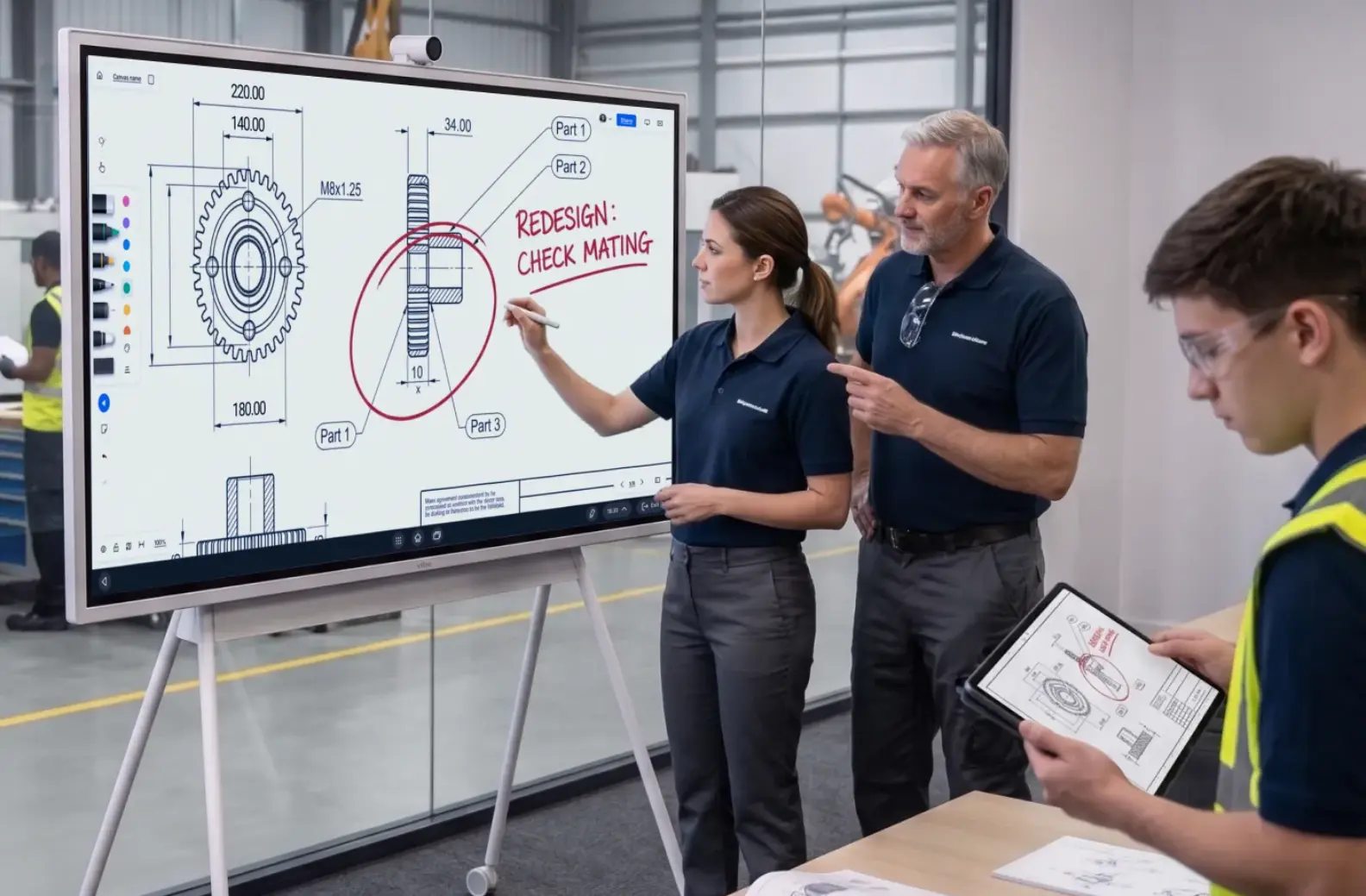
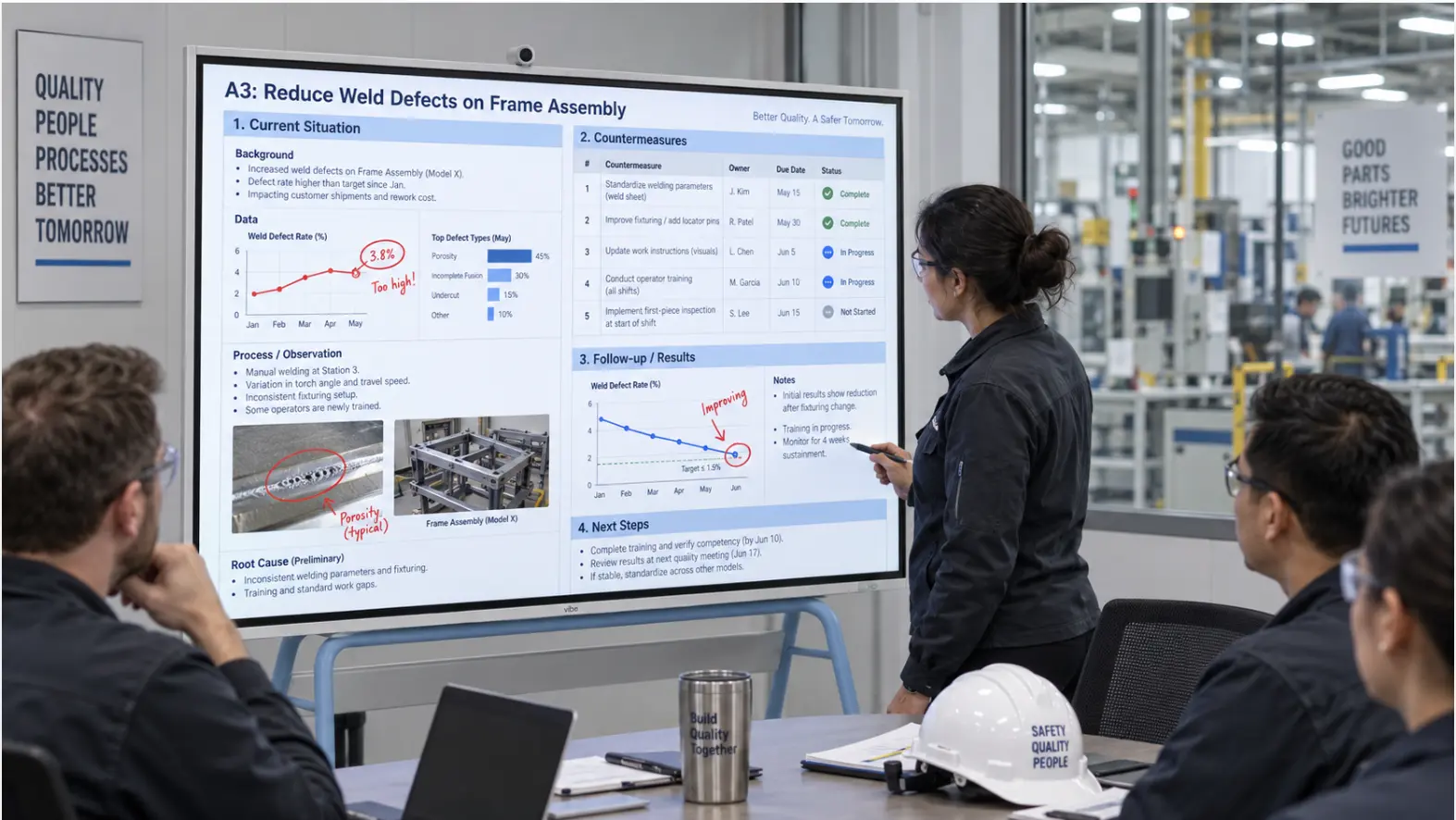 A Vibe Board in a manufacturing quality review room showing an A3 document at full scale
What Physical A3 and QRQC Boards Are Actually Doing
Before choosing a digital format, it helps to be clear about why physical boards work for these processes — because the risk of digitization is losing that.
Physical A3 boards make thinking visible and persistent. An A3 pinned to a wall in a quality room or problem-solving area stays visible throughout the investigation. Anyone who walks past can see the current state of the problem, what has been tried, and where the team is in the PDCA cycle. The paper is the shared object that keeps the team aligned and allows a manager or coach to engage with the reasoning without sitting in a meeting.
Physical QRQC boards make escalation visible. A QRQC board typically shows open quality issues, their status at each management tier, and how long each issue has been open. The escalation mechanism — the fact that an unresolved issue becomes visible to the next management level when its time limit expires — only works if the board is always current and always visible. A board that requires someone to update it manually creates the same staleness problem as any other manual system.
The common failure mode for both: the board gets updated at the meeting and not updated between meetings. The A3 becomes a form that gets filled out once and filed. The QRQC board shows last week’s issues instead of this week’s. The process continues to exist on paper while the real problem-solving moves back to email and verbal communication. This is the same staleness problem that affects physical visual management boards across manufacturing — and it has the same root cause: the board depends on manual updates rather than a live connection to the information.
A3: What Digitization Should and Should Not Do
The most important principle for digitizing A3 work is that the LEI (Lean Enterprise Institute) is explicit on this point: the A3 is not a template to be filled in. It is a record of thinking that develops iteratively as the team works through the problem. A digital version that turns A3 into a structured data entry form — with mandatory fields, dropdown menus, and database records — imposes a linear workflow on what is deliberately a cyclical, iterative process.
What digitization should do for A3:
Make the document large enough to review together. An A3 printed on 11×17 paper is readable at close range. An A3 displayed on a 75-inch screen is readable by everyone in a review session without anyone leaning in or crowding around a laptop. For a process where the whole point is making reasoning visible to others, display scale matters.
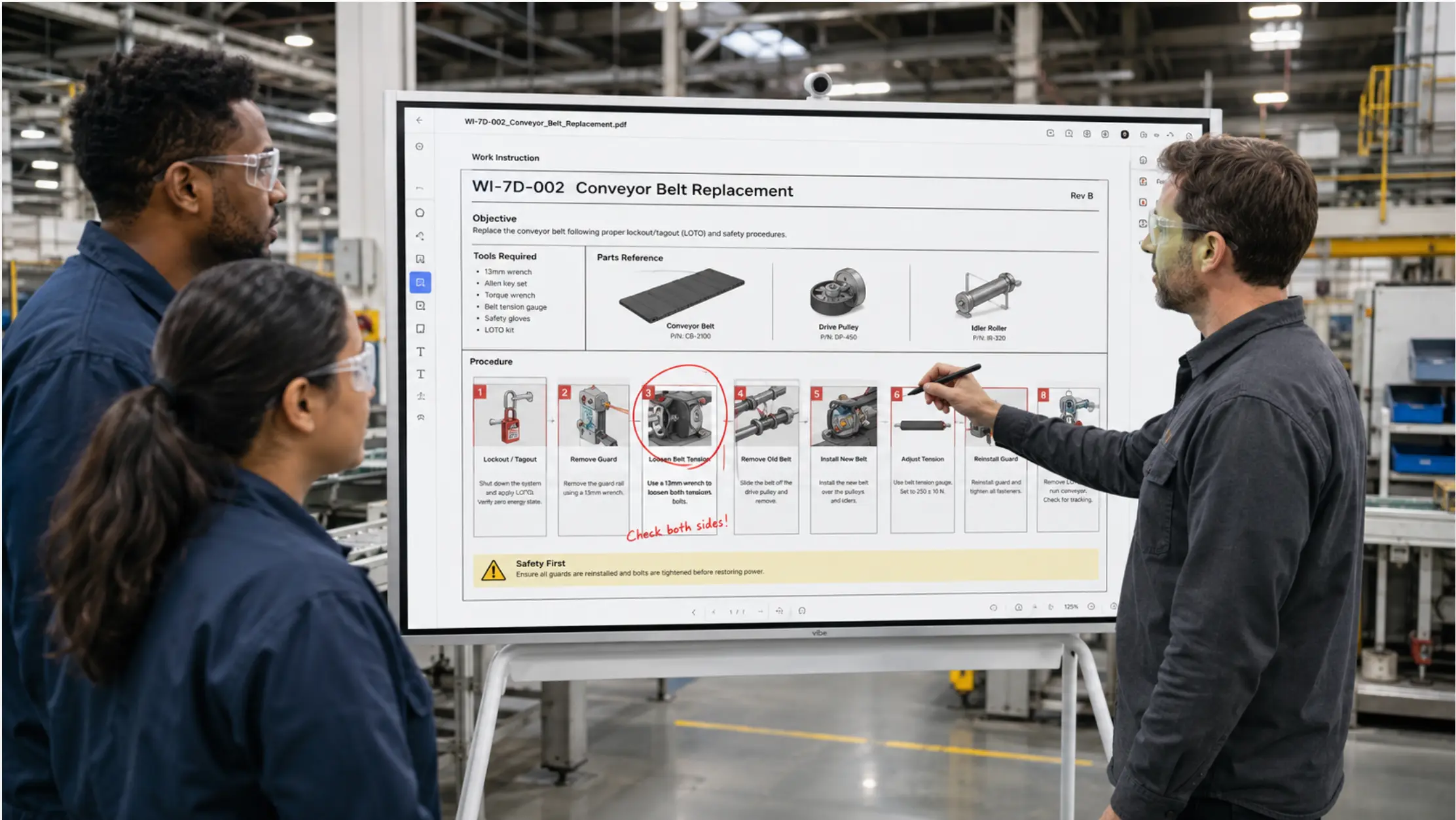
Allow the document to be annotated and updated during review sessions. When a manager reviews an A3 with the problem-solver, the conversation often results in changes to the document — a current-situation description that needs to be more precise, a root cause that needs to go deeper, a countermeasure that needs a clearer success criterion. Being able to annotate and update the A3 directly on the display, with changes saving back to the shared file, keeps the document current without requiring a separate editing session.
Keep the document accessible to everyone who needs to engage with it. An A3 in SharePoint that opens directly on the room display is accessible to any team member with permissions — they can read it between sessions, add questions or observations, and see the current state of the investigation without waiting for the next scheduled review.
What digitization should not do for A3:
Replace the thinking with a form. A digital A3 tool that enforces a specific sequence of steps, requires completion of each section before the next can be accessed, or converts the document into database records loses the iterative, dialogue-based character that makes A3 effective. The document should remain a single-page visual record of the team’s thinking — in whatever state the thinking is currently in.
Create a system separate from how the team already works. If the quality team works in Word and SharePoint, an A3 template in those tools is more likely to be used consistently than a dedicated lean software platform with its own login and workflow. The best A3 document is the one the team actually uses to do the thinking.
QRQC: What the Digital Version Needs to Handle
QRQC has tighter operational requirements than A3 because it is a management system, not just a problem-solving tool. The digital version needs to handle three things that physical boards struggle with:
Current status, always. A QRQC board that shows yesterday’s escalation status is not a QRQC board. It is a report of where things were. The system depends on everyone — operators, supervisors, managers — seeing the real-time status of open issues. A display connected to a live shared file closes this gap: when a quality engineer updates an issue’s status in the shared file, the board reflects the change immediately.
Escalation visibility. The escalation mechanism — the time-limited response requirement at each management tier — is what distinguishes QRQC from a general quality tracking system. On a physical board, escalation is visible because the issue’s position on the board changes. On a digital board, escalation can be shown through conditional formatting: a cell that turns amber when the response deadline is approaching and red when it has passed, automatically, without anyone having to remember to update the color.
Tier separation. QRQC operates across multiple management tiers, each with its own issues and its own escalation timeline. The digital board needs to make tier separation clear — which issues are being handled at the operator level, which have escalated to the supervisor, and which have reached the manager or plant director. A well-structured Excel layout with sections per tier, or separate tabs per tier that roll up to a summary view, handles this without requiring a dedicated software platform.
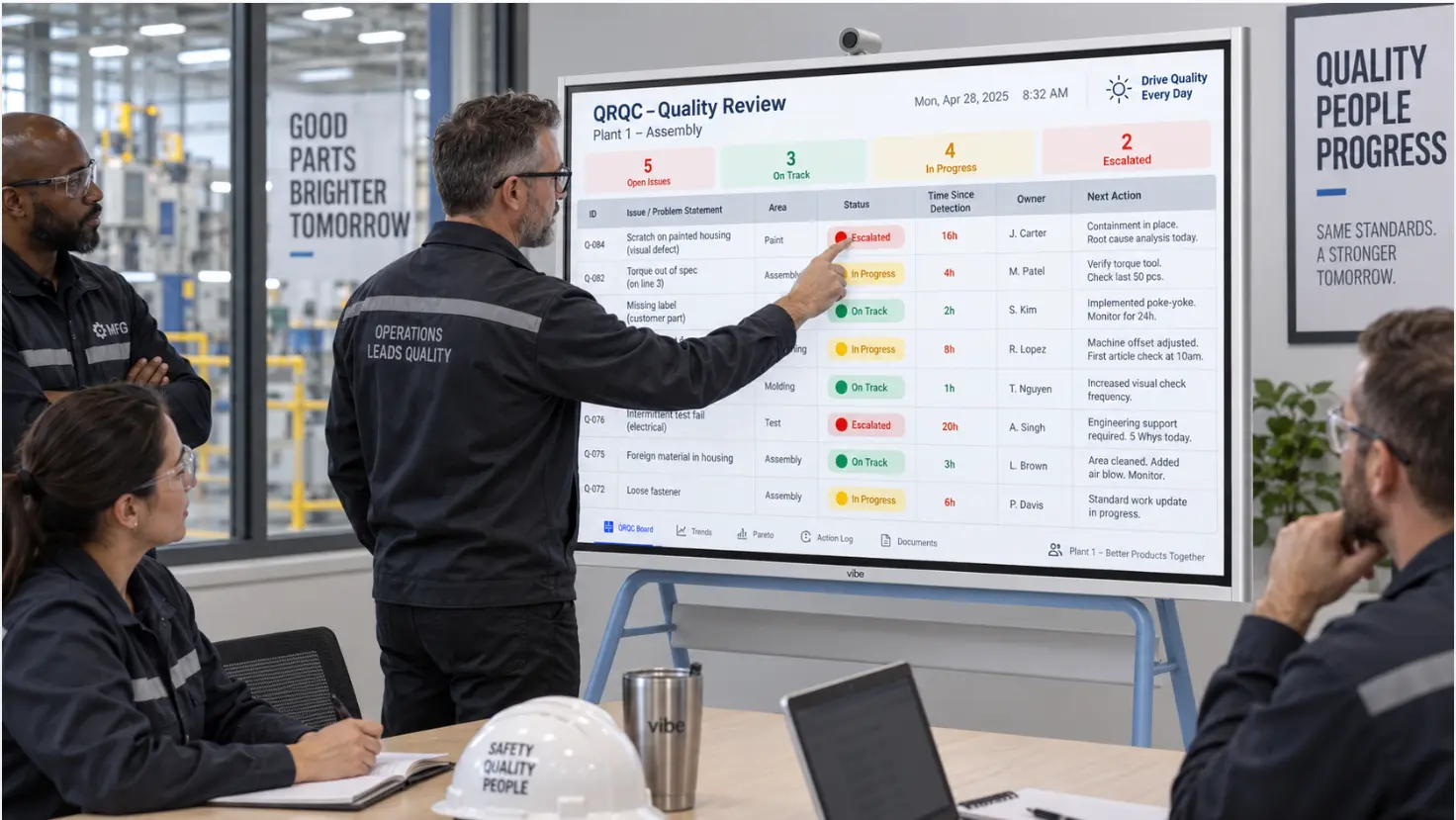 A Vibe Board showing a QRQC board layout — tiered sections with open issues, color-coded escalation status (green/amber/red), time-since-detection column, and issue owner
The Practical Setup: Using Excel and SharePoint for Both
For most manufacturing quality teams, a combination of Excel templates stored in SharePoint and displayed on a shared screen is sufficient to digitize both A3 and QRQC work without a dedicated platform.
For A3: A Word or PowerPoint template saved in SharePoint gives the team a consistent single-page format. The left side covers background, current situation, and goal. The right side covers analysis, countermeasures, implementation plan, and follow-up. The template is not a form — it is a starting structure that the team adapts as the investigation develops. Each active A3 is a live document in the shared folder. During review sessions, the quality engineer or problem-solver opens it on the Vibe Board S1 Pro directly from SharePoint, and the manager annotates directly on the displayed document. Annotations save back to the shared file.
For QRQC: An Excel workbook in SharePoint with a structured layout per management tier. Each row is an open issue: the problem description, detection date, current status, owner, response deadline, and escalation level. Conditional formatting handles the escalation color coding automatically. The quality manager or shift supervisor updates the file as issues progress; the display on the shared board reflects the change immediately. A summary tab pulls the critical metrics — how many issues are open, how many are overdue, how many have escalated — for the daily quality review.
The Vibe Board S1 Pro connects to SharePoint and OneDrive using the team’s existing Microsoft 365 credentials. Both the A3 documents and the QRQC workbook open directly on the board from the shared folder, at the scale where they are actually readable in a review session. The board’s touch and stylus annotation tools work directly over any open document — the quality engineer can circle a root cause on an A3, add a note to a QRQC row, or update a status field without switching to a keyboard. For teams unfamiliar with what distinguishes a purpose-built interactive display from a TV with a laptop in front of it, the relevant difference here is that the board stays authenticated to SharePoint between sessions — the documents are available on the display before anyone arrives, not only when someone actively sets up a cast.
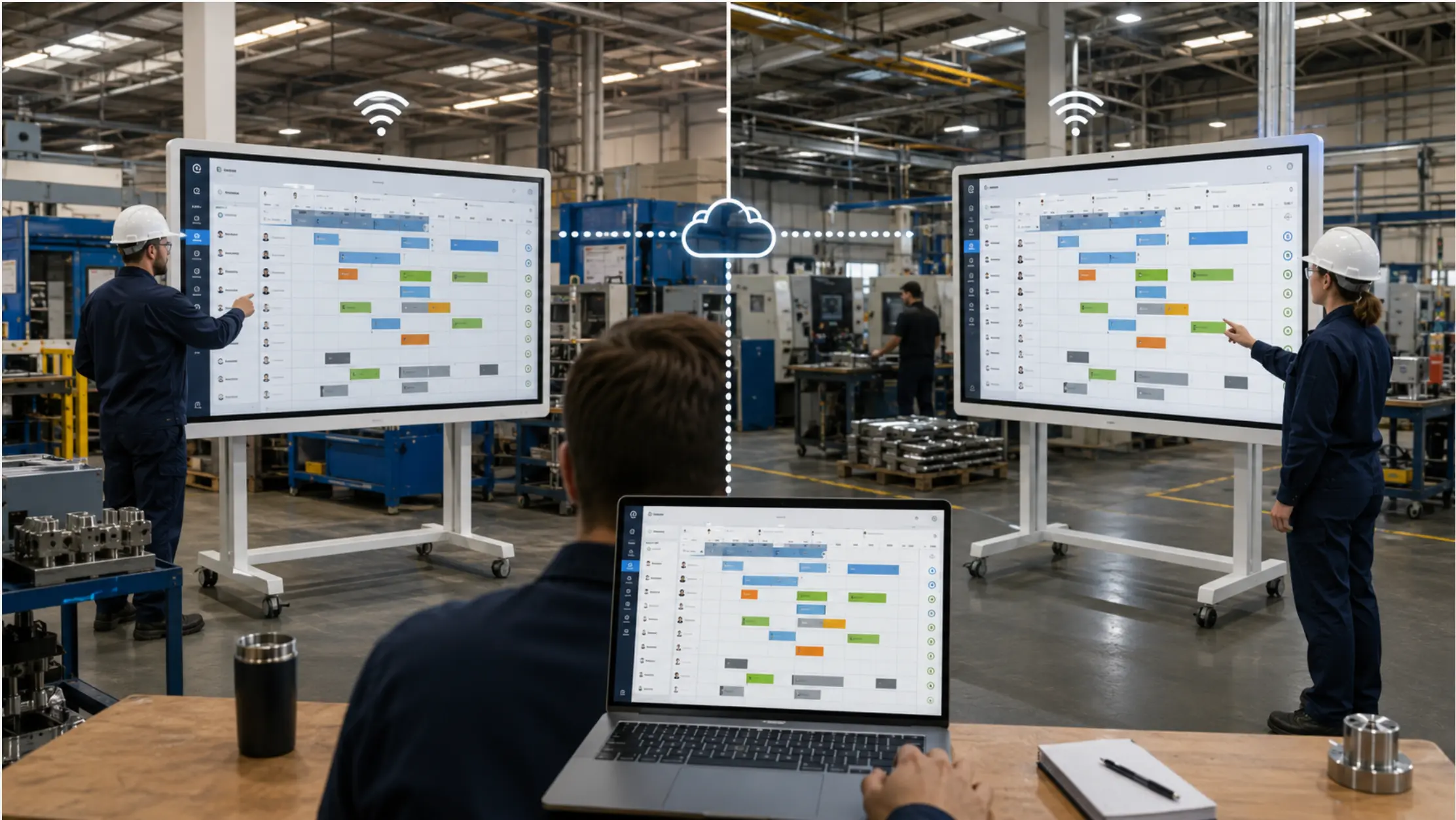
For teams whose A3 and QRQC work involves a remote quality engineer or plant director, the same board handles the Teams or Zoom call alongside the document — the remote participant sees the live document and can follow along as the in-room team annotates it.
When a Dedicated Platform Makes More Sense
Excel and SharePoint handle the display and collaboration requirements for A3 and QRQC work well. They are not the right tool for every situation.
A dedicated quality or lean management platform (Tervene, mlean, Ease.io, and others) makes sense when:
-
The organization needs structured data capture — tracking A3s as database records, reporting on resolution rates, linking issues to corrective action histories across sites
-
QRQC escalation needs to be automated — email notifications when deadlines are missed, automatic escalation triggers rather than manual status updates
-
Multi-site consistency is a governance requirement — the same QRQC structure enforced across 10 plants, with central visibility into all open issues
For teams at these thresholds, a dedicated platform is the right investment. For teams running one or two sites with a quality team that knows each other and communicates directly, the overhead of a dedicated platform often exceeds its benefit — and the adoption risk is real. A system that the quality team uses inconsistently because it requires extra steps produces worse outcomes than a simpler system that gets used every day.
The display layer — getting the A3 or QRQC board onto a shared screen at the right scale, with the ability to annotate and update during the review — is independent of which tool the team uses to create and maintain the documents. A dedicated platform can display its outputs on the same shared board as an Excel file. The display choice and the tool choice are separate decisions.
The Display Is Not the Process
The risk of digitizing A3 and QRQC work is turning a thinking discipline and an escalation system into data entry exercises. Both processes work because they make reasoning and status visible — to the people doing the work, to the managers reviewing it, and to the floor staff who need to see that quality issues are being actively resolved.
A digital setup that keeps both visible — A3 documents at full scale in review sessions, QRQC boards current and readable on the floor — supports the process without changing it. The thinking still happens between people. The display makes it possible for more people to participate in that thinking, from wherever they are.
Request a demo to see how A3 and QRQC documents run on the Vibe Board S1 Pro, or request a quote if you are ready to deploy.
Frequently Asked Questions
Should we use Word, Excel, or PowerPoint for our A3 template?
Any of the three works. Word gives the most flexibility for narrative sections. PowerPoint makes it easier to control the layout and keep the document to a single page. Excel works well if the A3 includes data tables or charts. The format matters less than the discipline: the document stays on one page, the thinking is visible, and it is updated as the investigation develops rather than filled in once and archived.
How do we handle multiple active A3s at the same time?
A shared SharePoint folder with a consistent naming convention — one file per A3, named with the issue and the date opened — keeps active investigations organized. During the daily or weekly quality review, the team can open each active A3 on the board in sequence. A summary document or spreadsheet that lists all active A3s with their current PDCA phase and owner gives the quality manager a quick view of the full set without opening each file individually. Teams that also run regular KPI dashboard reviews can include quality metrics — open A3 count, overdue QRQC issues — as a section of the same daily management board.
How granular should the QRQC escalation tiers be?
This depends on the organization’s management structure. A single-site plant with three management tiers — operator, supervisor, plant manager — typically needs three sections on the QRQC board. A multi-site operation may need additional tiers. The key constraint is that each tier must have a defined response deadline and a clear escalation path. Adding tiers without defining those parameters defeats the purpose of the system.
Can the QRQC board automatically flag overdue issues?
Yes, using conditional formatting in Excel. A formula that calculates the number of days since detection, compared against the tier’s response deadline, can automatically color-code the cell — green when within the deadline, amber when approaching, red when overdue. This makes escalation status visible at a glance without requiring anyone to manually update the color. The formula recalculates every time the file is opened, so the board always shows current escalation status.
What is the relationship between A3 and QRQC in practice?
QRQC is the system that detects and escalates quality issues and ensures they are resolved within defined timeframes. A3 is one of the tools used to do the problem-solving work within that system — particularly for issues that require root cause analysis and structured countermeasures. Not every QRQC issue will generate an A3; simpler issues may be resolved with a direct corrective action. When an issue is complex enough to warrant a structured investigation, an A3 documents that investigation. The QRQC board tracks the issue’s status and escalation; the A3 contains the thinking.