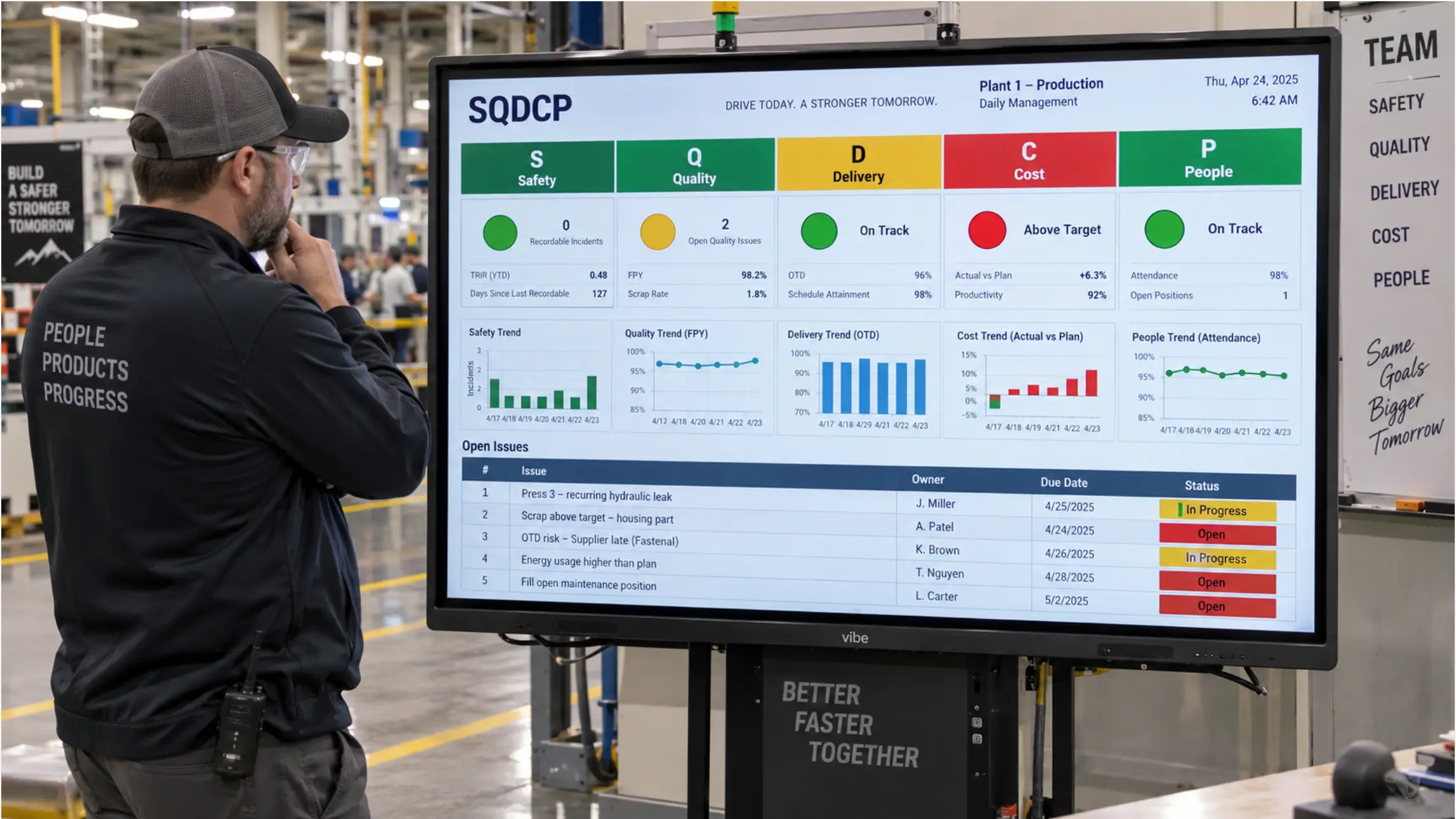
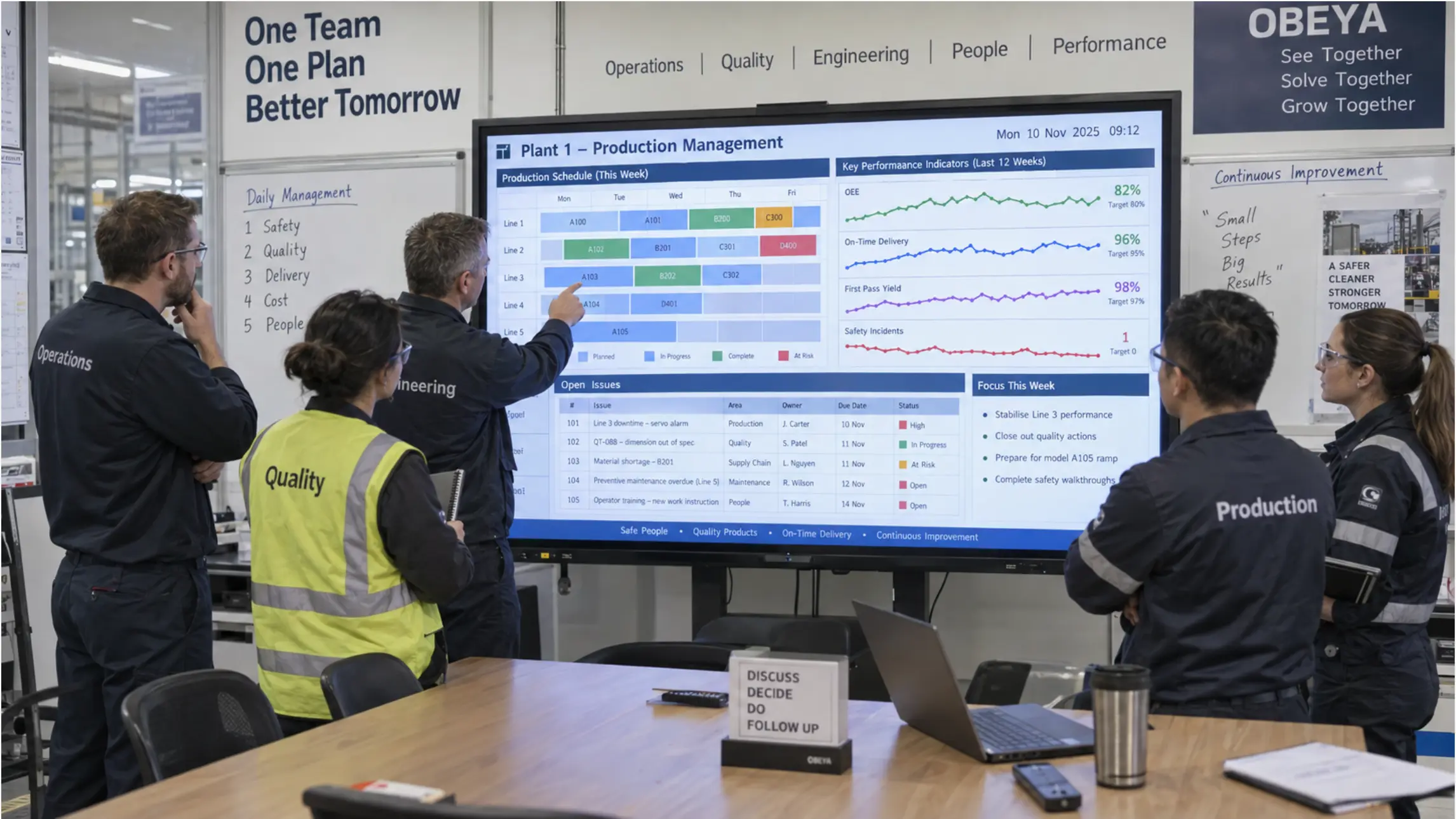
Most manufacturing plants run two systems at once. There is the schedule, the dashboard, or the drawing that lives in a digital system somewhere — and there is the version someone has recreated on the wall. A whiteboard with handwritten assignments. A printed A3 taped to the board. A TV casting whatever someone could get onto the screen this morning.
The gap between those two versions is where visual management breaks down.
This comparison looks at what physical and digital visual management boards each do well, where each falls short, and how to tell which setup matches the way your plant actually works.
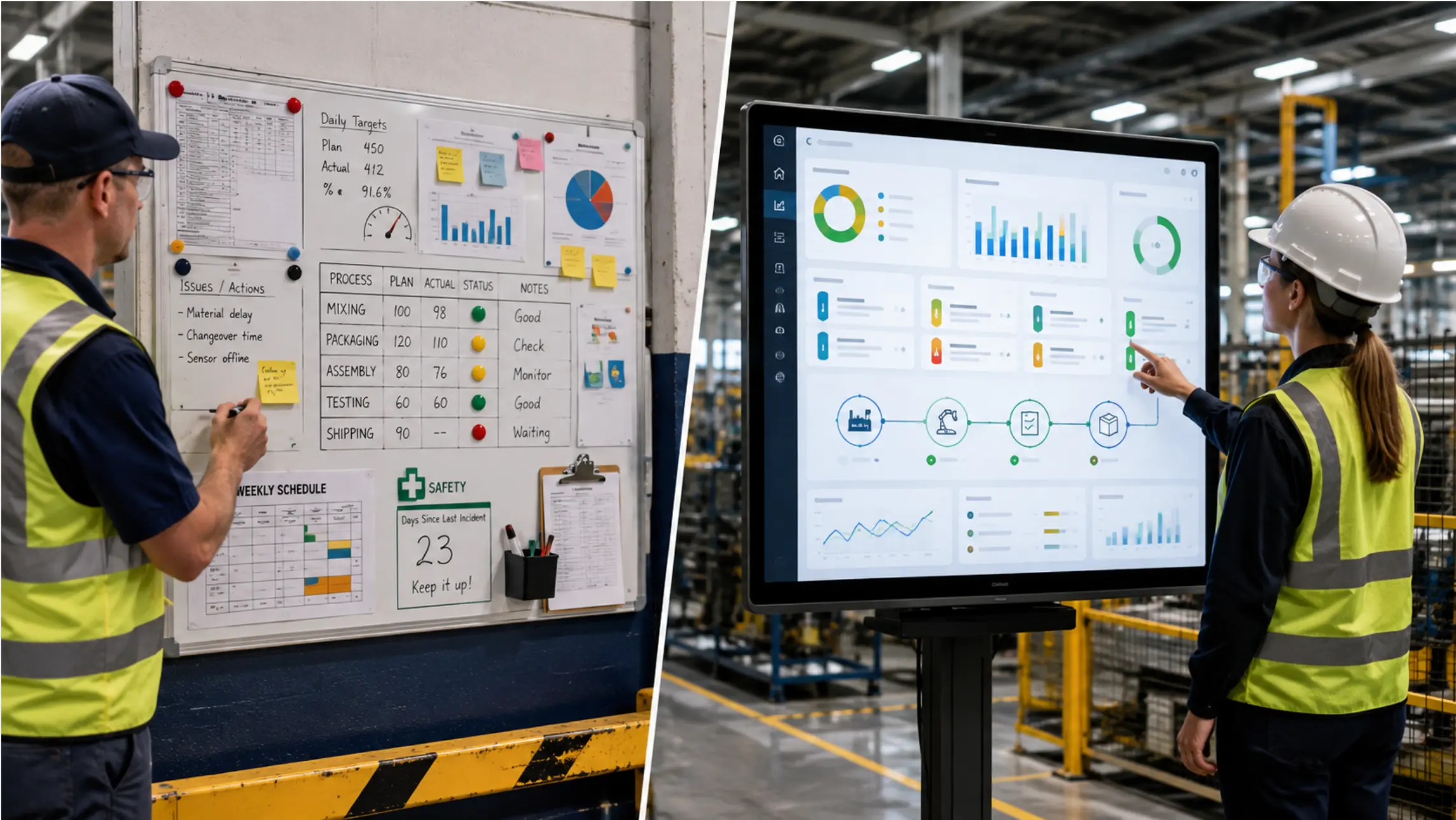 Side-by-side of a traditional handwritten manufacturing whiteboard next to a Vibe Board showing a live production schedule — same information, different surfaces
What Is a Visual Management Board?
A visual management board is any shared surface that makes the current state of an operation visible to the people who need to act on it. The underlying principle — making work status visible so problems surface immediately — is a foundational concept in lean manufacturing practice. In practice, that typically means production schedules, shift assignments, KPI metrics, quality flags, or engineering documents — displayed where the relevant team can see and respond to them.
The board can be physical (a whiteboard, a printed A3 wall, a magnetic scheduling board) or digital (an interactive display running a live document, dashboard, or shared file). Most plants use some combination of both, often without intending to.
The Case for Physical Visual Management Boards
Physical boards have a long track record in manufacturing for reasons that are easy to overlook when evaluating alternatives.
No dependencies. A whiteboard works whether the network is up or down, whether someone remembered to log in, and whether the software vendor has had a good quarter. It does not require a power cord, a login, or a compatible file format.
Floor familiarity. Operators know how to read and interact with a whiteboard. There is no onboarding curve. A marker and an eraser are self-explanatory.
Tactile engagement. Moving a card from one column to another, marking a task complete with a check mark, or drawing a redline on a printed drawing are physical acts that can reinforce ownership in a way that clicking sometimes does not. This is part of what makes kanban-style visual workflows effective — the act of moving work is visible to everyone in the room.
Low upfront cost. A whiteboard and a set of markers costs almost nothing to deploy. There is no procurement process, no IT review, and no installation timeline.
Where physical boards fail
The limitations of physical boards are not theoretical. They show up the same way at plants across industries.
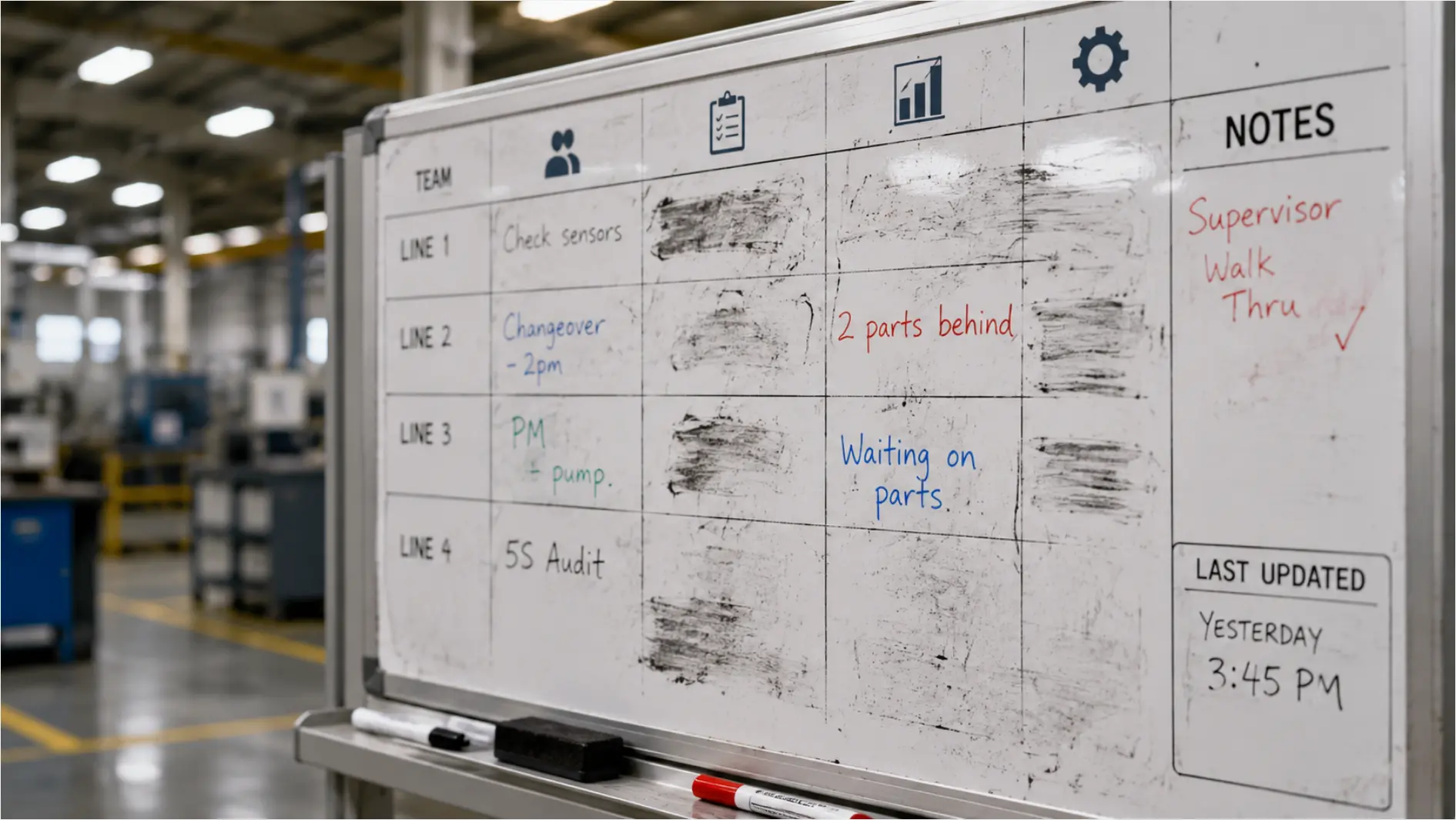 Close-up of a handwritten manufacturing whiteboard with partially erased assignments and a "last updated" time from yesterday
The wall is only as current as the last person who updated it. When the production schedule changes in the system, the board does not update. Someone has to walk over, erase what is there, and rewrite it. At many plants, that job falls to one person — and if that person is not in the building, the floor works from stale information.
The record disappears when the board gets erased. If a quality issue gets worked through on a whiteboard and then erased, there is no record of what was decided. Photos help, but they are inconsistently taken and almost never retrieved.
The board only exists where it hangs. A second plant, a remote supervisor, or an engineer working off-site cannot see the current state of the board. They have to call, email, or wait until someone with access sends them something.
Maintenance cost is invisible but real. Rewriting the shift assignments by hand every morning does not show up as a line item anywhere. The person doing it is not doing something else. Over the course of a year, the labor cost of a daily 15-minute planning session for a six-person team — loaded with benefits — runs above $20,000 according to Bureau of Labor Statistics wage data for manufacturing occupations. The board is not free. It is just unpriced.
The Case for Digital Visual Management Boards
Digital visual management boards — interactive displays that run live documents, dashboards, or shared files — solve the specific problems that make physical boards expensive to maintain.
The document on the wall is the document in the system. When a production schedule lives in Excel and opens directly on the board from SharePoint or OneDrive, a change to the file updates what is on the wall. There is no copy. There is no rewriting step. The same applies to live KPI dashboards in the room — the data stays current without a second manual version on the wall.
Remote teams see the same thing. A planner setting the next day’s assignments from a laptop — or from a different facility — updates the board that the floor will see when it clocks in. A supervisor at a second plant sees the same current version, not last night’s copy.
The record survives. Annotations, markup, and status changes save back to the file. The marked-up drawing remains in the project folder. The completed A3 is recoverable. The work does not disappear when the meeting ends.
The board goes where the work goes. On a wall mount or a rolling stand, a digital board can follow the operation — next to the time clock, in the tooling room, at the quality station — and display whatever that location needs.
Where digital boards fail
Digital boards introduce their own real failure modes. Being honest about them is part of choosing well.
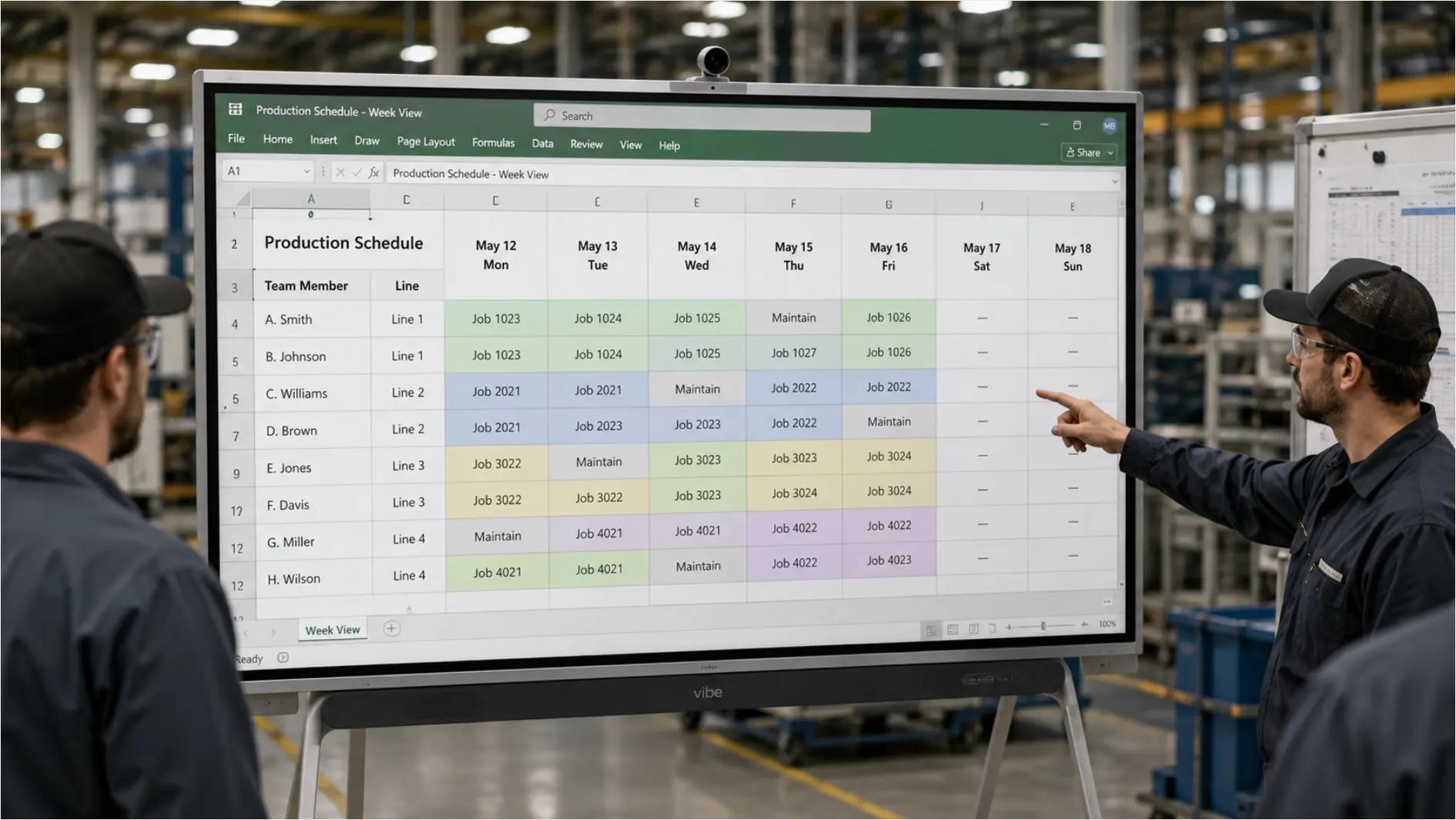 Vibe Board showing a live Excel production schedule with names down the left and daily tasks across — the same file the planner built the night before, now visible on the floor
Adoption is not guaranteed. A digital board that no one uses becomes, as one manufacturer described it in an evaluation call, "a really expensive dry erase board." If the workflow the board is supposed to support does not map to how the board actually works, the floor will work around it.
IT approval adds a step. In regulated or defense-adjacent manufacturing environments, any device going on the network needs to pass a management review. That is not a reason to avoid digital, but it is a step that physical boards do not require.
Casting is unreliable. Many plants have tried the cast-to-a-TV approach and found it inconsistent. The display works some days and not others. When casting fails repeatedly, teams stop relying on it and default back to the whiteboard. A purpose-built interactive display with a built-in computer is a different proposition from a TV with a Chromecast behind it.
The wrong content type does not get used. Digital boards built around freehand whiteboarding and brainstorming tools see low adoption in manufacturing environments. The workflows that get used are the ones tied to documents the team already works in: the Excel schedule, the Power BI dashboard, the CAD drawing. If the board’s native strength is a blank canvas rather than a live file, the mismatch tends to show up fast.
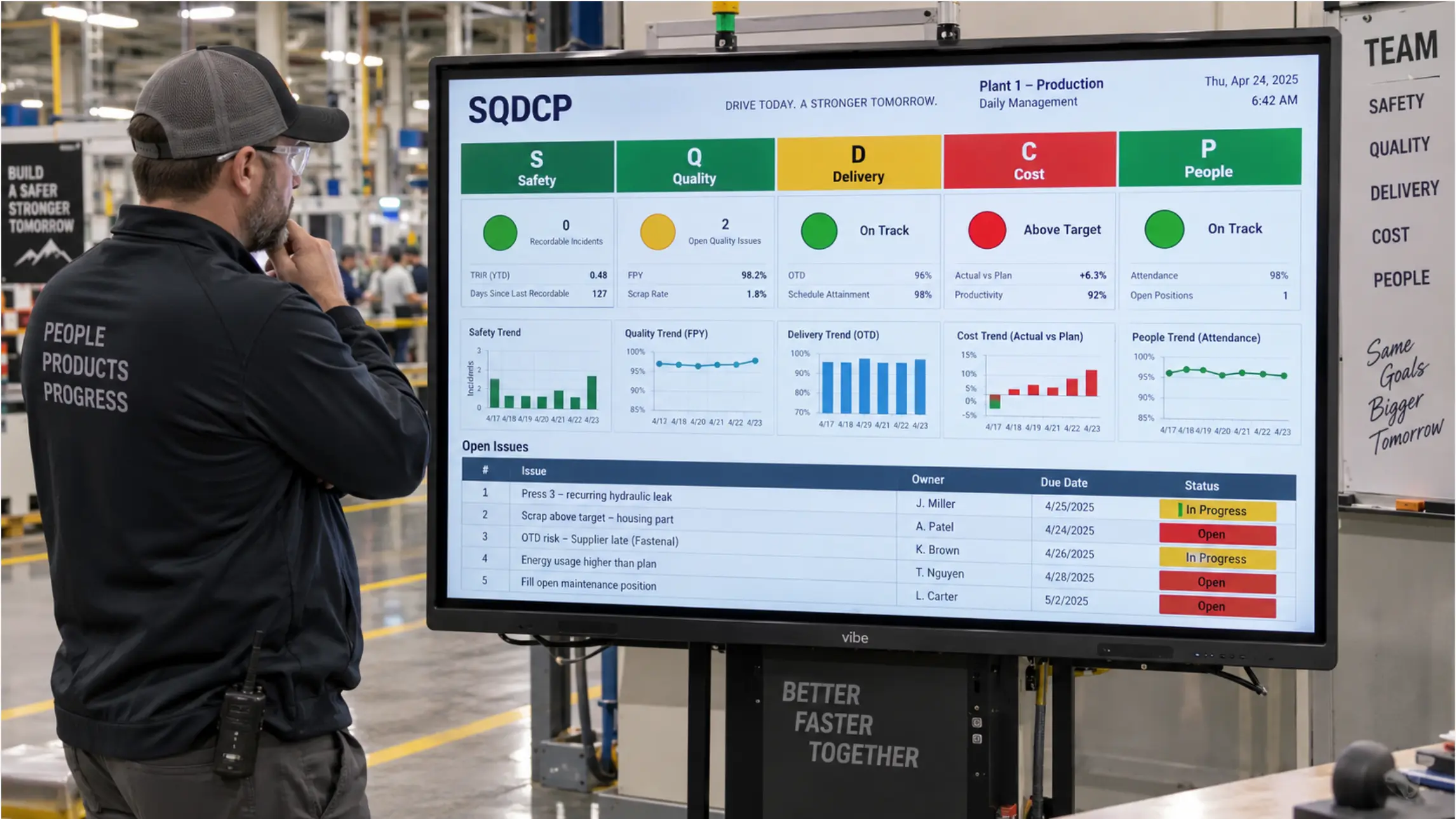
Head-to-Head: Where Each Board Type Stands
|
Factor |
Physical board |
Digital board |
|---|---|---|
|
Always current |
Only if someone updates it |
Yes, if tied to a live file |
|
Remote visibility |
No |
Yes |
|
Works during network outage |
Yes |
Depends on local storage setup |
|
Record of past states |
Only if photographed |
Saved to file with version history |
|
Multi-site consistency |
No — each site maintains its own |
Yes — shared file, shared view |
|
IT management required |
No |
Yes, for network-connected devices |
|
Upfront cost |
Very low |
Higher (hardware + deployment) |
|
Annual maintenance cost |
Hidden (labor to maintain) |
Lower once deployed |
|
Adoption curve |
None |
Moderate — depends on workflow fit |
|
Handles live data (Power BI, ERP) |
No |
Yes |
|
Works with existing files (Excel, SharePoint) |
No |
Yes |
The Three Workflows Where Digital Boards Change the Math
Not every manufacturing use case benefits equally from a digital board. These three are where the shift from physical to digital tends to justify the investment most clearly.
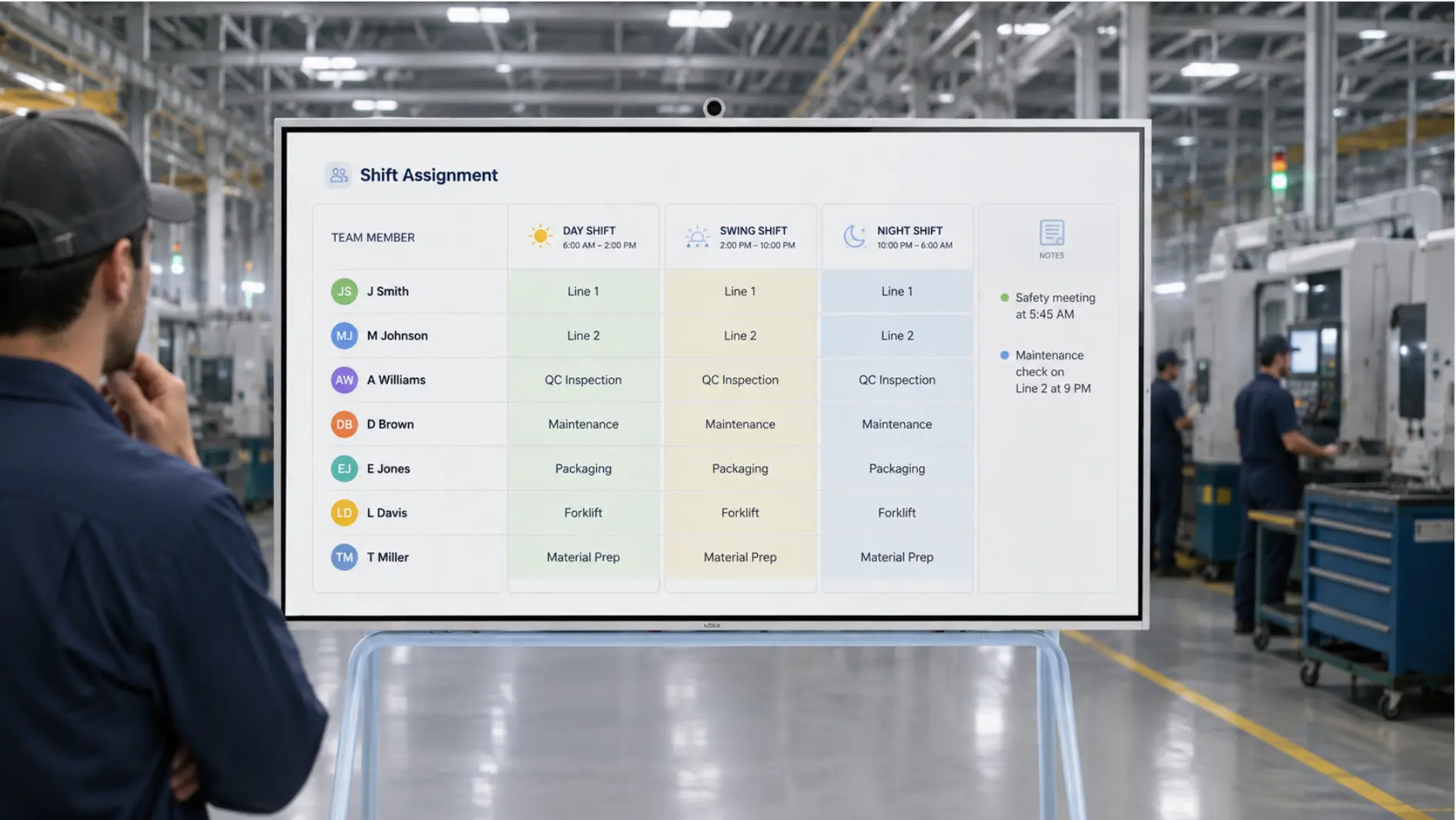
1. Daily production scheduling
When a planner sets the schedule in a system and someone else rewrites it by hand onto a whiteboard every morning, the cost is real and the risk is ongoing. The board is wrong as soon as the source document changes — which in most plants happens multiple times a day.
A digital board running the live schedule file means the planner authors the plan once. The floor sees the current version, not yesterday’s copy. If the plan changes mid-shift, the board changes with it.
At Sunoptics, a production engineer described the shift from a handwritten daily assignment board: the planner now sets the schedule from her laptop the night before, and the board shows the current assignments when the first shift clocks in — before anyone who can rewrite the physical board has arrived at the plant.
2. Engineering drawing review
Printed drawings become outdated. When a revision is made in the CAD system, the print on the wall or the table is not updated. Review sessions happen around a laptop because the print is too small to be useful and the team is not sure which revision they are looking at.
A digital board running the current drawing from the same folder the engineering team uses means reviews happen at full size, from the current file. Markup saves back to the document. There is no question of which version the group is looking at.
3. Multi-site production coordination
When a planner supports more than one facility, the information problem compounds. The schedule set at one site has to reach another site by phone, email, or someone physically updating a second board. By the time it arrives, it may already have changed.
A shared file open on boards at both locations means both sites see the same current version. Completions marked at one site are visible at the other.
When a Physical Board Still Makes Sense
Digital is not the right answer everywhere. Physical boards remain appropriate when:
-
The environment is too harsh for electronics. Areas with heavy chemical exposure, extreme temperatures, or high physical impact risk may not be suitable for display hardware without additional protection. Faytech and similar ruggedized display manufacturers serve this category specifically — a general-purpose interactive display is not designed for it.
-
The workflow is genuinely ad-hoc. If the work is truly unpredictable and the value is in the act of writing it out together in the moment, a whiteboard is the right tool. Not everything needs to be digital.
-
The team does not yet have a consistent process to digitize. A digital board tied to an inconsistent or undefined workflow will not fix the workflow. Getting the process consistent first — even on a whiteboard — makes the eventual digital deployment more likely to succeed.
What a Hybrid Setup Usually Looks Like in Practice
Many plants effectively run a hybrid: a whiteboard someone keeps current, and a screen someone occasionally casts to. The whiteboard is the real information surface; the screen is aspirational.
The issue is not that they are using two systems. It is that maintaining two systems takes the time and effort of both without getting the benefits of either. The whiteboard is still manual. The screen still requires someone to set it up.
A digital board that replaces both — running the live file on a screen the floor actually looks at — is one device, one cord, and one source of truth. The whiteboard does not disappear immediately for most teams. But once the board is current by default, the whiteboard tends to stop getting updated on its own.
Choosing the Right Setup for Your Plant
The right choice depends less on the category (digital vs. physical) and more on three operational questions:
1. How often does the information on your wall need to change? If the schedule, drawing, or metric changes multiple times a day, a hand-maintained board will always be behind. The maintenance burden alone justifies a digital alternative.
2. Does more than one location need to see the same information? If yes, a physical board cannot solve the problem. No matter how diligently it is maintained, it only exists where it hangs.
3. What file is actually driving the operation? If the real source of truth is an Excel file, a Power BI dashboard, or a document in SharePoint, a digital board that opens those files directly is a direct connection to what the team is already working in. A whiteboard is always a transcription of something else.
For plants where the answer to any of these questions points toward digital, the next question is which device can actually be managed by IT, integrate with the files already in use, and be adopted by the people on the floor without a month of training. For context on what a conventionally built room costs before anyone has used it once, commercial AV integrator King Systems puts most conference room builds between $15,000 and $35,000 — a useful baseline when evaluating the total cost of a shared space.
The Bottom Line
Physical visual management boards are not failing because they are old technology. They are failing because the information that needs to be on the wall already exists somewhere else, and maintaining two versions of that information costs more — in labor, in errors, and in decisions made from stale data — than most plants have calculated.
A digital board does not replace the need for good visual management. It replaces the manual step of recreating information that already exists somewhere else onto a surface that only works in one room.
For plants where that step happens every morning, the math tends to be straightforward.
See how Vibe Board works in a manufacturing environment.
Frequently Asked Questions
What is a digital visual management board in manufacturing?
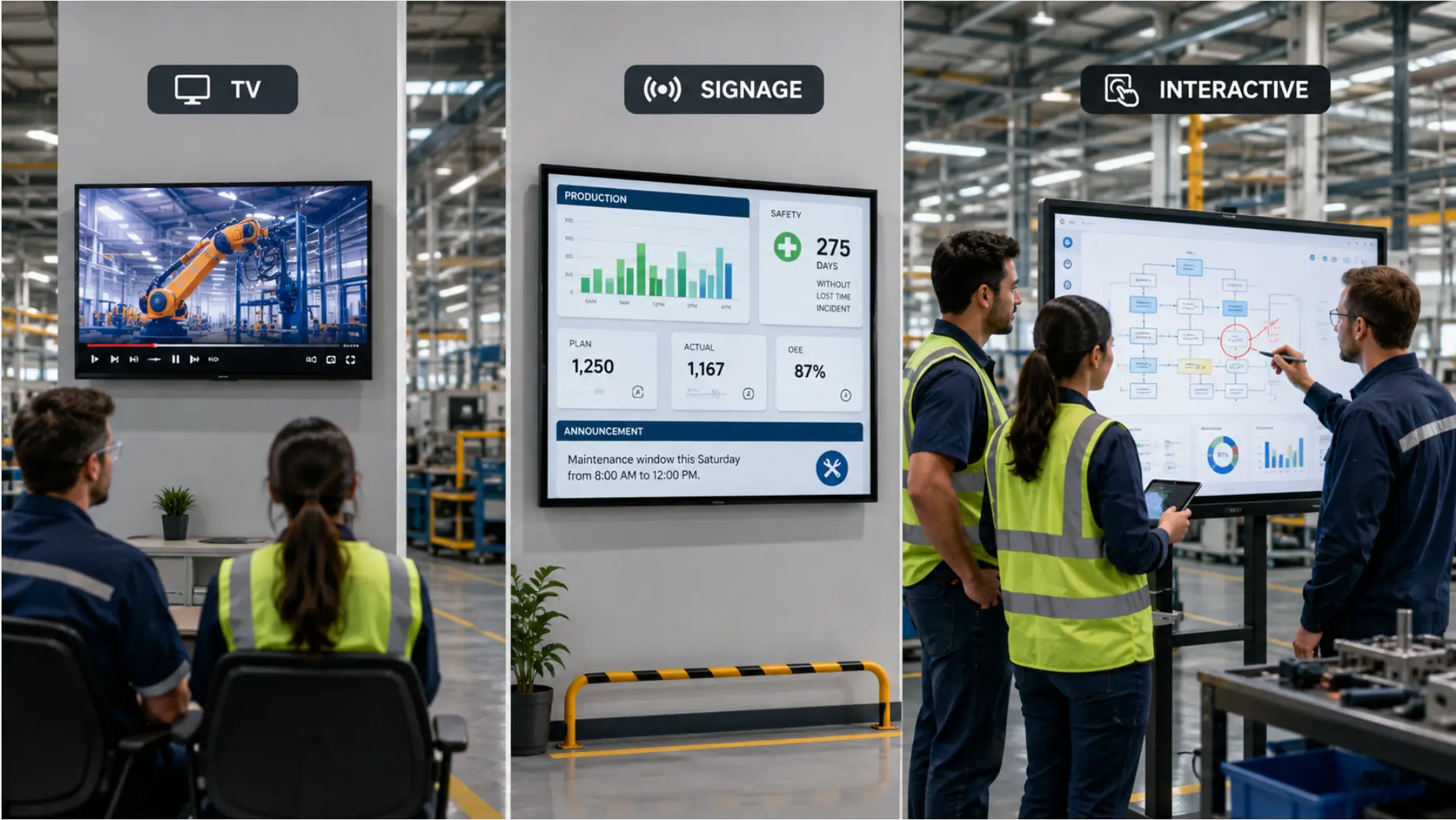
A digital visual management board is an interactive display that shows live operational information — production schedules, KPI dashboards, engineering drawings, shift assignments — directly from the systems and files a manufacturing team already uses. Unlike a static screen or a digital sign, it allows the people in the room to interact with, annotate, and update the information being displayed, with changes saving back to the source file.
Can a digital board replace a whiteboard in a manufacturing plant?
For most operational workflows — scheduling, KPI review, shift assignments, drawing review — yes. The transition works best when the board is tied to files the team already maintains, so there is no new system to learn. Where physical boards remain useful is in environments too harsh for electronics, or where the workflow is genuinely unstructured enough that a blank surface is the right tool.
What does it cost to maintain a physical visual management board?
The hardware cost is low, but the labor cost is real and typically untracked. A 15-minute daily planning session for a six-person manufacturing team — at median Bureau of Labor Statistics wages for production and operations roles, loaded with benefits — costs over $20,000 per year. That figure does not include the cost of decisions made from stale information on the board.
What happens when the network goes down?
For manufacturing environments with intermittent or restricted connectivity, local storage is an important consideration. Some digital boards, including those running Windows 11 Pro, support local file storage so that documents remain accessible when cloud connectivity is unavailable. This is worth confirming with any vendor before deployment in a facility with network constraints.
Will the floor team actually use a digital board?
Adoption depends almost entirely on whether the board is tied to work the floor team already does. Digital boards built around freehand whiteboarding see low adoption in manufacturing. Boards running the actual production schedule, assignment list, or status dashboard — the documents the floor team refers to already — tend to become part of the daily rhythm within a few weeks. The first use case matters: pick the workflow with the clearest daily need, and get that one right before expanding.
Is a digital visual management board the same as digital signage?
No. Digital signage displays content passively — it broadcasts information to viewers. A digital visual management board is interactive: the team can work in the document being displayed, mark tasks complete, annotate drawings, and update information from the board itself or from a connected device. The distinction matters in a manufacturing context because the value is in keeping the displayed information current and actionable, not in broadcasting a fixed display.