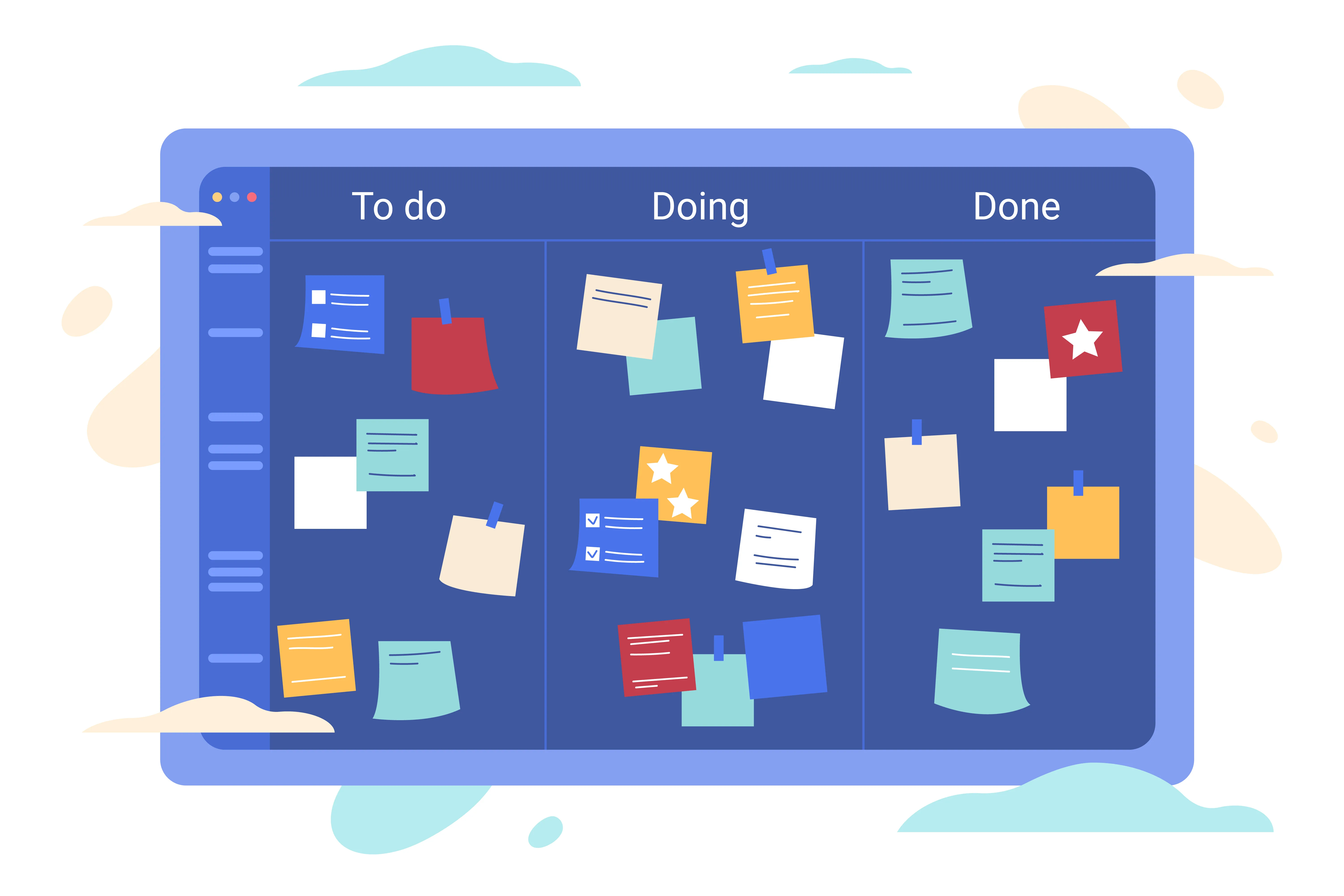
Most teams don’t have a planning problem. They have a visibility problem. Work is in progress everywhere—buried in inboxes, stuck in review, silently blocked—and no one has a single view of what’s moving and what isn’t. The kanban method was designed to solve exactly this. By making work visible and limiting how much your team handles at once, kanban’s visual flow creates the conditions for focused, continuous progress. Here’s how it works, why it’s backed by decades of research, and how teams are putting it into practice today.
What Is Kanban? A Quick Definition
Kanban is a visual workflow management method that uses a board, columns, and cards to represent the state of every piece of work in a process. The name comes from Japanese: "kan" (看, meaning sign) and "ban" (板, meaning board). Together: a signboard that tells you exactly where everything stands.
 Organize your next big project with Vibe’s kanban template.
The system was developed in the 1950s by Taiichi Ono, an engineer at Toyota, who adapted the inventory logic of American grocery stores to control car manufacturing output. Toyota’s goal was to produce only what was needed, when it was needed—eliminating waste from overproduction. The kanban board made that production state visible in real time. Decades later, software teams adopted kanban for knowledge work. Today it’s used across marketing, engineering, professional services, construction, and education—anywhere work flows through multiple stages and multiple people.
The 3 Core Elements of a Kanban Board
Every kanban board—physical or digital—is built from the same three components:
1. Board
The board is the top-level container for an entire workflow. It gives everyone a bird’s-eye view of every task in the system at once. Whether it’s a whiteboard covered in sticky notes or a digital app on a shared display, the board makes the whole process legible in a single glance.
2. Columns (Lists / Lanes)
Each column represents a stage in the workflow. The classic setup is three columns—To Do, In Progress, Done—but most teams adapt these to match their actual process. A marketing team might add "In Review" and "Scheduled." A software team might break "In Progress" into "Development," "Testing," and "Staging." Horizontal rows called swimlanes can further separate work by team, priority, or project type.
3. Cards
Cards are individual tasks or work items. Each card moves left to right across the board as work progresses. A card typically includes the task name, assignee, due date, and any relevant notes or links. In digital boards, cards can hold attachments, comment threads, and checklists—making them a portable record of everything related to a task.
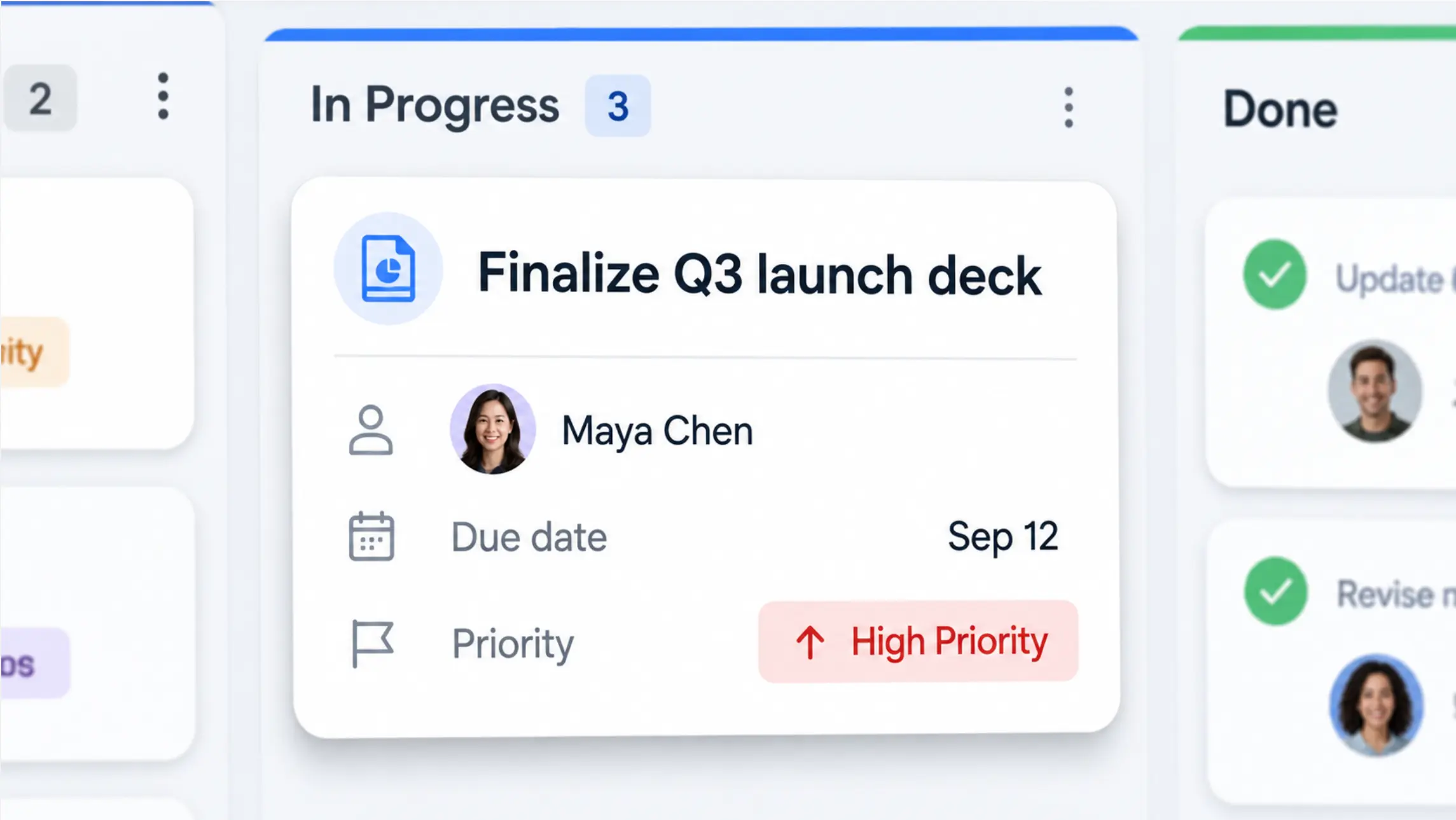 Close-up of a digital kanban card showing task name, assignee, due date, and priority label
Why Visual Flow Actually Improves Productivity
The productivity case for kanban isn’t just intuitive—it’s supported by research into how teams handle work and how the brain processes competing demands.
Visibility eliminates coordination overhead
When work is invisible—living in someone’s inbox or a private to-do list—teams compensate with status meetings, update requests, and duplicated effort. Research estimates that 50% of teams spend at least one full day per month just manually collating project status information (Breeze, 2026). A kanban board eliminates this: the status is always current, always visible, always shared.
WIP limits enforce focus
One of kanban’s most powerful mechanisms is the Work-in-Progress (WIP) limit—a cap on how many tasks can sit in any one column at a time. When a column is full, the team can’t pull new work until something moves forward. This forces focus on finishing over starting.
The results are measurable: according to Kanban University research cited in a 2024 agile methodology report, teams that enforce WIP limits improve delivery times by up to 37%. The underlying principle, known as Little’s Law, holds mathematically: lower work-in-progress directly reduces the average time it takes to complete each item.
Visual queues reduce context switching
Context switching is one of the most quantified drains on knowledge worker output. The American Psychological Association has documented that switching between tasks can reduce productive output by up to 40%—meaning an eight-hour workday may yield only 4.8 hours of actual output. A 2023 study published in Nature Human Behaviour found that frequent task switching can cut cognitive performance by as much as 30% even in highly skilled professionals. A well-maintained kanban board helps individuals see exactly what they should be working on next—reducing the ambiguity that drives unnecessary switching.
Bottlenecks become visible before they become crises
On a kanban board, a pile-up of cards in one column is immediately obvious. The team doesn’t need a status meeting to discover that the review stage is a bottleneck—they can see it. This visual signal makes it possible to swarm around blockers early, reassign capacity, or adjust WIP limits before a delay cascades into a missed deadline.
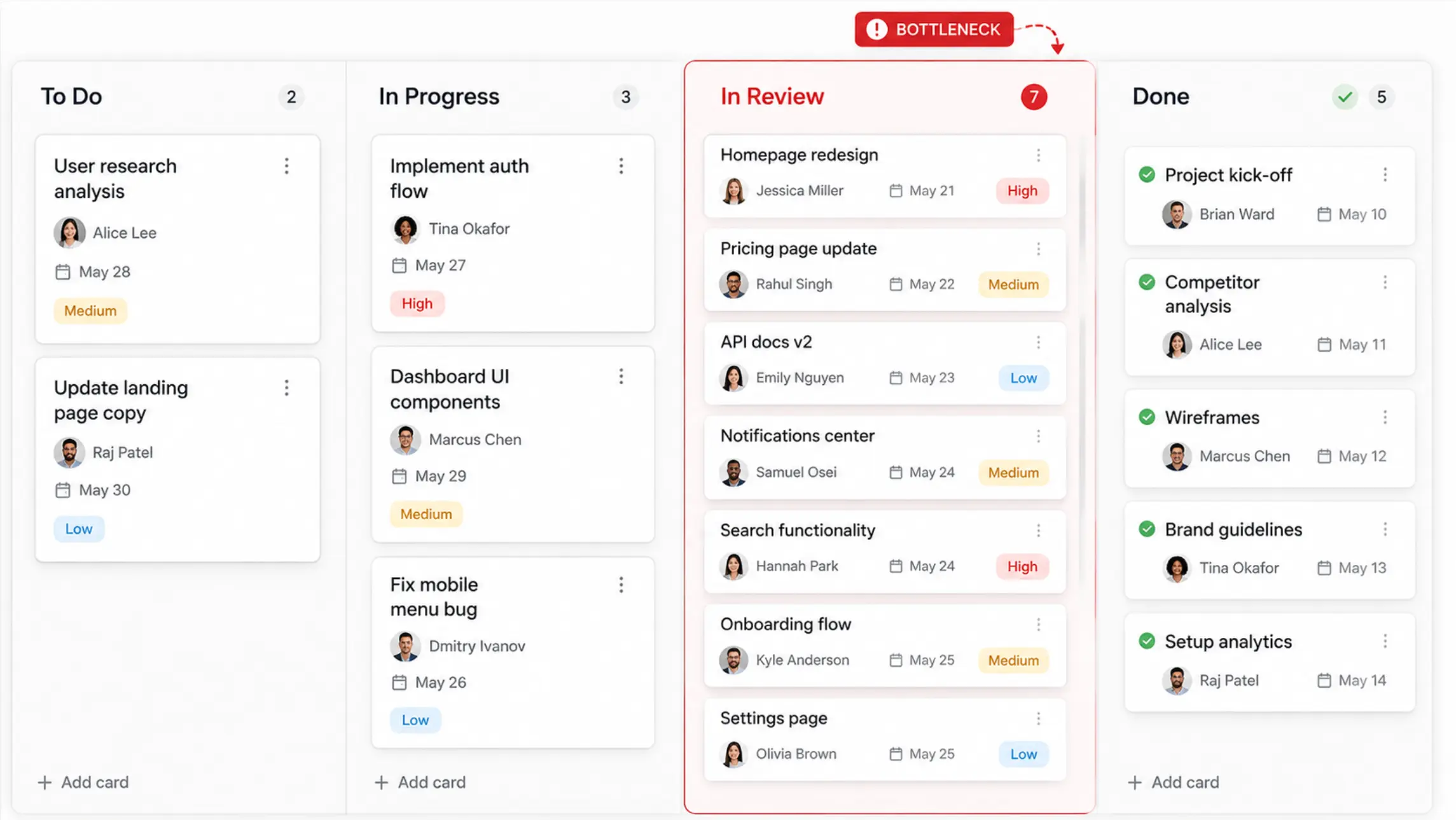 Kanban board showing cards accumulating in an "In Review" column, illustrating a visible bottleneck
Kanban in Practice: Industry Use Cases
Engineering and Construction
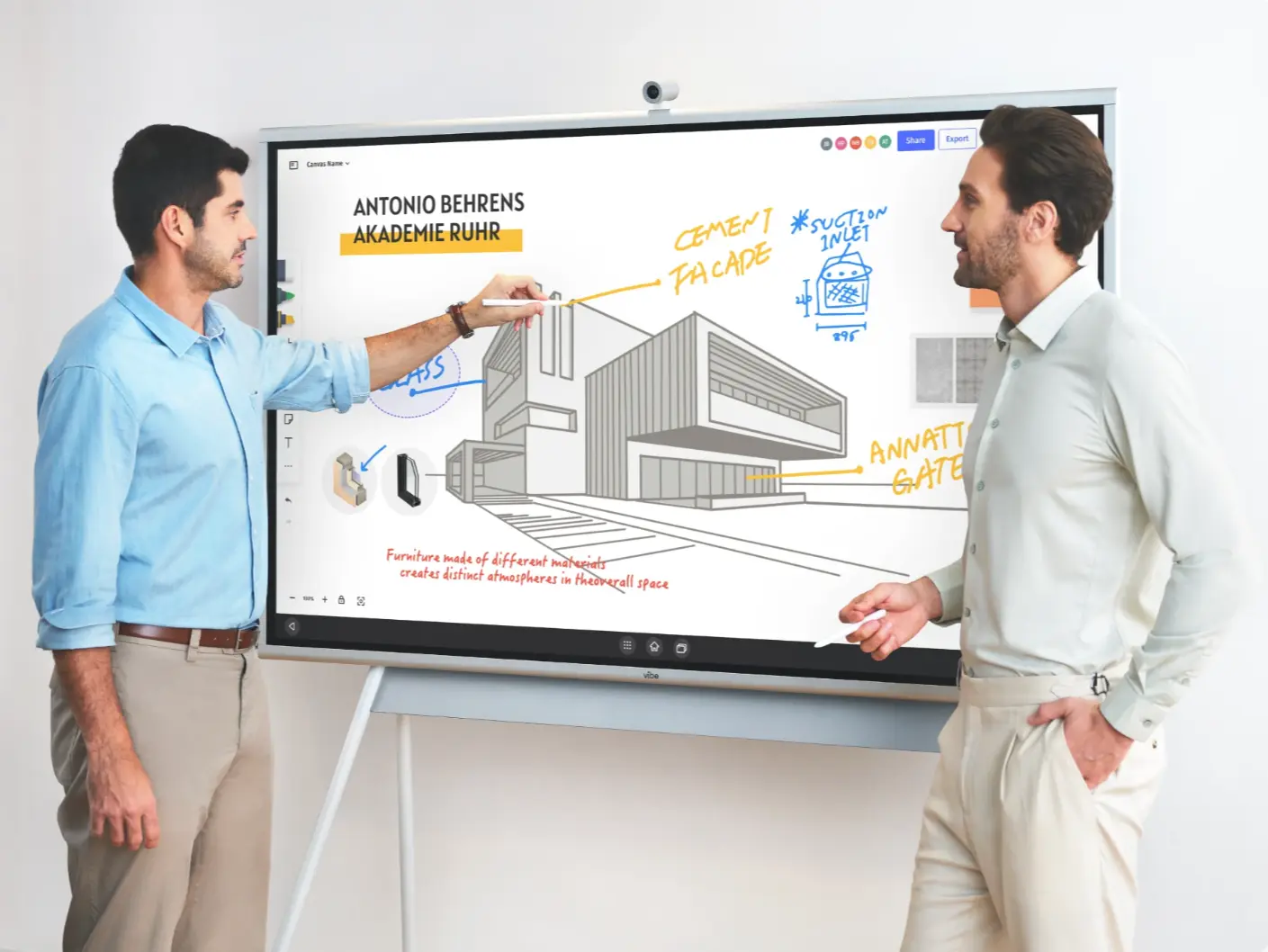
Construction and AEC projects involve dozens of interdependent tasks across multiple subcontractors and trades. A kanban board maps each task—permitting, materials delivery, inspections, site work—through its current stage, making it easy to spot where one delay is about to cascade into another. Teams use swimlanes to separate tasks by trade or building phase, and cards link directly to blueprints or supplier documents. Many AEC teams use a shared display during morning site meetings to run through the board as a team, with annotations added live.
Marketing
A content calendar is, at its core, a kanban board: ideas move from backlog to drafting, editing, approval, scheduling, and live. Marketing teams use kanban to manage multiple campaigns simultaneously without losing track of where any individual asset sits. Swimlanes by campaign or channel keep complex programs organized without requiring a separate tracker for each one.
Technology and Software Development
Software teams were early and enthusiastic kanban adopters. In development workflows, kanban columns typically map to stages like Backlog, Design, In Development, In Review, In Testing, and Released. WIP limits prevent developers from picking up new features while bugs are waiting for review. Sprint planning and kanban can coexist: many teams use a kanban board for continuous flow while organizing work into two-week cycles.
Professional Services
Consultants, lawyers, and agency teams use kanban to track client engagements through a repeatable process. A law firm might map a client matter from intake through research, drafting, review, and delivery. An agency tracks creative projects from brief to approval to launch. The board makes individual workload visible, preventing the invisible overloading that happens when work is tracked only in spreadsheets or email.
Education
Teachers use kanban boards to manage curriculum, assignment deadlines, and grading pipelines. Students use shared boards for collaborative projects. The visual format makes it easy to see which tasks are overdue, which are in progress, and what’s coming next—reducing the planning ambiguity that often accompanies complex, multi-week projects.
Physical vs. Digital Kanban: What’s the Difference?
Physical kanban boards—sticky notes on a wall—remain useful for small, co-located teams doing straightforward work. The tactile act of moving a card is satisfying, and there’s zero setup required.
Digital kanban boards offer capabilities physical boards can’t match:
-
Persistence: Digital cards don’t fall off the wall. Session history, comments, and attachments are saved automatically.
-
Remote access: Team members can view and update the board from anywhere.
-
Automation: Many digital tools can move cards automatically based on triggers, notify assignees when tasks land in their column, or pull data from connected systems.
-
Metrics: Cumulative flow diagrams, cycle time tracking, and throughput data are only available through digital boards.
For hybrid and distributed teams, digital kanban tools like Trello, Asana, and Jira have become standard. The kanban software market was valued at approximately $1.5 billion in 2024 and is projected to grow to $4.2 billion by 2033 (Verified Market Reports, 2025)—reflecting how widely teams across industries have adopted visual workflow tools.
Running Kanban on a Shared Display
One gap that persists even with great digital kanban software: the moments when the whole team needs to look at the board together—a standup, a sprint review, a planning session—are often still fragmented across a dozen laptop screens.
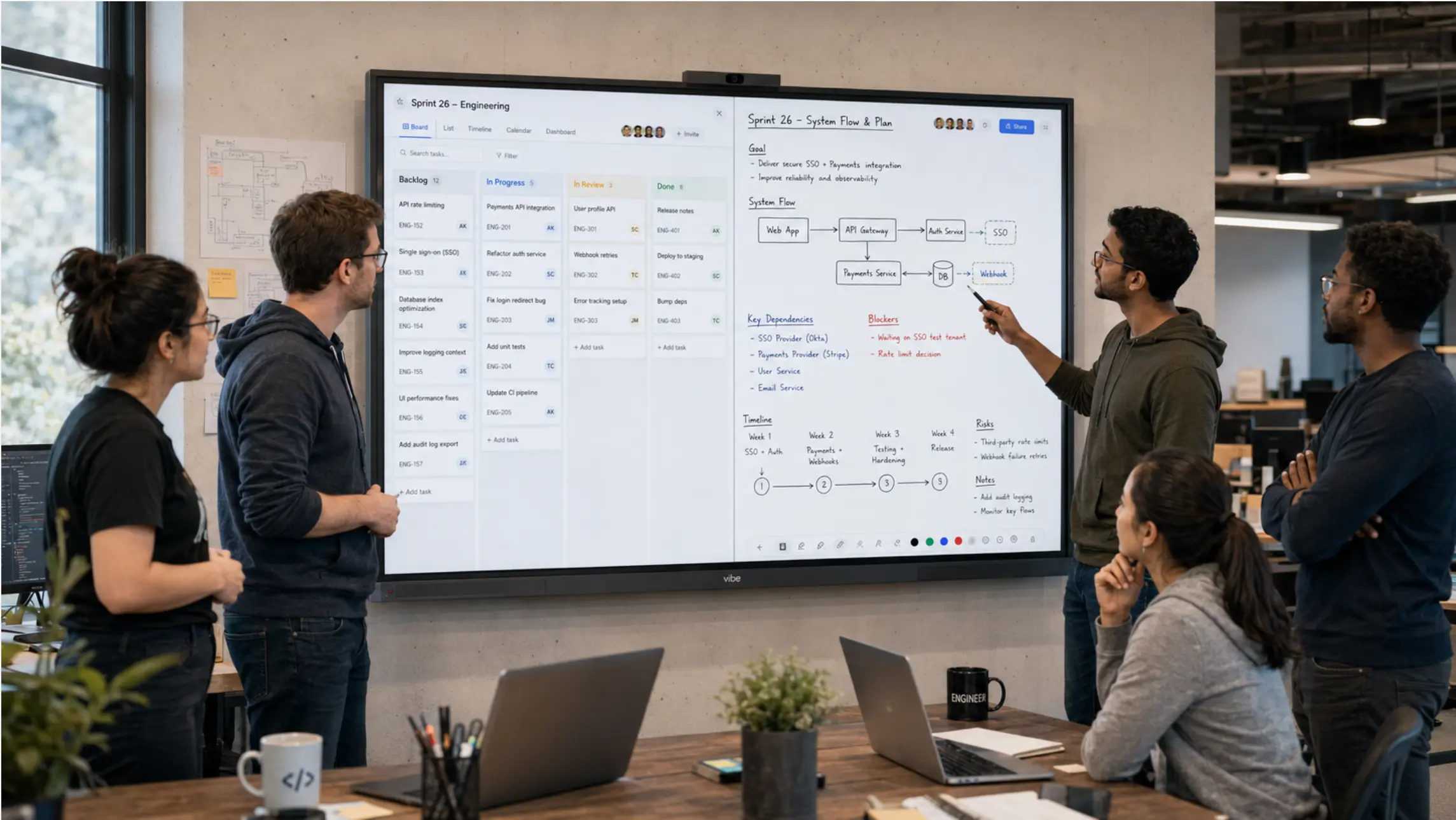
Teams using a Vibe Board S1 put the kanban app on a shared 55″ or 75″ 4K display where everyone in the room can see and touch it. The board runs split-screen next to a canvas for live annotation; team members drag cards, add notes, and flag blockers in real time during the meeting. With 250+ app integrations—including Trello, Asana, Jira, Google Workspace, and Slack—the Vibe Board S1 works alongside the kanban software the team already uses. Cloud save keeps the session’s context available for remote participants and for whoever missed the meeting.
How to Set Up Your First Kanban Board
Getting started doesn’t require a tool switch or a process overhaul. Here’s a minimal path to a working kanban board:
-
Map your current workflow. List every stage a task goes through from creation to completion. Don’t design the ideal process—capture how work actually moves today.
-
Create your columns. Start with three: To Do, In Progress, Done. Add stages only where there’s a genuine handoff or review.
-
Populate the board. Add one card per active work item. Include the assignee and any relevant deadline or dependency.
-
Set WIP limits. A common starting point: limit "In Progress" to one or two cards per person. Adjust based on what you observe over the first two weeks.
-
Run a daily standup at the board. Each team member updates their cards and flags anything blocked. The meeting should take 10–15 minutes.
-
Review and adjust regularly. Every two to four weeks, look at where cards consistently pile up and update column structure or WIP limits accordingly.
For a deeper look at the tools available, see our comparison of the best digital kanban tools for teams—including free options, enterprise platforms, and how to choose based on your team’s workflow.
The Bottom Line
The kanban method works because it addresses the root cause of most productivity problems: invisible, unmanaged flow. When work is visible on a shared board, bottlenecks surface early. When WIP limits are in place, focus replaces multitasking. When the whole team reviews the board together, coordination happens in minutes instead of hours of meetings.
Starting doesn’t have to be complex. A three-column board, one card per task, and a 15-minute daily standup is enough to see the difference. The iteration happens naturally once you can actually see where things get stuck.
Request a demo to see how teams use Vibe Board S1 to run kanban standups and planning sessions on a shared display—with the tools your team already uses.
Frequently Asked Questions
What is the kanban method and how does it work?
Kanban is a visual workflow management method that uses a board divided into columns—each representing a stage in a process—and cards that represent individual tasks. Work moves left to right across the board as it progresses toward completion. The method’s core mechanisms—visual task tracking and Work-in-Progress limits—help teams identify bottlenecks, reduce context switching, and maintain a steady flow of finished work without overloading individual team members.
How does kanban improve team productivity?
Kanban improves productivity by making work visible and enforcing focus. When every task is on a shared board, teams eliminate the coordination overhead of status meetings and update requests. WIP limits prevent team members from juggling too many tasks at once—research from the American Psychological Association shows context switching can reduce productive output by up to 40%. Teams that enforce WIP limits have been shown to improve delivery times by up to 37%, according to Kanban University research cited in 2024 agile reports.
What’s the difference between kanban and scrum?
Scrum organizes work into fixed-length sprints (typically two weeks), with dedicated ceremonies and roles like Scrum Master and Product Owner. Kanban uses continuous flow with no fixed iteration length—work is pulled as capacity becomes available. Scrum suits teams with well-defined, batched deliverables; kanban works better for teams with unpredictable incoming work or ongoing operational workflows. Many teams combine both, using kanban visualization within a scrum sprint structure.
What are WIP limits and why do they matter?
WIP (Work-in-Progress) limits cap how many tasks can sit in a given column at once. When a column reaches its limit, no new work can be pulled until something moves forward. This constraint forces the team to focus on completing existing work before starting new tasks—reducing context switching, surfacing blockers early, and shortening the average time to complete any given task. Mathematically, this is grounded in Little’s Law: as work-in-progress decreases relative to completion rate, throughput increases.
Can kanban work for remote and hybrid teams?
Yes. Digital kanban tools like Trello, Asana, and Jira are built for distributed collaboration—any team member can view and update the board from anywhere. For hybrid teams, the challenge is aligning the in-room and remote experience during live sessions like standups or planning meetings. Running the kanban board on a shared display lets in-room participants interact with the same board that remote participants access on their screens, keeping both sides genuinely synchronized.
Is kanban only for software teams?
No—kanban is used across industries wherever work flows through sequential stages. Marketing teams use it to manage content pipelines. Construction and AEC teams use it to track site tasks and subcontractor handoffs. Professional services firms use it to manage client engagements. Education teams use it for curriculum planning and grading. The method scales from a solo freelancer with three sticky notes to enterprise teams managing complex, multi-month programs with dedicated project management software.