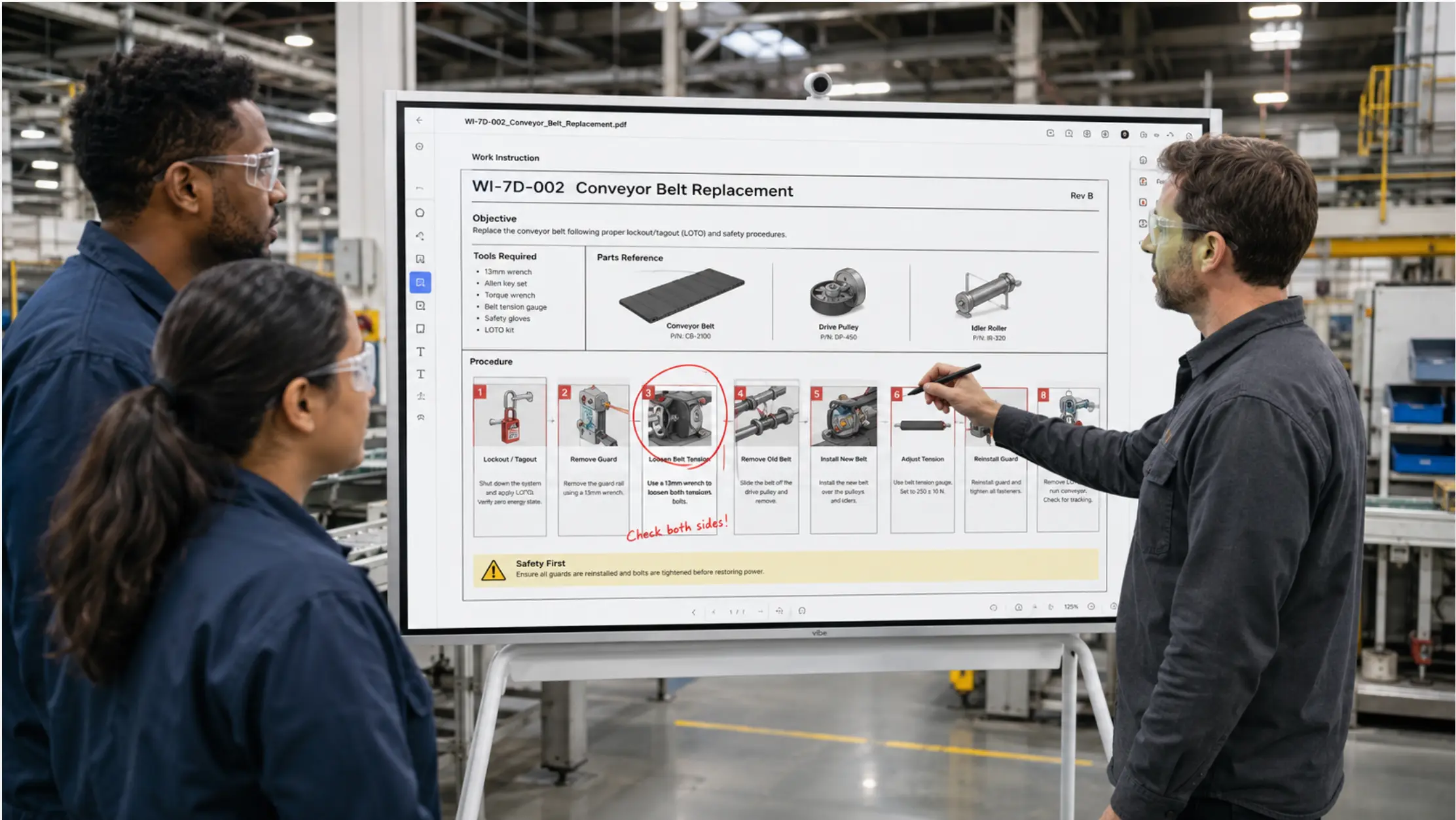
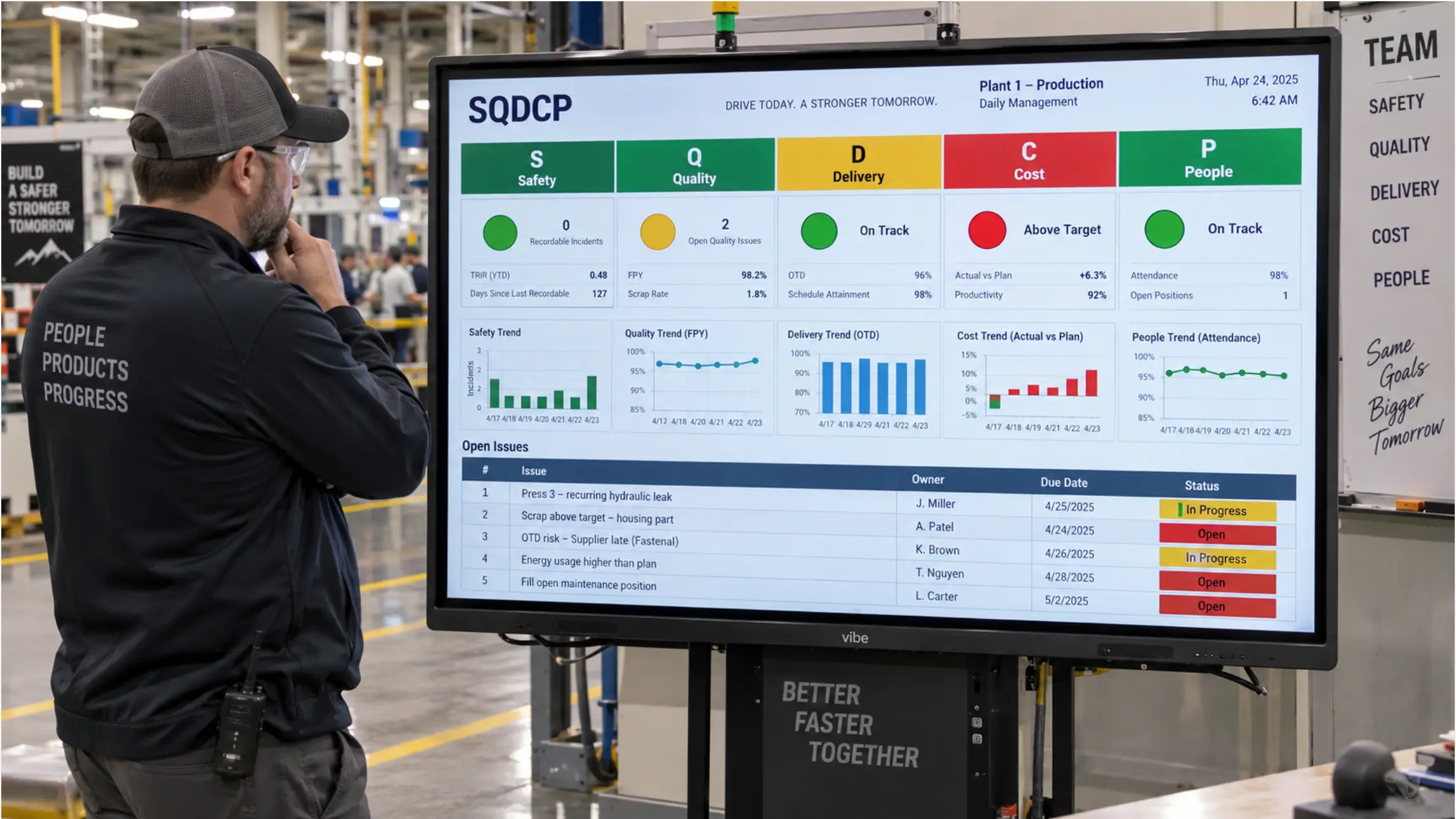
Daily management in manufacturing is built on a straightforward idea: make the current state of the operation visible every day, in a consistent format, so the people running it can see problems early and act before they compound. Research across manufacturing environments consistently finds that visual management boards are among the most effective tools for bridging the gap between frontline staff and leadership — making problems visible at the level where they can be solved. The physical version of this is a wall of whiteboards, magnetic cards, and printed charts that a supervisor updates before the morning meeting. It works until it does not — until the meeting starts before the board is ready, until the data on the board is three hours old, or until the person who knows how to update it is out sick.
The digital version of daily management has a different problem. The platforms built specifically for it — Tervene, Fabriq, DigiLEAN, Boards on Fire — are purpose-built software suites with their own data models, escalation workflows, and KPI frameworks. They are powerful tools for organizations ready to standardize a full lean management system across many sites. They are also a significant implementation commitment: new logins, new workflows, new training, a new system for IT to manage.
Most manufacturing teams are not at that point. They have a daily meeting, a whiteboard, an Excel file someone updates each morning, and a TV in the corner that may or may not show anything useful. The gap between where they are and where a full DMS platform would take them is wide enough that many teams never cross it.
This article covers a middle path: building a digital daily management board using the files, tools, and systems your team already has — and a shared display that connects them. No new platform. No new logins. No implementation project.
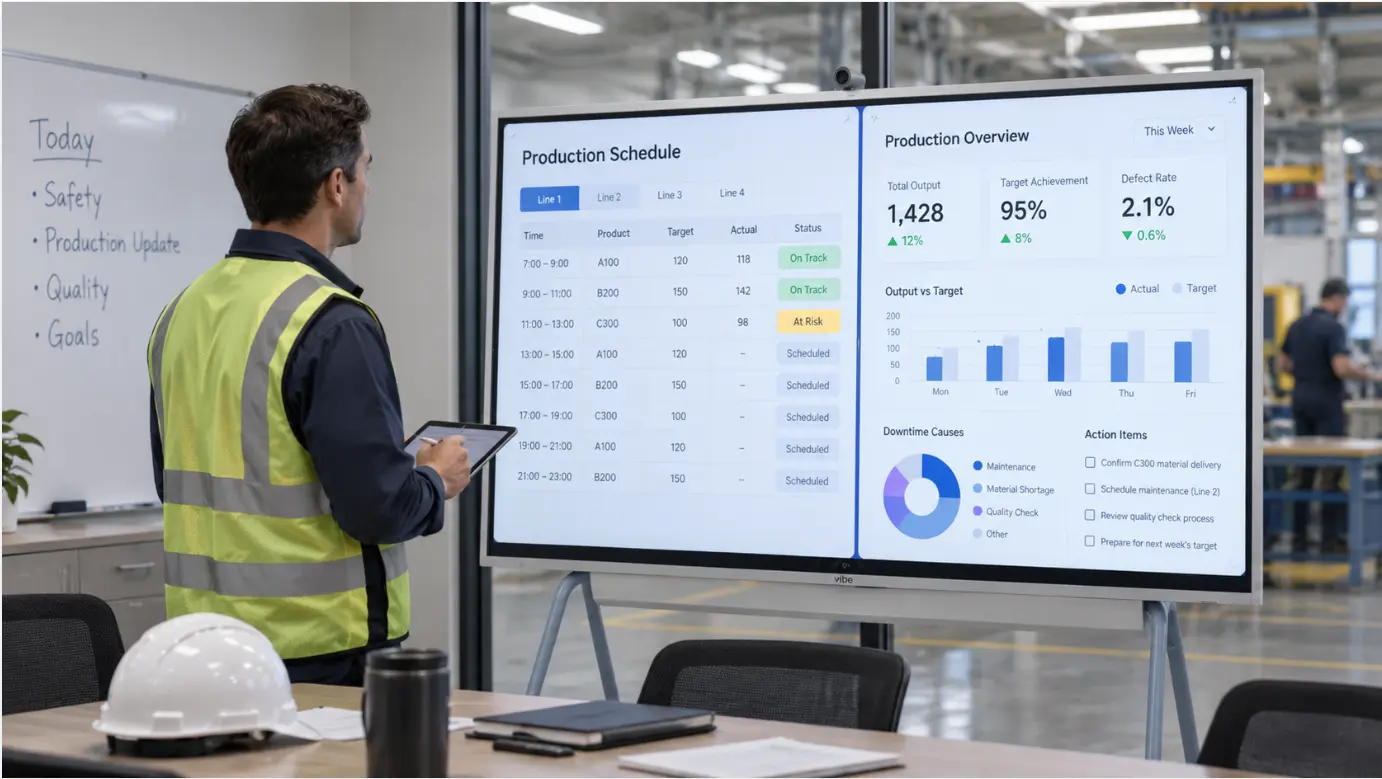 A Vibe Board in a manufacturing meeting room showing a split-screen daily management layout — production schedule on the left, KPI metrics on the right — a shift supervisor reviewing it before the morning standup
What a Daily Management Board Actually Needs to Do
Before choosing a format or tool, it is worth being precise about what the board has to accomplish. The daily management board has three jobs, and the design should reflect all three.
1. Show the current state of the operation at a glance. Production output versus target. Quality status. Maintenance flags. Safety observations. Whatever the team tracks daily, it should be visible on the board without anyone having to open a system or ask a question. The board is the answer to "how are we doing?" before the meeting starts.
2. Structure the daily meeting around the information on the board. The meeting exists to review the board, not to recreate it verbally. When the board is current before the meeting starts, the conversation can start at "here is the problem" rather than "let me pull up the numbers." McKinsey research found that frontline managers spend 30–60% of their time on administrative tasks and status reporting — time that a well-designed board directly recovers by making status visible before the meeting starts. A well-designed board reduces a 30-minute meeting to 15 minutes because the information is already organized.
3. Capture actions and keep them visible until they are closed. The most common failure mode in daily management is the action item that gets agreed in the meeting and then disappears until the next meeting, when someone asks if it was done. A board that shows open actions alongside current-state metrics creates the accountability loop that makes daily management effective rather than performative.
Physical boards do the first job well when they are maintained. They do the second job partially. They almost never do the third job — action tracking on a whiteboard requires someone to manually erase and rewrite items, which rarely happens consistently enough to be useful.
Why the Existing Systems Are Usually Sufficient
The reason most plants do not need a dedicated DMS platform to run effective daily management is that the data they need is already in systems they already use.
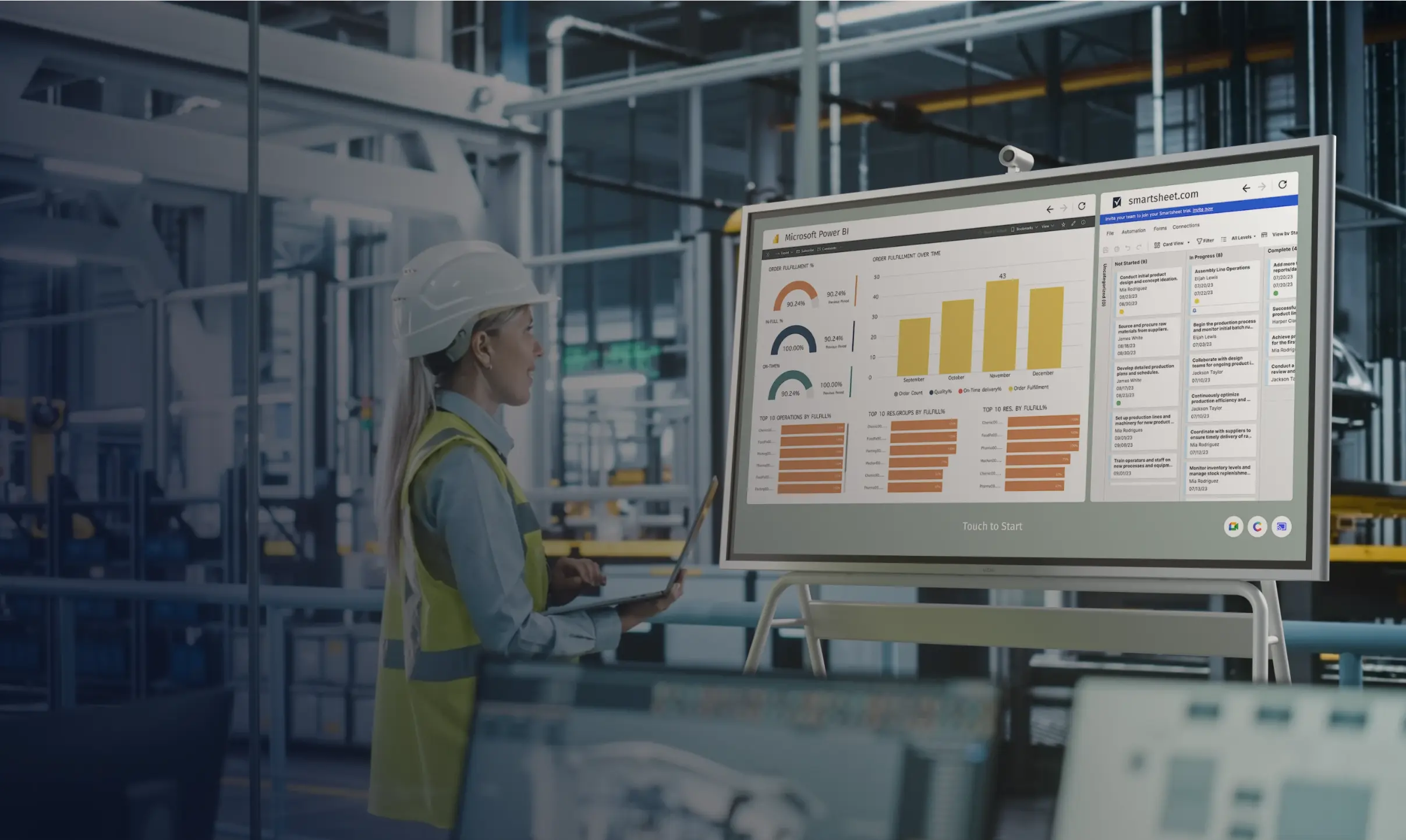 Engineer using Vibe Board to view manufacturing dashboards on the factory floor.
Production output is in the ERP or in an Excel file someone updates each shift. Quality data is in the QMS or in a shared spreadsheet. Maintenance flags come from whatever system the maintenance team uses. KPI targets are in the planning file. Action items from yesterday’s meeting are in an email thread or a shared notes document.
The problem is not that the data does not exist. It is that none of it is in the same place, at the right scale, visible to the whole team at the same time.
A digital daily management board built on existing tools does one thing: it puts that data on a shared screen, in a consistent format, before the meeting starts — without requiring anyone to re-enter it or maintain a separate system.
The most practical approach for most manufacturing teams combines three elements:
-
An Excel template as the board structure — one file that the meeting runs from, saved in SharePoint
-
Live data connections where available — Power BI for ERP data, direct Excel references for simpler metrics
-
A shared display that opens the file from SharePoint and keeps it current without anyone having to cast or push an update
Each element is something most manufacturing IT environments already support. None requires a new vendor relationship or an implementation timeline.
Building the Excel Template
The Excel template is the core of the board. It is not a dashboard — it is a structured document that the team reviews together, updates during the meeting, and leaves in place for the next shift to reference.
The layout should match the meeting flow.
A daily management meeting typically moves through the same sequence: safety, quality, delivery, cost (or whatever the team’s priority order is). The board layout should mirror that sequence so the meeting can move left to right or top to bottom across the screen without jumping around.
A practical starting layout for a single-site plant:
|
Section |
Content |
Update frequency |
|---|---|---|
|
Safety |
Open observations, days since incident |
Daily, before meeting |
|
Quality |
Defect count, first-pass yield, open NCRs |
Shift or daily |
|
Delivery |
Output vs. target, line status |
Shift or daily |
|
Maintenance |
Open work orders, equipment flags |
Daily |
|
Actions |
Open items from prior meetings, owner, due date |
During meeting |
This is not a template that needs to be built from scratch every morning. The structure stays the same. The numbers in the cells change. The planner or shift supervisor updates the relevant cells before the meeting — a five to ten minute task — and the board is ready.
For teams whose daily board includes a Safety, Quality, Delivery, Cost, and People breakdown, see how to digitize an SQDCP board using the same Excel and SharePoint approach.
Format for floor readability, not spreadsheet logic.
An Excel file designed for analysis looks different from one designed to be read at the front of a room on a 75-inch screen. For the board version:
-
Font size for primary metrics: 24pt minimum, 36pt where the number is the point
-
Color coding for status: green for on target, amber for watch, red for action required — applied with conditional formatting so it updates automatically
-
No formulas visible on the display view; all calculations happen in a separate tab
-
A "last updated" timestamp in a visible location so the floor knows how current the data is
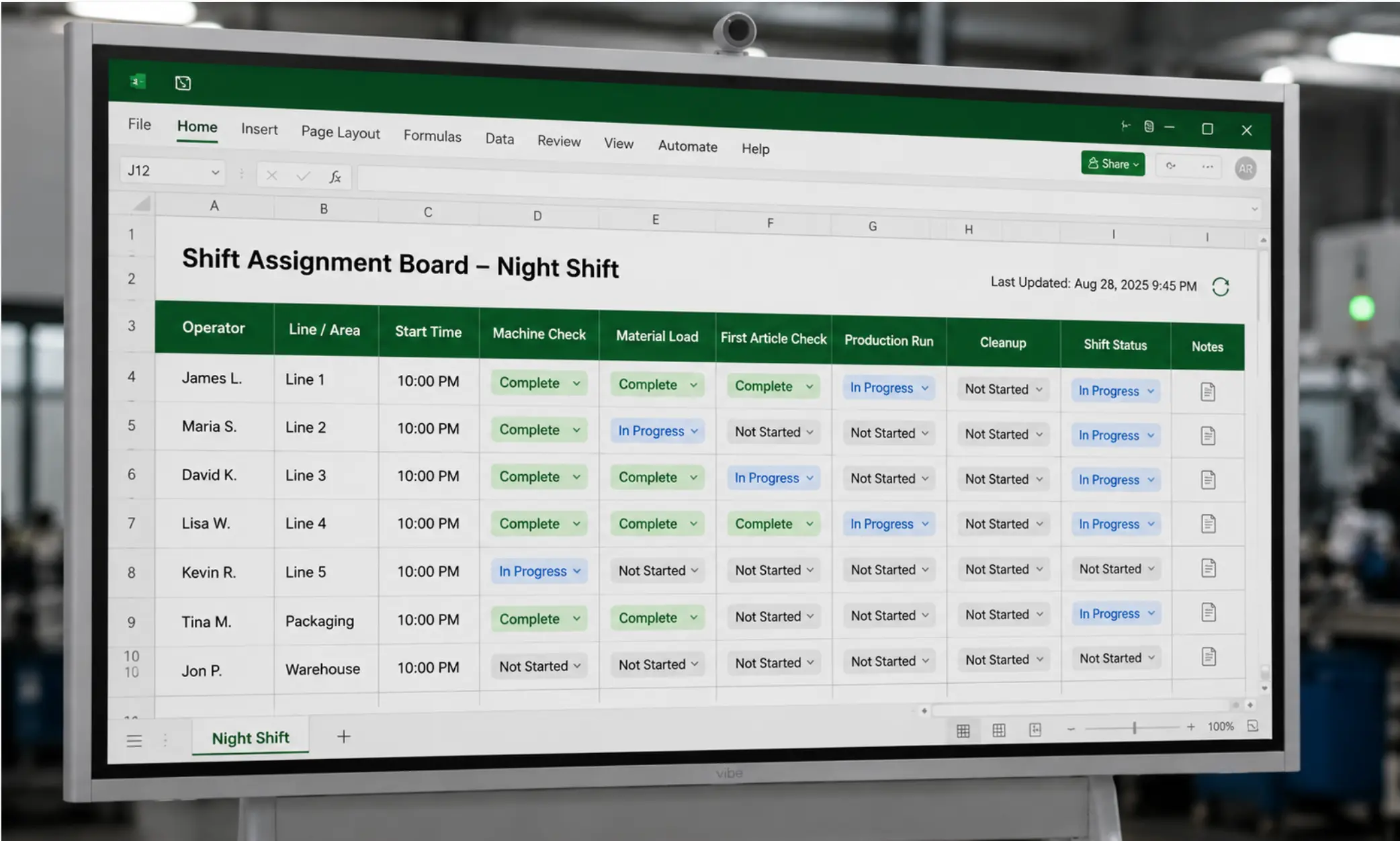 Shift assignment board on a Vibe Board
The actions table is the most important section.
Action items from yesterday’s meeting go into a table: what the action is, who owns it, when it is due, and its current status. At the start of each meeting, the supervisor reviews the open actions from the prior session before moving to current-state metrics. Items that are complete get marked closed. Items that are overdue turn red automatically via conditional formatting.
This table does not need to be sophisticated. It needs to be visible and consistent. An actions table that the team looks at every morning creates more accountability than a detailed project management tool that nobody opens between meetings.
Connecting Live Data Where It Matters
The Excel template approach works well for metrics that someone updates manually before the meeting. For data that changes continuously — production output, machine status, live quality counts — manual updates introduce the same staleness problem as a physical whiteboard.
Where live data connections are worth the additional setup:
Power BI connected to ERP data. If production output, order status, or inventory data already flows through Power BI, a Power BI report embedded in the daily management layout — or displayed on a split screen alongside the Excel board — brings live ERP data into the meeting without manual entry. The Vibe Board S1 Pro runs Power BI natively as a full Windows application, so the report updates in real time on the board without a separate device. For teams already using Power BI, this is an extension of an existing workflow rather than a new one. For a detailed setup guide, see how to display live Power BI dashboards on a manufacturing screen.
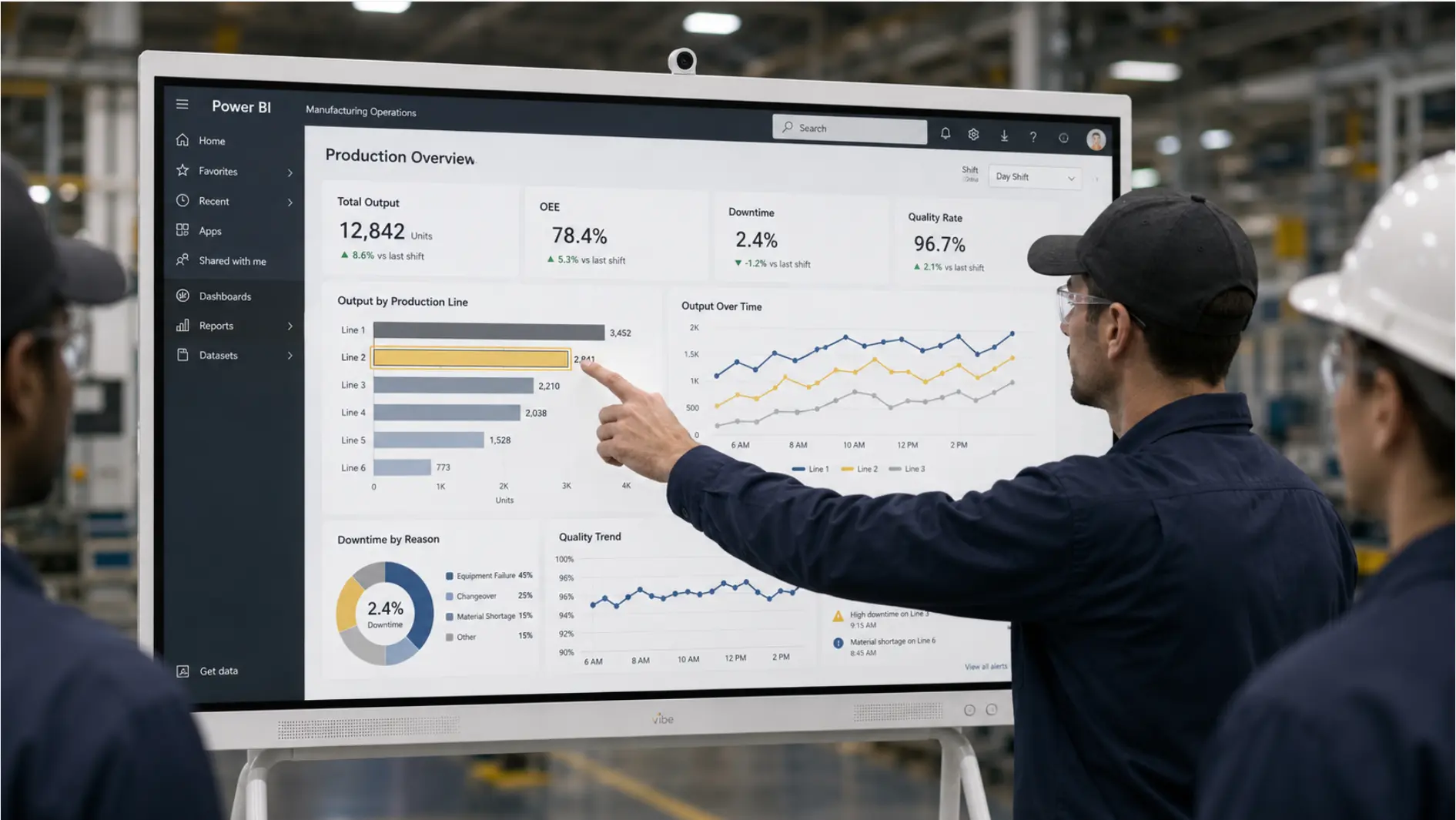 Manufacturing team reviewing Power BI production overview with output, downtime, and quality metrics on Vibe Board display
Excel connected to a live data source. If production data updates automatically in a shared Excel file via a data connection to the ERP or a machine data system, the daily management template can reference that file directly. Changes in the source file update the board without anyone having to open the source file or copy numbers over.
When manual entry is the right call. Not every metric justifies a live data connection. Safety observations, maintenance flags, and qualitative status updates are better captured by a person who has context — the maintenance supervisor who knows why the machine is flagged, the quality engineer who understands what the NCR means. For these, manual entry before the meeting is not a limitation; it is the appropriate process.
Setting Up the Board on the Display
The display choice determines whether the daily management board becomes a room fixture or a projection-dependent event.
The problem with projectors and casting. A projector or laptop cast works when someone sets it up. It fails when the cable is wrong, the network is congested, or the person who usually runs it is not there. A daily meeting that depends on someone actively managing a technical setup will find workarounds on the days when the setup fails — which means the board gets bypassed, the meeting runs from memory, and the habit breaks.
What a persistent display requires. A display that shows the daily management board before anyone arrives — and stays on it through the shift — needs to open the file from SharePoint directly, stay authenticated between sessions, and not require any active management. This is what separates a purpose-built interactive display running Windows from a TV with a casting setup. The Windows device authenticates to Microsoft 365 once; from that point, SharePoint files open directly on the board the same way they open on a workstation.
The Vibe Board S1 Pro connects to SharePoint and OneDrive using the team’s existing Microsoft 365 credentials. The daily management template opens from the shared folder each morning — updated by whoever does the pre-meeting prep — and stays displayed on the board between sessions. When the shift supervisor adds a note or marks an action complete during the meeting, the change saves back to SharePoint immediately.
Touch interaction during the meeting. The daily management meeting is more productive when the board is interactive rather than passive. On a touch display, the supervisor can tap a status cell to update it, add a note to an open action, or switch to the Power BI report to drill into a metric — without leaving the front of the room. The meeting stays at the board rather than moving to a laptop.
Running the Meeting From the Board
The format of the daily management meeting matters as much as the board design. A board that is well-designed but used as a backdrop for a verbal status review is no more effective than no board at all.
The meeting should run from the board, not alongside it.
Every data point discussed in the meeting should be visible on the board while it is being discussed. If someone raises a quality issue, the quality section of the board should be on screen — not pulled up separately on a laptop. The board is the shared object of attention; the meeting is the conversation about what is on the board.
The supervisor updates the board during the meeting, not before.
Pre-meeting prep should populate the board with data. Actions and status updates that emerge from the conversation should be captured on the board in real time — typed directly into the actions table, status cells updated as decisions are made. At the end of the meeting, the board is the record of what was decided, not a separate set of notes.
The cadence of KPI dashboard reviews should match the pace of the operation.
Operational metrics that change shift-to-shift warrant daily review. Metrics that change weekly — labor cost, yield trend, delivery performance — can be reviewed weekly using the same board format with a different template tab. Using the same board structure for both daily and weekly reviews reduces the number of formats the team has to navigate.
When a Dedicated DMS Platform Makes Sense
The approach described here works well for teams that want effective daily management without a major implementation. It is not the right fit for every situation.
A dedicated daily management system platform makes sense when:
-
The organization is standardizing daily management across many sites and needs consistent escalation workflows, centralized KPI hierarchies, and cross-site reporting. Platforms like Tervene or DigiLEAN are built for this level of governance.
For operations that need a cross-functional space where performance, project status, and problem-solving activity are all visible at once, an Obeya room setup extends the daily management board concept into a full visual management system.
-
The daily management process needs to be integrated with a broader operational excellence program — including Gemba walks, layered audits, and structured problem-solving. These platforms have features specifically designed for that integration.
-
The team has outgrown Excel-based tracking and needs structured workflows, automated escalation, and audit trails that a shared spreadsheet cannot provide.
For teams not yet at these thresholds, an Excel-based board on a shared display is a practical starting point. It is also a useful foundation: when the team is ready for a dedicated platform, the KPI structure and meeting format they have developed on the Excel board become the requirements for platform selection — rather than learning what they need from a vendor.
Common Setup Mistakes to Avoid
Designing the board for the analyst, not the floor. A daily management board with 20 metrics, nested conditional formatting, and embedded charts is difficult to read at 7 a.m. in a shift meeting. Start with five to eight metrics. Add more only when the team has demonstrated that they use what is already there.
Skipping the actions table. The most common reason daily management meetings feel unproductive is that they review the same issues every day without resolution. An actions table that is visible on the board and reviewed at the start of every meeting is what converts daily management from a status update into a problem-solving rhythm.
Teams that combine daily management boards with structured quality problem-solving often run A3 and QRQC boards alongside the daily management board — using the actions table to track escalated issues and A3s in progress.
Treating the board as a reporting tool rather than an operational tool. A board designed to show leadership that the operation is on track is different from a board designed to help the floor team manage the day. The former tends to be polished and backward-looking. The latter needs to be current, actionable, and owned by the people running the shift.
Using a TV instead of an interactive display. A TV showing the daily management board is better than a whiteboard for consistency and readability. It is not better for the meeting itself — no one can update a status cell or add an action item on a TV. The interaction during the meeting is what makes the board a living document rather than a static display. The distinction between a digital and a physical visual management approach matters most at this point in the process.
Start With What the Team Already Has
The daily management board that works is the one the team actually uses. A sophisticated platform that requires a three-month implementation and a new set of logins for every supervisor will not be used consistently. An Excel file in SharePoint, displayed on a board that is already in the room and already on when the meeting starts, will.
The goal of daily management is not the board. It is the rhythm — the daily habit of reviewing the current state, identifying what needs attention, and capturing who will do what before the next meeting. A simple board that supports that rhythm consistently is more valuable than a powerful platform that supports it intermittently.
Request a demo to see how the Vibe Board S1 Pro runs a daily management board from your existing Excel and SharePoint files, or request a quote if you are ready to deploy.
Frequently Asked Questions
How long does the initial setup take?
Building the Excel template and formatting it for floor display typically takes two to four hours. Connecting it to SharePoint and authenticating the display adds another hour. The first week of meetings will surface layout adjustments — which cells need to be larger, which metrics the team actually reviews versus those that get skipped. Budget a two-week stabilization period before treating the format as final.
What if our data lives in multiple systems?
Start with what is easiest to populate manually before the meeting. Once the meeting format is stable, identify which metrics are most painful to update by hand and add live data connections for those. Trying to connect everything at the start adds complexity before the team has validated the meeting format.
How do we handle multiple shifts using the same board?
Use separate tabs in the Excel file for each shift — one tab per shift, same structure. The incoming shift supervisor opens the relevant tab at the start of their shift. The previous shift’s data stays on its tab for reference. A summary tab can pull key metrics from all shifts for the supervisor running the cross-shift review.
Can this work for a multi-site operation?
Yes, with additional structure. Each site maintains its own daily management board in a shared SharePoint folder. The operations manager or plant director has a summary view — a separate Excel file that pulls key metrics from each site’s board — for the cross-site review meeting. The Vibe Board S1 Pro at each site displays the local board; the operations manager’s review uses the summary file.
How do we know if the board is working?
Three signals: meeting duration decreasing over time (less time spent finding information, more time on decisions), action items closing at a higher rate (the actions table is being used and followed up on), and issues being raised and resolved at the board level rather than escalating to the plant manager. If all three are moving in the right direction after four to six weeks, the format is working.