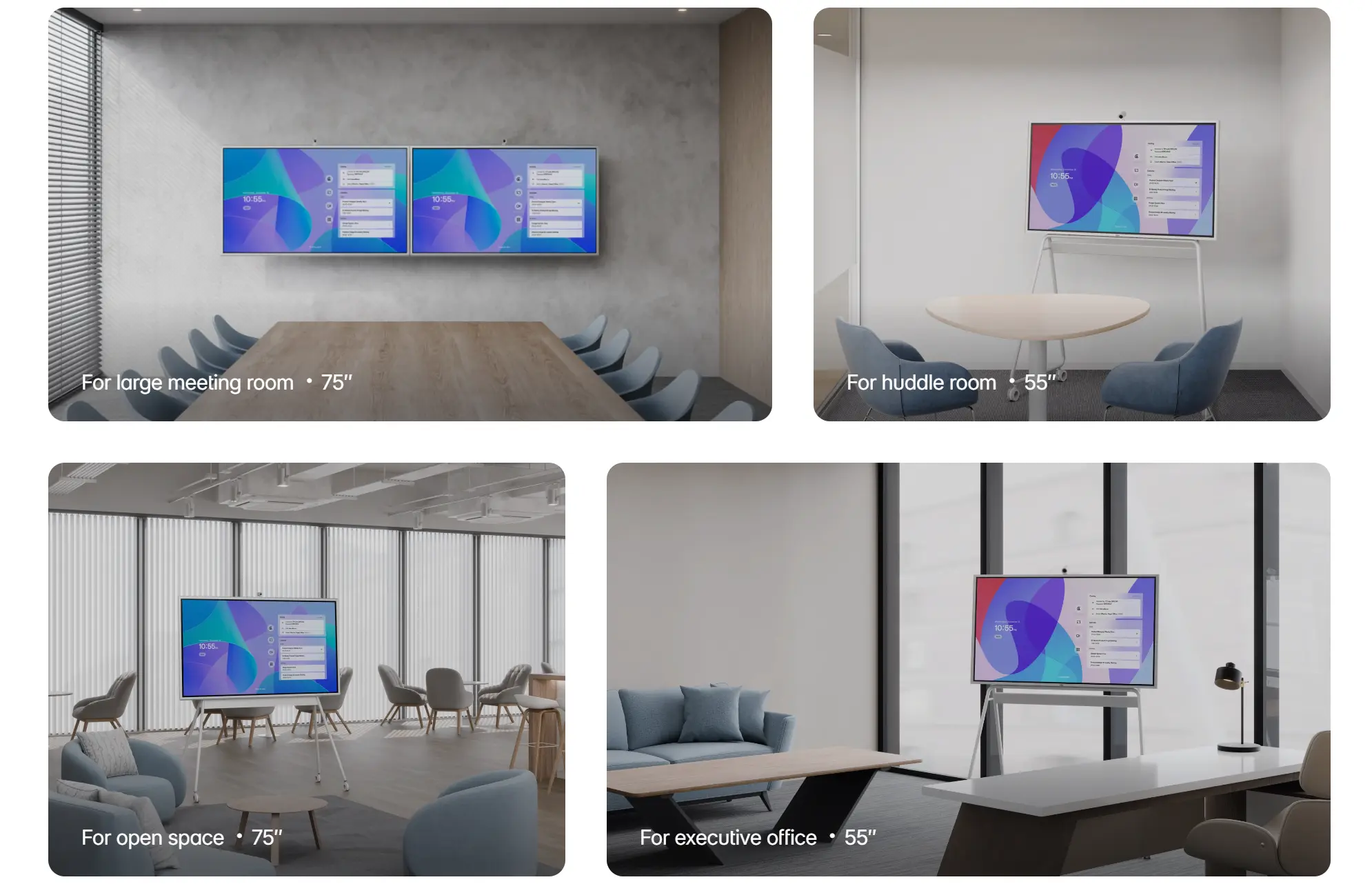
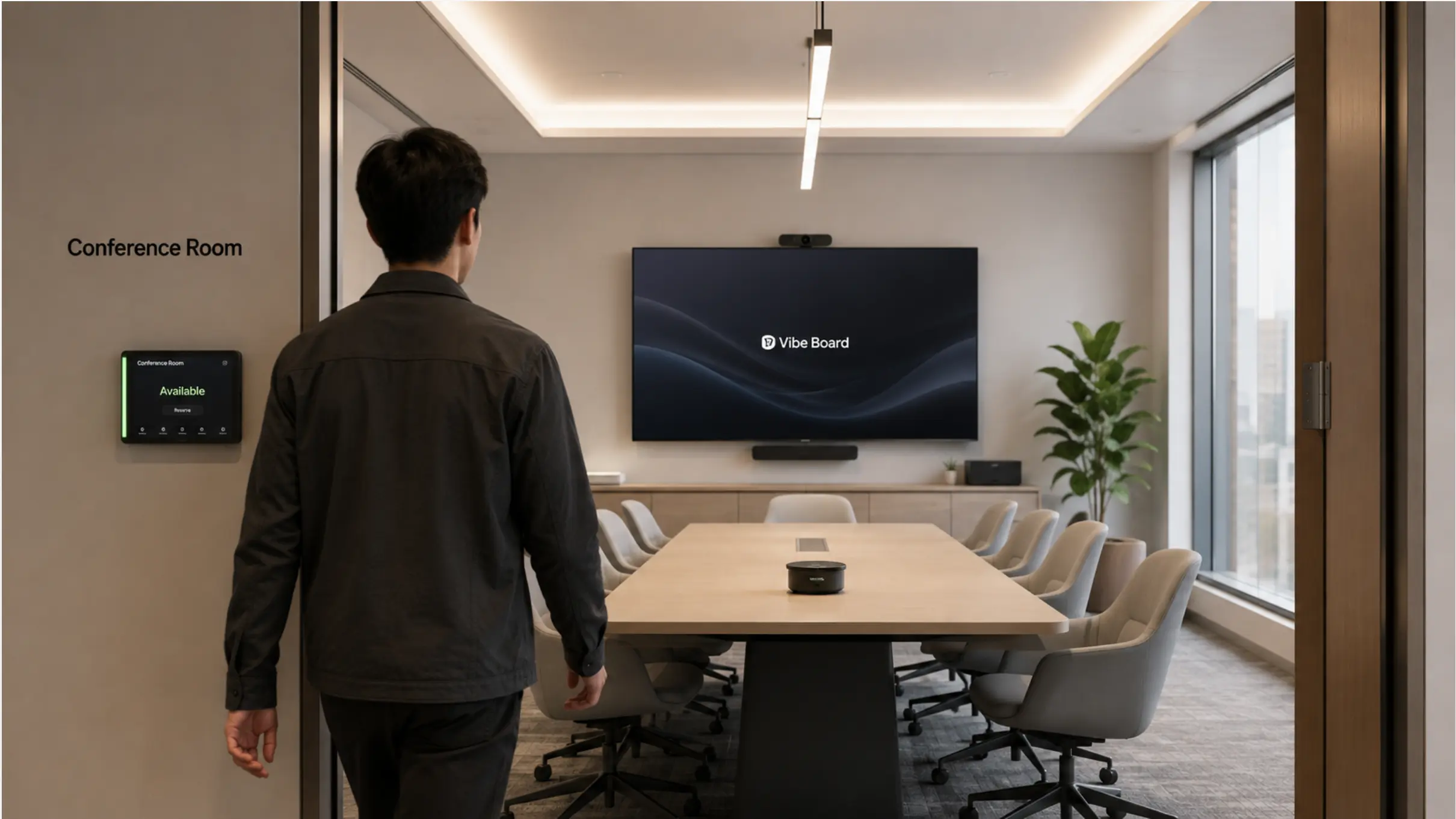
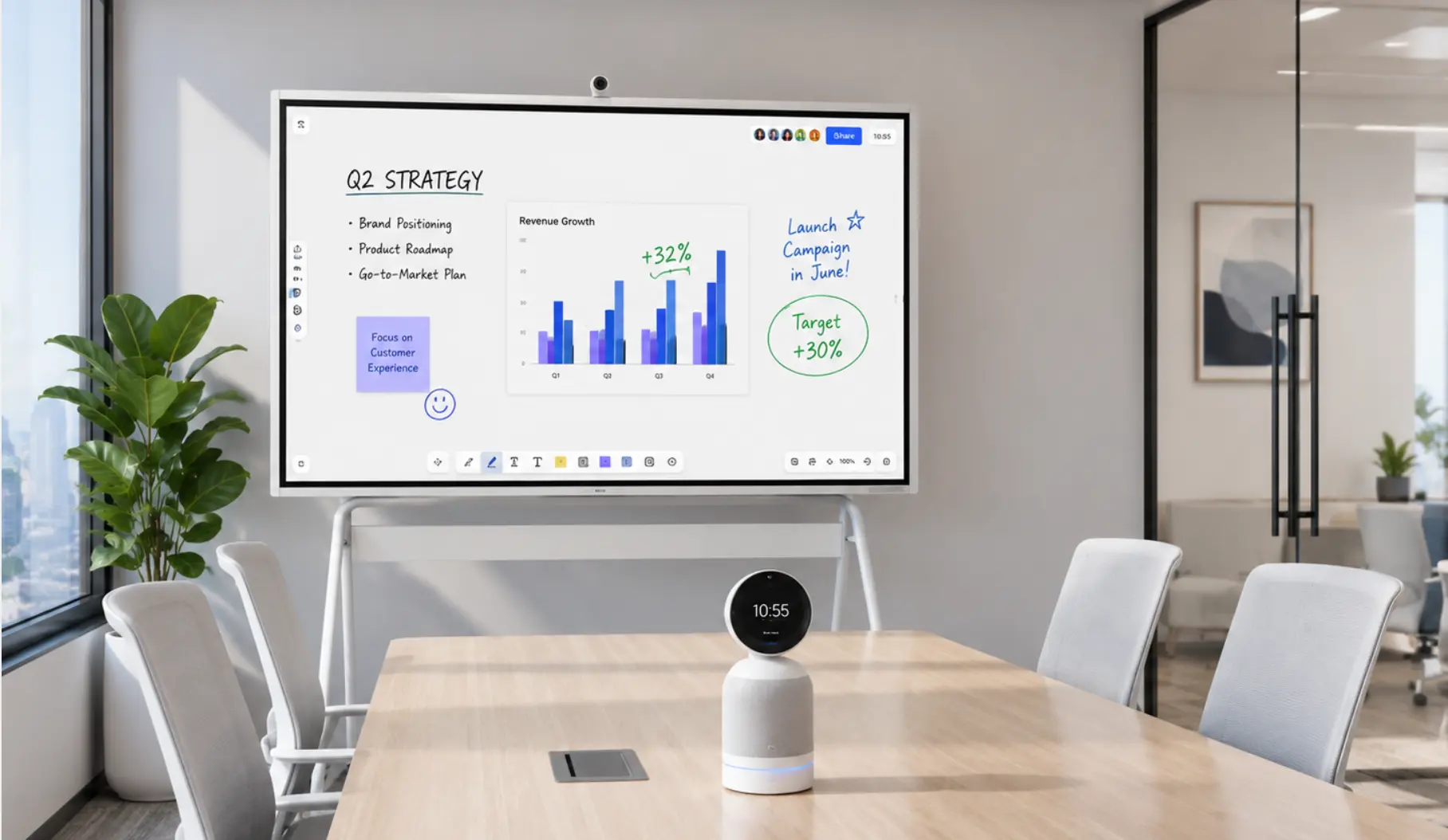
Conference room AV costs more than most people expect and less than most vendors quote — usually because buyers are either under-speccing for the room size or over-buying components they don’t need. The difference between a $3,000 huddle room setup that works flawlessly and a $12,000 one that generates weekly IT tickets almost always comes down to one decision made before anything was ordered: did the spec match the room?
This guide breaks down realistic conference room AV costs for 2026 by room size, component, and technology tier — so you can build a budget that reflects what the room actually needs, not what a vendor wants to sell you.
What Drives Conference Room AV Cost
Before looking at numbers, it helps to understand the variables that push costs up or down. Conference room AV pricing isn’t arbitrary — it follows a logic you can use to make decisions.
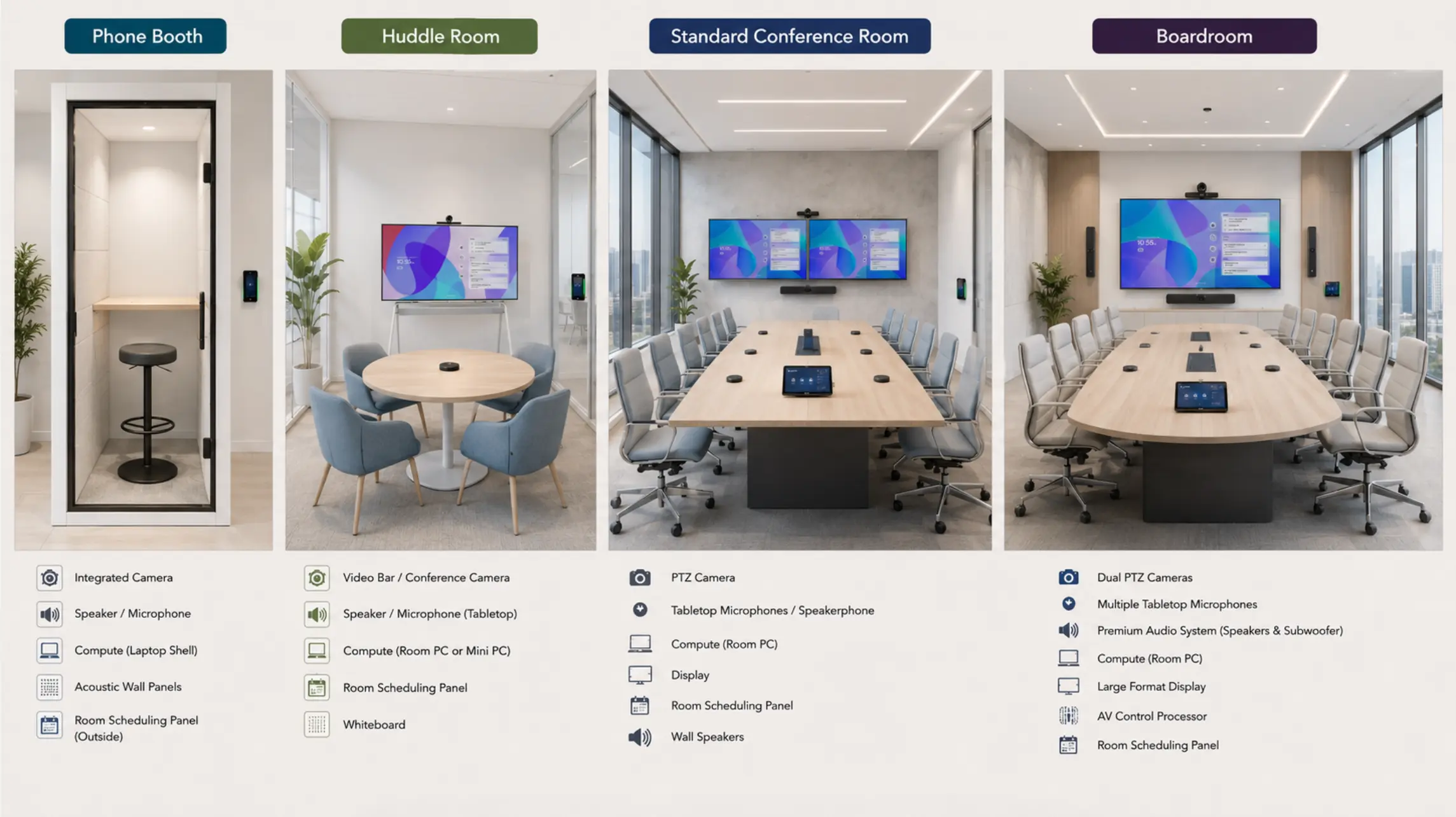 AV setup varies with room size
The five cost drivers
1. Room size and depth: The farther the farthest seat from the display and camera, the more capable (and expensive) the equipment needs to be. A wide-angle fixed camera that costs $400 works in a 4-person huddle room; it actively fails in a 12-person conference room where faces become unreadable beyond 12 feet. Room depth is the single biggest cost driver after the number of rooms.
2. Number of components: A multi-vendor setup — separate display, camera, speakerphone, compute unit, control panel, content sharing device — multiplies both upfront hardware cost and ongoing IT management overhead. An all-in-one device that consolidates several of these into a single unit reduces component count and total cost of ownership, even if the unit price looks higher at first glance.
3. Platform certification tier: Hardware certified for Zoom Rooms or Microsoft Teams Rooms typically costs 20–40% more than equivalent uncertified hardware, but delivers features (one-touch join, smart gallery, centralized device management) that significantly reduce per-meeting friction. Whether that premium is justified depends on how heavily the room is used.
4. Audio complexity: Audio cost scales steeply with room size. A USB speakerphone for a 4-person room costs $150–$400. A ceiling beamforming array for a 20-person room costs $3,000–$8,000 — before DSP, cabling, and installation. For large rooms, audio is often the largest single line item in the AV budget.
5. Installation and integration Self-install is realistic for huddle rooms and standard meeting rooms using all-in-one devices. Large conference rooms and boardrooms require professional AV installation — the labor, calibration, and system design cost typically runs 20–40% of the hardware cost at these room sizes.
Conference Room AV Cost by Room Size
Huddle Room (2–6 people): $3,000–$7,000
Huddle rooms are the highest-volume room type in most offices and the easiest to overbuild. The goal is reliable simplicity: walk in, tap one button, be in a meeting.
Traditional multi-component approach:
|
Component |
Cost range |
|---|---|
|
Commercial display (55–65″) |
$600–$1,200 |
|
Wide-angle or AI auto-framing camera |
$400–$900 |
|
USB speakerphone |
$150–$400 |
|
Compute unit (mini PC or room controller) |
$300–$700 |
|
Content sharing device |
$200–$500 |
|
Installation + cabling |
$300–$700 |
|
Total |
$1,950–$4,400 |
All-in-one approach (Vibe Board S1):
Vibe Board S1 replaces the display, compute unit, content sharing device, and platform software in a single unit. The 55″ or 75″ 4K UHD panel runs VibeOS (Chrome-compatible), natively supports Zoom, Teams, Google Meet, and 250+ app integrations, and includes wireless content sharing via Miracast and AirPlay — all without a separate compute box or adapter layer.
|
Component |
Cost range |
|---|---|
|
Vibe Board S1 (55″ or 75″) |
$3,699 (55″), $7,299 (75″) |
|
Paired AI auto-framing camera |
$399 |
|
Room scheduling panel (optional) |
$200–$500 |
|
Wall mount or vibe stand |
$200–$599 |
|
Total |
$3,000–$6,500 |
The all-in-one approach costs slightly more upfront but eliminates multi-component configuration, reduces the number of things that can fail, and cuts IT management overhead to a single device. Over a 5-year deployment, the total cost of ownership is typically lower than the multi-component alternative.
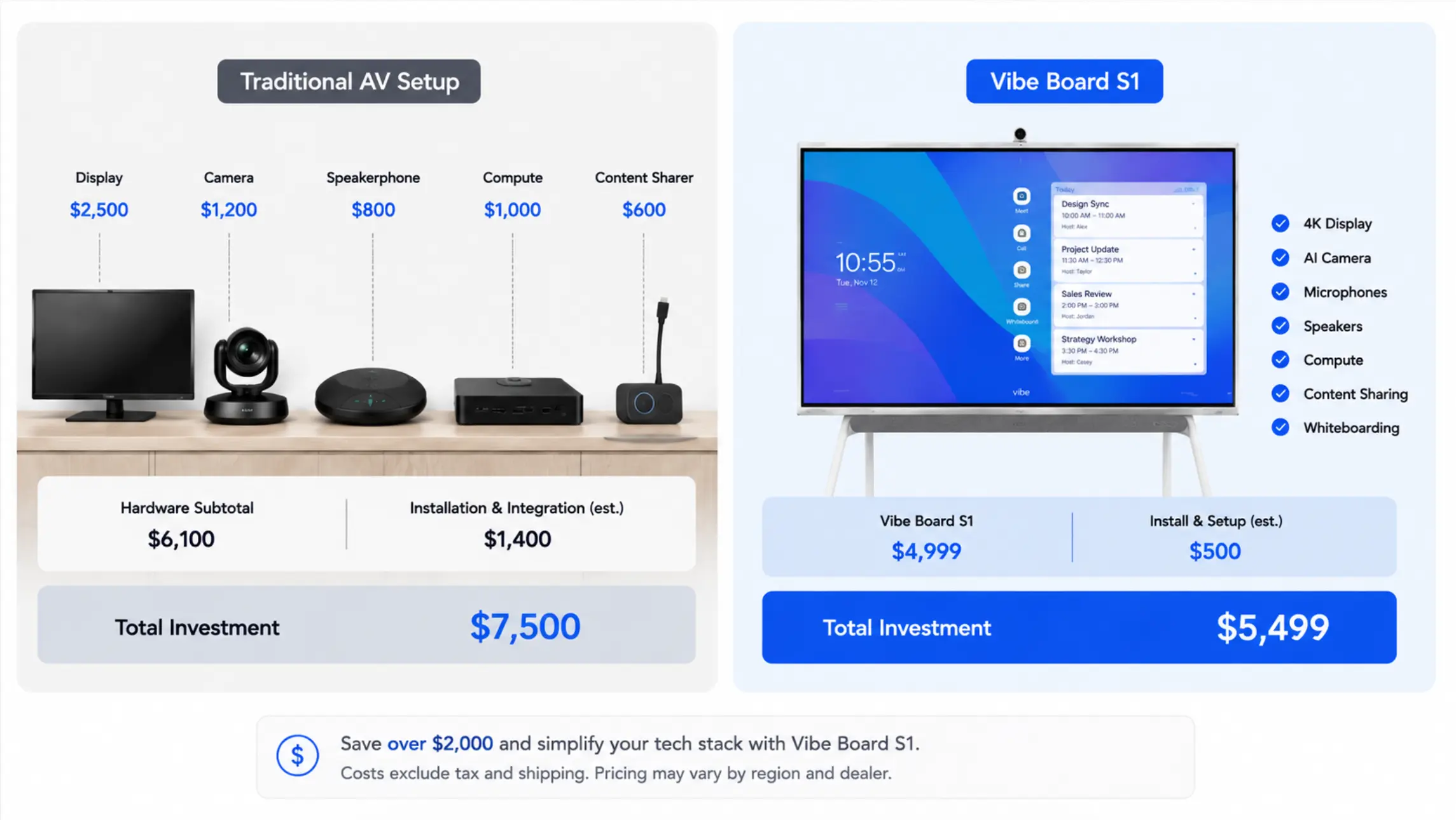 Cost comparison between traditional AV solution vs. Vibe's all-in-one AV solution
Standard Conference Room (6–12 people): $7,000–$20,000
Standard conference rooms are where most of the real hybrid meeting work happens — and where under-speccing the camera or audio creates the most visible failures. Remote participants in a 10-person meeting can tell immediately if the far end of the table is inaudible or if faces at the back of the room are too small to see.
Cost breakdown:
|
Component |
Budget tier |
Mid tier |
Premium tier |
|---|---|---|---|
|
Display (75–86″, 4K commercial) |
$1,200–$2,000 |
$2,000–$3,500 |
$3,500–$5,000 |
|
AI auto-framing camera |
$600–$1,200 |
$1,200–$2,500 |
$2,500–$4,000 |
|
Tabletop mic array + DSP |
$500–$1,000 |
$1,000–$2,000 |
$2,000–$3,500 |
|
Compute unit / all-in-one |
$0 (if using Vibe Board) |
$500–$1,500 |
$1,500–$3,000 |
|
Content sharing |
$0 (built into Vibe Board) |
$200–$500 |
$500–$1,200 |
|
Room scheduling panel |
$200–$400 |
$400–$700 |
$700–$1,200 |
|
Installation + calibration |
$500–$1,000 |
$1,000–$2,000 |
$2,000–$3,500 |
|
Total |
$3,000–$6,600 |
$6,300–$12,700 |
$12,700–$21,400 |
Where Vibe Board saves cost at this tier: Using Vibe Board S1 or S1 Pro as the display + compute removes two line items (compute unit, content sharing device) from the budget. For a standard meeting room, that’s typically $700–$1,700 in hardware savings before installation — plus reduced IT overhead from managing fewer devices.
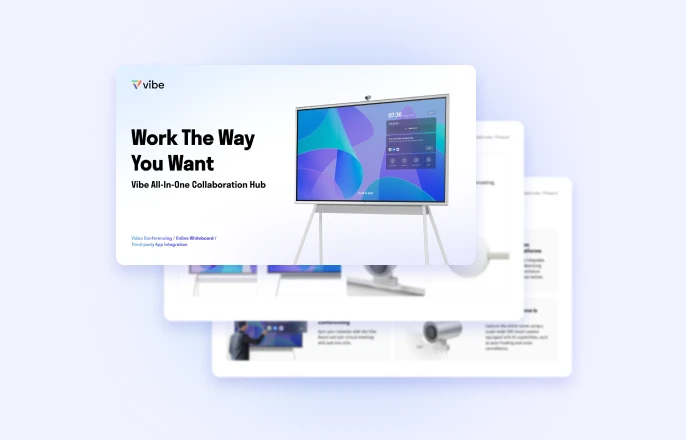
S1 Pro (Windows 11 Pro) makes sense here if the team uses Windows-specific professional software in meeting rooms — AutoCAD, clinical platforms, design tools — where a ChromeOS device would require workarounds. Both models include Vibe Canvas for persistent digital whiteboarding, which replaces the physical whiteboard and its associated upkeep.
The AI auto-framing camera is not optional at this room size. A fixed wide-angle camera in a 12-person room renders faces at the far end as thumbnails — remote participants can see that people are present but can’t read expressions or follow who’s speaking. Budget for AI auto-framing as a baseline, not an upgrade.
Large Conference Room (12–20 people): $20,000–$55,000
Large conference rooms require professional-grade audio systems that go well beyond what works in smaller spaces, and benefit significantly from an AI meeting intelligence layer that captures the output of high-stakes meetings reliably.
Cost breakdown:
|
Component |
Cost range |
Notes |
|---|---|---|
|
Vibe Board S1 Pro (primary display) |
See pricing at vibe.us |
75″, Windows 11 Pro, interactive whiteboard + conferencing hub |
|
Vibe Bot (in-room AI capture hardware) |
See pricing at vibe.us |
Dedicated meeting capture device; pairs with Vibe AI |
|
Ceiling beamforming microphone array |
$3,000–$8,000 |
Shure MXA910, Biamp Devio, or equivalent |
|
DSP unit |
$1,500–$4,000 |
Echo cancellation, gain management, routing |
|
Speaker system (ceiling or front-loaded) |
$2,000–$5,000 |
Coverage across full room depth |
|
PTZ or long-range AI camera |
$2,000–$5,000 |
For room depth beyond 15 feet |
|
Room scheduling system |
$500–$1,200 |
Calendar-integrated panel |
|
Acoustic treatment (panels, baffles) |
$1,000–$4,000 |
Often the highest-ROI addition at this room size |
|
AV integrator (design + installation) |
$4,000–$10,000 |
Audio calibration, DSP config, system testing |
|
Total |
$18,000–$50,000 |
The Vibe Bot difference at this room size:
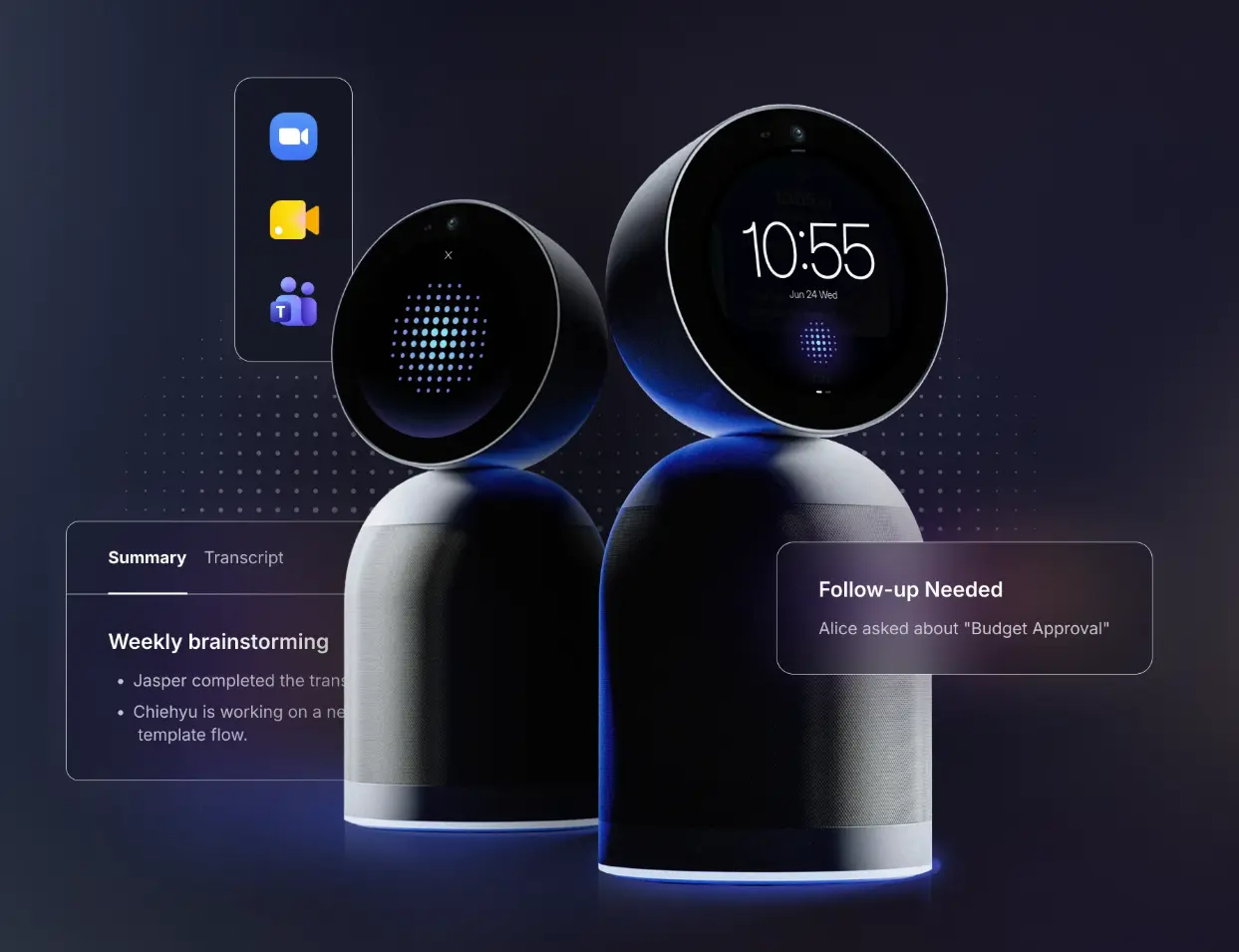
Large conference rooms host the meetings that generate the most consequential decisions — and are the meetings most likely to have those decisions poorly captured. Vibe Bot is dedicated in-room hardware for meeting capture, purpose-built so the AI layer has a reliable physical foundation rather than depending on whoever remembered to open their laptop. Vibe AI, running on top of Vibe Bot, generates automatic meeting notes, tracks action items, and builds a cross-session Memory Graph — so follow-up meetings start with full context from the last session, not a blank whiteboard and a "does anyone remember what we decided?"
For budget planning purposes, treating Vibe Bot + Vibe AI as a distinct line item — not folded into hardware AV or general SaaS — reflects how it actually functions: it spans both the hardware layer (Vibe Bot) and the recurring SaaS layer (Vibe AI subscriptions).
Boardroom (20+ people): $50,000–$130,000+
Boardroom AV is always a custom project. There is no off-the-shelf configuration for a 25-seat executive room with specific acoustic requirements, enterprise control system integration, and branding standards. Budget accordingly — and engage an AV integrator during the design phase, not after construction.
Indicative cost ranges:
|
Component |
Cost range |
|---|---|
|
Vibe Board S1 Pro (primary interactive display) |
See pricing at vibe.us |
|
Supplementary commercial displays or LED wall |
$5,000–$20,000+ |
|
Vibe Bot + Vibe AI (AI meeting capture layer) |
$1,599 + AI subscription (free tier available) |
|
Multi-camera system (PTZ + presenter tracking) |
$8,000–$20,000 |
|
Enterprise ceiling microphone array |
$6,000–$15,000 |
|
Enterprise DSP (Biamp Tesira, QSC Q-SYS) |
$5,000–$12,000 |
|
Distributed speaker system |
$4,000–$10,000 |
|
Control system (Crestron or Extron) |
$5,000–$15,000 |
|
Acoustic treatment + room tuning |
$3,000–$8,000 |
|
AV integrator (design, installation, commissioning) |
$10,000–$25,000 |
|
Total |
$50,000–$130,000+ |
Why Vibe Board S1 Pro belongs in enterprise boardroom projects:
Professional AV integrators specify Windows-based compute for boardroom projects because it’s compatible with enterprise control systems (Crestron, Extron) and enterprise AV management platforms. Vibe Board S1 Pro provides this Windows 11 Pro foundation while adding the interactive whiteboard and native Zoom, Teams, and Meet support that modern boardrooms expect — without requiring a separate compute device. For AV integrators scoping boardroom projects, S1 Pro fits into the control system architecture they already build, while delivering capabilities that a standard Windows NUC or room PC can’t match.
For teams migrating from discontinued platforms — Microsoft Surface Hub (discontinued April 2026) or Google Jamboard (discontinued October 2024) — S1 Pro is the most direct replacement path at the boardroom tier.
Hidden Costs Most AV Budgets Miss
1. Platform licensing (ongoing)
Hardware is a one-time cost. Platform licensing is recurring — and frequently missing from initial AV budgets.
|
Platform |
Per-room monthly cost |
|---|---|
|
Zoom Rooms | |
|
Microsoft Teams Rooms Pro |
$40/room/month (Basic free up to 25 rooms) |
|
Google Meet (included with Workspace) |
$0 additional |
|
Room scheduling software (Robin, Envoy, etc.) |
$15–$40/room/month |
For a 10-room office over a 5-year lease, platform licensing adds $15,000–$30,000+ to the total technology cost — a number that rarely appears in the hardware budget conversation.
2. Acoustic treatment
Hard floors, glass walls, and high ceilings create reverb and echo that software noise cancellation can’t fully suppress. Acoustic panels for a standard conference room run $500–$2,000; a large room needs $1,500–$5,000 in treatment. Teams that skip this step consistently end up replacing audio hardware that was never the actual problem.
3. Cabling and infrastructure
Network drops, power outlets, and cable management are often excluded from AV quotes and then added as change orders during installation. Budget $500–$2,000 per room for infrastructure work, depending on building condition.
4. Spare hardware and accessories
Cables degrade, styluses get lost, scheduling tablet batteries wear out. Build in 5–10% of hardware cost as an annual accessories and replacement budget.
5. IT management overhead
Each additional device in a conference room is an additional item to update, monitor, and troubleshoot. An all-in-one device managed through a single interface costs significantly less in IT staff time over a 3–5 year period than a multi-vendor stack with separate firmware cycles.
Cost Per Room vs. Cost Per Meeting: A Different Way to Think About Budget
Conference room AV budgets are almost always evaluated as a capital expense: how much does this room cost to build? A more useful frame — especially for rooms used heavily — is cost per meeting.
A 10-person standard conference room used 5 times per day, 250 days per year, hosts 1,250 meetings per year. Over a 5-year life:
|
Budget scenario |
Total 5-year cost |
Meetings hosted |
Cost per meeting |
|---|---|---|---|
|
Under-spec’d setup ($4,000 hardware) |
$4,000 + $5,000 IT support + $3,000 replacements |
6,250 |
~$1.92 |
|
Right-spec’d setup ($12,000 hardware) |
$12,000 + $1,500 IT support |
6,250 |
~$2.16 |
|
Over-spec’d setup ($22,000 hardware) |
$22,000 + $1,500 IT support |
6,250 |
~$3.76 |
The right-spec’d setup costs $0.24/meeting more than the under-spec’d one — but eliminates the IT support overhead and the meeting disruption cost that the under-spec’d room generates. The over-spec’d room costs 74% more per meeting for capabilities the room rarely uses.
The practical implication: match the specification to the room tier, don’t over-buy for prestige, and don’t under-buy to hit an arbitrary hardware budget number.
Building Your Conference Room AV Budget
Start with room inventory: how many of each room type does your office need? Then apply the cost ranges above to each tier, add platform licensing and infrastructure costs, and build in a 10–15% contingency for scope changes during installation.
The most common budget mistake isn’t overspending — it’s under-speccing one room tier (usually the large conference room) to hit a number, then paying to fix it 18 months later when the room becomes the one everyone avoids.
For a full guide to what each room needs component by component — beyond just cost — see the conference room AV setup guide.
Frequently Asked Questions
How much does it cost to set up a conference room for video conferencing?
A functional video conferencing setup ranges from $3,000–$7,000 for a small huddle room (2–6 people) to $50,000–$130,000+ for a custom boardroom. The most common room type — a standard conference room for 6–12 people — typically costs $7,000–$20,000 depending on hardware tier and whether professional installation is required. An all-in-one device like Vibe Board reduces cost at the lower tiers by consolidating display, compute, and content sharing into a single unit.
What’s the most expensive part of conference room AV?
It depends on room size. For huddle rooms and standard meeting rooms, the display and camera are the largest line items. For large conference rooms and boardrooms, professional audio — ceiling microphone arrays, DSP units, distributed speaker systems — typically becomes the largest single cost category, often exceeding $10,000 before installation.
Is it cheaper to buy an all-in-one device or build a room from separate components?
For huddle rooms and standard conference rooms (up to ~12 seats), an all-in-one device is almost always cheaper when you account for total cost of ownership over 3–5 years. The hardware may cost slightly more than individual components bought separately, but you save on integration labor, eliminate multi-vendor management overhead, and reduce the number of individual failure points. For large conference rooms and boardrooms, where custom audio design and control system integration are required, separate components remain the standard approach — with the display and compute layer still potentially handled by an all-in-one device like Vibe Board S1 Pro.
Should I budget for AV differently for a new office vs. an existing space?
In a new office build-out, AV decisions should be made during the design phase — before walls go up and electrical is placed. This timing allows you to specify network drops, power outlet locations, and cable pathways correctly the first time. Retrofitting a fully built space costs 30–50% more than building it in. For an existing space, budget for additional infrastructure work (cabling, wall patching, ceiling access) on top of the hardware cost.
How do I calculate how many conference rooms I need?
A general benchmark: one meeting room per 8–10 employees, plus dedicated huddle rooms at one per 5–6 employees. For a 50-person office: 5–6 standard meeting rooms and 8–10 huddle rooms. In hybrid-first offices where peak in-office attendance is lower than total headcount, some teams run leaner — but under-building conference room inventory is consistently more expensive to fix than over-building, because room additions require construction, not just hardware.
What’s the ROI on upgrading conference room AV?
The clearest ROI signal is IT support ticket volume. Rooms running outdated or mismatched equipment generate consistent support tickets — each one represents IT staff time, a disrupted meeting, and compounding frustration that trains employees to avoid the room. According to Logitech’s 2025 "Desk Dread" study, 63% of hybrid workers encounter technology problems on their office days — and 37% reported working late as a result. A room upgrade that eliminates this category of failure pays for itself faster than a spreadsheet ROI model suggests.