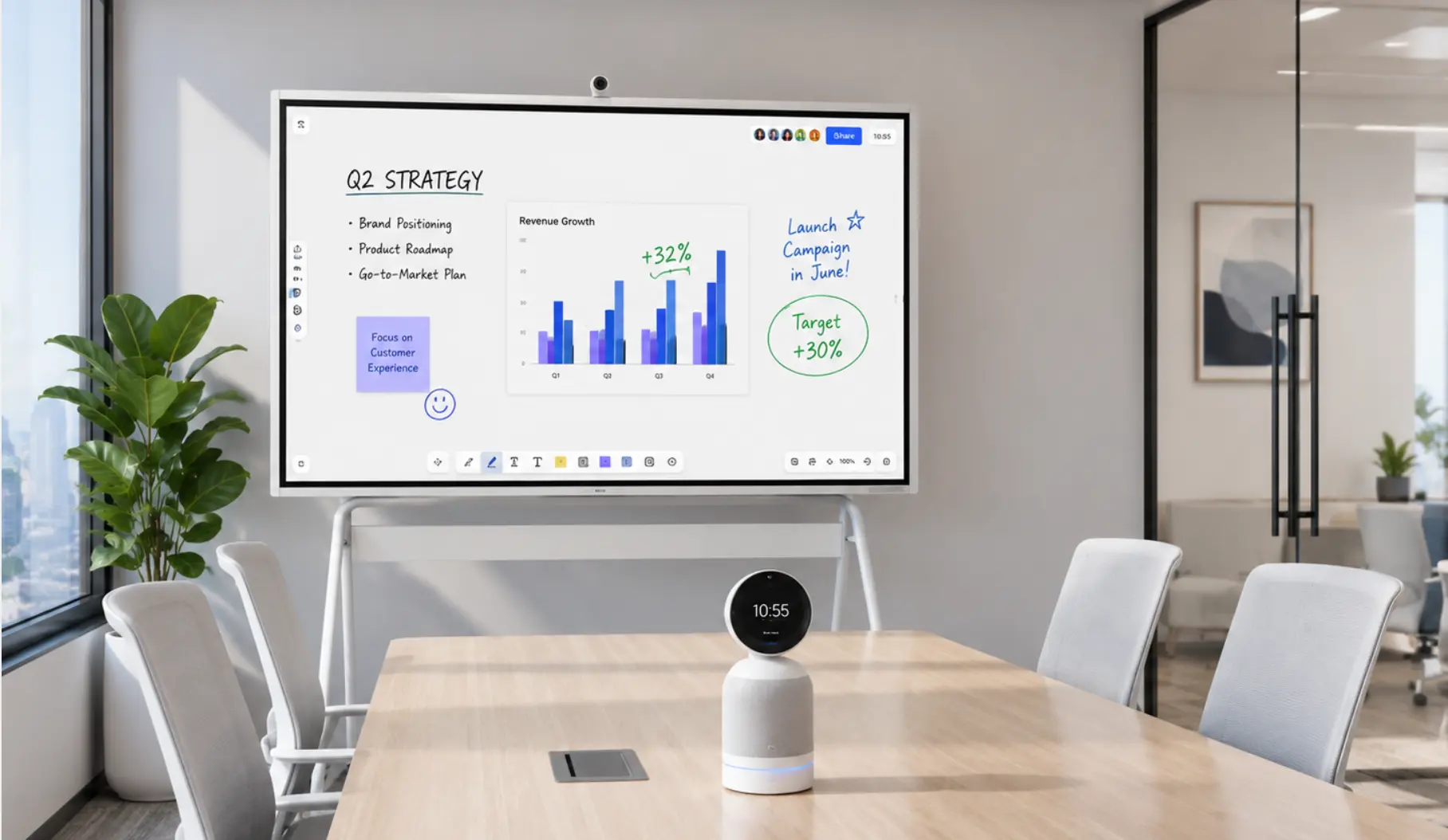
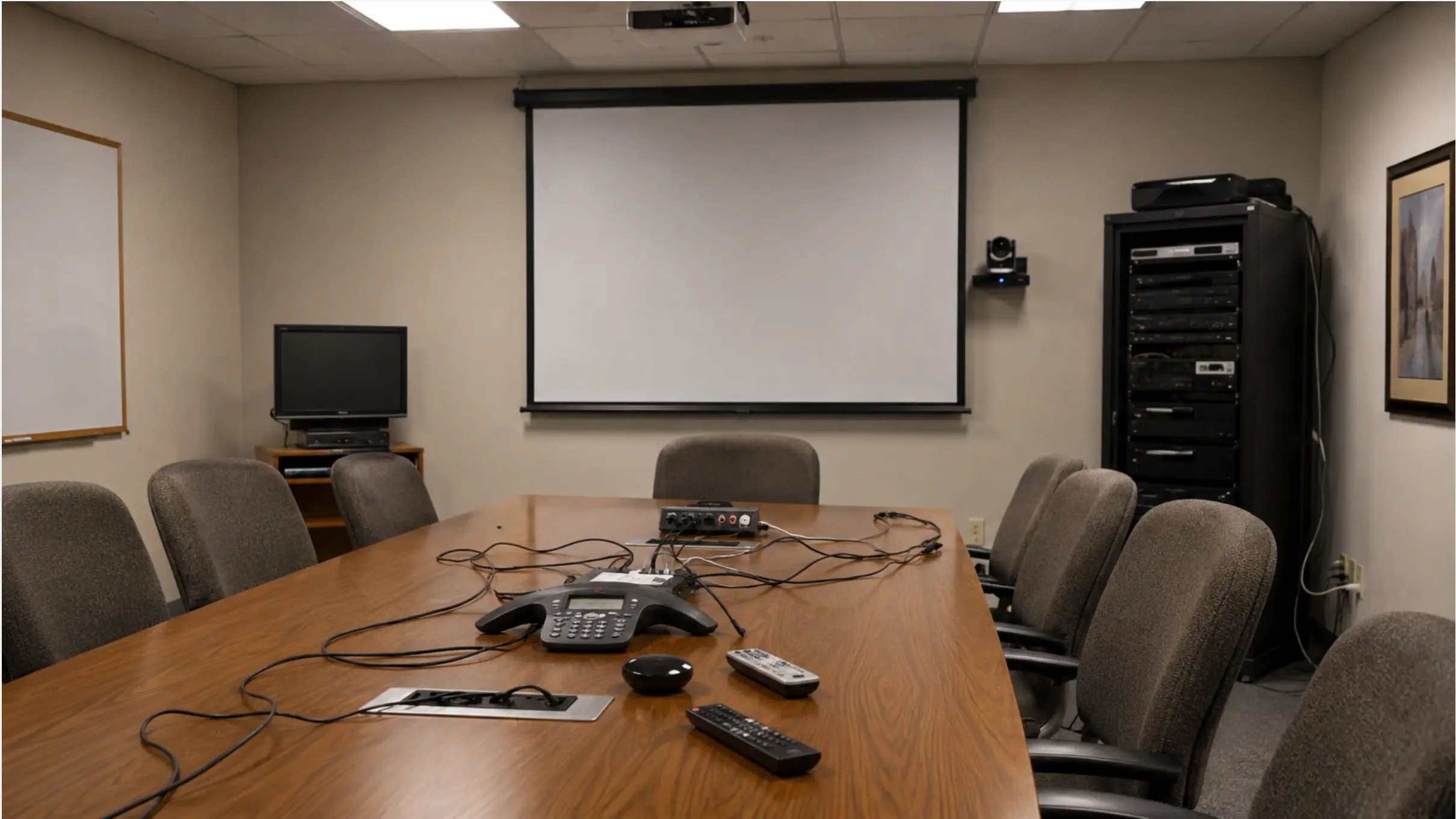
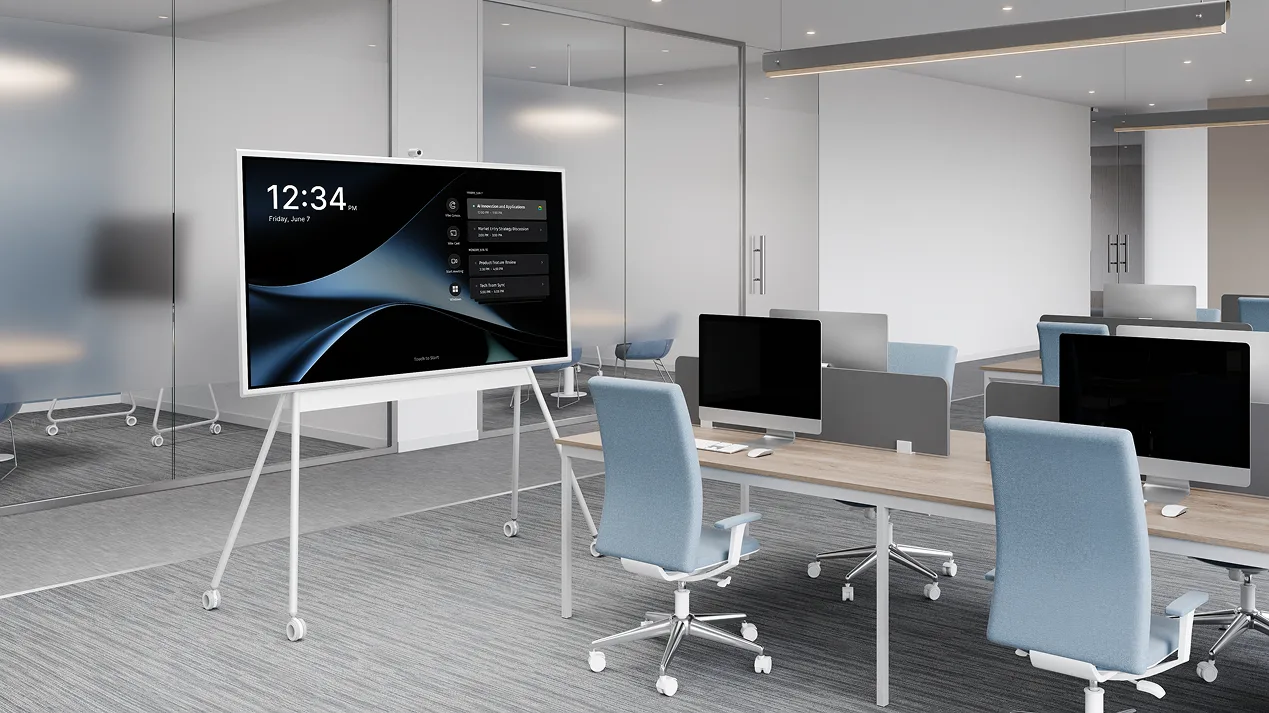
Most video conferencing equipment lists treat every room the same. They aren’t. The camera that works in a 4-person huddle room actively fails in a 15-seat conference room. The speakerphone that’s perfect for a phone booth leaves half the table inaudible in a standard meeting room. Get the equipment wrong for the room size, and the technology meant to solve your hybrid problem creates a new one.
This guide breaks down the complete video conferencing equipment list for every room type — from a one-person focus booth to a full boardroom — with specific component recommendations, Vibe product mappings, and realistic budget ranges for 2026.
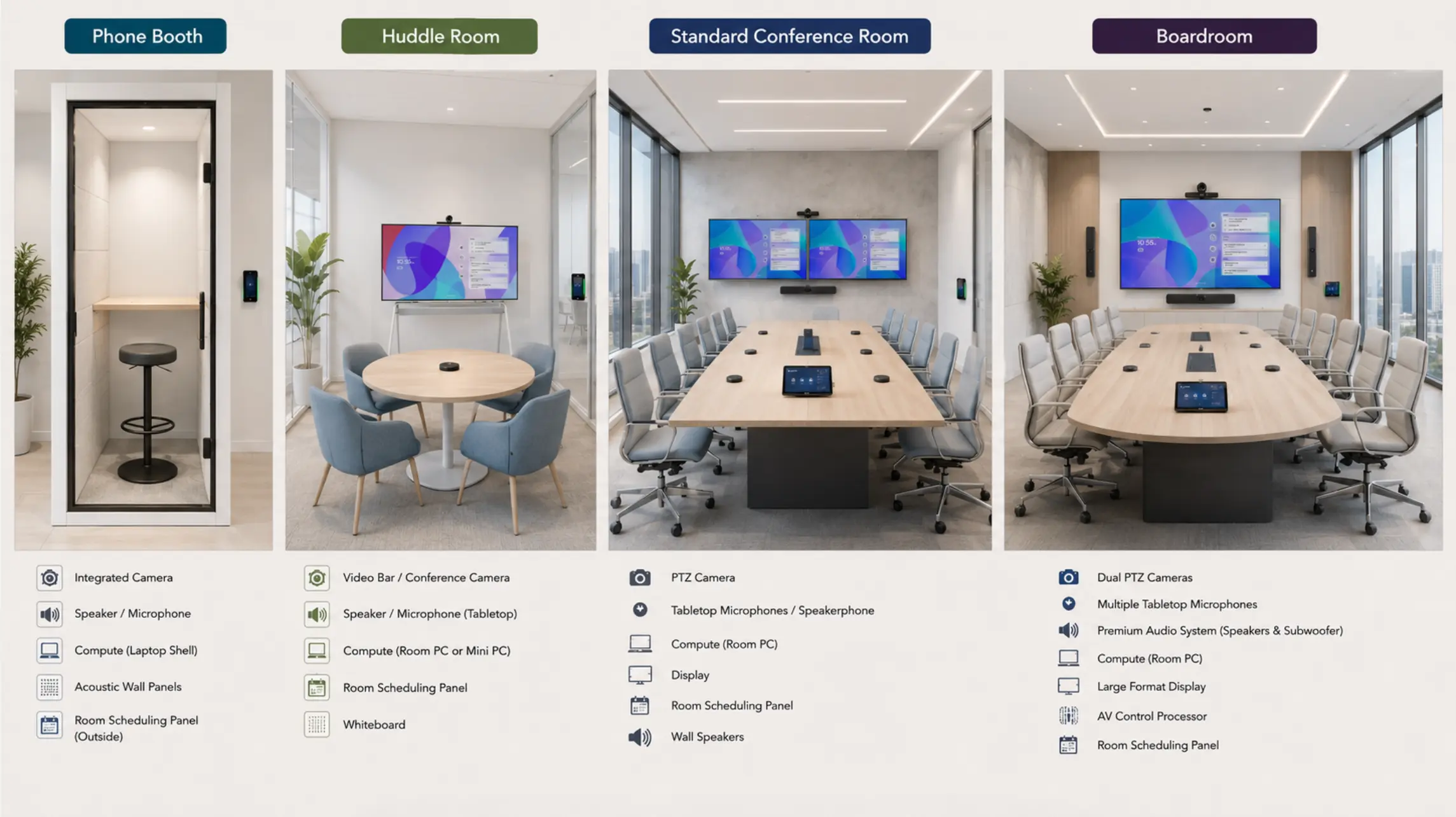 Four room types side by side — phone booth, huddle room, standard conference room, boardroom
The Core Components: What Every Video Conferencing Setup Needs
Regardless of room size, every shared video conferencing space needs these seven layers. The right configuration for each depends entirely on the room.
|
Component |
What it does |
Signs you got it wrong |
|---|---|---|
|
Display |
Shows remote participants and shared content |
Back row can’t read slides; faces look small |
|
Camera |
Captures in-room video for remote attendees |
Remote participants see a wide, blurry group shot |
|
Microphone |
Picks up room audio for remote participants |
"Can you repeat that?" every 3 minutes |
|
Speaker |
Delivers remote audio into the room |
Remote voices sound tinny or distant |
|
Compute unit |
Runs the conferencing software |
Freezes, crashes, or compatibility issues mid-call |
|
Platform software |
Zoom, Teams, Meet — the meeting layer |
One-touch join doesn’t work; platform features missing |
|
Content sharing |
Screen sharing from laptops and devices |
Adapter hunting before every meeting |
For some room sizes, all seven layers consolidate into a single device. For others, they require separate components. That’s the core decision — and it maps almost directly to room size.
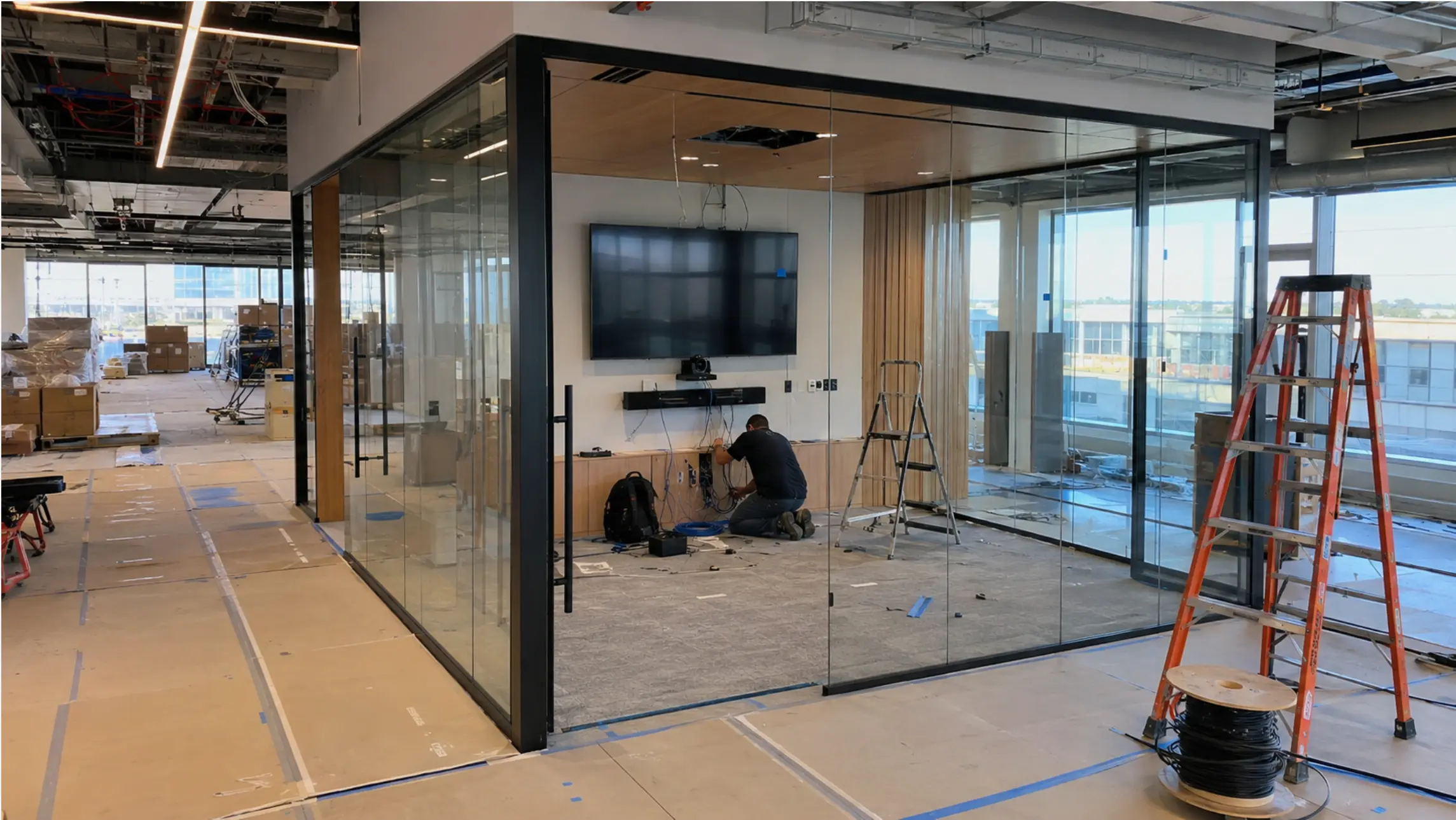
Video Conferencing Equipment by Room Type
Phone Booth / Focus Room (1–2 people)
Use case: Individual calls, private conversations, quick 1:1s. One person in the room, often connecting to a meeting the rest of the team is joining remotely.
What you need:
-
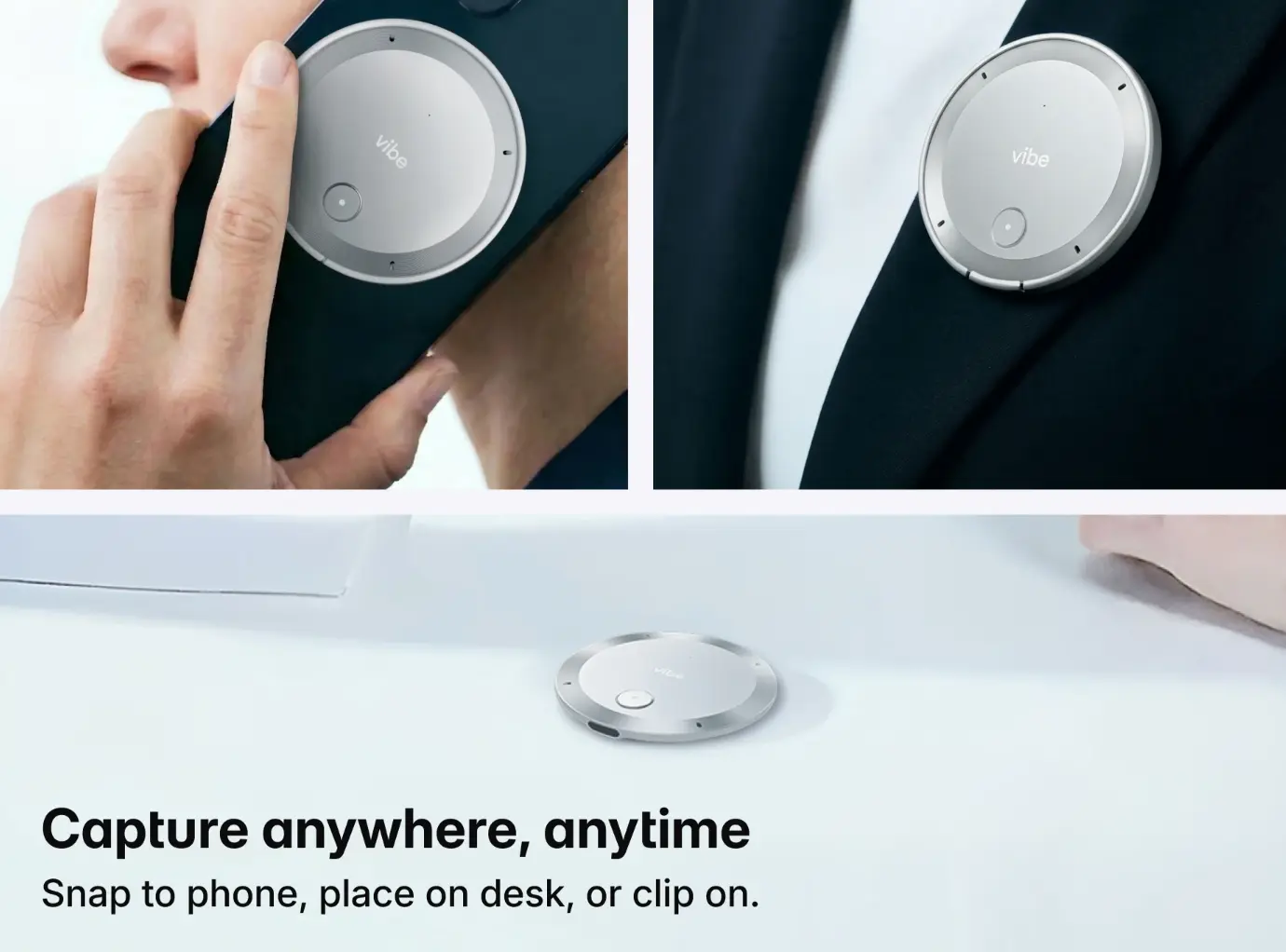
Camera + audio: A compact wearable recorder or personal speakerphone handles both capture and audio for a single participant. For someone who moves between the booth and other spaces throughout the day, a device that travels with them is more useful than one fixed to the room.
-
Display: The user’s own laptop screen — no room display required at this scale.
-
Compute + platform: User’s personal Zoom/Teams/Meet account on their laptop.
Where Vibe Dot fits: Vibe Dot is purpose-built for this scenario. It’s a wearable AI recorder that captures meeting audio with a 4+1 mic array, works across Zoom, Teams, Google Meet, WhatsApp, and in-person conversations — and pairs with Vibe AI to generate automatic meeting notes and summaries. For someone using a phone booth for back-to-back calls, Vibe Dot eliminates the need for a fixed room speakerphone and adds an AI note-taking layer that a USB speakerphone can’t provide.
Budget range: $200–$600 (Vibe Dot + optional monitor stand)
Huddle Room (2–6 people)
Use case: Small team meetings, quick stand-ups, informal collaboration. At least one remote participant in most sessions.
The traditional equipment list for a huddle room looks like this: display + camera + speakerphone + compute unit + platform software + wireless content sharing + room scheduling panel = 6–7 separate items to configure, update, and maintain.
With Vibe Board S1, that list becomes:
|
What you need |
How Vibe Board S1 covers it |
|---|---|
|
Display (55″ or 75″ 4K UHD) |
✅ Built in |
|
Interactive whiteboard + canvas |
✅ Built in (Vibe Canvas) |
|
Video conferencing platform |
✅ Native Zoom, Teams, Meet + 250+ integrations |
|
Content sharing (wireless + wired) |
✅ Built in (Miracast, AirPlay, USB-C) |
|
Compute unit |
✅ Built in (VibeOS) |
|
Wi-Fi 6 connectivity |
✅ Built in |
|
SmartCam (auto-framing, noise cancellation) |
✅ Available as paired accessory |
|
Room scheduling |
Add a scheduling panel outside the door |
Vibe Board S1 replaces the entire multi-device stack with a single all-in-one device. There’s no separate compute unit to manage, no adapter layer for content sharing, no platform compatibility gap to worry about. IT deploys it in a day; anyone on the team can walk in and start a meeting in 30 seconds.
Vibe describes it as "the Swiss Army knife of meeting rooms" — one device that combines the power of six solutions. For a huddle room where simplicity and reliability matter most, that’s the right framing.
What you still need separately:
-
Paired camera (SmartCam or compatible AI auto-framing camera) for video capture
-
Room scheduling panel outside the door (optional but recommended for shared spaces)
Budget range: $3,000–$6,000 (Vibe Board S1 + camera + scheduling panel)
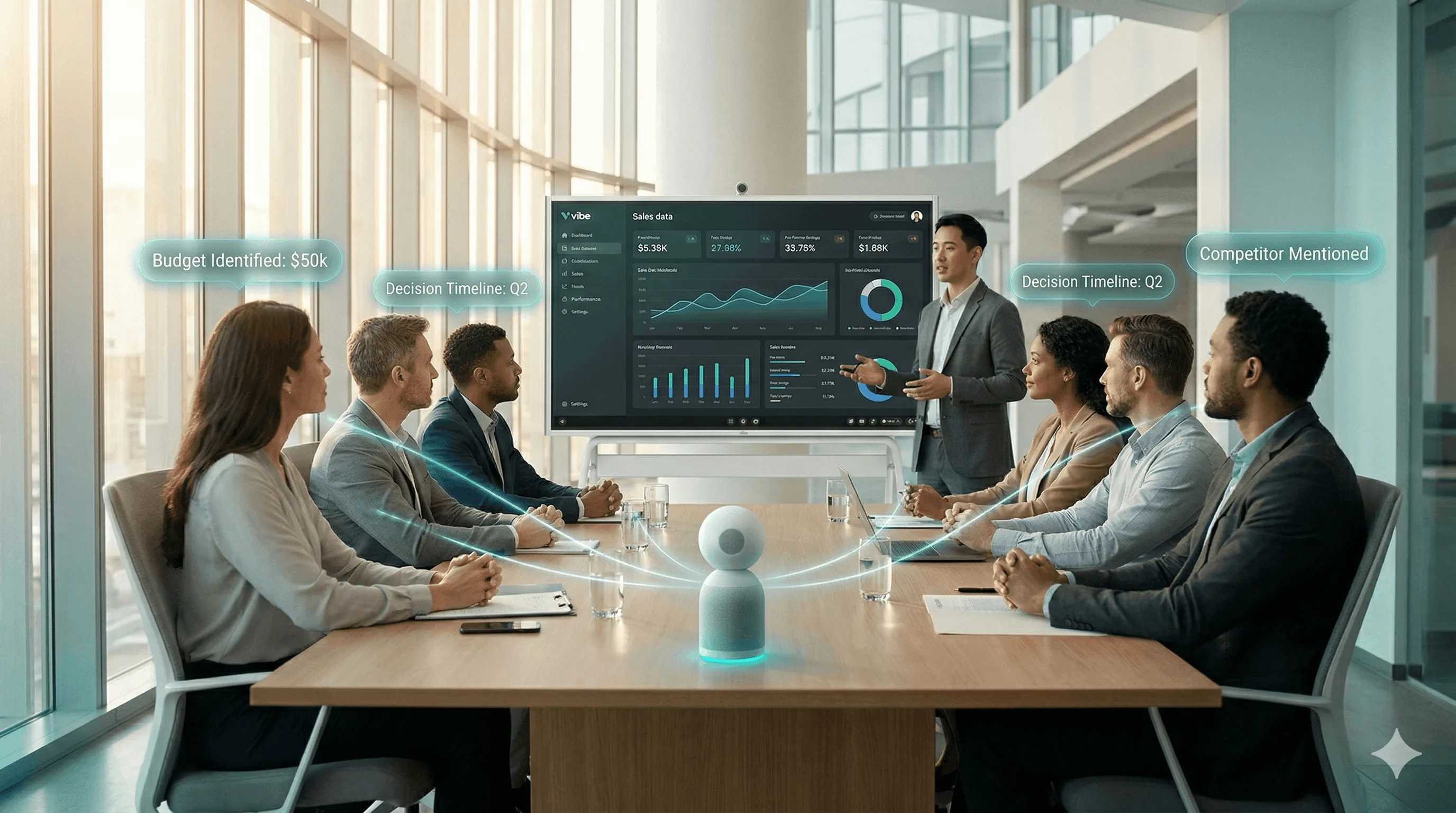
Standard Conference Room (6–12 people)
Use case: Team meetings, client calls, presentations, collaborative work sessions. The room that generates the most IT support tickets when it fails — and the most value when it works.
Equipment needs at this room size:
|
Component |
Requirement |
How it’s covered |
|---|---|---|
|
Display |
75–86″, 4K, 400+ nits |
Vibe Board S1 (75″) or S1 Pro (75″) |
|
Interactive whiteboard |
Persistent canvas, real-time collaboration |
Vibe Canvas — built into both S1 and S1 Pro |
|
Camera |
AI auto-framing (mandatory beyond 12 ft) |
Paired SmartCam or compatible AI camera |
|
Microphone |
Tabletop array or ceiling mic starter system |
Paired audio system |
|
Compute + platform |
Native Zoom, Teams, Meet |
Built into Vibe Board |
|
Content sharing |
Wireless + wired |
Built into Vibe Board |
|
Room scheduling |
Calendar-integrated panel |
Robin, Envoy, or Logitech Tap Scheduler |
S1 vs. S1 Pro at this room size:
-
Vibe Board S1 (VibeOS) — best for teams that want a clean, fast, IT-light setup. Multi-platform support (Zoom, Teams, Meet + 250 integrations) means no platform switching friction even if different teams use different apps.
-
Vibe Board S1 Pro (Windows 11 Pro) — best for teams that bring Windows-specific tools into meeting rooms: AutoCAD, Adobe Creative Suite, clinical software, or any industry application that requires a Windows environment. Same whiteboard and conferencing capability, full Windows ecosystem on top.
Key buying decisions at this tier:
-
AI auto-framing is not optional beyond 12 feet. At a 10–12 person table, the farthest seat is 12–15 feet from a front-mounted camera. A fixed wide-angle lens at that distance renders faces too small to read. AI auto-framing tracks the active speaker and crops to a usable frame.
-
Microphone coverage matters more than mic quality. A tabletop array covering the full table outperforms a single speakerphone positioned at one end, regardless of price difference.
Budget range: $6,000–$18,000 (Vibe Board S1/S1 Pro + camera + audio system + scheduling panel)
Large Conference Room (12–20 people)
Use case: All-hands updates, client presentations, multi-team workshops, hybrid town halls. Remote participants are a significant portion of attendees — and what happens in this room generates decisions that need to be captured, not reconstructed from memory a week later.
The Vibe stack for large conference rooms:
|
Layer |
Device |
What it does |
|---|---|---|
|
Display + whiteboard + compute |
75″ Windows 11 Pro interactive display; full room presentation, whiteboarding, and conferencing hub | |
|
Video + audio capture |
Dedicated in-room hardware for meeting video and audio capture — purpose-built for the AI layer | |
|
AI meeting intelligence |
Runs on Vibe Bot; auto note-taking, action item tracking, cross-session Memory Graph | |
|
Ceiling microphone system |
Shure MXA910 or Biamp Devio (paired separately) |
Full-room audio coverage — tabletop arrays insufficient at this room depth |
|
Speaker system |
Ceiling or front-loaded, covering full room |
— |
|
Room scheduling |
Integrated panel + calendar system |
— |
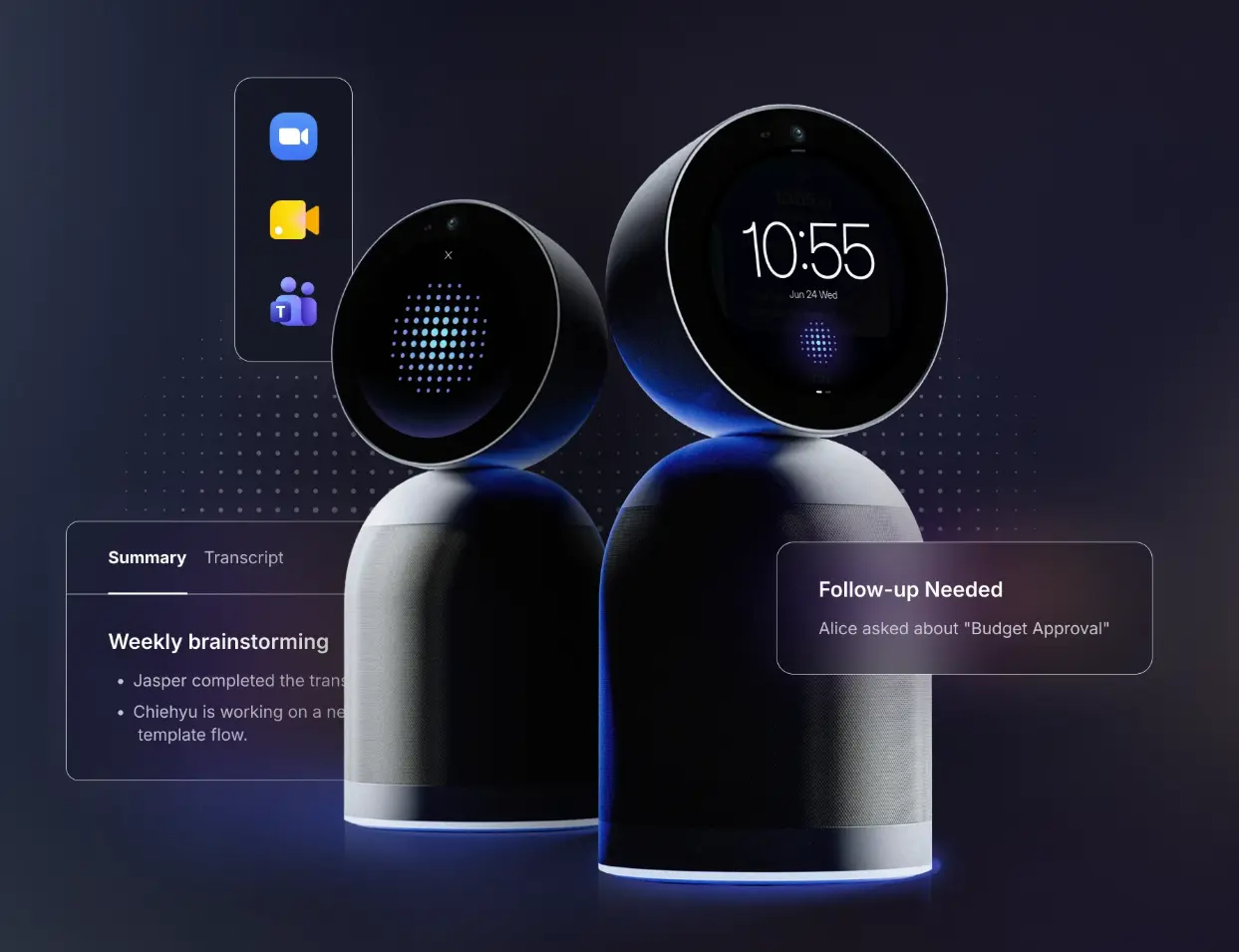
Why Vibe Bot changes the equation at this room size:
Most conference rooms lose their meeting output. Notes are incomplete, action items get missed, and the follow-up meeting starts by reconstructing what was decided last time. Vibe Bot is dedicated in-room capture hardware — always on, always in the room, not dependent on someone’s laptop. On top of it, Vibe AI generates automatic meeting notes and summaries, tracks action items, and builds a cross-session Memory Graph: the next meeting in this room picks up exactly where the last one left off.
For teams running recurring project reviews, client check-ins, or leadership syncs in the same room week after week, this is the difference between a conference room that builds institutional knowledge and one that resets to zero after every call.
Additional considerations at this room size:
-
Ceiling microphone placement and DSP configuration benefit from professional AV calibration — consider an integrator for audio system design even if Vibe Board S1 Pro handles the display and compute layer
-
Budget for acoustic treatment (rear wall panels, ceiling baffles) before finalizing audio hardware — room acoustics have more impact on audio quality than microphone brand
Budget range: $20,000–$50,000 (Vibe Board S1 Pro + Vibe Bot + ceiling audio + installation)
Boardroom (20+ people)
Use case: Executive meetings, board presentations, investor calls, formal client engagements. Every technical failure is high-stakes. Every decision made here needs to be captured accurately.
The Vibe stack for boardrooms:
|
Layer |
Device / Component |
Notes |
|---|---|---|
|
Primary display + collaboration |
Interactive display, Windows 11 Pro compute, native Zoom/Teams/Meet | |
|
Supplementary display |
Additional commercial display or LED wall |
Content + video feed simultaneously |
|
AI meeting capture |
Meeting capture hardware + AI notes, summaries, Memory Graph | |
|
Multi-camera system |
PTZ or presenter tracking cameras |
Paired with Vibe Bot for comprehensive room capture |
|
Ceiling microphone array |
Full table length + gooseneck mics at key positions |
Enterprise DSP (Biamp Tesira, QSC Q-SYS) |
|
Speaker system |
Full distributed, acoustically tuned |
— |
|
Control system |
Custom panel — Crestron or Extron |
S1 Pro’s Windows 11 Pro foundation is compatible with these systems |
|
Lighting |
AV-responsive (recommended) |
— |
Why S1 Pro is the right foundation for boardroom projects:
Boardroom AV requires enterprise-grade control system compatibility. Vibe Board S1 Pro runs Windows 11 Pro, which makes it compatible with the Crestron and Extron control systems that professional AV integrators typically specify at this tier — while adding the interactive whiteboard and native video conferencing capability that modern boardrooms need. The result: a display that serves presentation, collaboration, and video conferencing from a single Windows-based device, integrated into a professional AV control system rather than sitting outside it.
Vibe Bot + Vibe AI completes the stack by ensuring that the most important meetings in the organization — the ones happening in this room — are captured accurately, summarized automatically, and connected to the context of every prior session.
Professional AV integration is required at this tier. Boardroom audio design (ceiling array placement, DSP routing, distributed speaker calibration), multi-camera programming, and control system integration require specialist expertise. Engage an AV integrator during the space design phase, not after construction.
Budget range: $45,000–$130,000+ (fully custom; requires AV integrator)
Platform Software: Zoom, Teams, or Meet?
The platform software determines what features are available in the room and how devices are managed. The short answer: follow your primary platform.
|
Platform |
Key room features |
Licensing |
|---|---|---|
|
Zoom Rooms |
One-touch join, smart gallery, Zoom Device Management |
~$25/room/month |
|
Microsoft Teams Rooms |
Front Row layout, intelligent speaker + transcription sync, Teams calendar integration |
Teams Rooms Basic (free, limited) or Pro (~$40/room/month) |
|
Google Meet Hardware |
Companion Mode, speaker highlighting, Google Workspace calendar sync |
Included with Workspace Business/Enterprise |
If your team uses multiple platforms: Single-platform certified hardware creates friction when switching. Vibe Board S1 and S1 Pro support Zoom, Teams, and Google Meet natively — plus 250+ additional integrations — so platform choice stays with the meeting organizer, not the room’s hardware certification.
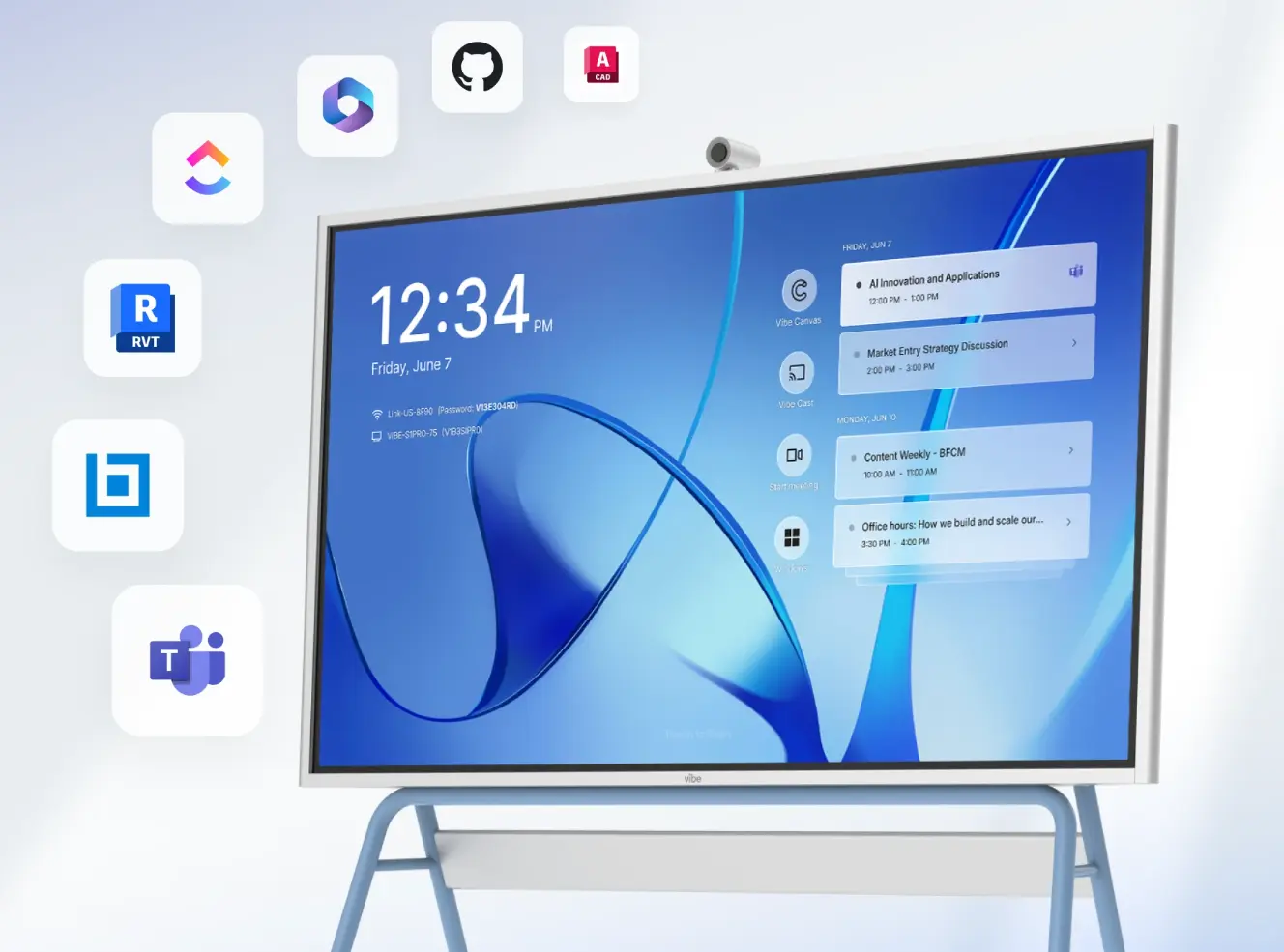 Vibe Board interface showing Zoom, Teams, and Google Meet tiles — one-tap access to any platform from the same device
Quick Reference: Vibe Equipment Stack by Room Size
|
Room |
Seats |
Vibe solution |
Additional hardware needed |
Budget |
|---|---|---|---|---|
|
Phone booth |
1–2 |
Vibe Dot (wearable AI recorder) |
User’s laptop |
$200–$600 |
|
Huddle room |
2–6 |
Vibe Board S1 (all-in-one) |
Paired camera, scheduling panel |
$3,000–$6,000 |
|
Standard room |
6–12 |
Vibe Board S1 or S1 Pro |
AI auto-framing camera, mic array |
$6,000–$18,000 |
|
Large room |
12–20 |
Vibe Board S1 Pro + Vibe Bot + Vibe AI |
Ceiling mic system, speakers |
$20,000–$50,000 |
|
Boardroom |
20+ |
Vibe Board S1 Pro + Vibe Bot + Vibe AI |
Full pro AV integration |
$45,000–$130,000+ |
Building the Right Equipment List for Your Office
The right video conferencing equipment list isn’t a universal one — it’s the one matched to your specific room sizes, team workflow, primary platform, and growth trajectory. Start with the room inventory: how many phone booths, huddle rooms, standard conference rooms, and larger spaces does your office need? Then map each tier to the right equipment stack.
For a complete step-by-step guide to designing each room’s AV configuration — including display sizing formulas, camera placement guidelines, and acoustic assessment — see the full conference room AV setup guide.
Frequently Asked Questions
What’s the most important piece of video conferencing equipment?
Audio. Remote participants tolerate imperfect video far more readily than unclear audio. A room where voices are consistently clear — no echo, no background noise, no cut-outs — produces better meeting outcomes than a room with a premium camera and a mediocre speakerphone. If budget forces a trade-off between a better camera and a better microphone, choose the microphone.
Do I need a dedicated compute unit, or can I use a laptop?
For phone booths and personal setups, a laptop is appropriate. For any shared conference room used by more than a few people per day, a dedicated compute unit is strongly recommended. Laptop-dependent rooms require the person who showed up first to manage the call — there’s no consistent one-touch-join experience and no room system features. An all-in-one device like Vibe Board makes the room itself the meeting host, not whoever happened to plug in their laptop.
What video conferencing equipment do I need for a 10-person conference room?
A 10-person room needs: an 75–86″ display, an AI auto-framing camera rated for 15+ foot room depth, a tabletop microphone array with hardware echo cancellation, a compute unit running Zoom or Teams natively, and wireless content sharing. With Vibe Board S1 or S1 Pro, the display, compute, platform, and content sharing are consolidated into a single device — you add the camera and mic array separately. Budget $8,000–$15,000 all-in.
How do I choose between Vibe Board S1 and S1 Pro?
Vibe Board S1 (VibeOS) is the right choice for most huddle rooms and standard conference rooms — fast, reliable, multi-platform, and straightforward for IT to manage. Vibe Board S1 Pro (Windows 11 Pro) adds the full Windows software ecosystem, making it the right choice for teams that use Windows-specific professional tools (AutoCAD, Adobe, clinical software) or for larger rooms where Windows-based AV control system compatibility matters. Both support Zoom, Teams, Google Meet, and Vibe Canvas.
Can I use a consumer TV instead of a commercial display?
Technically yes, but it’s not recommended for rooms used daily. Consumer TVs are rated for 4–8 hours of daily operation; commercial displays and all-in-one devices like Vibe Board are rated for continuous commercial use. Running a consumer TV all day voids the warranty, and burn-in is a risk for static UI elements. Commercial hardware also includes port configurations and brightness levels optimized for conference room environments.
How often should video conferencing equipment be replaced?
Major hardware has a realistic useful life of 5–7 years. Smaller components (scheduling tablets, cables) typically need refreshing at year 3. Platform certification cycles — when Zoom or Teams drops support for older hardware models — increasingly drive replacement timelines ahead of physical hardware failure. Plan a functional review at year 3 and a full hardware assessment at year 5.