If you’re comparing Vibe Board and Newline, you’re really asking two different questions. Newline makes excellent hardware — it’s the #1 interactive flat panel brand in the U.S. by unit volume, and that number is real. But being the biggest seller of screens doesn’t automatically mean it’s the right choice for your conference room in 2026, especially if your team needs AI-assisted meetings, a fast purchasing path, and a system that works out of the box without an AV integrator on speed dial.
This guide breaks down exactly where each product wins, where each falls short, and which is the better fit depending on how your team actually works.
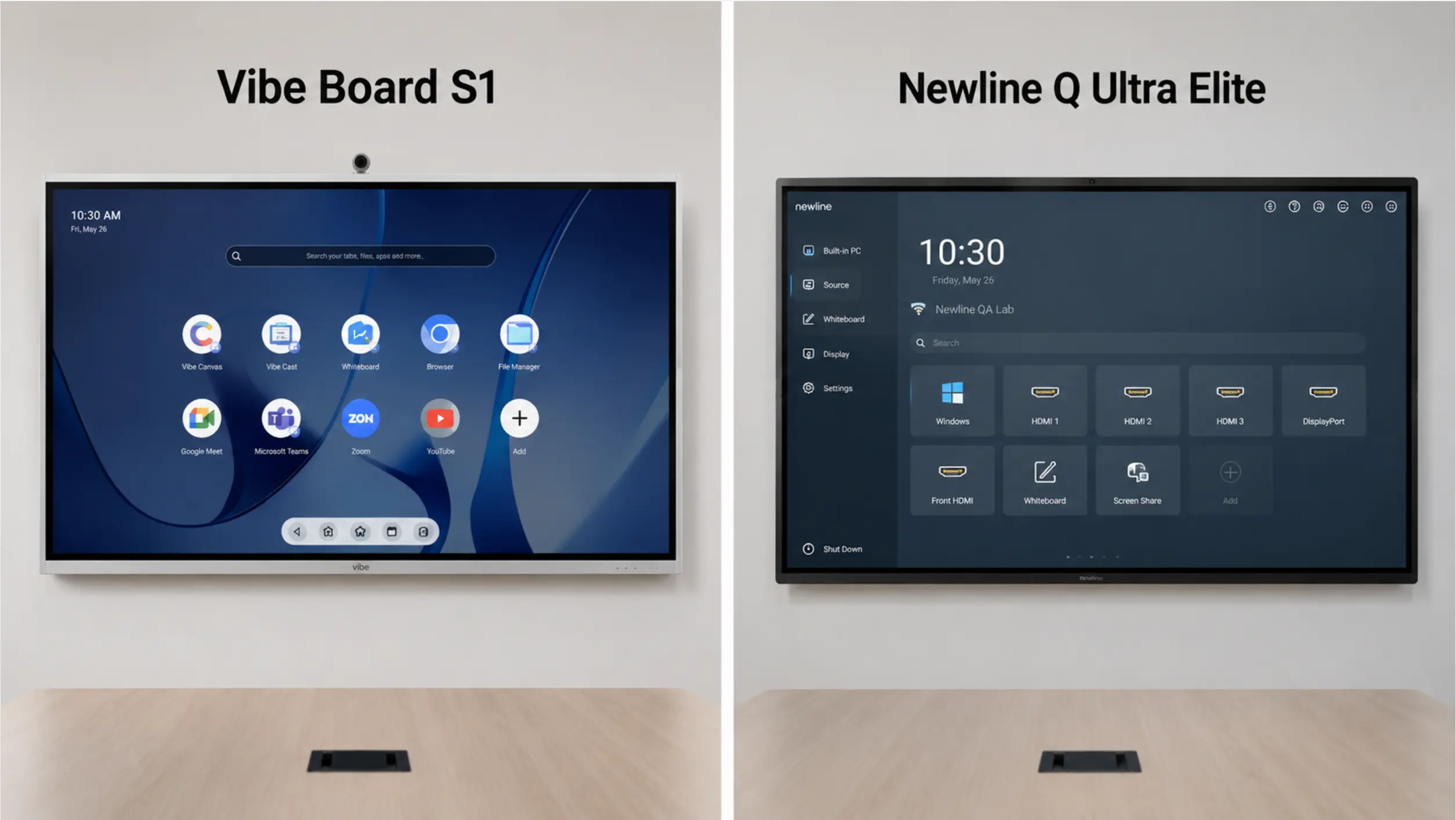 Side-by-side photo of Vibe Board S1 and Newline Q Ultra Elite mounted in similar conference rooms
Quick Comparison: Vibe Board vs. Newline at a Glance
|
Feature |
Vibe Board S1 |
Newline Q Ultra Elite |
|---|---|---|
|
Infinite cloud whiteboard (auto-save, cross-device) |
✅ Vibe Canvas |
◐ Display-centric, less cross-device continuity |
|
Native Zoom / Teams / Google Meet |
✅ Native access via Chrome OS |
◐ Supported, not native-first |
|
Buy direct online |
✅ Yes, ships immediately |
❌ Reseller only |
|
Operating system |
VibeOS (Chrome OS) |
Android 16 |
|
Available sizes |
55″, 75″ |
55″ – 98″ |
|
Touch points |
20-point IR |
Up to 50-point IR |
|
RAM / Storage |
8GB / 128GB |
16GB / 256GB |
|
Built-in microphone |
❌ No built-in mic; Smart Camera add-on includes 6-mic array |
✅ 8-mic array |
|
Google EDLA certification |
— |
✅ Yes |
|
AI meeting notes & action items |
✅ Available via optional Vibe Bot |
❌ Not available |
|
Cross-session meeting memory |
✅ Memory Graph (via optional Vibe Bot) |
❌ Not available |
|
Real-time in-room transcription |
✅ Via optional Vibe Bot |
❌ Not available |
|
AI translation |
— |
✅ TranslateLive (add-on) |
Newline Q Ultra Elite pricing from authorized reseller Camcor (2026). Vibe Board pricing at vibe.us. AI meeting intelligence available on Vibe Board via the optional Vibe Bot add-on.
What Is Vibe Board?
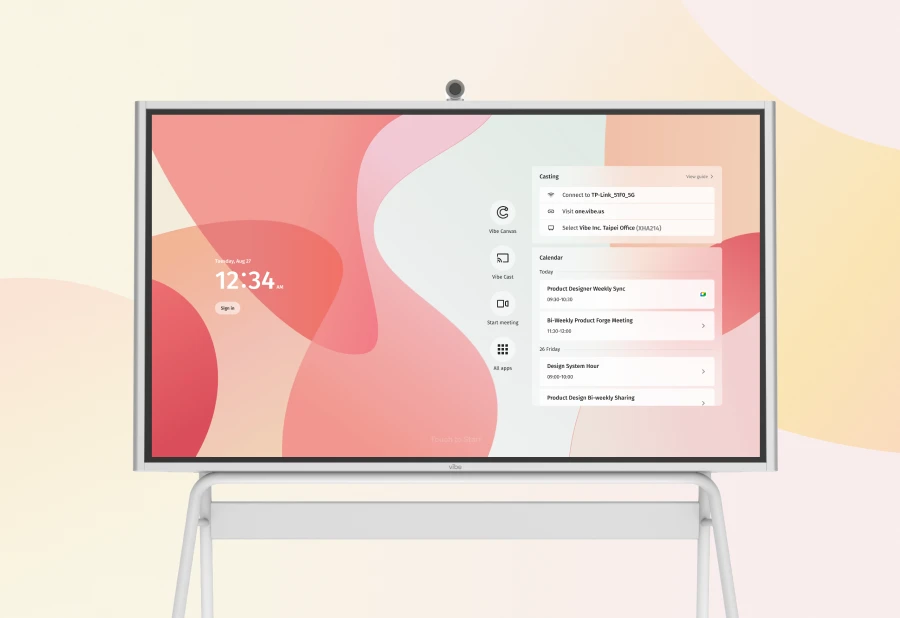
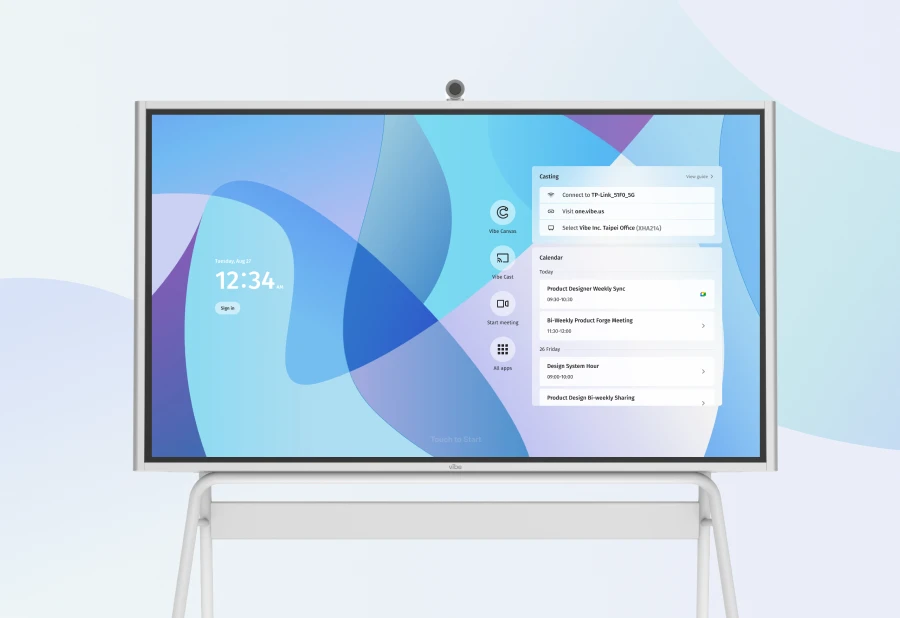
Vibe Board S1 is an interactive smart board built around VibeOS — a platform based on Chrome OS — with Vibe Canvas (an infinite digital whiteboard) at its core. On its own, it’s a capable display and collaboration tool for presentations, annotation, and video calls. When paired with Vibe Bot — a dedicated AI device designed for conference rooms — the combination becomes a full AI meeting system: real-time transcription, AI-generated summaries, action item extraction, and Memory Graph, a cross-session memory layer that carries context from one meeting to the next.
That distinction matters. Vibe Board is the screen and canvas. Vibe Bot is the AI brain. Together they form a purpose-built conference room stack. Separately, the board handles everything you’d expect from a smart display; the AI layer requires Vibe Bot in the room.
The S1 is available in 55″ and 75″. The S1 Pro adds an Intel i7 processor and Windows 11 Pro for teams that need full Windows application support.
What Is Newline?
Newline Interactive is a U.S.-based interactive flat panel manufacturer founded in 2012. It held 30.7% U.S. market share in Q2 2026, making it the #1 brand in interactive displays by unit volume per Futuresource Consulting — 10 consecutive quarters at the top. Its flagship interactive line includes the Q Ultra Elite and Q Ultra Series, with Google EDLA certification and Android 16 as key selling points.
Newline sells exclusively through a reseller network: CDW, Camcor, B&H, and regional AV dealers. There is no direct purchase on newline-interactive.com.
AI Features: The Biggest Difference Between Vibe and Newline
This is where the comparison diverges most sharply — and the factor most buyers overlook when staring at spec sheets.
What the Vibe Board + Vibe Bot combination delivers
Add Vibe Bot to a conference room with Vibe Board S1, and the meeting experience changes fundamentally. Here’s a concrete scenario:
Your product team runs a 45-minute sprint review every Monday. The meeting ends. On a Newline panel, someone needs to write up the notes, decide who owns each action item, and send the recap email — usually 20–30 minutes of work that happens hours later, if it happens at all. Context from two weeks ago? Someone digs through Slack.
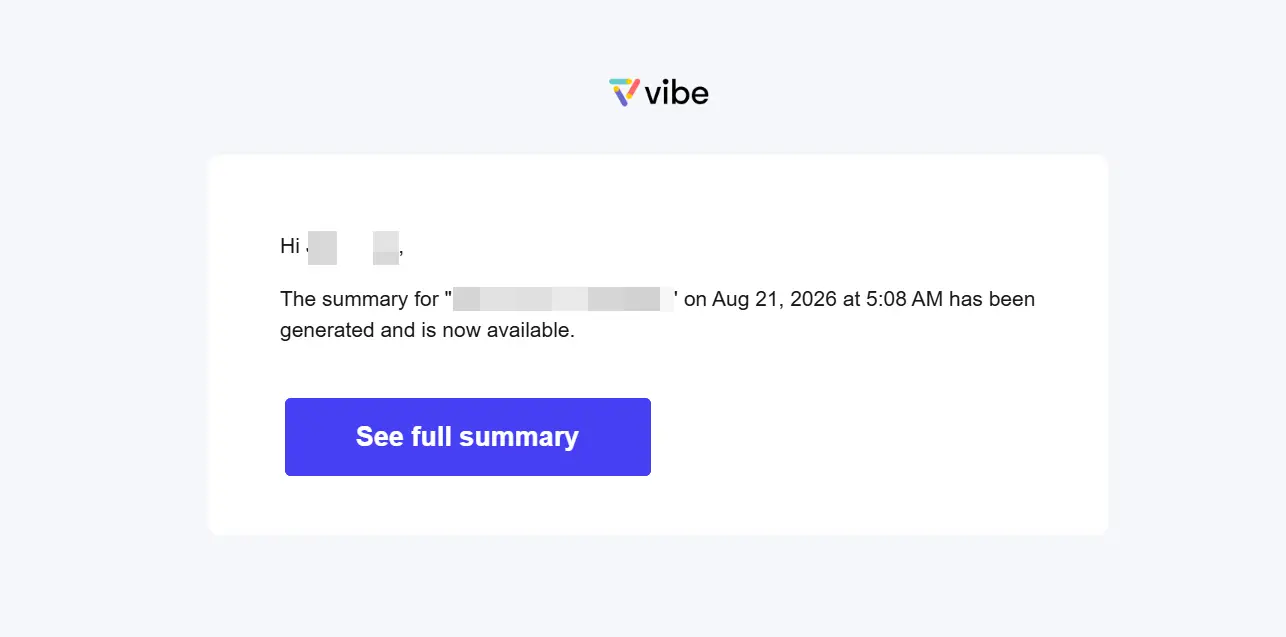 Example email sent by Vibe AI when Vibe Bot used in a meeting
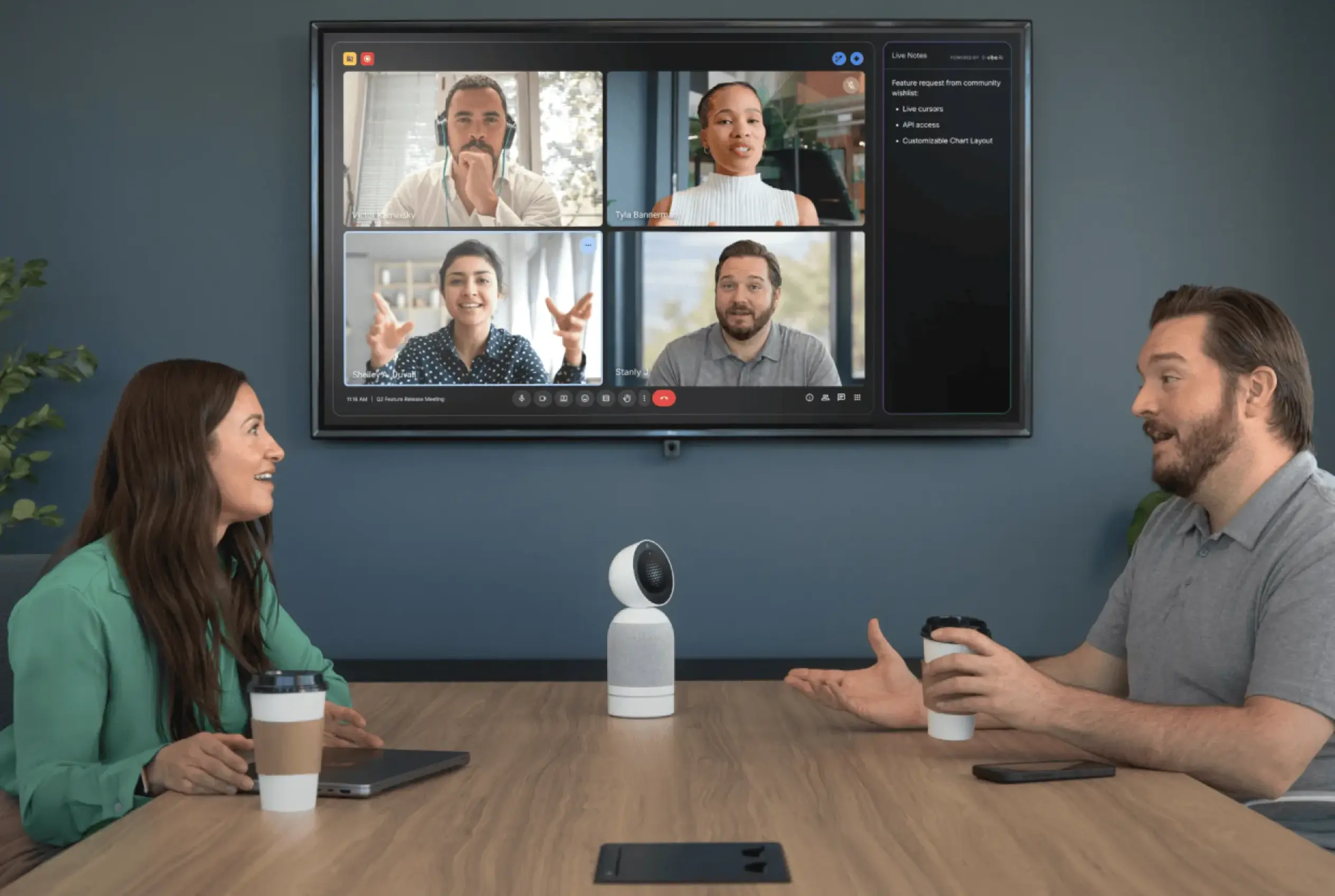
With Vibe Board S1 + Vibe Bot, Vibe AI has already generated a structured meeting summary and extracted action items before the last person leaves the room. Memory Graph connects this meeting’s decisions to the notes from the sprint review three weeks ago, so when someone asks "wait, didn’t we decide that already?" — Vibe AI can answer. The post-meeting documentation time drops from 20–30 minutes to near zero.
That’s not a spec. That’s a change in how your team works.
Vibe AI‘s meeting intelligence features — summaries, action items, Memory Graph — are delivered through Vibe Bot. The board itself is the display and whiteboard layer; Vibe Bot is the AI layer in the room.
What Newline offers for AI
Newline does not offer AI meeting notes, action item extraction, or any form of meeting memory. The company’s AI-related features are limited to TranslateLive, an add-on app for real-time translation in 200+ languages, and an AI Dialogue feature within the Voice Assistant added via a recent firmware update. Neither is a meeting intelligence product.
Teams using Newline who want AI summaries must subscribe to a third-party tool — Fireflies, Otter.ai, or similar — pay for it separately, manage a separate login, and hope it integrates cleanly with their VC platform. That’s three additional friction points Vibe Bot eliminates.
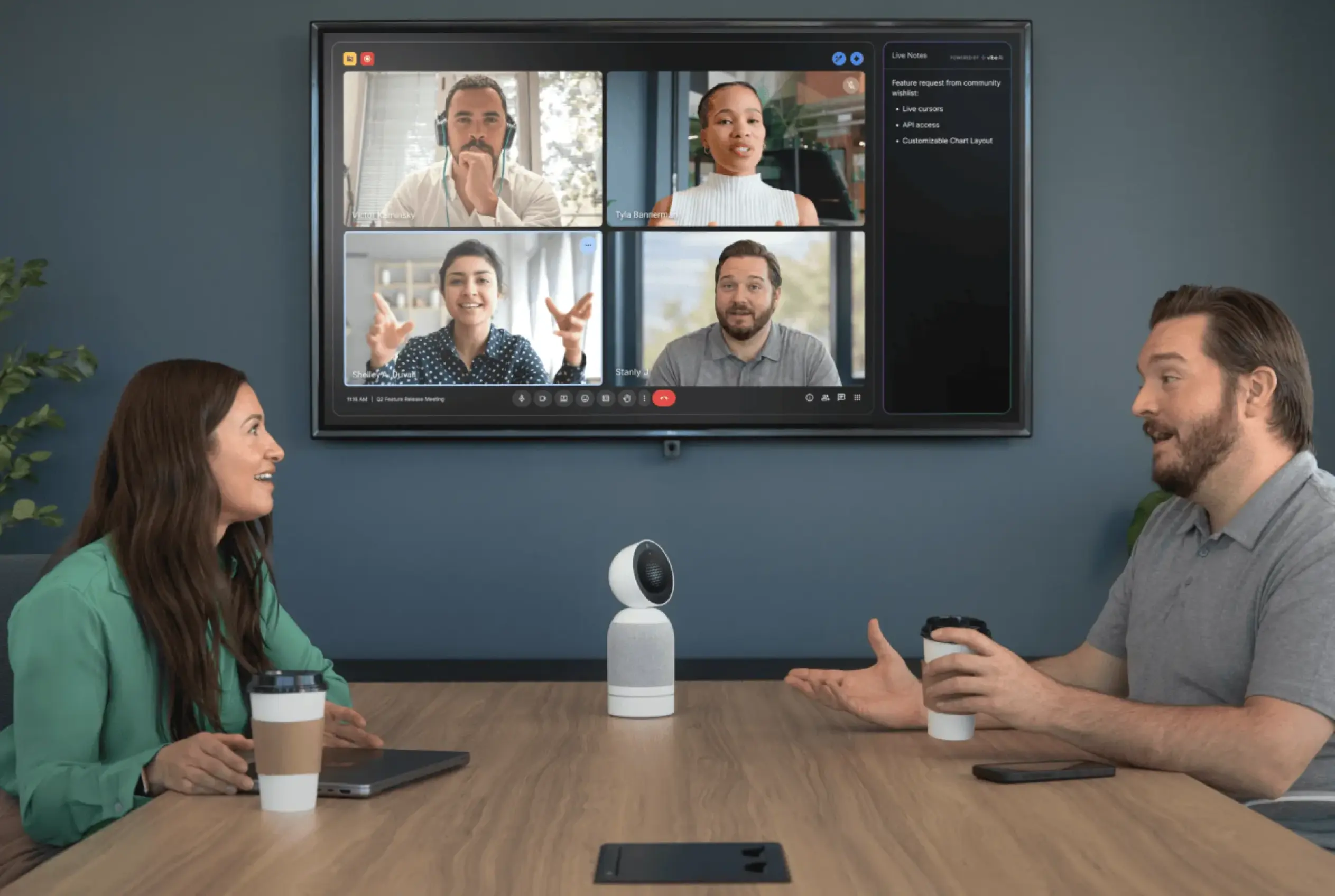 Vibe Bot device on a conference table with AI meeting summary appearing on Vibe Board S1 screen
Hardware: Where Newline Has a Real Advantage
Let’s be direct about what Newline does better on the hardware side, because it matters and buyers deserve an honest comparison.
The Q Ultra Elite’s specs are genuinely impressive: 16GB RAM, 256GB storage, Android 16, an 8-mic array, NFC card reader for instant profile switching, USB-C with 100W power delivery, dual 25W speakers plus a 25W subwoofer, and up to 50 points of simultaneous touch. These are top-of-category numbers.
Vibe Board S1 runs 8GB RAM / 128GB storage, 20-point touch, and does not have a built-in camera. The Vibe Smart Camera (sold separately) adds a 4K camera with a 6-microphone array, AI auto-framing, and noise cancellation. For raw display hardware, Newline’s flagship outclasses S1 on paper.
Where Newline’s hardware advantage is real: large lecture halls, training rooms, or K-12 classrooms where 30+ users write simultaneously, where a built-in mic array needs to cover a large room, and where NFC profile switching matters because dozens of different users share the same panel each day.
Where Newline’s hardware advantage doesn’t translate into better meetings: a standard 6–10 person conference room running Zoom calls and reviewing documents together. In that context, 20-point touch is more than sufficient — and no amount of RAM or microphone channels compensates for the absence of AI meeting intelligence.
Pricing and Total Cost of Ownership
Most buyers compare hardware sticker prices. The more useful comparison is what you actually spend over three years to run a fully capable AI conference room.
Newline: reseller pricing, fragmented add-ons
Newline does not publish prices on its website. All purchases go through authorized resellers. Based on current reseller listings, the Q Pro Series 75″ is approximately $6,299 before any add-ons. For context, other 75″ panels from the same reseller: SMART Board MX at $3,999, Promethean ActivPanel 10 Premium at $3,612, ViewSonic ViewBoard at $3,999. Newline’s flagship carries a significant price premium over comparable hardware.
On top of hardware, a fully deployed Newline room requires:
-
Camera: optional module, reseller-quoted separately
-
Newline Cast license: wireless casting (separate from hardware)
-
Newline Display Management license: remote fleet management
-
Newline Secure license: device lockdown (for managed environments)
-
Third-party AI tool (Fireflies, Otter.ai, etc.): required for any meeting intelligence, billed monthly per seat
Each of these is a separate line item, a separate vendor relationship, and a separate renewal conversation.
Vibe: transparent pricing, integrated stack
Vibe Board S1 pricing is published at vibe.us. Direct checkout, no reseller. A complete AI conference room — Vibe Board S1 (75″) + Vibe Smart Camera + Vibe Bot — is available from a single vendor, with a single checkout, managed from a single admin panel.
Vibe AI meeting intelligence is part of the Vibe Bot system. No third-party AI subscription required.
For IT teams managing multiple rooms: the operational difference compounds quickly. Deploying 10 Newline rooms means 10 sets of reseller conversations, 10 camera quotes, and 4+ separate software licenses to manage per room. Deploying 10 Vibe rooms is the same process, repeated 10 times, from one vendor.
Software Ecosystem: Integrated vs. Assembled
Newline has built a sizable software portfolio over the years: Cast (wireless casting), Broadcast (content sharing), Engage Cloud (lesson delivery), Display Management (fleet management), Secure (device lockdown), Signage Pro (digital signage), TranslateLive (AI translation), and Launcher — the last of which is powered by DisplayNote, a third-party licensing partner. That’s eight separate products, several of them third-party, all requiring independent deployment and renewal.
For an IT administrator managing a Newline fleet, this means: configuring Cast separately from Display Management, renewing Launcher through a different vendor, managing TranslateLive licenses independently, and keeping track of which firmware version each app requires. It’s an ecosystem assembled over time, not designed as one.
Vibe runs as a single platform: VibeOS, Vibe Canvas, and Vibe One (the companion app), extended by Vibe Bot (AI meeting intelligence) and Vibe Dot (personal AI recorder), both powered by Vibe AI. There is no third-party launcher, no separate casting license, no independent management tool to configure.
For a company with 5 conference rooms, this difference is manageable. For a company with 20 or 50, it’s a significant operational delta — both in initial deployment time and ongoing maintenance.
Who Should Choose Newline
Newline is genuinely the right choice in several scenarios, and we’d rather say so clearly than pretend otherwise.
-
K-12 schools and university campuses that require Google EDLA certification for district-managed app access, Google Classroom integration, and native Google Workspace device management. This is Newline’s home turf, and their 10-year investment in education channels and K-12 relationships is hard to replicate.
-
Large enterprise AV deployments where a certified AV integrator is already managing the project, budget is pre-approved, and the requirement is for Newline’s full hardware range — 55″ through 98″ IFP, Direct View LED walls, and outdoor displays from one vendor.
-
Rooms requiring 50-point multi-touch — design studios, collaborative training environments, or creative rooms where 5+ users write simultaneously and maximum touch density is the primary requirement.
-
Teams that need real-time multilingual translation as a primary conference room feature. Newline’s TranslateLive supports 200+ languages natively; Vibe does not offer this at this time.
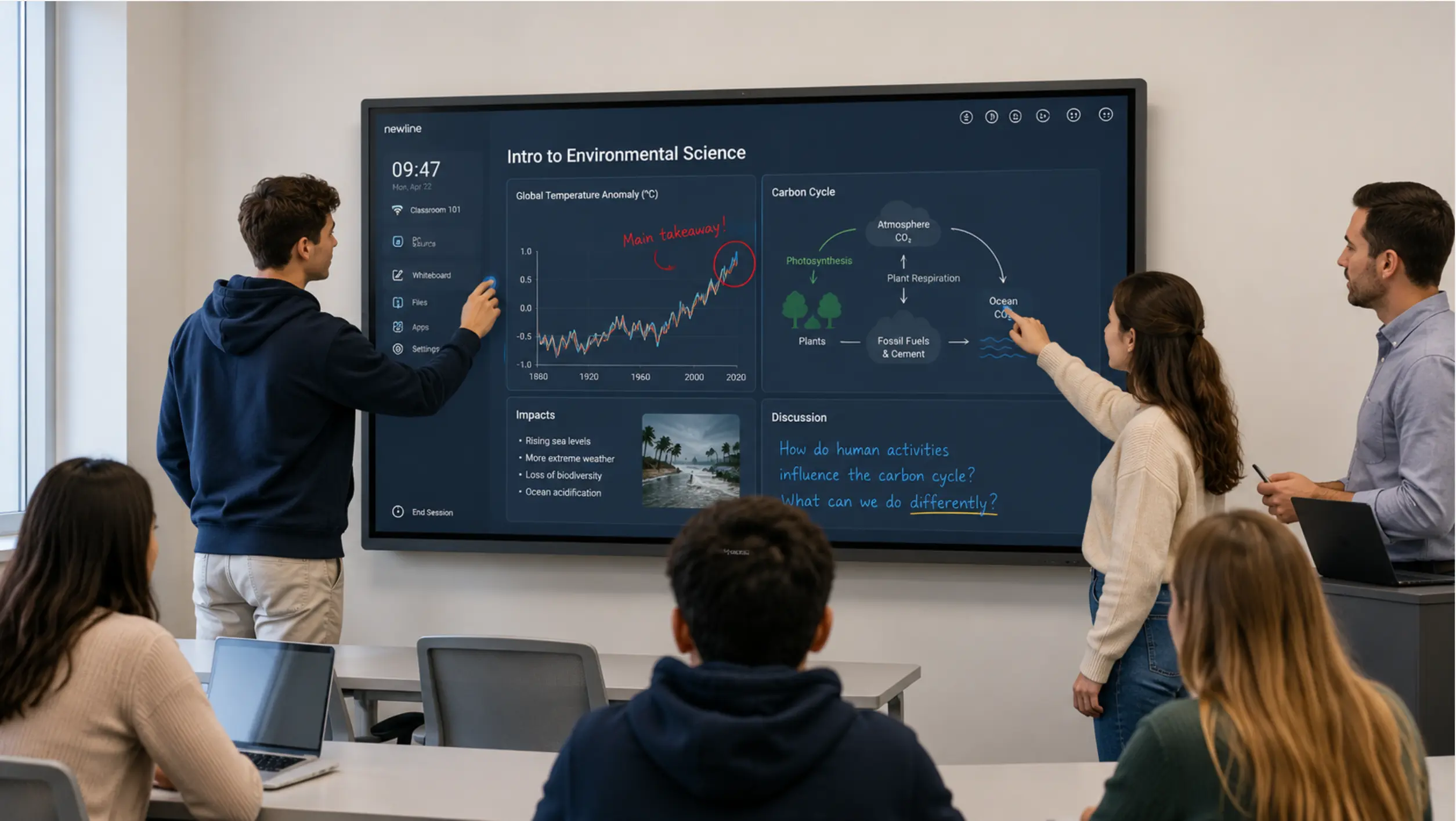 Newline Q Ultra Elite in a university classroom with students using multi-touch
Who Should Choose Vibe Board
Vibe Board is the stronger choice when:
-
Your team’s daily work is collaboration, not just presentation. Vibe Canvas is built to be genuinely user-friendly — an infinite whiteboard that auto-saves, works across laptop, tablet, and phone, and doesn’t require anyone to learn a new interface before their first meeting. This user-centric design is consistently the feedback Vibe hears most from teams switching over: people are actually using the board daily, not just in scheduled demos.
-
You’re an SMB or growth-stage startup (10–300 employees) building out your first real office. Vibe’s direct model and single-vendor stack is designed for exactly this stage — teams that need professional collaboration tools without enterprise procurement complexity. Vibe’s product design and use cases are built around how small and mid-sized business teams actually collaborate day to day, not around large-enterprise AV deployment workflows.
-
You use Zoom, Microsoft Teams, or Google Meet. Vibe Board’s Chrome OS base gives direct, native access to all three platforms without configuration workarounds.
-
You’re setting up a conference room quickly without an AV integrator. Direct purchase at vibe.us, same-week shipping, self-installation. A 55″ S1 can be mounted and running a Zoom call before Newline’s reseller quote is confirmed.
-
AI meeting intelligence is a valuable add-on for you. No interactive flat panel currently offers native AI meeting notes, action item extraction, and cross-session memory — not Newline, SMART, ViewSonic, or Promethean. Pairing Vibe Board with the optional Vibe Bot device adds this on top of the collaboration experience above; it’s the reason to go further once the core experience is already working well for your team.
-
You want your team to stop losing decisions between meetings. Memory Graph — available when Vibe Board is paired with Vibe Bot — means Vibe AI can surface what was agreed in last month’s meeting when the same topic comes up again. For recurring project standups, sprint reviews, and client calls, this context continuity is a strong complement to daily collaboration — not the starting reason to buy.
Vibe Board + Vibe Bot is the stronger choice when:
-
AI meeting intelligence is a priority. No interactive flat panel currently offers native AI meeting notes, action item extraction, and cross-session memory — not Newline, SMART, ViewSonic, or Promethean. The only way to get this in a conference room without bolting on a third-party subscription is Vibe Bot + Vibe Board.
-
You want your team to stop losing decisions between meetings. Memory Graph means Vibe AI can surface what was agreed in last month’s meeting when the same topic comes up again. For recurring project standups, sprint reviews, and client calls, this context continuity is the feature that changes daily workflows.
-
You’re setting up a conference room quickly without an AV integrator. Direct purchase at vibe.us, same-week shipping, self-installation. A 55″ S1 can be mounted and running a Zoom call before Newline’s reseller quote is confirmed.
-
You’re an SMB or growth-stage startup (10–300 employees) building out your first real office. Vibe’s direct model and single-vendor stack is designed for exactly this stage — teams that need professional tools without enterprise procurement complexity.
-
You use Zoom, Microsoft Teams, or Google Meet. Vibe Bot integrates natively with all three. The Vibe Board’s Chrome OS base gives direct access to all three platforms without configuration workarounds.
Real-World Scenarios: Which System Wins?
Scenario 1: A 8-person SaaS startup, weekly product standup in a 55″ huddle room
The team runs the same meeting every Monday — sprint review, blockers, priorities. They need clean notes and someone to own the action items. On Newline, the PM takes notes manually or pays for Otter.ai. On Vibe Board S1 + Vibe Bot, Vibe AI generates the meeting summary and action items automatically, and Memory Graph links this week’s priorities to what was agreed three weeks ago. No manual note-taking, no third-party subscription, no dropped context.
Vibe wins. This is exactly the use case Vibe Bot is built for, and Newline has no equivalent.
Scenario 2: A K-12 school district rolling out 200 classroom displays
It depends on what the district is actually buying for.
Newline has a compliance edge in student-facing classrooms where EDLA is a hard district mandate. But Vibe Board is already trusted by 7,200+ educators across the U.S. — teachers consistently report that the tablet-like interface gets students engaging with the board within minutes, and Vibe Canvas lets students collaborate from their own devices in real time without needing a board themselves.
For admin offices, staff meeting rooms, and PD spaces in the same district, Vibe Board wins on collaboration experience, ease of setup, and value. Most districts need both — the question is knowing which rooms belong in which category.

Scenario 3: A 50-person professional services firm opening a new downtown office, 4 conference rooms
They need 4 rooms equipped fast — three standard meeting rooms and one boardroom. Budget is real but not unlimited. IT team is 2 people. No AV integrator involved.
Newline would require 4 reseller quotes, 4 camera quotes, and configuration of Newline Cast + Display Management across the fleet. Delivery timeline depends on reseller stock. Total cost: hardware + camera + software licenses, all reseller-priced.
Vibe: 3× Vibe Board S1 75″ + 1× S1 Pro 75″, all direct from vibe.us. Add Smart Cameras and Vibe Bot units to each room. Single admin panel, single vendor. Ships in days.
Vibe wins on speed and operational simplicity. If AI meeting notes are also a priority, it’s not close.
Scenario 4: Executive boardroom, 20+ person capacity, client presentations
The room needs to impress. Size matters — 86″ or 98″ is preferred. The display will be used for presenting, not primarily for AI meeting capture.
Depends. Newline’s hardware range goes to 98″; Vibe Board S1 tops out at 75″. For pure display presence, Newline covers the requirement Vibe cannot. If the room also runs strategic planning sessions where AI memory is valuable, a 75″ S1 Pro + Vibe Bot is worth serious consideration despite the size difference.
Scenario 5: International team, 4 languages spoken across offices
Real-time translation during calls is a meaningful feature — someone in Tokyo, Paris, and São Paulo on the same call.
Newline wins via TranslateLive. 200+ language support, real-time. Vibe does not offer this natively. Teams with multilingual meeting requirements as a primary use case should factor this heavily.
The Bottom Line
Newline built the best-selling interactive display in America by doing hardware extremely well and investing deeply in the education and enterprise reseller channel for over a decade. For K-12 deployments, large-room AV builds, and organizations with established AV integrators, Newline is a proven choice.
But the question for most companies buying a conference room display in 2026 isn’t "which panel has more touch points." It’s "which system will make our meetings more productive." On that question, the Vibe Board S1 + Vibe Bot combination has a clear answer that Newline cannot currently match: AI-generated meeting summaries, action item tracking, and cross-session memory that connects this meeting to every meeting before it.
You also skip the reseller. Buy direct, ship in days, manage from one admin panel.
If you’re optimizing for raw hardware specs, Newline’s Q Ultra Elite wins on paper. If you’re optimizing for what happens inside your meetings and how efficiently your team captures and acts on decisions — Vibe is the better system.
Frequently Asked Questions
Does Vibe Board S1 have built-in AI features?
Vibe Board S1 is an interactive smart board and canvas — it handles display, whiteboarding, and video calls natively. AI meeting features (summaries, action items, Memory Graph) require Vibe Bot, a separate AI device designed for conference rooms that pairs with the board. Vibe Board alone does not include meeting AI; Vibe Board + Vibe Bot is the complete AI conference room system.
Does Newline have AI meeting notes or summaries?
No. As of mid-2026, Newline’s software portfolio does not include AI meeting notes, action item extraction, or meeting memory. The company’s AI features are limited to TranslateLive (real-time language translation) and a Voice Translate / AI Dialogue feature in the Voice Assistant, added via firmware update. Teams wanting AI meeting intelligence on Newline must subscribe to a third-party tool such as Fireflies or Otter.ai at additional cost.
What is the price difference between Vibe Board and Newline?
Newline does not list prices on its website; all purchases go through authorized resellers. The Q Pro Series 75″ is listed at approximately $6,299 at resellers like Camcor, before camera or software add-ons. Vibe Board S1 pricing is published at vibe.us with direct checkout. For total cost of ownership, factor in Newline’s separate camera, casting, and management licenses vs. Vibe’s integrated stack from a single vendor.
Can I buy Newline directly online without going through a reseller?
No. Newline sells exclusively through an authorized reseller network. Their website directs buyers to a "Where to Buy" contact form, which initiates outreach from a regional dealer. Vibe Board can be purchased directly at vibe.us with immediate checkout and same-week shipping.
What is the difference between Vibe Board S1 and Vibe Board S1 Pro?
Vibe Board S1 runs VibeOS (based on Chrome OS) and is designed for standard conference rooms and huddle rooms. Vibe Board S1 Pro runs Windows 11 Pro on an Intel i7 processor with 16GB RAM and 512GB storage, designed for teams that need full Windows application support — including legacy enterprise software and full Microsoft 365 desktop apps.
Does Vibe Board have a built-in camera and microphone?
No. Vibe Board S1 does not include a built-in camera or microphone. The Vibe Smart Camera (sold separately) adds a 4K Sony sensor, 6-microphone array, AI auto-framing, noise cancellation, and echo cancellation. This approach lets teams choose camera placement independently and upgrade the camera without replacing the display.
Last updated: August 2026. Newline pricing sourced from Camcor.com authorized reseller listing. Newline market share data sourced from Futuresource Consulting as cited in Newline Interactive press releases. Product features verified against official product pages at newline-interactive.com and vibe.us. Vibe Bot required for AI meeting intelligence features; Vibe Board S1 alone does not include Vibe AI.