Think about the last decision your team made in a conference room.
Now think about where that decision is written down.
For most teams the answer is: partially, in one person’s notebook, in a Slack message that scrolled away, or nowhere at all. The meeting happened. The video was sharp, the audio was clean, nobody had to say "can you repeat that." And then everyone walked out and the content of that hour started evaporating.
Two weeks later somebody asks what was decided about the vendor contract. Three people remember three versions. The action item that was assigned out loud never made it onto anyone’s list. The next meeting opens with twenty minutes of reconstructing the last one.
This is not a hardware problem, which is why better hardware hasn’t fixed it. It’s the gap between a room system that captures a meeting and one that delivers what came out of it.
That gap is the entire comparison between the Poly Studio X52 and Vibe Bot.
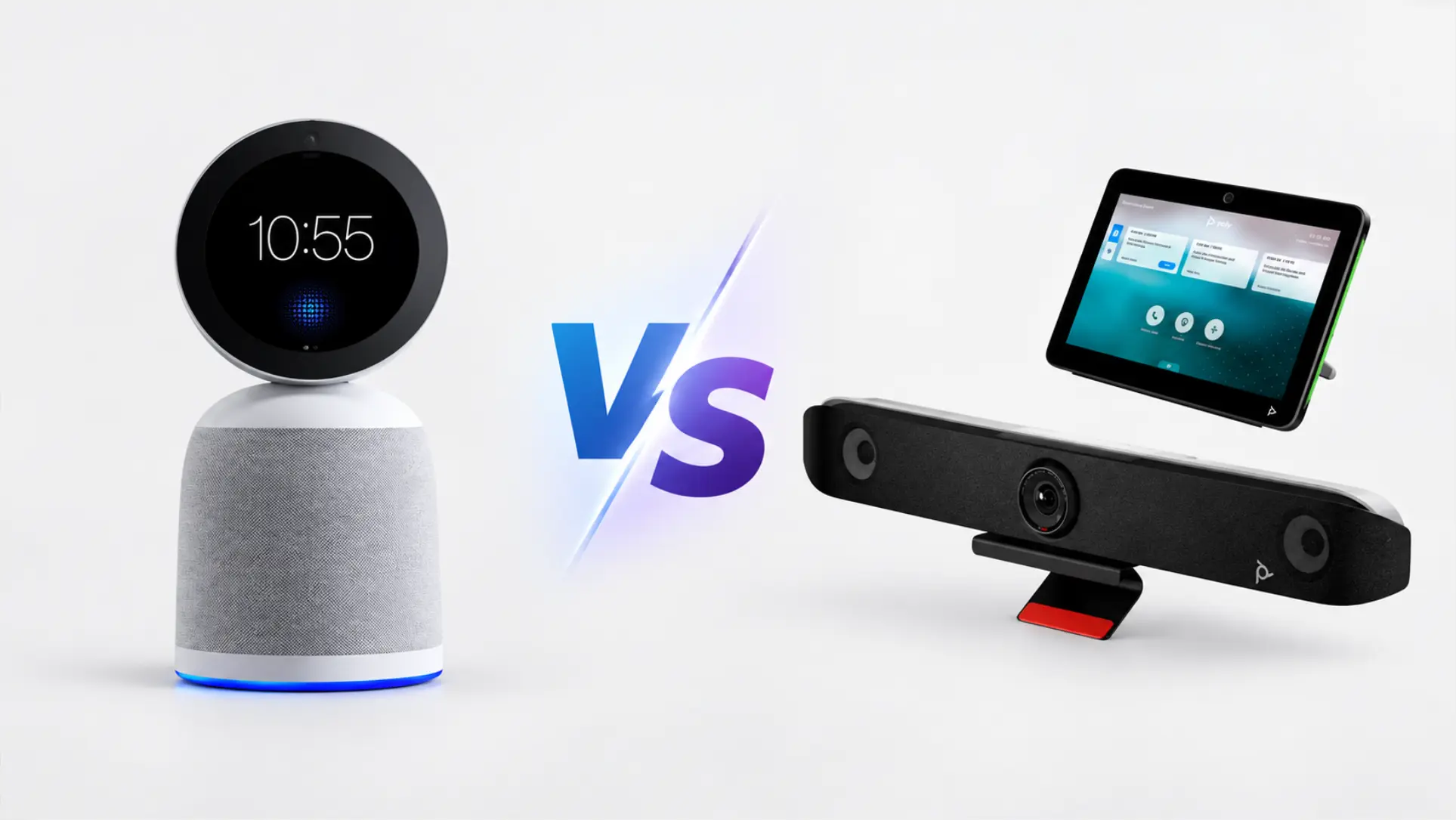 Poly Studio X52 and Vibe Bot
What actually happens with an X52 in the room
The Poly Studio X52 is a well-built medium-room video bar. It carries a 20 MP 4K sensor with a 95° wide-angle lens, Poly DirectorAI automatic framing, smart audio filtering, roughly 20 feet of microphone pickup, and stereo speakers. Poly’s audio engineering shows: NoiseBlockAI strips out keyboard clatter and hallway noise, and Acoustic Fence draws a virtual perimeter so the conversation on the other side of the glass wall stays out of your call.
Here is the full inventory of what exists when that meeting ends:
A video call that happened.
That’s it. No transcript, no summary, no record of who committed to what. The X52’s AI is entirely pointed at the live call — framing the people, cleaning the audio. It is very good at making the hour look and sound professional. It has no mechanism for making the hour useful afterward, because that was never in its scope.
So the notes still get taken by hand, by whoever in the room is least likely to object. That person is now half-participating. Whatever they typed is the only durable artifact of the meeting.
If you want more out of an X52 room, you buy it separately — a transcription tier on your meeting platform, or a third-party notetaker. Each one its own contract, its own security review, its own per-seat bill, and its own thing to go wrong.
What a Vibe Bot room looks like
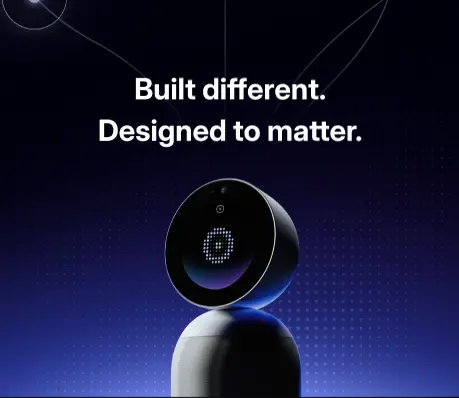
Vibe Bot sits on the conference table. It’s compact — 9.3 inches tall, 2.27 pounds — and needs no room PC. It runs its own OS and joins meetings natively on Microsoft Teams Rooms, Zoom Rooms, or Google Meet with one tap.
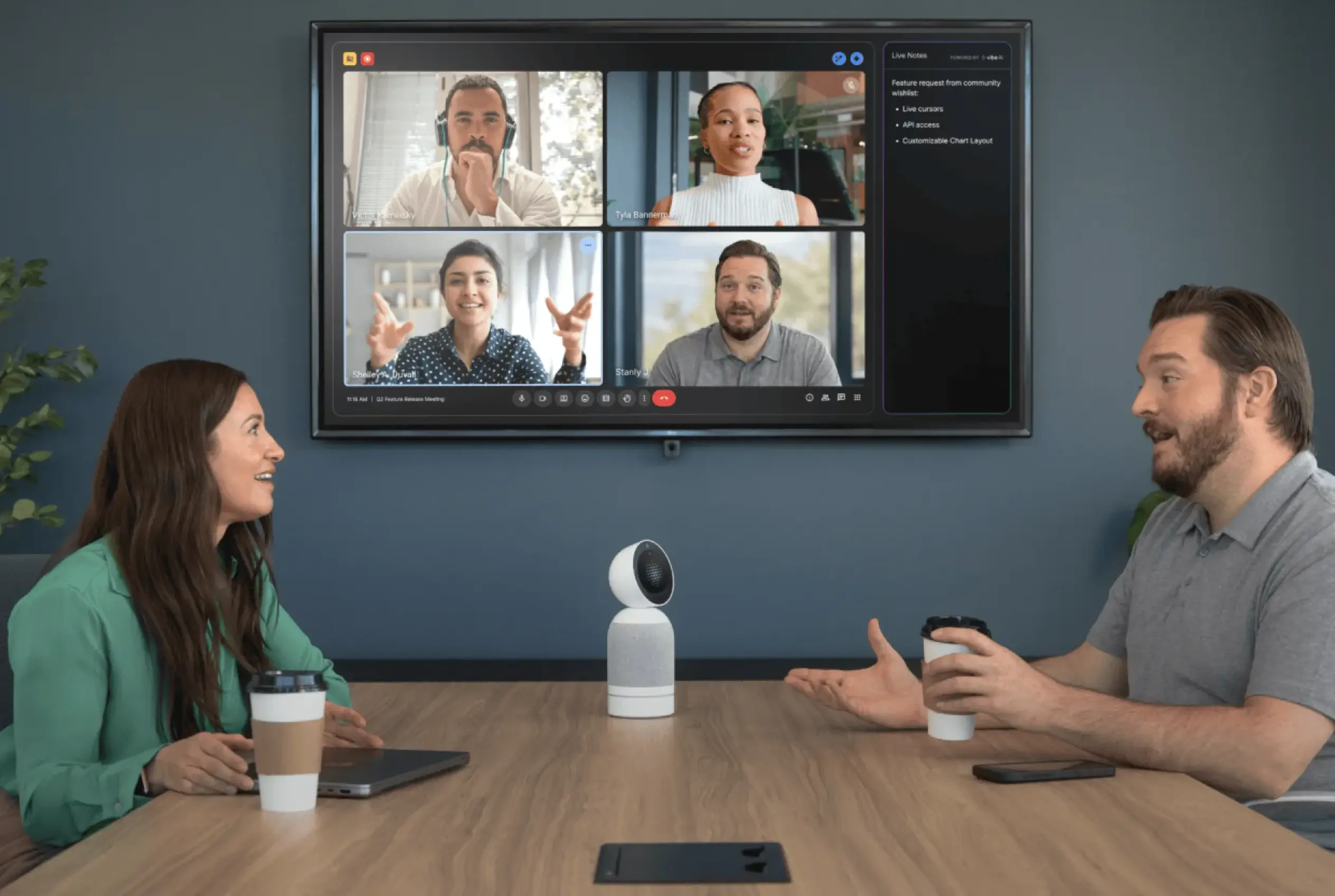 Vibe Bot on conference table connecting in-room team to remote video call participants with AI-powered live notes on screen
The camera is a 4K UHD sensor shooting at 30 fps with Vivid HDR, AI auto-framing, and automatic tracking — it follows the active speaker and keeps the frame composed without anyone touching anything. A digital MEMS microphone array handles automatic speaker detection, separating and labeling each voice in the room. AI audio processing handles noise suppression the same way any modern conference bar does. For larger displays, it connects via HDMI output; the included USB-C handles power and data. An optional battery accessory makes it portable between rooms.
That’s the hardware. What makes it a different category of device is what happens when the meeting ends.
Before the last person is out the door, Vibe Bot has produced a transcript with each speaker labeled, a structured meeting summary, and a list of action items — who said they’d do what, by when. These aren’t delivered to whoever remembered to hit record. They’re generated automatically, from every meeting, without anyone in the room being assigned to type.
The history is searchable. Ask Vibe AI about a decision made three weeks ago and it retrieves the answer from the transcript, with the context around it. Over time, the room’s meeting history becomes an institutional record — not a pile of files someone has to go looking through, but something you can actually query.
For healthcare environments, that record is protected under HIPAA-aligned safeguards. For educational institutions, FERPA. For enterprise deployments, SOC 2 Type II and TPM 2.0 at the hardware layer. And Vibe Bot carries NDAA-related qualification for US government procurement.
The X52 has no equivalent here, and that’s not a criticism of Poly. A system that doesn’t generate meeting content doesn’t need a policy for storing it. But if you expect your team to get notes out of a room system in 2026, you’ll need one.
Capability comparison
|
Poly Studio X52 |
Vibe Bot | |
|---|---|---|
|
4K camera with AI auto-framing |
Yes |
Yes |
|
AI noise suppression |
Yes |
Yes |
|
No room PC required |
Yes |
Yes |
|
H.323 / SIP support |
Yes |
No |
|
Native transcription |
Not included |
Included |
|
Native meeting summaries |
Not included |
Included |
|
Native action item extraction |
Not included |
Included |
|
Searchable meeting history |
Not included |
Included |
|
Speaker separation & labeling |
Not included |
Included |
|
Data security & industry compliance |
Device management only |
SOC 2, HIPAA, FERPA, TPM 2.0 |
|
Cost layers to price one room |
4+ |
2 |
|
Pricing model |
Per device + per room license + per seat (transcription) |
Per device + per device (Vibe AI) |
And then there’s what it costs
The X52’s advertised price is the first of four line items, not the total.
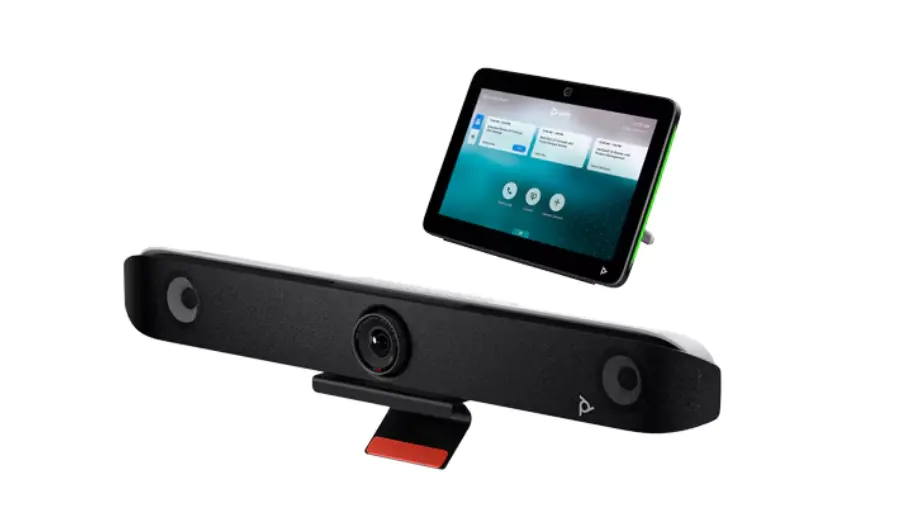 Poly Studio X52
The bar lists around $3,853. But it ships without a touch controller — the Poly TC10 adds roughly $800–1,000, putting deployed cost at $4,600–4,800 per room before anything else is counted.
Then support. Poly+ is purchased per device, tied to individual serial numbers, and is what unlocks 24/7 live support, next-business-day advance hardware replacement, a three-year warranty, and additional Poly Lens features. Without it, the base warranty is one year, return to factory. A bar that fails in month fourteen is a dark room until you ship it somewhere and wait.
Then the platform room license. Removing the room PC does not remove the Zoom Rooms or Microsoft Teams Rooms license — that’s an annual per-room subscription billed separately. Zoom Rooms runs $49/room/month ($588/year). Teams Rooms Pro runs $40/room/month ($480/year). Poly’s product pages have no reason to mention this.
And if you want transcription out of that room — which is presumably why you’re reading this page — that’s a fifth line, priced per seat, per month, on top of everything above.
Three-year total cost of ownership, per room
|
Poly Studio X52 (+ Zoom Rooms) |
Vibe Bot (+ Vibe AI Pro) | |
|---|---|---|
|
Hardware |
$3,853 |
$1,599 |
|
Touch controller |
~$900 (TC10, required) |
Not required |
|
Support / warranty |
Poly+ required for 3-yr coverage |
Included |
|
Platform room license |
$1,764 (Zoom Rooms, 3 yr) |
Not required |
|
Transcription & summaries |
Not included — add separately, per seat |
Included ($324 over 3 yr) |
|
3-year total |
~$6,517+ (excl. transcription) |
~$1,923 |
Poly column excludes transcription costs entirely because that varies by team size. The Vibe Bot column includes Vibe AI Pro at $9/device/month — one Bot, one subscription, regardless of how many people are in the room.
One structural point that holds regardless of which platform you pick: per-seat transcription pricing means the cost of capturing a meeting grows as the meeting grows. A twelve-person all-hands is more expensive to document than a four-person standup, for reasons that have nothing to do with the room. Vibe AI is priced per device — one Bot, one room, one flat subscription — so adding a twelfth person to the meeting doesn’t add a line to the invoice.
Where the X52 is the better choice
Three situations, and they’re real ones.
If you’re standardizing a large fleet and your dominant pain is fleet operations, the X52 earns its place: it runs Zoom Rooms or Teams Rooms on integrated compute, managed centrally through Poly Lens — one device to provision, one firmware to manage, one serial number to track per room. If you need H.323 and SIP to dial legacy endpoints during a migration off older Polycom infrastructure, the X52 supports both natively. And if you’re deploying in large rooms — 30 × 18 ft and up — the X72, with dual 4K cameras and 25 feet of microphone pickup, is built for scale that a medium-room bar of any brand isn’t.
Buy accordingly. The rest of this page is for everyone else.
Which one should you buy
Choose the Poly Studio X52 if your priority is centralized fleet operations at scale, you need standards-based interop for legacy systems, or Poly Lens is already doing real work for your IT team.
Choose Vibe Bot if what your team needs out of a meeting is what was decided and who does what next — and you’d rather that be captured automatically than typed by whoever drew the short straw. And if you’d like to price a room by looking at two numbers instead of five.
FAQ
Is the Poly Studio X52 a good camera?
Yes. 20 MP 4K sensor, 95° field of view, DirectorAI automatic framing, roughly 20 feet of microphone pickup — for medium rooms it performs well. The question isn’t camera quality. It’s whether a camera is all you need.
Does the Poly Studio X52 include a touch controller?
No. The TC10 is a separate purchase, roughly $800–1,000.
Does the X52 come with transcription or meeting summaries?
Not natively. Those come from your meeting platform’s subscription tiers or a third-party tool — priced separately and typically per seat per month.
What is Poly+ and do I need it?
Poly+ is a per-device support plan tied to serial numbers, covering 24/7 support, next-business-day hardware replacement, a three-year warranty, and additional Poly Lens features. Without it you have a one-year return-to-factory warranty. For any multi-year deployment, most teams treat it as required.
Do I still need a Zoom or Teams license with the X52?
Yes. The integrated compute removes the room PC, not the Zoom Rooms or Teams Rooms room license — $49/room/month for Zoom Rooms, $40/room/month for Teams Rooms Pro.
What’s the difference between the X52 and the X72?
The X72 is the large-room model — dual 4K 20 MP cameras at 70° and 120° fields of view, 25 feet of microphone pickup, sized for rooms up to roughly 30 × 18 ft. The X52 is the medium-room configuration covering up to roughly 20 × 15 ft.
Does Vibe Bot require a room PC?
No. Vibe Bot runs its own OS and operates as a standalone system. It can optionally connect to a TV or monitor via HDMI for a larger display, but no host computer is required.
How does Vibe AI pricing work?
Vibe AI is priced per device, not per user. One Vibe Bot counts as one seat — the subscription covers that room regardless of how many people attend. Vibe AI Starter (300 mins transcription/month, meeting notes and action items) is included free with every Bot. Vibe AI Pro ($9/device/month, billed annually) adds 1,200 minutes/month, 12-month AI memory, and integrations with Google Drive, Gmail, Slack, Jira, and more.
What size room is Vibe Bot designed for?
Vibe Bot is designed for small to medium conference rooms and huddle spaces — the scenarios where most meetings actually happen. For very large boardrooms, pairing it with a larger display and reviewing the full spec sheet is recommended