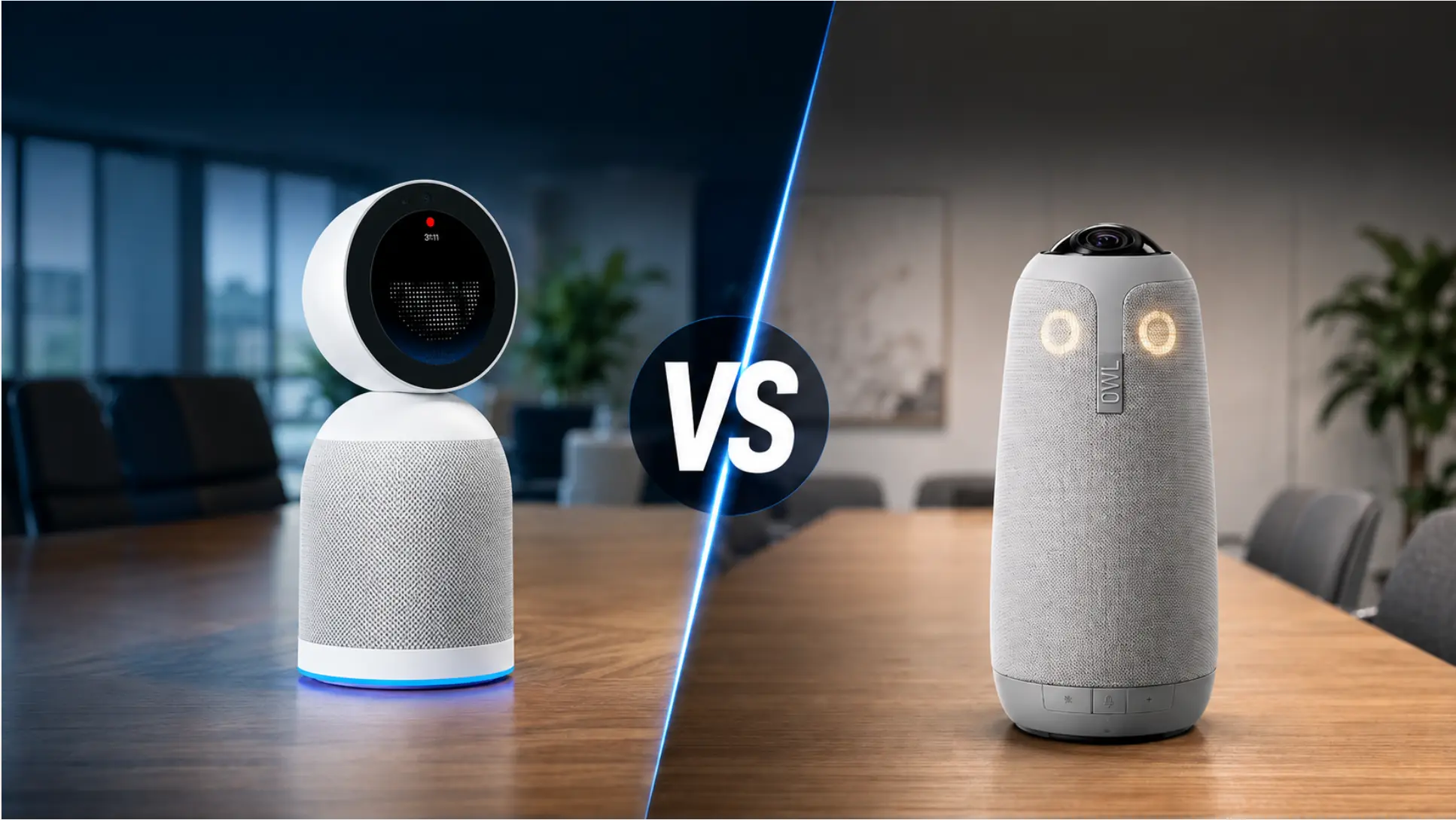
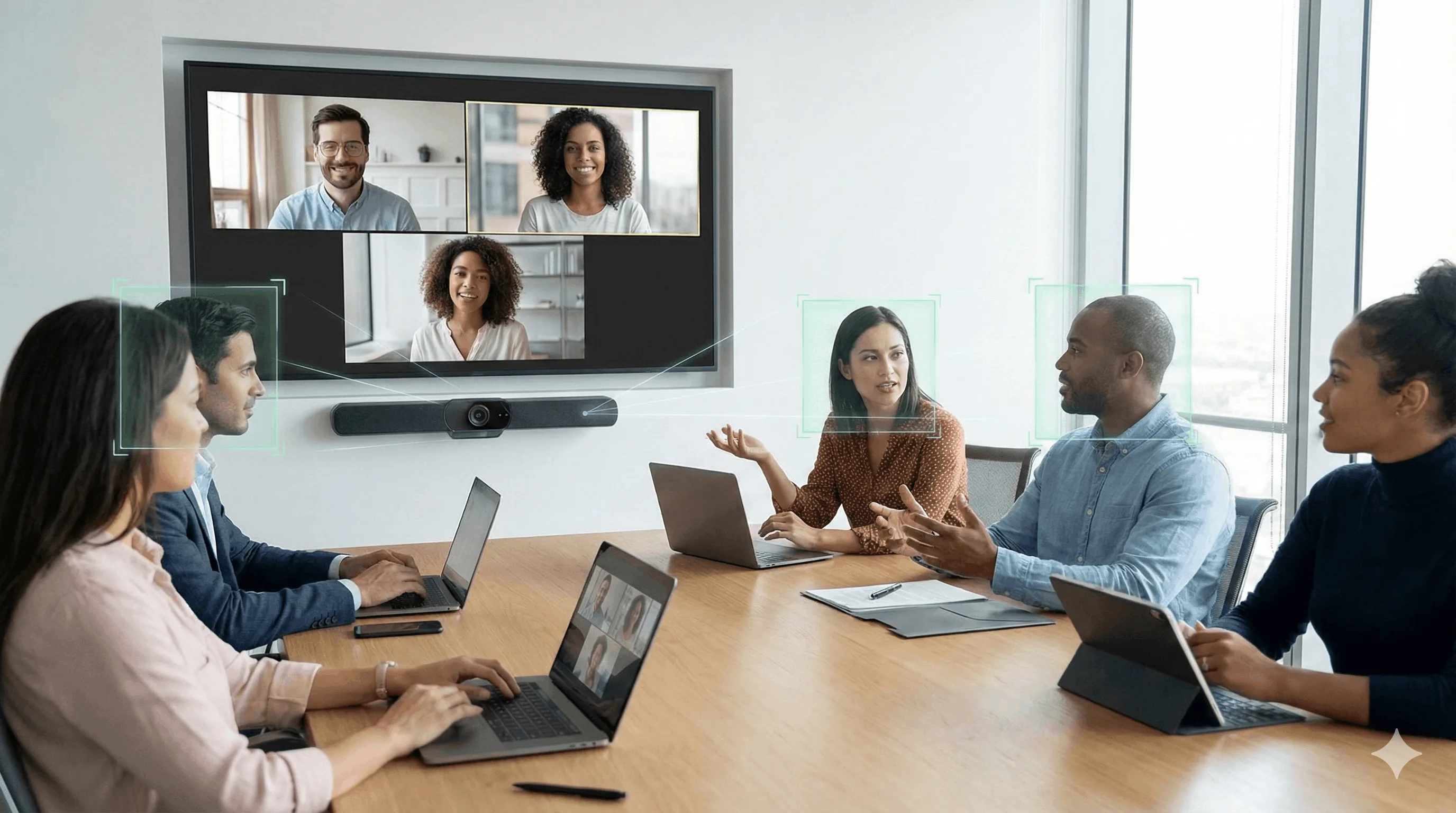
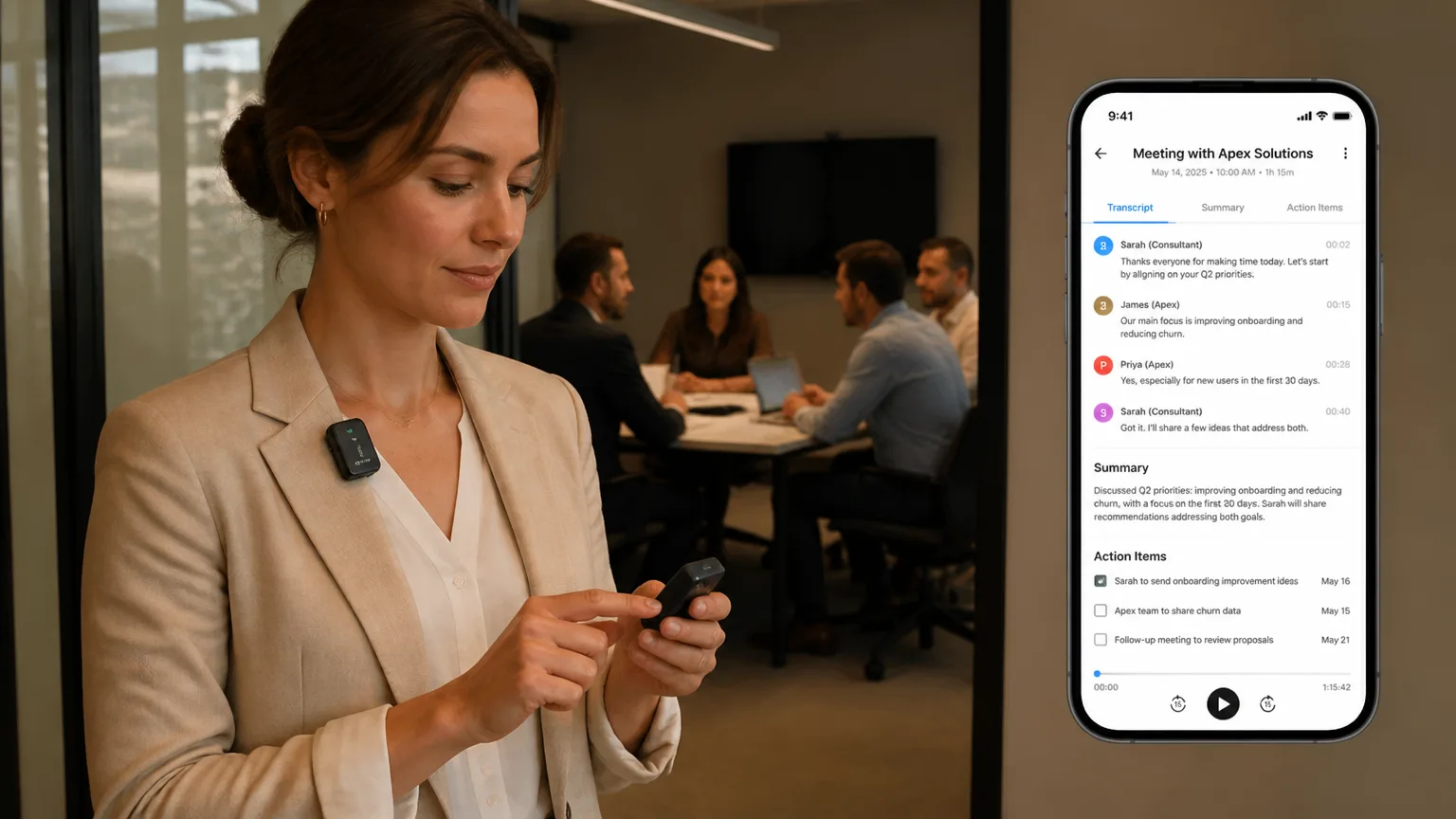
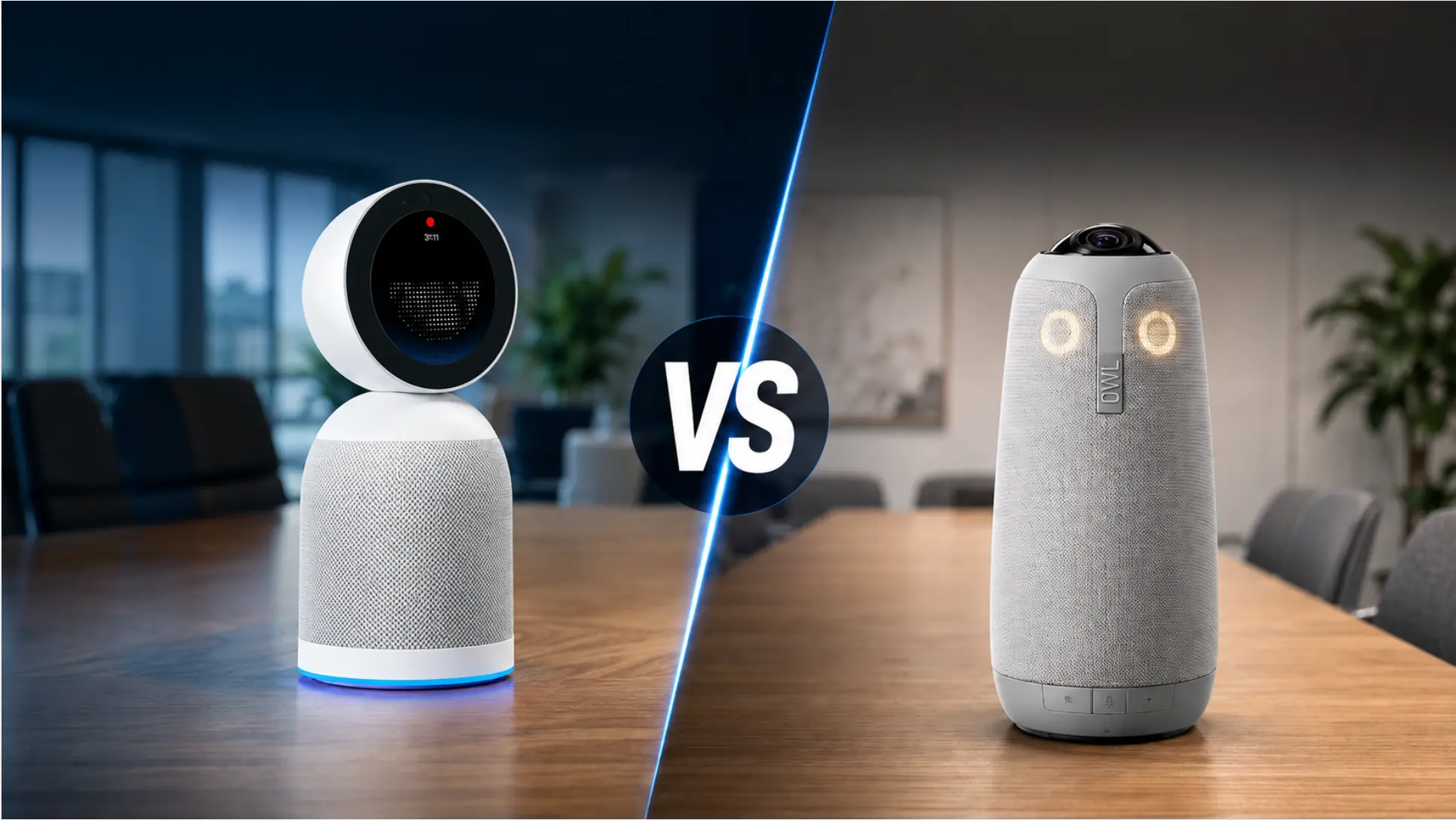
The Meeting Owl has been the default 360° conference camera for hybrid teams for years. It’s familiar, it’s widely deployed, and the hardware is genuinely solid. So why are people looking for alternatives?
The most common reasons we hear:
-
Transcription and summaries: The Owl has no native meeting notes — you need Otter.ai, Fireflies, or another third-party tool on top, adding $200–300/year per seat and another vendor to manage. (For a deeper look at what modern AI meeting assistants actually do, we’ve covered the full landscape separately.)
-
Meeting memory: Each Owl recording is an isolated file. There’s no cross-session context, no searchable history, no way to ask "what did we decide about this client last month?"
-
Laptop dependency: Every Meeting Owl model requires a connected host computer. For in-person meetings, or rooms without a dedicated PC, that’s a real operational limitation.
-
Price vs. total value: The Owl 4+ ($1,999) and Owl 5 Pro ($2,599) require a separate AI notes subscription to reach feature parity with newer devices that include that layer natively.
This roundup covers five alternatives across a range of price points, room sizes, and AI capability levels — evaluated on the criteria that matter most to IT procurement teams in 2026: hardware quality, native AI (not just camera framing), meeting memory, integrations, compliance, and total cost. If you’re starting from scratch on room setup, our conference room camera guide covers the full category before diving into specific products.
At a Glance
|
Vibe Bot |
Kandao Meeting Pro 2 |
Logitech Rally Bar |
Neat Bar Pro |
Poly Studio X70 | |
|---|---|---|---|---|---|
|
Price |
$1,599 |
$1,099 |
~$3,000–$3,500 |
$6,690 |
~$4,500–$5,000 |
|
Native transcription |
✅ |
✅ (SmartNote) |
❌ |
❌ |
❌ |
|
Native AI summaries |
✅ |
✅ |
❌ |
❌ |
❌ |
|
Cross-meeting memory |
✅ Vibe AI Memory Graph |
❌ Per-session only |
❌ |
❌ |
❌ |
|
Works without laptop |
✅ Standalone OS |
✅ |
✅ Appliance mode |
✅ |
✅ |
|
360° camera |
✅ |
✅ |
❌ Bar format |
❌ Bar format |
❌ Bar format |
|
Tool integrations |
Notion, Slack, HubSpot, Asana, MCP (coming soon) |
Limited |
Via Teams/Zoom AI |
Via Teams/Zoom AI |
Via Teams/Zoom AI |
|
Supported meeting apps |
Zoom, Teams, Google Meet, Webex (no laptop required; also works standalone via BotOS) |
Zoom, Teams, Google Meet |
Zoom, Teams, Google Meet, Webex |
Zoom, Teams, Google Meet |
Zoom, Teams, Google Meet, Webex |
|
Compliance |
SOC 2 Type II, TPM 2.0, HIPAA-ready |
Not published |
Varies by deployment |
Neat Pulse required |
Poly Lens |
|
Best for |
AI-first teams, compliance-sensitive industries |
Budget 360° + basic AI notes |
Large rooms, Logitech ecosystems |
Enterprise Teams/Zoom rooms |
Large enterprise boardrooms |
1. Vibe Bot — Best Overall Meeting Owl Alternative
Price: $1,599 | Vibe AI: Free (Starter), $9/mo (Pro), $24/mo (Max)
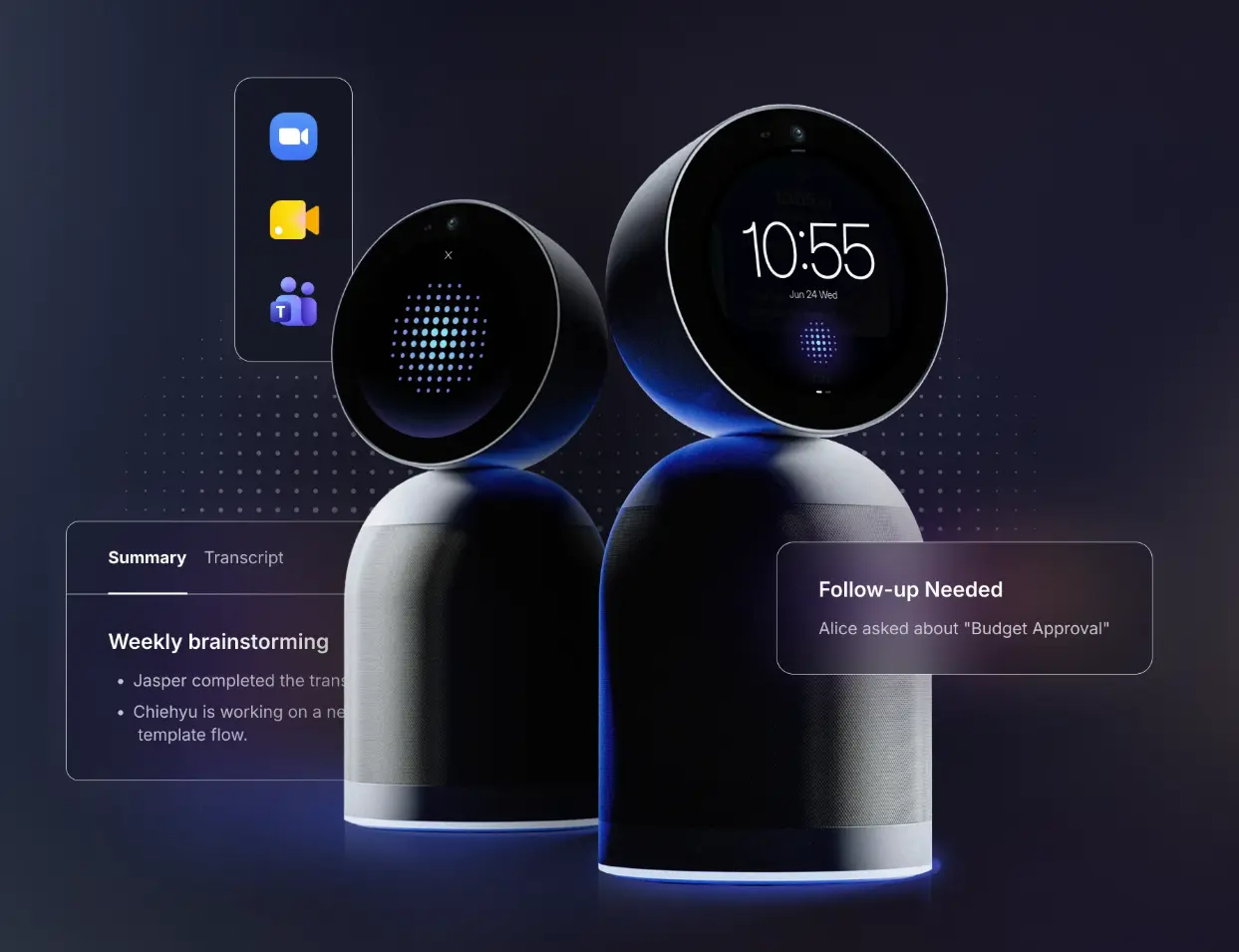
Vibe Bot is the alternative to reach for if the Meeting Owl’s core limitation — no native AI meeting intelligence — is the reason you’re looking. (If you want a feature-by-feature breakdown of these two devices specifically, we have a full Vibe Bot vs. Meeting Owl comparison.) It’s a 4K 360° conference device that doesn’t just capture the meeting; it understands it, records it, and makes it searchable across every session the device has ever run.
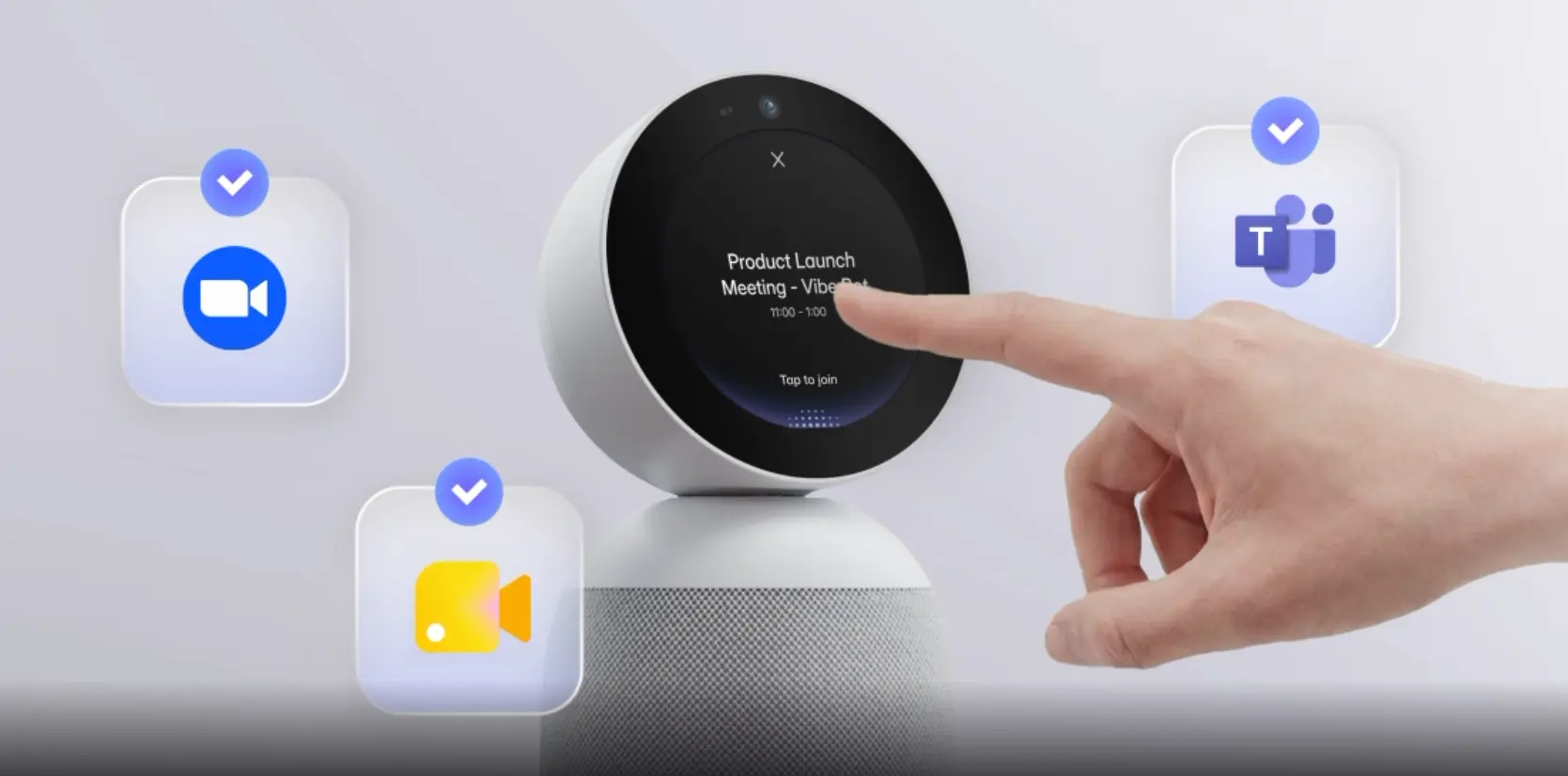 Vibe Bot 4K 360° AI conference device with one-tap Zoom, Teams, and Google Meet joining
What It Is
Launched at CES 2026 and recognized with both the Red Dot Award and iF Design Award, Vibe Bot is an all-in-one AI conference system running BotOS, its own on-device operating system. Unlike every Meeting Owl model, it operates without a connected laptop — join Zoom, Teams, or Google Meet with one tap from its built-in display, or run a fully standalone in-person session with no call attached.
The hardware is anchored by a 4K UHD 360° camera with AI auto-framing, HDR, and 2.2x lossless zoom. Audio comes from a six-mic beamforming array — the microphones don’t just pick up the room omni-directionally; they actively track who is speaking and suppress everything else, which is what makes speaker-attributed transcription accurate rather than a noisy approximation.
AI and Memory Capability
This is where Vibe Bot separates from every other device in this roundup, including the Kandao Meeting Pro 2 which also offers native transcription.
After every meeting, Vibe Bot automatically generates a full transcript with speaker attribution, a structured summary organized by topic, and action items with assignees — all pushed to your tools (Notion, Slack, HubSpot, Asana, Jira, and others) without manual handoff. A QR code displayed on the device’s screen at the end of each session gives instant access to the record.
But the distinctive capability is Vibe AI’s Memory Graph: every session feeds a persistent, cross-meeting AI memory layer. You can ask "what did we commit to in last month’s client review?" and get an answer grounded in actual recordings — not just the most recent meeting, but the full history of captured sessions. This cross-meeting context is accessible by voice through Vibe Bot directly, through the Vibe AI portal, or through any external AI tool (Claude, ChatGPT) via MCP integration.
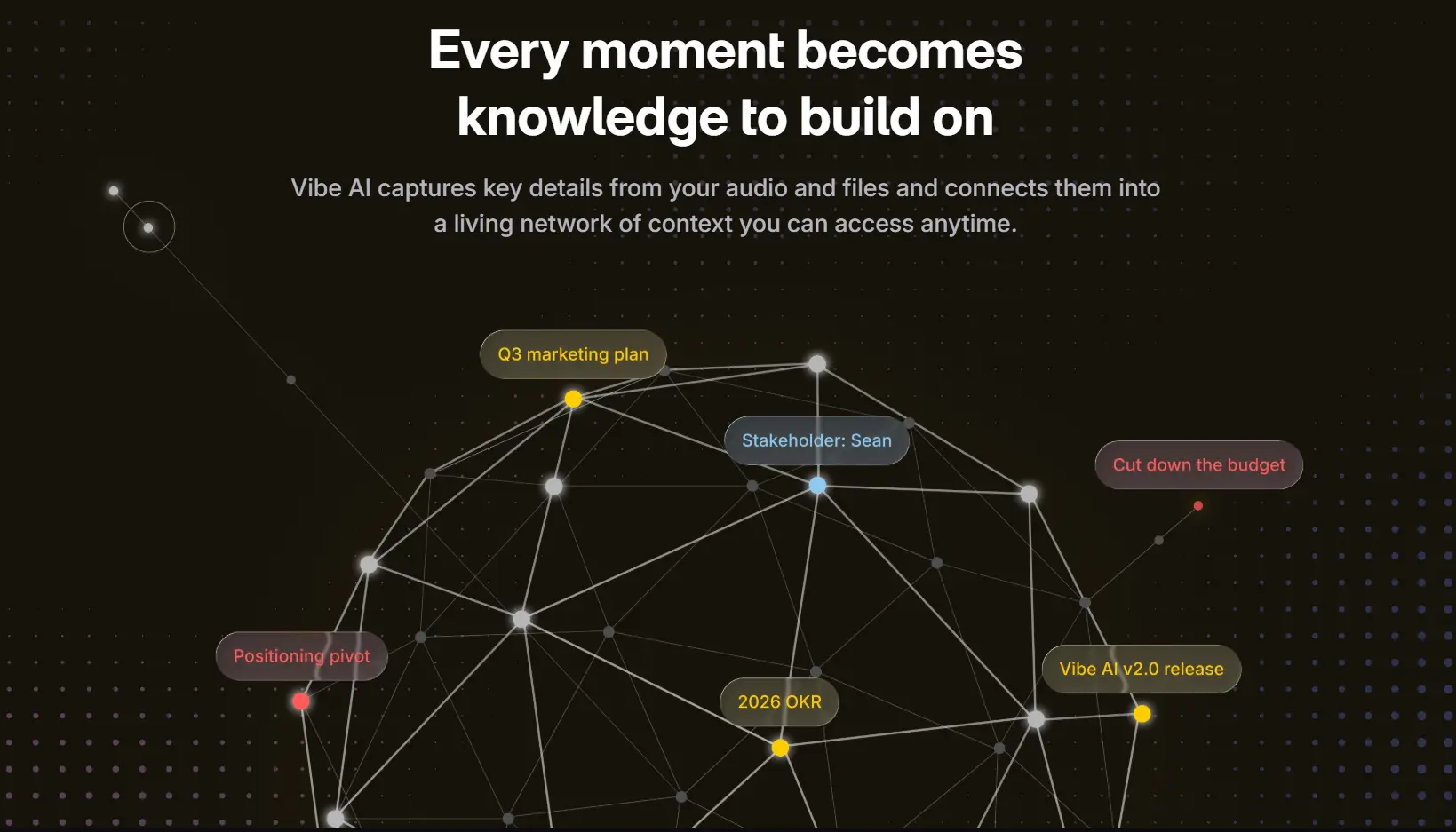
The Vibe AI Starter tier (free) includes 300 transcription minutes/month, 7-day memory retention, basic summaries, and action item extraction. Pro ($9/seat/month) extends this to 1,200 minutes, 12-month memory retention, custom summary templates, and workflow integrations. Max ($29/seat/month) unlocks unlimited transcription, permanent memory retention, and deep CRM integrations (Salesforce, HubSpot, Notion).
Even at the Max tier, the all-in total is $1,947 in year one — less than the Meeting Owl 4+ with a basic notetaking subscription.
Compliance
Vibe Bot processes audio and AI on-device via edge computing — sensitive meeting content doesn’t leave the device to be processed by a third-party cloud. It’s SOC 2 Type II and TPM 2.0 certified and built to meet HIPAA requirements, making it deployable in healthcare, legal, and financial environments without the compliance overhead of adding a separate vendor for meeting notes.
Best For
Teams that want AI meeting notes, cross-meeting memory, and tool integrations built into the device — without a separate subscription, a laptop in the room, or a third-party compliance review. Strong fit for healthcare, legal, and financial services teams.
Pros
-
Native transcription, summaries, and action items — no add-on required
-
Vibe AI Memory Graph: searchable cross-meeting context
-
Fully standalone — no laptop required
-
Optional magnetic battery base for room-to-room portability
-
SOC 2 Type II, TPM 2.0, HIPAA-ready; edge AI processing keeps data on device
-
Integrates with Notion, Slack, HubSpot, Asana, Jira, and MCP-compatible AI tools
-
Competitive total cost vs. Owl 4+ and 5 Pro when you factor in AI notes
Cons
-
At $1,599, higher upfront cost than Kandao Meeting Pro 2 and the Meeting Owl 3
-
Vibe AI Pro/Max subscription required for extended memory retention and deeper integrations
-
Newer product — smaller existing IT footprint than Logitech or Poly in large enterprise deployments
2. Kandao Meeting Pro 2 — Best Budget 360° Camera with Native AI Notes
Price: $1,099
The Kandao Meeting Pro 2, announced in May 2026, is the most direct hardware competitor to Vibe Bot in terms of product scope: a 360° conference device with on-device AI processing, native transcription, and meeting summaries built in — at a lower price point. It’s a meaningful step forward from the original Meeting Pro, and the closest thing to a like-for-like Vibe Bot comparison in this roundup.
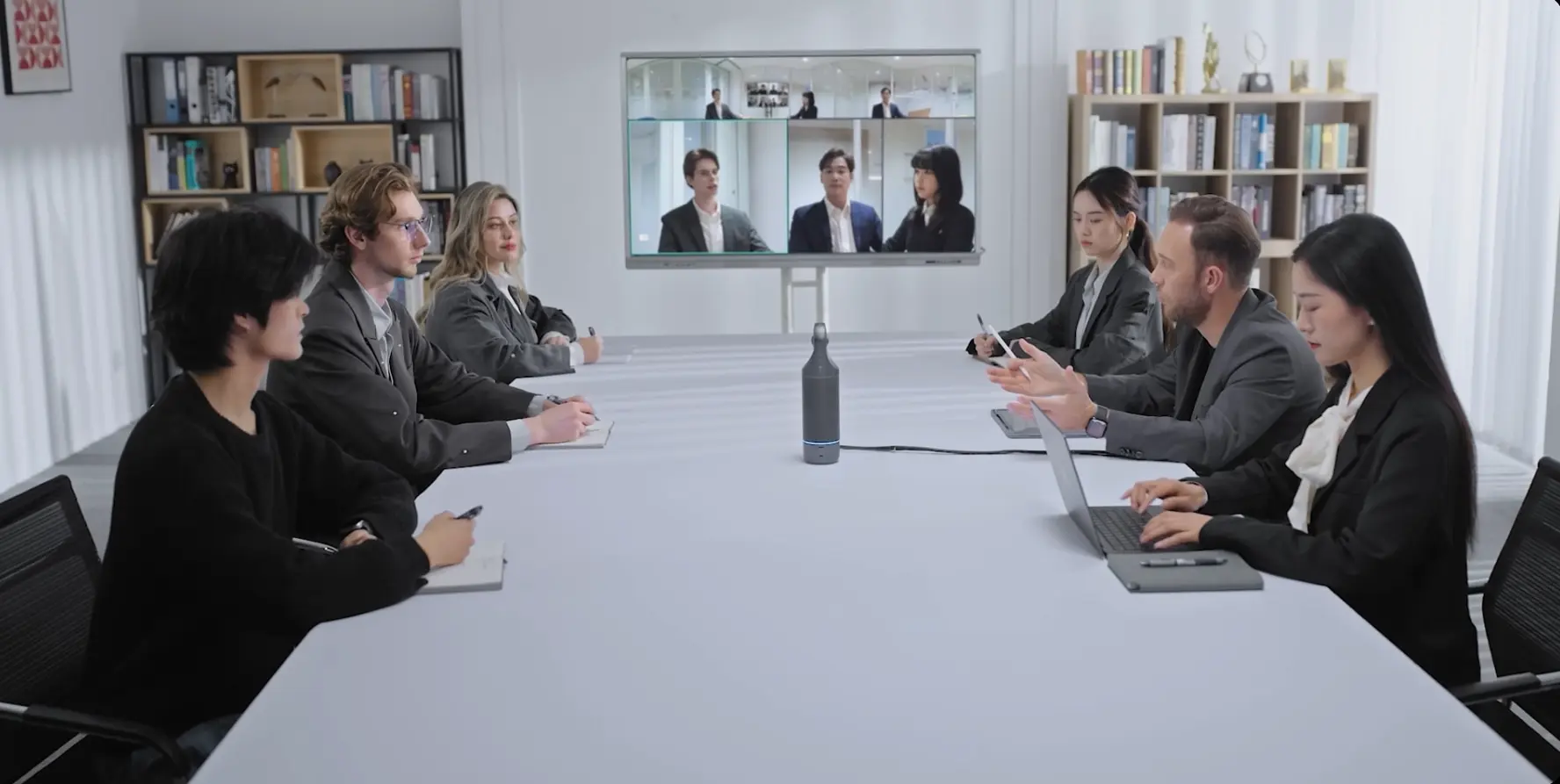 Kandao Meeting Pro 2 360° conference camera in hybrid meeting room with remote participants
What It Is
The Meeting Pro 2 is a compact vertical 360° unit — at just under 12 inches tall and under 2 pounds, it’s the most portable device in this roundup. It’s powered by a dedicated AI chip and equipped with dual 12MP fisheye cameras capturing 4K 360° HDR video. An 8-microphone array handles room audio with AI noise reduction and dereverberation — particularly useful in glass-walled offices where echo can be a real problem. The device operates standalone without a connected laptop, supports onboard recording to external SD cards, and is compatible with Zoom, Teams, Google Meet, Slack, DingTalk, and Feishu.
AI and Memory Capability
The Meeting Pro 2’s standout AI feature is SmartNote, which provides real-time captions and translation across 21+ languages — the broadest language coverage in this roundup — and automatically generates meeting summaries, structured notes, and action items after each session. A "Reference" feature within SmartNote summaries lets you jump directly to the corresponding moment in the meeting recording for full context.
The limitation compared to Vibe Bot is that SmartNote operates per session. Each meeting produces its own record, but there’s no cross-meeting memory layer — no persistent AI that links what was decided in last month’s session to this week’s agenda. For teams tracking ongoing projects or recurring client relationships, this is a meaningful gap. Integrations are also more limited: the Meeting Pro 2 doesn’t natively push action items to Notion, Slack, HubSpot, or Asana without additional workflow tooling.
Best For
Budget-conscious teams that want native 360° coverage and on-device AI transcription, don’t need cross-meeting memory, and primarily work in global or multilingual environments where real-time translation is a priority.
Pros
-
Lowest price in this roundup at $1,099
-
Native transcription, summaries, and action items — no extra subscription
-
21+ language real-time translation, best in class for multilingual teams
-
Compact and lightweight; SD card recording for standalone capture
-
Standalone operation — no laptop required
-
Expandable for larger rooms via multi-device cascading
Cons
-
No cross-meeting memory — each session is isolated
-
Limited native tool integrations (no direct push to Slack, Notion, HubSpot, etc.)
-
Newer product with limited enterprise IT footprint and certification history
-
Compliance certifications not published — may require additional review for regulated industries
-
SmartNote AI quality not independently benchmarked at scale
3. Logitech Rally Bar — Best for Large Rooms and Existing Logitech Ecosystems
Price: ~$3,000–$3,500 (varies by configuration)
The Logitech Rally Bar is one of the most widely deployed conference room bars in enterprise IT — and with good reason. It’s a mature, well-managed platform that ages unusually well thanks to continuous CollabOS firmware updates that have meaningfully expanded its AI capabilities since launch. If your organization already runs Logitech hardware or manages rooms at scale through Logitech Sync, it’s the natural next upgrade.
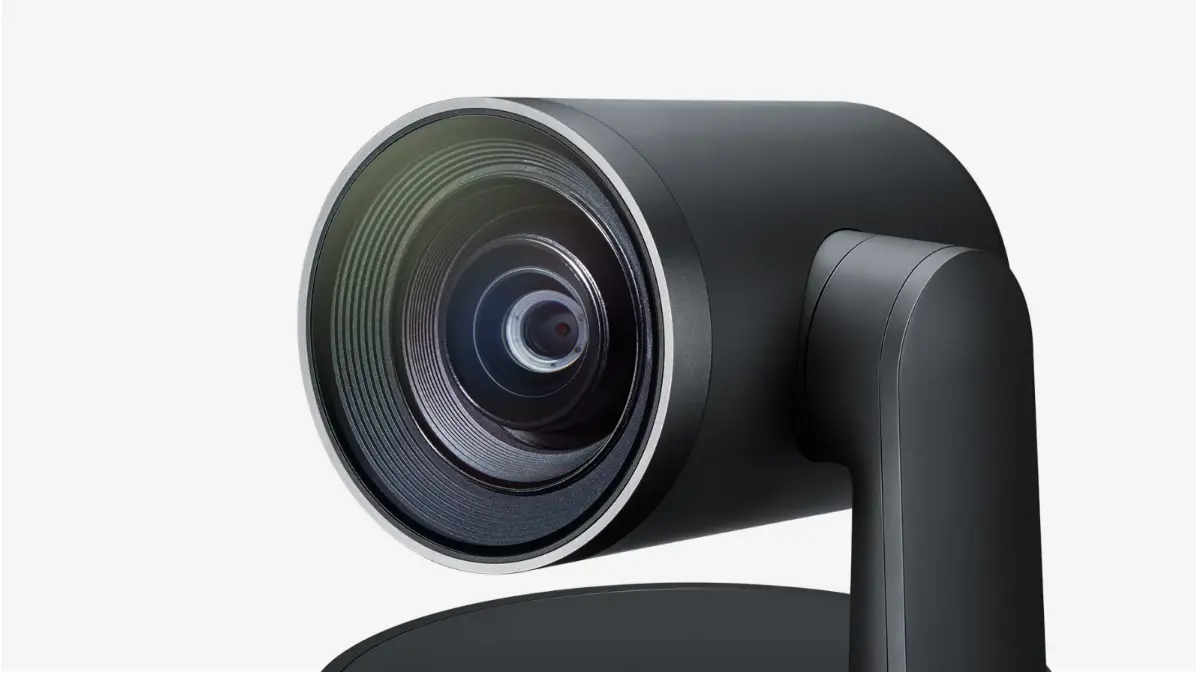 Logitech Rally Bar 4K PTZ conference camera for large meeting rooms
What It Is
The Rally Bar is a wall- or furniture-mounted video bar built for medium to large rooms. Its 4K camera features motorized PTZ (pan, tilt, zoom) with 15x HD zoom and a 132° total field of view — significantly more physical coverage than a 360° tabletop unit for long rectangular rooms where distance from the camera matters. Six beamforming microphones provide a 15-foot pickup range out of the box, expandable to larger spaces with up to four optional Rally Mic Pods. Three speakers with an anti-vibration enclosure handle room audio.
The AI capabilities are handled by two systems: RightSight 2 for camera framing (uses the AI Viewfinder secondary camera to track participant count and frame accordingly) and RightSound for audio (adaptive beamforming, background noise suppression, voice leveling). Both are camera/audio AI — the Rally Bar does not generate transcription, meeting summaries, or action items natively.
AI and Memory Capability
This is the Rally Bar’s clear limitation in 2026: its AI is entirely in service of the live meeting experience. RightSight 2 keeps participants framed, RightSound keeps audio clean, CollabOS keeps the platform current — but when the meeting ends, there’s no record generated by the device itself.
Meeting notes, if needed, come from whichever platform is running the call. Zoom AI Companion and Microsoft Copilot in Teams both integrate with appliance-mode Rally Bar deployments — so if your team is standardized on one of those platforms and already uses their AI notes, the Rally Bar functions as a high-quality camera/mic source feeding that AI layer. For a deeper look at how AI meeting room cameras handle this split between hardware AI and platform AI, we’ve covered it in detail. The limitation is that this only works for video calls, not standalone in-person sessions, and the quality of the notes depends on the platform’s AI, not the device.
For teams that explicitly need meeting notes outside of Teams or Zoom, or need cross-meeting memory, a third-party subscription (Otter.ai, Fireflies) is still required — and the Rally Bar doesn’t give that tool any advantage over a standard USB webcam.
Best For
Large rooms (10–20 people) requiring PTZ coverage, organizations already standardized on Logitech hardware, and IT teams that manage rooms at scale through Logitech Sync. Best when meeting notes are handled by Zoom or Teams AI.
Pros
-
Exceptional coverage for large rectangular rooms with 15x PTZ zoom
-
Mature platform with strong enterprise IT support and broad AV certification history
-
Logitech Sync remote management — monitor and update rooms from anywhere
-
Expandable with Rally Mic Pods and Rally Speaker for very large spaces
-
Works in appliance mode (no PC) or USB mode connected to a laptop
-
Regular CollabOS updates extend hardware life significantly
Cons
-
No native transcription, meeting summaries, or action items
-
AI notes require Zoom/Teams AI Companion or a third-party subscription (~$240/yr) on top
-
No 360° coverage — bar format requires proper room positioning and may miss corners
-
At ~$3,000–$3,500, significantly more expensive than Vibe Bot and Kandao on hardware alone
-
No portable or battery option — fixed installation only
4. Neat Bar Pro — Best for Microsoft Teams-Native Enterprise Rooms
Price: $6,690
The Neat Bar Pro is purpose-built for large enterprise meeting environments where Microsoft Teams is the operating system of the workday. It’s the most expensive device in this roundup by a wide margin, and it earns that positioning through elite hardware quality, native Teams admin center integration, and a set of environmental sensors that go well beyond what any other device here offers. If you’re running a large Teams-first organization with demanding rooms and the budget to match, it’s the category’s top choice.
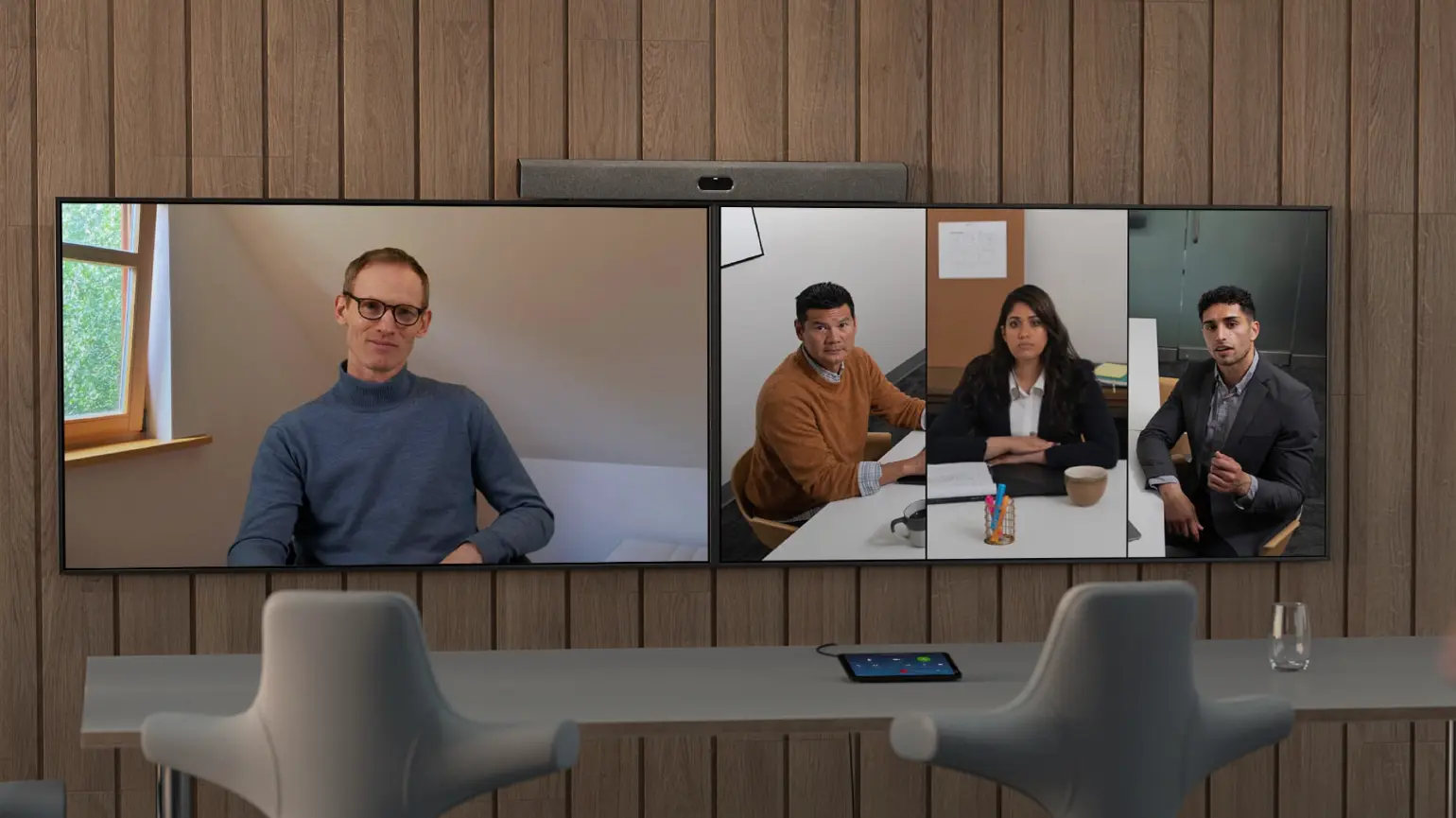 Neat Bar Pro Microsoft Teams video bar displaying hybrid meeting with remote and in-room participants
What It Is
The Neat Bar Pro is a slimline video bar built for large rooms, capable of driving up to three displays simultaneously. Its camera system is anchored by dual 50MP sensors with a 70–113° adjustable field of view and 16x hybrid zoom — the highest resolution camera system in this roundup. A 16-microphone beamforming array (with 4 dedicated tracking mics) picks up voices up to 30 feet away, paired with a subwoofer with opposing drivers for vibration cancellation and three full-range speakers for directional stereo sound across large spaces.
Beyond audio and video, the Neat Bar Pro includes a suite of environmental sensors: room occupancy via depth sensing, air quality monitoring (CO2, humidity, temperature), and ambient light detection. These feed into Neat Sense analytics, which surfaces room utilization data to Neat Pulse — Neat’s device management platform — giving facilities and IT teams data on how rooms are actually being used, not just whether they’re booked.
AI and Memory Capability
Like the Rally Bar, the Neat Bar Pro’s AI is camera and audio AI. Neat’s Intelligent Framing system handles automatic speaker detection and view switching; the microphone array handles adaptive beamforming and acoustic isolation.
Native meeting notes, transcription, summaries, and action items are not features of the device itself. In a Teams Rooms deployment, Microsoft Copilot (Teams Rooms Pro license, ~$40/device/month) provides AI-generated recap and action items for Teams calls — this is where the Neat Bar Pro’s deep Teams integration pays off. The quality of that AI layer is Microsoft’s, not Neat’s, and it applies only to Teams calls, not standalone in-person meetings or calls on other platforms.
For organizations with a Copilot license already in place, the Neat Bar Pro becomes a very capable Teams Rooms camera/mic that feeds Microsoft’s AI layer. For those without, it’s a premium camera with no AI notes and a significant software cost to add.
Best For
Large enterprise organizations standardized on Microsoft Teams, with demanding large rooms (30+ feet), triple-display setups, facilities teams that need room occupancy and air quality analytics, and IT teams managing many rooms through Teams Admin Center.
Pros
-
Elite hardware: dual 50MP cameras, 16-mic array, 30-foot audio pickup
-
Triple display support — unique in this roundup
-
Native Microsoft Teams Admin Center integration: easiest Teams Rooms management
-
Neat Sense: room occupancy, air quality, CO2, humidity sensors — valuable for facilities teams
-
Neat Pulse device management for remote monitoring and updates
-
Exceptional build quality and design; strong enterprise aesthetic
Cons
-
$6,690 is by far the highest price in this roundup
-
No native transcription, summaries, or action items — requires Microsoft Copilot (~$40/device/month) or a third-party tool for AI notes
-
Copilot AI notes apply to Teams calls only; no coverage for standalone in-person sessions
-
Compliance reporting tied to Neat Pulse — an additional subscription requirement
-
Not the right fit for non-Teams environments or smaller rooms
-
No 360° coverage
5. Poly Studio X70 — Best for Large Boardrooms Requiring Dual-Camera Coverage
Price: ~$4,500–$5,000 (base unit + TC8 controller)
The Poly Studio X70 (now under HP following the Plantronics/Polycom acquisition) is Poly’s premium large-room video bar — and its dual-camera system is genuinely differentiated for boardrooms where a single camera, however good, can’t cover both the presenter and the full room simultaneously. It’s a mature enterprise product with a long certification history and broad compatibility. Like the Rally Bar and Neat Bar Pro, it’s camera-and-audio AI only — meeting notes require a separate layer.
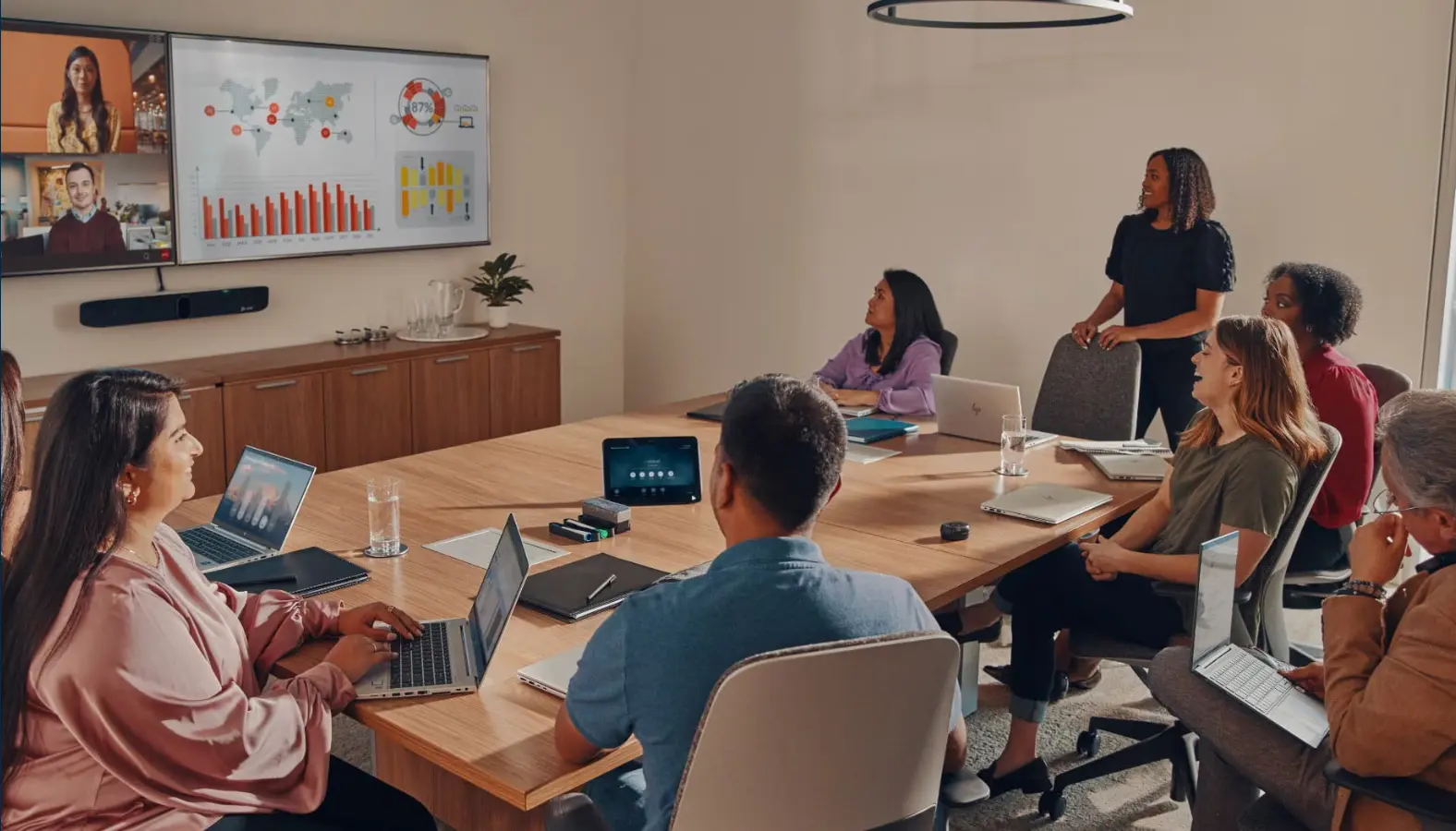 Poly Studio X70 dual-camera video bar in large boardroom with hybrid meeting on display
What It Is
The Studio X70 features two independent 4K cameras, each with a 20MP sensor — a wide-angle lens for room coverage and a narrow telephoto lens for speaker close-ups — managed by Poly DirectorAI, which switches between them in real time to create what Poly describes as a "director in the room" experience. The transition is seamless and fast, and for boardrooms with a presenter at one end and participants at the other, this dual-camera approach outperforms a single PTZ unit.
Audio is handled by second-order gradient microphones with a 25-foot pickup range, paired with NoiseBlockAI (background noise suppression) and Acoustic Fence (which specifically filters out side conversations and sounds from adjacent spaces — particularly valuable in glass-walled offices). Two-way stereo speakers with aluminum cone tweeters handle room sound.
The X70 operates as a standalone appliance — no PC required — and supports Zoom, Teams, Google Meet, and most major video platforms natively.
AI and Memory Capability
Poly’s AI on the X70 is framing and audio AI: DirectorAI handles camera switching and speaker tracking; NoiseBlockAI and Acoustic Fence handle noise. There’s no on-device transcription, no meeting summaries, and no action items. The label "MeetingAI" that appears in Poly’s documentation refers to the one-touch join and meeting management experience — not post-meeting intelligence.
As with the Rally Bar and Neat Bar Pro, AI meeting notes in a Poly X70 deployment come from the video conferencing platform — Zoom AI Companion or Microsoft Copilot — not from the device itself. That means notes only exist for video calls on those platforms, and require the relevant platform license. Standalone in-person sessions generate no record.
For teams that need meeting intelligence regardless of whether the meeting is on a call or in person, the X70 requires an additional subscription on top of an already significant hardware investment.
Best For
Large boardrooms (20+ people) where dual-camera coverage is operationally necessary — presenter at one end, participants at the other. Teams standardized on Zoom or Teams with platform AI already in use.
Pros
-
Dual-camera DirectorAI: genuinely superior for long rooms where a single camera falls short
-
NoiseBlockAI + Acoustic Fence: best-in-class noise isolation for open or glass-walled spaces
-
Mature enterprise product with broad platform certifications (Zoom, Teams, Google Meet)
-
Standalone appliance mode — no PC required
-
Poly Lens remote management for IT fleet monitoring
Cons
-
~$4,500–$5,000 is the second-highest price in this roundup
-
No native transcription, summaries, or action items — requires platform AI or third-party tool
-
Platform AI (Zoom/Teams) only covers video calls; no notes for in-person sessions
-
Compliance certifications managed through Poly Lens — additional subscription
-
No 360° coverage; fixed installation required
How to Choose
The right device depends on which Meeting Owl limitation you’re actually trying to solve.
|
If your main frustration is… |
Best choice |
|---|---|
|
No native AI meeting notes or summaries |
Vibe Bot (built-in, free tier available) or Kandao Meeting Pro 2 (budget option) |
|
No cross-meeting memory or searchable history |
Vibe Bot — only device in this roundup with persistent AI memory |
|
Laptop dependency in the room |
Vibe Bot, Kandao Pro 2, Rally Bar (appliance mode), Neat Bar Pro, or Poly X70 — all work standalone |
|
Total cost of hardware + AI notes subscription |
Vibe Bot (all-in from $1,599) or Kandao Pro 2 ($1,099) |
|
Need for larger room coverage |
Logitech Rally Bar (PTZ, expandable) or Poly X70 (dual-camera for boardrooms) |
|
Enterprise Teams management at scale |
Neat Bar Pro |
|
Compliance-sensitive industry (healthcare, legal, finance) |
Vibe Bot — only device with published SOC 2, TPM 2.0, HIPAA-ready certifications and edge AI processing |
|
Multilingual teams needing real-time translation |
Kandao Meeting Pro 2 (21+ languages) |
|
Already using Zoom/Teams AI Companion for notes |
Rally Bar, Neat Bar Pro, or Poly X70 — hardware-only upgrade |
Bottom Line
The Meeting Owl’s real limitation in 2026 isn’t the 360° camera — that part still works well. It’s that the product was designed when AI meeting notes were an add-on, not a baseline expectation. Every Meeting Owl model requires a third-party tool to capture what was said, decided, and assigned — and none of them build the kind of cross-meeting memory that makes AI actually useful for ongoing work.
Of the five alternatives in this roundup, two offer native AI notes as part of the device: Vibe Bot and the Kandao Meeting Pro 2. The Kandao is the more affordable option and covers the basics well. Vibe Bot goes further — persistent memory across sessions, compliance certifications, edge AI processing, and tool integrations that push action items to where your team actually works — and still undercuts the Meeting Owl 4+ and 5 Pro on total year-one cost.
For teams that want a camera, the Rally Bar, Neat Bar Pro, and Poly X70 are excellent choices — especially when AI notes are already handled by your video platform. For teams that want a meeting system, Vibe Bot is the place to start. If you’re also thinking about the broader video conference room setup — display, connectivity, and how these devices fit into a full room — we’ve covered that separately.
FAQ
What is the best Meeting Owl alternative with native AI meeting notes?
Vibe Bot is the most capable option with native AI meeting intelligence built in — transcription, speaker-attributed summaries, action items, and cross-meeting memory through Vibe AI. The Kandao Meeting Pro 2 ($1,099) is a budget alternative with per-session AI summaries and real-time translation in 21+ languages, but without cross-meeting memory or deep tool integrations.
Do any of these alternatives work without a laptop in the room?
Yes — all five alternatives in this roundup can operate in some form of standalone or appliance mode without a connected laptop. The Logitech Rally Bar, Neat Bar Pro, and Poly X70 all run their respective video conferencing apps natively. Vibe Bot and Kandao Meeting Pro 2 go further, operating completely standalone even without a video call running, and can capture in-person meetings with no connected device at all.
I already use Zoom — can I still benefit from one of these devices?
Yes. Devices like Vibe Bot and the Rally Bar work natively with Zoom and can either supplement or replace Zoom AI Companion depending on your needs. If your team primarily needs better in-room audio and video for calls, any of these devices improves on a laptop camera significantly. If you want AI notes that cover in-person meetings too (not just Zoom calls), Vibe Bot handles both. We’ve also covered the full range of how to take meeting notes in Zoom — hardware and software options compared.
Which Meeting Owl alternative is best for regulated industries like healthcare or legal?
Vibe Bot. It’s the only device in this roundup with published SOC 2 Type II, TPM 2.0, and HIPAA-ready certifications. Its edge AI architecture processes transcription and meeting intelligence on-device — sensitive content doesn’t leave the room to be processed by an external cloud. The other devices in this roundup rely on third-party notetaking tools (or platform AI like Copilot) that introduce separate data handling policies and compliance reviews.
Is there a Meeting Owl alternative that’s cheaper?
The Kandao Meeting Pro 2 at $1,099 is the most affordable device in this roundup — matching the Meeting Owl 3’s hardware price while adding native AI transcription and summaries that the Owl 3 doesn’t have. Vibe Bot ($1,599) is more expensive on hardware but cheaper in year-one total cost than the Meeting Owl 4+ and 5 Pro once you add a notetaking subscription.
What about the Logitech Rally Bar Mini or Neat Bar (non-Pro) as alternatives?
Both are solid options for smaller rooms. The Rally Bar Mini (~$1,700) mirrors the Rally Bar’s AI approach at a smaller scale — good camera and mic, no native meeting notes. The Neat Bar (vs. Bar Pro) is better suited for medium rooms without triple-display requirements. Neither changes the fundamental picture on AI notes: if you need transcription and summaries, you’ll still need a third-party tool or platform AI license on top.