Both Vibe Dot and Bluedot promise to capture your meetings without sending a bot into the room. But underneath that shared pitch, they make fundamentally different bets about where your most important conversations happen — and how much your AI tool should remember across them.
This comparison breaks down exactly what each tool does well, where each falls short, and which one belongs in your workflow depending on how you actually work.
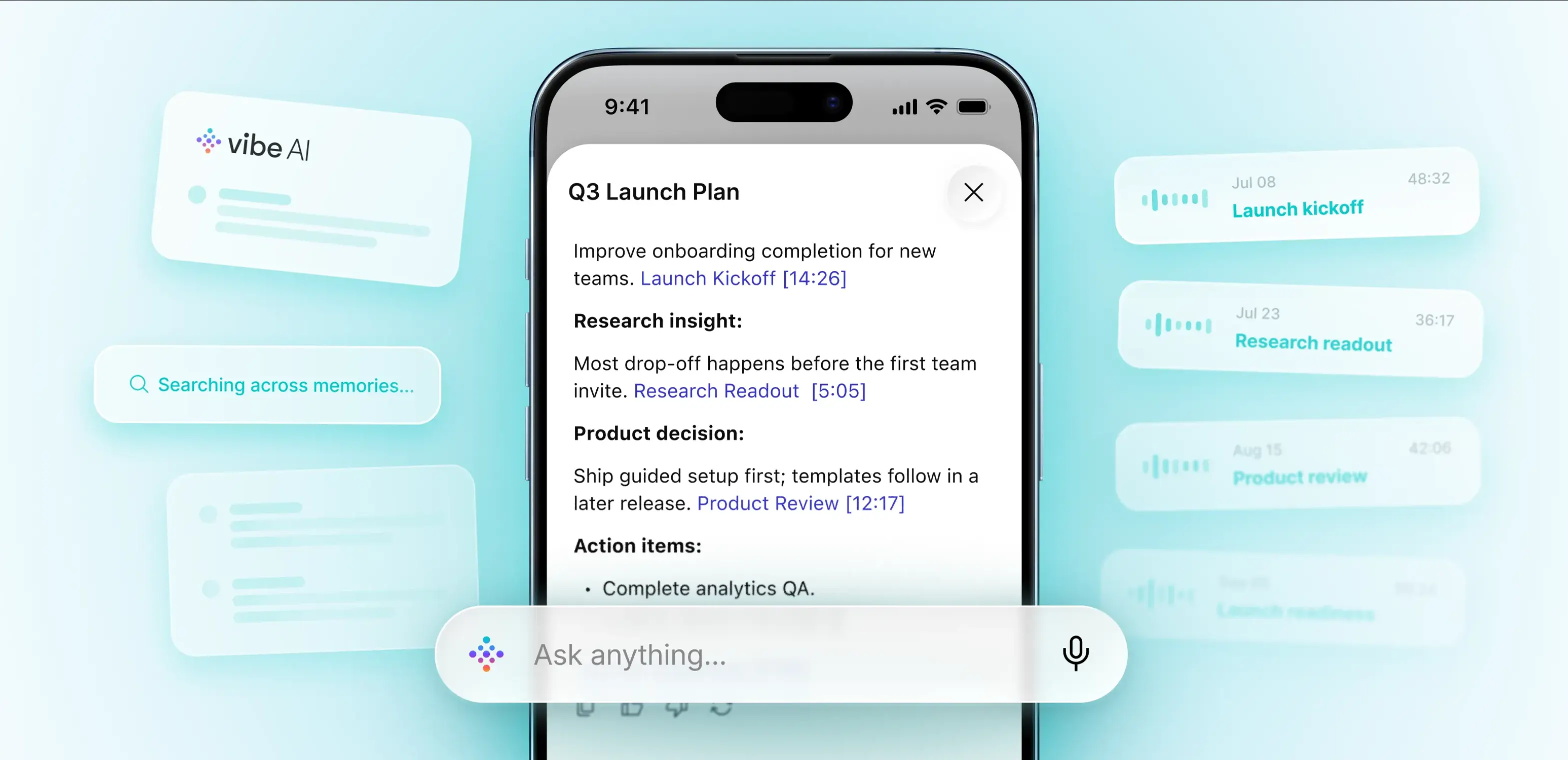 Vibe AI app showing Q3 Launch Plan from meeting memories
What Is Bluedot?
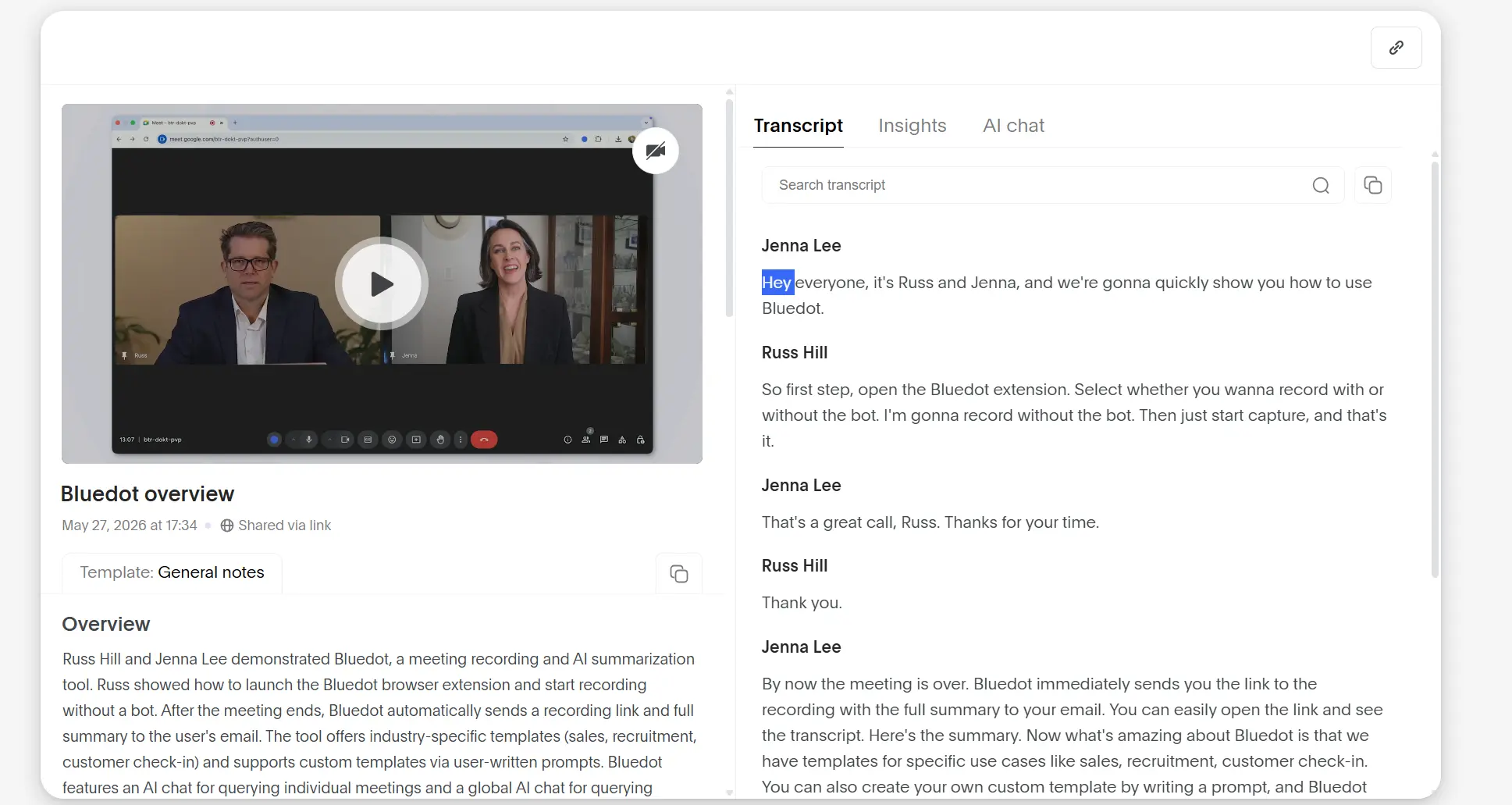
Bluedot is a cloud-based AI meeting assistant that records, transcribes, and summarizes video calls without joining as a visible bot participant. It works via a Chrome extension and desktop app, capturing audio directly from your device rather than sending a separate meeting participant into the session. After each meeting, it generates summaries, action items, and can automatically sync notes to CRM tools like HubSpot and Salesforce.
Bluedot’s website describes it as a tool trusted by over 50,000 companies, with particular traction among sales teams, recruiters, and customer-facing roles.
 Bluedot
What Is Vibe Dot?
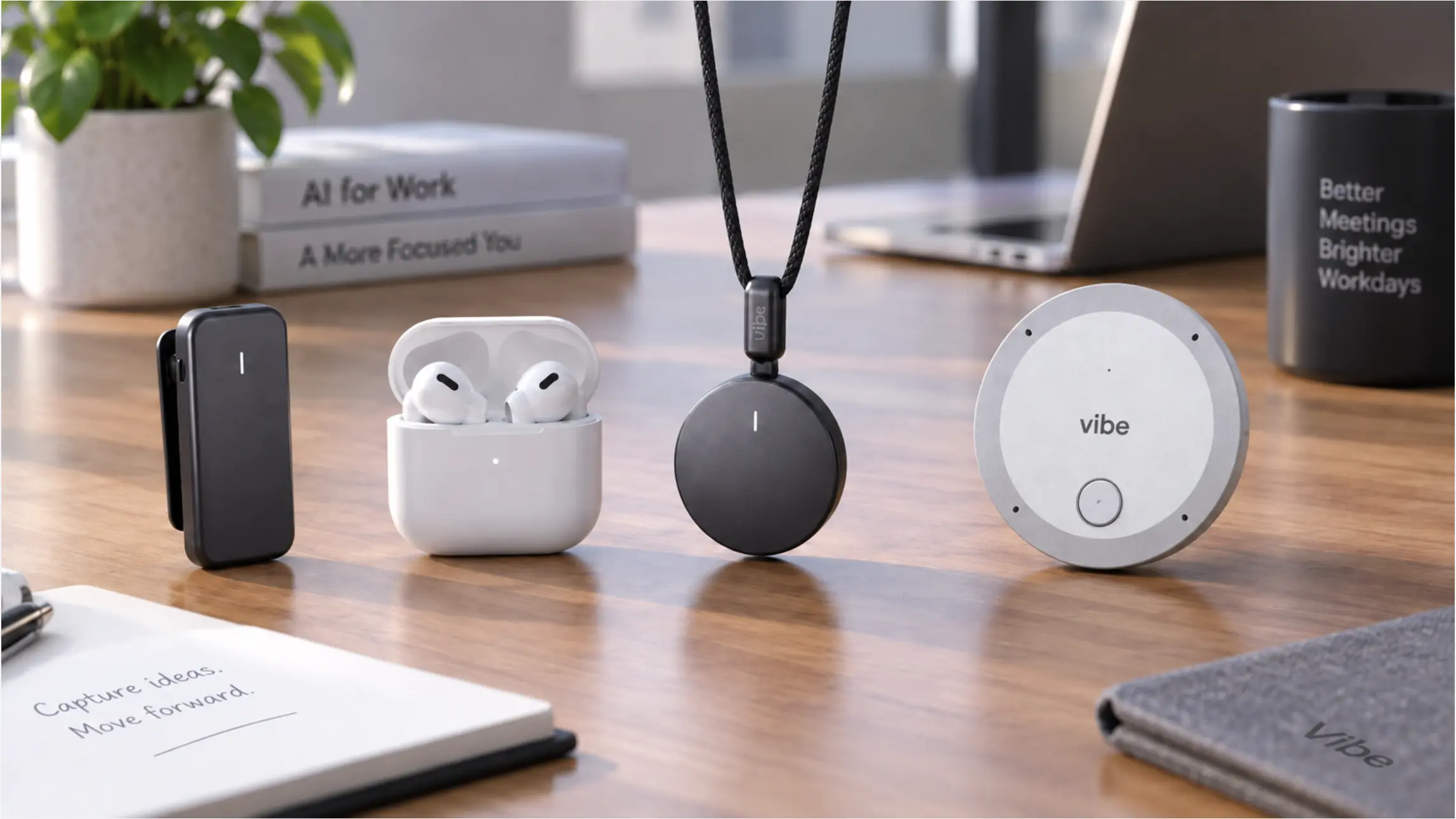
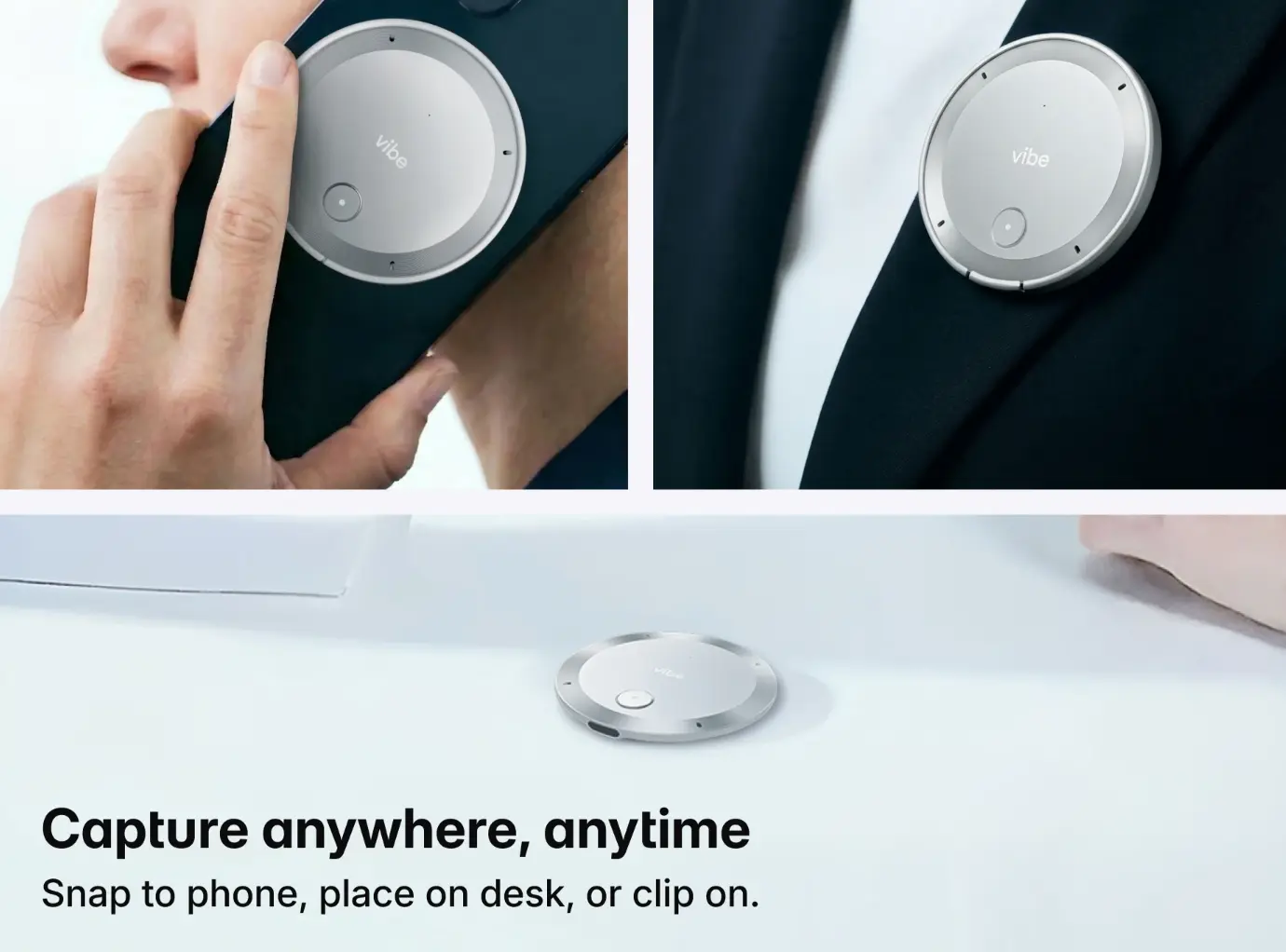
Vibe Dot is a wearable AI capture device — a physical clip-on recorder that pairs with the Vibe AI platform to turn conversations into searchable, actionable records. Unlike software-only meeting tools, it works completely offline, with 64GB of onboard storage, a 30-hour battery, and a dedicated hardware encryption chip. The Vibe AI layer on top provides cross-session memory, AI summaries, and agentic integrations that push action items into tools like Slack, Jira, Notion, and HubSpot.
Where Bluedot is a SaaS tool you run on a computer, Vibe Dot is a capture layer that travels with you.
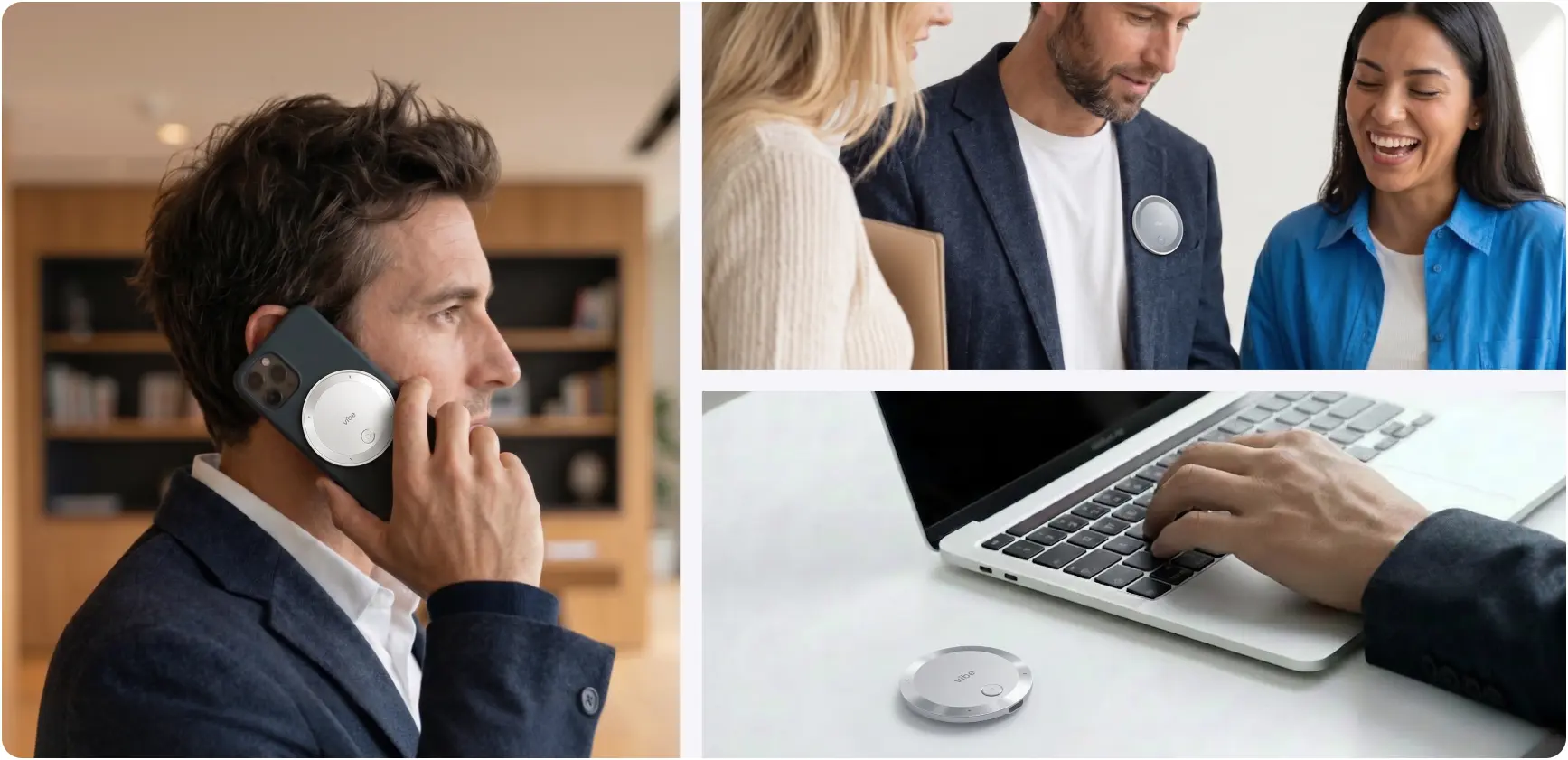 Vibe Dot
Quick Comparison: Vibe Dot vs. Bluedot
|
Feature |
Bluedot |
Vibe Dot |
|---|---|---|
|
Capture method |
Chrome extension / desktop app |
Physical wearable device |
|
Bot-free |
✅ Yes |
✅ Yes |
|
Offline recording |
❌ Requires internet for AI processing |
✅ Full offline — 64GB onboard storage |
|
In-person / away-from-desk |
⚠️ Limited mobile app reliability |
✅ Core use case |
|
Cross-session memory |
❌ Workspace search only |
✅ Memory Graph — persistent context across all meetings |
|
Hardware encryption |
❌ Cloud-based software encryption |
✅ FIPS 140-3, Common Criteria EAL6+ chip |
|
Compliance certifications |
SOC 2, GDPR |
SOC 2, HIPAA, FERPA, NDAA, FIPS 140-3 |
|
Platform support |
Zoom, Google Meet, Teams, WhatsApp |
Any conversation — virtual or physical |
|
CRM integrations |
HubSpot, Salesforce (strong) |
HubSpot, Jira, Linear, Asana, Slack, Notion |
|
Pricing |
$14–$39/user/month |
$199 device + Vibe AI, free plan available |
Where Bluedot Excels
Bot-free video call recording with strong CRM sync. Bluedot’s Chrome extension approach is genuinely seamless for teams whose work lives entirely inside video conferencing platforms. If your day is back-to-back Zoom and Google Meet calls, and your CRM is Salesforce or HubSpot, Bluedot handles that loop well — capture notes, sync to CRM, done.
100+ language support. Multilingual teams working across time zones will find Bluedot’s language coverage broad and consistently praised in user reviews.
Auto-generated follow-up emails. A small but popular feature: Bluedot can draft follow-up emails from meeting content directly, which sales teams use to close the loop quickly after client calls.
Video recording and AI editing. Bluedot captures video alongside audio and offers an AI-powered editor where modifying the transcript automatically edits the video recording — useful for sales teams creating call clips for coaching.
Where Bluedot Falls Short
It’s cloud-dependent — offline doesn’t really work
Bluedot requires an internet connection to process AI summaries and notes. Record a meeting on a plane, in a basement, or in a conference room with spotty WiFi and the AI layer is unavailable until you reconnect. This is a structural constraint of any browser-based SaaS recording tool, not something a software update can fix.
By contrast, Vibe Dot stores recordings locally on the device, and Vibe AI processes them when connectivity is available — meaning your capture is never blocked by network conditions.
In-person and mobile capture is a recognized gap
Multiple independent review sites have identified Bluedot’s in-person and mobile recording capabilities as its most cited limitation. As one 2026 analysis put it: Bluedot’s biggest gap is "no native in-person or robust mobile capture", with reviewers consistently noting that the tool is optimized for desktop browser sessions.
Bluedot does have a mobile app, but it functions differently from the desktop experience and has received mixed reviews for reliability in non-virtual settings.
For professionals who hold client meetings in offices, coffee shops, or on-site visits — or who simply don’t want to open a laptop to capture a conversation — this is a material limitation.
No persistent cross-session memory
Bluedot offers workspace search across past meetings, which lets you query previous transcripts. But it does not maintain a living, connected memory layer that updates across sessions and proactively surfaces relevant context from past conversations.
Vibe AI’s Memory Graph does: it links related meetings, builds a persistent knowledge graph of your conversations over time, and can surface context from a call three months ago when you’re preparing for a follow-up. For users who manage ongoing relationships — sales, customer success, consulting — this distinction matters considerably.
As one competitive analysis notes, Bluedot "does not document an all-meetings workspace task center with assignment and completion state, so serious follow-through usually moves into another system."
Privacy concerns at the hardware level
Bluedot holds SOC 2 and GDPR certification and commits to not using meeting data to train AI models. However, it operates as a cloud-dependent SaaS tool — all AI processing flows through Bluedot’s servers.
G2 reviewers have noted that Bluedot is "not currently suited to privacy-critical use cases", and one reviewer specifically flagged being contacted by a Bluedot representative after publishing a critical privacy assessment — which raised concerns of its own.
Vibe Dot’s approach is architecturally different: a dedicated hardware encryption chip (FIPS 140-3, Common Criteria EAL6+) means recordings are encrypted at the hardware level before they leave the device. For teams in healthcare (HIPAA), education (FERPA), or government procurement (NDAA), this distinction often determines eligibility for enterprise deployment.
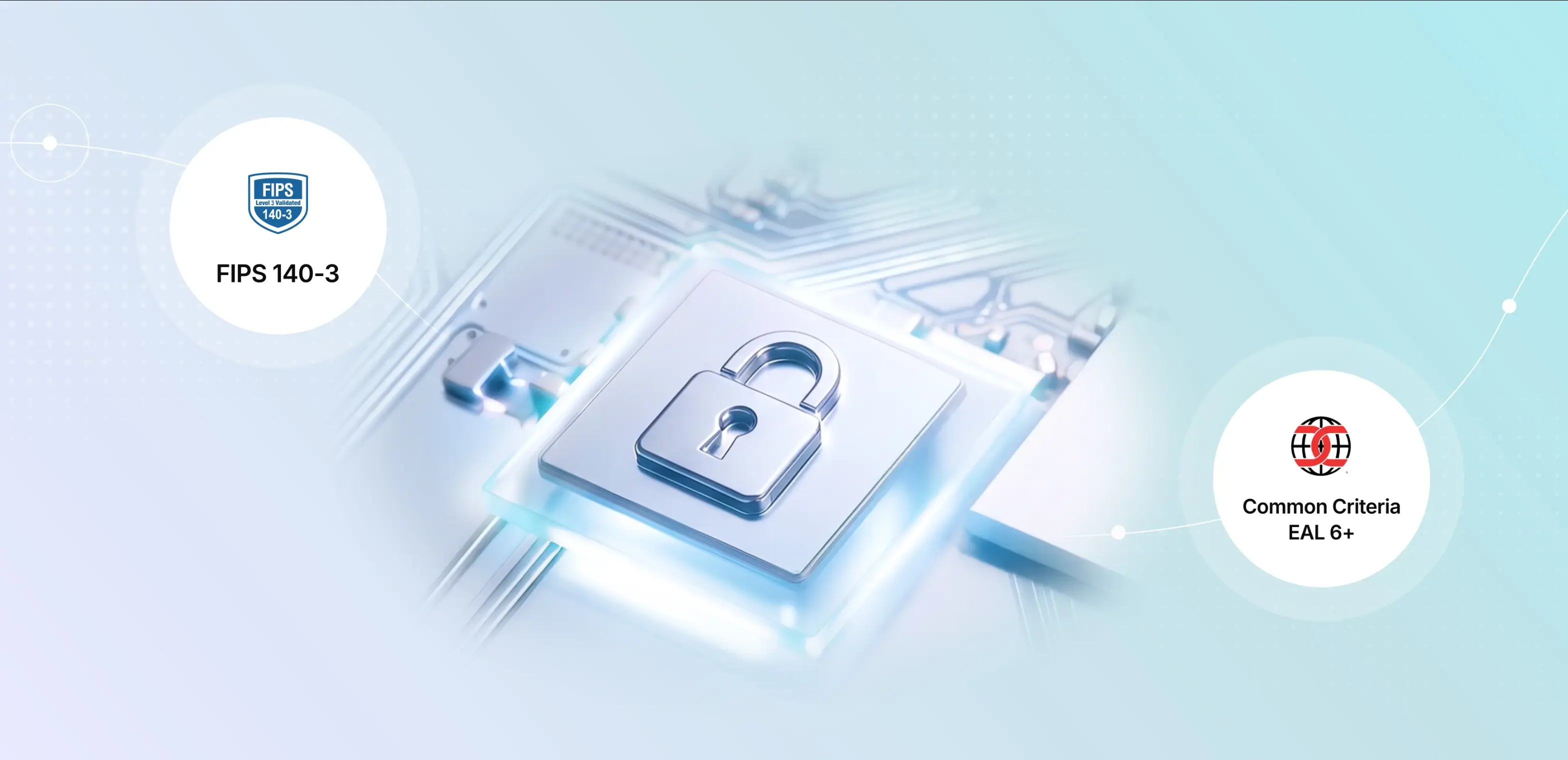 Vibe Dot FIPS 140-3 and Common Criteria EAL 6+ security certifications
Per-seat pricing scales up quickly
Bluedot’s pricing starts at around $14–18/user/month and reaches $39/month at higher tiers. For an individual professional, this is reasonable. For a team of 15 or 20, the monthly bill grows quickly — and per-user pricing that "penalizes teams who need to share meeting outcomes broadly" is a recurring complaint in user reviews.
Vibe Dot’s cost model is different: the device is a $199 one-time purchase, and Vibe AI plans run $9/month (Pro, 1,200 min/month) or $29/month (Max, unlimited transcription + advanced memory). For frequent users, the total cost of ownership often compares favorably.
Where Vibe Dot Has Limitations Worth Naming
Requires a physical device. You need to have the Dot with you. If you forget it at home on the day of your most important meeting, you’re out of luck. Bluedot only requires a Chrome browser.
Not a drop-in Zoom replacement for remote-only teams. If every meeting you have is on video conferencing and you never leave your desk, Bluedot’s frictionless browser experience may suit you better. Vibe Dot shines for hybrid workflows where physical presence matters.
Hardware cost is a barrier for casual users. A $199 upfront purchase is a higher commitment than a free tier or $14/month subscription. Teams need to be confident in the use case before deploying at scale.
Head-to-Head: Four Real Work Scenarios
Scenario 1: Sales rep doing back-to-back Zoom demos
Better fit: Bluedot. For a sales rep who lives in a browser, does 6 Zoom calls per day, and needs CRM sync after each one — Bluedot’s Chrome extension delivers that loop with minimal friction. The auto-generated follow-up email alone saves 10–15 minutes per call.
Scenario 2: Consultant who mixes client site visits with virtual calls
Better fit: Vibe Dot. The moment your work involves conversations that happen outside a browser — client offices, on-site visits, working lunches — Bluedot’s architecture stops being the right answer. Vibe Dot captures everything in the same workflow regardless of setting.
Scenario 3: Executive managing long-running client relationships across months
Better fit: Vibe Dot. Memory Graph changes the math for anyone who needs to remember what was discussed in Q1 when preparing for a Q3 review. Bluedot’s search covers past transcripts; Vibe AI actively connects them.
Scenario 4: Healthcare or government team with strict compliance requirements
Better fit: Vibe Dot. HIPAA attestation, FERPA certification, NDAA compliance, and hardware-level encryption are not things a Chrome extension can match structurally. For these teams, the compliance stack is often the deciding factor.
Pricing Compared
Bluedot
|
Plan |
Price |
Key limits |
|---|---|---|
|
Free |
$0 |
5 meetings lifetime, max 1 hour each |
|
Basic |
~$14/user/month |
Unlimited audio, max 1 hour per recording |
|
Pro |
~$18–20/user/month |
Unlimited with video |
|
Business |
~$39/user/month |
Advanced CRM, admin controls |
Vibe Dot
|
Component |
Cost |
|---|---|
|
Vibe Dot device |
$199 (one-time) |
|
Vibe AI Starter |
Free (300 min/month, 7-day memory) |
|
Vibe AI Pro |
$9/month (1,200 min/month, 100 AI Credits, 12-month memory) |
|
Vibe AI Max |
$29/month (unlimited transcription, 400 AI Credits, unlimited memory) |
For a professional doing 30+ hours of meetings per month and managing ongoing relationships, Vibe AI Pro at $9/month — plus a $199 device that pays for itself within a year — delivers more total capability than Bluedot’s mid-tier plans.
Which Should You Choose?
Choose Bluedot if:
-
Your work is entirely remote and browser-based
-
You need deep CRM integration with Salesforce or HubSpot as the first priority
-
You’re a sales team doing high-volume Zoom/Meet calls and want fast, automatic follow-up email drafts
-
You don’t have a budget for a hardware purchase
Choose Vibe Dot if:
-
You regularly hold in-person meetings, site visits, or any conversations that happen away from a desk
-
You need AI that remembers across sessions — not just searches past transcripts
-
Privacy, hardware-level security, or compliance certifications (HIPAA, FERPA, NDAA) are requirements
-
You’re managing long-term relationships where context from past meetings matters
-
You want one device that handles both virtual and physical capture in the same workflow
The Bottom Line
Bluedot made its name by eliminating the awkward meeting bot. That’s a genuine improvement over older transcription tools. But in 2026, the question has moved on: it’s not just how you capture meetings, but where you have them and what your AI tool does with them afterward.
If your most important conversations happen outside a browser window — in a client’s office, at a conference, on a job site, or across months of ongoing relationships — Bluedot’s architecture has structural limits that better design can’t fix. Vibe Dot was built for exactly that expanded surface area: any conversation, any setting, with a memory layer that keeps growing.
Frequently Asked Questions
Does Bluedot work for in-person meetings?
Bluedot has a mobile app that can capture in-person audio, but reviewers consistently flag this as its weakest area. Independent analysis published in June 2026 listed in-person and mobile capture as Bluedot’s most significant gap compared to alternatives. For teams with frequent offline conversations, a purpose-built device like Vibe Dot is more reliable.
Is Vibe Dot bot-free like Bluedot?
Yes. Vibe Dot is a physical clip-on device — there’s no software bot joining your calls. It captures audio directly, either during virtual meetings (via the companion app) or in person. The experience is even less intrusive than a Chrome extension, since nothing runs in your browser at all.
Can Bluedot remember context from past meetings?
Bluedot offers transcript search across past meetings, so you can look up what was said in a previous call. It does not maintain a persistent memory layer that automatically connects meetings, updates over time, or surfaces relevant context proactively. Vibe AI’s Memory Graph does — it builds a living knowledge graph across all your meetings.
How do Bluedot and Vibe Dot compare on privacy?
Both are SOC 2 certified and commit to not using your data for AI model training. The structural difference is at the hardware level: Vibe Dot stores recordings on a dedicated 64GB chip with FIPS 140-3 and Common Criteria EAL6+ hardware encryption before any data leaves the device. Bluedot processes everything through cloud servers. For healthcare, education, or government use cases, Vibe Dot additionally holds HIPAA, FERPA, and NDAA certifications.
Which is better for sales teams?
It depends on where your sales conversations happen. If all your calls are virtual (Zoom, Google Meet, Teams) and CRM sync is the top priority, Bluedot is a strong fit. If you do field sales, on-site client visits, or need AI memory that tracks a client relationship over months of meetings, Vibe Dot’s capture coverage and Memory Graph give you an advantage.
What happens to Bluedot recordings if I lose internet connection?
Bluedot requires cloud connectivity to generate AI summaries, notes, and action items. Recordings may still be captured locally, but AI processing pauses until connectivity is restored. Vibe Dot stores recordings on the device and syncs AI processing when connectivity is available — your capture is never blocked by network conditions.