
Wearable AI for lawyers means devices you wear or clip on, such as smart glasses, pendants, and small recorders, that capture conversations or surroundings and process them with AI. They can help with client meetings, site visits, and ideas that strike between meetings, but courthouse rules, consent laws, and client confidentiality set hard limits. The short version: audio-only capture that you start yourself is the easiest to defend, and always-on devices with cameras are the hardest. This guide covers what counts as wearable AI, where courts have drawn lines, what ethics guidance says, and how to choose and govern a device. See also Vibe’s legal solutions for law firms.
This article is general information, not legal advice. Court rules, recording laws, and professional-conduct rules vary by jurisdiction. Consult an attorney licensed in your state before choosing a device or setting firm policy.

What Counts as Wearable AI for Lawyers?
Wearable AI for lawyers falls into three groups: smart glasses with cameras and microphones, always-on pendants that record throughout the day, and clip-on or pocket recorders that you start yourself. Each captures different things and raises a different legal question.
|
Type |
What it captures |
Main legal concern |
|---|---|---|
|
Smart glasses |
Video, audio, and what you’re looking at |
Courthouse bans, recording of bystanders, and where footage is processed |
|
Always-on pendants |
Audio of conversations throughout the day |
Consent from everyone you speak with, and how much gets stored |
|
Clip-on recorders |
Audio when you start recording |
Consent for each recorded conversation, and data terms |
The categories are arriving fast. An ABA Law Practice article from spring 2026 describes smart glasses, pendants, and always-on AI as maturing quietly in the background while the profession focused on tools like ChatGPT and Westlaw AI. It also notes the market is consolidating: Meta acquired the maker of the Limitless pendant in December 2025, and Plaud offered a similar product. The North Carolina Bar Association notes that AI notetakers are now available in hardware such as pens and lapel buttons.
Why Lawyers Are Looking at Wearables
Lawyers look at wearables because so much of the job happens away from a keyboard. The ABA article’s author argues that a device which captures conversations all day gives you something like perfect recall: ask what a partner said about a merger timeline, or who you met at a conference, and the record answers. He also warns that the profession hasn’t worked out etiquette for always-on recording, that most people speak differently when they know they’re recorded, and that most would want to know if they were being recorded at all.
Picture an attorney walking a client’s property after an accident, dictating observations as she goes. A clip-on recorder keeps her hands free and her attention on the scene, and the memo is searchable that evening. The same device, left running through a hallway conversation with a witness, creates a consent problem she never planned for. The difference isn’t the hardware. It’s who decides when recording starts.
Where Wearable AI Runs Into Courts
Courts are closing doors on wearables faster than ethics bodies are writing guidance. On July 1, 2026, the New York State Unified Court System announced that, starting July 20, smart glasses, meaning eyewear or headwear with a camera, microphone, computer, or other technology that can record video or audio, are prohibited in every UCS facility, including for prescription wearers. The ban reaches more than 1,240 courthouses and applies to litigants, attorneys, staff, and family members, and anyone arriving with smart glasses must voucher them with court officers.
New York isn’t alone. Court systems in Wisconsin, Pennsylvania, and Hawaii have adopted similar restrictions. Philadelphia’s First Judicial District banned smart and AI eyeglasses with recording features from all its court buildings starting March 30, 2026, and its ban also covers cameras, cell phones, and other recording devices unless the court gives written permission. A court administrator noted a long-standing prohibition on recording devices of any kind in its courtrooms.
The practical takeaway: a clip-on audio recorder isn’t eyewear, but it is a recording device. Treat any wearable recorder as a device to leave out of a courthouse unless the court has authorized it in writing, and tell clients the same.
Consent, Privilege, and the Always-On Problem
The harder questions are about what happens in conversations outside the courthouse. Four sources point the same way:
-
Consent. The New York City Bar’s Formal Opinion 2025-6 advises getting client consent before AI records a call, weighing privilege risks, and checking the output for accuracy. It also notes that if a client records with their own AI tool, the lawyer should warn about the loss of confidentiality and privilege.
-
Wiretap law. NCBA warns that recording without all-party permission can lead to criminal or civil liability under varying state wiretap and privacy laws, and that privilege and confidentiality may be at risk if data sits on third-party servers or trains external models.
-
Hidden and automatic capture. A May 2026 article from Illinois’s 2Civility warns that notetakers can be hidden and auto-activated, that wearable recorders and AI pendants can unknowingly enter client meetings and courtrooms, and that lawyers should assess a vendor’s data storage, access, retention, and model training.
-
Vendor terms. In United States v. Heppner, a federal court held that material a defendant created with a consumer AI tool was neither privileged nor work product, in part because the provider’s privacy policy undercut any expectation of confidentiality.
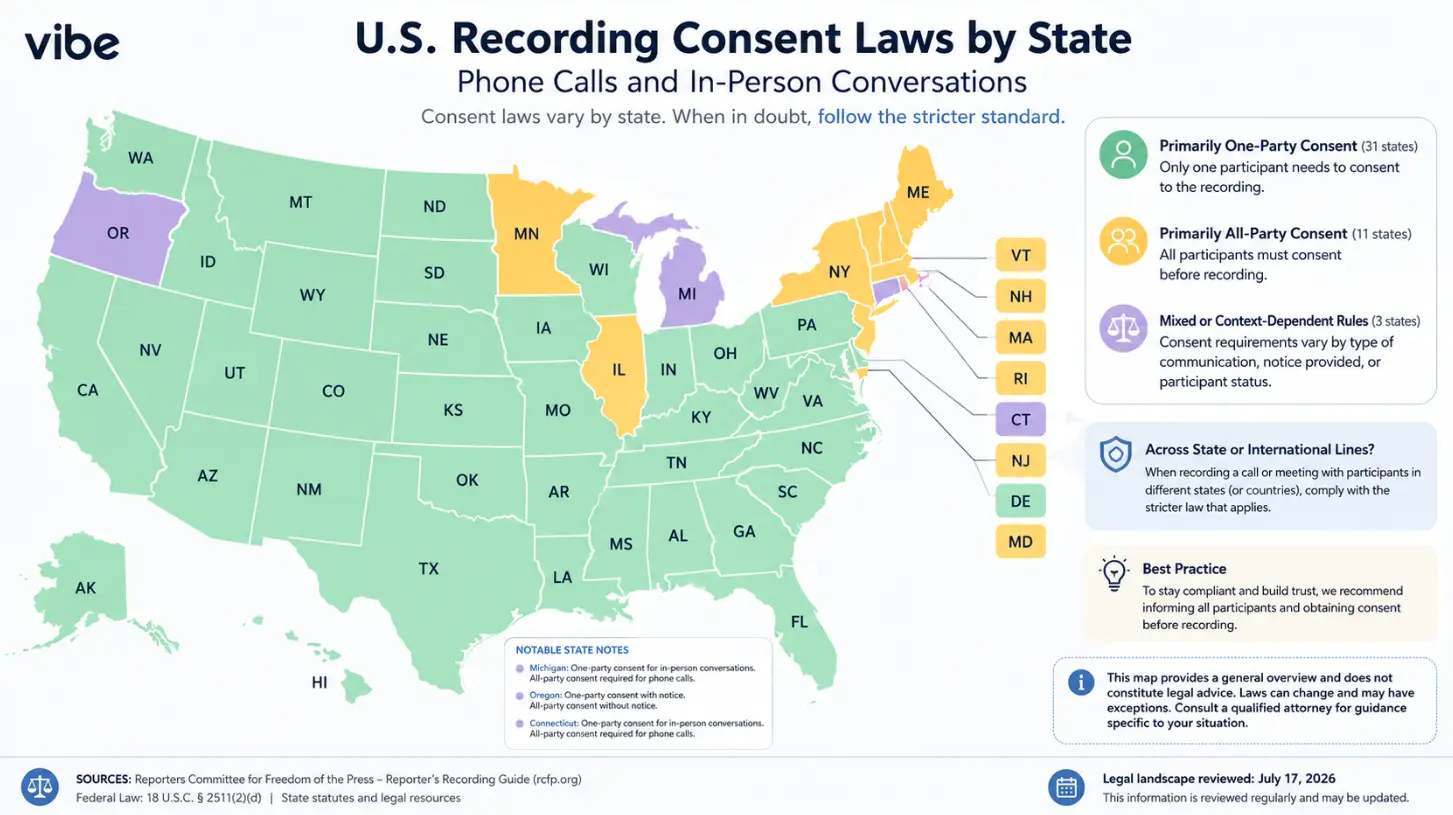
Our view: always-on capture makes each of these harder, because you can’t announce, document, or limit a recording you didn’t start. That’s why the checklist below leans on devices where the lawyer decides when recording begins. For the consent rules themselves, see Can Lawyers Record Client Meetings? and the state-by-state consent guide.
How to Choose a Wearable: Eight Questions
Ask eight questions before a wearable goes near a client meeting:
-
Audio only, or camera too? A camera adds bystander privacy issues and courthouse bans. Most legal uses need only audio.
-
Who starts recording? Prefer a device that records when you tap it or during hours you set, not one that listens all day.
-
Can you tell people it’s recording? Plan to announce it and get a clear yes, and log the consent.
-
Does the vendor train on your content? Get the answer in writing, along with retention and disclosure terms.
-
Can you delete? Confirm you can remove recordings, transcripts, and memory, and set retention yourself.
-
Can access be limited by matter? Per-matter permissions matter more as memory builds across conversations.
-
What security evidence exists? Ask for the SOC 2 Type II report, not just a badge. It shows how controls operate, not whether a recording is privileged.
-
Where will you leave it? Decide in advance that it stays out of courthouses and other restricted spaces.
Where Vibe Dot Fits
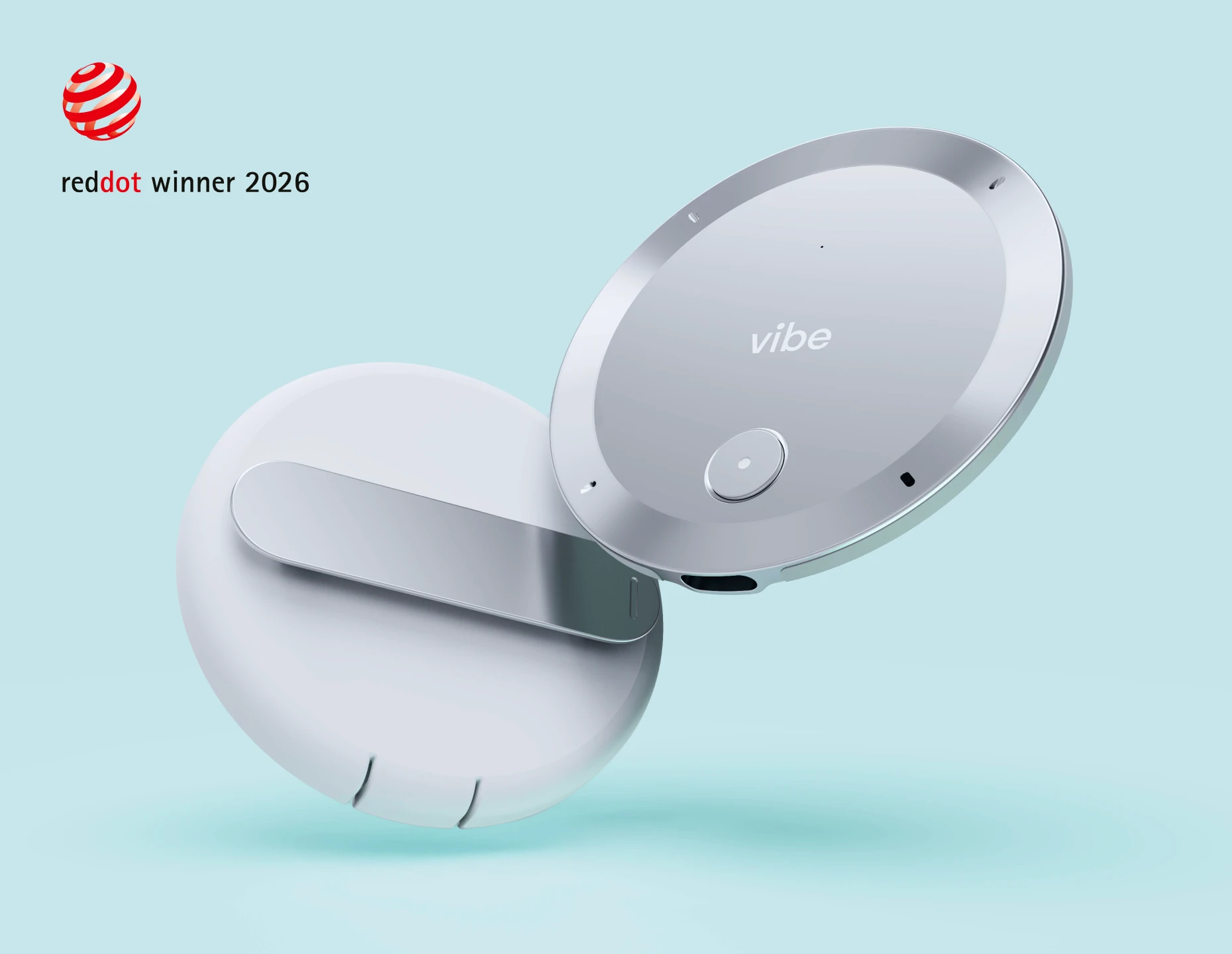
Vibe describes Vibe Dot as an AI assistant device. Vibe markets it as a wearable voice recorder, so it captures audio rather than video, and it’s small enough to clip to a lapel, snap to a phone, or leave on a desk. Vibe lists it at 0.83 ounces and 0.17 inches thin, with 64GB of local storage, offline recording that syncs over Bluetooth, and 30-plus hours of continuous recording.
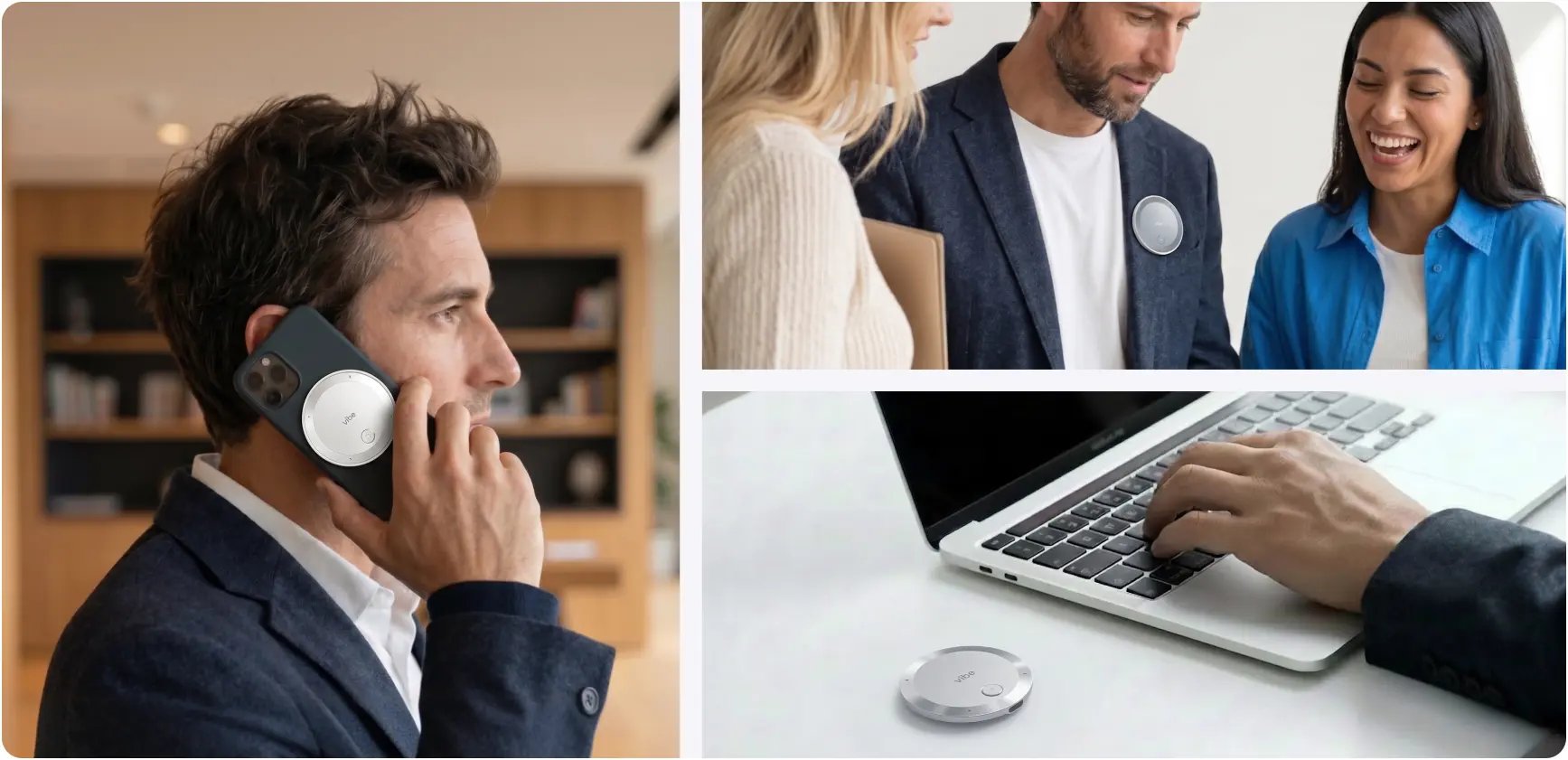
You decide when it records. You double-tap to start and stop, and press and hold to save a quick memo. Auto Capture, currently in beta, starts when it recognizes your voice or at times you schedule. Vibe says you set working hours for it and that Dot isn’t recording outside them.
It remembers across conversations, which is a feature and a question. Vibe AI’s Memory Graph connects recordings so you can ask what changed, what’s still open, or what was agreed. Vibe AI’s agentic Actions turn what was said into follow-through, such as drafted follow-ups and tasks. Both widen what the tool touches, so decide the policy first: whether memory may span clients, how long it’s kept, and which Actions stay off privileged matters.
Your data isn’t used to train models. According to the Vibe AI page, customer information is never used to train Vibe’s or third-party AI models and is processed in a secure, isolated environment. Account owners set retention policies, delete conversations at any time, and use per-thread permissions. Vibe AI reports an unqualified opinion on its SOC 2 Type 2 report and a HIPAA attestation, both from Prescient Assurance.
The limits. Dot is still a recording device, so it stays out of courthouses unless the court authorizes it. Certifications describe how data is protected, not whether a recording is privileged, and consent remains the lawyer’s job. Processing runs in Vibe AI’s cloud, Auto Capture and speaker labeling are in beta, and meeting history is permanent unless you delete it or set a retention policy. Ask Vibe’s sales team about data-handling terms for your firm. Dot is $199 (list $249) at Vibe’s current promotional price.
For how Dot compares with other tools by setting, see AI Tools for Client Meetings.
A Short Wearable AI Policy for a Law Firm
A firm policy for wearable AI can fit on one page. Cover six points:
-
Approved devices only. List which wearables lawyers may use, and ban the rest from client work.
-
Consent first. Require notice and a clear yes from every participant before recording, following the strictest rule in play, and address AI recording in the engagement agreement.
-
No always-on capture in client meetings, conversations with witnesses, or internal privileged discussions.
-
Courthouse rule. Leave wearables out of courthouses unless the court has authorized them in writing, and tell clients to do the same.
-
Retention and memory. Set how long recordings and memory last, and keep memory separated by matter where the tool allows it.
-
Ownership. Name the lawyer who owns the policy, and review it when court rules change.
The Bottom Line
Wearable AI for lawyers is real, and it’s moving faster than the rules around it. The devices that are easiest to defend record audio only, start when you decide, come with data terms you’ve read, and stay out of courthouses. Decide the policy first, then the hardware.
To see how a clip-on recorder with memos and memory fits your practice, explore Vibe Dot, or return to Vibe’s legal solutions hub.
Frequently Asked Questions
Can lawyers use wearable AI in a courtroom?
Usually not without written authorization. New York bars smart glasses from all state courthouses as of July 20, 2026, and Philadelphia’s First Judicial District bars smart glasses and other recording devices from its buildings unless the court gives written permission. Rules vary by court and judge, so check with the clerk before bringing any wearable, and leave it behind by default.
Is it legal to record clients with a wearable recorder?
It depends on the law where the conversation happens. Federal law allows recording with one party’s consent, but about a dozen states require everyone’s, and professional-conduct rules may add duties. The New York City Bar advises getting client consent before AI records a call. Announce the recording, get a clear yes, and consult an attorney licensed in your state.
Are smart glasses a good idea for lawyers?
They carry more risk than audio-only devices. Cameras add bystander privacy issues, courthouse bans are spreading, and a proposed class action alleges Meta’s glasses sent footage to human reviewers despite privacy promises, which are allegations only (FindLaw). For most legal work, audio-only capture that you start yourself is easier to defend than a camera that sees everything.
What’s the difference between always-on AI and controlled capture?
Always-on devices record throughout the day, so you can’t announce, document, or limit each recording. Controlled capture starts only when you tap the device or during hours you set. For client work, controlled capture is easier to square with consent rules, but you still need notice, a clear yes, and data terms in writing.
Does wearable AI put attorney-client privilege at risk?
It can. Privilege depends on whether the communication stays confidential, so who can access the recording and what the vendor can do with it matter. In United States v. Heppner, a vendor’s privacy policy undercut confidentiality for a consumer AI tool. Review training, retention, and disclosure terms before use, and see our guide on privilege and AI note takers.
How do I choose a wearable AI device for my law practice?
Start with audio-only devices where you control when recording starts. Then check the vendor’s training and retention terms, deletion rights, per-matter access, and security evidence such as a SOC 2 Type II report. Write a one-page firm policy covering consent, courthouses, and retention before anyone uses the device with clients.